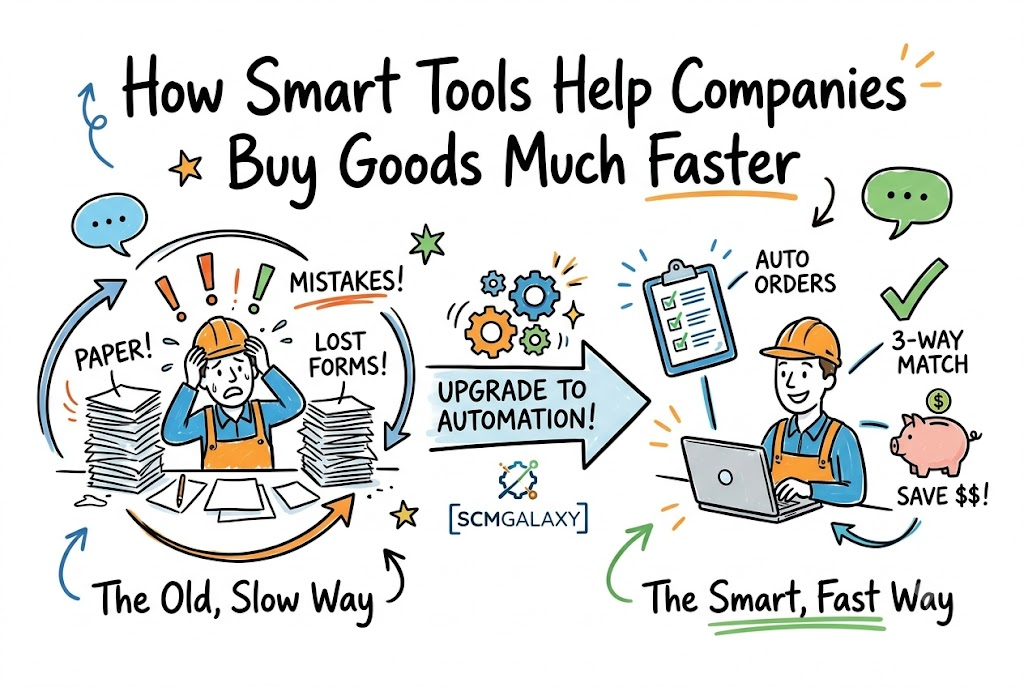
Buying supplies for a big business takes a lot of time. Workers have to order parts, check prices, and pay bills every day. This whole buying process has a simple name: procurement.
When workers do all this by hand, they make mistakes. Paper forms get lost, and orders take too long to arrive. So, modern teams get help from SCMGALAXY to make the job quick and smooth.
Automation means using smart computer programs to do repeat tasks without human help. These tools can fill out forms and send emails in seconds. Next, we will see how these smart tools fix everyday buying problems.
What Does Buying Supplies Really Mean?
Every company needs to buy things to keep running. A school buys books, paper, and desks. A toy shop buys plastic, paint, and cardboard boxes.
The buying team must find good sellers who offer fair prices. They also make sure items arrive right on time. If they buy the wrong items, work stops.
People used to write every order on paper sheets. Workers carried papers from desk to desk for signatures. But that old way was slow, messy, and hard to track.
Why Old Ways of Buying Cause Big Trouble
People get tired when they type the same numbers all day. A worker might add an extra zero by mistake. That small error can cost thousands of dollars.
Lost papers also cause huge delays. An urgent order might sit under a pile of mail for days. Because of this, factories run out of parts to make goods.
Smart computer tools fix these bad habits right away. The computer reads the numbers correctly every single time. So, the whole team saves both time and money.
Key Operational Concepts You Must Know
Automatic Purchase Orders
A purchase order is just an official shopping list sent to a seller. Smart tools can make this list the moment stock gets low. Then, the computer sends it out without waiting for a person.
Three-Way Matching
Before paying a bill, workers must check three things: the order, the packing slip, and the bill. Computers can match all three in one second. If all numbers match, the tool pays the bill right away.
Vendor Portals
A vendor is simply a person or shop that sells goods. A portal is a private website where sellers upload bills. This keeps all messages in one clean, safe spot.
Real-Time Spend Tracking
Bosses need to know where every single dollar goes. Smart dashboards show live graphs of company spending. So, managers can spot waste and stop bad deals fast.
Platform Implementation vs. Culture — What’s the Real Difference?
| What We Look At | Setting Up the Tool | Changing the Team Culture |
|---|---|---|
| Main Goal | Install new buying software on office computers | Help workers trust and like the new system |
| How to Do It | Connect apps and turn on auto-pay rules | Train workers and answer their questions kindly |
| How to Grade It | The software runs fast with no bugs | Workers stop using paper forms completely |
| Final Result | Gives the office a fast digital engine | Builds a happy, smart, and modern workforce |
Buying shiny new software does not solve problems all by itself. If workers feel scared of new tools, they will avoid them. They might keep hiding paper forms in their desk drawers.
True success needs a great team attitude. Leaders must show workers that computers are here to help, not replace them. When workers see that boring tasks vanish, they smile and join in.
Both sides must work together like two wheels on a bicycle. Good software gives you speed, but happy people give you direction. Balance both parts to win the game.
Real-World Use Cases of Modern Operations
Buying Food for City Hospitals
A large hospital network needs fresh food every single morning. Workers used to call five local farms every afternoon. It took four hours of loud phone calls every day.
They set up a smart system to track kitchen food levels. Now, the system orders milk and vegetables the second bins get low. The kitchen never runs out of food for patients now.
Ordering Parts for an Airplane Shop
A repair shop fixes airplane engines under strict safety rules. Every bolt and wire must pass hard quality tests. Lost test certificates used to ground planes for weeks.
Management added a tool that scans and saves every part slip. The tool links each bolt to its safety sheet instantly. Now, planes get back in the air three days faster.
Handling School District Supplies
A giant school district has fifty separate elementary schools. Each school used to buy its own markers and notebooks. They paid high retail prices because they bought in small lots.
A central tool joined all fifty shopping lists into one huge order. The district got a massive bulk discount from the supplier. This smart move saved enough cash to hire five new art teachers.
Common Mistakes in Operations Engineering
Buying Tools Before Fixing Broken Steps
Never put a fast computer on top of a messy process. If your steps make no sense, a computer only makes mistakes faster. First, clean up your rules on paper. Next, let the computer run the clean rules.
Forgetting to Train the Daily Workers
Bosses often pick software without asking the actual users for input. Then, they give workers zero lessons on how to click the buttons. Confused workers get upset and make slow progress. Always teach your team with fun, short practice lessons.
Picking Systems That Cannot Talk to Each Other
Some apps act like islands that refuse to share facts. If your buying app cannot send bills to your bank app, work stops. Workers will have to copy numbers by hand again. Always pick tools that connect and talk freely.
How to Become an Operations Expert — Career Roadmap
- Junior Buying Helpers
- Learn how to use basic digital forms and spreadsheets with ease.
- Practice checking order lists to spot simple typing errors.
- Talk nicely with suppliers to make sure packages arrive on time.
- Procurement Team Leaders
- Set up auto-order rules for standard goods like office supplies.
- Study spending charts to find sellers who offer the lowest fees.
- Teach new team members how to use the company software safely.
- Operations Directors
- Pick the right software platforms for the entire global company.
- Build strong trade deals with the best sellers around the globe.
- Make sure the company follows all state and federal trade laws.
FAQ Section
- What is procurement automation?It means using smart computer programs to handle buying tasks like orders, approvals, and bills without slow human labor.
- Will smart buying tools take away human jobs?No, they just remove boring typing work so people can focus on smart talks, good trades, and creative planning.
- What is a three-way match in simple words?It is a quick check to make sure the order list, delivery box, and cash bill show the exact same items and prices.
- Why is paper buying bad for modern firms?Paper is slow, easy to drop, simple to lose, and takes up too much room in old filing cabinets.
- How does auto-buying save real money?It stops expensive math mistakes, pays bills early to get cash discounts, and buys in bulk for cheaper rates.
- Can small shops use these smart tools too?Yes, many modern tools cost very little and run straight from any standard phone or web browser.
Final Summary
Using smart tools to buy supplies makes businesses run much better. It takes away boring paper tasks that slow people down. It also catches math mistakes before money leaves the bank. When teams switch to automated tools, work gets easy and fun again.
The future belongs to companies that welcome smart digital helpers. Your workers can spend their energy making friends with top suppliers. They will no longer waste hours typing receipts in dark back rooms. Start with small digital steps today, and watch your business grow strong.

- Bright Software Learning Adventures With DevOpsSchool Org - October 9, 2026
- How Smart Tools Help Companies Buy Goods Much Faster - October 8, 2026
- Happy Coding Secrets for Japanese Tech Teams with devopsschool jp - October 8, 2026