How to configure Sonatype Nexus repository with Maven?
Automatic dependencies is one of the powerful feature of Apache maven and its one of the reason Maven is very popular in developer community. Maven resolve the dependent library from local repository which is again connected with central repository or remote repository. thus we can say that Maven has 3 kinds of repository concept.
1. Local repostory e.g $USER_HOME/.m2
2. Central repostory e.g http://repo.maven.apache.org/maven2/
3. Private repostory e.g Sonatype Nexus, Artifactory, Archiva etc.
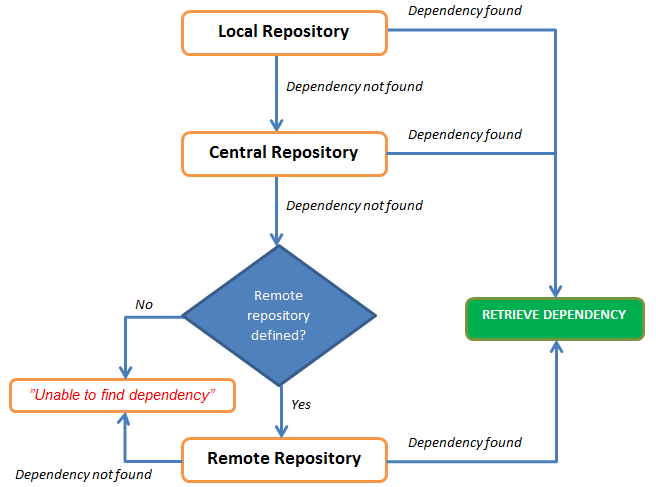
The diagram shown below represent how maven resolve the dependendency.
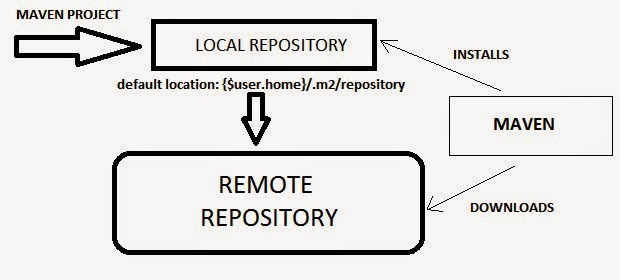
High Level Interaction between Local Repository, Central Repository and Remote Repository.
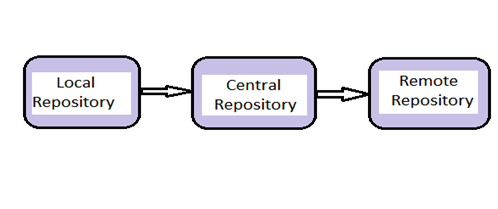
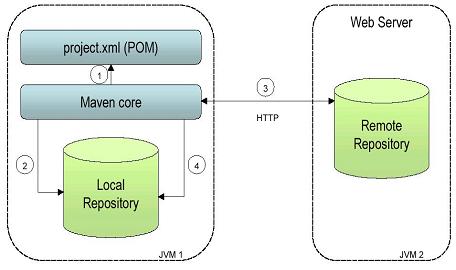
Dependency Management using Local Repository, Central Repository and Remote Repository.
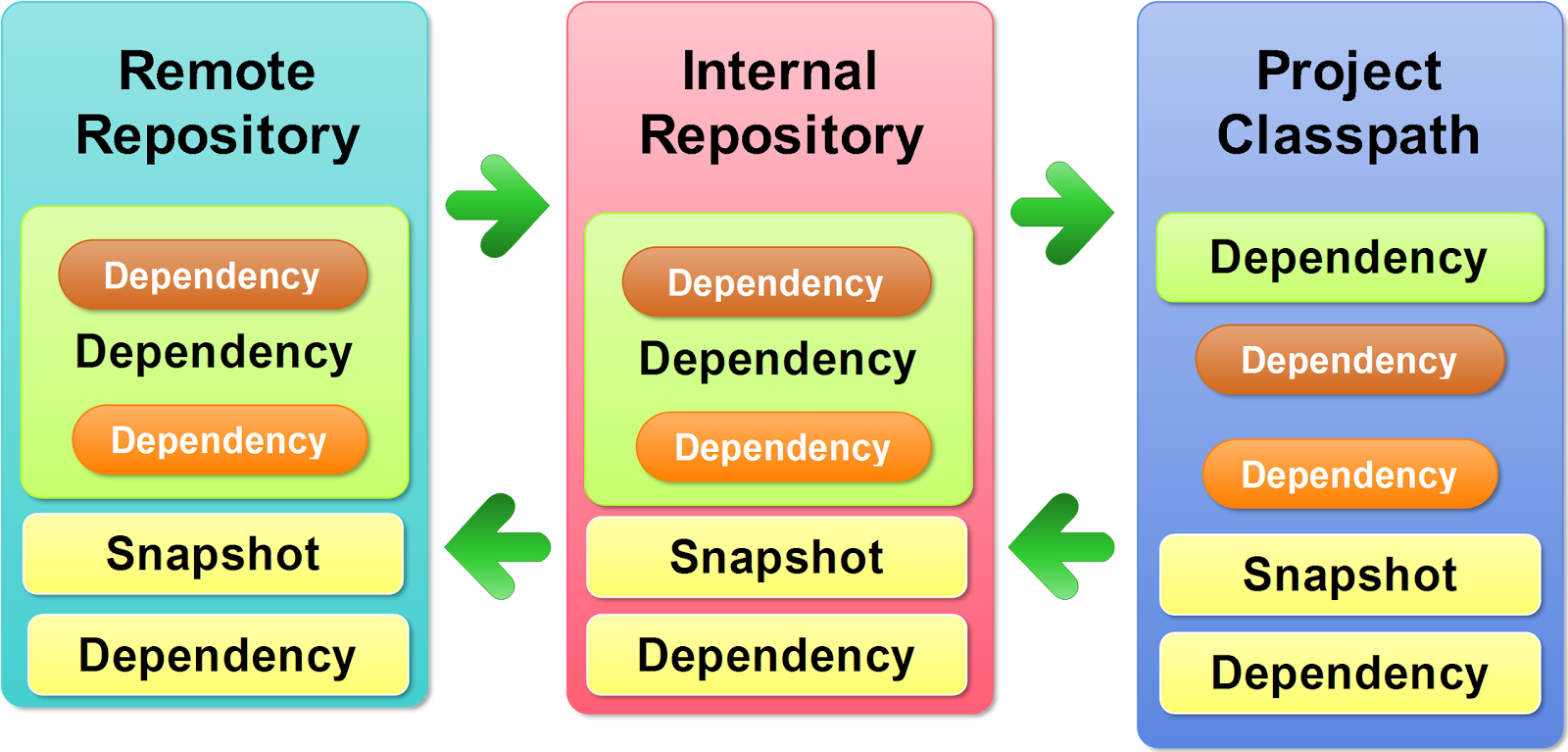
This is How maven interact with Repository!
This is a diagram which shows the define flow in which maven try to resolve the dependency.
Now, We have understood that Central rrepository is in built but next questions is, How to inform the maven about the location of remote repository? In order to configure maven with remote repostory, in our case SonaType Nexus, we need to configuring host machine setting.xml and projects pom.xml to use your Nexus repos.
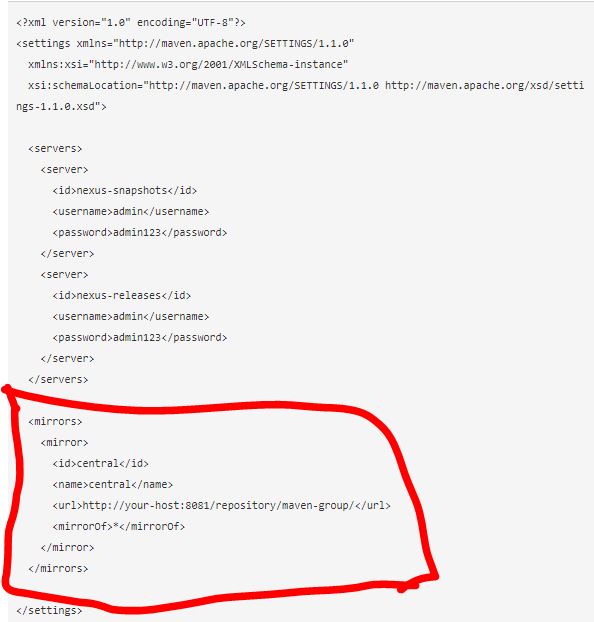
Put this in your ~/.m2/settings.xml file. This will configure the credentials to publish to your hosted repos, and will tell your mvn to use your repo as a mirror of central:
And now configure your projects.
If you want only to download dependencies from Nexus, put this in the pom.xml:
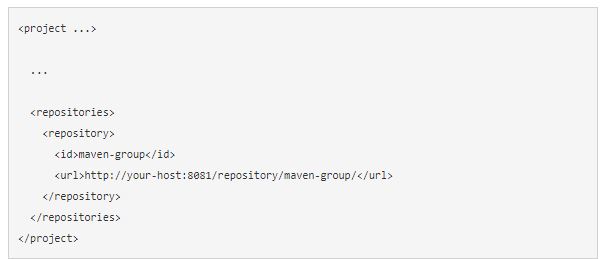
and
Add the following at the end of setting.xml
<activeProfiles>
<!–make the profile active all the time –>
<activeProfile>nexus</activeProfile>
</activeProfiles>
Reference
https://maven.apache.org/guides/mini/guide-mirror-settings.html

Latest posts by scmgalaxy K (see all)
- Use of runtime variables to save into another variable using register in Ansible - September 6, 2018
- Ansible & Ansible Tower Variable Precedence Hierarchy - September 6, 2018
- How to use template in Ansible? - September 6, 2018