Introduction
Augmented Reality (AR) tools have become essential in 2026, transforming industries such as retail, healthcare, education, gaming, and real estate. These tools allow businesses and creators to blend the digital and physical worlds, delivering immersive experiences that engage customers and enhance workflows. From product visualization to interactive learning and AR-powered shopping, AR tools are shaping the future of digital interaction.
When choosing the best Augmented Reality Tools, decision-makers should consider factors like ease of use, platform compatibility (iOS, Android, Web, AR/VR headsets), scalability, integration with existing workflows, and cost. In this guide, we highlight the Top 10 Augmented Reality Tools in 2026, breaking down their features, pros, cons, and ideal use cases.
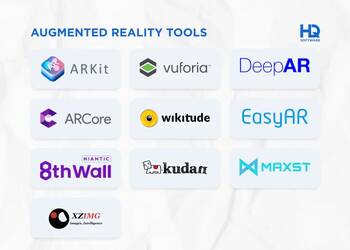
Top 10 Augmented Reality Tools in 2026
1. Unity AR Foundation
Short Description: A cross-platform AR development framework built into Unity, ideal for developers creating immersive AR experiences.
Key Features:
- Cross-platform AR support (iOS ARKit & Android ARCore).
- Advanced 3D rendering engine.
- Large community and asset store.
- Support for AR glasses and headsets.
- Real-time collaboration tools.
- Integrates with AI & ML features.
Pros:
- Powerful development environment.
- Huge ecosystem and learning resources.
Cons:
- Steep learning curve for beginners.
- Requires coding and technical expertise.
2. Unreal Engine AR
Short Description: Unreal Engine’s AR toolkit offers photorealistic visuals and high-fidelity AR experiences for enterprises and game developers.
Key Features:
- Photorealistic rendering.
- AR template projects.
- Cross-platform deployment.
- Seamless integration with ARKit and ARCore.
- Blueprint (no-code) and C++ support.
- Industry adoption in gaming, film, architecture.
Pros:
- Best-in-class visuals.
- Strong support for enterprise projects.
Cons:
- Resource-heavy engine.
- Higher hardware requirements.
3. 8thWall (Niantic)
Short Description: A web-based AR platform allowing developers to create AR experiences without requiring app downloads.
Key Features:
- WebAR support (runs in browser).
- Marker-based and markerless AR.
- Cloud-based deployment.
- Supports AR advertising campaigns.
- Real-time AR image tracking.
- Large developer community.
Pros:
- No app installation needed.
- Easy for marketing campaigns.
Cons:
- Subscription costs can be high.
- Limited customization compared to engines.
4. ZapWorks (Zappar)
Short Description: A versatile AR platform for marketing, education, and enterprise use with drag-and-drop features.
Key Features:
- Drag-and-drop AR creation.
- Compatible with WebAR and apps.
- Face tracking & image recognition.
- Integration with learning tools.
- Enterprise licensing options.
Pros:
- Beginner-friendly.
- Flexible deployment options.
Cons:
- Limited high-end 3D customization.
- Requires subscription.
5. Vuforia
Short Description: An enterprise-grade AR platform widely used in manufacturing, healthcare, and training applications.
Key Features:
- Model recognition.
- Object tracking.
- Integration with IoT platforms.
- 3D visualization of CAD models.
- Works across devices.
- Enterprise security and support.
Pros:
- Strong enterprise focus.
- Supports industrial workflows.
Cons:
- Expensive for small businesses.
- Steeper learning curve.
6. Blippar
Short Description: A creative AR platform designed for brands and educators to build interactive AR campaigns and experiences.
Key Features:
- Drag-and-drop AR builder.
- WebAR support.
- Interactive AR storytelling.
- Multi-platform deployment.
- AI-powered object recognition.
Pros:
- User-friendly interface.
- Strong for education and marketing.
Cons:
- Less suited for enterprise AR apps.
- Limited customization for advanced devs.
7. Spark AR (Meta)
Short Description: Meta’s AR creation tool for building AR filters and effects on Instagram and Facebook.
Key Features:
- Social media AR filters.
- Drag-and-drop editor.
- Large library of AR templates.
- Publishing directly to Instagram/Facebook.
- Strong community of creators.
Pros:
- Free to use.
- Perfect for creators and influencers.
Cons:
- Limited to Meta ecosystem.
- Not suitable for enterprise AR projects.
8. ARKit (Apple)
Short Description: Apple’s native AR development kit, optimized for iOS devices and AR glasses.
Key Features:
- Exclusive to iOS ecosystem.
- High-precision motion tracking.
- Scene understanding and LiDAR integration.
- Face tracking.
- Integration with Apple Vision Pro.
Pros:
- Optimized for Apple devices.
- High performance and stability.
Cons:
- Limited to iOS only.
- Not cross-platform.
9. ARCore (Google)
Short Description: Google’s AR SDK enabling developers to build AR apps for Android and cross-platform experiences.
Key Features:
- Motion tracking.
- Environmental understanding.
- Light estimation for realistic AR.
- Geospatial AR experiences.
- Integration with Google Maps.
Pros:
- Strong Android ecosystem support.
- Free to use.
Cons:
- Limited iOS support.
- Requires powerful Android devices.
10. Amazon Sumerian
Short Description: A browser-based AR/VR platform for enterprise training, simulations, and customer experiences.
Key Features:
- Web-based AR/VR creation.
- Supports AR, VR, and 3D scenes.
- Integration with AWS AI services.
- Drag-and-drop scene builder.
- Cloud deployment.
Pros:
- Enterprise-ready.
- Strong AWS integration.
Cons:
- Best for AWS users.
- Less flexible for gaming/creative AR.
Comparison Table
| Tool Name | Best For | Platforms Supported | Standout Feature | Pricing | Rating (G2/Capterra) |
|---|---|---|---|---|---|
| Unity AR Foundation | Developers & enterprises | iOS, Android, AR Glasses | Cross-platform AR dev | Free / Paid | 4.5/5 |
| Unreal Engine AR | High-end visuals & gaming | iOS, Android, PC | Photorealistic rendering | Free / Custom | 4.6/5 |
| 8thWall | Web-based AR campaigns | Web browsers | WebAR (no app required) | Starts $99/month | 4.4/5 |
| ZapWorks | Education & marketing | iOS, Android, Web | Drag-and-drop AR builder | Starts $45/month | 4.2/5 |
| Vuforia | Industrial & enterprise AR | iOS, Android, AR Glasses | CAD model visualization | Custom pricing | 4.5/5 |
| Blippar | Brands & educators | Web, Mobile | AR storytelling & AI recog. | Free / Paid | 4.1/5 |
| Spark AR | Social media creators | Instagram, Facebook | Social AR filters | Free | 4.3/5 |
| ARKit | iOS developers | iOS, Vision Pro | LiDAR & scene understanding | Free | 4.6/5 |
| ARCore | Android developers | Android, limited iOS | Geospatial AR | Free | 4.4/5 |
| Amazon Sumerian | Enterprise simulations | Web, VR, AR | AWS AI service integration | Custom pricing | 4.3/5 |
Which Augmented Reality Tool is Right for You?
- Startups & Indie Creators: Spark AR, Blippar, ZapWorks (easy to use, affordable).
- Enterprises & Industrial Use: Vuforia, Amazon Sumerian (robust enterprise features).
- Developers & AR Enthusiasts: Unity AR Foundation, Unreal Engine AR (powerful development engines).
- Marketing & Web AR Campaigns: 8thWall, ZapWorks (no app download, browser-based AR).
- Apple Ecosystem Users: ARKit (best for iOS & Vision Pro apps).
- Android Ecosystem Users: ARCore (optimized for Android experiences).
Conclusion
The top 10 Augmented Reality Tools in 2026 highlight how AR has matured into a mainstream technology across industries. Whether you’re a developer building immersive games, a brand creating interactive marketing campaigns, or an enterprise training your workforce, there’s an AR tool designed for your needs. As AR hardware (like Apple Vision Pro, Meta Quest, and AR glasses) becomes more accessible, the demand for AR solutions will continue to grow.
Experimenting with free trials and demos is the best way to find the right AR tool for your goals in 2026.
FAQs
1. What are Augmented Reality Tools?
Augmented Reality Tools are software platforms that allow developers, businesses, and creators to build AR experiences that blend digital objects with the real world.
2. Which AR tool is best for beginners?
ZapWorks, Spark AR, and Blippar are great for beginners due to their no-code or low-code environments.
3. Are AR tools expensive?
Many AR tools are free or offer entry-level pricing, but enterprise-grade platforms like Vuforia and 8thWall can be costly.
4. What industries benefit most from AR tools?
Retail, healthcare, education, gaming, real estate, and manufacturing are the biggest adopters of AR in 2026.
5. Which AR tool is cross-platform?
Unity AR Foundation and Unreal Engine AR offer the best cross-platform development capabilities.

- Top 10 AI Model Serving Frameworks Tools in 2026: Features, Pros, Cons & Comparison - August 30, 2026
- Top 10 Construction Management Software Tools in 2026: Features, Pros, Cons & Comparison - August 11, 2026
- Top 10 AI Academic Writing Tools in 2026: Features, Pros, Cons & Comparison - August 11, 2026