Introduction
In today’s fast-paced business environment, bookkeeping tools are more important than ever. Managing finances manually is time-consuming, error-prone, and difficult to scale. That’s why modern businesses—whether startups, freelancers, or large enterprises—rely on advanced bookkeeping software to automate financial tracking, reporting, and compliance.
In 2026, bookkeeping tools have evolved beyond simple record-keeping. They now integrate artificial intelligence (AI), automation, and cloud-based collaboration features. Users should look for tools that offer scalability, ease of use, data security, real-time insights, and integrations with other business applications like CRMs, payroll systems, and tax software.
This guide highlights the Top 10 Bookkeeping Tools in 2026, their key features, pros and cons, and a detailed comparison to help you choose the best solution for your needs.
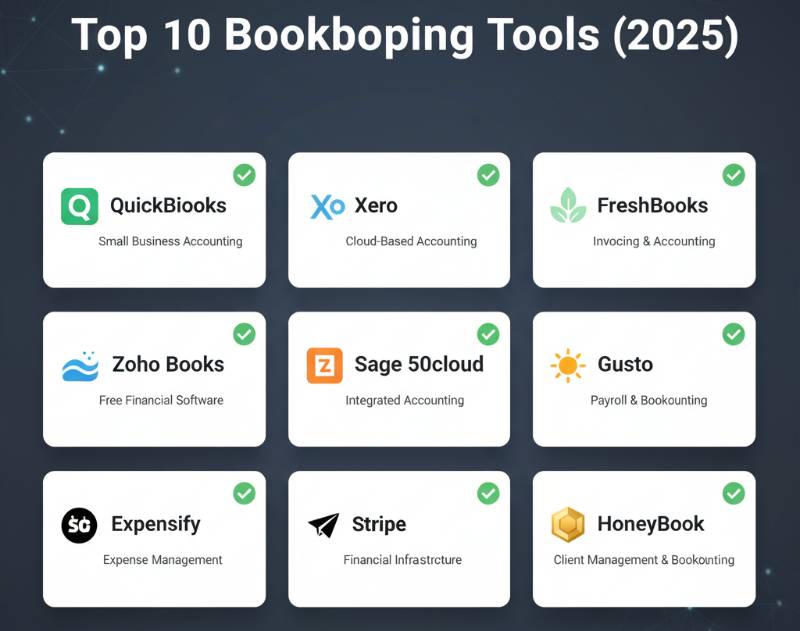
Top 10 Bookkeeping Tools (2026)
1. QuickBooks Online
Description: QuickBooks Online is one of the most widely used bookkeeping tools for small to medium-sized businesses, offering cloud-based accounting, invoicing, and payroll solutions.
Key Features:
- Cloud-based access with mobile app support
- Automated bank reconciliation
- Expense tracking and categorization
- Invoicing and payment tracking
- Payroll management add-ons
- Integration with 650+ apps
Pros:
- User-friendly interface
- Strong ecosystem and integrations
- Scales with growing businesses
Cons:
- Higher pricing for advanced plans
- Some learning curve for beginners
2. Xero
Description: Xero is a cloud-based bookkeeping tool popular among small businesses and accountants. It emphasizes collaboration and real-time financial tracking.
Key Features:
- Cloud-based financial dashboard
- Unlimited users on all plans
- Automated invoicing and reminders
- Expense tracking and project accounting
- Bank reconciliation with AI
- Integration with 1000+ apps
Pros:
- Great for collaboration
- Strong integrations
- Clean and intuitive interface
Cons:
- Limited reporting customization
- Payroll available only in select regions
3. FreshBooks
Description: FreshBooks is designed with freelancers and small businesses in mind, focusing on simple invoicing and expense tracking.
Key Features:
- Easy invoicing with professional templates
- Time tracking and project management
- Expense and receipt capture
- Double-entry accounting
- Tax compliance features
- Mobile app for on-the-go use
Pros:
- Ideal for freelancers and solopreneurs
- Intuitive design
- Strong customer support
Cons:
- Limited advanced features
- Pricing can rise with more clients
4. Wave Accounting
Description: Wave is a free bookkeeping tool suitable for small businesses and entrepreneurs with tight budgets.
Key Features:
- Free accounting and invoicing
- Receipt scanning
- Expense and income tracking
- Multi-currency support
- Payroll (paid add-on)
- Basic financial reporting
Pros:
- Completely free
- Easy to use
- Good for startups and freelancers
Cons:
- Limited integrations
- Customer support not as strong
5. Zoho Books
Description: Zoho Books is part of the Zoho ecosystem, offering strong automation and integrations with Zoho’s CRM and business apps.
Key Features:
- Workflow automation
- Invoice and expense management
- Tax compliance and filing support
- Multi-currency and multi-language support
- Project time tracking
- Integration with Zoho ecosystem
Pros:
- Affordable pricing
- Strong automation
- Great for Zoho users
Cons:
- Limited third-party integrations
- Not as widely adopted as QuickBooks/Xero
6. Sage Business Cloud Accounting
Description: Sage offers robust bookkeeping solutions tailored to small and medium businesses with strong accounting features.
Key Features:
- Cash flow forecasting
- Invoicing and payments
- Bank reconciliation
- Multi-currency support
- Strong compliance features
- Mobile app availability
Pros:
- Strong financial forecasting
- Scales well with growth
- Global support and compliance
Cons:
- Interface can feel outdated
- Add-ons increase cost
7. Kashoo
Description: Kashoo is a simple bookkeeping tool that caters to freelancers and small businesses looking for easy, automated accounting.
Key Features:
- Smart expense categorization
- Invoicing and payment tracking
- Automated tax preparation
- Real-time reporting
- Multi-currency support
Pros:
- Simple and straightforward
- Affordable pricing
- Great for freelancers
Cons:
- Limited integrations
- Not suitable for complex businesses
8. ZipBooks
Description: ZipBooks is a modern cloud-based bookkeeping tool offering AI-driven insights.
Key Features:
- Free plan for small businesses
- Smart categorization with AI
- Invoicing and recurring billing
- Expense tracking
- Business health score reporting
Pros:
- Free plan available
- AI-powered insights
- Simple and clean design
Cons:
- Limited advanced features
- Some automation is basic
9. FreeAgent
Description: FreeAgent is popular with freelancers and contractors, especially in the UK.
Key Features:
- Invoicing and project tracking
- Expense tracking and receipt scanning
- Tax preparation (UK VAT, Self-Assessment)
- Bank reconciliation
- Time tracking
Pros:
- Excellent for UK businesses
- Good project tracking
- Strong tax features
Cons:
- Limited global adoption
- Pricing not as competitive
10. Bench
Description: Bench combines bookkeeping software with real human bookkeepers, offering a hybrid solution for businesses that want expert help.
Key Features:
- Dedicated bookkeeper support
- Monthly financial reporting
- Tax-ready financials
- Integration with major banks
- Mobile access
Pros:
- Human bookkeepers included
- Hassle-free bookkeeping
- Excellent customer support
Cons:
- Higher pricing
- Less flexible DIY features
Comparison Table
| Tool Name | Best For | Platforms | Standout Feature | Pricing | Avg. Rating |
|---|---|---|---|---|---|
| QuickBooks | SMBs, Growing Businesses | Web, Mobile | Ecosystem & Integrations | Starts at $30/month | 4.4/5 |
| Xero | Collaboration, Accountants | Web, Mobile | Unlimited Users | Starts at $29/month | 4.3/5 |
| FreshBooks | Freelancers, Solopreneurs | Web, Mobile | Easy Invoicing | Starts at $19/month | 4.5/5 |
| Wave Accounting | Startups, Free Option | Web, Mobile | Free Bookkeeping | Free | 4.2/5 |
| Zoho Books | Zoho Ecosystem Users | Web, Mobile | Automation & Zoho Integration | Starts at $15/month | 4.4/5 |
| Sage Accounting | SMBs, Global Businesses | Web, Mobile | Cash Flow Forecasting | Starts at $25/month | 4.1/5 |
| Kashoo | Freelancers | Web, Mobile | Smart Categorization | Starts at $20/month | 4.0/5 |
| ZipBooks | Small Businesses | Web, Mobile | AI-Powered Insights | Free / Paid Plans | 4.1/5 |
| FreeAgent | UK Freelancers | Web, Mobile | Tax Features (UK VAT) | Starts at $24/month | 4.3/5 |
| Bench | Businesses needing experts | Web, Mobile | Human Bookkeeper Support | Starts at $249/month | 4.6/5 |
Which Bookkeeping Tool is Right for You?
- Freelancers/Solo Entrepreneurs: FreshBooks, Kashoo, Wave, FreeAgent
- Small Businesses on a Budget: Wave, ZipBooks
- Growing Businesses: QuickBooks, Xero, Zoho Books
- Global/Complex Businesses: Sage, Xero
- Hands-Off Solution with Expert Support: Bench
Conclusion
Bookkeeping tools in 2026 are smarter, faster, and more integrated than ever before. From AI-driven insights to expert-assisted bookkeeping, businesses now have access to solutions tailored to their specific needs. Choosing the right tool depends on your budget, company size, and required features. Always take advantage of free trials and demos before committing to ensure the software fits your workflow.
FAQs
1. What are bookkeeping tools?
Bookkeeping tools are software solutions that help businesses track financial transactions, manage invoices, expenses, and prepare tax-compliant reports.
2. Which is the best free bookkeeping tool?
Wave and ZipBooks offer free plans ideal for freelancers and small businesses.
3. What bookkeeping tool is best for freelancers?
FreshBooks, Kashoo, and FreeAgent are best suited for freelancers and solopreneurs.
4. Are bookkeeping tools secure?
Yes, most leading tools use bank-level encryption and secure cloud storage to protect financial data.
5. Can bookkeeping tools replace accountants?
They automate many tasks but may not fully replace accountants, especially for tax strategy and compliance. Hybrid services like Bench combine both.

- Top 10 AI Model Serving Frameworks Tools in 2026: Features, Pros, Cons & Comparison - August 30, 2026
- Top 10 Construction Management Software Tools in 2026: Features, Pros, Cons & Comparison - August 11, 2026
- Top 10 AI Academic Writing Tools in 2026: Features, Pros, Cons & Comparison - August 11, 2026