Introduction
In today’s hyper-competitive digital landscape, branding tools have become essential for businesses to stand out, build trust, and create a lasting impression. Branding is no longer limited to logos or colors—it encompasses brand voice, consistency across platforms, audience engagement, and visual storytelling.
By 2026, the market for branding tools has evolved significantly, with AI-driven design, automation, social media integration, and analytics leading the way. The best branding tools empower businesses of all sizes—startups, small businesses, and enterprises—to craft a professional, recognizable, and scalable brand identity.
When choosing a branding tool, users should look for features like easy-to-use design templates, brand asset management, collaboration options, cross-platform consistency, social media integration, and affordability.
This article explores the Top 10 Branding Tools in 2026, along with their features, pros and cons, pricing, and comparisons to help you pick the right solution.
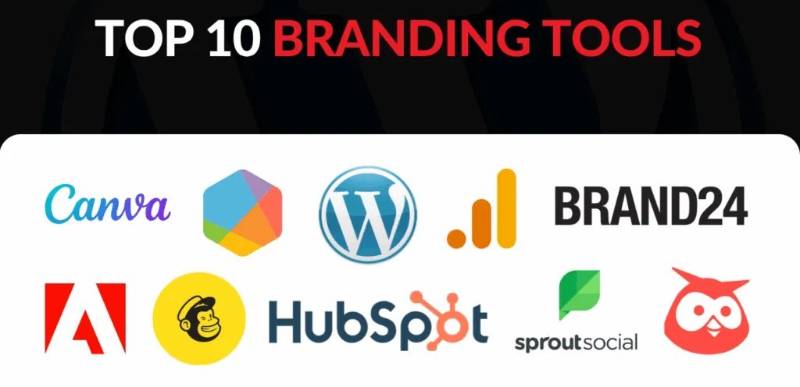
Top 10 Branding Tools in 2026
1. Canva
Short Description: Canva is a leading all-in-one design platform that helps businesses create logos, social media posts, presentations, and brand kits with ease. Perfect for startups and SMBs.
Key Features:
- Drag-and-drop design editor
- Pre-made templates for all platforms
- Brand Kit for logos, fonts, and colors
- AI-powered design suggestions
- Social media scheduling integration
- Team collaboration and approval workflow
Pros:
- Extremely beginner-friendly
- Affordable pricing with free plan
- Wide range of templates
Cons:
- Limited customization for professional designers
- Some premium assets require extra purchase
2. Adobe Express
Short Description: Adobe Express (formerly Spark) is Adobe’s simplified design platform, offering powerful tools for branding, social media, and content creation.
Key Features:
- Adobe Stock and Fonts integration
- AI-assisted editing and design
- Social media templates
- Brand management with reusable assets
- Cross-device cloud sync
- Integration with Photoshop and Illustrator
Pros:
- Professional-grade design ecosystem
- Excellent for consistency across brand assets
- Strong integration with Adobe Creative Cloud
Cons:
- Higher learning curve than Canva
- Expensive for small businesses
3. Looka
Short Description: Looka is an AI-powered logo and branding tool, perfect for entrepreneurs who want to design a professional brand identity in minutes.
Key Features:
- AI logo generator
- Brand Kit with 300+ branded templates
- Business card and social kit creation
- Website builder integration
- Multiple file formats for logos
- Brand guideline generator
Pros:
- Quick and easy branding for startups
- Affordable logo creation
- Automated design suggestions
Cons:
- Limited customization
- Subscription needed for Brand Kit
4. Tailor Brands
Short Description: Tailor Brands offers AI-driven branding, logo design, domain registration, and even business incorporation services, making it a full startup toolkit.
Key Features:
- AI logo maker
- Social media design suite
- Branded business documents
- Website builder & domain registration
- Business incorporation services (LLC setup)
- Automated branding assets
Pros:
- Great for entrepreneurs launching a new business
- All-in-one branding + legal + website solution
- User-friendly AI designs
Cons:
- Logo designs can look generic
- Limited flexibility for advanced branding needs
5. VistaCreate (formerly Crello)
Short Description: VistaCreate is a versatile design platform similar to Canva, designed for creating stunning visuals and brand assets quickly.
Key Features:
- 100,000+ design templates
- Video and animation support
- Brand Kit and asset management
- Stock images and fonts included
- Team collaboration
- Multi-platform publishing
Pros:
- Affordable compared to Adobe
- Wide range of visual content formats
- Easy-to-use interface
Cons:
- Not as feature-rich as Canva
- Some templates look repetitive
6. Brandfolder
Short Description: Brandfolder is an advanced digital asset management (DAM) platform, designed for enterprises to organize, share, and analyze branding materials.
Key Features:
- Cloud-based brand asset storage
- AI-powered asset tagging & search
- Brand guidelines management
- Analytics on brand asset usage
- Collaboration tools for teams
- Scalable enterprise-level branding solution
Pros:
- Perfect for large organizations
- Strong analytics and tracking
- Highly customizable asset management
Cons:
- Expensive for SMBs
- Requires training to fully utilize
7. Frontify
Short Description: Frontify is a branding and design management platform that helps businesses maintain brand consistency across all teams and channels.
Key Features:
- Brand guidelines hub
- Digital asset management
- Design templates and libraries
- Team collaboration
- Cross-department brand consistency
- API and integrations with other tools
Pros:
- Excellent for maintaining brand identity at scale
- Centralized platform for teams
- Strong customization options
Cons:
- Premium pricing
- More suited for mid-to-large businesses
8. Designhill
Short Description: Designhill is a crowdsourcing platform for branding, offering AI tools as well as designer contests for logos, graphics, and brand identities.
Key Features:
- AI logo maker
- Design contests with professional designers
- Custom branding packages
- Print-on-demand merchandise
- Business card and stationery design
- Dedicated design marketplace
Pros:
- Flexible: AI + human designers
- Affordable contests for small businesses
- Access to a global design community
Cons:
- Quality depends on designer submissions
- No centralized brand kit management
9. Venngage
Short Description: Venngage is a design platform focused on infographics, presentations, and data storytelling—great for brands that need visual content for communication.
Key Features:
- Infographic and data visualization templates
- Brand Kit with logos, colors, fonts
- Team collaboration tools
- Drag-and-drop editor
- Charts, graphs, and icons library
- Export in multiple formats
Pros:
- Excellent for infographics and reports
- Easy customization for branding
- Great for educators and marketers
Cons:
- Limited beyond infographics
- Some templates require Pro plan
10. Lucidpress (Marq)
Short Description: Lucidpress (now Marq) is a brand templating platform that helps organizations lock brand elements while allowing local customization.
Key Features:
- Brand templating system
- Lockable design elements
- Cloud collaboration
- Brand asset management
- Direct-to-print integration
- Works across teams & departments
Pros:
- Maintains brand consistency company-wide
- Great for distributed teams
- Easy to scale
Cons:
- Expensive for small teams
- Limited advanced design features
Comparison Table of Top 10 Branding Tools in 2026
| Tool Name | Best For | Platforms Supported | Standout Feature | Pricing | Avg. Rating |
|---|---|---|---|---|---|
| Canva | Startups, SMBs | Web, iOS, Android | Drag-and-drop editor | Free / From $12.99/mo | 4.7 (G2) |
| Adobe Express | Professionals, Enterprises | Web, iOS, Android | Adobe ecosystem | Free / From $9.99/mo | 4.5 (G2) |
| Looka | Entrepreneurs | Web | AI logo generator | From $20/logo | 4.3 |
| Tailor Brands | New business owners | Web, Mobile | All-in-one startup kit | From $9.99/mo | 4.4 |
| VistaCreate | SMBs, Creators | Web, iOS, Android | Video + animation | Free / From $10/mo | 4.6 |
| Brandfolder | Enterprises | Web, API | DAM + Analytics | Custom pricing | 4.7 (G2) |
| Frontify | Mid-large companies | Web, API | Brand consistency hub | Custom pricing | 4.6 (G2) |
| Designhill | Freelancers, SMBs | Web | Designer contests | From $20/logo | 4.3 |
| Venngage | Educators, Marketers | Web | Infographic templates | Free / From $19/mo | 4.5 |
| Lucidpress | Enterprises, Agencies | Web | Brand templating | From $12/mo | 4.6 |
Which Branding Tool is Right for You?
- Startups & Entrepreneurs: Looka, Tailor Brands → quick and affordable AI branding.
- Small Businesses: Canva, VistaCreate, Designhill → budget-friendly and versatile.
- Educators & Content Marketers: Venngage → best for infographics and reports.
- Creative Professionals: Adobe Express → professional-grade integrations.
- Enterprises & Agencies: Brandfolder, Frontify, Lucidpress → best for large-scale brand consistency and asset management.
Conclusion
Branding is the heartbeat of every business in 2026. Whether you’re a startup building a logo, a marketer creating content, or an enterprise managing global brand consistency, these branding tools provide the technology, automation, and creativity to make it happen.
The key is to pick a tool that fits your budget, team size, and branding needs. Most platforms offer free trials, so exploring them firsthand is the best way to find your perfect match.
FAQs
1. What are branding tools?
Branding tools are software platforms that help businesses create, manage, and maintain brand identity through logos, assets, templates, and guidelines.
2. Which is the best free branding tool in 2026?
Canva and VistaCreate offer the most comprehensive free plans.
3. What tool is best for enterprise branding?
Brandfolder, Frontify, and Lucidpress are top choices for enterprise-grade brand consistency.
4. Can AI branding tools replace designers?
AI tools like Looka and Tailor Brands speed up the process, but professional designers still provide unique, creative input.
5. Do these tools support team collaboration?
Yes, tools like Canva, Frontify, and Adobe Express allow multiple users to collaborate in real-time.

- Top 10 AI Model Serving Frameworks Tools in 2026: Features, Pros, Cons & Comparison - August 30, 2026
- Top 10 Construction Management Software Tools in 2026: Features, Pros, Cons & Comparison - August 11, 2026
- Top 10 AI Academic Writing Tools in 2026: Features, Pros, Cons & Comparison - August 11, 2026