Introduction
In 2026, chatbots have matured from novelty conversational assistants into indispensable tools across marketing, support, sales, and internal operations. The rise of large language models (LLMs), improved natural language understanding, memory/agent features, and integrations with business systems has elevated what a “chatbot” can deliver. For organizations, choosing the right chatbot tool isn’t just about answering FAQs — it’s about orchestration, context awareness, hand-off to human agents, analytics, and seamless integration into existing workflows.
When selecting chatbot tools in 2026, decision makers should weigh factors like:
- Language model & accuracy: How good is the underlying AI (e.g. GPT-4/5, Claude, Gemini, etc.) at understanding and generating responses?
- Memory and context continuity: Can the bot remember prior conversations and handle multi-turn dialogues?
- Customizability & extensibility: Is the tool open for developers to extend or fine-tune, or locked into fixed templates?
- Integrations & APIs: Does it connect well with CRMs, helpdesk systems, e-commerce, databases, or custom apps?
- Scalability & cost: Can it handle high volumes without becoming prohibitively expensive?
- Security, privacy & data control: Particularly for regulated industries (health, finance), can conversations and data remain private or on-prem?
- Omni-channel support: Does it support web chat, mobile, messaging apps (WhatsApp, Messenger, etc.), voice, etc.?
With those in mind, here are ten standout chatbot tools for 2026 — each with their strengths, trade-offs, and best fit scenarios.
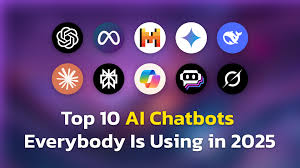
Top 10 Chatbot Tools in 2026
Below are ten leading chatbot/AI conversational tools in 2026. (Note: The field evolves rapidly; new entrants may emerge, and existing products may upgrade.)
1. ChatGPT (OpenAI)
Short Description
ChatGPT remains one of the most widely adopted general-purpose AI chatbots. It serves individual users, teams, and enterprises with conversational capabilities, reasoning, content generation, coding, and more.
Key Features
- Multi-modal (text, images, voice) interaction (in advanced plans)
- “Custom GPTs” to tailor agent personalities and flows
- Integration with external tools (APIs, plugins, agent automation)
- Memory and context management across sessions
- Enterprise-grade security, data usage controls
- High-quality API for embedding conversational intelligence
Pros
- Highly polished and robust — arguably the gold standard in general-purpose conversational AI
- Strong developer ecosystem, plugin marketplace, community support
Cons
- Costly for large-scale usage (token / message expenses)
- Occasional “hallucinations” or incorrect responses
- Limited control over internal model architecture
2. Google Gemini
Short Description
Gemini is Google’s flagship multimodal AI assistant, combining search, reasoning, image and document understanding. It’s suited for users and enterprises invested in the Google ecosystem.
Key Features
- Real-time web retrieval and browsing
- Multimodal input (text, image, sometimes voice)
- Integration with Google apps (Docs, Gmail, Workspace)
- Agent features and automated workflows
- Context-aware chaining and memory
Pros
- Strong advantage in real-time data due to search integration
- Seamless fit if you already use Google products
Cons
- Less control or custom model flexibility than open platforms
- May have privacy concerns if tightly integrated with Google ecosystem
3. Anthropic Claude
Short Description
Claude is built with a focus on safety, reasoning, and business-grade conversational use. It aims to provide reliable responses with fewer hallucinations, and strong guardrails for enterprises.
Key Features
- Conversational memory with context retention
- “Artifacts” or compositional output (e.g. structured data, code)
- Safety and explainability constraints
- API access for embedding conversational agents
- Support for multimodal inputs in advanced tiers
Pros
- Emphasis on safety and trustworthiness
- Good balance between customization and control
Cons
- Might underperform in creative or highly imaginative tasks versus more liberal LLMs
- Cost and constraints at enterprise scale
4. Microsoft Copilot
Short Description
Copilot is Microsoft’s AI assistant integrated across Windows, Office, Outlook, and other productivity suites. It’s often used for enterprise workflows and enhancing productivity within Microsoft environments.
Key Features
- Deep integration with Microsoft 365 apps
- Context-aware suggestions and assistance (writing, summarizing, email)
- Plugin support and enterprise admin controls
- Real-time search and web integration
- Security and compliance built into the Microsoft stack
Pros
- Seamless within the Microsoft ecosystem, reducing friction
- Strong enterprise-level support, governance, and oversight
Cons
- Less flexible outside Microsoft stack
- May not be best choice for non-Windows / non-Microsoft stacks
5. Perplexity AI
Short Description
Perplexity is an AI tool blending conversational search and chat, focusing on accuracy, sourcing, and transparency. It’s ideal for users needing verifiable, up-to-date information.
Key Features
- Rich citation of sources in responses
- Web retrieval and dynamic updating
- Multi-turn conversational search
- Integrations / embedding for knowledge workflows
- Easy UI for exploring “why” behind each answer
Pros
- High transparency — you see cited sources
- Good choice for research, fact-based Q&A
Cons
- Less creativity or conversational flair compared to pure LLM chatbots
- Might lag in supporting deep context retention or agent logic
6. Botpress
Short Description
Botpress is an AI chatbot development platform combining low-code visual flow building with high customizability. It’s popular among teams that want control without building from scratch.
Key Features
- Visual conversation flow builder
- Plugin architecture and module extensions
- Support for multiple LLM backends (switchable)
- Multichannel support (web, messaging, voice)
- Open-source core with enterprise hosting
Pros
- Flexible and developer-friendly
- You can choose or change the underlying model
Cons
- More setup time and complexity than turnkey SaaS bots
- Requires technical resources for best outcomes
7. Rasa
Short Description
Rasa is an open-source conversational AI framework, giving full control to developers to build custom, on-premise, domain-specific chatbots. Often used in enterprises needing data privacy or domain specialization.
Key Features
- Customizable NLU pipelines and dialogue policies
- Full control over data and deployment (on-prem, self-hosted)
- Extensions, custom actions, and domain-specific modules
- Multi-language support
- Integration with external APIs and databases
Pros
- Complete freedom and data control
- Ideal for regulated industries or very bespoke logic
Cons
- Requires strong developer expertise
- More initial overhead; less “out-of-the-box” polish than SaaS bots
8. ManyChat
Short Description
ManyChat is a no-code / low-code chatbot builder focused on marketing, lead generation, and conversational commerce across messaging apps like Facebook, WhatsApp, Instagram.
Key Features
- Visual flow builder for conversation automation
- Messenger, Instagram, WhatsApp integrations
- Payment / e-commerce capabilities inside chat
- Campaign / drip messaging / broadcasting
- Analytics and conversion tracking
Pros
- Very user-friendly for marketing teams
- Good option for social / messaging-first brands
Cons
- Less suitable for deep logic, long conversations, or complex domain reasoning
- Constrained to channel-based logic rather than full LLM custom flows
9. DeepSeek
Short Description
DeepSeek is an emerging chatbot with strong traction especially in Asia, combining search, conversational AI, and domain-specific tuning. It competes as a challenger to big names in certain markets.
Key Features
- Local or domain-specific tuning (for language / region)
- Web search + conversational interface
- Agent chaining and memory
- Embedding + knowledge base support
- UI + embedding APIs
Pros
- Strong option for regional markets with localized data
- Good API support for embedding into custom applications
Cons
- Less widely tested globally; smaller community
- May lack some mature features of incumbents
10. Grok (xAI)
Short Description
Grok, developed by xAI (Elon Musk’s AI initiative), positions itself as a fast, conversational AI assistant with strong branding. It’s building credibility in the general-purpose AI space.
Key Features
- Swift conversational responses
- Integration with external APIs / web data
- Agent-style chaining of tasks
- Memory and recall
- Embedding API support
Pros
- Potentially cost competitive as it scales
- Unique brand appeal and “outsider” innovation
Cons
- Early-stage compared to legacy platforms
- May have gaps in advanced business features or integrations
Comparison Table
| Tool Name | Best For / Use Case | Platforms Supported | Standout Feature | Pricing (Free / Starts At / Custom) | Rating / Reviews* |
|---|---|---|---|---|---|
| ChatGPT | General-purpose conversational AI, API embedding | Web, mobile, plugin, API | Custom GPTs, ecosystem, maturity | Free tier / Starts ~$20-$30 / Enterprise | Very high (Capterra, user reviews) |
| Google Gemini | Google-centric users & real-time web queries | Web, mobile | Seamless web retrieval + reasoning | Free / Pro / Enterprise (varies) | Strong in reviews / press coverage |
| Anthropic Claude | Business & safety-sensitive use | Web, API | Safety, reliability, controlled responses | Free / Paid / Custom | Good in enterprise reviews |
| Microsoft Copilot | Productivity in Microsoft stack | Windows, Office, Web | Deep integration with Microsoft 365 | Included in some plans / licensing | Enterprise reviews positive |
| Perplexity AI | Research, knowledge work, citation-driven answers | Web, API | Transparent sourcing and search + chat | Freemium / Paid tiers | Good among research users |
| Botpress | Custom and flexible chatbot development | Web, cloud, on-prem | Visual flows + custom plugin support | Open core / Enterprise pricing | Well regarded by devs |
| Rasa | Full control, custom domain bots | Self-hosted / cloud | Full developer control & data control | Open-source core / Enterprise edition | Positive among technical users |
| ManyChat | Marketing, social / messaging commerce | Messenger, WhatsApp, etc. | Messaging + commerce flows | Freemium / Paid | Popular in marketing communities |
| DeepSeek | Region / domain-specific conversational AI | Web, mobile, API | Localized optimization + hybrid search | Varies / custom | Emerging — growing user base |
| Grok (xAI) | General-purpose AI with fresh brand appeal | Web / future mobile & API | Fast conversational responses | Early / competitive pricing | Early stage reviews |
* Ratings are approximate and based on user reviews, industry write-ups, and listings on Capterra, G2, etc.
Which Chatbot Tool is Right for You?
Selecting a chatbot tool is not just about features — it’s about fit. Below is a decision guide based on common needs.
| Need / Scenario | Recommended Tools | Reason |
|---|---|---|
| You need a versatile, well-supported conversational engine | ChatGPT, Claude | Mature, robust, strong community and plugin ecosystems |
| You already use Google Workspace heavily | Gemini | Seamless integrations and knowledge retrieval |
| You operate in a Microsoft / Office-first environment | Microsoft Copilot | Deep embedding of AI logic into daily workflows |
| You want transparency and fact-based responses | Perplexity | Each response is backed by cited sources |
| You want control, custom flows, and developer flexibility | Botpress, Rasa | You can fine-tune architecture, switch models, control logic |
| Your use case is conversational marketing or commerce via messaging channels | ManyChat | Built for messaging platforms, lead flows, commerce in chat |
| You need domain/localization or emergent market support | DeepSeek | Tuned for specific geographies / domain data |
| You want to experiment with newer AI entrants | Grok | Brand new, possibly cost-competitive, place to watch |
Consider also:
- Team / Developer resources: If your team is non-technical, lean toward no-code or managed SaaS solutions like ManyChat, ChatGPT, or Claude. If you have engineers, open frameworks like Botpress or Rasa may pay off.
- Volume & pricing: Some tools charge per token or conversation — forecast your usage to estimate cost.
- Data privacy / regulation: If your industry demands high compliance, prioritize tools that allow self-hosting or strict data controls (Rasa, Botpress, enterprise plans of others).
- Long-term roadmap & vendor lock-in: Choose a solution you can pivot from; open or modular systems reduce lock-in risk.
Conclusion
In 2026, chatbot tools are no longer an afterthought — they are central components in automation, customer engagement, internal productivity, and knowledge systems. The ten tools covered above reflect a mix of battle-tested incumbents and rising challengers.
What matters most is aligning the tool’s strengths with your scenario: whether that’s reasoning, privacy, multi-modality, customization, or integration depth. Always try demos or free tiers before committing to enterprise contracts. The chatbot landscape will continue evolving — keeping an eye on updates, model improvements (e.g. GPT-5, Claude upgrades, new entrants) is essential.
FAQs
Q1. Are chatbots replacing human support entirely?
Not (yet). In 2026, chatbots excel at routine queries, triaging, and first-level support. But humans remain essential for complex, empathetic, or escalated issues.
Q2. How much does it cost to run a chatbot at scale?
It depends on volume, model pricing (token or message charge), infrastructure, and integrations. Expect costs to grow non-linearly. Many tools offer usage tiers and enterprise plans.
Q3. Can I switch the underlying AI model later?
It depends on the platform. Flexible systems (Botpress, Rasa) allow model swaps; some SaaS tools lock you into their models. Always check portability.
Q4. What are “hallucinations” and how do tools mitigate them?
“Hallucinations” are incorrect or fabricated responses by AI. Mitigation strategies include retrieval-based grounding (linking responses to real sources), prompt engineering, moderation layers, and safety constraints.
Q5. Will new LLMs (e.g. GPT-5 or others) make these chatbots obsolete?
Possibly, but many platforms are model-agnostic and can upgrade underlying models. The key is choosing a tool that evolves, supports model upgrades, and adapts to new AI developments.

- Top 10 AI Model Serving Frameworks Tools in 2026: Features, Pros, Cons & Comparison - August 30, 2026
- Top 10 Construction Management Software Tools in 2026: Features, Pros, Cons & Comparison - August 11, 2026
- Top 10 AI Academic Writing Tools in 2026: Features, Pros, Cons & Comparison - August 11, 2026