Introduction
In the fast-paced digital world of 2026, information overload has become the norm. Businesses, marketers, and creators face the challenge of filtering vast online data to share only the most relevant and valuable insights. Content curation tools solve this problem by helping users discover, organize, and share content effectively across multiple platforms.
Whether you’re managing a brand’s social media, running a blog, or building thought leadership, content curation tools streamline the process of sourcing, categorizing, and publishing high-quality content. When choosing a tool, look for automation, AI-based recommendations, multi-platform integrations, analytics, and collaboration features. In this post, we explore the Top 10 Content Curation Tools in 2026, including their features, pros, cons, and comparisons to help you select the best fit for your needs.
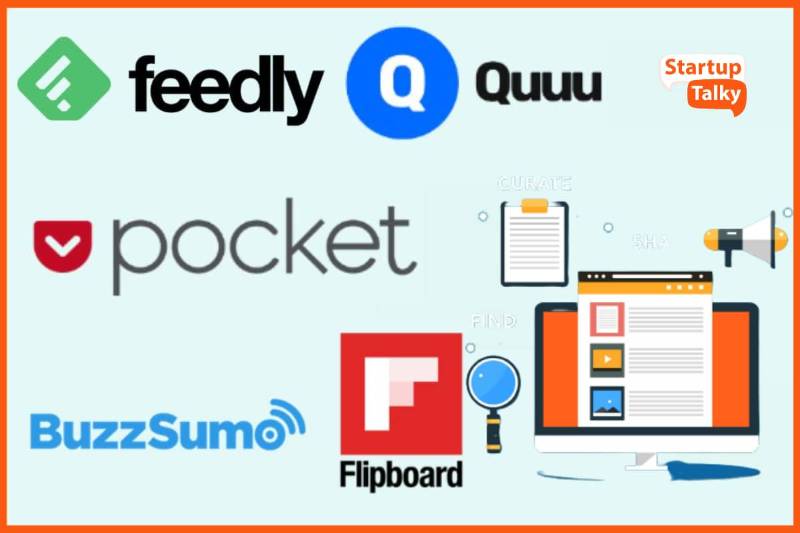
Top 10 Content Curation Tools in 2026
1. Feedly
Short Description: Feedly uses AI (Leo) to help professionals discover and organize industry-specific content efficiently.
Key Features:
- AI assistant “Leo” filters noise and highlights relevant content
- Integration with Slack, Trello, Zapier
- RSS feed organization by topic
- Team collaboration boards
- Machine learning personalization
- Save-to-read-later and bookmarking options
Pros:
- Intuitive interface
- Excellent for research and industry monitoring
- AI-driven recommendations
Cons:
- Advanced features only in paid plans
- Requires setup time for best use
2. Curata
Short Description: Curata helps marketers find, curate, and publish content using advanced machine learning and analytics.
Key Features:
- AI-powered content discovery
- Editorial calendar and publishing
- Integrations with HubSpot, WordPress, and CRM tools
- Performance analytics and content scoring
- SEO optimization tools
- Team collaboration capabilities
Pros:
- Excellent for enterprise content marketing
- Smart automation features
- Detailed analytics
Cons:
- Premium pricing
- Steeper learning curve
3. Pocket
Short Description: Pocket allows users to save, discover, and revisit articles, videos, and web content across devices.
Key Features:
- Save and tag content from any device
- Personalized recommendations
- Offline reading
- Integration with browsers and mobile apps
- Text-to-speech feature
- Curated collections
Pros:
- User-friendly and versatile
- Excellent for personal content curation
- Works across all devices
Cons:
- Limited collaboration features
- Not ideal for team workflows
4. Scoop.it
Short Description: A leading platform for professional content curation and publishing for marketers and educators.
Key Features:
- Content discovery by keywords and topics
- Customizable curation pages
- Integration with social media and websites
- Content analytics
- Team collaboration
- Integration with HubSpot and Mailchimp
Pros:
- Great for content marketing
- Easy publishing interface
- Insightful analytics
Cons:
- Free version has limitations
- Occasional search inaccuracies
5. Flipboard
Short Description: Flipboard curates stories from around the web into personalized magazines based on your interests.
Key Features:
- Curate and share content in magazine format
- AI-based article recommendations
- Social sharing and collaboration
- Integration with news sources and blogs
- Custom topic following
- Mobile-first experience
Pros:
- Visually appealing interface
- Excellent for social sharing
- Easy to use on mobile
Cons:
- Limited enterprise features
- Basic analytics
6. BuzzSumo
Short Description: BuzzSumo is a content research and curation tool that identifies trending topics, influencers, and shareable content.
Key Features:
- Trend analysis and content discovery
- Influencer identification
- Competitor monitoring
- Keyword alerts
- Content performance tracking
- Social media integrations
Pros:
- Great for content strategy and marketing
- Deep insights and analytics
- Ideal for influencer marketing
Cons:
- Higher pricing for small teams
- Complex data for beginners
7. ContentStudio
Short Description: ContentStudio combines content discovery, scheduling, and analytics in one AI-powered platform.
Key Features:
- AI-driven content recommendations
- Social media management and automation
- Trending topic discovery
- Collaboration and workflow management
- SEO and engagement analytics
- Multi-channel publishing
Pros:
- All-in-one content marketing platform
- User-friendly UI
- Great for agencies and teams
Cons:
- Occasional delays in automation
- Paid plans required for advanced features
8. UpContent
Short Description: UpContent focuses on helping businesses discover, distribute, and analyze curated content.
Key Features:
- Topic-based content discovery
- Integrations with Hootsuite, Mailchimp, HubSpot
- Custom email newsletter automation
- Team collaboration tools
- Compliance management for curated content
- Analytics dashboard
Pros:
- Strong B2B integration
- Easy-to-use platform
- Excellent customer support
Cons:
- Fewer advanced analytics
- Limited free version
9. Quuu
Short Description: Quuu provides hand-reviewed content suggestions that align with your niche and social strategy.
Key Features:
- Human-curated content recommendations
- Social media automation (Buffer, HubSpot)
- Category-based suggestions
- Custom scheduling
- Analytics tracking
- Collaboration tools
Pros:
- Quality, hand-reviewed content
- Great for consistent social posting
- Integrates with popular tools
Cons:
- Limited content variety in some niches
- Manual review slows updates
10. Triberr
Short Description: Triberr connects bloggers and influencers to share curated content and grow their networks.
Key Features:
- Influencer content sharing
- Tribe-based content curation
- Social media integration
- Engagement tracking
- Blogging automation
- Collaboration spaces
Pros:
- Excellent for influencer marketing
- Builds community engagement
- Affordable pricing
Cons:
- Interface feels dated
- Limited automation features
Comparison Table
| Tool Name | Best For | Platforms Supported | Standout Feature | Pricing | Avg. Rating |
|---|---|---|---|---|---|
| Feedly | Research, Industry insights | Web, iOS, Android | AI-powered filtering | Free / $6.50/mo | 4.6/5 |
| Curata | Enterprise marketing | Web | Machine learning discovery | Custom | 4.5/5 |
| Personal curation | Web, iOS, Android | Offline reading | Free / $4.99/mo | 4.7/5 | |
| Scoop.it | Content publishing | Web | Curated web magazines | Free / $14.99/mo | 4.4/5 |
| Social sharing | Web, Mobile | Magazine-style format | Free | 4.6/5 | |
| BuzzSumo | Research & analytics | Web | Content performance tracking | $119/mo | 4.7/5 |
| ContentStudio | Marketing teams | Web, iOS, Android | AI-driven discovery | $25/mo | 4.6/5 |
| UpContent | B2B and teams | Web | Newsletter automation | $15/mo | 4.5/5 |
| Quuu | Social media curation | Web | Hand-reviewed content | $5/mo | 4.3/5 |
| Triberr | Influencers, bloggers | Web | Tribe networking | Free / Custom | 4.2/5 |
Which Content Curation Tool is Right for You?
- For marketers and agencies: ContentStudio or Curata – ideal for automation and analytics.
- For researchers and professionals: Feedly or BuzzSumo – excellent for discovering insights and monitoring trends.
- For casual readers or individuals: Pocket or Flipboard – perfect for personal use and inspiration.
- For influencer collaboration: Triberr or Quuu – great for building engagement networks.
- For small teams: UpContent – easy to integrate with email and social platforms.
Conclusion
In 2026, Content Curation Tools have evolved from simple aggregators to AI-driven marketing platforms that optimize discovery, collaboration, and publishing. Whether you’re an individual seeking knowledge, a brand aiming for engagement, or an enterprise refining content strategies, there’s a perfect tool for every goal.
These tools don’t just save time—they enhance your ability to deliver valuable, timely, and credible information to your audience. The key is to test a few options, explore their automation capabilities, and select one that aligns with your workflow and budget.
FAQs
Q1. What is a content curation tool?
A content curation tool helps users discover, organize, and share high-quality digital content relevant to their audience or niche.
Q2. What’s the best free content curation tool in 2026?
Blended between Pocket, Feedly, and Flipboard — all free with optional premium features.
Q3. Which content curation tool is best for businesses?
Curata and ContentStudio are top choices for marketers and enterprises due to automation and analytics features.
Q4. What features should I look for in a content curation tool?
AI discovery, social integration, analytics, multi-platform publishing, and collaboration tools.
Q5. How do content curation tools help SEO?
By consistently sharing relevant, authoritative content, these tools help improve brand visibility, traffic, and backlinks.

- Top 10 AI Model Serving Frameworks Tools in 2026: Features, Pros, Cons & Comparison - August 30, 2026
- Top 10 Construction Management Software Tools in 2026: Features, Pros, Cons & Comparison - August 11, 2026
- Top 10 AI Academic Writing Tools in 2026: Features, Pros, Cons & Comparison - August 11, 2026