Introduction
In 2026, Customer Relationship Management (CRM) tools have evolved far beyond simple contact databases. They now integrate with AI, automation, analytics, and omnichannel communication to help businesses manage leads, improve customer satisfaction, and boost sales efficiency. A CRM acts as the backbone of modern customer engagement — helping teams collaborate, track interactions, forecast sales, and personalize experiences.
When choosing a CRM tool, businesses should consider scalability, automation capabilities, integrations with existing software (like email, ERP, or marketing tools), reporting features, and cost. Whether you’re a startup or an enterprise, the right CRM can help you strengthen relationships and drive growth. Below, we explore the Top 10 CRM Tools in 2026, complete with their features, pros, cons, and pricing comparisons.
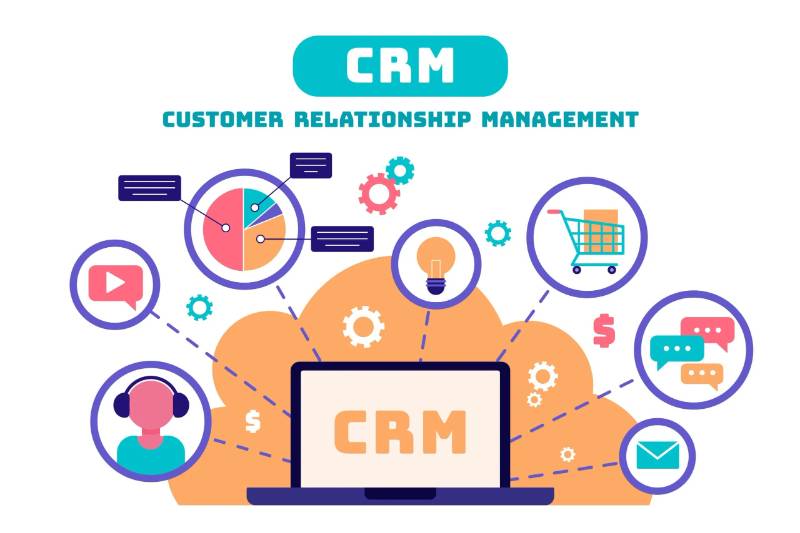
Top 10 CRM (Customer Relationship Management) Tools in 2026
1. Salesforce CRM
Short Description: Salesforce remains the global leader in CRM, offering an end-to-end cloud platform for sales, marketing, and customer service.
Key Features:
- AI-driven insights with Salesforce Einstein
- Sales, marketing, and service automation
- Advanced reporting and analytics
- Customizable dashboards and workflows
- AppExchange marketplace with 5,000+ integrations
- Mobile CRM support
Pros:
- Extremely customizable and scalable
- Excellent analytics and automation
- Enterprise-grade integrations
Cons:
- Expensive for small teams
- Complex setup for beginners
2. HubSpot CRM
Short Description: A popular all-in-one CRM platform ideal for small and mid-sized businesses, focusing on inbound marketing and automation.
Key Features:
- Free tier available
- Contact, lead, and deal management
- Marketing automation and email tracking
- AI-based sales insights
- Integration with Gmail, Slack, and Zoom
- Built-in analytics and dashboards
Pros:
- Easy to use with a generous free plan
- Excellent marketing automation features
- Smooth integration with HubSpot ecosystem
Cons:
- Can get expensive at higher tiers
- Limited customization in free version
3. Zoho CRM
Short Description: A versatile and affordable CRM for SMBs, offering strong automation and omnichannel capabilities.
Key Features:
- AI assistant (Zia) for predictions and insights
- Workflow automation
- Multichannel communication (email, chat, social)
- Sales forecasting and pipeline management
- Integration with Zoho suite and third-party apps
- Custom reports and dashboards
Pros:
- Cost-effective with strong features
- Highly customizable
- Excellent mobile app
Cons:
- Interface can feel cluttered
- Some advanced features locked in higher plans
4. Pipedrive
Short Description: A visual, pipeline-focused CRM built for sales teams looking for simplicity and efficiency.
Key Features:
- Drag-and-drop sales pipelines
- AI-powered sales assistant
- Email tracking and automation
- Activity reminders and scheduling
- Integrations with Slack, Gmail, and Zapier
- Real-time reporting
Pros:
- Simple, visual interface
- Affordable pricing
- Great for small teams
Cons:
- Limited marketing automation
- Fewer advanced analytics
5. Microsoft Dynamics 365
Short Description: A robust CRM and ERP hybrid offering deep integration with Microsoft Office, Teams, and Azure services.
Key Features:
- AI-driven insights and recommendations
- Sales, service, and marketing modules
- Seamless Office 365 integration
- Cloud and on-premise options
- Power BI analytics integration
- Extensive customization options
Pros:
- Best for organizations using Microsoft products
- Scalable and secure
- Deep business intelligence capabilities
Cons:
- Complex setup
- High cost for small businesses
6. Freshsales (Freshworks CRM)
Short Description: A modern CRM designed for fast-growing startups and SMBs, focusing on automation and ease of use.
Key Features:
- AI-based lead scoring
- Sales and marketing automation
- Built-in phone, chat, and email
- Customizable pipelines
- Real-time insights and reports
- Integration with Freshdesk and Slack
Pros:
- Intuitive interface
- Excellent automation tools
- Affordable pricing
Cons:
- Limited integrations compared to Salesforce
- Some analytics tools require higher-tier plans
7. Monday Sales CRM
Short Description: A customizable CRM built on Monday.com’s popular work management platform, ideal for teams who value flexibility.
Key Features:
- Fully customizable dashboards
- Automations for lead and deal tracking
- Collaboration tools with timelines and boards
- Email sync and activity tracking
- Integration with Zoom, Slack, Gmail
- Reporting and goal tracking
Pros:
- Highly visual and easy to use
- Integrates with existing Monday.com workflows
- Great for team collaboration
Cons:
- Fewer advanced CRM analytics
- Requires customization setup
8. Insightly CRM
Short Description: A unified CRM and project management platform for small to medium businesses.
Key Features:
- Contact and opportunity management
- Workflow automation
- Email tracking and templates
- Built-in project management
- Google Workspace and Microsoft integrations
- Advanced reporting and dashboards
Pros:
- Combines CRM and project tools
- Affordable pricing
- Clean and organized UI
Cons:
- Limited marketing features
- Mobile app less polished
9. Nimble CRM
Short Description: A simple, social-media-integrated CRM for small businesses and professionals.
Key Features:
- Social profile enrichment
- Contact management and segmentation
- Email tracking and templates
- Integration with Office 365 and G Suite
- Browser plugin for social CRM
- Pipeline management
Pros:
- Excellent for personal relationship management
- Easy setup and use
- Affordable
Cons:
- Limited automation
- Basic reporting
10. Copper CRM
Short Description: A CRM built specifically for Google Workspace users, offering seamless integration with Gmail and Google Calendar.
Key Features:
- Native integration with Google Workspace
- Automated contact and lead capture
- Pipeline and task management
- Email templates and tracking
- Reporting and analytics
- Mobile app for sales teams
Pros:
- Perfect for Google users
- Clean, familiar interface
- Quick setup
Cons:
- Limited for enterprise use
- Fewer integrations outside Google
Comparison Table
| Tool Name | Best For | Platforms | Standout Feature | Pricing | Avg. Rating |
|---|---|---|---|---|---|
| Salesforce CRM | Enterprises, large orgs | Web, iOS, Android | AI-driven insights | Starts at $25/user/month | 4.7/5 |
| HubSpot CRM | SMBs, Marketing teams | Web, iOS, Android | Inbound automation | Free / Starts $20/user/month | 4.6/5 |
| Zoho CRM | SMBs, Startups | Web, iOS, Android | AI assistant (Zia) | Starts at $14/user/month | 4.5/5 |
| Pipedrive | Sales teams | Web, iOS, Android | Visual pipeline | Starts at $12.50/user/month | 4.6/5 |
| Dynamics 365 | Enterprises, MS ecosystem | Web, iOS, Android | Microsoft integration | Starts at $65/user/month | 4.4/5 |
| Freshsales | Startups, SMBs | Web, iOS, Android | AI lead scoring | Starts at $15/user/month | 4.5/5 |
| Monday Sales CRM | Collaborative teams | Web, iOS, Android | Custom workflows | Starts at $12/user/month | 4.6/5 |
| Insightly CRM | SMBs, Agencies | Web, iOS, Android | Project management combo | Starts at $29/user/month | 4.3/5 |
| Nimble CRM | Professionals, Freelancers | Web, iOS, Android | Social media integration | $24.90/user/month | 4.2/5 |
| Copper CRM | Google Workspace users | Web, iOS, Android | Gmail integration | Starts at $29/user/month | 4.4/5 |
Which CRM Tool is Right for You?
- For large enterprises: Salesforce or Microsoft Dynamics 365 offer unmatched scalability and customization.
- For SMBs and startups: HubSpot CRM or Zoho CRM deliver strong automation and affordability.
- For sales-focused teams: Pipedrive or Freshsales provide intuitive, visual pipelines.
- For Google Workspace users: Copper CRM integrates seamlessly.
- For collaboration-driven teams: Monday Sales CRM is ideal.
- For social selling and relationship building: Nimble CRM stands out.
Conclusion
In 2026, CRM tools have become smarter, faster, and more integrated than ever. From AI-driven lead scoring to omnichannel engagement, modern CRM software empowers teams to deliver personalized, data-backed customer experiences. Whether you’re a startup seeking growth or an enterprise managing global sales, there’s a CRM to fit your strategy and scale.
Try free trials, explore demos, and focus on usability, automation, and integration — because in today’s competitive market, the right Customer Relationship Management software can be the ultimate growth engine.
FAQs
Q1. What is the best free CRM in 2026?
HubSpot CRM remains the best free option, offering a robust suite of tools for sales and marketing.
Q2. Which CRM is best for small businesses?
Zoho CRM and Freshsales are great for small businesses due to their affordability and automation features.
Q3. Which CRM do large enterprises prefer?
Salesforce and Microsoft Dynamics 365 are top choices for enterprises due to scalability and integrations.
Q4. What is the easiest CRM to use?
Pipedrive and Monday Sales CRM offer highly intuitive interfaces.
Q5. Which CRM works best with Google Workspace?
Copper CRM is designed specifically for Google Workspace users.

- Top 10 AI Model Serving Frameworks Tools in 2026: Features, Pros, Cons & Comparison - August 30, 2026
- Top 10 Construction Management Software Tools in 2026: Features, Pros, Cons & Comparison - August 11, 2026
- Top 10 AI Academic Writing Tools in 2026: Features, Pros, Cons & Comparison - August 11, 2026