Introduction
AI Colorization Tools in 2026 have transformed how we restore memories, enhance historical data, and bring black-and-white visuals back to life. These tools use advanced deep learning models to add realistic colors to old photos, videos, illustrations, and archival content. With the rise of generative AI and enhanced diffusion models, colorization tools are now more accurate, customizable, and accessible than ever before.
Whether you are a photographer, filmmaker, digital artist, historian, or content creator, AI colorization tools make it easier to revive visual assets while maintaining natural tones and high-quality output. When choosing the right tool, consider factors like color accuracy, processing speed, customization options, file formats, pricing, and whether the software offers additional restoration features.
This guide lists the Top 10 AI Colorization Tools in 2026, including pros, cons, features, comparison, and expert recommendations.
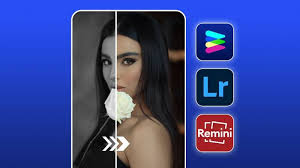
Top 10 AI Colorization Tools in 2026
1. DeOldify (MyHeritage & Open Source)
Short Description
DeOldify is one of the most well-known deep learning colorization models, available in open-source and commercial versions. Ideal for photo restoration enthusiasts, professionals, and historians.
Key Features
- Realistic deep learning–based colorization
- Supports photos and videos
- Multiple model modes (Artistic/Stable/Colorful)
- High-resolution enhancement
- Batch colorization
- Integrated in MyHeritage for user-friendly workflows
Pros
- High-quality and natural color output
- Open-source and community supported
- Excellent for historical restorations
Cons
- Slow processing for large videos
- Requires GPU for local installations
- Output sometimes oversaturated
2. Palette.fm
Short Description
Palette.fm is a web-based colorization platform that uses AI with editable prompts to generate customizable color palettes, ideal for creators and everyday users.
Key Features
- AI-powered colorization with written prompts
- Preset color styles and artistic modes
- High-resolution downloads
- Real-time previews
- Supports images up to 4K
- No technical skills needed
Pros
- Easy to use
- Highly customizable colors
- Fast cloud processing
Cons
- Limited free version
- No video support
- Requires internet
3. Colorize (Colourise.com)
Short Description
Colorize is a simple, fast, web-based AI colorization tool that focuses on automatically converting black-and-white photos to color.
Key Features
- One-click AI colorization
- Batch upload support
- Sharpening and enhancement
- Secure, automatic deletion after upload
- Drag-and-drop interface
- High-speed processing
Pros
- Beginner-friendly
- Fast and accurate colorization
- Affordable paid plans
Cons
- No deep customization
- Limited to still images
- Occasional color bleeding
4. VanceAI Photo Colorizer
Short Description
VanceAI offers a powerful and intuitive photo colorizer designed for individuals and professionals who need fast, high-quality results.
Key Features
- AI colorization + photo restoration
- Noise reduction & face enhancement
- Batch processing
- High-resolution exports
- Desktop & cloud options
Pros
- Multi-feature restoration suite
- Strong facial color accuracy
- Simple UI
Cons
- Paid credits needed for HD images
- Watermarks in free plans
- Slower on low-end devices
5. HitPaw Photo Enhancer (AI Colorizer)
Short Description
HitPaw combines image enhancement with AI colorization, making it perfect for creators who want an all-in-one tool.
Key Features
- Colorization + enhancement + upscaling
- Noise removal
- Face clarity improvement
- Works on Windows/Mac
- Batch rendering
Pros
- Great for old family photo restoration
- High-quality upscaling
- Offline desktop application
Cons
- Paid software
- Requires a good GPU for best performance
- No video colorization
6. Remini AI
Short Description
Remini is well-known for AI face enhancements and now includes advanced colorization features, ideal for mobile users.
Key Features
- Mobile-friendly AI colorization
- Face & detail enhancement
- Video & image support (premium)
- Preset artistic styles
- Cloud rendering
Pros
- Very user-friendly
- Great for portraits
- Fast results
Cons
- Limited free usage
- Over-processing at times
- Requires strong internet connection
7. DeepAI Colorize Image API
Short Description
DeepAI offers an API-based colorization service for developers, enterprises, and automation workflows.
Key Features
- REST API integration
- High-speed server-side rendering
- Customizable output
- Scalable, enterprise-grade
- Works for large volumes
Pros
- Ideal for automation & apps
- Simple developer integration
- Affordable API pricing
Cons
- Not for beginners
- No UI for manual editing
- Only image support
8. Adobe Photoshop Neural Filters
Short Description
Adobe Photoshop now includes powerful AI colorization through Neural Filters, ideal for professionals and designers.
Key Features
- AI-driven colorization filter
- Manual editing layers
- Integration with Adobe Suite
- Accurate tone & shading
- Supports high-resolution files
Pros
- Best for professional-grade editing
- Full control over output
- Trusted industry standard
Cons
- Expensive subscriptions
- Requires high-end hardware
- Some filters still in beta
9. FilmColor AI (Video Colorization)
Short Description
FilmColor AI is a specialized tool for video colorization used by filmmakers, documentary editors, and restoration studios.
Key Features
- AI-powered video colorization
- Frame-by-frame adjustments
- High-resolution video support (4K/8K)
- Motion consistency tools
- Pro editing controls
Pros
- Best in class for video colorization
- Studio-quality output
- Advanced customization
Cons
- Expensive
- Requires strong GPU
- Not beginner-friendly
10. Colourlab AI
Short Description
Colourlab AI offers advanced AI-driven video color grading and colorization tools, widely used in film and television.
Key Features
- AI grading + colorization
- Scene detection
- LUT generation
- Timeline-based editing
- Integration with DaVinci Resolve
Pros
- Industry-grade accuracy
- Great for filmmakers
- Supports large workflow pipelines
Cons
- High learning curve
- Not free
- Requires strong hardware
Comparison Table: Top 10 AI Colorization Tools in 2026
| Tool Name | Best For | Platforms | Standout Feature | Pricing | Rating |
|---|---|---|---|---|---|
| DeOldify | Historical restoration | Web/Open-source | Deep learning colorization | Free/Paid | 4.6/5 |
| Palette.fm | Creators & casual users | Web | Text-prompt colorization | Starts free | 4.7/5 |
| Colorize | Beginners | Web | One-click processing | Free/Paid | 4.4/5 |
| VanceAI | Photographers | Web/Desktop | Restoration suite | Paid credits | 4.5/5 |
| HitPaw | Home users | Desktop | Upscaling + colorization | Paid | 4.6/5 |
| Remini | Mobile creators | iOS/Android | Portrait enhancement | In-app purchases | 4.5/5 |
| DeepAI API | Developers | API | Automatable colorization | Usage-based | 4.3/5 |
| Photoshop | Professionals | Desktop | Neural Filters | Subscription | 4.8/5 |
| FilmColor AI | Film studios | Desktop | Pro video colorization | Premium | 4.7/5 |
| Colourlab AI | Filmmakers | Desktop | AI color grading | Premium | 4.7/5 |
Which AI Colorization Tool Is Right for You?
Choose Palette.fm if:
- You want fast, customizable results
- You prefer text-prompt control
Choose DeOldify if:
- You need natural, realistic colors
- You handle archival or historical photos
Choose Photoshop Neural Filters if:
- You are a professional designer
- You want manual control + AI automation
Choose FilmColor AI or Colourlab AI if:
- You work with colorizing videos
- You need high-end production results
Choose VanceAI / HitPaw if:
- You want all-in-one restoration
- You restore old family photos frequently
Choose DeepAI API if:
- You’re a developer integrating colorization in apps
Choose Remini if:
- You want mobile-friendly tools
- You restore portraits
Conclusion
AI Colorization Tools in 2026 have become more powerful, affordable, and accessible. Whether you’re restoring family memories, preparing archival footage, or creating professional content, there’s a tool designed for your needs. With strong advancements in generative AI, colorization accuracy, and editing controls, the future of digital restoration looks more vibrant than ever.
Explore free trials and demos to find the tool that matches your workflow.
FAQs
1. What are AI Colorization Tools?
AI Colorization Tools automatically add realistic colors to black-and-white photos and videos using machine learning.
2. Which AI colorization tool is best for beginners?
Colorize and Palette.fm are the easiest for new users.
3. Which tool is best for professional video colorization?
FilmColor AI and Colourlab AI.
4. Are AI colorized images accurate?
Most tools generate realistic results, but manual adjustments may be needed for perfect accuracy.
5. Are AI colorization tools free?
Many offer free versions, but HD or pro features require paid plans.

- Top 10 AI Model Serving Frameworks Tools in 2026: Features, Pros, Cons & Comparison - August 30, 2026
- Top 10 Construction Management Software Tools in 2026: Features, Pros, Cons & Comparison - August 11, 2026
- Top 10 AI Academic Writing Tools in 2026: Features, Pros, Cons & Comparison - August 11, 2026