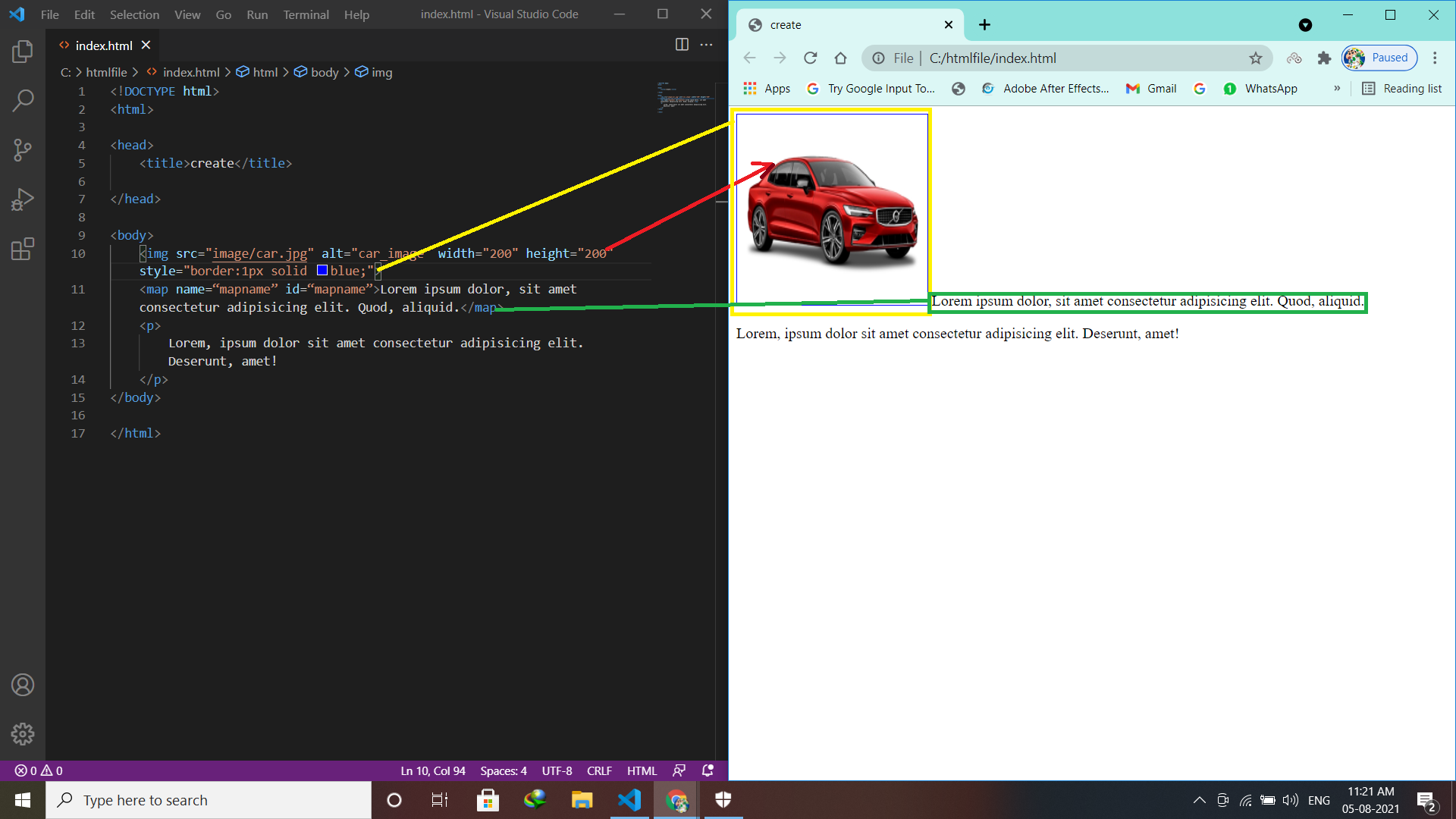
The <map>….</map> tag is used to define a client-side image-map. An image-map is an image with clickable areas.
The <map>…. </map> tag contains a number of <area> tags, that defines the clickable areas in the image map.
<map name=“mapname” id=“mapname”>……… </map>
Area Tag
The <area> tag defines an area inside an image-map. An image-map is an image with clickable areas.
The <area> element is always nested inside a <map>….</map> tag.
| Attribute | Value | Description |
| alt | text | Specifies an alternate text for the area. Required if the href attribute is present |
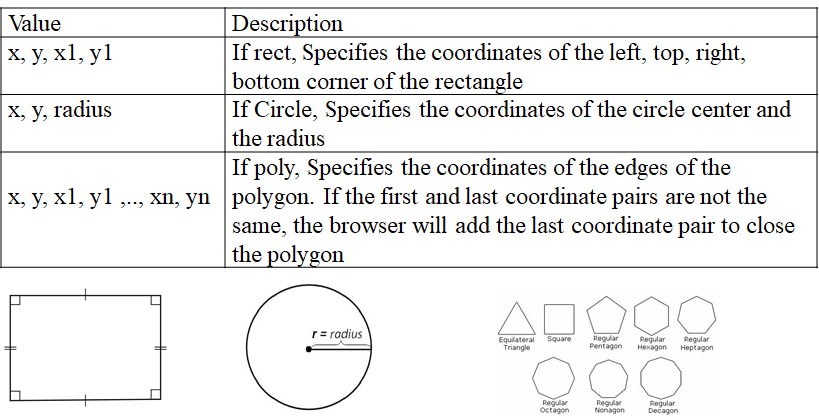
| coords | coordinates | Specifies the coordinates of the area |
| download | filename | Specifies that the target will be downloaded when a user clicks on the hyperlink |
| href | URL | Specifies the hyperlink target for the area |
| hreflang | language_code | Specifies the language of the target URL |
| media | media query | Specifies what media/device the target URL is optimized for |
| shape | default rect circle poly | Specifies the shape of the area |
| target | _blank _parent _self _top framename | Specifies where to open the target URL |
| type | media_type | Specifies the media type of the target URL |
| rel | alternate author bookmark help license next nofollow noreferrer prefetch prev search tag | Specifies the relationship between the current document and the target URL |
Coords attribute:

Latest posts by vikashdev k (see all)
- PHP OOP: Traits - October 25, 2021
- PHP OOP: Late Static Binding - October 25, 2021
- PHP OOP : Static Members - October 23, 2021