Error
ERROR 2006 (HY000) at line 1041: MySQL server has gone awaySolution
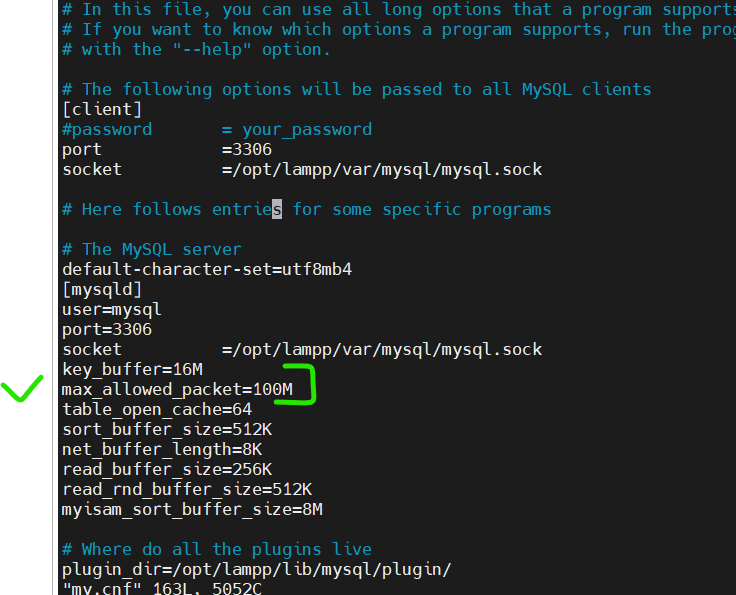
Location in Xampp Server
/opt/lampp/etc/my.cnf
The error message “MySQL server has gone away” usually occurs when the client cannot connect to the MySQL server. This can happen for a variety of reasons, including but not limited to:
- Timeouts: The server closed the connection due to inactivity. This happens if the client was idle for more than
wait_timeoutseconds or if a network problem caused a disconnect. - Packet Too Large: The client tried to send a packet bigger than
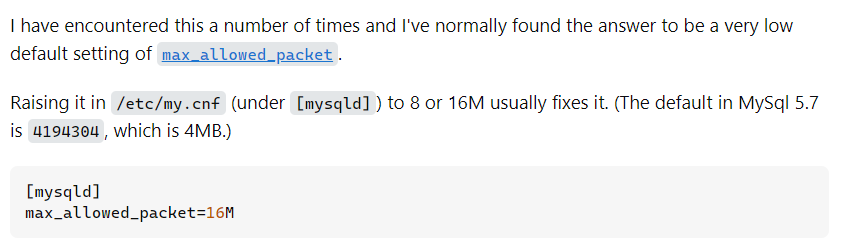
max_allowed_packet. Increasing themax_allowed_packetsize on the server or breaking down the data into smaller chunks from the client side can resolve this. - Server Restarted: The MySQL server was restarted, which also closes all connections.
- Out of Memory: The server could not allocate memory for the connection or was killed by the system (OOM Killer) due to out of memory.
- Wrong Connection Parameters: The connection parameters (host, username, password) are incorrect.
- Network Issues: There could be network connectivity issues between the client and the server.
To resolve this error, consider the following actions based on the possible causes:
- Increase Timeouts: Increase the
wait_timeoutandinteractive_timeouton the MySQL server if connections are dropping due to inactivity. - Increase Max Allowed Packet: Increase the
max_allowed_packetsize in the MySQL server configuration. This is particularly important if you’re dealing with large blobs or long queries. - Check Server Status: Ensure that the MySQL server is running and that there are no recent restarts or crashes.
- Optimize Queries and Data: If you’re sending large amounts of data, consider breaking it down into smaller chunks.
- Check for Network Issues: Verify that there are no networking issues between the client and server. Tools like
pingandtraceroutecan help diagnose such problems. - Server Configuration and Logs: Check the MySQL server’s error log for any messages related to connections being killed or other errors that might indicate why the server is unavailable.

Latest posts by rajeshkumar (see all)