Introduction
AI DevOps Automation Tools are transforming the modern software lifecycle in 2026. These tools combine artificial intelligence with DevOps practices to automate repetitive tasks, optimize CI/CD pipelines, detect issues earlier, enhance observability, and accelerate deployment speed. As software systems become more complex and distributed, AI-powered automation helps teams reduce human error, achieve predictability, and ensure continuous improvement.
Organizations today demand faster releases, resilient infrastructure, and predictive insights. AI-driven DevOps tools deliver actionable recommendations, automated workflows, intelligent alerts, and self-healing systems. When choosing an AI DevOps Automation Tool, decision-makers should evaluate capabilities like pipeline automation, AI-based anomaly detection, monitoring, integrations, scalability, pricing, and MLOps readiness.
This guide covers the Top 10 AI DevOps Automation Tools in 2026, their features, pros, cons, comparison table, and a detailed decision-making guide.
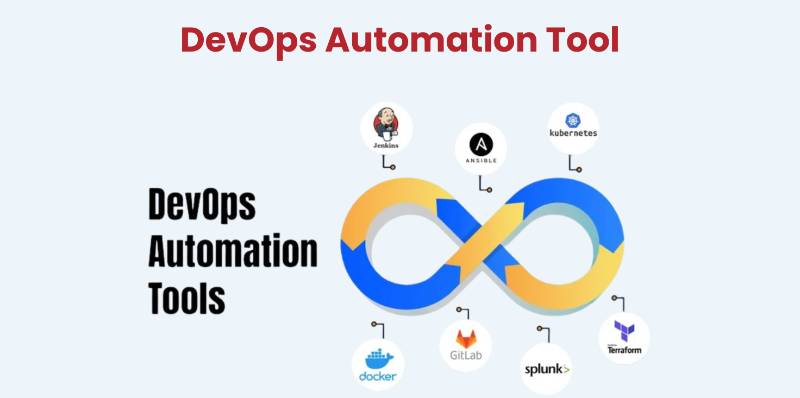
Top 10 AI DevOps Automation Tools in 2026
1. GitHub Copilot for DevOps
Short Description
GitHub Copilot now extends beyond code generation to automate CI/CD pipelines, write workflows, improve YAML configurations, and optimize DevOps tasks using AI.
Key Features
- AI-generated CI/CD workflows
- Intelligent debugging suggestions
- Automated infrastructure configuration
- Seamless GitHub Actions integration
- Code security and vulnerability scanning
- Faster pull request reviews
- NLP-based DevOps task automation
Pros
- Directly integrated with GitHub ecosystem
- Saves time in pipeline creation
- Great for developers & DevOps engineers
Cons
- Limited custom automation for complex systems
- Requires GitHub ecosystem dependency
- Pricing can be high for large teams
2. Jenkins X AI
Short Description
Jenkins X AI uses machine learning to optimize CI/CD pipelines, detect failures early, and automate deployment processes.
Key Features
- Automated pipeline recommendations
- AI-driven failure prediction
- Continuous delivery insights
- GitOps-friendly workflows
- Built-in ML-based alerting systems
- Container-native design
Pros
- Strong for Kubernetes-native teams
- Intelligent pipeline optimization
- Open-source & extensible
Cons
- Learning curve for new users
- Requires Kubernetes knowledge
- Limited UI polish
3. Harness AI Cloud
Short Description
Harness is an AI-powered software delivery platform that automates deployments, testing, cost optimization, and cloud workflows.
Key Features
- AI-driven deployment verification
- Continuous integration & deployments
- Cloud cost management with AI
- Automated rollbacks
- Feature flag management
- SRE-focused insights
- ML-based anomaly detection
Pros
- Very powerful for enterprise automation
- Reduces rollbacks & deployment failures
- Great analytics dashboard
Cons
- Expensive for small teams
- Complex setup
- Requires cloud expertise
4. Dynatrace AI (Davis AI)
Short Description
Dynatrace uses Davis AI for predictive monitoring, automatic root cause analysis, and intelligent observability, ideal for large infrastructures.
Key Features
- AI-based monitoring & alerts
- Precise root cause detection
- Cloud & Kubernetes observability
- Automated performance insights
- End-to-end tracing
- Self-healing automation
Pros
- Industry-leading AI observability
- Accurate alerting & RCA
- Scales to massive environments
Cons
- Premium pricing
- Requires onboarding and tuning
- Complex features for beginners
5. New Relic AI (AIOps)
Short Description
AIOps platform that uses AI to correlate logs, detect anomalies, reduce noise, and accelerate incident response.
Key Features
- Noise reduction for alerts
- AI-driven incident triage
- Predictive system health insights
- Log & metric association
- Full observability platform
- Automation workflows
Pros
- Reduces alert fatigue significantly
- Strong dashboards & reporting
- Excellent log correlation
Cons
- Can get costly with high ingestion
- Learning curve for advanced features
- No on-premise option
6. Splunk ITSI + AI
Short Description
Splunk ITSI uses AI to deliver intelligent incident management, predictive analytics, and automated root cause analysis.
Key Features
- Predictive analytics engine
- Service-level monitoring
- AI-based correlation searches
- Automated event triage
- Business service insights
- Deep integration ecosystem
Pros
- Strong enterprise IT monitoring
- Fast predictive capabilities
Cons
- Very expensive for large datasets
- Heavy resource usage
7. PagerDuty AIOps
Short Description
PagerDuty adds machine learning to automate incident workflows, reduce noise, and improve response time.
Key Features
- Intelligent event grouping
- Automated incident triage
- AI-based escalation rules
- Auto-remediation playbooks
- Real-time insights
- Notification automation
Pros
- Great for large on-call teams
- Reduces MTTR drastically
Cons
- Can be costly for enterprises
- Limited visualization features
8. StackStorm + AI Extensions
Short Description
StackStorm is an event-driven automation tool that uses AI-based extensions to predict incidents and trigger automatic workflows.
Key Features
- Event-driven automation
- Predictive rule-based triggers
- AI workflow recommendations
- Integrations with 100+ services
- ChatOps compatibility
- Strong API support
Pros
- Extremely customizable
- Great for hybrid cloud automation
Cons
- Requires expert configuration
- Not suitable for beginners
9. Ansible Lightspeed by Red Hat
Short Description
Ansible Lightspeed uses AI to generate playbooks, optimize automation workflows, and reduce scripting efforts.
Key Features
- AI-generated Ansible playbooks
- Automated remediation workflows
- YAML validation with AI
- Secure coding suggestions
- Integration with Red Hat platforms
- Faster automation delivery
Pros
- Massive time-saver for playbook creation
- Accurate recommendations
Cons
- Must use Ansible ecosystem
- Limited multi-language support
10. GitLab Duo
Short Description
GitLab Duo provides AI features across the full DevOps lifecycle including CI/CD generation, incident prediction, secure coding, and workflow automation.
Key Features
- AI-generated CI/CD pipelines
- Intelligent security scanning
- Predictive failure detection
- Automated code reviews
- AI-powered documentation
- Full GitLab integration
Pros
- Truly end-to-end DevOps AI
- Great for GitLab users
Cons
- Works best only within GitLab
- Additional cost for premium tiers
Comparison Table: Top 10 AI DevOps Automation Tools in 2026
| Tool Name | Best For | Platforms Supported | Standout Feature | Pricing | Rating |
|---|---|---|---|---|---|
| GitHub Copilot for DevOps | Developers | Cloud | AI CI/CD generation | Starts $10/user | 4.7/5 |
| Jenkins X AI | Kubernetes teams | Cloud/on-prem | AI pipeline optimization | Free | 4.3/5 |
| Harness AI | Enterprises | Cloud | AI deployment verification | Custom | 4.6/5 |
| Dynatrace AI | Large enterprises | Cloud/hybrid | Davis AI RCA | Custom | 4.8/5 |
| New Relic AI | DevOps teams | Cloud | Noise reduction | Usage-based | 4.5/5 |
| Splunk ITSI | IT Ops | Cloud/on-prem | Predictive analytics | Custom | 4.4/5 |
| PagerDuty AIOps | On-call teams | Cloud | AI triage | Starts $29/user | 4.6/5 |
| StackStorm + AI | Hybrid teams | Cloud/on-prem | Event-driven AI | Free | 4.2/5 |
| Ansible Lightspeed | Automation teams | Cloud/on-prem | AI playbook generation | Custom | 4.5/5 |
| GitLab Duo | Full DevOps | Cloud/on-prem | AI DevOps lifecycle | $29/user | 4.7/5 |
Which AI DevOps Automation Tool Is Right for You?
Choose GitHub Copilot for DevOps if:
- You use GitHub
- Need quick CI/CD generation
- Prefer AI-assisted coding
Choose Jenkins X AI if:
- You want open-source + Kubernetes-native pipelines
Choose Harness if:
- You need strong deployment automation
- You run enterprise-scale systems
Choose Dynatrace AI if:
- You want industry-leading observability
- Need predictive, automated RCA
Choose New Relic AI if:
- You suffer from alert fatigue
- Need log correlation with AI
Choose PagerDuty AIOps if:
- You have large on-call teams
Choose Splunk ITSI if:
- You want deep analytics and ITSM integration
Choose StackStorm + AI if:
- You want full control of automation
Choose Ansible Lightspeed if:
- Your team uses Ansible heavily
Choose GitLab Duo if:
- You use GitLab CI/CD for complete DevOps lifecycle
Conclusion
AI DevOps Automation Tools are redefining how teams build, deploy, monitor, and manage applications in 2026. These tools reduce human error, improve delivery speed, enhance observability, and empower development teams to focus on innovation. Every organization—startups, mid-size companies, and enterprises—can benefit from integrating AI-driven automation into their DevOps pipeline.
Explore trials, demos, and documentation to determine which tool matches your workflow and long-term scaling needs.
FAQs
1. What are AI DevOps Automation Tools?
They are tools that use artificial intelligence to automate CI/CD pipelines, monitoring, incident response, and cloud workflows.
2. Which is the best AI DevOps tool for beginners?
GitHub Copilot for DevOps and Ansible Lightspeed.
3. Which tool helps reduce incident noise?
New Relic AI, PagerDuty AIOps, and Dynatrace.
4. Which AI DevOps tool is free?
Jenkins X AI and StackStorm.
5. Which platform is best for enterprises?
Dynatrace AI, Harness, and GitLab Duo.

- Top 10 AI Model Serving Frameworks Tools in 2026: Features, Pros, Cons & Comparison - August 30, 2026
- Top 10 Construction Management Software Tools in 2026: Features, Pros, Cons & Comparison - August 11, 2026
- Top 10 AI Academic Writing Tools in 2026: Features, Pros, Cons & Comparison - August 11, 2026