Introduction
AR (Augmented Reality) and VR (Virtual Reality) Development Platforms are essential tools for creating immersive digital experiences that integrate the physical and virtual worlds. These platforms enable industries to offer interactive and dynamic environments, revolutionizing sectors like gaming, healthcare, education, and retail.
Why it is important:
AR/VR platforms are crucial for transforming user experiences. They allow businesses to engage customers, train employees, and optimize operations in innovative ways. These technologies are pivotal in driving digital transformation across industries, making it easier to visualize complex data, simulate real-world scenarios, and create interactive environments that were previously unimaginable.
Key real-world use cases:
- Gaming & Entertainment: Platforms like Unity and Unreal Engine bring immersive gaming experiences.
- Healthcare: Virtual surgery training and medical simulations are made possible with tools like Vuforia and Microsoft MRTK.
- Education: Virtual classrooms and training programs powered by AR/VR offer hands-on learning experiences.
- Retail: Virtual try-ons and interactive shopping experiences are changing the retail landscape with ARKit and ARCore.
What users should look for when choosing tools:
When selecting AR/VR platforms, consider factors such as platform support, ease of use, performance, scalability, security, and cost. These elements are key to creating successful, immersive experiences tailored to specific industry needs.
Best for:
AR/VR platforms are best for developers, game designers, and companies across industries such as gaming, education, healthcare, retail, and manufacturing that need to create immersive and interactive experiences.
Not ideal for:
These tools may not be suitable for businesses with low budgets or those without the technical expertise to leverage AR/VR effectively. Platforms that demand high-end hardware or specialized development skills may also be a challenge for smaller teams or those new to immersive technologies.
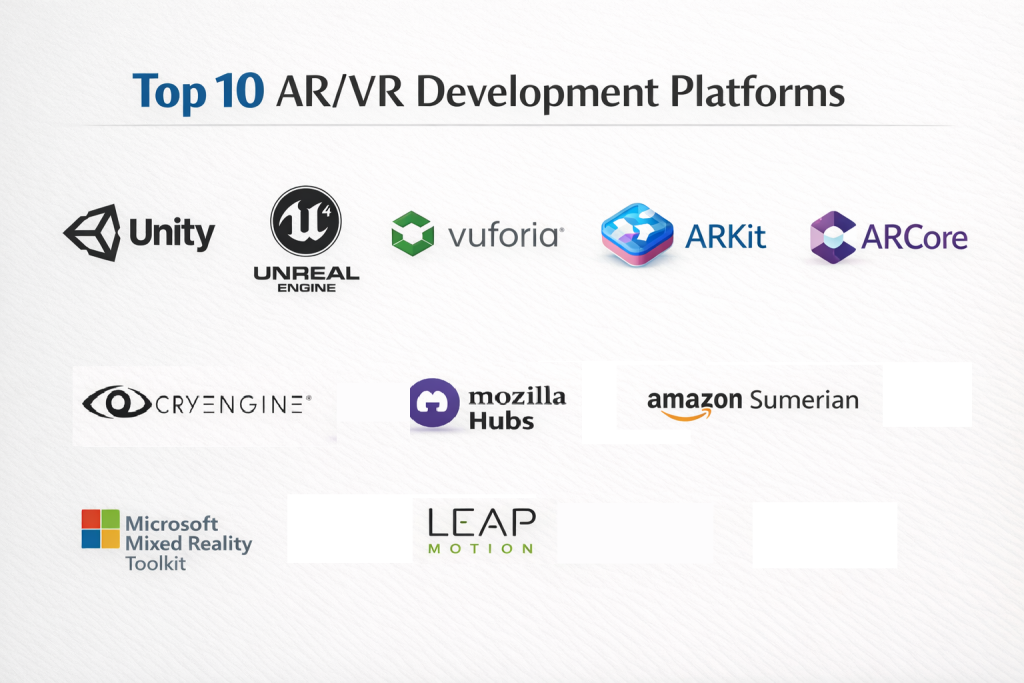
Top 10 AR/VR Development Platforms Tools
1 — Unity
Short description:
Unity is one of the most widely used AR/VR development platforms, offering an extensive set of tools for both beginners and advanced developers. It allows for the creation of interactive 2D and 3D content.
Key features:
- Cross-platform development for mobile, desktop, console, and AR/VR devices
- Real-time rendering and immersive environments
- Comprehensive asset store and SDKs for integration
- Strong community support and learning resources
- Multi-platform deployment
Pros:
- Excellent for both AR and VR content
- Large community and resource availability
Cons:
- Can be resource-heavy on lower-end systems
- Steep learning curve for beginners
Security & compliance:
SSO, GDPR, and encryption for enterprise applications
Support & community:
Extensive documentation, a large online community, professional support plans available
2 — Unreal Engine
Short description:
Unreal Engine is a robust platform known for its stunning graphics and is ideal for high-end gaming and cinematic VR/AR experiences.
Key features:
- Advanced 3D rendering and realistic visuals
- Blueprints for visual scripting (no coding required)
- Cross-platform deployment
- Real-time performance optimization
- High-fidelity sound and physics engine
Pros:
- Exceptional visual quality and rendering capabilities
- Ideal for complex and graphically intense applications
Cons:
- Heavy on system resources
- Requires powerful hardware for best performance
Security & compliance:
SOC 2, encryption, and robust privacy policies
Support & community:
In-depth documentation, active community, extensive learning resources, and enterprise support
3 — Vuforia
Short description:
Vuforia is a leading AR development platform used for creating augmented reality experiences with a focus on object recognition and tracking.
Key features:
- Image and object recognition for AR experiences
- Multi-platform support for smartphones, tablets, and smart glasses
- Cloud recognition and real-time rendering
- Support for both Android and iOS
- High precision and reliability
Pros:
- Easy to implement for mobile AR applications
- Great for object and image recognition
Cons:
- Limited to AR applications (not ideal for VR)
- May require high-end hardware for optimal performance
Security & compliance:
Varies depending on platform integrations
Support & community:
Solid documentation and an active community of developers
4 — ARKit
Short description:
ARKit is Apple’s AR development framework, enabling developers to build AR experiences on iOS devices, including iPhones and iPads.
Key features:
- Accurate motion tracking using the device’s camera
- Scene understanding and object occlusion
- High-quality rendering for 3D models
- Object placement and real-world interaction
- Integration with Apple’s ecosystem (e.g., CoreML)
Pros:
- Great for iOS-focused AR applications
- High integration with Apple’s hardware for enhanced performance
Cons:
- Limited to iOS devices
- Less flexibility compared to cross-platform tools
Security & compliance:
Supports Apple’s security features, including encryption and data protection
Support & community:
Strong Apple developer support, extensive documentation
5 — ARCore
Short description:
ARCore is Google’s AR development platform designed to build augmented reality experiences for Android devices.
Key features:
- Environmental understanding and motion tracking
- Light estimation and real-world object interaction
- Cross-platform support with Unity and Unreal Engine integration
- Plane detection and feature points for improved AR accuracy
Pros:
- Seamless integration with Android devices
- Comprehensive suite for developing AR experiences
Cons:
- Limited to Android (compared to cross-platform tools)
- Requires high-performance Android devices for optimal results
Security & compliance:
Supports encryption and data protection for AR applications
Support & community:
Extensive resources, a large Android developer community
6 — Microsoft Mixed Reality Toolkit (MRTK)
Short description:
The MRTK is designed for building AR/VR applications across Microsoft HoloLens and Windows Mixed Reality devices.
Key features:
- Support for HoloLens 1 and 2
- Spatial sound and spatial awareness
- Multi-platform support (Unity integration)
- Input handling for touch, voice, and gestures
- High-quality 3D rendering and UI
Pros:
- Excellent for mixed reality (AR + VR) applications
- Strong integration with Microsoft’s ecosystem
Cons:
- Limited to Microsoft platforms (HoloLens, Windows Mixed Reality)
- May not be ideal for non-enterprise applications
Security & compliance:
SOC 2, GDPR, and high compliance for enterprise applications
Support & community:
Microsoft support and a robust developer network
7 — CryEngine
Short description:
CryEngine is a high-performance game engine with powerful tools for AR and VR development, particularly suitable for photorealistic VR experiences.
Key features:
- Advanced graphical capabilities for VR and AR
- Real-time rendering and physics simulation
- Cross-platform development for multiple VR hardware
- Visual scripting for faster prototyping
- Dynamic environment interactions
Pros:
- Exceptional for high-fidelity VR graphics
- Strong for game-based VR applications
Cons:
- Smaller user base compared to Unity or Unreal
- Can be difficult to learn for beginners
Security & compliance:
Varies depending on deployment
Support & community:
Community forums, online documentation, limited enterprise support
8 — Mozilla Hubs
Short description:
Mozilla Hubs is a web-based VR platform that allows developers to create and deploy interactive virtual spaces for collaboration and social experiences.
Key features:
- Web-based VR experience without the need for a headset
- Simple interface for room creation and customization
- Multi-user environment support
- Open-source development for customization
- Integration with existing web technologies
Pros:
- Ideal for social VR and virtual events
- No installation needed, easy to access
Cons:
- Limited functionality compared to fully dedicated VR engines
- Requires a stable internet connection for real-time collaboration
Security & compliance:
N/A (open-source platform)
Support & community:
Active open-source community with documentation and collaboration forums
9 — Amazon Sumerian
Short description:
Amazon Sumerian is a cloud-based platform for creating and running AR and VR applications, with a focus on virtual environments and interactive experiences.
Key features:
- Real-time 3D rendering and physics
- Easy integration with AWS services
- Multi-user support for interactive experiences
- Simple UI for developing AR/VR scenes without coding
- Cross-platform support for VR headsets and mobile devices
Pros:
- Integrates seamlessly with AWS
- Good for quick prototyping and interactive scenes
Cons:
- Limited compared to more established engines like Unity or Unreal
- Requires AWS knowledge for full utilization
Security & compliance:
SOC 2, encryption, HIPAA compliance for health-related applications
Support & community:
AWS developer resources and community support
10 — Leap Motion
Short description:
Leap Motion provides hardware and software solutions for hand tracking and gesture control in AR/VR experiences, ideal for intuitive user interaction.
Key features:
- Accurate hand and finger tracking
- Low latency for real-time interactions
- Integration with VR platforms like Oculus Rift
- SDKs for Unity and Unreal Engine
- Supports natural interaction in AR/VR environments
Pros:
- Excellent for gesture-based control in VR and AR
- Easy integration with other VR platforms
Cons:
- Limited to hand-tracking experiences
- Requires compatible hardware for best performance
Security & compliance:
Varies depending on deployment and platform
Support & community:
Active developer forums, SDKs, and documentation
Comparison Table
| Tool Name | Best For | Platform(s) Supported | Standout Feature | Rating |
|---|---|---|---|---|
| Unity | Cross-platform dev | Windows, macOS, iOS, Android | Asset store & flexibility | N/A |
| Unreal Engine | High-end graphics dev | Windows, macOS, iOS, Android | Stunning visuals | N/A |
| Vuforia | Mobile AR | iOS, Android | Object recognition | N/A |
| ARKit | iOS-based AR | iOS | Real-world interaction | N/A |
| ARCore | Android-based AR | Android | Environment understanding | N/A |
| Microsoft MRTK | Mixed reality dev | Windows, HoloLens | Spatial awareness | N/A |
| CryEngine | Game development | Windows, macOS | High-fidelity VR | N/A |
| Mozilla Hubs | Social VR | Web | Easy access, web-based | N/A |
| Amazon Sumerian | Cloud-based dev | Web, VR headsets | AWS integration | N/A |
| Leap Motion | Hand gesture control | VR platforms | Hand tracking | N/A |
Evaluation & Scoring of AR/VR Development Platforms
| Criteria | Weight | Description |
|---|---|---|
| Core features | 25% | Capabilities like rendering, simulation |
| Ease of use | 15% | How intuitive the platform is for developers |
| Integrations & ecosystem | 15% | Ability to integrate with other systems |
| Security & compliance | 10% | Encryption, privacy, compliance standards |
| Performance & reliability | 10% | Stability and efficiency |
| Support & community | 10% | Documentation, developer forums, enterprise support |
| Price / value | 15% | Cost relative to features offered |
Which AR/VR Development Platforms Tool Is Right for You?
Solo users: Unity, Mozilla Hubs, and Vuforia offer easy-to-use interfaces and powerful features for individual developers.
SMBs: Tools like Unity, ARCore, and ARKit offer the right balance of cost and functionality.
Enterprises: Unreal Engine, Microsoft MRTK, and Amazon Sumerian are best for large-scale, collaborative AR/VR applications.
Frequently Asked Questions (FAQs)
1. What is AR/VR development?
AR/VR development involves creating immersive experiences using augmented or virtual reality technologies.
2. What are the hardware requirements?
AR platforms require smartphones or AR glasses, while VR platforms need VR headsets and powerful PCs.
3. Is coding required for AR/VR development?
Many platforms like Unity and Unreal require coding, but some tools like ARKit or Mozilla Hubs simplify the process.
4. What industries benefit from AR/VR?
Gaming, healthcare, education, and retail industries benefit most from AR/VR technologies.
5. Can these platforms be used for enterprise applications?
Yes, several platforms like Microsoft MRTK and Unreal Engine support enterprise-level AR/VR experiences.
6. How do AR and VR differ?
AR overlays digital content on the real world, while VR creates fully immersive virtual environments.
7. Are these platforms cross-platform?
Some platforms like Unity and Unreal Engine support multiple devices, while others like ARKit are iOS-specific.
8. How secure are AR/VR platforms?
Many platforms support industry-standard encryption and compliance features for secure data handling.
9. What’s the cost of using these platforms?
Costs vary widely depending on the platform, with some offering free versions and others requiring a subscription or licensing fee.
10. What are the most common mistakes in AR/VR development?
Poor performance optimization, lack of cross-platform compatibility, and insufficient user testing are common mistakes.
Conclusion
The best AR/VR development platform depends on your specific needs, goals, and technical expertise. Whether you are building high-end gaming environments, immersive educational tools, or AR applications for mobile devices, the right platform will provide the necessary tools and integrations to make your project successful. Always consider factors such as ease of use, performance, platform compatibility, and community support when making your decision.

- Top 10 Email Deliverability Tools: Features, Pros, Cons & Comparison - September 6, 2026
- Top 10 Pharmacovigilance Software: Features, Pros, Cons & Comparison - September 6, 2026
- Top 10 Manufacturing Execution Systems (MES) - July 30, 2026