Introduction
Digital Rights Management (DRM) refers to technologies and software solutions that protect digital content from unauthorized use, copying, sharing, or modification. DRM systems control access to copyrighted material—such as e-books, videos, music, software, and documents—by encrypting content, enforcing usage restrictions (e.g., number of devices, time limits, or offline access), and embedding tracking mechanisms. In 2026, DRM has evolved with cloud-based solutions, AI-driven watermarking, and blockchain integration for stronger protection against piracy.
DRM is critically important in today’s digital economy, where content creation and distribution are booming. It safeguards revenue streams for creators and publishers, prevents piracy that costs industries billions annually, ensures compliance with copyright laws, and enables secure monetization models like subscription services and pay-per-view. Without effective DRM, intellectual property becomes vulnerable to illegal distribution, undermining creators’ livelihoods and business models.
Key real-world use cases include protecting streaming video content on platforms like Netflix or Disney+; securing e-books on Kindle or other readers; safeguarding software licenses in enterprise tools; protecting educational materials in online learning platforms; and controlling access to confidential documents in corporate or legal environments.
When choosing a DRM tool, evaluate content protection strength (encryption levels, anti-piracy measures); user experience (seamless playback/access); device and platform support; integration with existing content management systems; scalability for large audiences; compliance with global copyright laws; cost (per user or per content); and reporting/analytics for usage tracking.
Best for: Content creators, publishers, media companies, software vendors, educational institutions, and enterprises handling sensitive digital assets; mid-market to large organizations in media, entertainment, publishing, software, e-learning, and professional services. Not ideal for: Small creators or individuals distributing free/open-source content where DRM may be unnecessary or counterproductive; or organizations prioritizing open access and sharing over monetization.
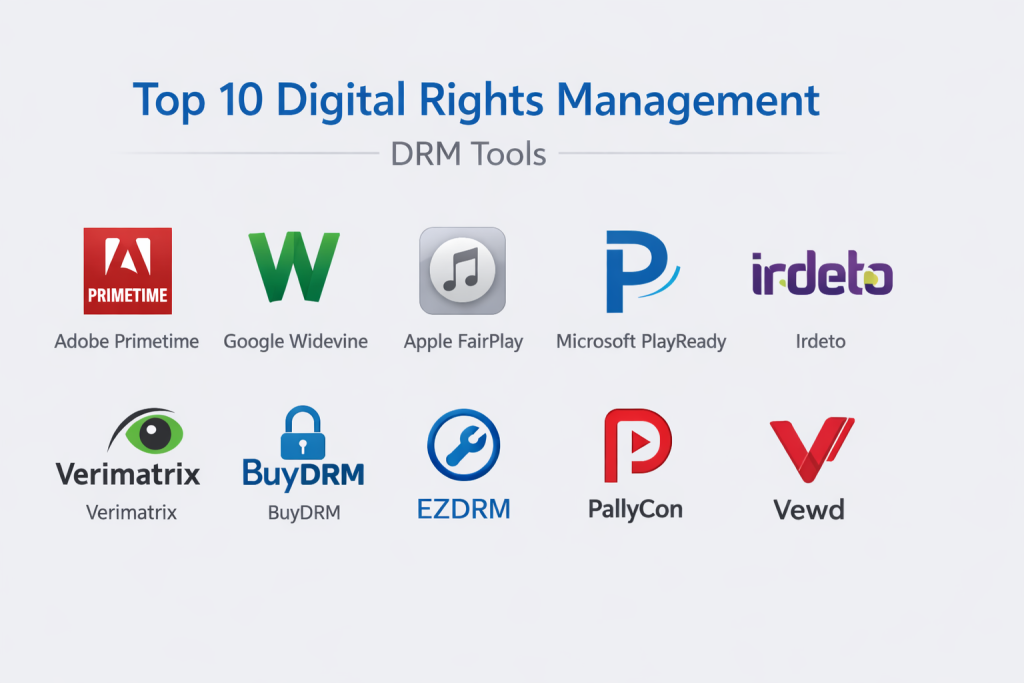
Top 10 Digital Rights Management (DRM) Tools
1 — Adobe Primetime
Adobe Primetime is a comprehensive DRM and video monetization platform, designed for media companies and streaming services needing robust content protection.
Key features:
- Multi-DRM support (Widevine, FairPlay, PlayReady).
- Cloud-based license management.
- Watermarking and forensic tracking.
- Integration with Adobe Experience Manager.
- Analytics and monetization tools.
- Live and VOD support.
Pros:
- Industry-leading multi-DRM compatibility.
- Seamless integration with Adobe ecosystem.
- Strong anti-piracy capabilities.
Cons:
- High cost for enterprise deployment.
- Complex setup for smaller teams.
- Focused primarily on video.
Security & compliance: SOC 2, GDPR, ISO 27001, encryption, audit logs.
Support & community: Enterprise-level support, detailed documentation.
2 — Google Widevine
Google Widevine is a widely adopted DRM system integrated into Android and Chrome, ideal for streaming platforms and content providers.
Key features:
- Multi-tier security levels (L1, L2, L3).
- Seamless integration with YouTube and Android.
- Hardware-backed protection.
- Low-latency licensing.
- Support for live and on-demand content.
Pros:
- Dominant in Android ecosystem.
- High compatibility with major browsers.
- Cost-effective for large-scale use.
Cons:
- Limited control over custom implementations.
- Less flexible for non-video content.
- Dependent on Google infrastructure.
Security & compliance: ISO 27001, encryption, secure hardware.
Support & community: Developer documentation, Google support.
3 — Apple FairPlay
Apple FairPlay is Apple’s proprietary DRM solution, designed for content providers distributing to iOS, macOS, and tvOS devices.
Key features:
- Hardware-backed encryption.
- Integration with Apple Music and iTunes.
- Secure key delivery.
- Offline playback support.
- High-quality streaming.
Pros:
- Seamless experience on Apple devices.
- Strong security and piracy protection.
- Trusted by major studios.
Cons:
- Limited to Apple ecosystem.
- No support for Android/Windows.
- Strict licensing requirements.
Security & compliance: High-level encryption, Apple compliance standards.
Support & community: Apple developer support.
4 — Microsoft PlayReady
Microsoft PlayReady is a DRM platform for Windows and Xbox, widely used for protected content delivery.
Key features:
- Multi-platform support (Windows, Xbox, browsers).
- Hardware security modules.
- License chaining and offline support.
- Integration with Azure Media Services.
Pros:
- Strong Windows ecosystem integration.
- Reliable for enterprise video.
- Good offline capabilities.
Cons:
- Less dominant on mobile.
- Complex licensing.
- Higher costs for some deployments.
Security & compliance: SOC 2, ISO 27001, encryption.
Support & community: Microsoft enterprise support.
5 — Irdeto
Irdeto is a global leader in content protection, offering multi-DRM and anti-piracy solutions for media and entertainment.
Key features:
- Multi-DRM orchestration.
- Forensic watermarking.
- Anti-piracy monitoring.
- Cloud-based delivery.
Pros:
- Comprehensive anti-piracy tools.
- Scalable for large audiences.
- Strong in live sports.
Cons:
- Enterprise pricing.
- Complex implementation.
Security & compliance: SOC 2, GDPR, ISO 27001.
Support & community: Enterprise support.
6 — Verimatrix
Verimatrix provides end-to-end content security for video streaming and pay-TV.
Key features:
- Multi-DRM support.
- Secure cloud delivery.
- Watermarking and piracy detection.
Pros:
- Strong for pay-TV.
- Reliable security.
- Good analytics.
Cons:
- Focused on video.
- High cost.
Security & compliance: ISO 27001, encryption.
Support & community: Professional services.
7 — BuyDRM
BuyDRM is a multi-DRM platform for video and audio content protection.
Key features:
- Widevine, FairPlay, PlayReady support.
- License management.
- Offline support.
Pros:
- Flexible licensing.
- Good for indie publishers.
- Cost-effective.
Cons:
- Less known.
- Limited advanced features.
Security & compliance: ISO 27001.
Support & community: Responsive support.
8 — EZDRM
EZDRM offers cloud-based DRM services for streaming platforms.
Key features:
- Multi-DRM support.
- Easy integration.
- License delivery.
Pros:
- Simple setup.
- Affordable.
- Good for smaller providers.
Cons:
- Less enterprise features.
- Limited customization.
Security & compliance: GDPR, encryption.
Support & community: Good support.
9 — PallyCon
PallyCon is a cloud DRM service for OTT platforms.
Key features:
- Multi-DRM orchestration.
- Forensic watermarking.
- Anti-piracy tools.
Pros:
- Easy cloud deployment.
- Strong security.
- Good for OTT.
Cons:
- Pricing for high volume.
- Focused on video.
Security & compliance: SOC 2, ISO 27001.
Support & community: Responsive support.
10 — Vewd
Vewd provides DRM and content protection for connected TV and streaming.
Key features:
- Multi-DRM support.
- Device authentication.
- Secure playback.
Pros:
- Strong for smart TV.
- Reliable performance.
- Good integration.
Cons:
- Niche focus.
- Higher cost.
Security & compliance: ISO 27001, encryption.
Support & community: Enterprise support.
Comparison Table
| Tool Name | Best For | Platform(s) Supported | Standout Feature | Rating |
|---|---|---|---|---|
| Adobe Primetime | Media & streaming companies | Cloud | Multi-DRM orchestration | N/A |
| Google Widevine | Android & web streaming | Cloud | Dominant Android support | N/A |
| Apple FairPlay | Apple ecosystem content | Apple devices | Hardware-backed security | N/A |
| Microsoft PlayReady | Windows & Xbox | Cloud, desktop | Enterprise video protection | N/A |
| Irdeto | Pay-TV & live sports | Cloud, hybrid | Forensic watermarking | N/A |
| Verimatrix | Pay-TV & OTT | Cloud | End-to-end protection | N/A |
| BuyDRM | Flexible multi-DRM | Cloud | Cost-effective licensing | N/A |
| EZDRM | Smaller OTT providers | Cloud | Simple deployment | N/A |
| PallyCon | OTT platforms | Cloud | Anti-piracy tools | N/A |
| Vewd | Connected TV | Cloud | Smart TV focus | N/A |
Evaluation & Scoring of Digital Rights Management (DRM)
| Tool Name | Core Features (25%) | Ease of Use (15%) | Integrations & Ecosystem (15%) | Security & Compliance (10%) | Performance & Reliability (10%) | Support & Community (10%) | Price / Value (15%) | Total Score |
|---|---|---|---|---|---|---|---|---|
| Adobe Primetime | 9 | 7 | 9 | 10 | 9 | 9 | 6 | 8.4 |
| Google Widevine | 9 | 8 | 10 | 9 | 10 | 8 | 8 | 8.95 |
| Apple FairPlay | 9 | 7 | 9 | 10 | 9 | 9 | 7 | 8.6 |
| Microsoft PlayReady | 9 | 7 | 9 | 10 | 9 | 9 | 7 | 8.5 |
| Irdeto | 9 | 6 | 9 | 10 | 9 | 9 | 6 | 8.3 |
| Verimatrix | 9 | 6 | 9 | 10 | 9 | 9 | 6 | 8.3 |
| BuyDRM | 8 | 8 | 8 | 9 | 8 | 8 | 8 | 8.1 |
| EZDRM | 8 | 9 | 7 | 8 | 8 | 8 | 9 | 8.0 |
| PallyCon | 8 | 8 | 8 | 9 | 8 | 8 | 8 | 8.1 |
| Vewd | 8 | 7 | 8 | 9 | 8 | 8 | 7 | 7.9 |
Which Digital Rights Management (DRM) Tool Is Right for You?
Choosing the right DRM tool depends on your content type, platform ecosystem, and business model. For solo creators or small publishers, cost-effective options like EZDRM or BuyDRM provide solid protection without enterprise complexity.
Small to medium businesses (SMBs) benefit from Google Widevine or PallyCon, offering good scalability at reasonable costs. If feature depth versus ease of use is key, Adobe Primetime for comprehensive features; EZDRM for simplicity.
For mid-market or enterprise organizations, premium solutions like Adobe Primetime, Irdeto, or Verimatrix excel in scalability, advanced anti-piracy, and compliance. Budget-conscious? Start with cloud-based like PallyCon; premium tools justify costs through robust protection and revenue security.
Feature depth versus ease of use: Google Widevine for broad compatibility; Irdeto for advanced forensics. Integration needs favor Adobe or Microsoft. Prioritize security for high-value content, ensuring certifications like ISO 27001 and strong encryption.
Frequently Asked Questions (FAQs)
What is Digital Rights Management (DRM)? DRM protects digital content from unauthorized use through encryption, access controls, and tracking.
Why is DRM important? It prevents piracy, protects revenue, ensures compliance, and enables secure monetization.
Are there free DRM tools? Basic options like Widevine are free for some uses, but advanced features require paid solutions.
What security features matter? Encryption, watermarking, secure key delivery, and compliance certifications.
How does DRM impact user experience? Good DRM is seamless; poor implementation can cause playback issues.
What are common implementation challenges? Integration and device compatibility; use vendor onboarding.
How much do DRM tools cost? Varies widely; cloud-based can be per-stream or subscription-based.
What alternatives exist? Watermarking alone or no protection for open content.
What mistakes do buyers make? Ignoring multi-DRM needs or underestimating piracy risks.
What best practices help? Choose multi-DRM, test across devices, monitor piracy, and balance protection with user experience.
Conclusion
Digital Rights Management tools are essential for protecting valuable digital content in an era of widespread piracy and distribution. Key insights highlight Adobe Primetime and Google Widevine for broad compatibility, Apple FairPlay for Apple ecosystems, and Irdeto/Verimatrix for advanced anti-piracy.What matters most is selecting a DRM tool that matches your content type, target platforms, and business requirements. The “best” tool isn’t universal; it aligns with your specific goals and ecosystem. Evaluate options carefully to secure your content while delivering a seamless user experience.

- Top 10 Email Deliverability Tools: Features, Pros, Cons & Comparison - September 6, 2026
- Top 10 Pharmacovigilance Software: Features, Pros, Cons & Comparison - September 6, 2026
- Top 10 Manufacturing Execution Systems (MES) - July 30, 2026