Introduction
Knowledge base software is a centralized digital platform that enables organizations to create, organize, manage, and share internal and external knowledge in the form of articles, FAQs, guides, tutorials, and documentation. These tools typically feature a searchable content library, rich text editing, version control, categorization, analytics, and collaboration features, often with self-service portals for customers or employees.
In 2026, knowledge base software is essential as businesses face information overload, remote work, and the need for fast, accurate answers. It reduces support tickets, empowers self-service, improves customer satisfaction, accelerates employee onboarding, and preserves institutional knowledge. With AI-driven search, content generation, and personalization, modern platforms make knowledge more accessible and actionable.
Key real-world use cases include powering customer self-service portals in SaaS companies; maintaining internal wikis for engineering teams; creating onboarding guides for HR in large enterprises; documenting processes in IT departments; and providing product help centers for e-commerce brands.
When selecting knowledge base software, evaluate search and AI capabilities (relevance, natural language); ease of content creation for non-technical users; customization and branding; integrations with helpdesk, CRM, or chat tools; analytics for usage insights; security and compliance; scalability for growing content; and pricing (per user or per article).
Best for: Customer support, success, and enablement teams; IT, HR, and knowledge management professionals; small to enterprise organizations in SaaS, tech, e-commerce, finance, healthcare, and education that rely on self-service and knowledge sharing. Not ideal for: Very small teams with minimal documentation needs where shared docs or wikis suffice; or organizations focused on highly sensitive, non-public knowledge where secure file storage or enterprise wiki tools are better suited.
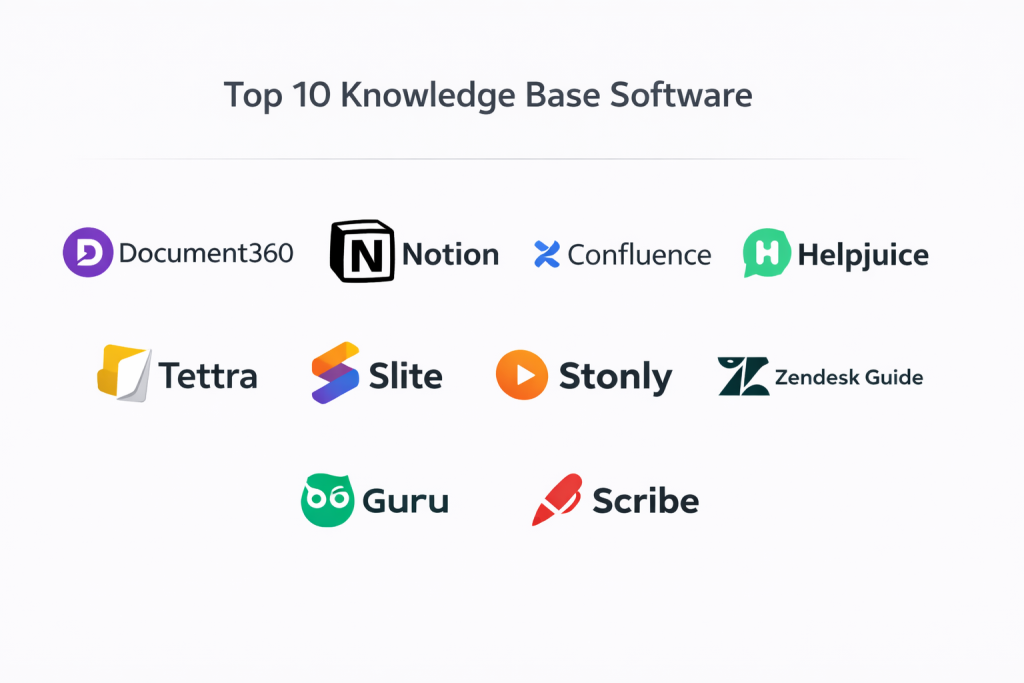
Top 10 Knowledge Base Software Tools
1 — Document360
Document360 is a modern, AI-powered knowledge base platform designed for customer-facing help centers and internal wikis, ideal for SaaS companies and enterprises.
Key features:
- AI-powered search and content suggestions.
- Version history and approval workflows.
- Custom branding and portals.
- Analytics and feedback tools.
- Integrations with Intercom, Zendesk, Slack.
- Multi-language support.
- Private knowledge bases.
Pros:
- Beautiful, professional-looking portals.
- Strong AI search capabilities.
- Excellent for customer self-service.
Cons:
- Pricing can be high for small teams.
- Limited advanced customization.
- Learning curve for complex setups.
Security & compliance: SOC 2, GDPR, ISO 27001, encryption, audit logs, SSO.
Support & community: Comprehensive documentation, live chat, enterprise onboarding.
2 — Notion
Notion is an all-in-one workspace and knowledge base tool that combines notes, databases, and wikis, popular for both internal and external use.
Key features:
- Flexible databases and pages.
- Real-time collaboration.
- Templates and AI writing assistant.
- Embed support and integrations.
- Public pages for external sharing.
- Version history.
Pros:
- Extremely versatile and user-friendly.
- Great for small teams and startups.
- Affordable with generous free plan.
Cons:
- Less structured for large-scale support.
- Performance can lag with massive pages.
- Limited advanced analytics.
Security & compliance: SOC 2, GDPR, encryption, SSO.
Support & community: Extensive templates, active community.
3 — Confluence
Confluence is Atlassian’s enterprise-grade knowledge base and collaboration platform, perfect for internal documentation and team wikis.
Key features:
- Space-based organization.
- Advanced permissions and macros.
- Integration with Jira and Trello.
- Whiteboards and databases.
- Version control and page trees.
Pros:
- Robust for enterprise collaboration.
- Seamless Atlassian integration.
- Strong for technical documentation.
Cons:
- Interface can feel dated.
- Expensive for small teams.
- Steeper learning curve.
Security & compliance: SOC 2, GDPR, HIPAA, ISO 27001, encryption, SSO.
Support & community: Enterprise support, Atlassian community.
4 — Helpjuice
Helpjuice is a dedicated knowledge base platform focused on customer support and self-service, designed for support teams.
Key features:
- AI-powered search and analytics.
- Visual editor and templates.
- Feedback and performance tracking.
- Multi-language support.
- Integrations with Zendesk, Intercom.
Pros:
- Excellent self-service focus.
- Strong analytics for content optimization.
- User-friendly for content creators.
Cons:
- Limited for internal use.
- Pricing for high volume.
- Fewer integrations.
Security & compliance: SOC 2, GDPR, ISO 27001.
Support & community: Good documentation, support.
5 — Guru
Guru is an AI-powered knowledge base platform designed for internal team knowledge sharing and productivity.
Key features:
- AI-driven search and suggestions.
- Card-based knowledge capture.
- Integrations with Slack, Teams.
- Verification workflows.
- Analytics and insights.
Pros:
- Great for distributed teams.
- Strong AI features.
- Easy content creation.
Cons:
- Less suited for public portals.
- Pricing for larger teams.
- Limited customization.
Security & compliance: SOC 2, GDPR, encryption, SSO.
Support & community: Responsive support.
6 — Tettra
Tettra is a simple knowledge base tool integrated with Slack, ideal for remote and distributed teams.
Key features:
- Slack integration for search.
- Page verification workflows.
- Q&A and templates.
- Analytics dashboard.
Pros:
- Excellent Slack-native experience.
- Simple and affordable.
- Good for small teams.
Cons:
- Limited for complex documentation.
- Less robust search.
- Slack-dependent.
Security & compliance: SOC 2, GDPR.
Support & community: Good support.
7 — Slite
Slite is a collaborative knowledge base with AI assistance, designed for modern remote teams.
Key features:
- AI writing assistant.
- Real-time collaboration.
- Channels and templates.
- Integrations with Slack.
Pros:
- Clean, modern interface.
- Strong collaboration.
- Affordable.
Cons:
- Limited for public-facing use.
- Smaller ecosystem.
- Performance with large content.
Security & compliance: SOC 2, GDPR.
Support & community: Active support.
8 — Stonly
Stonly is a knowledge base and interactive guide platform for customer support.
Key features:
- Interactive walkthroughs.
- AI search and chat.
- Analytics and feedback.
- Multi-channel delivery.
Pros:
- Excellent for interactive guides.
- Strong analytics.
- User-friendly.
Cons:
- Focused on support.
- Limited internal use.
- Pricing for high traffic.
Security & compliance: SOC 2, GDPR.
Support & community: Good support.
9 — Zendesk Guide
Zendesk Guide is a knowledge base module within Zendesk, designed for customer support teams.
Key features:
- AI-powered search.
- Articles and categories.
- Analytics and performance tracking.
- Integration with Zendesk support.
Pros:
- Seamless with Zendesk ecosystem.
- Strong for support teams.
- Good analytics.
Cons:
- Zendesk-dependent.
- Less flexible.
- Costly for standalone use.
Security & compliance: SOC 2, GDPR, HIPAA.
Support & community: Zendesk support.
10 — Scribe
Scribe is an AI-powered knowledge base tool that auto-generates documentation and guides.
Key features:
- AI-generated step-by-step guides.
- Screen recording and editing.
- Export options.
- Collaboration tools.
Pros:
- Fast documentation creation.
- Great for training.
- Affordable.
Cons:
- Limited for complex knowledge bases.
- Less scalable.
- Focused on guides.
Security & compliance: SOC 2, GDPR.
Support & community: Responsive support.
Comparison Table
| Tool Name | Best For | Platform(s) Supported | Standout Feature | Rating |
|---|---|---|---|---|
| Document360 | Customer-facing help centers | Cloud | AI-powered search | N/A |
| Notion | Versatile internal & external | Cloud | Flexible databases | N/A |
| Confluence | Enterprise collaboration | Cloud, on-premise | Atlassian integration | N/A |
| Helpjuice | Customer self-service | Cloud | Analytics & feedback | N/A |
| Guru | Internal team knowledge | Cloud | AI suggestions | N/A |
| Tettra | Slack-integrated teams | Cloud | Slack-native search | N/A |
| Slite | Modern remote teams | Cloud | AI assistant | N/A |
| Stonly | Interactive guides | Cloud | Walkthroughs | N/A |
| Zendesk Guide | Zendesk users | Cloud | Support integration | N/A |
| Scribe | Auto-generated documentation | Cloud | AI guide creation | N/A |
Evaluation & Scoring of Knowledge Base Software
| Tool Name | Core Features (25%) | Ease of Use (15%) | Integrations & Ecosystem (15%) | Security & Compliance (10%) | Performance & Reliability (10%) | Support & Community (10%) | Price / Value (15%) | Total Score |
|---|---|---|---|---|---|---|---|---|
| Document360 | 9 | 8 | 9 | 9 | 9 | 9 | 8 | 8.7 |
| Notion | 9 | 9 | 8 | 8 | 8 | 9 | 9 | 8.6 |
| Confluence | 9 | 7 | 10 | 10 | 9 | 9 | 7 | 8.75 |
| Helpjuice | 8 | 9 | 8 | 9 | 8 | 8 | 8 | 8.3 |
| Guru | 8 | 8 | 8 | 8 | 8 | 8 | 8 | 8.0 |
| Tettra | 7 | 9 | 8 | 8 | 8 | 8 | 9 | 8.05 |
| Slite | 8 | 9 | 8 | 8 | 8 | 8 | 9 | 8.25 |
| Stonly | 8 | 9 | 7 | 8 | 8 | 8 | 8 | 8.0 |
| Zendesk Guide | 8 | 8 | 9 | 9 | 9 | 9 | 7 | 8.4 |
| Scribe | 7 | 9 | 7 | 8 | 8 | 8 | 9 | 7.9 |
Which Knowledge Base Software Tool Is Right for You?
The right knowledge base tool depends on your team size, use case (internal vs. external), and technical needs. For solo users or small teams, Notion or Tettra offer simple, affordable solutions with great collaboration.
Small to medium businesses (SMBs) benefit from Helpjuice, Guru, or Slite, balancing ease of use and features at reasonable costs. If feature depth versus simplicity is key, Document360 for customer-facing; Confluence for enterprise internal.
For mid-market or enterprise organizations, premium solutions like Confluence, Zendesk Guide, or Document360 excel in scalability, integrations, and analytics. Budget-conscious? Start with free tiers in Notion or Guru; premium tools deliver ROI through reduced support tickets.
Feature depth versus ease of use: Notion/Slite for intuitive interfaces; Confluence for power. Integration needs favor Zendesk or Confluence. Prioritize security and compliance for regulated industries, ensuring features like SSO and audit logs.
Frequently Asked Questions (FAQs)
What is knowledge base software? It is a platform for creating, organizing, and sharing documentation, FAQs, and guides for internal or customer use.
Why use a dedicated knowledge base? It reduces support tickets, empowers self-service, and centralizes knowledge for faster answers.
Are there free knowledge base tools? Yes, Notion and Tettra offer generous free plans; others have limited free tiers.
What security features matter? Encryption, SSO, audit logs, and compliance (GDPR, SOC 2) to protect sensitive information.
How scalable are these tools? Enterprise options like Confluence handle large teams; cloud-based scale easily.
What are common implementation challenges? Content migration and user adoption; start with a pilot project.
How much do knowledge base tools cost? Free tiers exist; SMB plans $10-50/user/month; enterprise custom.
What alternatives exist? Shared drives, wikis, or internal docs for simple needs.
What mistakes do users make? Poor content organization or ignoring search optimization.
What best practices help? Use clear categories, encourage feedback, keep content updated, and integrate with support tools.
Conclusion
Knowledge base software transforms how organizations share and access information, reducing friction and empowering self-service. Key insights highlight Document360’s customer-facing excellence, Notion’s versatility, and Confluence’s enterprise strength as top performers. What matters most is choosing a tool that aligns with your use case—internal collaboration, customer support, or both. The “best” knowledge base software isn’t universal; it fits your team’s size, industry, and goals. Test options through trials to find the perfect solution and unlock the full potential of your knowledge.

- Top 10 Email Deliverability Tools: Features, Pros, Cons & Comparison - September 6, 2026
- Top 10 Pharmacovigilance Software: Features, Pros, Cons & Comparison - September 6, 2026
- Top 10 Manufacturing Execution Systems (MES) - July 30, 2026