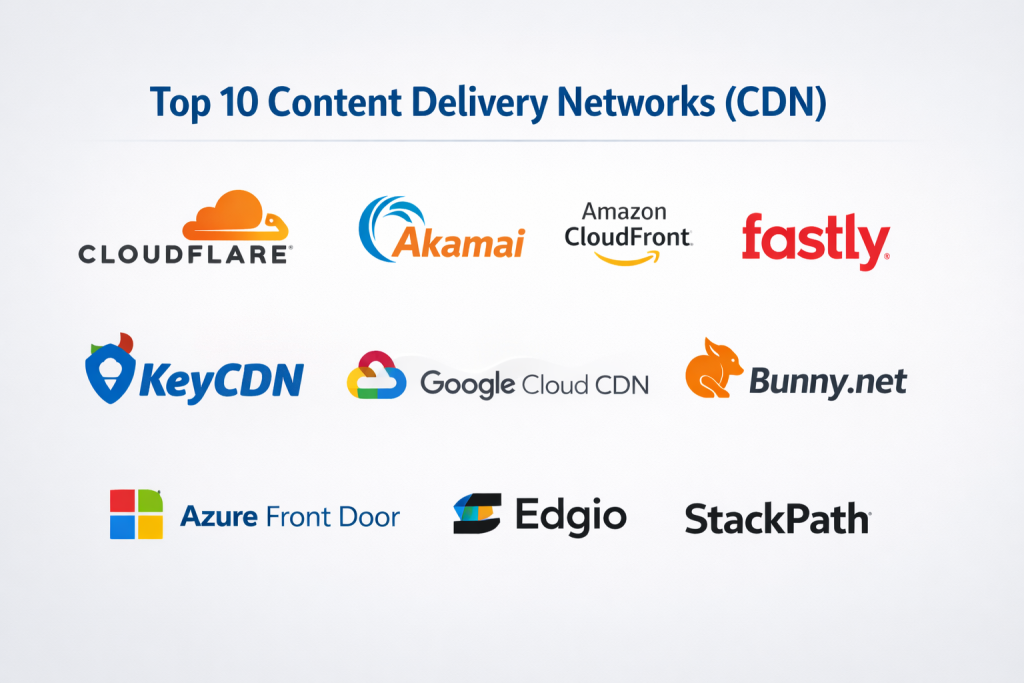
Introduction
In the digital age, speed is not just a luxury; it is a fundamental requirement for success. A Content Delivery Network (CDN) is a geographically distributed group of servers that work together to provide fast delivery of Internet content. By caching static assets like HTML pages, JavaScript files, stylesheets, and images on “edge” servers closer to the user’s physical location, a CDN minimizes the distance data must travel. This drastically reduces latency, improves page load times, and ensures that a user in Tokyo experiences the same snappy performance as a user in New York when accessing the same website.
The importance of a CDN extends beyond mere speed. It provides a robust layer of protection against traffic spikes and distributed denial-of-service (DDoS) attacks by distributing the load across a global infrastructure. Real-world use cases range from streaming giants like Netflix ensuring buffer-free video delivery to e-commerce platforms maintaining stability during Black Friday sales, and software companies distributing large patches to millions of devices simultaneously.
When choosing a CDN, users should look for:
- Network Reach: Does the provider have Points of Presence (PoPs) in the regions where your audience lives?
- Performance Metrics: What is the average time-to-first-byte (TTFB) and throughput?
- Security Features: Does it include WAF, DDoS protection, and SSL/TLS management?
- Purge Speed: How quickly can you invalidate cached content when you make updates?
- Pricing Structure: Is it transparent, or are there hidden costs for “egress” bandwidth?
Best for:
Global e-commerce brands, media streaming services, online gaming companies, and high-traffic SaaS applications. It is essential for DevOps engineers, CTOs, and web developers who need to ensure global availability, high performance, and security for their digital assets.
Not ideal for:
Small local businesses with a strictly regional audience (e.g., a local bakery) or low-traffic personal blogs. If your visitors are all in the same city as your origin server, the performance gains of a CDN may not justify the configuration time or potential costs.
Top 10 Content Delivery Networks (CDN) Tools
1 — Cloudflare
Cloudflare is one of the most popular CDNs in the world, known for its massive global network and an integrated suite of security and performance features that cater to everyone from hobbyists to Fortune 500 companies.
- Key features:
- Global Anycast network spanning over 300 cities.
- Integrated Web Application Firewall (WAF) and unmetered DDoS protection.
- Cloudflare Workers for serverless code execution at the edge.
- Argo Smart Routing to bypass internet congestion.
- Automatic image optimization and “Polish” features.
- Pros:
- Offers a highly functional free tier that is sufficient for many small websites.
- Extremely easy to set up with simple DNS management.
- Cons:
- Advanced features and premium support are locked behind high-cost enterprise tiers.
- Some users find the “all-in-one” approach leads to a lack of granular control compared to niche providers.
- Security & compliance: PCI DSS, SOC 2/3, ISO 27001, GDPR, and HIPAA compliant; supports SSO and mutual TLS.
- Support & community: Extensive documentation, a very active community forum, and 24/7/365 enterprise support.
2 — Akamai
As one of the oldest and largest CDN providers, Akamai handles a significant percentage of all internet traffic. It is designed for massive enterprises that require absolute reliability and a vast global footprint.
- Key features:
- Unrivaled network density with hundreds of thousands of servers.
- Adaptive Media Delivery for high-quality video streaming.
- Advanced bot management and identity protection.
- EdgeWorker technology for programmable edge computing.
- Superior delivery for software downloads and large-scale updates.
- Pros:
- The best performance in hard-to-reach geographic regions.
- Deeply specialized in media delivery and high-bandwidth applications.
- Cons:
- The interface is complex and has a steep learning curve for new users.
- Pricing is generally not public and is geared toward large enterprise budgets.
- Security & compliance: SOC 2 Type II, ISO 27001, HIPAA, PCI DSS, and FedRAMP authorized.
- Support & community: Top-tier professional services and dedicated account management for enterprise customers.
3 — Amazon CloudFront (AWS)
CloudFront is the CDN arm of Amazon Web Services. It is the natural choice for organizations already utilizing the AWS ecosystem for hosting, storage, and computing.
- Key features:
- Seamless integration with S3, EC2, and Elastic Load Balancing.
- Lambda@Edge for running functions in response to CloudFront events.
- Field-level encryption for high-security data processing.
- Real-time logs and advanced monitoring via CloudWatch.
- Free data transfer from AWS origin servers to CloudFront.
- Pros:
- Offers a “Pay-as-you-go” pricing model that is very flexible for startups.
- Deeply integrated security with AWS Shield and WAF.
- Cons:
- AWS pricing and billing can be notoriously confusing to predict.
- Technical configuration requires familiarity with the broader AWS Console.
- Security & compliance: SOC 1/2/3, PCI DSS, HIPAA, GDPR, ISO 9001/27001, and FedRAMP.
- Support & community: Massive community of AWS experts and tiered support plans ranging from basic to enterprise.
4 — Fastly
Fastly differentiates itself as an “Edge Cloud Platform.” It is designed for developers who need real-time control, instant purging, and high programmability via Varnish Configuration Language (VCL).
- Key features:
- Instant Purge capability (typically under 150 milliseconds).
- Full support for Varnish and custom VCL.
- Real-time analytics and visibility into edge traffic.
- Compute@Edge for high-performance serverless logic.
- Image Optimizer for real-time resizing and cropping.
- Pros:
- Ideal for dynamic content that updates frequently (news sites, stock tickers).
- Extremely developer-friendly with robust API support.
- Cons:
- Requires more technical expertise to configure properly than Cloudflare.
- The network is highly performant but has fewer PoPs than Akamai.
- Security & compliance: PCI DSS Level 1, HIPAA, SOC 2 Type II, and GDPR compliant.
- Support & community: Excellent technical documentation and responsive support for high-tier customers.
5 — Bunny.net
Bunny.net is a newer player that has gained massive popularity for its incredible speed, simple interface, and transparent, ultra-low pricing.
- Key features:
- Simple, one-click global caching.
- Bunny Optimizer for automatic image and CSS/JS minification.
- Video delivery platform with built-in transcoding.
- Bunny Storage for easy edge storage integration.
- Per-region routing control.
- Pros:
- Possibly the best price-to-performance ratio on the market today.
- The interface is incredibly clean and accessible for non-technical users.
- Cons:
- Lacks some of the ultra-advanced enterprise security features of Akamai or Cloudflare.
- The network, while growing, is smaller than the industry giants.
- Security & compliance: GDPR compliant; supports Tier 1 DDoS protection and Let’s Encrypt SSL.
- Support & community: Fast and helpful support team; growing library of guides and tutorials.
6 — KeyCDN
KeyCDN is a high-performance, European-based provider that focuses on simplicity and a “pay-as-you-go” model without monthly commitments.
- Key features:
- HTTP/2 and HTTP/3 support across the entire network.
- Instant Purge (Zone Purge and URL Purge).
- Origin Shield for reducing load on your primary server.
- Secure Token for preventing hotlinking.
- Real-time log forwarding.
- Pros:
- No minimum monthly fees, making it perfect for small projects and low-traffic sites.
- The dashboard is straightforward and focused on essential metrics.
- Cons:
- PoP density is lower in regions like South America and Africa.
- The security feature set is more basic than enterprise competitors.
- Security & compliance: GDPR compliant; supports SSO and custom SSL.
- Support & community: Responsive ticket-based support and a helpful community knowledge base.
7 — Google Cloud CDN
Google Cloud CDN leverages Google’s massive private global fiber network to deliver content with exceptionally low latency. It is built for users of the Google Cloud Platform (GCP).
- Key features:
- Uses Google’s 100+ PoPs across the globe.
- Integrated with Cloud Load Balancing.
- Support for QUIC and BBR congestion control.
- Signed URLs for fine-grained content access control.
- Seamless integration with Google Cloud Storage.
- Pros:
- Inherits the legendary speed and reliability of Google’s global infrastructure.
- Single IP address for global content delivery simplifies DNS.
- Cons:
- Only available for content hosted on Google Cloud.
- Lacks the specific “web management” features found in Cloudflare or Bunny.net.
- Security & compliance: SOC 1/2/3, ISO 27001, HIPAA, PCI DSS, and GDPR.
- Support & community: Premium support via GCP tiers and a vast ecosystem of documentation.
8 — Microsoft Azure Front Door
Azure Front Door is Microsoft’s modern cloud CDN that combines content delivery with global load balancing and site acceleration.
- Key features:
- Dynamic Site Acceleration (DSA) for non-cacheable content.
- Integrated Web Application Firewall (WAF) with custom rules.
- SSL offloading and certificate management.
- Path-based routing and session affinity.
- Deep integration with Azure App Service and Storage.
- Pros:
- The definitive choice for large-scale Microsoft-centric enterprises.
- Excellent at handling both static and dynamic application traffic.
- Cons:
- Configuration can be complex and tied into the broader Azure Networking stack.
- Pricing can be high and difficult to calculate for complex routing.
- Security & compliance: ISO 27001, HIPAA, SOC 1/2, PCI DSS, and FedRAMP.
- Support & community: Enterprise-grade support and a massive global network of Azure certified engineers.
9 — Edgio (formerly Limelight & EdgeCast)
Edgio is a powerhouse in the media and broadcasting world, formed by the merger of industry veterans. It focuses heavily on high-fidelity video and edge security.
- Key features:
- Massive throughput for 4K and live video streaming.
- Integrated App Security (WAF, Bot Management, API Security).
- Open Edge architecture for high-performance caching.
- Advanced cache-control headers and granular rules.
- Smart purging and content invalidation.
- Pros:
- One of the most trusted names for professional broadcasters and media houses.
- Highly stable network with global peering.
- Cons:
- Not really intended for small websites or individual developers.
- The sales-led approach makes it less accessible for quick self-service.
- Security & compliance: SOC 2, PCI DSS, ISO 27001, and GDPR compliant.
- Support & community: Professional service teams and 24/7 technical operations center support.
10 — StackPath
StackPath (which acquired MaxCDN) offers an integrated “Edge Platform” that combines CDN, WAF, and Edge Computing into a single, high-performance package.
- Key features:
- Fully documented API for all CDN functions.
- High-capacity DDoS mitigation.
- Edge VM and Edge Container support.
- Real-time reporting and monitoring.
- Custom Varnish-like rules for content handling.
- Pros:
- Very good for modern application developers who need edge logic.
- Predictable monthly pricing tiers for mid-market companies.
- Cons:
- Has undergone several corporate shifts which can affect product roadmap clarity.
- Network reach is solid but not as extensive as the “Big Three” (Akamai, AWS, Cloudflare).
- Security & compliance: PCI DSS, SOC 2, and GDPR compliant.
- Support & community: 24/7 live chat and phone support for all customers.
Comparison Table
| Tool Name | Best For | Platform Supported | Standout Feature | Rating (Approx.) |
| Cloudflare | All-in-one Security | All | Massive Free Tier / Workers | 4.7 / 5 |
| Akamai | Global Enterprise | All | Highest PoP Density | 4.4 / 5 |
| AWS CloudFront | AWS Users | AWS Ecosystem | S3/Lambda Integration | 4.5 / 5 |
| Fastly | Real-time / Devs | All | Instant Purging | 4.6 / 5 |
| Bunny.net | Value & SMBs | All | Transparent Pricing / UI | 4.8 / 5 |
| KeyCDN | Pay-as-you-go | All | No Monthly Minimum | 4.3 / 5 |
| Google Cloud CDN | GCP Users | Google Cloud | Private Fiber Network | 4.4 / 5 |
| Azure Front Door | MSFT Enterprises | Azure | App Acceleration | 4.3 / 5 |
| Edgio | Media & Streaming | All | Video Throughput | 4.2 / 5 |
| StackPath | Edge Computing | All | Integrated Edge VM | 4.1 / 5 |
Evaluation & Scoring of Content Delivery Networks (CDN)
| Category | Weight | Score | Analysis |
| Core Features | 25% | 9.4/10 | Standards like HTTP/3 and image optimization are now ubiquitous. |
| Ease of Use | 15% | 8.2/10 | Bunny.net and Cloudflare lead; AWS and Akamai remain complex. |
| Integrations | 15% | 9.0/10 | Cloud providers (AWS/GCP/Azure) excel here with their ecosystems. |
| Security | 10% | 9.5/10 | This is a high-priority area for all; DDoS protection is standard. |
| Performance | 10% | 9.6/10 | Global throughput and latency have improved across the board. |
| Support | 10% | 8.5/10 | Support quality varies significantly by price tier and commitment. |
| Price / Value | 15% | 8.0/10 | Transparent models (Bunny/KeyCDN) provide the best value. |
Which Content Delivery Networks (CDN) Tool Is Right for You?
Solo Users vs SMB vs Mid-market vs Enterprise
- Solo Users/Bloggers: Cloudflare (Free tier) or Bunny.net are the clear winners. They are easy to set up and offer immediate performance boosts for free or just a few dollars a month.
- SMBs: Bunny.net or StackPath offer the best balance of speed and ease of use without the overhead of enterprise contracts.
- Mid-market: Fastly or AWS CloudFront (if already on AWS) provide the customization and performance needed for scaling apps.
- Enterprise: Akamai or Cloudflare Enterprise are the standards for mission-critical reliability and global security compliance.
Budget-conscious vs Premium Solutions
- Budget: KeyCDN and Bunny.net offer the most transparent “pay for what you use” models, often costing 80% less than premium competitors for the same bandwidth.
- Premium: Akamai is a premium investment. You are paying for the density of their network and their specialized ability to deliver high-bitrate video to difficult regions.
Feature Depth vs Ease of Use
If you need Feature Depth (meaning you want to write complex code at the edge), go with Fastly or Cloudflare. If you want Ease of Use (you just want your site to be fast in 5 minutes), go with Bunny.net.
Frequently Asked Questions (FAQs)
- Does a CDN help with SEO?Yes. Page speed is a confirmed ranking factor for Google. By reducing latency and improving TTFB, a CDN directly helps your site rank higher and provides a better user experience.
- What is an “Origin Server”?The origin server is the primary location of your website content (like your hosting provider). The CDN pulls content from the origin and caches it at the “edge” servers.
- Is a CDN the same as web hosting?No. Hosting stores your website. A CDN is a layer on top that distributes and caches your content to make it faster for users further away from the host.
- Do I still need a CDN if my host has “built-in” speed tools?Often, yes. While some hosts provide basic caching, a dedicated global CDN network is almost always more powerful and geographically diverse.
- Can a CDN break my website?If configured incorrectly (e.g., caching sensitive logged-in pages), it can cause issues. However, modern CDNs have “standard” settings that prevent these common mistakes.
- What is a “PoP” (Point of Presence)?A PoP is a physical data center where the CDN servers are located. The more PoPs a provider has, the closer they can get your content to your users.
- What is “Cache Invalidation” or “Purging”?This is the process of telling the CDN to delete its stored version of a file and grab a fresh one from your origin server. “Instant Purge” is highly valued by developers.
- Can I use multiple CDNs at once?Yes, this is called a “Multi-CDN” strategy. Large companies like Netflix use multiple providers to ensure that if one network goes down, the other takes over.
- Are CDNs expensive?They used to be, but today they are very affordable. Many providers offer free tiers, and pay-as-you-go models can cost as little as $1 per 100GB of traffic.
- Does a CDN secure my site against hackers?Yes, most modern CDNs include a Web Application Firewall (WAF) that blocks malicious traffic and prevents DDoS attacks from reaching your server.
Conclusion
Selecting the right Content Delivery Network (CDN) is one of the most impactful decisions you can make for your digital infrastructure. In 2026, the gap between a fast site and a slow site is measured in revenue, conversion rates, and user retention.
For many, Cloudflare remains the default choice due to its ease of use and massive feature set. However, for those focused on budget and simplicity, Bunny.net has proven to be a formidable challenger. Meanwhile, developers and high-frequency content creators will continue to find Fastly’s real-time control indispensable.
The “best” CDN is not a universal winner but a matter of alignment. Assess your audience’s location, your technical expertise, and your budget. By choosing the platform that matches these needs, you ensure your content is always just a millisecond away from your users.

- Top 10 Email Deliverability Tools: Features, Pros, Cons & Comparison - September 6, 2026
- Top 10 Pharmacovigilance Software: Features, Pros, Cons & Comparison - September 6, 2026
- Top 10 Manufacturing Execution Systems (MES) - July 30, 2026
… [Trackback]
[…] Read More here: scmgalaxy.com/tutorials/top-10-content-delivery-networks-cdn-features-pros-cons-comparison/ […]