Introduction
In the evolving landscape of work, the traditional “punch clock” has undergone a digital revolution. Time & Attendance Software is an enterprise-level solution designed to track employee working hours, attendance patterns, break times, and time-off requests. More than just a digital stopwatch, these platforms serve as the connective tissue between a company’s physical workforce and its payroll department. They provide a transparent, auditable record of when employees start their day, how long they spend on specific tasks, and when they conclude their shifts.
The importance of these tools lies in their ability to eliminate “buddy punching” (where one employee clocks in for another) and manual data entry errors, which can cost businesses thousands in lost productivity and payroll inaccuracies. Key real-world use cases include managing shift rotations in healthcare, tracking geofenced locations for construction crews, and automating overtime calculations for retail chains. When choosing a tool, users should evaluate biometric options, mobile accessibility, integration depth with payroll providers, and compliance features that protect the company against labor law violations.
Best for:
Human Resource (HR) managers, payroll specialists, and operations leads in mid-market to enterprise-level organizations. Industries with high-volume hourly staff, such as hospitality, manufacturing, retail, and construction, find these tools indispensable for maintaining legal compliance and operational efficiency.
Not ideal for:
Freelancers or very small businesses with salaried employees where work is purely output-based and hours are static. For these groups, a simple project management tool or a basic shared calendar usually suffices without the overhead of specialized attendance software.
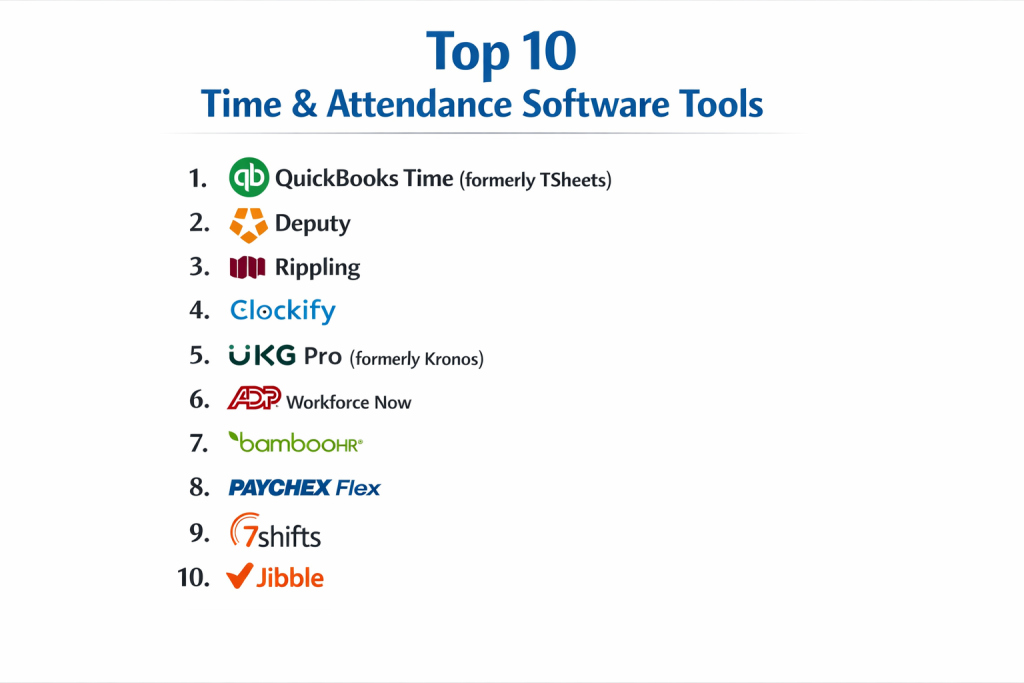
Top 10 Time & Attendance Software Tools
1 — QuickBooks Time (formerly TSheets)
QuickBooks Time is a premier tracking solution that prioritizes mobile flexibility and seamless accounting integration, making it a favorite for businesses with mobile workforces.
- Key features:
- GPS Tracking & Geofencing: Automatically reminds employees to clock in/out when they enter or leave a job site.
- Real-time Who’s Working Window: Allows managers to see the exact location and task of every employee at a glance.
- Customized Alerts: Notifies managers when employees approach overtime or forget to clock out.
- Scheduling: Drag-and-drop shift scheduling that notifies employees via text or push notification.
- Seamless QuickBooks Sync: One-click payroll processing that eliminates manual data transfer.
- Photo Attachments: Allows workers to attach photos to timesheets for proof of work or expense.
- Pros:
- Unrivaled integration with the QuickBooks ecosystem, saving hours of manual payroll work.
- Highly intuitive mobile app that field workers actually enjoy using.
- Cons:
- Per-user pricing can become expensive for large, scaling teams.
- The software is highly specialized and lacks broader HR features like performance reviews.
- Security & compliance: SOC 2 Type II, HIPAA compliant, and GDPR compliant.
- Support & community: High-quality phone and chat support, extensive online knowledge base, and a vast network of certified ProAdvisors.
2 — ADP Workforce Now
ADP is a global giant in human capital management, and its Time & Attendance module is built to handle the complexities of massive, multi-state enterprises.
- Key features:
- Unified HCM Platform: Integrates attendance directly with payroll, benefits, and HR records.
- Biometric Time Clocks: Supports physical hardware with fingerprint and facial recognition.
- Automated Compliance: Built-in rules that handle state-specific overtime and meal break laws.
- Executive Reporting: Deep analytics on labor distribution, turnover trends, and attendance patterns.
- Self-Service Portal: Comprehensive dashboard for employees to view pay stubs and request PTO.
- Schedule Optimization: Tools to match staffing levels with business demand forecasts.
- Pros:
- Extremely robust compliance engine that is ideal for large companies in highly regulated industries.
- A “one-stop-shop” for all things HR, reducing the need for multiple software subscriptions.
- Cons:
- The interface can be complex and intimidating for small business users.
- Implementation is a significant undertaking that often takes several months.
- Security & compliance: ISO 27001, SOC 1 & 2, HIPAA, and GDPR compliant.
- Support & community: Dedicated client service managers for enterprise accounts and global user conferences.
3 — Deputy
Deputy is a modern, mobile-first solution designed specifically for the “deskless” workforce in hospitality, retail, and healthcare.
- Key features:
- Touchless Clock-In: Uses facial recognition on tablets to prevent “buddy punching” without physical contact.
- Shift Swapping: Integrated marketplace for employees to trade shifts with manager approval.
- News Feed: A centralized hub for team announcements and task lists.
- Fair Workweek Tools: Features that help comply with predictive scheduling laws in cities like NYC and Chicago.
- Labor Cost Dashboard: Real-time visibility into how schedule changes impact your budget.
- Integrations: Connects natively with POS systems like Square, LightSpeed, and Toast.
- Pros:
- Exceptionally easy to set up; most teams can be running in less than an afternoon.
- High employee engagement due to the social-media-style news feed and easy mobile interface.
- Cons:
- Reporting is less granular than legacy enterprise systems like ADP.
- Not ideal for traditional office environments that don’t operate on shifts.
- Security & compliance: SOC 2 compliant, GDPR compliant, and SSO support.
- Support & community: 24/7 chat support, a robust help center, and a growing community of small business owners.
4 — UKG Ready (formerly Kronos)
UKG Ready is an enterprise-scale solution that focuses heavily on the “Time Intelligence” aspect of management, using AI to optimize labor.
- Key features:
- Advanced Scheduling AI: Predicts staffing needs by analyzing historical business data and trends.
- Global Compliance: Handles complex international labor rules for multi-national organizations.
- Mobile App with GPS: Verification of work location for remote or mobile staff.
- Labor Cost Allocation: Track hours down to specific projects, grants, or departments.
- Fatigue Management: Alerts managers when an employee’s schedule suggests a high risk of burnout.
- Robust Hardware Integration: Seamless sync with UKG’s own physical “InTouch” time clocks.
- Pros:
- Probably the most powerful scheduling engine in the industry.
- Excellent for manufacturing and large-scale industrial operations.
- Cons:
- The software has a steep learning curve for administrators.
- Customer support responsiveness has been a point of contention during recent mergers.
- Security & compliance: ISO 27001, SOC 2, HIPAA, and FedRAMP (for gov versions).
- Support & community: High-end enterprise support and a massive global user group community.
5 — Clockify
Clockify has become a global favorite by offering a “forever free” version for unlimited users, disrupting the traditionally expensive attendance software market.
- Key features:
- Unlimited Users & Projects: The core timer and timesheet features are free for everyone.
- Timesheet View: Traditional grid-based entry for users who prefer logging hours at the end of the week.
- Kiosk Mode: Use a central tablet with PIN codes for employee clock-ins.
- Expense Tracking: Log receipts and fixed costs alongside working hours.
- Project Tracking: Real-time visualization of how much time is spent on specific client accounts.
- Reports: Detailed breakdowns of team activity, billable hours, and attendance.
- Pros:
- Unbeatable value for money for startups and budget-conscious mid-sized teams.
- Extremely clean and fast user interface that requires zero training.
- Cons:
- Advanced management features (like geofencing and GPS) are locked behind paid tiers.
- Lacks native payroll processing, requiring export to other tools.
- Security & compliance: ISO 27001, SOC 2, and GDPR compliant.
- Support & community: 24/7 chat support and a very active public forum for troubleshooting.
6 — Rippling
Rippling is an all-in-one “Workforce OS” that manages IT, HR, and Finance in a single pane of glass, making it unique on this list.
- Key features:
- Unified Employee Records: A change in an employee’s role automatically updates their pay, computer access, and attendance rules.
- Automated Compliance Alerts: Triggers alerts if a worker logs hours that violate local state labor laws.
- Global Payroll Integration: Syncs attendance data with domestic and international payroll engines.
- Workflow Automations: Create custom rules (e.g., “If an employee logs 50 hours, alert the VP of Ops”).
- Device Management: Link attendance to the actual computer an employee is using.
- Time Tracking: Simple web and mobile clock-in that ties directly to project management tools.
- Pros:
- The fastest tool for onboarding; you can hire and set up a worker in 90 seconds.
- Eliminates the need for “integrations” because everything is built into the same database.
- Cons:
- The “All-in-One” approach can be expensive if you only want attendance software.
- Less specialized for “heavy” industry (like construction) compared to tools like QuickBooks Time.
- Security & compliance: SOC 2 Type II, GDPR, and HIPAA compliant.
- Support & community: Very responsive modern support chat and high-quality onboarding tutorials.
7 — BambooHR
BambooHR is the go-to solution for SMBs that want a user-friendly, “human” feel to their HR and attendance management.
- Key features:
- Simple Time Tracking: One-tap clock-in/out for employees via web or mobile.
- PTO Tracking: Automated approval workflows for vacation, sick leave, and holidays.
- Approval Workflows: Managers can review and approve timesheets for payroll with a single click.
- Performance Management: Integrated goal-setting and peer reviews alongside attendance data.
- Employee Database: Centralized records for all workforce data.
- Clean Reporting: Visual reports on employee turnover, attendance, and headcount.
- Pros:
- The interface is widely considered the most “beautiful” and easy to navigate in the category.
- Excellent for companies that want to build a positive culture through transparent HR.
- Cons:
- Not designed for massive enterprises with complex shift-scheduling needs.
- Time tracking is often an add-on module rather than being included in the base price.
- Security & compliance: SOC 2 Type II, GDPR compliant, and data encryption at rest.
- Support & community: Top-tier customer service, an active blog, and a thriving community of HR professionals.
8 — Hubstaff
Hubstaff focuses on “proof of work” and remote team accountability, offering high levels of visibility for distributed workforces.
- Key features:
- Activity Monitoring: Optional tracking of keyboard and mouse usage levels (not keystroke logging).
- Screenshot Capture: Optional periodic screenshots to provide visual proof of project work.
- Automatic Payroll: Connect with PayPal or Bitwage to pay workers based on tracked hours.
- URL & App Tracking: See which websites and applications are being used during work hours.
- GPS Tracking: Monitor the location and movement of field workers in real-time.
- Achievement Badges: Gamifies productivity for remote team members.
- Pros:
- The best tool for managing remote contractors or offshore teams where accountability is key.
- Excellent GPS and fleet management features for field services.
- Cons:
- Monitoring features can feel invasive and impact morale if not implemented with transparency.
- The UI can be cluttered due to the massive amount of data being captured.
- Security & compliance: SOC 2 Type II, GDPR, and HIPAA compliant.
- Support & community: Robust help center, 24/7 support, and specialized onboarding for enterprise.
9 — Paychex Flex
Paychex is a veteran in the payroll space, and its Flex platform offers a deeply integrated time and attendance experience for mid-sized businesses.
- Key features:
- Mobile & Voice Clock-in: Employees can clock in using their smartphones or through voice-activated devices.
- Iris & Facial Scanning: Supports high-security biometric hardware for physical job sites.
- Regulatory Guardrails: Automatically alerts managers to potential ACA (Affordable Care Act) violations.
- Scheduling Integration: Link attendance data with future shift planning and labor costs.
- Employee Wellness: Integrated tools for tracking employee sentiment and health checks.
- Tax Credit Services: Automatically identifies “Work Opportunity Tax Credits” based on hiring data.
- Pros:
- Exceptional at handling the tax and regulatory “boring stuff” that business owners fear.
- Very reliable for companies that want a traditional, stable partner.
- Cons:
- The mobile app can be slower and less responsive than modern SaaS competitors.
- Pricing structure can be opaque and varies based on the “bundles” selected.
- Security & compliance: ISO 27001, SOC 1 & 2, and GDPR compliant.
- Support & community: Localized support centers and dedicated payroll specialists.
10 — Jibble
Jibble is a fast-growing, cloud-native attendance tool that uses AI and facial recognition to make clocking in effortless and secure.
- Key features:
- Face Recognition: Uses AI to verify that the person clocking in is actually who they say they are.
- Offline Mode: Allows employees to clock in/out without an internet connection (syncs later).
- Slack & Microsoft Teams Bot: Track time directly from your company’s communication tools.
- Detailed Timesheets: Automated calculation of daily, weekly, and monthly totals with overtime.
- Activity Tracking: Link attendance entries to specific projects or clients.
- Kiosk with Face ID: Turn any tablet into a high-security attendance terminal.
- Pros:
- The “Face Recognition” tech is extremely fast and works on standard smartphones.
- Very generous free version for smaller teams.
- Cons:
- Reporting is focused on attendance, not deep “strategic” workforce management.
- Less mature ecosystem of integrations compared to QuickBooks or ADP.
- Security & compliance: GDPR compliant, SSL encryption, and SOC 2 (via hosting).
- Support & community: 24/7 customer support and a very clear, modern documentation library.
Comparison Table
| Tool Name | Best For | Platform(s) Supported | Standout Feature | Rating (Gartner) |
| QuickBooks Time | Field Teams | Web, Mobile | Geofencing & GPS | 4.6 / 5 |
| ADP Workforce Now | Large Enterprise | Web, Mobile, Hardware | Compliance Engine | 4.4 / 5 |
| Deputy | Shift Work | Web, Mobile, Tablet | Shift Swapping Hub | 4.7 / 5 |
| UKG Ready | Manufacturing | Web, Mobile, Hardware | AI Scheduling | 4.4 / 5 |
| Clockify | Budget/Startups | Web, Mobile, Desktop | Unlimited Free Users | 4.7 / 5 |
| Rippling | Tech-Forward SMB | Web, Mobile | Unified IT/HR/Time | 4.8 / 5 |
| BambooHR | SMB Culture | Web, Mobile | “Human” UI/UX | 4.6 / 5 |
| Hubstaff | Remote Accountability | Web, Mobile, Desktop | Proof of Work | 4.5 / 5 |
| Paychex Flex | Mid-market Payroll | Web, Mobile, Hardware | Tax/Regulatory Support | 4.3 / 5 |
| Jibble | AI Recognition | Web, Mobile, Tablet | AI Face ID Tracking | 4.8 / 5 |
Evaluation & Scoring of Time & Attendance Software
We evaluated these tools based on a weighted rubric to determine their suitability for the modern workforce.
| Category | Weight | Score (Avg) | Analysis |
| Core Features | 25% | 9.0 / 10 | Most tools offer excellent tracking; differentiation comes in AI and hardware. |
| Ease of Use | 15% | 8.8 / 10 | Modern SaaS (Deputy/Toggl) leads; legacy suites (ADP) are denser. |
| Integrations | 15% | 9.0 / 10 | QuickBooks and Rippling are the champions of ecosystem connectivity. |
| Security & Compliance | 10% | 9.5 / 10 | Standards are universally high across this top 10 list. |
| Performance | 10% | 8.5 / 10 | Mobile-to-web synchronization speed is critical and mostly stable. |
| Support & Community | 10% | 8.0 / 10 | Legacy brands offer phone support; new SaaS relies on chat/bots. |
| Price / Value | 15% | 8.2 / 10 | Clockify wins on value; enterprise tools are high-cost but high-ROI. |
Which Time & Attendance Software Tool Is Right for You?
Solo Users vs SMB vs Mid-market vs Enterprise
- Solo Users: You likely don’t need a dedicated attendance suite. Use a simple timer like Clockify or Toggl.
- SMB (10–50 employees): BambooHR or Rippling provide the perfect blend of attendance and HR features without the enterprise “bloat.”
- Mid-market (50–500 employees): QuickBooks Time or Deputy are ideal for managing complexity while maintaining agility.
- Enterprise (500+ employees): ADP Workforce Now or UKG Ready are the only tools capable of managing the massive data and compliance risks at this scale.
Budget-conscious vs Premium Solutions
If budget is the primary driver, Clockify and Jibble offer highly functional free tiers. If you are a premium organization where “one compliance lawsuit” could cost more than a decade of software, the investment in ADP or Paychex acts as vital business insurance.
Feature Depth vs Ease of Use
If you prioritize Ease of Use (so your staff actually uses the tool), go with Deputy or BambooHR. If you need Feature Depth (e.g., you have 4 different unions and 20 state-specific overtime laws), you must choose the power of UKG or ADP.
Integration and Scalability Needs
For companies that want to manage everything—from the laptop the employee uses to the shift they work—Rippling is the only logical choice. For those already entrenched in the QuickBooks ecosystem for accounting, QuickBooks Time provides the cleanest data bridge.
Frequently Asked Questions (FAQs)
- What is the difference between Time Tracking and Time & Attendance?Time tracking is usually for billing clients (project-focused). Time & Attendance is for payroll and compliance (employee-focused).
- Can attendance software prevent “buddy punching”?Yes. Tools like Jibble and Deputy use facial recognition or geofencing to ensure the correct person is at the job site when they clock in.
- Does this software work for remote employees?Absolutely. Most of these tools have mobile apps that allow remote workers to clock in from home or on the road, often with GPS verification.
- Is it hard to move from paper timesheets to software?The technical part is easy. The challenge is “change management”—getting employees to build the habit of digital clocking. Choosing an easy UI like Toggl helps.
- Is it legal to track an employee’s location?Generally, yes, if they are on the clock and have consented. Most tools only track the GPS location at the moment of clock-in and do not follow them all day.
- How much does this software typically cost?Prices range from Free to about $10 per user per month, plus potential base fees or hardware costs.
- Do these tools handle overtime laws automatically?Yes. Enterprise tools (ADP/UKG) are designed to automatically calculate overtime based on specific state and federal labor laws.
- Can I use my existing tablet as a time clock?Yes, most tools (like Deputy or Clockify) allow you to turn any iPad or Android tablet into a central kiosk for staff to use.
- What is “Geofencing”?It’s a digital boundary. If an employee tries to clock in while they are still at home (outside the boundary), the software will block them or alert the manager.
- Do these tools sync with payroll?Most do. They typically export a file (CSV) or use a direct API to send approved hours to providers like Gusto, Zenefits, or QuickBooks.
Conclusion
Choosing a Time & Attendance Software tool is a decision that impacts every single person in your organization. If you choose a tool that is too complex, your staff will find workarounds or submit inaccurate data. If you choose one that is too simple, your HR and payroll departments will be stuck with hours of manual correction and compliance risks.
In 2026, the “best” tool is the one that fits your specific industry “friction.” If you have field workers, QuickBooks Time is king. If you have complex shift rotations, Deputy will save your sanity. And if you are a global giant, the power of ADP is unrivaled. Start with a trial, get your team’s feedback, and choose the platform that turns “attendance” from a headache into a strategic advantage.

- Top 10 Email Deliverability Tools: Features, Pros, Cons & Comparison - September 6, 2026
- Top 10 Pharmacovigilance Software: Features, Pros, Cons & Comparison - September 6, 2026
- Top 10 Manufacturing Execution Systems (MES) - July 30, 2026