Introduction
In the heart of every successful business lies a critical administrative engine: the payroll system. Payroll Software is a specialized technology designed to automate and manage the process of paying an organization’s employees. This includes calculating gross wages, withholding taxes and deductions, delivering checks or direct deposits, and ensuring that the company remains compliant with ever-changing government regulations. Modern payroll solutions have evolved from simple calculators into comprehensive “People Platforms” that handle everything from healthcare benefits to 401(k) contributions and workers’ compensation.
The importance of payroll software cannot be overstated, as manual payroll is notoriously prone to human error, which can lead to disgruntled employees and severe legal penalties. Real-world use cases involve automating tax filings for multi-state workforces, managing complex commissions for sales teams, and facilitating “earned wage access” for hourly workers. When evaluating tools, users should look for automation reliability, compliance accuracy, ease of the employee self-service portal, and native integrations with time-tracking and accounting software.
Best for:
Human Resources (HR) managers, small business owners, and corporate accounting departments across all industries. It is particularly essential for companies with more than five employees, organizations with remote workers in different tax jurisdictions, and businesses that want to provide a professional, digital experience for their staff.
Not ideal for:
Sole proprietors with zero employees or businesses that exclusively use high-level contractors and already have a robust accounts payable system. For these individuals, the recurring cost and tax-filing overhead of a full payroll suite might exceed the benefits of a simple manual transfer or bank payment.
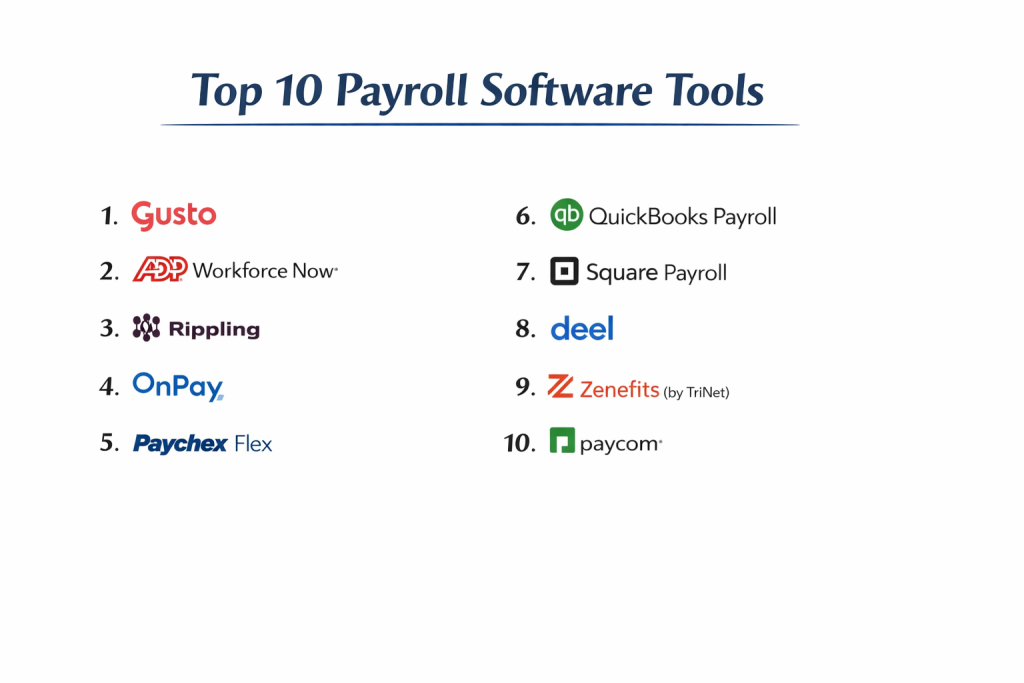
Top 10 Payroll Software Tools
1 — Gusto
Gusto is widely recognized as the gold standard for small-to-midsize businesses, offering a remarkably friendly interface that turns a complex chore into a streamlined workflow.
- Key features:
- Full-Service Tax Filing: Automatically calculates, pays, and files local, state, and federal taxes.
- Auto-Pilot Payroll: Once set up, the system can run payroll automatically for salaried teams.
- International Contractor Payments: Pay contractors in over 120 countries alongside domestic staff.
- Integrated Benefits: Manage health insurance, 401(k)s, and HSAs directly within the platform.
- Onboarding Tools: Send offer letters and digital handbooks to new hires automatically.
- Lifetime Employee Access: Employees keep their portal access even after they leave the company.
- Pros:
- The most intuitive and aesthetically pleasing user interface on the market.
- Excellent for “non-accountants” who need to manage payroll without a steep learning curve.
- Cons:
- High-level reporting features are locked behind the more expensive tiers.
- Customer support response times can be slower during peak tax seasons.
- Security & compliance: SOC 2 Type II, HIPAA compliant, and 256-bit SSL encryption.
- Support & community: Extensive searchable help center, chat support, and a dedicated “Gusto Pro” community for accountants.
2 — ADP Run
ADP is the oldest and largest name in the industry, and its “Run” platform is a powerful, highly scalable solution designed to grow with small businesses into large enterprises.
- Key features:
- AI-Powered Payroll Errors: The system flags potential errors by comparing the current run with historical data.
- Flexible Payment Options: Direct deposit, paper checks, and “Wisely” prepaid debit cards.
- Marketing Tools: Includes access to ZipRecruiter and other business growth resources.
- HR Pro Support: Higher tiers provide access to a dedicated team of HR professionals for advice.
- State Unemployment Insurance: ADP handles the complex management of SUI on behalf of the client.
- Global Scalability: Seamlessly move from 1 employee to 10,000 using ADP’s various platform levels.
- Pros:
- Unmatched reliability and a massive infrastructure that ensures compliance across all 50 states.
- Powerful mobile app for both employers and employees.
- Cons:
- Pricing is opaque and usually requires a custom quote from a sales representative.
- The platform can feel “clunky” and more corporate compared to newer tech startups.
- Security & compliance: ISO 27001, SOC 1 & 2, HIPAA, and GDPR compliant.
- Support & community: 24/7 phone support for administrators and a massive network of local payroll specialists.
3 — Rippling
Rippling is a revolutionary “Workforce OS” that integrates payroll with IT and Finance, making it the premier choice for tech-forward companies with remote teams.
- Key features:
- Global Payroll: Pay employees and contractors worldwide in their local currencies in minutes.
- IT Integration: Automatically ship laptops and set up software accounts when a new hire is added to payroll.
- Workflow Automations: Create custom “if/then” rules (e.g., “if an employee is promoted, increase their pay and upgrade their software”).
- Unified Data: One single source of truth for HR, IT, and Finance records.
- Automatic State Registrations: Rippling handles the paperwork for registering in new states as you hire.
- App Management: Integrated “App Shop” with 500+ connectors to tools like Slack and Zoom.
- Pros:
- The fastest onboarding experience in the world—literally takes 90 seconds.
- Perfect for companies that want to automate the administrative overhead of a remote workforce.
- Cons:
- The “All-in-One” pricing can get complicated as you add different modules.
- Can be overkill for a simple “brick-and-mortar” business with no IT needs.
- Security & compliance: SOC 2 Type II, GDPR, HIPAA, and ISO 27001 compliant.
- Support & community: Modern chat support, “Rippling University” for training, and an active user community.
4 — Paychex Flex
Paychex is a veteran player that excels in providing a highly customizable, modular approach to payroll and human capital management for mid-sized businesses.
- Key features:
- Flexible Pay Frequency: Supports weekly, bi-weekly, semi-monthly, and monthly schedules.
- Tax Credit Services: Automatically identifies and applies for R&D and Work Opportunity Tax Credits.
- Voice-Activated Payroll: One of the few platforms that integrates with voice assistants for quick checks.
- Employee Wellness: Tools to help employees manage their financial health and debt.
- General Ledger Sync: Deep integrations with QuickBooks, Sage, and Xero.
- Dedicated Specialist: Most plans include a single point of contact for customer service.
- Pros:
- Excellent for businesses with complex tax credit needs and compliance requirements.
- Very stable platform with a long history of high-volume processing.
- Cons:
- The “Flex” interface is slightly dated compared to Gusto or Rippling.
- Many “basic” features in other apps are paid add-ons here.
- Security & compliance: ISO 27001, SOC 1 & 2, and GDPR compliant.
- Support & community: 24/7 phone and chat support with localized centers.
5 — OnPay
OnPay is a straightforward, flat-fee solution that offers all-inclusive features without the “nickel and diming” found in many other payroll suites.
- Key features:
- One Simple Price: All features, including all tax filings and unlimited runs, are included in the base fee.
- Specialized Industry Support: Specific features for farms, non-profits, and churches (e.g., clergy housing).
- Migrating Assistance: OnPay’s team will personally help you move your data from an old provider.
- HR Library: Templates for offer letters, job descriptions, and employee handbooks.
- Integrated Insurance: Buy workers’ comp and health insurance through the platform.
- Report Designer: An easy-to-use tool for creating custom payroll and HR reports.
- Pros:
- Best value for businesses that want a predictable monthly cost with no surprises.
- Exceptional customer service—often cited as the best for small business owners.
- Cons:
- Lacks the advanced “AI” and IT automation found in Rippling.
- Not designed for massive, international enterprises.
- Security & compliance: SOC 2 Type II compliant and SSL encryption.
- Support & community: Phone, chat, and email support with high marks for responsiveness.
6 — QuickBooks Payroll
For the millions of businesses already using QuickBooks for accounting, the native payroll add-on offers an unmatched level of data synchronization.
- Key features:
- Same-Day Direct Deposit: Run payroll in the morning and have employees paid by the afternoon.
- Auto-Payroll: Syncs with QuickBooks Time to automate payments for hourly staff.
- Automated Tax Penalties Protection: QuickBooks will pay up to $25,000 if they make an error on your taxes.
- Workers’ Comp Integration: Pay-as-you-go premiums that fluctuate with your actual payroll.
- HR Support Center: Access to legal templates and expert HR advice.
- Native Accounting Sync: Every payroll run instantly populates your profit and loss statements.
- Pros:
- Eliminates the need for manual data entry between payroll and accounting.
- Fast, reliable payment options for employees.
- Cons:
- Can be very expensive if you aren’t already a QuickBooks user.
- Customer support is often criticized for being difficult to navigate through the automated phone system.
- Security & compliance: SOC 2, HIPAA, and GDPR compliant.
- Support & community: Massive online help community, phone support, and a network of certified ProAdvisors.
7 — Square Payroll
Square Payroll is the ultimate choice for restaurants, retailers, and service providers who already use Square as their Point-of-Sale (POS) system.
- Key features:
- Integrated Tip Management: Automatically pulls tip data from your Square POS into the payroll run.
- Contractor-Only Plan: A specific, low-cost tier for businesses that only hire freelancers.
- Automatic Sick Leave: Tracks and applies sick leave according to local state laws.
- Cash App Integration: Employees can receive their pay instantly in their Square Cash App.
- Post-Shift Pay: Allow employees to access a portion of their earnings immediately after a shift.
- W-2 and 1099 Filing: Handles both full-time staff and gig workers in one dashboard.
- Pros:
- Perfect for retail and food service where tips and hourly shifts are the norm.
- Extremely competitive pricing for small teams.
- Cons:
- Limited HR features compared to comprehensive platforms like Gusto or ADP.
- Reporting is basic and may not satisfy complex enterprise requirements.
- Security & compliance: PCI DSS compliant (via Square) and SSL encryption.
- Support & community: Phone and email support during business hours and a large seller community.
8 — Zenefits (by TriNet)
Zenefits changed the market by focusing on “Benefits First,” making it a powerful choice for companies that prioritize employee health and retirement packages.
- Key features:
- Dynamic Benefits Dashboard: Employees can compare insurance plans and costs in a visual interface.
- Compliance Guardrails: Automated alerts for ACA (Affordable Care Act) and COBRA requirements.
- Performance Management: Integrated tools for 360-degree reviews and goal tracking.
- Employee Engagement: Built-in surveys to measure company culture and morale.
- Automated Salary Benchmarking: See how your pay scales compare to the rest of the industry.
- Contingent Worker Management: Specific workflows for managing temporary and seasonal staff.
- Pros:
- Exceptional at managing high-quality, complex benefits packages.
- Modern, “Silicon Valley” style interface that employees find easy to use.
- Cons:
- Recent corporate transitions have caused some flux in customer support consistency.
- Some of the best HR features require a higher-level subscription.
- Security & compliance: SOC 2 Type II, HIPAA, and GDPR compliant.
- Support & community: Live chat, email support, and a robust library of HR resources.
9 — Deel
Deel is a specialized payroll and compliance platform built specifically for the era of “Work from Anywhere,” focusing on international hiring.
- Key features:
- Employer of Record (EOR) Services: Hire employees in countries where you don’t have a legal entity.
- Deel Card: Allows global contractors to spend their earnings instantly in any currency.
- Localized Contracts: Automatically generates legal contracts that comply with the laws of 150+ countries.
- Crypto Payments: One of the few platforms allowing employees to be paid in various cryptocurrencies.
- Global Equipment Shipping: Manage the logistics of sending hardware to remote workers.
- Visa Support: Specialized assistance with immigration and work visas for global hires.
- Pros:
- The undisputed leader for global expansion and international talent.
- Simplifies the massive legal complexity of foreign tax and labor laws.
- Cons:
- Can be significantly more expensive than domestic-only payroll providers.
- Not necessary for a business that only operates in one country.
- Security & compliance: SOC 2 Type II, ISO 27001, GDPR, and localized tax compliance.
- Support & community: 24/7 global support and a specialized network of international legal experts.
10 — Workday Payroll
Workday is the gold standard for massive, global enterprises and Fortune 500 companies that require an All-in-One ERP (Enterprise Resource Planning) solution.
- Key features:
- Continuous Calculation: The system is always calculating payroll in the background, allowing for instant “what-if” scenarios.
- Deep Financial Integration: Payroll data flows directly into the ledger, budgeting, and planning modules.
- Collective Bargaining Support: Built to handle the complex pay rules of unionized workforces.
- Predictive Analytics: Uses AI to forecast labor costs and identify attrition risks.
- Self-Service on Any Device: A high-end mobile experience for a workforce of tens of thousands.
- Auditability: Every single change is logged with a permanent, immutable audit trail.
- Pros:
- The most powerful and data-dense payroll engine in the world.
- Centralizes global labor and financial data into a single pane of glass.
- Cons:
- Extremely high cost and implementation times measured in years.
- Requires a dedicated team of “Workday Admins” to maintain the system.
- Security & compliance: FedRAMP, SOC 1/2/3, ISO 27001, HIPAA, and GDPR.
- Support & community: Premium enterprise support, Workday Community (exclusive), and annual conferences.
Comparison Table
| Tool Name | Best For | Platform(s) Supported | Standout Feature | Rating (Gartner) |
| Gusto | Small Business | Web, Mobile | Ease of Use | 4.7 / 5 |
| ADP Run | Reliability/Scale | Web, Mobile | 50-State Compliance | 4.4 / 5 |
| Rippling | Tech/Remote Teams | Web, Mobile, Desktop | IT & HR Automation | 4.8 / 5 |
| Paychex Flex | Mid-market | Web, Mobile | Tax Credit Support | 4.3 / 5 |
| OnPay | Flat-fee Value | Web, Mobile | All-inclusive Pricing | 4.6 / 5 |
| QuickBooks | Accounting Users | Web, Mobile | Same-day Direct Deposit | 4.4 / 5 |
| Square | Retail/Food Svc | Web, Mobile, POS | Tip Integration | 4.5 / 5 |
| Zenefits | Benefits-heavy | Web, Mobile | Benefits Admin | 4.2 / 5 |
| Deel | International Hiring | Web, Mobile | 150+ Country Support | 4.7 / 5 |
| Workday | Global Enterprise | Web, Mobile | Enterprise ERP Sync | 4.1 / 5 |
Evaluation & Scoring of Payroll Software
To provide an objective ranking, we have evaluated these tools against a weighted rubric that reflects the priorities of modern business owners and HR leaders.
| Category | Weight | Score (Avg) | Analysis |
| Core Features | 25% | 9.2 / 10 | Tax filing and direct deposit are universal; AI is the new frontier. |
| Ease of Use | 15% | 8.8 / 10 | Gusto and Rippling lead; enterprise tools are understandably denser. |
| Integrations | 15% | 9.0 / 10 | QuickBooks and Rippling excel at connecting the business stack. |
| Security & Comp. | 10% | 9.5 / 10 | Universal high standards; Deel and Workday lead on global rules. |
| Performance | 10% | 8.5 / 10 | System uptime is critical; Paychex and ADP are exceptionally stable. |
| Support & Comm. | 10% | 8.0 / 10 | OnPay wins for small biz; Workday wins for enterprise support. |
| Price / Value | 15% | 8.4 / 10 | OnPay and Square provide the best bang-for-buck for small teams. |
Which Payroll Software Tool Is Right for You?
Solo Users vs SMB vs Mid-market vs Enterprise
- Small Business (1-50 employees): Gusto or OnPay are the clear winners here due to their simplicity and focused feature sets.
- Mid-market (50-500 employees): Paychex Flex and Rippling offer the balance of advanced HR features and manageable costs.
- Enterprise (500+ employees): ADP or Workday are built for the sheer volume and regulatory burden of massive organizations.
Budget-conscious vs Premium Solutions
If every dollar counts, Square Payroll and OnPay offer the most transparent, low-cost options. If you are a high-growth startup where your time is worth more than the software cost, the automation in Rippling is a premium solution that pays for itself in “administrative hours saved.”
Feature Depth vs Ease of Use
If you want to be up and running in a few clicks, go with Gusto. If you need to manage a unionized workforce with complex commission structures and multi-country tax treaties, you must accept the complexity of Workday or ADP.
Integration and Scalability Needs
For those whose primary concern is the accounting ledger, QuickBooks Payroll is the only logical choice. If you plan to scale from a domestic team to a global powerhouse, starting with Rippling or Deel will prevent the need for a painful software migration later.
Frequently Asked Questions (FAQs)
- How much does payroll software typically cost?Most tools charge a base fee ($30–$100/month) plus a per-employee fee ($5–$15/month). Some, like OnPay, use a flat-fee model, while enterprise tools require custom quotes.
- Does the software file my taxes for me?Yes, all “full-service” providers on this list (like Gusto, ADP, and OnPay) calculate, pay, and file your local, state, and federal taxes automatically.
- Can I use payroll software for contractors (1099)?Yes. Most platforms handle both W-2 employees and 1099 contractors, filing the necessary 1099-NEC forms at the end of the year.
- Is it hard to switch from an old payroll provider?It used to be, but providers like OnPay and Gusto now offer “White Glove” switching services where they handle the data migration for you.
- Is my data safe in the cloud?These providers use bank-level encryption and are SOC 2 compliant, which is generally much safer than keeping sensitive employee data on a local office computer.
- What is “Self-Service”?This allows employees to log into their own portal to download pay stubs, change their bank info, and print W-2s without asking HR.
- How does payroll software handle “Remote Work” taxes?Leading tools like Rippling and ADP automatically identify the tax jurisdiction based on the employee’s home address and file accordingly.
- Can I pay employees in cryptocurrency?Only a few specialized platforms like Deel and BitWage natively support crypto payments while remaining compliant with tax laws.
- What happens if the software makes a tax error?Most reputable providers (like QuickBooks and Gusto) offer “No-Penalty Guarantees” where they will pay the fines if the error was on their end.
- Do I need a separate tool for time tracking?Not necessarily. Many tools on this list have built-in time tracking, though they also integrate with specialized apps like TSheets or Toggl.
Conclusion
The “best” Payroll Software is not necessarily the one with the most bells and whistles; it is the one that aligns with your specific industry, team size, and growth trajectory. For a tech startup in 2026, the automation of Rippling is transformative. For a local coffee shop, the simplicity of Square or OnPay is unbeatable.
Ultimately, the goal of this software is to give you back your time. By moving away from spreadsheets and manual entries, you aren’t just paying your people—you are protecting your business from audits and giving your employees a professional experience they can trust. Start with a trial, look for the integrations you already use, and choose the platform that lets you focus on your work instead of your paperwork.

- Top 10 Email Deliverability Tools: Features, Pros, Cons & Comparison - September 6, 2026
- Top 10 Pharmacovigilance Software: Features, Pros, Cons & Comparison - September 6, 2026
- Top 10 Manufacturing Execution Systems (MES) - July 30, 2026