Introduction
A Digital Adoption Platform (DAP) is a sophisticated layer of software that sits on top of other business applications—like your CRM, ERP, HRIS, or custom internal tools—to guide users through processes, provide in-context help, and accelerate proficiency. Think of it as a GPS for your enterprise software. Instead of relying on outdated manuals or lengthy training sessions, a DAP provides interactive, step-by-step walkthroughs, smart tips, and self-help content directly within the application’s interface, exactly when and where a user needs it.
The importance of DAPs has skyrocketed in the era of digital transformation. Organizations invest millions in complex software like Salesforce, SAP, or Workday, only to face low user adoption, inefficient processes, and a surge in help desk tickets. DAPs directly combat this “productivity paradox” by reducing time-to-competency, minimizing errors, and ensuring process compliance. They turn software from a source of frustration into a powerful, well-utilized asset, directly impacting ROI, employee satisfaction, and operational excellence.
Key real-world use cases include:
- Accelerating New Hire Onboarding: Providing interactive tours and contextual guidance to bring new employees up to speed on core systems in days, not weeks.
- Driving CRM/ERP Adoption: Ensuring sales, service, and finance teams use critical platforms correctly and consistently, leading to cleaner data and better insights.
- Enabling Smooth Software Rollouts: Mitigating resistance and confusion during major software upgrades or migrations (e.g., moving to a new HCM system).
- Standardizing Complex Processes: Enforcing compliance in regulated industries by guiding users through approved workflows within financial or healthcare applications.
- Providing 24/7 In-App Support: Reducing the burden on IT and support teams by offering a searchable knowledge base and interactive guides directly inside the app.
When evaluating DAPs, buyers should prioritize: Ease of content creation (visual editors, no-code tools), analytics and insights (user behavior tracking, process friction identification), breadth of application support (web, desktop, mobile), integration capabilities with other systems, and scalability to cover an entire application portfolio.
Best for: CIOs, IT Directors, Application Owners, Change Managers, and Digital Transformation leaders in mid-to-large-sized enterprises (500+ employees). They are critical in technology, finance, healthcare, and professional services—any industry reliant on complex SaaS or custom web applications.
Not ideal for: Very small businesses using only simple, intuitive applications like Gmail or basic project management tools. Organizations with a static, unchanging tech stack and no plans for digital transformation may not see enough ROI. It is also not a replacement for foundational end-user training on entirely new concepts.
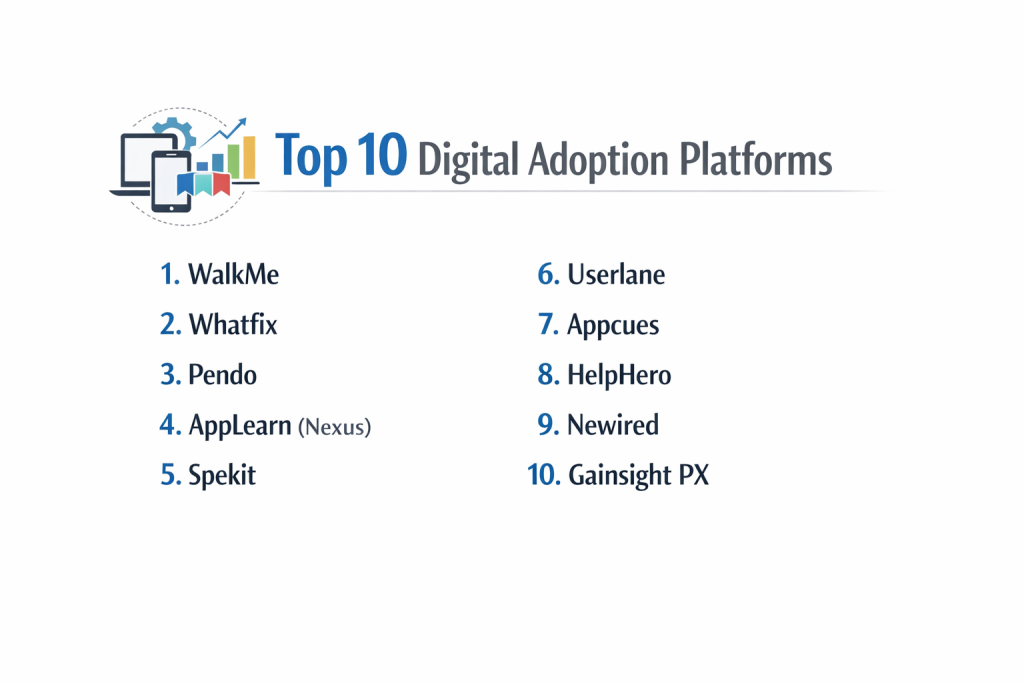
Top 10 Digital Adoption Platforms Tools
1 — Whatfix
Whatfix is a leading DAP known for its robust, user-friendly content creation tools and powerful analytics. It’s designed to help enterprises drive adoption, improve process efficiency, and provide contextual support across a wide range of web and desktop applications.
Key features:
- Visual, no-code editor for creating interactive walkthroughs, tooltips, smart tips, and task lists.
- Self-help widget (called “Smart Assistant”) that aggregates guides, articles, and videos in a searchable in-app help center.
- Advanced analytics dashboard to track user engagement, identify process bottlenecks, and measure guide performance.
- Beacon technology to highlight new features or trigger guidance based on user behavior or role.
- Support for complex applications including Salesforce, SAP, Oracle, Microsoft Dynamics, and custom web apps.
- Multi-format support including PDFs, videos, and links within guidance content.
- Integration with LMS and help desk systems to bridge training and support.
Pros:
- Exceptionally intuitive editor that empowers subject-matter experts (SMEs) to create content without developer help.
- Comprehensive analytics provide deep insights into how applications are actually used, informing better guide design.
- Strong enterprise focus with scalability and security for global deployments.
Cons:
- Premium pricing, typically based on custom enterprise quotes, making it a significant investment.
- Can be feature-rich to the point of complexity for smaller teams with simple use cases.
- Setup and configuration for a large portfolio of apps require dedicated resources and planning.
Security & compliance: SOC 2 Type II, ISO 27001 certified, GDPR, CCPA, HIPAA compliant. Offers SSO, data encryption, and robust access controls.
Support & community: Dedicated customer success manager, 24/7 enterprise support, detailed knowledge base, and an active user community.
2 — WalkMe
WalkMe pioneered the DAP category and offers an incredibly powerful, enterprise-grade platform. It’s built for the largest global organizations that need to manage digital adoption at scale across vast, complex application ecosystems.
Key features:
- Extensive customization and scripting capabilities for highly tailored guidance in complex environments.
- WalkMe Editor for creating a wide array of interactive elements like ShoutOuts, Launchers, and Resources.
- Strategic Analytics with AI-powered insights to predict user struggle points and recommend guidance.
- Workstation Player for guiding users through processes that span multiple applications (e.g., CRM to billing system).
- Extensive third-party integrations and a mature marketplace of pre-built solutions for major apps.
- Robust admin and segmentation tools for managing guidance across different user roles and geographies.
- Mobile DAP capabilities for guiding users within mobile applications.
Pros:
- Unmatched depth, power, and customization for the most demanding enterprise environments.
- Industry-leading analytics and AI for proactive and intelligent guidance.
- A vast ecosystem of partners and pre-built content accelerates time-to-value for common platforms.
Cons:
- Highest cost in the market, with a complex pricing model based on multiple components.
- Significant learning curve; often requires dedicated administrators or professional services to implement fully.
- Can be “over-engineered” for mid-market companies with simpler needs.
Security & compliance: Meets the highest global security standards: SOC 1/2/3, ISO 27001, GDPR, and more. Offers enterprise-grade data protection.
Support & community: World-class enterprise support with strategic customer success, extensive training (WalkMe University), and a large partner network.
3 — Pendo
Pendo is a product-led growth platform that combines DAP functionality with robust product analytics and user feedback tools. It’s ideal for product teams in SaaS companies or internal IT teams that want to understand user behavior and guide it.
Key features:
- Integrated product analytics to see how features are used, track user paths, and measure engagement.
- In-app guidance tools (guides, tooltips, banners) to onboard users and announce features.
- User sentiment collection via in-app polls and surveys (NPS, CSAT).
- Feature adoption tracking to measure the success of new releases and guide users to them.
- Roadmapping and feedback management tools to close the loop between user input and product development.
- Resource Center to provide a centralized hub of help content within the app.
- Strong focus on the end-to-end product experience, from analytics to communication.
Pros:
- Unique combination of deep analytics and communication/guidance in a single platform.
- Excellent for product managers who need to measure impact and drive adoption of their own application.
- User-friendly for both creators and end-users, with a clean, modern design.
Cons:
- As a broader product experience platform, its pure DAP features may be less specialized than Whatfix or WalkMe for complex process guidance.
- Pricing can be high, especially when adding analytics and feedback modules.
- Best suited for guiding users within a single application you own, rather than across a portfolio of third-party enterprise apps.
Security & compliance: SOC 2 Type II certified, GDPR, CCPA compliant. Data residency options and enterprise security controls available.
Support & community: Multiple support tiers, comprehensive help center, Pendo Academy for training, and an active user community.
4 — Appcues
Appcues is a user-friendly DAP focused on product teams and growth marketers who need to create beautiful, non-technical user onboarding experiences and feature announcements without writing code.
Key features:
- Extremely simple, visual builder with a drag-and-drop interface and a library of pre-designed templates.
- Targeting and segmentation to show flows to specific user personas based on their attributes or behavior.
- Robust experimentation (A/B testing) for flows to optimize conversion and engagement.
- Analytics to measure flow performance, drop-off rates, and impact on key metrics.
- Integration with analytics and customer data platforms (like Segment, Mixpanel, Amplitude).
- Chrome extension for building and previewing flows directly in your app.
- Focus on aesthetic, brand-aligned user experiences.
Pros:
- Lowest barrier to entry for non-technical team members to build and launch flows quickly.
- Powerful targeting and A/B testing tools make it a favorite for growth-focused teams.
- Excellent for creating polished, marketing-quality onboarding and engagement campaigns.
Cons:
- Less suited for complex, multi-step process guidance in enterprise back-office systems (like SAP or Oracle).
- Analytics are good for flow performance but less comprehensive for deep product analytics than Pendo.
- Primarily focused on web applications; support for desktop or thick-client apps is limited.
Security & compliance: SOC 2 Type II certified, GDPR compliant, data encryption. Enterprise security features are available.
Support & community: Email and chat support, detailed documentation, webinars, and an active user community.
5 — Userlane
Userlane specializes in creating interactive, “show-and-do” guides that simulate user actions to train and support employees within business applications. It emphasizes simplicity and effectiveness for driving adoption in enterprise software.
Key features:
- Interactive guidance technology that visually highlights fields and clicks for users to follow along in real-time.
- Automatic guide creation via recorder for quickly capturing processes.
- Centralized “Assistant” that provides a table of contents for all available guides within an application.
- Analytics on guide usage and user proficiency to identify knowledge gaps.
- Multi-language support for global deployments.
- Strong focus on SAP, Salesforce, and Microsoft Dynamics environments.
- Content validation to detect and alert when an application’s UI changes, breaking existing guides.
Pros:
- The interactive, “follow-along” guidance is highly effective for hands-on learning and task completion.
- Very user-friendly for both guide creators and end-users.
- Strong out-of-the-box templates and content for major enterprise applications.
Cons:
- Less customizable and extensible than platforms like WalkMe for highly unique or complex scenarios.
- The interactive mode, while effective, can feel restrictive to advanced users who just need a quick answer.
- Branding and design customization options can be more limited.
Security & compliance: ISO 27001 certified, GDPR compliant, data hosted in EU/German data centers, supports SSO.
Support & community: Customer success management, support portal, and training resources.
6 — Apty
Apty is a DAP that emphasizes process compliance and data quality by guiding users step-by-step through validated workflows within enterprise applications like Oracle, Salesforce, and Workday.
Key features:
- Process-focused guidance that enforces correct data entry and workflow sequences.
- Real-time validations that prevent users from submitting forms with errors or skipping required steps.
- Analytics dashboard focused on process adherence, data quality issues, and user struggle points.
- On-screen assistants (Coach and Validator) that provide guidance and enforce rules.
- Strong integration with enterprise applications to read/write data and understand context.
- Digital process discovery to automatically map how users actually navigate an app versus the intended process.
Pros:
- Uniquely powerful for ensuring process compliance and improving data integrity at the point of entry.
- Proactive validation prevents errors before they happen, reducing rework.
- Excellent for highly regulated industries or companies with strict operational procedures.
Cons:
- The focus on enforcement and validation can make the guidance feel less flexible or assistive and more directive.
- Implementation can be complex due to deep integration needs for validation logic.
- May be overkill for teams focused purely on onboarding and feature adoption.
Security & compliance: SOC 2 Type II certified, GDPR, HIPAA compliant, supports SSO and enterprise security models.
Support & community: Dedicated implementation and customer success teams, 24/7 support for enterprise clients.
7 — Userpilot
Userpilot is a product-led growth and DAP tool built specifically for B2B SaaS companies. It helps product, marketing, and customer success teams onboard users, drive feature adoption, and gather feedback—all without developer dependency.
Key features:
- Code-free visual builder for creating modals, tooltips, hotspots, and checklists.
- Advanced user segmentation based on events, traits, and engagement data.
- Resource center to host help docs, videos, and guides in a customizable in-app widget.
- Feature tagging and analytics to understand which UI elements users interact with.
- A/B testing and experimentation for onboarding flows and announcements.
- Integration with popular stack tools like Segment, Intercom, and Slack.
- Focus on the SaaS user journey, from sign-up to expansion.
Pros:
- Perfectly tailored for the needs of B2B SaaS product and growth teams.
- Powerful segmentation and personalization capabilities for targeted user experiences.
- Good balance of ease-of-use and advanced functionality for its target market.
Cons:
- Primarily for guiding users within your own SaaS product, not for third-party enterprise apps.
- Less emphasis on deep process analytics or compliance compared to enterprise DAPs.
- Mobile support is limited compared to web.
Security & compliance: GDPR compliant, data encryption, SOC 2 certification in progress (as of typical industry timelines). Security practices are robust for the SaaS space.
Support & community: Chat and email support, comprehensive knowledge base, community forum, and regular webinars.
8 — Stonly
Stonly focuses on creating interactive, decision-tree based guides and help centers that empower users to solve their own problems. It combines the guidance of a DAP with the logic of an intelligent knowledge base.
Key features:
- Interactive decision trees and flowcharts that guide users to a solution by asking questions.
- Multiformat steps within guides, including text, images, video, and embedded live app walkthroughs (via iframe).
- Centralized knowledge portal that can be embedded as a widget or standalone site.
- Integration with screen capture tools to easily add annotated images to guides.
- Analytics on guide usage and path analysis to see where users get stuck.
- Translation management for global support content.
- Strong use case for customer support and self-service.
Pros:
- Excellent for creating troubleshooting guides and complex help content that adapts to the user’s specific problem.
- The interactive, choose-your-own-path style is engaging and efficient for problem-solving.
- Goes beyond simple tooltips to create a true interactive learning and support experience.
Cons:
- Less about in-app, step-by-step process guidance and more about contextual help and decision support.
- May require a different content creation mindset (flowchart vs. linear guide).
- Not a direct replacement for full-scale in-app walkthroughs on every screen.
Security & compliance: GDPR compliant, data encryption. Enterprise security features vary.
Support & community: Email support, help docs, and demo resources.
9 — Inline Manual
Inline Manual is a straightforward DAP focused on creating in-app tutorials, tooltips, and product announcements. It prioritizes ease of use and quick deployment for web applications.
Key features:
- Simple editor for creating step-by-step tutorials, tooltips, and smart tips.
- Launching and scheduling of guides for specific user segments or time periods.
- Feedback collection via in-app surveys and feedback buttons.
- Basic analytics on guide views and engagement.
- Help center module to provide a centralized hub of support articles.
- Translation tools for multilingual deployments.
- Lightweight JavaScript integration.
Pros:
- Very easy to learn and implement, with a fast time-to-value.
- Cost-effective for small to mid-sized businesses with core DAP needs.
- Clean, unobtrusive design that doesn’t clutter the host application.
Cons:
- Lacks the depth of analytics, advanced segmentation, and enterprise features of market leaders.
- Limited in guiding users through highly complex or dynamic applications.
- Support and scalability may not meet the needs of very large global enterprises.
Security & compliance: GDPR compliant, uses secure cloud infrastructure. Specific enterprise certifications should be confirmed.
Support & community: Standard email support and online documentation.
10 — Shepherd
Shepherd is an open-source JavaScript library for creating site tours. It’s a developer-centric tool for teams that want complete control over the design, functionality, and integration of their guided tours.
Key features:
- Open-source and free library with an active community.
- Complete design and behavioral control via code.
- Lightweight and performant, as it’s built to be minimal.
- Programmatic control to start, advance, or exit tours based on any user action or application event.
- Integrates seamlessly into custom-built web applications.
- Community-contributed plugins and extensions.
Pros:
- Zero cost and no vendor lock-in.
- Maximum flexibility for development teams to build exactly the tour experience they envision.
- Ideal for tech-heavy teams with in-house JavaScript expertise.
Cons:
- Requires developer resources to implement, maintain, and update—no visual editor for non-technical staff.
- Lacks all the built-in features of a commercial DAP: no analytics, no centralized management console, no self-help widget.
- Not a scalable platform for enterprise-wide digital adoption; it’s a tool for building specific tours.
Security & compliance: N/A (open-source library). Security of implementation depends entirely on the development team using it.
Support & community: Community-driven support via GitHub issues and discussions. No official customer support.
Comparison Table
| Tool Name | Best For | Platform(s) Supported | Standout Feature | Rating |
|---|---|---|---|---|
| Whatfix | Enterprise teams needing balance of power & usability | Web, Desktop, Mobile | Intuitive no-code editor & strong analytics | N/A |
| WalkMe | Largest global enterprises with complex app ecosystems | Web, Desktop, Mobile, Citrix/VDI | Unmatched depth, customization & AI insights | N/A |
| Pendo | Product teams wanting analytics + guidance in one platform | Web, Mobile (limited) | Integrated product analytics & user feedback | N/A |
| Appcues | Product/Growth teams creating beautiful UX without code | Web | Easiest visual builder & A/B testing for flows | N/A |
| Userlane | Enterprises needing interactive “follow-along” training | Web, Desktop (via plugin) | Interactive, show-and-do simulation guides | N/A |
| Apty | Industries requiring strict process compliance & data quality | Web, Desktop, Legacy | Real-time validations & process enforcement | N/A |
| Userpilot | B2B SaaS companies driving product-led growth | Web | User segmentation & feature adoption for SaaS | N/A |
| Stonly | Creating interactive, decision-tree help & support | Web (as widget/portal) | Interactive decision trees & knowledge flows | N/A |
| Inline Manual | SMBs needing simple, affordable in-app guidance | Web | Lightweight, easy-to-use tutorial creation | N/A |
| Shepherd | Developer teams wanting free, open-source tour control | Web (JavaScript) | Open-source flexibility & complete code control | N/A |
Evaluation & Scoring of Digital Adoption Platforms
| Criteria | Weight | Description & What to Look For |
|---|---|---|
| Core Features | 25% | Guide creation (walkthroughs, tooltips), in-app help widget, analytics on usage/engagement, content targeting/segmentation, support for web/desktop/mobile apps. |
| Ease of Use | 15% | Visual, no-code editor for creators; non-intrusive, helpful experience for end-users; short learning curve for admins. |
| Integrations & Ecosystem | 15% | Native integrations with major apps (SFDC, SAP, etc.), compatibility with SSO, API for custom connections, marketplace of pre-built content. |
| Security & Compliance | 10% | SOC 2 Type II, ISO 27001, GDPR, HIPAA. Data encryption, SSO, audit logs, and enterprise-grade access controls. |
| Performance & Reliability | 10% | Lightweight code that doesn’t slow down host applications, high platform uptime, scalable for thousands of concurrent users. |
| Support & Community | 10% | Quality of onboarding, customer success management, technical support responsiveness, and an active user community. |
| Price / Value | 15% | Transparent, scalable pricing relative to features and scale. Consider ROI in reduced support tickets, faster onboarding, and higher productivity. |
Which Digital Adoption Platform Tool Is Right for You?
Choosing the right DAP is a strategic decision that must align with your primary goals, technical environment, and organizational scale.
- Solo Users vs. SMB vs. Mid-Market vs. Enterprise: SMBs and startups should prioritize ease and cost: Inline Manual or Appcues are strong starters. Mid-Market companies (500-2000) need more power and support: Whatfix, Pendo, or Userpilot (if SaaS) are ideal. Large Enterprises (2000+) with complex landscapes require maximum power: WalkMe, Whatfix, or Apty (for compliance) are built for this.
- Budget-Conscious vs. Premium Solutions: For zero budget and full developer control, Shepherd is an option. For great value, Inline Manual and Appcues offer strong core features. Premium enterprise solutions like WalkMe and Whatfix justify cost with extensive features, security, and global support.
- Feature Depth vs. Ease of Use: Need maximum control, AI, and customization? Choose WalkMe. Want the best balance of power and a user-friendly editor? Whatfix excels. Prioritizing simplicity and speed for non-technical teams? Appcues and Userpilot are leaders.
- Integration and Scalability Needs: Guiding users across a portfolio of complex commercial apps (SAP, Oracle)? Prioritize WalkMe or Whatfix. Driving adoption within your own B2B SaaS product? Pendo, Appcues, or Userpilot are specialized. For deep process enforcement within a few key apps, Apty is unique.
- Security and Compliance Requirements: In regulated industries (finance, healthcare), mandatory certifications like SOC 2 Type II, ISO 27001, and HIPAA are non-negotiable. Most enterprise-focused platforms (WalkMe, Whatfix, Apty, Pendo) meet these. Always verify specific certifications.
Frequently Asked Questions (FAQs)
1. What’s the difference between a DAP and a traditional LMS or training video?
Traditional training is separate from the work. A DAP provides guidance inside the application, at the moment of need. It’s for performance support rather than theoretical learning, leading to faster application and higher retention.
2. Do DAPs require constant maintenance?
Yes, but to varying degrees. When the underlying application’s user interface (UI) changes, guides can break. Modern DAPs have change detection features and make it easy to update content. Planning for ongoing maintenance is part of a successful DAP program.
3. Can a DAP slow down my application?
A well-architected DAP uses lightweight code to minimize performance impact. Reputable vendors conduct rigorous testing. It’s crucial to ask about performance benchmarks and test the DAP in your own environment during a trial.
4. How do we measure the ROI of a DAP?
Track metrics that the DAP directly influences: reduction in help desk tickets for guided applications, decreased time-to-proficiency for new hires, increased feature adoption rates, improved data quality/compliance, and higher employee satisfaction scores on application usability.
5. Is a DAP suitable for customer-facing applications?
Absolutely. This is often called “customer adoption.” DAPs like Pendo, Appcues, and Userpilot are extensively used to onboard and guide end-users within B2B SaaS products, improving customer satisfaction and reducing churn.
6. Can non-technical people create content?
A core value of modern DAPs is no-code or low-code editors. Tools like Whatfix, Appcues, and Userlane allow subject-matter experts, trainers, and product managers to create guides using visual, point-and-click interfaces.
7. What happens if we stop paying for the DAP?
Typically, the guidance content stops appearing in your applications, as the DAP’s JavaScript snippet is deactivated. You lose access to the platform and analytics. It’s critical to export any guide content or analytics data you wish to keep before contract termination.
8. How long does implementation take?
For a single web application with basic guides, it can be a matter of days or weeks. For an enterprise-wide rollout across multiple complex systems, implementation can take 3 to 6 months, involving IT, change management, and content creation for different user personas.
9. What is a “self-help widget” or “resource center”?
This is an in-app help button (often a beacon or question mark icon) that, when clicked, opens a searchable portal containing all relevant guides, articles, and videos. It empowers users to find answers on-demand without leaving the app.
10. What’s a common pitfall when implementing a DAP?
The biggest mistake is creating too many guides at once or making them overly intrusive. This leads to “guide fatigue.” Start with a high-stakes, high-friction process. Design guides to be contextual, brief, and skippable. Measure their use and iterate based on analytics.
Conclusion
The Digital Adoption Platform market offers powerful solutions for turning complex software investments into engines of productivity and growth. From the enterprise dominance of WalkMe and Whatfix to the product-led focus of Pendo and Appcues, and the specialized compliance tools like Apty, the right choice hinges on your specific challenge.
The “best” DAP is not the one with the longest feature list, but the one that seamlessly integrates into your technical environment, empowers your team of creators (be they developers or business analysts), and delivers a smooth, helpful experience for your end-users. A simple tool that gets widely used to solve a critical pain point delivers far more value than a powerhouse platform that’s too complex to deploy effectively.
Ultimately, a DAP is more than a piece of software; it’s a commitment to a user-centric approach to technology. It requires ongoing partnership between IT, business units, and the platform itself. By starting with clear objectives, involving key stakeholders, and choosing a platform that fits your culture and capabilities, you can unlock the full potential of your digital tools and build a more agile, proficient, and resilient organization.

- Top 10 Email Deliverability Tools: Features, Pros, Cons & Comparison - September 6, 2026
- Top 10 Pharmacovigilance Software: Features, Pros, Cons & Comparison - September 6, 2026
- Top 10 Manufacturing Execution Systems (MES) - July 30, 2026