Introduction
Help Desk and Service Desk software are centralized platforms designed to manage, track, and resolve customer or employee inquiries and technical issues. While the terms are often used interchangeably, a Help Desk typically focuses on providing quick “break-fix” solutions for end-users, whereas a Service Desk is built on ITIL (Information Technology Infrastructure Library) principles, managing broader IT service delivery, including change management and asset tracking. These tools transform a chaotic influx of emails, chats, and calls into an organized queue of “tickets,” ensuring that no request is overlooked and that support teams can meet predefined Service Level Agreements (SLAs).
The importance of these platforms lies in their ability to provide transparency, scalability, and data-driven insights. In a modern business environment, internal and external users expect rapid, omnichannel support. Key real-world use cases include an IT team managing hardware requests for a remote workforce, a customer support department handling high-volume e-commerce inquiries, and HR departments managing employee onboarding workflows. When evaluating these tools, organizations should prioritize ticket automation capabilities, self-service portal quality, integration depth, and reporting robustness.
Best for: IT support managers, customer success leads, and internal operations teams across all company sizes—from small startups needing organized communication to global enterprises requiring complex ITSM (IT Service Management) frameworks.
Not ideal for: Solopreneurs with a very low volume of inquiries who can manage via a standard shared email inbox, or creative teams that require project management software rather than a request-based ticketing system.
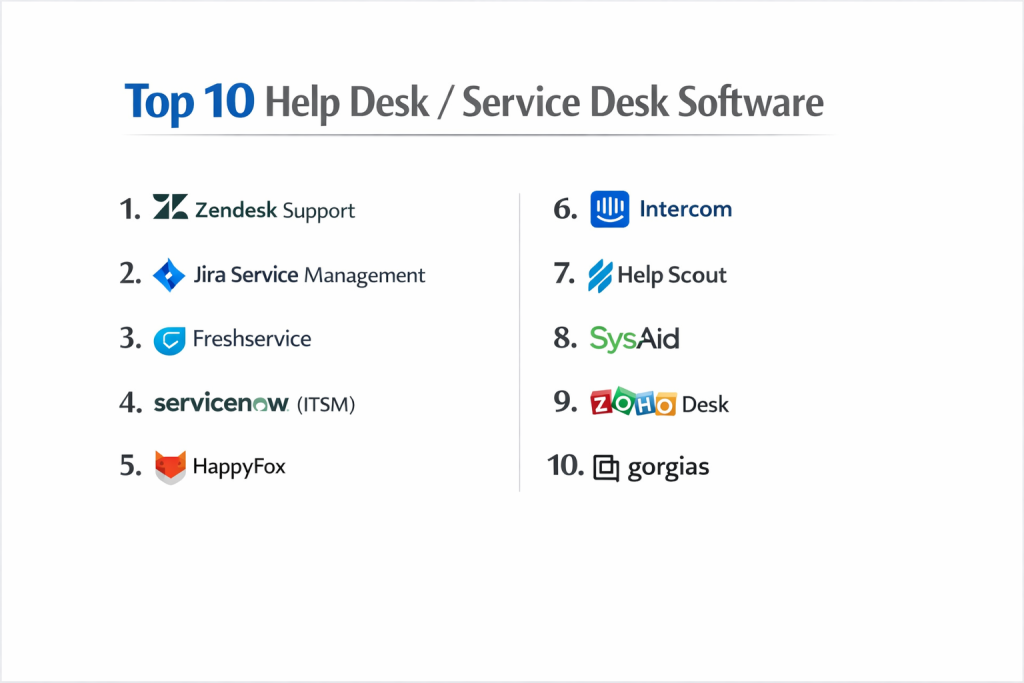
Top 10 Help Desk / Service Desk Software Tools
1 — Zendesk Support
Zendesk is a market-leading, cloud-based customer service platform known for its immense scalability and “omnichannel” approach, unifying email, chat, phone, and social media.
- Key features:
- Centralized agent workspace for all support channels.
- Robust AI-powered Answer Bot for automated self-service.
- Advanced SLA management and tracking.
- Highly customizable ticket forms and conditional fields.
- Over 1,000 pre-built integrations in the Zendesk Marketplace.
- Built-in CSAT (Customer Satisfaction) and NPS (Net Promoter Score) surveys.
- Guide: A sophisticated knowledge base and self-service portal builder.
- Pros:
- Extremely flexible; it grows seamlessly from a 5-person team to a global enterprise.
- The analytics and reporting suite are widely considered the gold standard in the industry.
- Cons:
- The “pro-tier” features come with a high price tag that can be steep for smaller businesses.
- The sheer depth of the platform means initial configuration can be complex and time-consuming.
- Security & compliance: SOC 2 Type II, ISO 27001, HIPAA, GDPR, and PCI DSS.
- Support & community: Extensive documentation, 24/7 technical support, Zendesk Community forums, and dedicated enterprise success managers.
2 — Jira Service Management (Atlassian)
Jira Service Management (JSM) is a powerful ITSM tool designed for high-velocity teams, particularly those already using Jira for software development.
- Key features:
- ITIL-certified processes for change, incident, and problem management.
- Seamless integration with Jira Software for dev-to-support collaboration.
- Insight: An enterprise-grade Asset and Configuration Management (CMDB).
- Automation engine for repetitive tasks like ticket routing and escalation.
- Low-code form builder for service request portals.
- Opsgenie integration for advanced on-call scheduling and alerting.
- Pros:
- The best choice for organizations where developers and support teams need to stay in sync.
- Offers immense power for IT teams following strict ITIL frameworks.
- Cons:
- The user interface can feel overly technical for non-IT departments (like HR or Finance).
- Can be difficult to navigate and configure for those unfamiliar with the Atlassian ecosystem.
- Security & compliance: SOC 2, ISO 27001, HIPAA, GDPR, and FedRAMP (Moderate).
- Support & community: Massive global user community (Atlassian Community), extensive documentation, and a huge network of certified partners.
3 — Freshservice
Freshservice is an easy-to-use, ITIL-aligned service desk solution that focuses on modernizing the employee experience through an intuitive, “consumer-like” interface.
- Key features:
- Multi-channel support including MS Teams and Slack integration.
- AI-powered “Freddy” bot for employee self-service.
- Integrated Asset Management for tracking hardware and software licenses.
- Project Management module built directly into the service desk.
- Drag-and-drop Workflow Automator.
- Sandboxing for testing changes before they go live.
- Pros:
- Frequently praised for having a much lower learning curve than Jira or ServiceNow.
- Offers a “gamification” feature to keep support agents engaged and motivated.
- Cons:
- Reporting is highly functional but lacks some of the deep customization found in Zendesk.
- The cost of add-ons for AI and Asset Management can increase the base price significantly.
- Security & compliance: SOC 2 Type II, ISO 27001, HIPAA, GDPR, and PCI DSS.
- Support & community: 24/7 email/phone support, Freshworks Academy for training, and an active user forum.
4 — ServiceNow (ITSM)
ServiceNow is the “heavyweight” of the service desk world, providing a cloud-based platform-as-a-service (PaaS) for large-scale enterprise digital workflows.
- Key features:
- Predictive Intelligence that uses machine learning to categorize tickets.
- Virtual Agent with natural language understanding (NLU).
- Full-scale CMDB and IT Asset Management (ITAM).
- Deep Change Management with risk assessment algorithms.
- Performance Analytics for real-time executive-level dashboards.
- Mobile Agent app for technicians on the go.
- Pros:
- Unlimited customization; it can be tailored to fit every specific enterprise process.
- Built for massive scale, handling millions of tickets for Fortune 500 companies.
- Cons:
- Extremely expensive; the total cost of ownership (TCO) is the highest in the market.
- Requires a dedicated team of certified developers/admins to maintain and update.
- Security & compliance: FedRAMP High, DoD IL4/IL5, SOC 2, HIPAA, GDPR, and ISO 27001.
- Support & community: Extensive Knowledge Base, ServiceNow Community, and high-tier premier support for enterprises.
5 — HappyFox
HappyFox is a robust, all-in-one help desk and ticketing system that focuses on providing a clean, clutter-free experience for support agents.
- Key features:
- Powerful task management within tickets to track sub-actions.
- Smart Rules for sophisticated automation and ticket distribution.
- Multilingual Knowledge Base for global customer support.
- Asset Management and reporting within the same dashboard.
- Integration with major tools like Shopify, Slack, and Salesforce.
- Satisfaction surveys and feedback management.
- Pros:
- Excellent for teams that want a “no-nonsense” ticketing system that just works.
- The task management feature is superior to many “standard” help desks.
- Cons:
- Pricing is per-agent and can become expensive as teams grow.
- Lacks some of the more advanced AI capabilities offered by Zendesk or Freshservice.
- Security & compliance: SOC 2 Type II, GDPR, and data encryption at rest.
- Support & community: 24/7 technical support, personalized onboarding, and an online help center.
6 — Intercom
Intercom is a “messenger-first” support platform that focuses on real-time conversation and proactive engagement rather than traditional ticketing.
- Key features:
- Fin: A breakthrough AI bot that resolves inquiries using your knowledge base.
- Modern live chat interface that feels like a messaging app.
- Product Tours and outbound messages for proactive support.
- Integrated Help Center with search-optimized articles.
- Collaborative Inbox for team-based response.
- Mobile SDKs for in-app support within your own software.
- Pros:
- The best tool for modern SaaS companies wanting to talk to customers, not just “ticket” them.
- Its AI bot (Fin) is among the most advanced for immediate resolution.
- Cons:
- Not a traditional ITSM tool; lacks ITIL features like Change or Problem Management.
- Pricing can be unpredictable due to “proactive message” and “resolved conversation” fees.
- Security & compliance: SOC 2 Type II, GDPR, and HIPAA (on certain plans).
- Support & community: 24/7 live chat support, Intercom Academy, and a very active community of SaaS founders.
7 — Help Scout
Help Scout is designed specifically for small and medium-sized businesses that want to provide “human” support without the complexity of a massive enterprise tool.
- Key features:
- “Shared Inbox” that looks and feels like standard email to the customer.
- Beacon: An on-site widget for chat and help article search.
- Docs: A simple, easy-to-build knowledge base.
- Messaging for proactive announcements.
- Workflows to automate repetitive tasks like tagging or assigning.
- Satisfaction ratings to measure agent performance.
- Pros:
- Minimalist interface that requires almost zero training for new agents.
- Does not include “ticket numbers” in emails, making the support feel more personal.
- Cons:
- Lacks advanced IT service management features (like asset or change management).
- Reporting is useful but may be too basic for data-hungry managers.
- Security & compliance: SOC 2 Type II, HIPAA, and GDPR.
- Support & community: 24/7 email support, high-quality webinars, and “Help Scout University.”
8 — SysAid
SysAid is a comprehensive ITSM solution that stands out by including features like remote desktop control and asset discovery natively.
- Key features:
- Integrated Remote Desktop to support users directly from a ticket.
- Automatic Asset Discovery for tracking all hardware on a network.
- Service Orchestration for automating cross-departmental workflows.
- AI Service Desk with a chatbot that can reset passwords.
- Patch Management for keeping company software up to date.
- ITIL-aligned processes for change and problem management.
- Pros:
- Exceptional for IT teams who need to physically “fix” devices remotely.
- Provides a very high level of “IT-centric” features in one package.
- Cons:
- The user interface can feel a bit dated compared to modern tools like Freshservice.
- The initial setup and network discovery can be technically demanding.
- Security & compliance: SOC 2, GDPR, ISO 27001, and HIPAA.
- Support & community: Phone/Email support, SysAid Community, and a dedicated training portal.
9 — Zoho Desk
Zoho Desk is an affordable, context-aware help desk that is part of the massive Zoho ecosystem, making it a natural fit for Zoho CRM users.
- Key features:
- Zia: An AI assistant that can tag tickets and perform sentiment analysis.
- Multi-brand support (manage different companies in one portal).
- Work Modes for agents to prioritize tickets by urgency or status.
- Blueprint: A process automation tool to ensure team consistency.
- Telephony integration with over 50 providers.
- Mobile app with “Radar” for managers to track team performance.
- Pros:
- Unbeatable price-to-feature ratio, especially for small businesses.
- Seamlessly connects with 40+ other Zoho applications.
- Cons:
- The interface can be cluttered and confusing due to the sheer number of settings.
- Advanced AI features are only available on the highest-priced plans.
- Security & compliance: SOC 2, ISO 27001, GDPR, and HIPAA.
- Support & community: 24/5 or 24/7 support (plan dependent), Zoho User Groups, and vast documentation.
10 — Gorgias
Gorgias is a specialized help desk built specifically for e-commerce brands, with deep, native integrations for Shopify, Magento, and BigCommerce.
- Key features:
- Order Management: View, refund, or edit orders directly inside the ticket.
- Intent and Sentiment Detection to prioritize “Where is my order?” queries.
- Macro library for one-click responses to common questions.
- Revenue tracking to see how much money support agents are generating.
- SMS and Social Media (Instagram/Facebook) comment management.
- Self-service sidebars for customers to track their own packages.
- Pros:
- The hands-down winner for Shopify store owners; it saves hours of tab-switching.
- Directly links support activities to sales revenue, proving ROI.
- Cons:
- Not suitable for general IT support or non-ecommerce businesses.
- Pricing is based on ticket volume, which can be expensive for high-growth brands.
- Security & compliance: SOC 2 Type II, GDPR, and data encryption.
- Support & community: 24/7 support, Gorgias Academy, and an active e-commerce community.
Comparison Table
| Tool Name | Best For | Platform(s) Supported | Standout Feature | Rating (Gartner) |
| Zendesk | Global Scalability | Web, iOS, Android | Massive Marketplace | 4.3 / 5 |
| Jira Service Mgmt | Dev + Ops Teams | Web, iOS, Android | Deep Jira Integration | 4.5 / 5 |
| Freshservice | Modern IT Teams | Web, iOS, Android | Service Gamification | 4.6 / 5 |
| ServiceNow | Fortune 500 Enterprise | Web, iOS, Android | Unlimited Customization | 4.4 / 5 |
| HappyFox | All-in-one Simplicity | Web, iOS, Android | Internal Task Mgmt | 4.5 / 5 |
| Intercom | SaaS & Real-time | Web, iOS, Android | Fin AI Chatbot | 4.4 / 5 |
| Help Scout | Personal SMB Support | Web, iOS, Android | “Human” Email Feel | 4.6 / 5 |
| SysAid | Remote IT Support | Web, iOS, Android | Remote Desktop Built-in | 4.5 / 5 |
| Zoho Desk | Budget & Zoho Users | Web, iOS, Android | Zia AI Assistant | 4.4 / 5 |
| Gorgias | E-commerce Brands | Web, iOS, Android | Shopify Order Editing | 4.6 / 5 |
Evaluation & Scoring of Help Desk / Service Desk Software
| Category | Weight | Score (Avg) | Evaluation Notes |
| Core Features | 25% | 9.2 / 10 | Includes ticketing, automation, and knowledge base. |
| Ease of Use | 15% | 8.5 / 10 | Modern tools (Freshservice/Help Scout) score higher. |
| Integrations | 15% | 9.0 / 10 | Crucial for CRM and internal communication sync. |
| Security & Compliance | 10% | 9.5 / 10 | Industry-standard for handling sensitive user data. |
| Performance | 10% | 9.3 / 10 | Most cloud tools hit 99.9% uptime consistently. |
| Support & Community | 10% | 8.8 / 10 | Enterprise vendors provide high-touch success teams. |
| Price / Value | 15% | 8.0 / 10 | Per-agent costs vary wildly; Zoho leads on value. |
Which Help Desk / Service Desk Software Tool Is Right for You?
Solo Users vs SMB vs Mid-market vs Enterprise
- Solo Users: You should stick to Help Scout or even just a well-organized Gmail/Outlook setup. Anything else is likely overkill.
- SMBs (10-50 employees): Zoho Desk or HappyFox provide the best balance of features without needing an IT expert to manage the software.
- Mid-market (50-500 employees): Freshservice or Zendesk are ideal. They offer the analytics needed to manage a growing team and the automation to stay efficient.
- Enterprise (500+ employees): ServiceNow or Jira Service Management are the primary choices, as they handle the cross-departmental complexities of a massive organization.
Budget-conscious vs Premium Solutions
If you are watching every dollar, Zoho Desk offers a free tier and very affordable paid tiers. For those where “money is no object” but “perfection is the goal,” ServiceNow or Zendesk Enterprise provide the most powerful features money can buy.
Feature Depth vs Ease of Use
If you want a tool your team can learn in 20 minutes, choose Help Scout or Intercom. If you need to manage hardware assets, software licenses, and complex IT changes, you must accept the steeper learning curve of Jira Service Management or SysAid.
Integration and Scalability Needs
Do you live in Shopify? Choose Gorgias. Do you live in Jira? Choose Jira Service Management. If you need a tool that can integrate with anything, Zendesk’s API and marketplace are the most mature in the world.
Frequently Asked Questions (FAQs)
1. What is the difference between a Help Desk and a Service Desk?
A Help Desk is generally tactical, focusing on resolving end-user issues (break-fix). A Service Desk is more strategic, designed to manage all IT service delivery and align IT with business goals using frameworks like ITIL.
2. Can I keep my existing support email address?
Yes. All help desk tools allow you to “forward” your support@yourcompany.com email into their system, where it is automatically converted into a trackable ticket.
3. What are SLAs and why do they matter?
SLAs (Service Level Agreements) are commitments you make to your users—for example, “We will respond to all tickets within 4 hours.” Help desk software tracks these automatically and alerts managers if they are missed.
4. Does help desk software include live chat?
Most modern help desks (like Zendesk, Freshservice, and Intercom) either have live chat built-in or offer an easy integration to manage chat and email in one place.
5. Is my data secure in a cloud-based help desk?
Yes, reputable vendors use bank-level encryption and comply with global standards like GDPR, SOC 2, and HIPAA to ensure customer data is protected.
6. Do I need an IT person to set this up?
For “simple” tools like Help Scout or Zoho Desk, no. For enterprise platforms like ServiceNow or Jira Service Management, you will likely need a technical admin or a certified partner.
7. Can help desk software help with employee onboarding?
Yes. Many “Service Desks” (like Freshservice or JSM) have HR workflows where a single “New Hire” request can automatically trigger tasks for IT, HR, and Facilities.
8. What is a “Knowledge Base”?
It is a collection of self-help articles that allows customers or employees to find answers themselves, reducing the total number of tickets your team has to handle.
9. Can I manage multiple brands from one help desk?
Yes, platforms like Zendesk and Zoho Desk have specific features to manage different company names, logos, and email addresses within a single agent dashboard.
10. How much does help desk software typically cost?
Pricing usually ranges from $15 to $150 per agent, per month. Some tools also offer volume-based pricing or “starter” plans for very small teams.
Conclusion
Choosing a Help Desk or Service Desk platform is a foundational decision that will dictate the quality of your customer and employee relationships for years to come. Whether you prioritize the AI-forward approach of Intercom, the developer-friendly ecosystem of Jira Service Management, or the “human” simplicity of Help Scout, the “best” tool is ultimately the one your team will actually use and your budget can sustain.
When making your final choice, remember that the software is only as good as the processes you build around it. Focus on creating clear automation rules, a robust knowledge base, and a culture of accountability through SLA tracking. By moving your support from a messy inbox to a dedicated platform, you are investing in the long-term scalability and professional image of your business.

- Top 10 Email Deliverability Tools: Features, Pros, Cons & Comparison - September 6, 2026
- Top 10 Pharmacovigilance Software: Features, Pros, Cons & Comparison - September 6, 2026
- Top 10 Manufacturing Execution Systems (MES) - July 30, 2026