Introduction
Virtual Desktop Infrastructure (VDI) is a technology that uses virtual machines to provide and manage virtual desktops. VDI hosts desktop environments on a centralized server—either on-premise or in the cloud—and deploys them to end-users on request. When a user logs in from their device (a laptop, tablet, or thin client), they are essentially viewing a high-speed stream of an operating system running elsewhere. This separates the desktop environment and its associated application software from the physical client device used to access it.
VDI is critical in the modern enterprise because it centralizes management, enhances data security, and provides a consistent user experience regardless of location. Real-world use cases include healthcare workers accessing patient records securely from various terminals, call centers managing high employee turnover without re-imaging hardware, and remote engineering teams running GPU-heavy CAD software on lightweight Chromebooks. When evaluating VDI solutions, users should look for protocol efficiency (latency management), hypervisor compatibility, security integration, and scalability.
Best for: Large enterprises, highly regulated industries (finance, healthcare, government), and organizations with a significant percentage of remote or contract workers. It is the gold standard for IT departments that need to maintain absolute control over data and application environments.
Not ideal for: Small businesses with limited IT budgets or simple needs. If your team only uses web-based SaaS tools, a full VDI implementation is likely an over-engineered and expensive solution; Desktop-as-a-Service (DaaS) or simple remote access tools would be better alternatives.
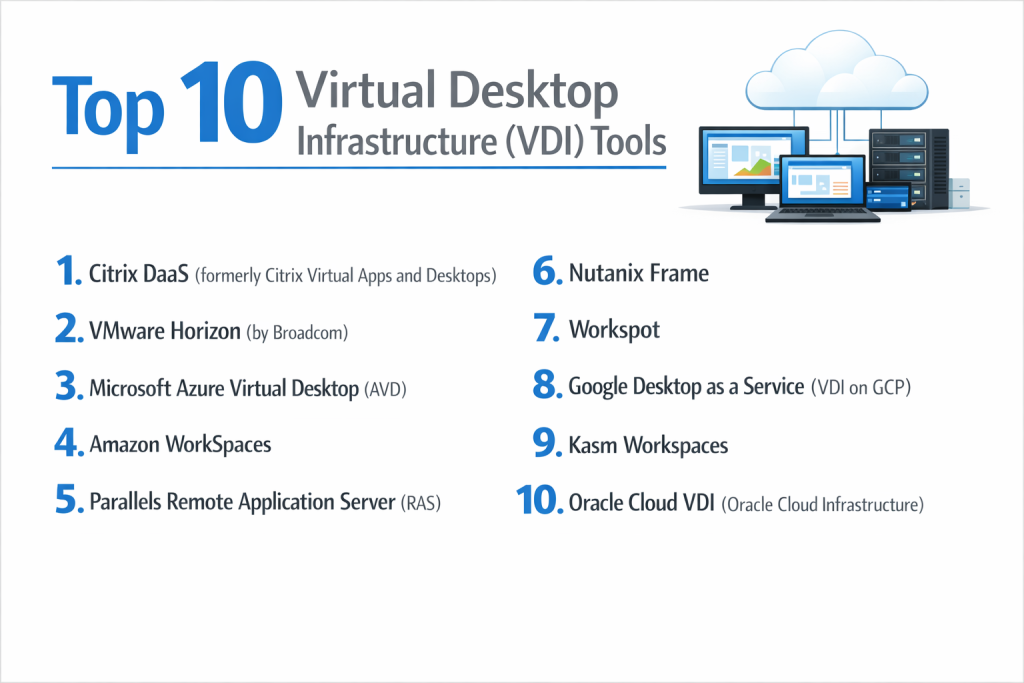
Top 10 Virtual Desktop Infrastructure (VDI) Tools
1 — VMware Horizon (Omnissa)
VMware Horizon is a leading VDI solution that provides a streamlined approach to delivering, protecting, and managing virtual desktops and apps while containing costs and ensuring end-users can work anytime, anywhere.
- Key features:
- Blast Extreme Protocol: Optimized for the digital workspace, supporting H.264, H.265, and JPG/PNG for high-fidelity graphics.
- Instant Clone Technology: Rapidly creates virtual desktops that share a virtual disk with a parent image, reducing storage needs.
- App Volumes: A real-time application delivery system that separates apps from the OS image for easier management.
- Dynamic Environment Manager (DEM): Provides end-users with a personalized desktop experience across devices and locations.
- Smart Policies: Context-aware security that can disable features like USB printing based on the user’s location or device.
- vSphere Integration: Deep, native integration with the world’s most popular hypervisor.
- Hybrid Cloud Support: Seamlessly manage desktops across on-premise data centers and public clouds like AWS or Azure.
- Pros:
- Unrivaled performance for graphics-intensive applications and high-definition video.
- Comprehensive management tools that simplify life for large-scale IT operations.
- Cons:
- Complex licensing and high initial setup costs can be a barrier for smaller firms.
- Requires a significant amount of underlying infrastructure and VMware expertise to run optimally.
- Security & compliance: SSO, Multi-Factor Authentication (MFA), SOC 2, HIPAA, GDPR, and FIPS 140-2.
- Support & community: Extensive documentation, global 24/7 enterprise support, and a massive community of certified professionals.
2 — Citrix Virtual Desktops
Citrix (now part of Cloud Software Group) has been a pioneer in the VDI space for decades, offering high-definition performance and a robust set of administrative tools for complex environments.
- Key features:
- HDX Technology: High-definition experience protocol designed to deliver a smooth experience over high-latency networks.
- Citrix Gateway: Provides secure, remote access to internal applications without needing a traditional VPN.
- Provisioning Services (PVS): Stream desktop images to physical or virtual machines from a single shared golden image.
- Workspace App: A single entry point for users to access all their apps, files, and desktops.
- Citrix Analytics: Uses machine learning to detect unusual user behavior and potential security threats.
- Multi-Hypervisor Support: Unlike VMware, Citrix can run on Nutanix AHV, Hyper-V, or VMware ESXi.
- Session Watermarking: Protects sensitive data by overlaying user-specific info on the remote screen.
- Pros:
- Widely considered to have the best protocol for low-bandwidth or high-latency “dirty” internet connections.
- Extremely flexible deployment options across almost any cloud or on-premise hardware.
- Cons:
- The management console is notoriously complex and has a steep learning curve.
- Frequent rebranding and licensing changes have caused confusion among long-term customers.
- Security & compliance: ICA Proxy, SSO, HIPAA, PCI DSS, GDPR, and Common Criteria.
- Support & community: Strong partner network, extensive training certifications, and premium enterprise support tiers.
3 — Microsoft Azure Virtual Desktop (AVD)
AVD is a cloud-native VDI and app virtualization service that runs on the Microsoft Azure cloud. It is specifically optimized for Windows 10 and 11 multi-session capabilities.
- Key features:
- Windows Multi-Session: Allows multiple users to log into a single Windows 10/11 VM simultaneously, significantly reducing costs.
- FSLogix Profile Containers: Lightning-fast user profile loading times in non-persistent environments.
- Microsoft 365 Optimization: Built-in optimizations for Teams, Outlook, and OneDrive that are often superior to other VDI tools.
- Azure Portal Integration: Managed directly through the familiar Azure dashboard.
- Scalability: Rapidly spin up thousands of desktops in minutes using Azure’s global infrastructure.
- Reserved Instances: Save money by committing to long-term compute resources.
- Universal Print: Managed cloud-based printing that eliminates the need for complex on-premise print servers.
- Pros:
- The most cost-effective way to run Windows desktops if you already have Microsoft 365 licenses.
- No physical server hardware to manage; it is entirely a managed service.
- Cons:
- Restricted to the Azure cloud; you cannot run AVD on-premise without Azure Stack HCI.
- Pricing can be unpredictable if you don’t monitor your cloud consumption carefully.
- Security & compliance: Microsoft Entra ID (SSO), FedRAMP High, HIPAA, GDPR, and SOC 1/2/3.
- Support & community: Integrated with Azure support plans; massive library of Microsoft Learn documentation.
4 — Amazon WorkSpaces
Amazon WorkSpaces is a fully managed, secure Desktop-as-a-Service (DaaS) solution that provides users with either Windows or Linux desktops in the AWS cloud.
- Key features:
- Streaming Protocols: Uses PCoIP or WSP (WorkSpaces Streaming Protocol) for high-performance delivery.
- WorkSpaces Core: Allows third-party management tools (like Horizon or Citrix) to manage AWS-hosted desktops.
- Bundle Options: Choose from Value, Standard, Performance, Power, or Pro bundles to match user needs.
- Persistent Storage: Users can save their data on an Amazon W: drive that is backed up regularly.
- Active Directory Integration: Syncs with your on-premise AD or AWS Managed Microsoft AD.
- Hourly or Monthly Billing: Only pay for the desktops when they are being used.
- Zero-Client Support: Works with inexpensive hardware terminals from vendors like Teradici.
- Pros:
- Simplifies the VDI experience by removing the need to manage brokers, gateways, and load balancers.
- Highly reliable with the backing of AWS’s global availability zones.
- Cons:
- The desktop “experience” can feel slightly more basic compared to the deep feature sets of VMware or Citrix.
- Linux options are limited compared to the flexibility of a dedicated on-premise Linux VDI.
- Security & compliance: SOC 1/2/3, PCI DSS, HIPAA, GDPR, and FIPS 140-2.
- Support & community: Standard AWS support tiers; extensive documentation and AWS developer forums.
5 — Nutanix Frame
Nutanix Frame is a cloud-based VDI platform that focuses on simplicity and “browser-first” access, allowing users to run any application in a web browser without a client.
- Key features:
- Browser-Native (HTML5): No plugins or receiver software required on the end-user device.
- Multi-Cloud Agnostic: Runs on AWS, Azure, GCP, or on-premise with Nutanix AHV.
- Frame Remoting Protocol (FRP): A modern H.264/H.265 protocol that works natively in browsers.
- Role-Based Access Control: Highly granular permissions for admins and end-users.
- Elastic Scaling: Automatically adjusts the number of available VMs based on active user demand.
- Integrated Storage: Easy connection to Google Drive, Dropbox, and OneDrive.
- GPU Support: Specifically optimized for running heavy 3D apps like AutoCAD or Revit in a browser.
- Pros:
- Perhaps the easiest VDI solution to deploy; can be up and running in hours.
- Eliminates the “client-side” headache by using the browser as the universal terminal.
- Cons:
- Not as many “legacy” features for complex on-premise hardware redirection.
- Dependency on the Nutanix ecosystem for the best on-premise performance.
- Security & compliance: SOC 2, HIPAA, GDPR, and encryption at rest/transit.
- Support & community: Direct Nutanix support, which is highly rated for responsiveness and technical depth.
6 — Parallels RAS (Remote Application Server)
Parallels RAS is an all-in-one VDI and application delivery solution that prioritizes ease of use and a lower price point for mid-market companies.
- Key features:
- Universal Printing: Built-in technology that allows users to print to any local printer instantly.
- Multi-Hypervisor Support: Works with VMware, Hyper-V, Nutanix, and major cloud providers.
- Automated Image Optimization: Built-in tools to “slim down” Windows images for better performance.
- HTML5 Gateway: Allows access via a browser, though a dedicated client is available for better performance.
- AI-Based Session Management: Predictively prepares sessions for users to reduce login times.
- Drag-and-Drop Management: A much simpler management console than Citrix or VMware.
- Multi-Tenant Support: Ideal for MSPs managing several different client organizations.
- Pros:
- All-inclusive licensing; you don’t have to buy 20 different modules to get full functionality.
- Very low hardware requirements for the management components.
- Cons:
- Does not have the massive ecosystem of third-party integrations that Citrix or VMware enjoy.
- Performance on extremely high-latency connections isn’t quite at the level of Citrix HDX.
- Security & compliance: SSO, MFA, FIPS 140-2, GDPR, and HIPAA.
- Support & community: 24/7 support via phone and email; a growing knowledge base and active community.
7 — Google Desktop-as-a-Service (Itopia / Workspot)
Google Cloud doesn’t have a single “branded” VDI like Azure, but rather partners with Itopia and Workspot to provide a highly integrated VDI experience on Google Cloud Platform (GCP).
- Key features:
- GCP Integration: Leverages the global fiber network of Google for ultra-low latency.
- Automated Onboarding: itopia simplifies the migration of Active Directory to GCP.
- Global Desktop Cloud: Workspot allows you to deploy desktops in the data center closest to the user.
- BigQuery Analytics: Use Google’s data tools to analyze VDI performance and usage patterns.
- Chromebook Optimization: The most seamless experience for organizations using ChromeOS devices.
- Auto-Scaling: Dynamically adjust resources to manage GCP costs.
- Zero-Trust Security: Built-in integration with Google’s BeyondCorp security model.
- Pros:
- Uses Google’s world-class network, which often provides the lowest ping times globally.
- Excellent for companies already heavily invested in Google Workspace and ChromeOS.
- Cons:
- Fragmented experience; you are often dealing with both Google and a third-party partner.
- GCP’s Windows multi-session support isn’t as mature as Azure’s.
- Security & compliance: SOC 2, ISO 27001, HIPAA, and GDPR.
- Support & community: Support is shared between GCP and the partner (Workspot/Itopia).
8 — Oracle Cloud VDI
Oracle Cloud VDI is a high-performance solution tailored for enterprise users running Oracle databases and applications who need co-located VDI performance.
- Key features:
- OCI Integration: Direct, high-speed connection to Oracle Cloud Infrastructure resources.
- Bare Metal Options: Unlike many VDI providers, Oracle offers bare metal instances for massive workloads.
- Virtual Desktop Service (VDS): Managed service that simplifies the deployment of Windows and Linux desktops.
- Secure Global Gateway: Access VDI sessions without needing an expensive leased line.
- GPU Shapes: High-end NVIDIA GPU instances for data scientists and engineers.
- Flexible Billing: Pay-as-you-go pricing that aligns with Oracle’s enterprise agreements.
- Linux VDI Focus: Stronger support for high-performance Linux desktops than many competitors.
- Pros:
- The best choice for data-heavy applications that need to be close to an Oracle database.
- Extremely high performance for specialized engineering and research tasks.
- Cons:
- The ecosystem is smaller and more specialized than AWS or Azure.
- Can be intimidating for general IT administrators who aren’t familiar with Oracle Cloud.
- Security & compliance: FedRAMP, HIPAA, GDPR, and SOC 1/2/3.
- Support & community: Enterprise-grade support backed by Oracle’s global team.
9 — V2 Cloud
V2 Cloud is a fully managed VDI provider that targets the SMB and mid-market with a focus on simplicity, “work from home” readiness, and transparent pricing.
- Key features:
- Fully Managed: They handle the backups, the security updates, and the infrastructure.
- Web-Based Console: A very clean, simple dashboard for managing users and apps.
- Built-in Antivirus: Comes with security protections already installed and managed.
- Mobile App Access: High-quality mobile apps for accessing desktops from iPads or tablets.
- Fast NVMe Storage: Uses high-speed disks to ensure the virtual desktop doesn’t feel sluggish.
- Daily Backups: Automatic snapshots of the entire environment are included.
- Integrated Chat: Support is available directly from within the management console.
- Pros:
- Transparent, “no-surprises” pricing with fixed monthly costs.
- Perfect for businesses that want VDI benefits without having an internal VDI expert.
- Cons:
- Not designed for massive 50,000-user enterprise deployments.
- Fewer customization options for networking and hypervisor layers.
- Security & compliance: PCI DSS, HIPAA, SOC, and GDPR.
- Support & community: Highly rated 24/7 technical support with fast response times.
10 — Cisco Webex App (Formerly Spark) & Desktop Integration
While Cisco is primarily a networking company, their integration with VDI environments (VDI Optimization for Webex) is critical for organizations using Citrix or VMware for communication.
- Key features:
- VDI Media Optimization: Offloads video and audio processing to the local device to prevent “choppy” calls.
- Cisco HyperFlex: A hyper-converged infrastructure specifically designed to host VDI workloads.
- Unified Communications: Integrates phone, chat, and VDI in one interface.
- ThousandEyes Integration: Allows admins to see exactly where network lag is happening between the user and the VDI server.
- Thin Client Support: Native support for Cisco’s range of hardware endpoints.
- Security Connector: Extends Cisco’s enterprise security to the virtual desktop.
- Zero-Touch Deployment: Automate the rollout of Webex within VDI environments.
- Pros:
- The gold standard for companies that rely on high-quality video conferencing within a VDI.
- Deep networking visibility that helps troubleshoot “my VDI is slow” complaints.
- Cons:
- Requires a significant investment in the Cisco hardware and software ecosystem.
- Not a standalone VDI; it is an optimization and infrastructure layer for other VDI tools.
- Security & compliance: ISO 27001, HIPAA, GDPR, and FIPS.
- Support & community: Backed by Cisco TAC (Technical Assistance Center), one of the best in the world.
Comparison Table
| Tool Name | Best For | Platform(s) Supported | Standout Feature | Rating (Gartner) |
| VMware Horizon | High-End Enterprise | On-prem, AWS, Azure | Blast Extreme Protocol | 4.6 / 5 |
| Citrix Virtual Desktops | Complex/High Latency | All Clouds & On-prem | HDX Technology | 4.5 / 5 |
| Azure Virtual Desktop | Microsoft 365 Users | Azure Cloud Only | Windows Multi-session | 4.6 / 5 |
| Amazon WorkSpaces | AWS Ecosystem | AWS Cloud Only | Hourly Billing | 4.3 / 5 |
| Nutanix Frame | Browser-Based/GPU | Multi-Cloud | Clientless HTML5 | 4.7 / 5 |
| Parallels RAS | SMB / Ease of Use | Multi-Hypervisor | All-in-one Licensing | 4.5 / 5 |
| Workspot (GCP) | Google Cloud Users | GCP | Global Desktop Cloud | 4.8 / 5 |
| Oracle Cloud VDI | Oracle DB Users | Oracle Cloud | Bare Metal Performance | N/A |
| V2 Cloud | SMB / Managed | Managed Cloud | Simple Flat Pricing | 4.8 / 5 |
| Cisco HyperFlex | VDI Infrastructure | On-prem Hardware | Media Optimization | 4.4 / 5 |
Evaluation & Scoring of VDI Tools
The following table provides a weighted evaluation of the general VDI market, showing where these tools typically succeed.
| Category | Weight | Score (Avg) | Evaluation Notes |
| Core Features | 25% | 9.5 / 10 | Most tools excel at the basics of desktop delivery and cloning. |
| Ease of Use | 15% | 7.0 / 10 | VDI remains a complex field; cloud tools score higher than on-prem. |
| Integrations | 15% | 8.8 / 10 | VMware and Citrix lead in ecosystem depth; AVD leads in M365. |
| Security & Compliance | 10% | 9.8 / 10 | Security is the main driver for VDI; standards are exceptionally high. |
| Performance | 10% | 9.0 / 10 | High-performance protocols (Blast, HDX, WSP) are essential. |
| Support & Community | 10% | 8.5 / 10 | Enterprise-level support is mandatory in this category. |
| Price / Value | 15% | 7.5 / 10 | High ROI in risk reduction, but high initial and ongoing costs. |
Which VDI Tool Is Right for You?
Solo Users vs SMB vs Mid-market vs Enterprise
- Solo Users: Generally, VDI is too complex. If you need a cloud PC, look at Windows 365 (Cloud PC) or a high-end V2 Cloud instance.
- SMB (10–100 Users): V2 Cloud or Parallels RAS are the best choices. They don’t require a dedicated VDI engineer to maintain and have predictable costs.
- Mid-market (100–1,000 Users): Azure Virtual Desktop (if you are a Microsoft shop) or Nutanix Frame provide great scalability without the overhead of a massive on-premise data center.
- Enterprise (1,000+ Users): VMware Horizon and Citrix remain the kings of this space. They offer the granular control and protocol optimization that 10,000+ user environments require.
Budget-conscious vs Premium Solutions
If you already have Microsoft 365 Business Premium or Enterprise licenses, Azure Virtual Desktop is likely your lowest-cost path because the licensing is already included. If you have a “blank check” for performance and need the absolute best graphics and user experience, VMware Horizon with NVIDIA GRID GPUs is the premium choice.
Feature Depth vs Ease of Use
If you need deep control over every registry key and network packet, Citrix offers the most depth. If you want a “push-button” VDI where users just log in through a browser and everything “just works,” Nutanix Frame is the usability leader.
Integration and Scalability Needs
For those heavily invested in the AWS cloud, Amazon WorkSpaces offers the most seamless integration with other AWS services (like S3 and RDS). For those on the Google side, the Workspot/itopia solutions provide the best scalability on GCP.
Frequently Asked Questions (FAQs)
1. What is the difference between VDI and DaaS?
VDI (Virtual Desktop Infrastructure) traditionally refers to on-premise infrastructure managed by your IT team. DaaS (Desktop as a Service), like Amazon WorkSpaces, is a cloud-based VDI where the provider manages the hardware and the “broker” layer.
2. Does VDI save money on hardware?
Not always. While you can use cheaper “Thin Clients” for users, the cost of the back-end servers, storage, and licensing often offsets the savings on the desktop hardware. The real savings come from reduced IT labor and improved security.
3. Is VDI good for gaming or video editing?
It can be, but it requires specialized “GPU-enabled” virtual machines. Tools like VMware Horizon and Nutanix Frame are excellent at this, but they require significant bandwidth and high-end server hardware.
4. What happens if the internet goes down?
In a VDI environment, if the user loses their internet connection, they lose access to their desktop. This is the biggest risk of VDI. Many organizations use “Hybrid” models to ensure critical workers have local offline capabilities.
5. Is VDI more secure than physical laptops?
Generally, yes. Since no data actually lives on the user’s device, if a laptop is stolen, no company data is lost. Everything remains locked in the secure data center or cloud.
6. What is a “Non-Persistent” desktop?
This is a desktop that is destroyed as soon as the user logs out. When they log in again, they get a fresh, clean image. This is great for security and maintenance, though user settings must be saved using “Profile Management” tools.
7. Do I need a VPN for VDI?
Most modern VDI solutions (Citrix, VMware, AVD) have their own “Gateways” that provide secure encrypted access over the internet, often making a traditional VPN unnecessary.
8. Can I use VDI on a tablet or phone?
Yes. Most providers have apps for iPad, Android, and even smartphones. While the screen size is a limitation, the full desktop power is available to the mobile user.
9. What is “Multi-session” Windows?
This is a feature of Azure Virtual Desktop where one Windows 10/11 VM can host multiple users at once. Historically, only “Server” OS could do this. This is a major cost-saving feature.
10. How much bandwidth does a VDI user need?
For standard office work, a user needs about 1-2 Mbps. For high-def video or 3D work, they might need 10-20 Mbps. Stability (low latency/jitter) is actually more important than raw speed.
Conclusion
Virtual Desktop Infrastructure has transitioned from a niche “special projects” technology into the primary way many global organizations deliver work. The “best” VDI tool is no longer just about who has the fastest protocol; it’s about which platform fits into your existing cloud ecosystem and compliance framework.
If you are a Microsoft-centric organization, Azure Virtual Desktop offers a value proposition that is hard to beat. If you are a massive enterprise with complex on-premise requirements, VMware Horizon or Citrix are still the heavy hitters that provide the necessary control. For those who want to avoid complexity altogether, V2 Cloud or Nutanix Frame offer a glimpse into a future where VDI is as simple as opening a web browser.
Reinforce your decision by prioritizing your users’ needs: do they need high-end graphics, or just access to an ERP? Once you know the “what,” choosing the “how” from this list becomes a much clearer path.

- Top 10 Email Deliverability Tools: Features, Pros, Cons & Comparison - September 6, 2026
- Top 10 Pharmacovigilance Software: Features, Pros, Cons & Comparison - September 6, 2026
- Top 10 Manufacturing Execution Systems (MES) - July 30, 2026