Introduction
Virtualization Platforms are software layers—often called hypervisors—that allow a single physical computer or server to run multiple, independent operating systems simultaneously. By abstracting physical hardware resources like the CPU, memory, and storage, these platforms create “Virtual Machines” (VMs). This technology essentially breaks the rigid bond between software and hardware, allowing IT environments to be more flexible, scalable, and efficient. Instead of having one server for email and another for a database, virtualization allows both to run on the same physical box in complete isolation.
The importance of virtualization in the modern data center cannot be overstated. It is the fundamental building block of cloud computing. Real-world use cases include server consolidation to reduce electricity and hardware costs, software development where engineers need to test code across different OS versions quickly, and disaster recovery where entire server environments can be moved as digital files. When choosing a platform, users should evaluate hypervisor overhead, management tool depth, ecosystem compatibility, and the total cost of ownership (TCO).
Best for: IT administrators, DevOps engineers, and large enterprises looking to optimize their data centers. It is also essential for software testers and cybersecurity researchers who require isolated environments to run potentially unstable or malicious code.
Not ideal for: Bare-metal enthusiasts who require every ounce of hardware performance for tasks like high-frequency trading or high-end competitive gaming where even a 1-2% latency overhead is unacceptable. It may also be overkill for micro-businesses that only need basic web hosting.
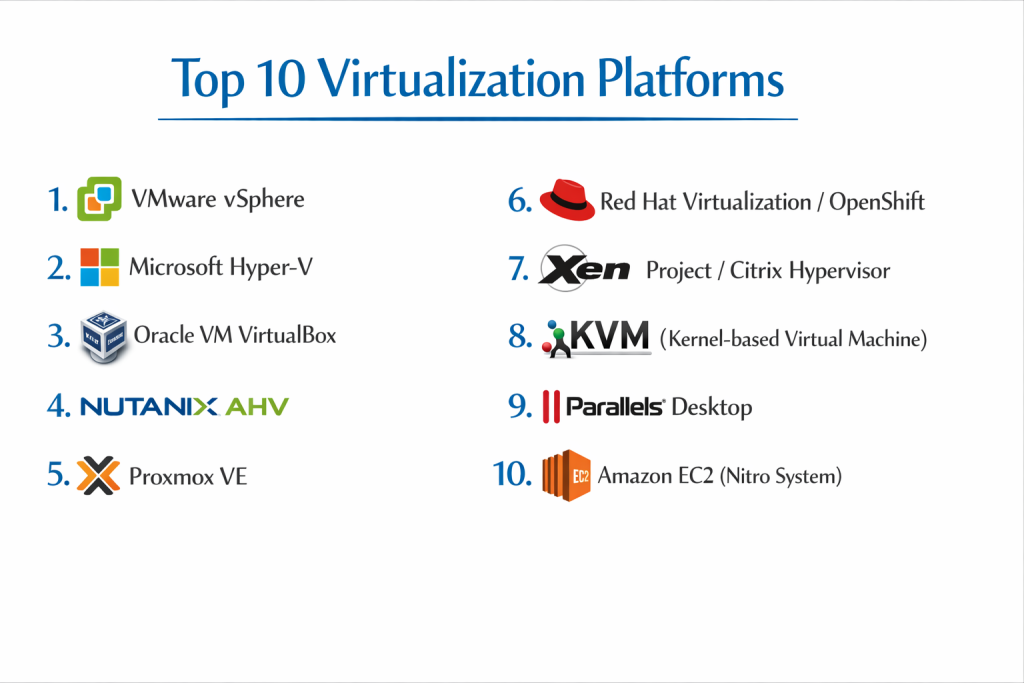
Top 10 Virtualization Platforms Tools
1 — VMware vSphere
vSphere is the industry-leading enterprise virtualization platform from Broadcom (formerly VMware). It is designed for massive data centers and hybrid cloud environments that require high availability and advanced automation.
- Key features:
- ESXi Hypervisor: A high-performance, bare-metal hypervisor that installs directly onto your physical server.
- vCenter Server: A centralized management tool that controls thousands of VMs from a single pane of glass.
- vMotion: Move running virtual machines from one physical server to another with zero downtime.
- High Availability (HA): Automatically restarts VMs on a different server if the original hardware fails.
- Distributed Resource Scheduler (DRS): Balances computing workloads across a cluster of servers automatically.
- vSAN Integration: Software-defined storage that pools local server disks into a shared resource.
- Tanzu Integration: Allows you to run and manage Kubernetes containers alongside traditional VMs.
- Pros:
- The most mature and stable platform on the market with the widest range of third-party backup and security integrations.
- Exceptional performance and resource management for mission-critical enterprise applications.
- Cons:
- Significant pricing shifts following the Broadcom acquisition have made it less accessible for smaller budgets.
- The management suite is complex and requires specialized training to master.
- Security & compliance: SSO, vSphere Trust Authority, VM-level encryption, SOC 2, HIPAA, and GDPR compliant.
- Support & community: World-class enterprise support, a massive library of documentation, and the largest community of certified professionals in the industry.
2 — Microsoft Hyper-V
Microsoft Hyper-V is a powerful virtualization solution that is built directly into Windows Server and Windows 10/11 Pro. It is the natural choice for organizations heavily invested in the Microsoft ecosystem.
- Key features:
- Native Windows Integration: No third-party hypervisor needed; it’s a “role” you enable in Windows.
- Failover Clustering: Provides high availability for VMs across multiple server nodes.
- Hyper-V Replica: Provides asynchronous replication of VMs for disaster recovery purposes.
- VHDX Support: A modern virtual disk format that supports up to 64TB per disk and provides power failure resiliency.
- Shielded VMs: Uses BitLocker to encrypt the state and disks of VMs, protecting them from compromised admins.
- PowerShell Automation: Deep scripting capabilities for managing thousands of VMs via code.
- Linux Integration Services: Specialized drivers that ensure Linux guests run at near-native speeds.
- Pros:
- Often “free” or significantly cheaper for companies already paying for Windows Server licensing.
- Familiar interface and management tools (System Center) for Windows sysadmins.
- Cons:
- Lacks some of the more advanced memory management features found in VMware.
- The management console can feel fragmented between basic tools and System Center.
- Security & compliance: Secure Boot, TPM support, Guarded Fabric, HIPAA, and FedRAMP compliant.
- Support & community: Backed by Microsoft’s global support network and an enormous library of “Microsoft Learn” documentation.
3 — Oracle VM VirtualBox
VirtualBox is a popular, open-source hosted hypervisor that runs on top of your existing operating system. It is the preferred tool for developers and hobbyists who need a quick way to run multiple OSs on a desktop.
- Key features:
- Cross-Platform: Runs on Windows, macOS, Linux, and Solaris hosts.
- Guest Additions: Specialized software packages that enable folder sharing and mouse integration between host and guest.
- Snapshots: Save the state of a VM and revert back to it instantly if something goes wrong.
- Virtual Media Manager: Easily manage all your ISOs and virtual hard disks in one place.
- Remote Desktop Protocol (RDP): Access your virtual machines remotely via built-in RDP support.
- Cloud Integration: Export VMs directly to Oracle Cloud Infrastructure (OCI).
- Command Line Interface: Fully manageable via the “VBoxManage” tool for automation.
- Pros:
- Completely free for personal and educational use under the GPL license.
- Incredibly easy to set up; you can have a Linux VM running on a Windows laptop in five minutes.
- Cons:
- Not suitable for high-performance production server environments.
- Performance is limited by the host operating system’s overhead.
- Security & compliance: Basic disk encryption; GDPR compliant; Varies by implementation.
- Support & community: Strong community-driven forums and an extensive manual updated by Oracle engineers.
4 — Nutanix AHV
AHV (Acropolis Hypervisor) is a modern, license-free hypervisor included with the Nutanix Enterprise Cloud platform. It is designed to simplify the “Hyper-Converged Infrastructure” (HCI) experience.
- Key features:
- Built-in Management: Managed via Prism, a sleek and highly intuitive web interface.
- Self-Healing: Automatically detects and fixes issues in the virtualization layer without human intervention.
- Prism Central: Manage multiple clusters of servers across different geographic locations from one link.
- One-Click Upgrades: Update the hypervisor, firmware, and BIOS with zero downtime for VMs.
- Microsegmentation (Flow): Advanced networking that isolates VMs from each other to prevent malware spread.
- Native Backup: Built-in snapshots and replication without needing 3rd party software.
- Automated VM Placement: Intelligently places VMs on servers with the most available resources.
- Pros:
- Eliminates the “vTax” (the cost of hypervisor licensing), potentially saving companies millions.
- Designed for simplicity; an admin can manage the entire stack without being a virtualization specialist.
- Cons:
- Best performance is tied to purchasing Nutanix-certified hardware or specific software-defined storage.
- The third-party ecosystem (backup, monitoring) is smaller than VMware’s.
- Security & compliance: FIPS 140-2, HIPAA, PCI DSS, SOC 2, and GDPR compliant.
- Support & community: Consistently ranked as having the best customer support in the IT industry.
5 — Proxmox VE
Proxmox Virtual Environment is a powerful, open-source server virtualization platform that combines KVM virtualization and Linux Containers (LXC) on a single platform.
- Key features:
- KVM & LXC Support: Run full virtual machines and lightweight containers side-by-side.
- Web-Based Management: A comprehensive UI that eliminates the need for separate management software.
- ZFS Support: Native support for high-end data integrity and storage features.
- Proxmox Backup Server: Deeply integrated backup solution with deduplication and encryption.
- High Availability Cluster: Built-in clustering tools that require no extra licensing.
- Live Migration: Move VMs between nodes without interruption.
- Bridge Networking: Robust networking options including VLANs and OVS (Open vSwitch).
- Pros:
- Completely open-source with a “pay-for-support” model that is extremely cost-effective.
- Highly flexible; can run on almost any x86 hardware, including older servers.
- Cons:
- The interface can be intimidating for users accustomed to commercial products like VMware.
- Community support is excellent, but professional enterprise-grade support is more limited in scope.
- Security & compliance: Two-Factor Authentication, Role-based access, GDPR compliant.
- Support & community: Very active community forums and a clear wiki; professional support available via a subscription model.
6 — Red Hat Virtualization (RHV) / OpenShift Virtualization
Red Hat has transitioned its virtualization strategy toward OpenShift Virtualization, allowing organizations to manage VMs alongside containers in a Kubernetes-native environment.
- Key features:
- KVM Core: Built on the battle-tested Kernel-based Virtual Machine (KVM) technology.
- Kubernetes Integration: Manage virtual machines as if they were containers within OpenShift.
- Advanced Networking: Utilizes software-defined networking (SDN) for complex VM topologies.
- Live Storage Migration: Move virtual disks between storage arrays while the VM is running.
- Resource Quotas: Set strict limits on how much CPU and RAM a team or project can use.
- Role-Based Access Control (RBAC): Granular permissions for developers and admins.
- Ansible Automation: Native integration for automating VM deployment and configuration.
- Pros:
- The best choice for organizations moving toward a “Cloud Native” strategy but still needing to support legacy VMs.
- Backed by the strongest name in corporate Linux, ensuring long-term stability.
- Cons:
- Very steep learning curve for admins who are not familiar with Kubernetes or Linux.
- Can be expensive when bundled as part of the full OpenShift platform.
- Security & compliance: SELinux hardened, FIPS 140-2, HIPAA, and SOC 2.
- Support & community: Premium Red Hat Enterprise support and a massive open-source ecosystem.
7 — Xen Project / Citrix Hypervisor
The Xen Project is a foundational open-source hypervisor that powers some of the largest clouds in the world. Its commercial version, Citrix Hypervisor, is optimized for virtual desktop (VDI) workloads.
- Key features:
- Microkernel Architecture: A small, secure footprint that reduces the attack surface of the host.
- GPU Pass-through: Industry-leading support for sharing physical GPUs with virtual machines (ideal for CAD/Gaming).
- IntelliCache: Reduces storage load and improves performance for VDI environments.
- Direct Inspect API: Allows security software to scan VM memory without an agent inside the VM.
- Live Patching: Update the hypervisor without needing to reboot the host server.
- Multi-node Management: Centrally manage pools of servers via Citrix Center.
- Dynamic Memory Control: Reclaims unused memory from one VM to give it to another.
- Pros:
- Historically the most stable platform for high-density virtual desktop environments.
- Excellent security due to its specialized microkernel design.
- Cons:
- Has lost significant market share to VMware and Nutanix in recent years.
- The open-source version (Xen) can be difficult to configure without a graphical UI.
- Security & compliance: Common Criteria EAL4+, HIPAA, PCI DSS, and GDPR compliant.
- Support & community: Strong documentation and professional support through Citrix and the Linux Foundation.
8 — KVM (Kernel-based Virtual Machine)
KVM is the standard virtualization technology built directly into the Linux kernel. It effectively turns Linux into a Type-1 (bare-metal) hypervisor.
- Key features:
- Kernel Integration: Benefits automatically from every update and security patch to the Linux kernel.
- Hardware Acceleration: Deep integration with Intel VT-x and AMD-V processors.
- Overcommit Support: Allow VMs to “borrow” resources from each other for higher density.
- Virtio Drivers: Standardized drivers for high-performance disk and network I/O.
- QEMU Integration: Uses QEMU for hardware emulation, making it compatible with almost any OS.
- Storage Flexibility: Supports local disks, NAS, SAN, and distributed filesystems like Ceph.
- Live Snapshots: Take point-in-time backups of running systems.
- Pros:
- Free, incredibly fast, and used by companies like AWS and Google to power their clouds.
- No licensing fees and zero vendor lock-in.
- Cons:
- Does not come with a built-in management UI; you must install tools like libvirt or Cockpit separately.
- Requires a high level of Linux command-line expertise to manage effectively.
- Security & compliance: sVirt and SELinux isolation; GDPR and HIPAA (implementation dependent).
- Support & community: Supported by every major Linux distribution (Ubuntu, Debian, RHEL) and a global community of developers.
9 — Parallels Desktop
Parallels is the premier virtualization platform for macOS, allowing Mac users to run Windows, Linux, and other operating systems at near-native speeds on Apple Silicon and Intel Macs.
- Key features:
- Coherence Mode: Run Windows applications directly on the Mac desktop as if they were Mac apps.
- Apple Silicon Optimized: Fully supports M1, M2, and M3 chips for high-performance Windows on Mac.
- One-Click Download: Automatically downloads and installs Windows 11 or Linux for the user.
- Shared Folders: Seamless drag-and-drop and clipboard sharing between macOS and Windows.
- Touch Bar Support: Use the Mac’s Touch Bar to control Windows applications.
- Gaming Optimization: Support for DirectX and OpenGL for running Windows games on Mac.
- Developer Tools: Integration with Visual Studio and Vagrant for dev environments.
- Pros:
- The most polished and user-friendly virtualization experience for Apple hardware.
- Allows Mac-only users to access critical Windows business software without needing a second PC.
- Cons:
- Subscription-based pricing can be expensive for casual users.
- Only suitable for desktop use; not a server-grade virtualization tool.
- Security & compliance: TPM 2.0 support, Windows Hello integration, GDPR compliant.
- Support & community: 24/7 phone and email support and a very helpful online knowledge base.
10 — Amazon EC2 (Nitro System)
While primarily a cloud service, Amazon’s Nitro System is a specialized virtualization platform that offloads management tasks to dedicated hardware, maximizing VM performance.
- Key features:
- Hardware Offloading: Networking, storage, and security tasks are handled by dedicated Nitro cards, not the CPU.
- Nitro Enclaves: Create isolated compute environments to protect highly sensitive data.
- Bare Metal Instances: Access the raw physical hardware while still benefiting from cloud management.
- Firecracker MicroVMs: Specialized for serverless computing (AWS Lambda), launching in milliseconds.
- High-Speed Networking: Support for up to 100Gbps networking between instances.
- EBS Encryption: Native, hardware-accelerated encryption for all virtual disks.
- API-First Design: Entirely manageable via code and CLI.
- Pros:
- The most advanced “Hypervisor-less” virtualization experience available today.
- Provides the best performance-to-cost ratio for cloud-native applications.
- Cons:
- Proprietary technology that you cannot run in your own data center.
- The cost can escalate rapidly without strict architectural governance.
- Security & compliance: Practically every global standard including FedRAMP, SOC 2, HIPAA, and ISO 27001.
- Support & community: Industry-leading technical support and the largest cloud documentation library in existence.
Comparison Table
| Tool Name | Best For | Platform(s) Supported | Standout Feature | Rating (Gartner) |
| VMware vSphere | Enterprise Data Center | Bare Metal | vMotion & DRS | 4.8 / 5 |
| Microsoft Hyper-V | Windows Shops | Windows Server | Native Windows Role | 4.4 / 5 |
| VirtualBox | Developers/Personal | Win, Mac, Linux | Cross-Platform Ease | N/A |
| Nutanix AHV | Simplified HCI | Nutanix Hardware | License-Free Hypervisor | 4.7 / 5 |
| Proxmox VE | Open Source Server | Bare Metal (Debian) | KVM + LXC Combo | 4.6 / 5 |
| Red Hat OpenShift | Container/VM Hybrid | RHEL / CoreOS | Kubernetes-Native VMs | 4.5 / 5 |
| Citrix Hypervisor | VDI / Graphics | Bare Metal | GPU Pass-through | 4.2 / 5 |
| KVM | DIY / Cloud Builders | Linux | Kernel-Level Speed | N/A |
| Parallels Desktop | Mac Users | macOS | Coherence Mode | N/A |
| Amazon EC2 | Cloud Native | AWS Cloud | Nitro Hardware Offload | 4.7 / 5 |
Evaluation & Scoring of Virtualization Platforms
The following scoring rubric is based on expert consensus for a typical mid-to-large enterprise deployment.
| Category | Weight | Score (Avg) | Evaluation Notes |
| Core Features | 25% | 9.2 / 10 | Most tools now offer live migration and snapshots as standard. |
| Ease of Use | 15% | 7.5 / 10 | VMware and Nutanix lead here; KVM and Proxmox require more skill. |
| Integrations | 15% | 9.0 / 10 | VMware has the largest ecosystem of backup and security vendors. |
| Security & Compliance | 10% | 9.5 / 10 | Security is highly mature across all top-tier platforms. |
| Performance | 10% | 9.4 / 10 | Native hypervisors (Type 1) offer near-identical performance today. |
| Support & Community | 10% | 8.8 / 10 | Commercial tools offer better phone support; OSS leads in forums. |
| Price / Value | 15% | 8.0 / 10 | Rising costs in commercial tools are driving a shift to OSS. |
Which Virtualization Platforms Tool Is Right for You?
Solo Users vs SMB vs Mid-market vs Enterprise
- Solo Users: If you are on a Mac, Parallels is the clear winner. If you are on Windows or Linux, VirtualBox provides the easiest way to experiment without cost.
- SMB (10–100 VMs): Proxmox VE or Microsoft Hyper-V are ideal. They provide enterprise features without the staggering licensing costs of “Big Tech” solutions.
- Mid-market: Nutanix AHV is a strong contender here because it combines storage, networking, and virtualization into one simple package.
- Enterprise: VMware vSphere remains the safest choice for massive, mission-critical workloads, though many are migrating to OpenShift Virtualization for a hybrid container/VM future.
Budget-conscious vs Premium Solutions
If your budget is $0, KVM and Proxmox are your best friends. They offer world-class performance for the price of “free.” If you have a significant budget and prioritize “one throat to choke” for support, VMware and Nutanix are the premium paths.
Feature Depth vs Ease of Use
VMware has the most feature depth but is incredibly complex. VirtualBox and Nutanix prioritize ease of use, making them accessible to generalist IT workers rather than just virtualization specialists.
Integration and Scalability Needs
If you need to scale to the millions of VMs, AWS EC2 or a custom KVM implementation is the only way. For typical corporate scaling (thousands of VMs), vSphere and Hyper-V have the most robust management frameworks.
Frequently Asked Questions (FAQs)
1. What is the difference between Type-1 and Type-2 hypervisors?
Type-1 (Bare Metal) hypervisors like ESXi or AHV install directly on the hardware. Type-2 (Hosted) hypervisors like VirtualBox or Parallels run as an app inside another OS. Type-1 is much faster and more secure for servers.
2. Can I run Windows on a Mac using these tools?
Yes. Parallels Desktop is the best way to do this on modern Macs, while VirtualBox is a free (though slower) alternative for older Intel-based Macs.
3. Does virtualization slow down my computer?
There is a small “performance penalty” (usually 1-5%) because the hypervisor needs some resources to manage the VMs. However, modern CPUs have built-in acceleration (VT-x/AMD-V) that makes this nearly unnoticeable.
4. Is Proxmox really free for business?
Yes, the software itself is free and fully functional. Proxmox makes money by selling “Enterprise Subscriptions” which provide access to a more stable update repository and professional technical support.
5. What is “Vendor Lock-in” in virtualization?
This happens when you use proprietary features (like VMware’s specific backup formats) that make it very difficult to move your VMs to another platform like Hyper-V later. Open-source platforms like KVM reduce this risk.
6. Can I virtualize a physical server I already have?
Yes. Most platforms offer “P2V” (Physical to Virtual) tools. These tools scan your physical server and create a digital copy of it that can run as a VM.
7. How much RAM do I need for virtualization?
RAM is usually the biggest bottleneck. You need enough RAM for the host OS plus the sum of all the RAM you assign to your virtual machines. For a basic lab, 16GB-32GB is a good starting point.
8. Is KVM better than VMware?
“Better” depends on your skills. KVM is faster and free but requires high Linux skills. VMware is more expensive but has better management tools and third-party support.
9. What is a “Snapshot”?
A snapshot is a saved “state” of a VM. If you are about to install a risky update, you take a snapshot. If the update breaks the VM, you can click one button to “roll back” to the exact moment before the update.
10. Do I need a special CPU for virtualization?
Almost all modern CPUs from the last 10 years support virtualization. You just need to make sure “Virtualization Technology” (VT-x or AMD-V) is enabled in your computer’s BIOS/UEFI settings.
Conclusion
The virtualization landscape is currently undergoing its most significant shift in two decades. While VMware has long been the undisputed king, rising costs and the push toward “Cloud Native” architectures are making Nutanix, Proxmox, and KVM more attractive than ever before.
When choosing your platform, remember that the hypervisor itself has become a commodity—performance is excellent across the board. What truly matters is the management ecosystem and how well the tool fits your team’s existing skills. Whether you choose the polished simplicity of Parallels, the enterprise power of vSphere, or the open-source freedom of Proxmox, virtualization remains the single best way to make your hardware work harder for you.

- Top 10 Email Deliverability Tools: Features, Pros, Cons & Comparison - September 6, 2026
- Top 10 Pharmacovigilance Software: Features, Pros, Cons & Comparison - September 6, 2026
- Top 10 Manufacturing Execution Systems (MES) - July 30, 2026