Introduction
In the modern workplace, the average employee juggles dozens of web applications daily—from email and project management tools to HR portals and specialized industry software. Single Sign-On (SSO) is an authentication method that allows a user to log in with a single set of credentials (username and password) to access multiple independent software systems. By acting as an intermediary between the user and the applications, SSO validates the user’s identity once and then silently “vouchers” for them as they navigate between different tools throughout the day.
The importance of SSO lies in its unique ability to enhance both security and productivity simultaneously. For IT departments, it centralizes control, allowing them to revoke access to all company systems instantly when an employee leaves. For users, it eliminates “password fatigue” and the dangerous habit of reusing weak passwords. Key real-world use cases include securing remote workforces, simplifying customer login portals, and meeting compliance mandates that require strict access auditing. When evaluating SSO tools, decision-makers should look for integration breadth, Multi-Factor Authentication (MFA) flexibility, uptime reliability, and ease of administrative deployment.
Best for: IT Managers, Security Architects, and business owners in mid-market to enterprise-level organizations. Companies in highly regulated sectors like finance and healthcare, or any business managing a growing stack of SaaS applications, will find SSO indispensable for maintaining security standards.
Not ideal for: Solo entrepreneurs or very small teams (under 5 users) who only use one or two applications. In these cases, the native password management features of a browser or a simple consumer-grade password manager are more cost-effective and less complex to maintain.
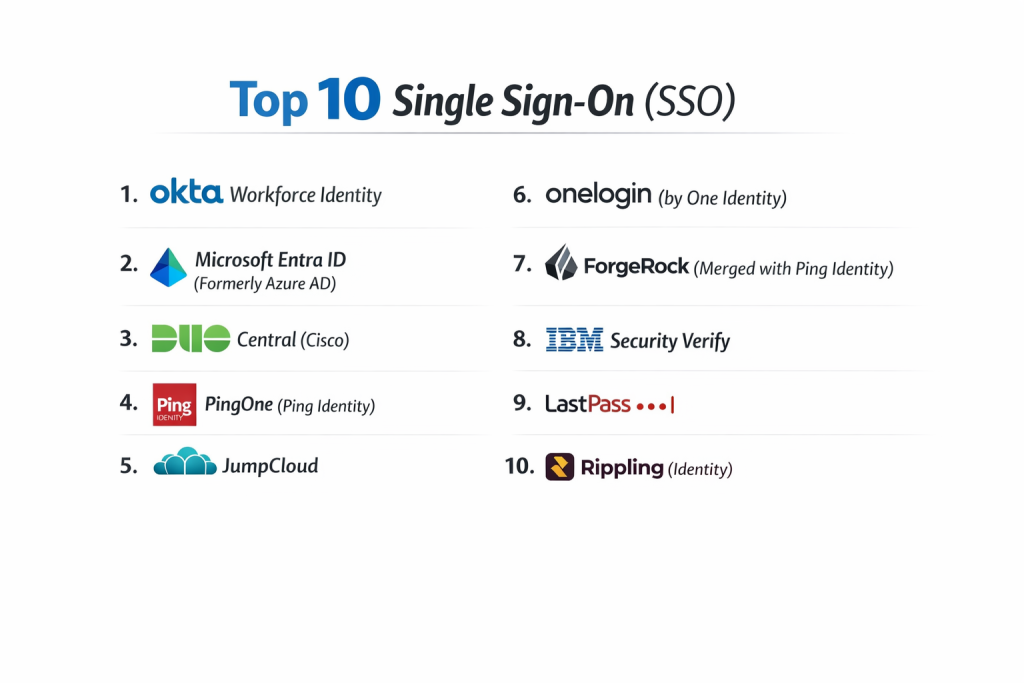
Top 10 Single Sign-On (SSO) Tools
1 — Okta Workforce Identity
Okta is widely regarded as the “gold standard” in the independent SSO market, offering a neutral, cloud-native platform that connects to virtually any application.
- Key Features:
- Pre-integrated App Catalog: Access to over 7,000 deep integrations for one-click setup.
- Adaptive MFA: Contextual access policies that trigger extra security based on location or device.
- Universal Directory: A central repository for managing users from multiple sources like HR systems or AD.
- Passwordless Authentication: Support for FIDO2, biometrics, and the Okta Verify app.
- Self-Service Password Reset: Reduces IT tickets by allowing users to handle their own account recovery.
- Policy Engine: Granular controls to define who gets access to what and under which conditions.
- Pros:
- Unmatched ease of use for the end-user and a very polished administration dashboard.
- High flexibility as it is not tied to a specific hardware or software ecosystem (like Microsoft or Google).
- Cons:
- The pricing is on the higher end of the spectrum, especially for advanced modules.
- Implementation for complex legacy on-premise apps can be more technical than cloud SaaS apps.
- Security & Compliance: SOC 2 Type II, ISO 27001, HIPAA, GDPR, FedRAMP High, and FIPS 140-2.
- Support & Community: Excellent documentation, a massive user community, and 24/7 enterprise support with defined SLAs.
2 — Microsoft Entra ID (Formerly Azure AD)
Microsoft Entra ID is the behemoth of the industry, offering the most seamless experience for organizations that already run on the Microsoft 365 environment.
- Key Features:
- Conditional Access: Powerful logic-based rules to enforce security policies in real-time.
- Identity Protection: Uses machine learning to detect and automatically remediate identity-based risks.
- Privileged Identity Management (PIM): Controls and monitors access to critical resources within Azure.
- B2B/B2C Collaboration: Securely manage identities for external partners and customers.
- MyApps Portal: A centralized web dashboard for users to launch all their authorized applications.
- Pros:
- Often included in existing Microsoft 365 E3/E5 licenses, making it highly cost-effective.
- Deepest possible integration with Windows 11 and Office productivity tools.
- Cons:
- The administrative interface (Azure Portal) is dense and has a steep learning curve.
- Can be challenging to integrate with niche open-source or non-Microsoft enterprise software.
- Security & Compliance: SOC 1/2/3, ISO 27001, HIPAA, GDPR, FedRAMP, and DoD SRG.
- Support & Community: Global support network, extensive Microsoft Learn modules, and a vast ecosystem of third-party consultants.
3 — Duo Central (Cisco)
Duo, owned by Cisco, focuses on “Zero Trust” security, prioritizing simple, user-friendly MFA as the core of their SSO experience.
- Key Features:
- Duo Push: The famous “one-tap” mobile authentication that is nearly impossible for users to mess up.
- Device Trust: Verifies the security health of the user’s laptop or mobile before allowing a login.
- Duo Central Dashboard: A simplified SSO launchpad for all corporate applications.
- Passwordless Options: Support for platform authenticators like TouchID and Windows Hello.
- Remote Access: Provides VPN-less access to internal web apps via the Duo Network Gateway.
- Pros:
- The best user experience in the industry; users find it helpful rather than a hurdle.
- Fast deployment—organizations can protect their first application in a matter of minutes.
- Cons:
- Lacks the deep “Identity Governance” features of Okta or Microsoft.
- The SSO portal is slightly more basic compared to the feature-rich dashboards of competitors.
- Security & Compliance: SOC 2, HIPAA, GDPR, and FedRAMP authorized.
- Support & Community: Top-tier technical documentation, clear “how-to” videos, and a dedicated admin community.
4 — PingOne (Ping Identity)
Ping Identity specializes in complex, high-scale enterprise environments and hybrid architectures where some data must stay on-premise.
- Key Features:
- PingOne Cloud: A SaaS-based SSO for modern cloud applications.
- PingFederate: A high-performance server for organizations needing deep on-premise control.
- DaVinci Orchestration: A low-code visual designer to create complex authentication “journeys.”
- Risk-Based Signals: Advanced AI that monitors behavioral patterns to catch account takeovers.
- API Security: Specialized tools to ensure that your backend APIs are as secure as your front-end apps.
- Pros:
- Extremely powerful customization; it can handle the most “messy” corporate IT architectures.
- Highly scalable, making it a favorite for Consumer IAM (CIAM) with millions of users.
- Cons:
- It is a “pro” tool that usually requires a specialized identity architect to manage.
- Higher entry price point compared to SMB-focused solutions.
- Security & Compliance: SOC 2, ISO 27001, HIPAA, and GDPR compliant.
- Support & Community: Professional services-led onboarding and deep technical support for enterprise clients.
5 — JumpCloud
JumpCloud is a “Cloud Directory” that provides SSO as part of a broader platform that also manages the user’s computer (MDM).
- Key Features:
- Directory Integration: Acts as the primary source of truth, replacing on-premise Active Directory.
- Device Management: Manages macOS, Windows, and Linux devices alongside user identities.
- Cloud RADIUS & LDAP: Allows SSO login for Wi-Fi, VPNs, and legacy file servers.
- Cross-OS Support: Ensures a consistent login experience whether the user is on a Mac or a PC.
- Zero Trust Security: Enforces MFA at the machine login level, not just the app level.
- Pros:
- Great “All-in-One” value; you get an SSO and a device manager in one package.
- Transparent pricing and very friendly toward high-growth startups and SMBs.
- Cons:
- Not as “deep” in enterprise governance features as specialized tools like SailPoint or Okta.
- The number of pre-built app integrations is smaller than the industry leaders.
- Security & Compliance: SOC 2 Type II, GDPR, and HIPAA ready.
- Support & Community: Very active Slack community and excellent self-service “JumpCloud University.”
6 — OneLogin (by One Identity)
OneLogin provides a fast, efficient SSO solution known for its “Vigilance AI” and strong focus on mid-market businesses.
- Key Features:
- SmartFactor Authentication: Uses ML to determine if an MFA prompt is actually necessary.
- Vigilance AI: Threat intelligence that identifies and blocks suspicious login attempts globally.
- Desktop Pro: Allows users to sign into their actual computer using their SSO credentials.
- Sandbox Environments: Allows admins to test new integrations before rolling them out to the company.
- Mobile App: A robust mobile application for managing passwords and MFA on the go.
- Pros:
- Faster “Time-to-Value” than many other enterprise platforms; very quick to configure.
- Strong balance between sophisticated security features and an affordable price point.
- Cons:
- The company has gone through acquisitions, leading to some changes in the support structure.
- Less focus on high-end identity “governance” (auditing who should have access).
- Security & Compliance: SOC 2 Type II, ISO 27001, HIPAA, and GDPR.
- Support & Community: Solid knowledge base and active community forums for IT administrators.
7 — ForgeRock (Merged with Ping Identity)
ForgeRock is a developer-centric platform built for massive scale, particularly for customer-facing applications and IoT devices.
- Key Features:
- Access Trees: A visual interface to build branched logic for how users log in.
- Identity Cloud: A flexible SaaS offering that doesn’t limit where you store your data.
- IoT Support: Can manage identities for sensors, cars, and smart home devices.
- High Performance: Designed to handle tens of thousands of authentication requests per second.
- Privacy & Consent: Built-in tools for managing user data preferences in line with GDPR.
- Pros:
- The most flexible tool for developers building their own custom customer-facing apps.
- Can be deployed in a “private cloud” (Kubernetes) for organizations with extreme privacy needs.
- Cons:
- Too complex for a standard internal IT department; requires coding/engineering knowledge.
- Currently in a merger phase with Ping Identity, which may lead to roadmap changes.
- Security & Compliance: SOC 2, ISO 27001, GDPR, and HIPAA.
- Support & Community: Large developer community and highly detailed API documentation.
8 — IBM Security Verify
IBM’s SSO offering is an AI-powered platform that brings “Big Blue’s” security research to the cloud.
- Key Features:
- Behavioral Biometrics: Analyzes how a user types or holds their phone to verify identity.
- Adaptive Risk Scoring: Assigns a score to every login attempt to prevent fraud.
- Digital Trust: Integrated tools to protect both workforce and consumer identities.
- Mainframe Integration: One of the few cloud SSOs that talks natively to legacy IBM hardware.
- Consent Management: Automated workflows for managing user privacy choices.
- Pros:
- Excellent for large, old-school enterprises with a mix of modern cloud and 40-year-old hardware.
- Deep AI capabilities that go beyond simple “if-then” security rules.
- Cons:
- The user interface can feel a bit dated and “corporate” compared to younger SaaS tools.
- Sales and support can be difficult to navigate for smaller companies.
- Security & Compliance: ISO 27001, SOC 2, HIPAA, GDPR, and FedRAMP.
- Support & Community: Global enterprise support and a massive network of certified IBM partners.
9 — LastPass Business
While primarily known as a password manager, LastPass Business has evolved into a robust SSO and MFA provider for the SMB market.
- Key Features:
- SSO for 1,200+ Apps: A streamlined catalog of the most popular business applications.
- Password Vaulting: Handles apps that don’t support modern SSO protocols (like SAML).
- Duo-Style MFA: Includes its own mobile authenticator app.
- Admin Dashboard: Simple control over user groups and password policies.
- Dark Web Monitoring: Alerts users if their credentials appear in data breaches.
- Pros:
- Perfect for “bridging the gap” between old-school password logins and modern SSO.
- Very affordable and requires almost no training for the end-user.
- Cons:
- Lacks the deep “Zero Trust” and “Adaptive Risk” features of Okta or Ping.
- Had high-profile security incidents in the past, leading to increased scrutiny of their architecture.
- Security & Compliance: SOC 2 Type II and SOC 3 compliant.
- Support & Community: Extensive self-help guides and tiered support for business customers.
10 — Rippling (Identity)
Rippling is an HR-first platform that includes SSO, using employee data to automate the entire lifecycle of an identity.
- Key Features:
- HR-Driven Provisioning: When a new hire is added to HR, their SSO accounts are created automatically.
- One-Click Offboarding: Terminating an employee in Rippling kills their access across all SSO apps instantly.
- Device Management: Can ship a laptop to a new hire already configured with their SSO.
- App Catalog: Support for hundreds of common business tools.
- Group-Based Access: Automatically gives “Sales” people access to the CRM based on their job title.
- Pros:
- The absolute best for “onboarding/offboarding” automation; it saves hours of IT labor.
- Eliminates the “human error” of forgetting to revoke an ex-employee’s access.
- Cons:
- You generally need to use Rippling for HR/Payroll to get the full value.
- Not a standalone security tool; it’s an integrated business platform.
- Security & Compliance: SOC 2 Type II, HIPAA, and GDPR compliant.
- Support & Community: Very modern, chat-based support and a clean, intuitive knowledge base.
Comparison Table
| Tool Name | Best For | Platform(s) Supported | Standout Feature | Rating (Gartner) |
| Okta | General Purpose / SaaS | Cloud | 7,000+ App Catalog | 4.5 / 5 |
| Microsoft Entra | Microsoft 365 Shops | Cloud / Hybrid | Conditional Access | 4.4 / 5 |
| Duo Central | User Experience | Cloud | Duo Push MFA | 4.5 / 5 |
| PingOne | Hybrid / Complex Ent. | Cloud / On-Prem | Low-Code Orchestration | 4.6 / 5 |
| JumpCloud | SMB / Startups | Cloud | Identity + MDM (Device) | 4.6 / 5 |
| OneLogin | Mid-Market Speed | Cloud | Vigilance AI | 4.2 / 5 |
| ForgeRock | Consumer / IoT | Cloud / K8s | Visual Access Trees | 4.4 / 5 |
| IBM Verify | Legacy + AI | Cloud / On-Prem | Behavioral Biometrics | 4.1 / 5 |
| LastPass | SMB Bridge | Cloud | Vault + SSO Hybrid | 4.0 / 5 |
| Rippling | HR-Driven Automation | Cloud | Auto On/Off-boarding | 4.7 / 5 |
Evaluation & Scoring of Single Sign-On (SSO)
To provide an objective look at these tools, we’ve scored them across seven weighted categories.
| Category | Weight | Evaluation Logic |
| Core Features | 25% | SAML/OIDC support, portal quality, and MFA depth. |
| Ease of Use | 15% | Administrative UI and the end-user login flow. |
| Integrations | 15% | Breadth of pre-built connectors and API quality. |
| Security & Compliance | 10% | Encryption standards and global certifications. |
| Performance | 10% | System uptime history and login speed. |
| Support & Community | 10% | Documentation, training, and customer service response. |
| Price / Value | 15% | Total cost of ownership versus the feature set. |
Which Single Sign-On (SSO) Tool Is Right for You?
Solo Users vs SMB vs Mid-Market vs Enterprise
- Small Business: LastPass Business or JumpCloud are the best entry points. They are easy to set up without a dedicated IT security team.
- Mid-Market: OneLogin and Okta offer the scalability you need as you grow from 100 to 1,000 employees without becoming unmanageable.
- Enterprise: Ping Identity and Microsoft Entra ID are designed for the complexities of global corporations with dozens of subsidiaries and hybrid needs.
Budget-Conscious vs Premium Solutions
If you are already paying for Microsoft 365, Entra ID is practically “free” for your basic needs. If you have a dedicated budget and want the highest security and flexibility, Okta is the premium choice that most security professionals prefer.
Feature Depth vs Ease of Use
- Highest Ease of Use: Duo Central. If your team is non-technical, Duo’s simple interface will result in the fewest support tickets.
- Highest Feature Depth: Ping Identity. If you need to build custom, highly specific login logic for a banking or healthcare app, Ping is your tool.
Integration and Scalability Needs
If your growth strategy involves a lot of hiring and firing, Rippling is the clear winner for its automation. If you are building a consumer app for millions of users, ForgeRock or Ping provide the “industrial strength” necessary to handle that load.
Frequently Asked Questions (FAQs)
Q1: Is SSO and MFA the same thing?
Answer: No. SSO is the “door” that lets you into all your apps at once. MFA (Multi-Factor Authentication) is the “lock” on that door that requires a second piece of evidence, like a code on your phone.
Q2: What happens if the SSO provider goes down?
Answer: This is the “single point of failure” risk. Most providers have 99.99% uptime. However, if they go down, users may be unable to log in, which is why admins usually have “break-glass” emergency accounts.
Q3: Does SSO work for apps that don’t have a login screen?
Answer: No. SSO relies on modern protocols like SAML or OIDC. If an app doesn’t support these, you may need a “Password Vaulting” tool like LastPass to handle it.
Q4: Can SSO help me pass a security audit?
Answer: Yes! SSO provides centralized “Audit Logs” that prove exactly who accessed which data and when, which is a key requirement for SOC 2, HIPAA, and PCI compliance.
Q5: Is it hard to set up an SSO?
Answer: For popular SaaS apps like Slack or Zoom, it’s usually just a 5-minute configuration. For custom-built internal apps, it may require a developer to add some code.
Q6: Can I use SSO for my remote workers?
Answer: Absolutely. In fact, SSO is arguably more important for remote workers to ensure they are accessing company data from secure, verified devices.
Q7: Will SSO work on my phone?
Answer: Yes, almost all modern SSO tools have mobile apps or work through mobile browsers to provide a seamless login experience on iOS and Android.
Q8: Can SSO replace my Active Directory?
Answer: Tools like JumpCloud and Microsoft Entra ID are designed to do exactly that, moving your entire user directory to the cloud.
Q9: What is “Provisioning”?
Answer: Provisioning is when the SSO tool automatically creates an account for a new user in an app (like Salesforce) as soon as the admin gives them permission in the SSO dashboard.
Q10: Why is it called “Federated Identity”?
Answer: Because it’s a “federation” of trust. Your apps (service providers) trust the SSO tool (identity provider) to tell them who the user is, so they don’t have to check themselves.
Conclusion
The “best” Single Sign-On (SSO) tool is the one that aligns with your current technology stack and the technical skill level of your team. For Microsoft-centric organizations, Entra ID is the logical path. For those seeking the most powerful independent platform, Okta remains the leader. Meanwhile, high-growth startups may find the “all-in-one” simplicity of JumpCloud or Rippling to be a game-changer for their productivity.
In today’s threat landscape, managing identities is the new perimeter. By implementing a professional SSO solution, you aren’t just making life easier for your employees; you are building a centralized, auditable, and resilient fortress for your company’s most valuable digital assets.

- Top 10 Email Deliverability Tools: Features, Pros, Cons & Comparison - September 6, 2026
- Top 10 Pharmacovigilance Software: Features, Pros, Cons & Comparison - September 6, 2026
- Top 10 Manufacturing Execution Systems (MES) - July 30, 2026