Introduction
In an era where the average internet user manages over 100 digital accounts, the ability to remember complex, unique passwords for each service is humanly impossible. Password Managers are specialized software applications designed to store, generate, and manage digital credentials in a highly secure, encrypted vault. These tools act as a central repository where users store not just passwords, but also credit card information, secure notes, and personal identification. By requiring only one “Master Password” to unlock the vault, they eliminate the dangerous habit of reusing simple passwords across multiple platforms.
The importance of password managers has grown alongside the rise of data breaches and sophisticated phishing attacks. Key real-world use cases include securing sensitive corporate logins, sharing credentials safely among family members, and automating the checkout process on e-commerce sites. When evaluating tools in this category, users should look for zero-knowledge architecture (where the provider cannot see your data), Multi-Factor Authentication (MFA) support, cross-platform synchronization, and automated password health auditing to identify weak or compromised credentials.
Best for: Security-conscious individuals, remote workers, IT administrators, and businesses of all sizes—from startups to Fortune 500 companies. They are essential for any organization that handles sensitive client data or operates across a wide array of SaaS platforms.
Not ideal for: Users who exclusively use a single device and never access online services, or extremely small teams where a physical, air-gapped vault (like a written ledger in a safe) is preferred due to total distrust of cloud technology.
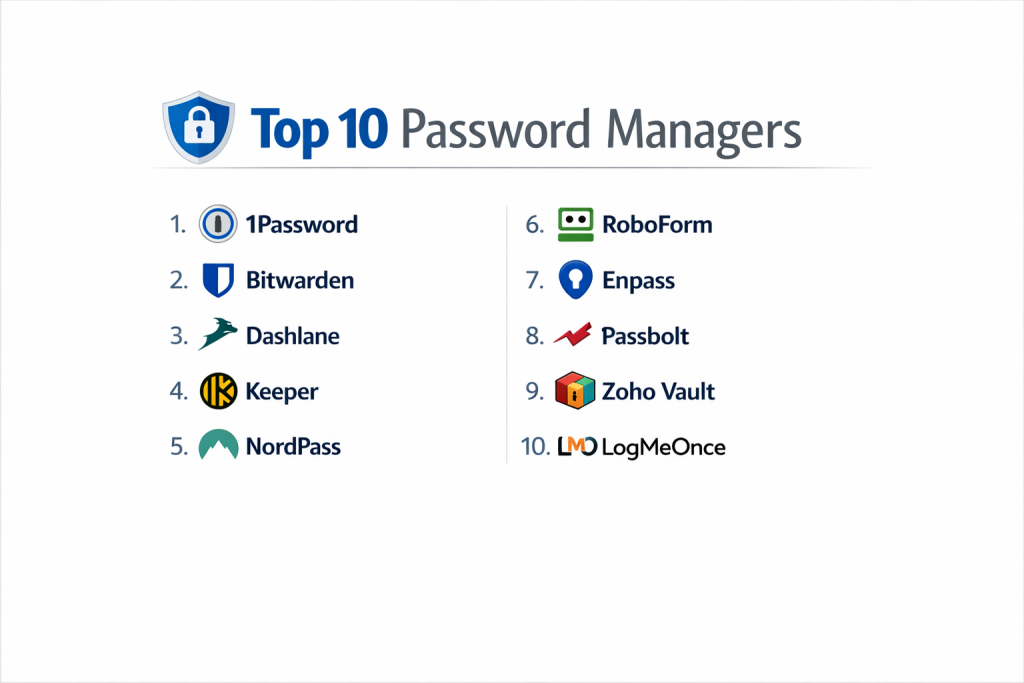
Top 10 Password Managers Tools
1 — 1Password
1Password is a premium, highly polished security tool that excels in both personal use and enterprise-grade team collaboration.
- Key Features:
- Watchtower: Scans for compromised passwords, reused credentials, and vulnerable websites.
- Travel Mode: Temporarily removes sensitive vaults from your devices when crossing borders.
- Secret Key: An additional layer of security beyond the master password for account encryption.
- Secure Sharing: Granular permissions for sharing “Vaults” with specific team members or family.
- Developer Tools: Integrated CLI and SSH key management for technical users.
- Pros:
- Exceptional user interface that makes complex security tasks feel intuitive.
- Strongest “Secret Key” architecture, providing an extra barrier against brute-force attacks.
- Cons:
- No permanent free tier; only a limited-time trial is available.
- Can be slightly more expensive than competitors for large families or small teams.
- Security & Compliance: SOC 2 Type 2, GDPR, HIPAA, and ISO 27001 compliant; AES-256 bit encryption.
- Support & Community: Comprehensive 24/7 email support, a very active community forum, and detailed technical documentation.
2 — Bitwarden
Bitwarden is the favorite among technical users and privacy advocates due to its open-source nature and transparent security model.
- Key Features:
- Open Source: The entire codebase is available for public audit on GitHub.
- Self-Hosting: Advanced users can host their own password vault on their own servers.
- Bitwarden Send: A secure way to share encrypted text or files with anyone via a link.
- Directory Connector: Syncs with Active Directory, LDAP, and Okta for business use.
- Vault Health Reports: Analyzes vault security and identifies data breaches.
- Pros:
- Offers the most robust and feature-rich free version on the market.
- Extreme flexibility for developers and IT admins who want total control over data.
- Cons:
- The user interface is more utilitarian and less “slick” than 1Password or Dashlane.
- Some advanced features require technical knowledge to set up (especially self-hosting).
- Security & Compliance: SOC 2 Type 2, GDPR, HIPAA, and Privacy Shield; regular third-party audits.
- Support & Community: Strong community-driven support, extensive documentation, and priority support for paid users.
3 — Dashlane
Dashlane is a feature-packed manager that positions itself as an all-in-one digital identity protection suite.
- Key Features:
- Built-in VPN: Includes a virtual private network for secure browsing on public Wi-Fi.
- Dark Web Monitoring: Scans the web and alerts you if your personal info is found.
- Automatic Password Changer: Can update passwords on hundreds of sites with a single click.
- Live Support: One of the few providers to offer real-time assistance.
- Confidential Notes: Secure storage for documents, IDs, and receipts.
- Pros:
- The “all-in-one” approach is great for users who don’t want to buy a separate VPN.
- Excellent mobile app performance and autofill reliability.
- Cons:
- One of the most expensive options if you don’t need the bundled VPN.
- The desktop experience has transitioned entirely to a browser extension, which some users dislike.
- Security & Compliance: SOC 2, GDPR, and US-EU Privacy Shield; AES-256 encryption.
- Support & Community: Live chat support (rare for the industry), email support, and a comprehensive help center.
4 — Keeper
Keeper is a highly secure, enterprise-focused manager that prioritizes deep administrative controls and zero-trust architecture.
- Key Features:
- BreachWatch: A continuous monitoring service for leaked credentials.
- KeeperChat: An encrypted messaging app for secure internal communication.
- Granular Admin Controls: Hundreds of “nodes” and roles for managing large organizations.
- Secure File Storage: Large encrypted storage options for sensitive corporate documents.
- Offline Mode: Allows users to access their vaults without an internet connection.
- Pros:
- Extremely high security standards; often favored by government and regulated industries.
- Flexible storage plans for businesses with significant document-security needs.
- Cons:
- Many “extra” features (like BreachWatch) require additional paid add-ons.
- The interface can feel a bit cluttered due to the number of enterprise features.
- Security & Compliance: SOC 2, ISO 27001, HIPAA, FedRAMP, and GDPR.
- Support & Community: 24/7 support, dedicated training sessions for enterprise clients, and an online knowledge base.
5 — NordPass
Created by the team behind NordVPN, NordPass focuses on simplicity and a modern, high-performance user experience.
- Key Features:
- XChaCha20 Encryption: Uses a modern encryption algorithm considered faster and more secure than traditional AES.
- Biometric Unlock: Seamless integration with FaceID, Fingerprint, and Windows Hello.
- Data Breach Scanner: Real-time monitoring of your email addresses for leaks.
- OCR Scanner: Can scan credit cards and notes directly into the vault using your camera.
- Emergency Access: Allows a trusted contact to access your vault in a crisis.
- Pros:
- One of the fastest and most lightweight applications available.
- Very simple setup process, making it ideal for non-technical family members.
- Cons:
- The browser extension is occasionally less reliable on niche websites compared to 1Password.
- The free version is quite restrictive regarding the number of active devices.
- Security & Compliance: GDPR compliant; SOC 2 Type 2; Independent audits by Cure53.
- Support & Community: 24/7 email and live chat support; growing community of users.
6 — RoboForm
RoboForm is one of the “original” password managers, famous for its superior form-filling capabilities and long history in the market.
- Key Features:
- Advanced Form Filling: Handles complex multi-page web forms better than almost any competitor.
- Folder Hierarchy: Allows for complex organization of thousands of passwords.
- Application Passwords: Can store passwords for Windows applications, not just websites.
- Bookmark Management: Includes a secure browser bookmarking system.
- Centralized Management: Easy-to-use console for small business administrators.
- Pros:
- Excellent value; often the most affordable paid plan for individuals.
- Best-in-class for users who deal with complex government or financial forms.
- Cons:
- The user interface looks dated compared to modern competitors like NordPass.
- Does not offer some of the modern “identity protection” extras found elsewhere.
- Security & Compliance: AES-256 encryption; GDPR compliant; PBKDF2 with SHA-256.
- Support & Community: 24/7 support for paid users; extensive legacy user base and documentation.
7 — Enpass
Enpass is unique because it is an “offline-first” manager that gives users total control over where their data is stored.
- Key Features:
- Local Storage: Your passwords are stored on your device, not on Enpass’s servers.
- Cloud Choice: You choose your sync provider (iCloud, Dropbox, Google Drive, OneDrive, or WebDAV).
- Multiple Vaults: Separate work, personal, and travel vaults with different sync locations.
- Smartwatch Support: Access specific passwords or pins from your Apple Watch or Wear OS.
- Audit Tool: Identifies weak, old, or compromised passwords locally.
- Pros:
- No subscription required; offers a one-time purchase “lifetime” license.
- Maximum privacy because the company never actually holds your data.
- Cons:
- Setup is slightly more complex as you must configure your own cloud syncing.
- Lacks some enterprise-specific collaboration features found in Okta or 1Password.
- Security & Compliance: SQLCipher/AES-256; Zero-knowledge (Company never has access).
- Support & Community: Active forum, email support, and a detailed help center.
8 — Passbolt
Passbolt is a specialized, open-source password manager designed specifically for dev teams and agile organizations.
- Key Features:
- OpenPGP Based: Uses the industry-standard PGP for encryption and authentication.
- Team Collaboration: Built from the ground up for sharing secrets in a professional environment.
- Granular ACLs: High-level access control lists for different team roles.
- API-Centric: Designed to be integrated into CI/CD pipelines and automated workflows.
- Self-Hosting Options: Robust support for Docker and other containerized deployments.
- Pros:
- The best choice for developers who need to share API keys and server passwords securely.
- Total transparency with 100% open-source code.
- Cons:
- Not designed for casual “family” use; the learning curve is steep.
- Mobile app support is newer and less feature-rich than veteran competitors.
- Security & Compliance: SOC 2; GDPR; OpenPGP standard; regular security audits.
- Support & Community: Professional enterprise support and a dedicated community of developers.
9 — Zoho Vault
Zoho Vault is a powerful business tool that integrates perfectly with the massive Zoho business suite.
- Key Features:
- Federated Login: Supports SSO (Single Sign-On) via Okta, Google, and Microsoft.
- Approval Workflows: Allows admins to require approval before a user can see a password.
- Role-Based Access: Easily manage permissions across entire departments.
- Audit Trails: Detailed logs of every time a password was accessed or changed.
- Developer APIs: Integrates with Python, Java, and other languages for secret management.
- Pros:
- Extremely competitive pricing for businesses already in the Zoho ecosystem.
- Strong compliance and auditing tools that meet strict enterprise standards.
- Cons:
- Can be “overkill” for an individual user just looking to store a few passwords.
- The mobile experience is good but not as fluid as 1Password.
- Security & Compliance: SOC 2, ISO 27001, HIPAA, and GDPR.
- Support & Community: 24/5 or 24/7 support depending on the plan; Zoho’s massive global support network.
10 — LogMeOnce
LogMeOnce is known for its wide variety of login methods and unique “photo login” technology.
- Key Features:
- PhotoLogin: Take a photo of yourself on your phone to log into your computer.
- Anti-Theft: Tracks the location of your device and can take a “mugshot” of an unauthorized user.
- USB Token Support: Can turn a standard USB drive into an encrypted security key.
- Password Dial: A visual way to manage and “dial” in your security levels.
- Scheduled Auto-Logouts: High-level session management for security.
- Pros:
- Offers more login options (biometrics, PIN, QR code, Photo) than almost any other tool.
- Very strong “physical security” features for mobile devices.
- Cons:
- The interface is very colorful and “busy,” which can be distracting for some users.
- The “free” tier includes ads, which is a significant drawback for a security app.
- Security & Compliance: AES-256; Zero-knowledge architecture; GDPR compliant.
- Support & Community: Email support and an online knowledge base.
Comparison Table
| Tool Name | Best For | Platform(s) Supported | Standout Feature | Rating (Gartner) |
| 1Password | Families & Teams | Windows, macOS, iOS, Android, Linux | Secret Key Security | 4.7 / 5 |
| Bitwarden | Open Source / Free | All + Self-host | Open Source Transparency | 4.6 / 5 |
| Dashlane | All-in-One Utility | Web, iOS, Android | Integrated VPN | 4.5 / 5 |
| Keeper | Enterprise Security | All | KeeperChat / BreachWatch | 4.6 / 5 |
| NordPass | Simplicity | All | XChaCha20 Encryption | 4.4 / 5 |
| RoboForm | Complex Form Filling | Windows, Mac, Mobile | Legacy Form Engine | 4.4 / 5 |
| Enpass | Offline Privacy | All + Desktop | Local Storage Ownership | 4.3 / 5 |
| Passbolt | Dev Teams | Web, Mobile | OpenPGP Architecture | N/A |
| Zoho Vault | Zoho Ecosystem | All | Approval Workflows | 4.4 / 5 |
| LogMeOnce | Login Variety | All | PhotoLogin & Anti-Theft | 4.2 / 5 |
Evaluation & Scoring of Password Managers
To help you make an objective choice, we have scored these tools based on a weighted rubric that reflects the priorities of modern digital life.
| Category | Weight | Evaluation Logic |
| Core Features | 25% | Quality of generating, storing, and sharing credentials. |
| Ease of Use | 15% | Intuitiveness of UI and reliability of browser autofill. |
| Integrations | 15% | Support for browsers, OSs, and enterprise SSO systems. |
| Security & Compliance | 10% | Encryption standards, zero-knowledge, and audits. |
| Performance | 10% | App speed and sync reliability across devices. |
| Support & Community | 10% | Documentation quality and 24/7 help availability. |
| Price / Value | 15% | Transparency of pricing and strength of free versions. |
Which Password Managers Tool Is Right for You?
Solo Users vs SMB vs Mid-Market vs Enterprise
- Solo Users: NordPass or Bitwarden (Free) are excellent starting points. If you want a more “premium” feel with better support, 1Password is the top pick.
- Small Business (SMB): Dashlane or RoboForm offer great features without requiring a full IT department to manage.
- Enterprise: Keeper and 1Password Business are built for scale, offering the deep audit logs and “provisioning” tools needed for thousands of employees.
Budget-Conscious vs Premium Solutions
If you are on a strict budget, Bitwarden is the clear winner; its free tier is generous and unrestricted. If you are willing to pay for a “concierge” experience, Dashlane or 1Password provide additional security layers and insurance-like features (VPN, Dark Web monitoring) that justify the cost.
Feature Depth vs Ease of Use
For those who want depth (custom PGP keys, self-hosting), Passbolt or Bitwarden are the way to go. For those who want ease of use (my grandmother could use this), NordPass is the simplest to navigate.
Integration and Scalability Needs
If your team lives in Zoho, obviously Zoho Vault is the most integrated. If your team is a mix of Windows and Mac and uses various browsers, 1Password offers the most consistent cross-platform experience.
Frequently Asked Questions (FAQs)
Q1: What happens if I forget my Master Password?
Answer: In a true “Zero-Knowledge” system (like 1Password or Bitwarden), the company cannot reset your password. You must use your “Emergency Kit” or recovery codes generated at setup. If you lose those, your data is likely gone forever.
Q2: Are password managers safe from hackers?
Answer: While no system is 100% invincible, password managers use AES-256 encryption that would take millions of years to crack. They are significantly safer than reusing passwords or writing them in a digital note.
Q3: Is it safe to use the password manager built into Chrome or Safari?
Answer: They are convenient and generally secure, but they often lack the “Security Auditing,” “MFA support,” and “Cross-Browser” flexibility of dedicated tools like Keeper or Bitwarden.
Q4: Can I share passwords with my spouse or coworkers?
Answer: Yes. Most managers have “Vault Sharing” or “Collections” specifically for this. It is much safer than texting or emailing passwords.
Q5: What is “Zero-Knowledge” architecture?
Answer: It means your master password is never sent to the company’s servers. They only store your encrypted “blob” of data. They have no “key” to see what is inside.
Q6: Do I need to be online to use a password manager?
Answer: Most modern managers (like Keeper and Enpass) have an offline mode that stores a local encrypted copy on your device so you can log in even without internet.
Q7: Can a password manager store more than just passwords?
Answer: Yes. You can store software license keys, digital copies of your passport, credit card numbers, and secure Wi-Fi passwords.
Q8: How often should I change my Master Password?
Answer: You don’t need to change it frequently if it is very long and unique. However, you should update it immediately if you suspect someone else has seen you type it.
Q9: What is “2FA/MFA” in a password manager?
Answer: This requires a second step (like a code on your phone) after you type your master password. It is the single best way to protect your vault from being hacked.
Q10: Can I switch from one password manager to another?
Answer: Yes. All major tools allow you to “Export” your data to a CSV file and “Import” it into a new manager. It usually takes less than five minutes.
Conclusion
The “best” Password Manager depends entirely on your specific lifestyle or business model. If you are a developer seeking absolute control, Bitwarden or Passbolt will satisfy your technical requirements. If you are a parent looking to secure your family’s digital life with minimal friction, 1Password or NordPass are the clear choices.
Ultimately, the best password manager is the one you will actually use. Moving away from “Password123” and toward a professional, encrypted vault is the single most important step you can take for your digital security this year.

- Top 10 Email Deliverability Tools: Features, Pros, Cons & Comparison - September 6, 2026
- Top 10 Pharmacovigilance Software: Features, Pros, Cons & Comparison - September 6, 2026
- Top 10 Manufacturing Execution Systems (MES) - July 30, 2026