Introduction
In the high-pressure world of cybersecurity, speed is the only currency that matters. As organizations face an overwhelming volume of alerts from fragmented security tools, human analysts are often left drowning in “alert fatigue.” Security Orchestration, Automation, and Response (SOAR) is the technology designed to fix this. SOAR platforms act as the “connective tissue” of a security stack, integrating disparate security tools and allowing teams to define incident response workflows in a digital format. By automating repetitive tasks—such as checking if an IP is malicious or isolating a compromised laptop—SOAR enables a Security Operations Center (SOC) to respond to threats in seconds rather than hours.
The importance of SOAR lies in its ability to standardize operations and bridge the skills gap. Key real-world use cases include automated phishing investigation, vulnerability management prioritization, and endpoint threat containment. When evaluating SOAR tools, users should look for ease of playbook creation, breadth of third-party integrations, case management depth, and robustness of data ingestion.
Best for: Security Operations Center (SOC) Managers, Incident Responders, and Managed Security Service Providers (MSSPs). It is essential for mid-market to large enterprises that manage complex security stacks and need to scale their response capabilities without exponentially increasing headcount.
Not ideal for: Small businesses with only one or two security tools and no dedicated security staff. If your “security stack” is just a single antivirus and a firewall, the complexity and cost of implementing a SOAR platform will far outweigh the benefits. In these cases, built-in automation within an XDR or SIEM is more appropriate.
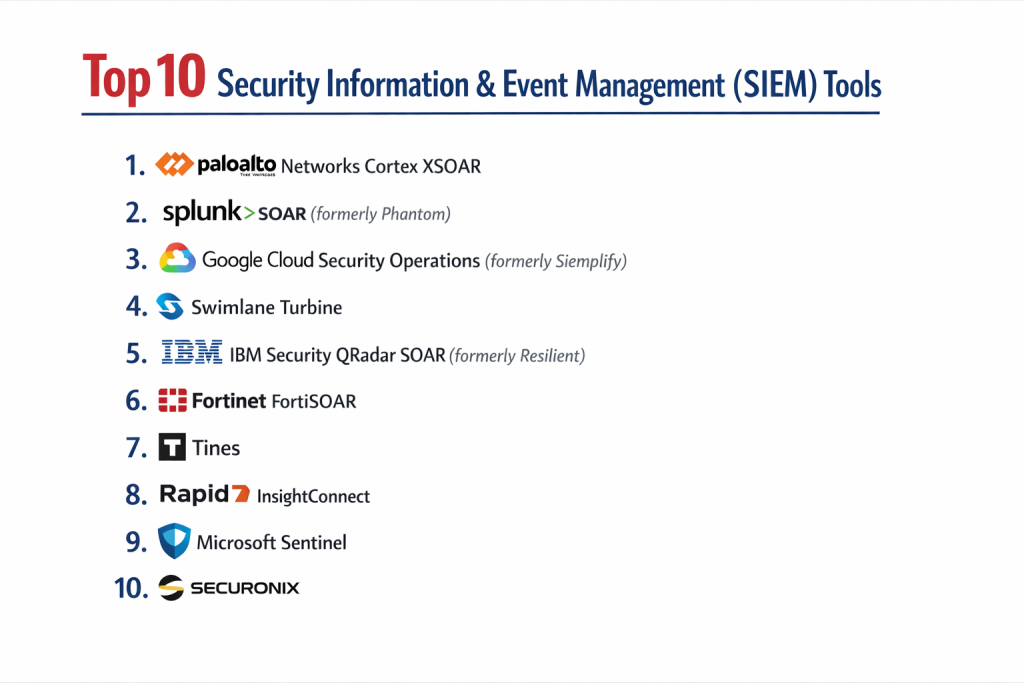
Top 10 Security Orchestration Automation & Response (SOAR) Tools
1 — Palo Alto Networks Cortex XSOAR
Cortex XSOAR (formerly Demisto) is widely considered the market leader, offering an extensive marketplace and a highly collaborative environment for incident response.
- Key Features:
- Visual Playbook Editor: Drag-and-drop interface for building complex automation workflows.
- Cortex Marketplace: Hundreds of pre-built integrations and “content packs” from third-party vendors.
- War Room: A collaborative space where analysts can chat and run real-time commands on endpoints.
- Machine Learning Assistant: Suggests the next best action for analysts based on historical data.
- Native Threat Intel Management: Fully integrates threat feeds directly into the response workflow.
- Enterprise Case Management: Robust system for tracking incidents from detection to closure.
- Pros:
- The most mature and extensive ecosystem of integrations in the industry.
- Exceptional community support and shared playbooks through the marketplace.
- Cons:
- High cost of ownership; licensing can be expensive for smaller teams.
- Steep learning curve to master advanced custom coding within playbooks.
- Security & Compliance: SOC 2 Type II, GDPR, HIPAA, ISO 27001, FedRAMP authorized.
- Support & Community: World-class enterprise support, a dedicated Slack community, and comprehensive training via Palo Alto’s Beacon portal.
2 — Splunk SOAR (formerly Phantom)
Splunk SOAR is a powerful automation engine designed to work seamlessly with the Splunk SIEM, though it also functions as a standalone platform.
- Key Features:
- Visual Action Editor: Allows users to build playbooks without writing code.
- Multi-tenant Support: Ideal for large organizations or MSSPs managing multiple clients.
- Splunk Ecosystem Sync: Deep, native integration with Splunk Enterprise Security.
- Mobile App: Allows analysts to approve automation actions (like “Isolate Host”) from their phones.
- Custom Code Block: Flexibility for advanced users to insert Python scripts directly into playbooks.
- Pros:
- Unmatched speed in execution; can process thousands of automated actions per minute.
- Strongest choice for organizations already heavily invested in the Splunk “Data-to-Everything” platform.
- Cons:
- The UI can feel technical and less “modern” than newer SaaS competitors.
- Can be resource-heavy for on-premise deployments.
- Security & Compliance: SOC 2, ISO 27001, GDPR, HIPAA.
- Support & Community: Massive user base, “Splunk Answers” forum, and extensive documentation.
3 — Google Cloud Security Operations (formerly Siemplify)
Google’s SOAR offering focuses on a “threat-centric” approach, grouping related alerts into a single case to reduce noise for the analyst.
- Key Features:
- Case Management Focus: Automatically groups related alerts into “Insight” cases.
- Intuitive UI: Designed to be user-friendly for junior analysts.
- Playbook Marketplace: Easy access to pre-defined workflows for Google Cloud and beyond.
- Visual Mapping: Displays the relationship between entities (users, IPs, files) in a graph view.
- Chronicle Integration: Native connection to Google’s high-speed security telemetry storage.
- Pros:
- Excellent at reducing alert fatigue through its unique alert grouping logic.
- Seamlessly integrates into the Google Cloud Security ecosystem.
- Cons:
- Smaller third-party integration library compared to Cortex XSOAR.
- Some enterprise features are still being merged from the Siemplify acquisition.
- Security & Compliance: SOC 2, ISO 27001, HIPAA, GDPR, FedRAMP.
- Support & Community: Backed by Google Cloud’s global support infrastructure and a growing community of Chronicle users.
4 — Swimlane Turbine
Swimlane is known for its “low-code” approach and its ability to handle data ingestion from sources far beyond just security logs.
- Key Features:
- Turbine Engine: Highly scalable architecture designed for high-volume data ingestion.
- Low-Code Playbooks: Focuses on accessibility for non-developers.
- Custom UI Creation: Allows teams to build their own custom dashboards and forms.
- API-First Design: Easy to integrate with niche or custom-built internal tools.
- Cross-Functional Automation: Can automate tasks for IT, HR, and DevOps.
- Pros:
- Extremely flexible; it can be used for much more than just security incident response.
- Very transparent and often more affordable pricing than the “Big Three” (Palo Alto, Splunk, IBM).
- Cons:
- Requires more manual “building” compared to tools that come with a massive marketplace of pre-made packs.
- Documentation for advanced custom use cases can be sparse.
- Security & Compliance: SOC 2 Type II, ISO 27001, GDPR, HIPAA.
- Support & Community: Highly responsive customer success teams and an active developer portal.
5 — IBM Security QRadar SOAR (formerly Resilient)
IBM’s SOAR platform is built on the foundation of the industry-standard Resilient platform, emphasizing regulatory compliance and structured response.
- Key Features:
- Dynamic Playbooks: Workflows that update in real-time as new information is discovered.
- Privacy Module: Tracks global data breach notification laws to ensure legal compliance.
- Breach Notification Tasks: Automatically suggests steps to meet GDPR or CCPA requirements.
- QRadar Ecosystem: Tight integration with IBM’s SIEM and network analytics.
- Visual Workflows: Clear, flowchart-style playbook design.
- Pros:
- The absolute best tool for organizations where legal and regulatory compliance is the top priority.
- Very stable and battle-tested in the world’s largest financial institutions.
- Cons:
- Can feel rigid compared to the “build-anything” nature of Swimlane or XSOAR.
- Integration with non-IBM tools can sometimes be more complex than expected.
- Security & Compliance: FIPS 140-2, SOC 2, ISO 27001, HIPAA, GDPR.
- Support & Community: Extensive global support network and the IBM X-Force threat intelligence community.
6 — Fortinet FortiSOAR
FortiSOAR provides a comprehensive, feature-rich platform that is particularly powerful for organizations using the Fortinet Security Fabric.
- Key Features:
- Role-Based Dashboards: Custom views for analysts, managers, and CISOs.
- Solution Packs: Bundled integrations and playbooks for specific use cases (e.g., Ransomware).
- Robust Case Management: High-performance database for long-term incident tracking.
- Multi-tenant Architecture: Strong capabilities for managed service providers.
- Visual Correlation Bridge: Shows how different alerts are connected across the network.
- Pros:
- Offers one of the most complete feature sets “out of the box” without needing expensive add-ons.
- Exceptional value for money if you are already a Fortinet customer.
- Cons:
- The user interface can be overwhelming due to the density of features.
- Less community-driven content compared to Palo Alto’s marketplace.
- Security & Compliance: SOC 2, ISO 27001, HIPAA, GDPR.
- Support & Community: Strong professional services and training via the Fortinet Training Institute.
7 — Tines
Tines is the “disruptor” in the space, moving away from rigid case management to focus purely on a high-end, no-code automation experience.
- Key Features:
- Seven Action Types: Simplifies automation into seven core building blocks.
- No-Code Interface: Built for speed and ease of use without specialized training.
- Any-API Integration: If a tool has an API, Tines can connect to it instantly.
- Storyboards: A beautiful, clean canvas for visualizing automation logic.
- Real-time Data Preview: See exactly what data is flowing through the playbook as you build it.
- Pros:
- Arguably the fastest tool for building and deploying new automations.
- Very lightweight and requires zero infrastructure management (SaaS).
- Cons:
- Does not have a built-in “Case Management” system; it expects you to use Jira or ServiceNow.
- Not ideal for teams that want a “traditional” SOC portal experience.
- Security & Compliance: SOC 2 Type II, ISO 27001, HIPAA, GDPR.
- Support & Community: Highly active Slack community and excellent self-paced training (Tines University).
8 — Rapid7 InsightConnect
InsightConnect is designed for the “lean” SOC, focusing on ease of use and rapid time-to-value within the Rapid7 Insight ecosystem.
- Key Features:
- 200+ Plugins: Pre-built connectors for major security and IT tools.
- Extension Library: Downloadable workflows for common tasks like credential rotation.
- Human-in-the-Loop: Easy triggers for analyst approval before a destructive action is taken.
- Insight Platform Sync: Native integration with InsightIDR (SIEM) and InsightVM.
- Visual Workflow Builder: Simple, linear playbook design.
- Pros:
- Easiest to deploy for teams that don’t have dedicated automation engineers.
- Included in many Rapid7 bundles, making it very cost-effective for existing users.
- Cons:
- Lacks the deep customization and “branching” logic found in XSOAR or Splunk.
- Case management features are relatively basic.
- Security & Compliance: SOC 2 Type II, ISO 27001, GDPR, HIPAA.
- Support & Community: Friendly user community and responsive technical support.
9 — LogRhythm Axon (formerly SmartResponse)
LogRhythm has transitioned its SOAR capabilities into a modern, cloud-native platform called Axon, aimed at simplifying the analyst experience.
- Key Features:
- Cloud-Native SaaS: No on-premise hardware required.
- Integrated Case Management: Direct link between SIEM alerts and SOAR actions.
- Pre-built Playbooks: Focused on the most common SOC tasks.
- Unified Search: Search across logs and automation history simultaneously.
- Simplified Licensing: Easy to understand pricing for growing teams.
- Pros:
- Provides a very cohesive experience for users of the LogRhythm SIEM.
- Faster implementation than traditional on-premise SOAR tools.
- Cons:
- Newer platform compared to Cortex or QRadar; feature parity is still evolving.
- Smaller third-party ecosystem than the market leaders.
- Security & Compliance: SOC 2, ISO 27001, HIPAA, GDPR.
- Support & Community: Reliable US-based support and a solid knowledge base.
10 — ThreatConnect
ThreatConnect is unique because it combines SOAR with a powerful Threat Intelligence Platform (TIP), making it a data-driven choice.
- Key Features:
- Intelligence-Driven Orchestration: Uses real-time threat data to trigger playbooks.
- Calibrate: Helps organizations measure the financial risk of specific threats.
- Collective Analytics: Anonymously shares threat trends across the user base.
- Robust Integration Library: Connects with over 100+ security products.
- Detailed Intelligence Profiles: Provides deep context on threat actors and malware families.
- Pros:
- The best choice for organizations with a heavy focus on Threat Intelligence.
- Helps bridge the gap between technical security alerts and business risk.
- Cons:
- The interface is complex and aimed at senior threat researchers.
- Can be overkill for organizations that just want simple automation.
- Security & Compliance: SOC 2 Type II, ISO 27001, GDPR, HIPAA.
- Support & Community: High-touch support and professional services for intelligence-led SOCs.
Comparison Table
| Tool Name | Best For | Platform(s) Supported | Standout Feature | Rating (Gartner) |
| Cortex XSOAR | Large Enterprises | All / Hybrid | Marketplace & War Room | 4.8 / 5 |
| Splunk SOAR | Splunk Users | All / Hybrid | High-speed Execution | 4.5 / 5 |
| Google SOAR | Google Cloud Users | Cloud (SaaS) | Alert Grouping (Insights) | 4.6 / 5 |
| Swimlane | High-Volume Data | All / SaaS | Multi-functional Automation | 4.7 / 5 |
| IBM QRadar SOAR | Compliance / Legal | All / Hybrid | Privacy / Regulatory Sync | 4.4 / 5 |
| FortiSOAR | Fortinet Ecosystem | All / Hybrid | Fortinet Fabric Sync | 4.4 / 5 |
| Tines | Modern No-Code | Cloud (SaaS) | Pure Workflow Speed | N/A |
| InsightConnect | Lean SOC Teams | Cloud (SaaS) | Rapid Deployment | 4.5 / 5 |
| LogRhythm Axon | LogRhythm Users | Cloud (SaaS) | Unified SaaS Experience | 4.3 / 5 |
| ThreatConnect | Intel-Led SOCs | All / Hybrid | TIP + SOAR Integration | 4.4 / 5 |
Evaluation & Scoring of SOAR Platforms
To provide an objective perspective, we have evaluated the SOAR market using a weighted rubric based on industry requirements.
| Category | Weight | Evaluation Logic |
| Core Features | 25% | Quality of playbooks, case management, and orchestration. |
| Ease of Use | 15% | Intuitiveness of the UI and “no-code” capabilities. |
| Integrations | 15% | Breadth and depth of third-party API support. |
| Security & Compliance | 10% | Encryption, SSO, and global certifications. |
| Performance | 10% | Scalability and latency of automated actions. |
| Support & Community | 10% | Availability of pre-built content and tech support. |
| Price / Value | 15% | Transparency and accessibility of the pricing model. |
Which SOAR Tool Is Right for You?
Solo Users vs SMB vs Mid-Market vs Enterprise
- Small Business / Solo Users: Generally, you should avoid standalone SOAR. Use the built-in automation in your EDR (like CrowdStrike) or SIEM. If you must automate, Tines offers a free tier that is excellent for learning.
- Mid-Market: Rapid7 InsightConnect or Google SOAR are great choices. They offer a “middle ground” of powerful features without requiring a full-time staff of automation engineers.
- Enterprise: Cortex XSOAR, Splunk SOAR, or IBM QRadar SOAR are the standard. They can handle the massive complexity and diverse toolsets found in global corporations.
Budget-Conscious vs Premium Solutions
If you are on a tight budget, Swimlane often offers the most flexible pricing for what you get. If budget is secondary to capability, Cortex XSOAR is the premium choice that provides the most comprehensive marketplace and community support.
Feature Depth vs Ease of Use
- Depth: Cortex XSOAR and Splunk SOAR allow you to do almost anything, but they require technical skill.
- Ease of Use: Tines and Rapid7 are built for the analyst who wants to build a workflow in 10 minutes without looking at a manual.
Integration and Scalability Needs
If you process millions of events per day, the Swimlane Turbine or Splunk SOAR architecture is designed for that load. If your integration needs are centered around specific hardware (Firewalls), check the vendor-specific tools like FortiSOAR.
Frequently Asked Questions (FAQs)
Q1: What is the main difference between SIEM and SOAR?
Answer: A SIEM is like a giant library that collects and searches logs to find a threat. A SOAR is like a first responder that takes action to stop the threat. SIEM detects; SOAR responds.
Q2: Do I need a SIEM to use a SOAR?
Answer: Not necessarily, but it is common. SOAR platforms can ingest data directly from EDRs, Email gateways, and Firewalls, though a SIEM provides a better “centralized” trigger for SOAR playbooks.
Q3: Is “No-Code” really no-code?
Answer: For 80% of tasks, yes. However, for highly complex logic or niche internal tools, you will almost always eventually need someone who understands Python or JSON.
Q4: How long does it take to implement a SOAR tool?
Answer: A basic setup can take 2-4 weeks. However, building and tuning a full library of automated playbooks is an ongoing process that usually takes 6-12 months to reach maturity.
Q5: Can SOAR replace human analysts?
Answer: No. SOAR replaces the “boring” work of human analysts. It frees them up to do high-level tasks like threat hunting and architectural design.
Q6: What is a “Playbook”?
Answer: A playbook is a digital version of an incident response plan. It is a step-by-step flowchart that tells the SOAR platform which actions to take when an alert is triggered.
Q7: How does SOAR help with “Alert Fatigue”?
Answer: It filters out the noise. For example, a SOAR can automatically check if a “Failed Login” was just a user forgetting their password, only alerting a human if the behavior looks like a brute-force attack.
Q8: What are the biggest mistakes in SOAR implementation?
Answer: Trying to automate everything at once. The best practice is to “Crawl, Walk, Run”—start by automating a single, simple task (like a password reset) and grow from there.
Q9: Is SOAR expensive to maintain?
Answer: The software is one cost, but the “people” are the other. You need staff who can maintain the integrations as APIs change and update playbooks as your security policies evolve.
Q10: Can SOAR help with non-security tasks?
Answer: Yes. Many teams use SOAR for IT tasks like onboarding/offboarding employees, managing SSL certificate renewals, and auditing cloud configurations.
Conclusion
The “best” SOAR tool is the one that actually gets used. In the past, SOAR was a luxury for the world’s largest banks, but today, tools like Tines and InsightConnect have made automation accessible to everyone. If you are a heavy Palo Alto or Splunk shop, the native integrations of their respective SOARs are likely your best bet. If you want a platform that can grow into every corner of your business, Swimlane is a powerful contender.
Ultimately, SOAR is about reclaiming your team’s time. By automating the mundane, you allow your security experts to focus on what humans do best: critical thinking, strategy, and staying one step ahead of the adversary.

- Top 10 Email Deliverability Tools: Features, Pros, Cons & Comparison - September 6, 2026
- Top 10 Pharmacovigilance Software: Features, Pros, Cons & Comparison - September 6, 2026
- Top 10 Manufacturing Execution Systems (MES) - July 30, 2026