Introduction
In the modern era of microservices, containers have become the standard unit of software deployment. However, the speed and agility provided by Docker and Kubernetes come with unique security challenges. Container Security Tools are specialized software solutions designed to protect the entire container lifecycle—from the moment code is written and images are built to the second they are deployed and running in a production cluster. These tools address vulnerabilities within container images, misconfigurations in orchestration platforms, and anomalous behavior in running containers.
The importance of these tools cannot be overstated. A single vulnerable package in a base image or a misconfigured Kubernetes API can expose an entire enterprise to data breaches or crypto-jacking attacks. Real-world use cases include automated image scanning in CI/CD pipelines to block “dirty” builds, runtime threat detection to stop lateral movement during an active breach, and compliance auditing to ensure container environments meet strict standards like PCI-DSS or SOC 2. When choosing a tool, users should evaluate its registry integration, vulnerability database accuracy, runtime performance impact, and Kubernetes-native visibility.
Best for: DevOps Engineers, Cloud Security Architects, and DevSecOps teams in mid-to-large enterprises. It is essential for any organization building cloud-native applications or managing production-grade Kubernetes environments across Finance, E-commerce, and Tech sectors.
Not ideal for: Small businesses or hobbyists using managed “one-click” app hosting services where the provider manages the entire infrastructure. If you aren’t managing your own container images or orchestration, the native security features of your cloud provider are likely sufficient.
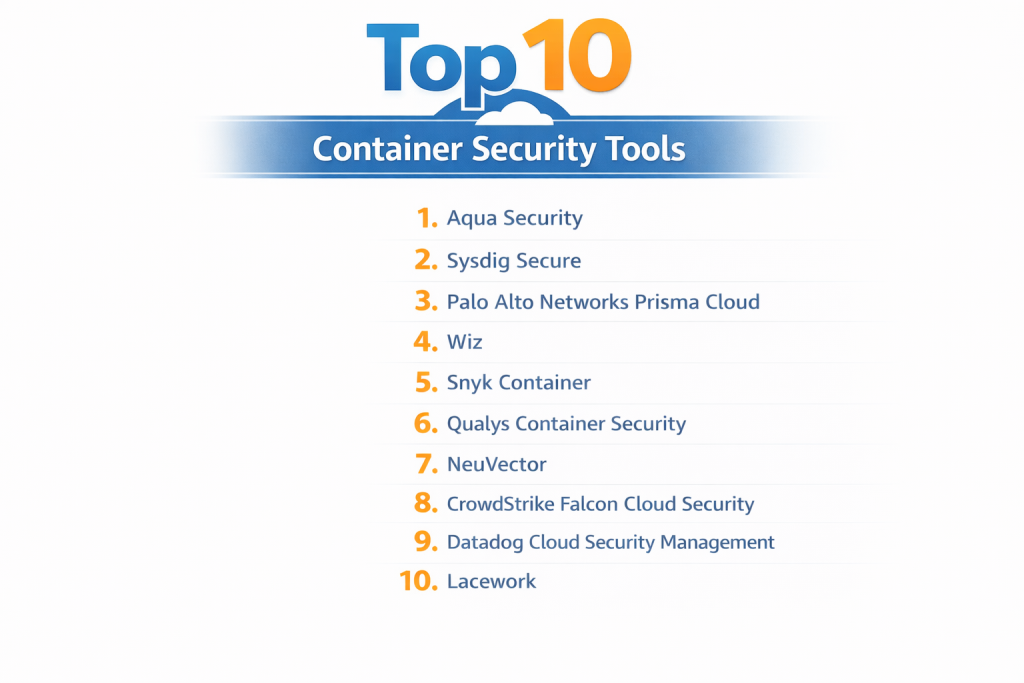
Top 10 Container Security Tools
1 — Aqua Security
Aqua Security is an industry-leading platform that provides a “full-lifecycle” approach to container security, covering everything from the build phase to production runtime.
- Key Features:
- Image Vulnerability Scanning: Deep inspection of container images for known CVEs and malware.
- Dynamic Threat Analysis (DTA): Runs images in a secure sandbox to detect hidden malicious behavior.
- KubeBench Integration: Automatically audits Kubernetes clusters against CIS benchmarks.
- Micro-segmentation: Controls container-to-container network traffic based on identity.
- Drift Prevention: Ensures that running containers cannot be modified from their original image state.
- Advanced CI/CD Plugins: Seamless integration with Jenkins, GitLab, and Azure DevOps.
- Pros:
- Unmatched runtime protection capabilities that can actually “block” suspicious activity.
- Very comprehensive compliance reporting for highly regulated industries.
- Cons:
- The platform is complex and can require significant time to master.
- Generally positioned at a premium price point.
- Security & Compliance: SOC 2 Type II, ISO 27001, GDPR, HIPAA, and PCI-DSS ready.
- Support & Community: Enterprise-grade support, extensive documentation, and a strong presence in the open-source community via tools like Trivy.
2 — Sysdig Secure
Built on the open-source Falco project, Sysdig Secure provides deep visibility into containerized environments by monitoring system calls at the kernel level.
- Key Features:
- Falco-based Runtime Security: Real-time detection of anomalous behavior using the industry-standard engine.
- Vulnerability Management: Scans images across registries and in use within production.
- Kubernetes Monitoring: Combines security data with performance metrics for a unified view.
- Posture Management (CSPM): Identifies misconfigurations in cloud accounts and K8s clusters.
- Deep Forensics: Capture system snapshots during an event to perform post-mortem analysis.
- Network Visibility: Maps all container communications to identify suspicious traffic.
- Pros:
- The deepest level of visibility available, seeing exactly what happens at the system level.
- Excellent for teams that want to merge security and observability into one tool.
- Cons:
- The high volume of data can be overwhelming if policies aren’t tuned correctly.
- Resource consumption on nodes can be higher than agentless alternatives.
- Security & Compliance: SOC 2, HIPAA, GDPR, NIST, and PCI-DSS templates.
- Support & Community: Large open-source community around Falco and Prometheus; robust global enterprise support.
3 — Palo Alto Networks Prisma Cloud
Prisma Cloud is a massive, “all-in-one” cloud-native security platform (CNAPP) that incorporates the technology from the Twistlock acquisition to protect containers.
- Key Features:
- Host & Container Protection: Unified security for VMs, containers, and serverless.
- WAAS (Web App & API Security): Protects containerized web apps from Layer 7 attacks.
- Vulnerability Intelligence: Correlates 30+ data sources for highly accurate risk scoring.
- Admission Control: Prevents non-compliant images from being deployed to Kubernetes.
- Trusted Images: Creates a whitelist of verified images that are allowed to run.
- Infrastructure as Code (IaC) Scanning: Finds flaws in Terraform or Helm charts before deployment.
- Pros:
- One of the most mature and feature-rich platforms available for global enterprises.
- Exceptional integration with the broader Palo Alto Networks security ecosystem.
- Cons:
- The user interface can feel fragmented due to the sheer number of features.
- Initial configuration is a heavy undertaking for smaller teams.
- Security & Compliance: FedRAMP High, SOC 2, ISO 27001, GDPR, HIPAA.
- Support & Community: Global 24/7 enterprise support, dedicated technical account managers, and a vast partner network.
4 — Wiz
Wiz has disrupted the market with its “agentless” approach, using API-based scanning and disk snapshots to provide visibility without impacting container performance.
- Key Features:
- Agentless Scanning: Inspects container workloads by analyzing disk snapshots rather than running code.
- The Wiz Graph: Visualizes how vulnerabilities, misconfigurations, and identities create attack paths.
- Container Registry Integration: Automatically scans images in AWS ECR, Azure ACR, and Google GCR.
- Kubernetes Admission Controller: Enforces security policies at the K8s cluster level.
- Secret Detection: Scans for hardcoded keys and passwords inside container layers.
- Compliance Dashboards: Real-time tracking against industry standards.
- Pros:
- Zero impact on production performance; no agents to install or manage.
- Provides the best “prioritization” of risk, showing you exactly what to fix first.
- Cons:
- Lacks the deep “real-time blocking” capabilities of agent-based runtime tools.
- Can be very expensive for organizations with high data volumes.
- Security & Compliance: SOC 2 Type II, ISO 27001, GDPR, HIPAA, FedRAMP Moderate.
- Support & Community: Highly rated customer success teams and a rapidly growing user community.
5 — Snyk Container
Snyk is a developer-centric security platform that focuses on helping engineers fix vulnerabilities in container images and base layers as they write code.
- Key Features:
- Developer-First Scanning: Provides remediation advice directly in the CLI and IDE.
- Base Image Recommendations: Suggests more secure base images to reduce vulnerability count.
- Kubernetes Integration: Scans running workloads to identify which vulnerabilities are actually exploitable.
- Binary Analysis: Detects vulnerabilities in unmanaged binaries within images.
- Policy as Code: Defines and enforces security standards across the development lifecycle.
- Infrastructure as Code: Scans Kubernetes YAML and Helm charts for security flaws.
- Pros:
- The most “friendly” tool for developers; it helps them fix problems, not just find them.
- Extremely easy to integrate into modern Git-based workflows.
- Cons:
- Less focus on “runtime” protection (blocking active attacks) compared to Aqua or Sysdig.
- Deep Kubernetes security requires the enterprise-tier license.
- Security & Compliance: SOC 2 Type II, ISO 27001, GDPR.
- Support & Community: Massive developer community, free tier for open-source, and excellent documentation.
6 — Lacework
Lacework uses a data-driven approach, employing machine learning to understand the “normal” behavior of your containers and alerting you only when something changes.
- Key Features:
- Polygraph Data Platform: Automatically maps container behaviors and communications.
- Anomaly Detection: Identifies suspicious activity without requiring manual rule-writing.
- Vulnerability Management: Full scanning for containers, hosts, and cloud infrastructure.
- Kubernetes Audit Logs: Analyzes K8s logs to find unauthorized API calls or configuration changes.
- Multi-Cloud Support: Consistent visibility across AWS, Azure, and GCP.
- Contextual Alerts: Groups related security events to reduce alert fatigue.
- Pros:
- Dramatically reduces the time spent writing and maintaining security rules.
- Excellent for finding “unknown unknowns” that static scanners miss.
- Cons:
- The AI requires a “learning period” (usually a week) to become accurate.
- Can be difficult to troubleshoot “why” an alert was triggered due to its AI nature.
- Security & Compliance: SOC 2 Type II, ISO 27001, GDPR, HIPAA.
- Support & Community: Dedicated customer success and robust enterprise support.
7 — Qualys Container Security
Qualys extends its massive vulnerability management platform into the container world, offering a unified view of risk across VMs and containers.
- Key Features:
- Sensor-based Scanning: Uses lightweight sensors to scan images in registries and CI/CD.
- Runtime Visibility: Monitors container behavior and detects anomalies in production.
- Dynamic Analysis: Identifies flaws that only appear when a container is running.
- Unified Dashboard: Combines container risks with traditional asset risks.
- Inventory Management: Provides a real-time list of all images, containers, and K8s clusters.
- CI/CD Gateway: Blocks non-compliant images from moving further in the pipeline.
- Pros:
- Perfect for organizations that already use Qualys for their traditional infrastructure.
- Very stable and reliable scanning engine with low false-positive rates.
- Cons:
- The interface can feel “traditional” and less agile than cloud-native startups.
- Some advanced runtime features can be complex to configure.
- Security & Compliance: FedRAMP, SOC 2, ISO 27001, HIPAA, GDPR.
- Support & Community: Global 24/7 support and a well-established user training program.
8 — NeuVector (by SUSE)
NeuVector is a specialized container security platform that focuses on “Zero Trust” networking and deep packet inspection for container traffic.
- Key Features:
- Layer 7 Firewall: Deep packet inspection for all container-to-container traffic.
- Zero-drift Protection: Blocks any unauthorized process from starting in a container.
- Automated Security Policy: Automatically learns network rules and applies them.
- DLP (Data Loss Prevention): Scans network traffic for sensitive data like credit card numbers.
- Open Source Platform: Now fully open-source following the acquisition by SUSE.
- Multi-cluster Management: Provides a single console for multiple global K8s clusters.
- Pros:
- The most advanced network security features in the container security category.
- Open-source nature provides transparency and avoids vendor lock-in.
- Cons:
- Requires agents on every node, which can increase operational overhead.
- Steep learning curve for teams not familiar with advanced networking.
- Security & Compliance: SOC 2, GDPR, HIPAA.
- Support & Community: Growing open-source community and professional support from SUSE.
9 — CrowdStrike Falcon Cloud Security
CrowdStrike applies its industry-leading EDR (Endpoint Detection and Response) expertise to the cloud, providing a powerful agent for container runtime protection.
- Key Features:
- Unified Falcon Agent: One agent protects the host and all containers running on it.
- Container Image Assessment: Scans for vulnerabilities in the registry and at runtime.
- Managed Threat Hunting: Access to CrowdStrike experts who hunt for threats in your clusters.
- K8s Protection: Detects unauthorized access to the Kubernetes control plane.
- Drift Detection: Identifies when a container’s runtime behavior deviates from its image.
- Threat Intelligence: Feeds data from the global CrowdStrike network to identify attackers.
- Pros:
- Unrivaled performance in detecting and stopping active, human-led attacks.
- Very low performance impact compared to other agent-based solutions.
- Cons:
- Requires agent installation on the host, which may not be possible in some “Fargate-style” environments.
- Focus is primarily on runtime and threats rather than “shift-left” code scanning.
- Security & Compliance: SOC 2, ISO 27001, FedRAMP, GDPR, HIPAA.
- Support & Community: Elite 24/7 support and an active “Falcon City” user community.
10 — Datadog Cloud Security Management
For companies already using Datadog for monitoring, their security platform offers a seamless way to add container security without new agents.
- Key Features:
- Unified Observability: See logs, metrics, and security threats in the same view.
- Workload Security: Monitors for file and process anomalies in containers.
- Compliance Monitoring: Tracks container posture against CIS benchmarks in real-time.
- Vulnerability Analysis: Identifies CVEs in images and libraries.
- Security Signals: Uses Datadog’s correlation engine to find complex attack patterns.
- Network Performance Monitoring: Visualizes container traffic flows for security audits.
- Pros:
- Eliminates the “silo” between DevOps and Security teams.
- Fast to implement if you are already using the Datadog agent.
- Cons:
- Security features are newer and slightly less deep than specialized tools like Aqua.
- High data volume can lead to unpredictable monthly costs.
- Security & Compliance: SOC 2, ISO 27001, HIPAA, GDPR.
- Support & Community: Excellent documentation and a massive global user base.
Comparison Table
| Tool Name | Best For | Platform(s) Supported | Standout Feature | Rating (Gartner) |
| Aqua Security | Full Lifecycle / Compliance | All Clouds / K8s | Drift Prevention | 4.7 / 5 |
| Sysdig Secure | Security + Observability | All Clouds / K8s | System Call Forensics | 4.6 / 5 |
| Prisma Cloud | Large Enterprises | All Clouds / Hybrid | Code-to-Cloud Unity | 4.5 / 5 |
| Wiz | Fast Risk Prioritization | All Clouds / K8s | Agentless Graph | 4.8 / 5 |
| Snyk Container | Developer Teams | All Clouds / CI/CD | Base Image Remediation | 4.6 / 5 |
| Lacework | Lean Security Teams | All Clouds / K8s | Anomaly Detection AI | 4.4 / 5 |
| Qualys | Unified Asset Risk | All Clouds / Hybrid | Unified Vulnerability DB | 4.5 / 5 |
| NeuVector | Zero-Trust Networking | All Clouds / K8s | Layer 7 Container FW | 4.6 / 5 |
| CrowdStrike | Threat Prevention | All Clouds / Hybrid | Managed Threat Hunting | 4.8 / 5 |
| Datadog | DevOps / SRE Teams | All Clouds / Hybrid | Observability Context | 4.5 / 5 |
Evaluation & Scoring of Container Security Tools
To help you decide, we have evaluated the general category based on a weighted scoring rubric that reflects the priorities of modern security teams.
| Category | Weight | Evaluation Rationale |
| Core Features | 25% | Scanning accuracy, runtime protection, and IaC/Secret detection. |
| Ease of Use | 15% | Time to value, UI/UX, and deployment simplicity (Agentless vs Agent). |
| Integrations | 15% | Support for CI/CD, SIEM, SOAR, and diverse cloud registries. |
| Security & Compliance | 10% | Pre-built compliance frameworks and platform hardening. |
| Performance | 10% | Impact on latency and resource overhead on K8s nodes. |
| Support & Community | 10% | Documentation quality and 24/7 technical support. |
| Price / Value | 15% | Transparency and ROI for different company sizes. |
Which Container Security Tool Is Right for You?
Solo Users vs SMB vs Mid-Market vs Enterprise
- Small Business/Solo: Start with Snyk Container. Its free tier and developer-centric approach are perfect for small teams managing a handful of images.
- Mid-Market: Wiz or Lacework are excellent choices because they offer massive visibility with very low management overhead (agentless or automated rules).
- Enterprise: Aqua Security or Prisma Cloud are the standards for enterprises that need granular control, complex compliance reporting, and dedicated support.
Budget-Conscious vs Premium Solutions
If budget is the primary driver, NeuVector (open-source) or the native tools from cloud providers (like AWS Security Hub) are your best bet. If you have the budget for a “premium” experience that provides deep security validation, Aqua and CrowdStrike are worth the investment.
Feature Depth vs Ease of Use
- Depth: Sysdig and NeuVector are the deepest tools. If you have a high-end security engineering team that wants to see system calls and packet data, these are for you.
- Ease of Use: Wiz is the winner in usability. Its graph-based UI makes it easy for even non-security experts to understand where the risks are.
Integration and Scalability Needs
For those heavily invested in the “Shift Left” philosophy, Snyk and Aqua offer the best CI/CD integration. For massive scalability across multi-cloud environments, the agentless model of Wiz or Orca Security (not listed, but similar to Wiz) is generally the easiest to scale.
Frequently Asked Questions (FAQs)
Q1: How is container security different from regular server security?
Answer: Containers are ephemeral and share the same OS kernel. Traditional tools often miss the internal traffic between containers and can’t see “inside” the container images sitting in a registry.
Q2: What is “Shift Left” security?
Answer: It means moving security earlier in the development process—scanning code and images while the developer is writing them, rather than waiting until they are running in production.
Q3: Do I really need an agent?
Answer: Agentless tools (like Wiz) are great for visibility and posture. Agent-based tools (like Aqua or Sysdig) are necessary if you want to block an attack in real-time or see deep network traffic.
Q4: Will these tools slow down my Kubernetes clusters?
Answer: Agentless tools have zero impact. Agent-based tools have a small overhead (usually 1–3% CPU/RAM). NeuVector and Sysdig, which do deep packet/system call inspection, require more careful tuning.
Q5: Can these tools find secrets like passwords?
Answer: Yes, most modern tools (Wiz, Prisma, Snyk) have built-in engines to scan image layers for hardcoded API keys, passwords, and certificates.
Q6: What is a “Distroless” image and does it help?
Answer: Distroless images contain only your application and its dependencies, removing shells and package managers. This reduces the attack surface, but security tools are still needed to scan the remaining code.
Q7: Can I use multiple tools?
Answer: Yes. Many teams use Snyk for developer-side scanning and CrowdStrike or Aqua for production runtime protection.
Q8: How does container security handle compliance?
Answer: These tools map your container configurations to standards like HIPAA or PCI-DSS and generate reports to prove to auditors that your environment is secure.
Q9: What is “Image Signing”?
Answer: It is a process where an image is cryptographically signed after passing a security scan. Tools like Aqua or Prisma can then prevent any unsigned image from ever running.
Q10: Is open-source enough for container security?
Answer: For small projects, tools like Trivy and Falco are excellent. However, enterprises usually need a commercial platform for unified dashboards, RBAC, and historical reporting.
Conclusion
Container security is no longer a niche requirement—it is the bedrock of modern cloud-native architecture. The “best” tool is rarely a single product, but rather the one that aligns with your team’s culture. If you are a developer-led organization, Snyk will feel like home. If you are a high-security enterprise requiring real-time blocking, Aqua or CrowdStrike are the logical choices.
Ultimately, the goal is to create a “frictionless” security environment where vulnerabilities are caught in the IDE, misconfigurations are blocked at the Kubernetes API, and threats are neutralized in the kernel. By choosing one of these top 10 tools, you are taking a massive step toward securing your digital future.

- Top 10 Email Deliverability Tools: Features, Pros, Cons & Comparison - September 6, 2026
- Top 10 Pharmacovigilance Software: Features, Pros, Cons & Comparison - September 6, 2026
- Top 10 Manufacturing Execution Systems (MES) - July 30, 2026