Introduction
Real-time Analytics Platforms are specialized software environments designed to ingest, process, and analyze data as soon as it is generated. Unlike batch processing systems that collect data over time and analyze it in chunks, real-time platforms operate on “streaming” data. This allows organizations to gain instantaneous insights from sources like IoT sensors, user interactions on websites, financial market fluctuations, and system logs. These platforms prioritize low latency and high throughput, ensuring that the time between data generation and insight is measured in milliseconds or seconds.
Why It Matters
Real-time analytics is no longer a luxury; it is a necessity for operational agility. It enables businesses to respond to events as they unfold. For example, an e-commerce platform can provide personalized recommendations based on what a user is clicking on this second, or a logistics company can reroute drivers based on immediate traffic disruptions. By moving from a “reactive” to a “proactive” stance, companies can optimize resources and significantly improve customer experiences.
Key Real-World Use Cases
- Fraud Detection: Identifying and blocking suspicious credit card transactions instantly.
- Operational Monitoring: Tracking the health of server clusters or manufacturing equipment to prevent downtime.
- Dynamic Pricing: Adjusting ride-share or airline prices based on current demand and supply.
- Personalized Marketing: Triggering in-app notifications based on immediate user behavior.
What to Look For
When choosing a platform, evaluation criteria should include ingestion latency, query performance, scalability, connector ecosystem, and whether the platform supports “exactly-once” processing to ensure data accuracy.
Best for: Data engineers, DevOps teams, and product managers in organizations that deal with high-velocity data. It is essential for Fintech, AdTech, E-commerce, Cybersecurity, and IoT-driven industries.
Not ideal for: Companies that only need monthly financial reports or businesses with static data that doesn’t change frequently. In these cases, a traditional data warehouse with batch processing is more cost-effective.
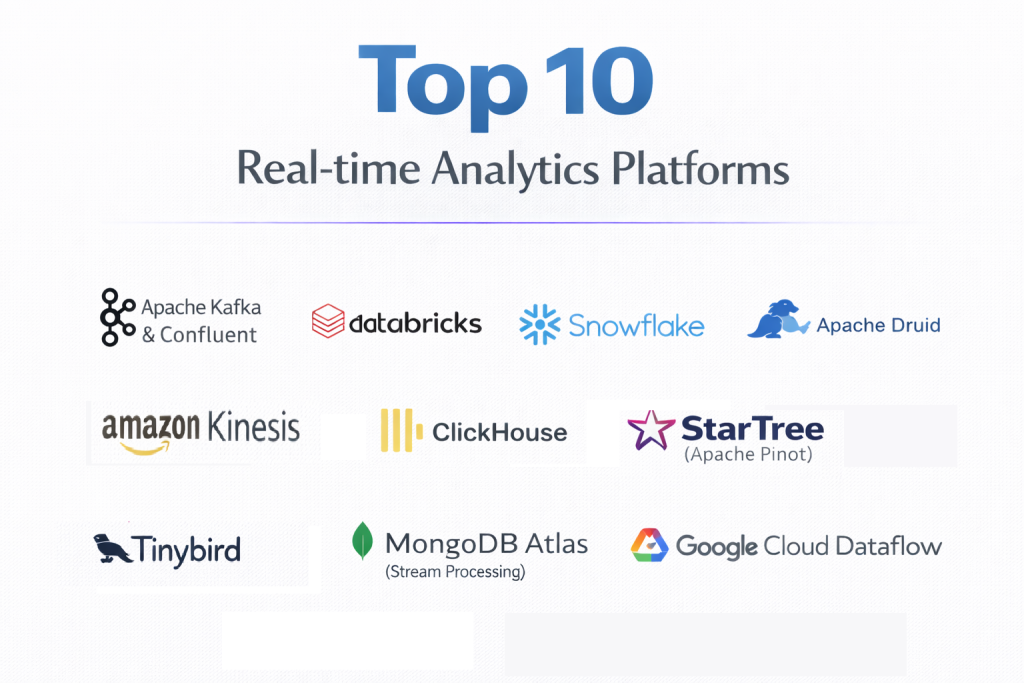
Top 10 Real-time Analytics Platforms Tools
1 — Apache Kafka & Confluent
Apache Kafka is the industry standard for distributed event streaming. Confluent, founded by the creators of Kafka, provides a cloud-native, enterprise-grade version of the platform that simplifies management and adds advanced features.
- Key features:
- High-Throughput Ingestion: Capable of handling trillions of events per day.
- Kafka Connect: A massive library of pre-built connectors to link Kafka with any database or app.
- ksqlDB: Allows users to write real-time stream processing applications using familiar SQL syntax.
- Stream Governance: Advanced tools for data lineage and schema management.
- Global Resilience: Multi-region clusters that ensure 99.99% uptime.
- Pros:
- The most robust and battle-tested ecosystem for event streaming in existence.
- Total flexibility to build anything from a simple message queue to a complex real-time data hub.
- Cons:
- High complexity; the open-source version requires significant engineering resources to manage.
- Can become expensive quickly when using Confluent’s managed cloud services at scale.
- Security & compliance: SOC 1/2/3, ISO 27001, HIPAA, GDPR, PCI DSS, and end-to-end encryption.
- Support & community: Massive global community; Confluent provides 24/7 enterprise support and extensive professional training.
2 — Databricks (Structured Streaming)
Databricks, the unified Data and AI platform, leverages Apache Spark’s “Structured Streaming” engine to provide a seamless way to run real-time analytics on top of its Data Lakehouse architecture.
- Key features:
- Unified Engine: Use the same code for batch and streaming data.
- Delta Live Tables: Simplifies ETL (Extract, Transform, Load) by automating data pipelines.
- MLflow Integration: Real-time machine learning model scoring on streaming data.
- Auto-scaling Compute: Dynamically scales resources based on the volume of incoming data.
- Photon Engine: A vectorized query engine that significantly boosts streaming performance.
- Pros:
- Ideal for data scientists who want to apply complex ML models to real-time data.
- Exceptional integration with the broader data engineering ecosystem.
- Cons:
- Can be overkill for organizations that only need simple real-time dashboards.
- Learning curve is steep for teams not already familiar with Spark.
- Security & compliance: FedRAMP, SOC 2, HIPAA, GDPR, and ISO 27001.
- Support & community: Extensive documentation, a vibrant user community, and premium enterprise support.
3 — Snowflake (Snowpipe & Dynamic Tables)
While traditionally a data warehouse, Snowflake has moved aggressively into real-time analytics with Snowpipe and its newer Dynamic Tables, which allow for “continuous data ingestion.”
- Key features:
- Snowpipe: Automates data loading into Snowflake as soon as files are available in cloud storage.
- Dynamic Tables: Declaratively define data transformations that update automatically as data arrives.
- Snowflake Horizon: Built-in governance and privacy controls for streaming data.
- Native Connectors: Deep integration with Kafka and Amazon Kinesis.
- Separation of Compute and Storage: Scale ingestion without affecting query performance.
- Pros:
- The easiest way for traditional “SQL-first” teams to implement real-time analytics.
- Zero maintenance infrastructure; Snowflake handles all the heavy lifting.
- Cons:
- Not as “low-latency” as Kafka or Druid; typically measured in seconds rather than milliseconds.
- Costs can spike if Snowpipe is running continuously on small, frequent files.
- Security & compliance: SOC 1/2, PCI DSS, HIPAA, GDPR, FedRAMP, and HITRUST.
- Support & community: Excellent documentation and a massive network of certified consultants and partners.
4 — Apache Druid
Apache Druid is a high-performance, real-time analytics database designed for sub-second queries on massive transactional and event-driven datasets.
- Key features:
- Sub-second Latency: Optimized for interactive “slice-and-dice” analytics on billions of rows.
- Real-time Ingestion: Can ingest data while simultaneously allowing queries on that data.
- Columnar Storage: Highly efficient for complex aggregations and filtering.
- Time-Series Optimization: Built-in partitioning for time-based data queries.
- High Concurrency: Supports thousands of concurrent users without performance degradation.
- Pros:
- Unrivaled for building user-facing real-time analytics applications (like an ads dashboard).
- Very efficient at data compression, reducing storage costs.
- Cons:
- Complex architecture that is difficult to deploy and manage on-premise.
- Requires a “flattened” data structure for optimal performance; not great for deeply nested joins.
- Security & compliance: Supports Kerberos, TLS, and basic internal security; enterprise versions (like Imply) add SOC 2.
- Support & community: Very active open-source community and professional support via Imply.
5 — Amazon Kinesis
Kinesis is AWS’s fully managed service for collecting, processing, and analyzing real-time, streaming data. It is the go-to choice for organizations already built on the Amazon ecosystem.
- Key features:
- Kinesis Data Streams: Capture and store data streams for processing.
- Kinesis Data Firehose: The easiest way to load streaming data into AWS data stores (S3, Redshift).
- Kinesis Data Analytics: Run SQL or Flink applications on streaming data without managing servers.
- Seamless AWS Integration: Works natively with Lambda, S3, and CloudWatch.
- On-demand Scaling: Scales automatically to handle gigabytes of data per second.
- Pros:
- Minimal operational overhead; AWS manages the scaling and availability.
- Highly cost-effective for teams already using other AWS services.
- Cons:
- Locked into the AWS ecosystem; difficult to migrate to other clouds.
- Pricing can be complex, based on “shards” and “payload units.”
- Security & compliance: SOC 1/2/3, ISO 27001, HIPAA, and GDPR.
- Support & community: Backed by AWS’s massive support infrastructure and global partner network.
6 — StarTree (Apache Pinot)
StarTree is the commercial platform built around Apache Pinot, a real-time distributed OLAP (Online Analytical Processing) datastore designed to deliver low-latency analytics at a massive scale.
- Key features:
- Upserts: Capability to update or replace existing records in real-time.
- Pluggable Indexing: Supports various indexing techniques (inverted, range, star-tree) for speed.
- Real-time and Batch Ingestion: Ingest from Kafka and S3 simultaneously.
- Multi-stage Query Engine: Efficiently handles complex joins and aggregations.
- Smart Tiering: Automatically moves older data to cheaper storage to save costs.
- Pros:
- Built for “User-Facing Analytics”—the same tech behind LinkedIn’s “Who viewed my profile.”
- Extremely fast for “point” queries on specific events.
- Cons:
- Relatively new in the market compared to Kafka or Druid.
- The setup and tuning of Pinot can be technical for smaller teams.
- Security & compliance: SOC 2 Type II, GDPR, and encryption at rest/transit.
- Support & community: Strong engineering-led community and dedicated support from StarTree.
7 — ClickHouse
ClickHouse is a fast, open-source columnar database management system that allows for the generation of analytical reports using SQL queries in real-time.
- Key features:
- True Columnar Storage: Achieves incredible compression and query speed.
- Vectorized Execution: Uses CPU instructions to process data faster.
- Distributed Processing: Can be scaled across thousands of servers.
- Asynchronous Inserts: High-speed data loading without blocking queries.
- Materialized Views: Pre-calculates aggregations to speed up common reports.
- Pros:
- Frequently wins benchmarks for the fastest query performance on single-table datasets.
- Very low hardware requirements compared to the performance it delivers.
- Cons:
- Historically weak on complex JOINs, although this has improved in recent versions.
- Managing a large ClickHouse cluster requires specialized DevOps knowledge.
- Security & compliance: SOC 2 (via ClickHouse Cloud), GDPR, and HIPAA.
- Support & community: Massive global community and excellent support via ClickHouse Inc.
8 — MongoDB Atlas (Stream Processing)
MongoDB has expanded its NoSQL dominance into the streaming space with Atlas Stream Processing, allowing developers to query and transform data in motion using the same API they use for data at rest.
- Key features:
- Unified API: Use the MongoDB Query Language (MQL) for both database and stream queries.
- Continuous Aggregation: Update collections in real-time as data flows through the stream.
- Validation: Apply schema validation to data before it hits the database.
- Managed Connectors: Built-in integration with Kafka and Kinesis.
- Dynamic Scaling: Fully managed SaaS experience with automatic resource adjustment.
- Pros:
- Perfect for developers who already love MongoDB and don’t want to learn a new language.
- Greatly simplifies the “developer experience” for building real-time applications.
- Cons:
- Not designed for “Big Data” analytical reporting (OLAP) as much as it is for operational logic.
- Can be expensive if used as a primary analytical engine for massive datasets.
- Security & compliance: SOC 2, HIPAA, ISO 27001, and GDPR.
- Support & community: One of the largest developer communities in the world with world-class documentation.
9 — Google Cloud Dataflow
Dataflow is a fully managed service for executing Apache Beam pipelines within the Google Cloud ecosystem. It is designed for unified stream and batch processing.
- Key features:
- Serverless Execution: No need to manage clusters; Google handles all infrastructure.
- Vertical and Horizontal Autoscaling: Automatically optimizes worker count and size.
- Streaming Engine: Separates compute from state storage to reduce latency.
- Dataflow Insights: Real-time monitoring of pipeline health and bottlenecks.
- Smart Checkpointing: Ensures no data is lost during pipeline failures.
- Pros:
- Best-in-class integration with BigQuery and Pub/Sub.
- Strongest “exactly-once” processing guarantees in the cloud.
- Cons:
- Relying on Apache Beam can be more complex than simple SQL-based platforms.
- Cost management can be tricky due to the serverless billing model.
- Security & compliance: FedRAMP, SOC 2, HIPAA, GDPR, and ISO 27001.
- Support & community: Extensive Google Cloud documentation and global enterprise support.
10 — Tinybird
Tinybird is a developer-focused real-time analytics platform that allows teams to ingest data from any source and turn it into high-performance REST APIs in minutes.
- Key features:
- SQL-based Pipes: Transform data streams using standard SQL.
- Instant API Generation: Turn any SQL query into a low-latency API endpoint with one click.
- Real-time Connectors: Native ingestion for Kafka, S3, and HTTP events.
- Iteration Speed: Designed for developers who need to build and deploy features fast.
- Serverless Scaling: Automatically handles spikes in traffic without manual intervention.
- Pros:
- The fastest way to build a real-time analytics feature for a web or mobile app.
- Beautifully simple user interface and developer experience.
- Cons:
- Less suitable for long-term historical analysis compared to Snowflake or Druid.
- Pricing is based on “data processed,” which can be hard to predict.
- Security & compliance: SOC 2 Type II, GDPR, and SSO support.
- Support & community: High-touch support via Slack and very clear, modern documentation.
Comparison Table
| Tool Name | Best For | Platform(s) Supported | Standout Feature | Rating (Gartner) |
| Confluent | Event Streaming | Multi-cloud, Hybrid | ksqlDB & Ecosystem | 4.7 / 5.0 |
| Databricks | Data Science/ML | AWS, Azure, GCP | Delta Live Tables | 4.5 / 5.0 |
| Snowflake | SQL Analysts | AWS, Azure, GCP | Dynamic Tables | 4.6 / 5.0 |
| Apache Druid | Interactive Apps | Multi-cloud, On-prem | Sub-second OLAP | 4.4 / 5.0 |
| Amazon Kinesis | AWS Shops | AWS Only | Native AWS Sync | 4.3 / 5.0 |
| StarTree | User-Facing Analytics | Managed Cloud | Pinot Indexing | N/A |
| ClickHouse | Raw Query Speed | Multi-cloud, On-prem | Columnar Performance | 4.6 / 5.0 |
| MongoDB Atlas | App Developers | Multi-cloud | Unified MQL API | 4.5 / 5.0 |
| Google Dataflow | GCP Shops | GCP Only | Serverless Autoscale | 4.4 / 5.0 |
| Tinybird | Fast API Build | Managed Cloud | SQL-to-API | N/A |
Evaluation & Scoring of Real-time Analytics Platforms
The following rubric shows how we weighted different factors to determine the value of these platforms for a modern enterprise.
| Category | Weight | Evaluation Criteria |
| Core Features | 25% | Latency, throughput, streaming vs batch unity, and ingestion tools. |
| Ease of Use | 15% | SQL support, developer experience, and setup complexity. |
| Integrations | 15% | Number of pre-built connectors and API robustness. |
| Security & Comp. | 10% | Encryption, SSO, and industry-standard certifications (SOC 2). |
| Performance | 10% | Query response time and stability under heavy load. |
| Support & Comm. | 10% | Documentation, user forums, and enterprise support response. |
| Price / Value | 15% | Predictability of cost and Total Cost of Ownership (TCO). |
Which Real-time Analytics Platform Tool Is Right for You?
Solo Users vs SMB vs Mid-Market vs Enterprise
- Solo Developers/Startups: Tinybird or MongoDB Atlas are the best choices. They allow you to build features quickly without needing a dedicated data engineering team.
- Mid-Market: Snowflake or ClickHouse Cloud are great because they offer a balance between power and ease of use, allowing small teams to achieve enterprise-level performance.
- Enterprise: Confluent (Kafka) and Databricks are the gold standards. They provide the robustness and governance needed for global, mission-critical operations.
Budget-conscious vs Premium Solutions
- Budget-conscious: If you have the engineering talent, open-source ClickHouse or Apache Druid can be run very cheaply on your own hardware.
- Premium: Confluent and Google Dataflow are premium, managed solutions. You pay more for the managed service, but you save significantly on “human” engineering costs.
Feature Depth vs Ease of Use
If you need Ease of Use, Tinybird and Snowflake are the clear winners. If you need Feature Depth (complex event processing, ML integration, or massive custom pipelines), Databricks and Kafka are unparalleled.
Integration and Scalability Needs
If you are 100% on AWS, Kinesis is the path of least resistance. If you need to scale to trillions of events across multiple cloud providers, Confluent is the only real choice.
Frequently Asked Questions (FAQs)
1. What is the difference between Real-time and Near Real-time?
Real-time usually implies sub-second latency (milliseconds). Near real-time typically refers to delays of several seconds to a few minutes. Tools like Druid are real-time, while Snowpipe is often considered near real-time.
2. Is Real-time Analytics more expensive than Batch?
Yes, generally. Real-time requires “always-on” compute resources, whereas batch processing only spins up servers when needed. However, the business value of immediate insights often outweighs the higher compute costs.
3. Do I need a Data Lakehouse for real-time?
Not necessarily, but platforms like Databricks or Snowflake make it easier to manage both historical and streaming data in one place, which simplifies your architecture.
4. What is “Exactly-once” processing?
It is a guarantee that even if a system fails and restarts, every piece of data is processed exactly once—neither lost nor duplicated. This is critical for financial applications.
5. Can I use SQL for real-time analytics?
Yes! Most modern platforms (Snowflake, ClickHouse, Confluent via ksqlDB) allow you to use standard SQL, meaning your existing analysts don’t need to learn a new language.
6. Do these tools store my data?
Some do (like Druid and ClickHouse), while others are “processing engines” (like Dataflow) that move data from a source to a separate destination like S3 or BigQuery.
7. How does real-time analytics help with fraud?
By the time a batch report is generated tomorrow, a fraudster has already spent the money. Real-time tools analyze the pattern of a swipe before the transaction is approved.
8. Is Kafka a database?
Technically, Kafka is an event streaming platform, but with features like Tiered Storage and ksqlDB, it can act similarly to a database for certain real-time use cases.
9. What is “Change Data Capture” (CDC)?
CDC is a technique that monitors your primary database for changes (inserts/updates) and streams those changes to your analytics platform in real-time.
10. What is the biggest mistake companies make with real-time analytics?
Implementing it for everything. Not every dashboard needs to be real-time. Focus real-time on operational tasks (fraud, monitoring) and keep high-level business reporting on cheaper batch cycles.
Conclusion
Choosing a Real-time Analytics Platform is a decision that defines the speed of your business. If your goal is to react to your customers’ needs as they happen, the technology you choose must be able to keep up.
For organizations that want the most powerful, industry-standard ecosystem, Confluent and Kafka remain the leaders. If you want the fastest query speeds for user-facing apps, ClickHouse and Druid are the top contenders. For those who prioritize developer speed and simplicity, Tinybird and Snowflake offer the easiest entry points into the world of streaming data.
Ultimately, the “best” tool depends on where your data lives and how fast you need to act on it. Start with a clear use case—like reducing fraud or improving app latency—and choose the platform that makes that specific goal easier to achieve.

- Top 10 Email Deliverability Tools: Features, Pros, Cons & Comparison - September 6, 2026
- Top 10 Pharmacovigilance Software: Features, Pros, Cons & Comparison - September 6, 2026
- Top 10 Manufacturing Execution Systems (MES) - July 30, 2026