Introduction
In the rapidly evolving world of artificial intelligence, the journey from a raw idea to a production-ready model is paved with thousands of iterations. Experiment Tracking Tools are specialized software platforms designed to record, organize, and analyze all the metadata associated with machine learning experiments. This includes logging code versions, hyperparameters, training metrics (like loss and accuracy), hardware usage, and output artifacts like model weights or visualization plots. Without these tools, data scientists often find themselves lost in a “notebook hell,” unable to replicate a successful result from three weeks prior or explain why a specific model version outperformed another.
The importance of experiment tracking lies in its ability to bring reproducibility and collaboration to the research process. It transforms machine learning from a “black box” art into a disciplined engineering science. Key real-world use cases include hyperparameter optimization for deep learning, collaborative research where multiple scientists contribute to a single project, and audit trails for regulated industries. When evaluating tools in this category, users should look for ease of integration, visualization quality, scalability, and the ability to handle large-scale metadata without latency.
Best for: Data scientists, machine learning engineers, and research leads in organizations ranging from agile startups to global enterprises. They are essential for any team that runs multiple training jobs and needs to compare results systematically to improve model performance.
Not ideal for: Software developers working on traditional non-ML applications or solo hobbyists working on very simple, one-off linear regression models where the overhead of a tracking platform might exceed the project’s complexity.
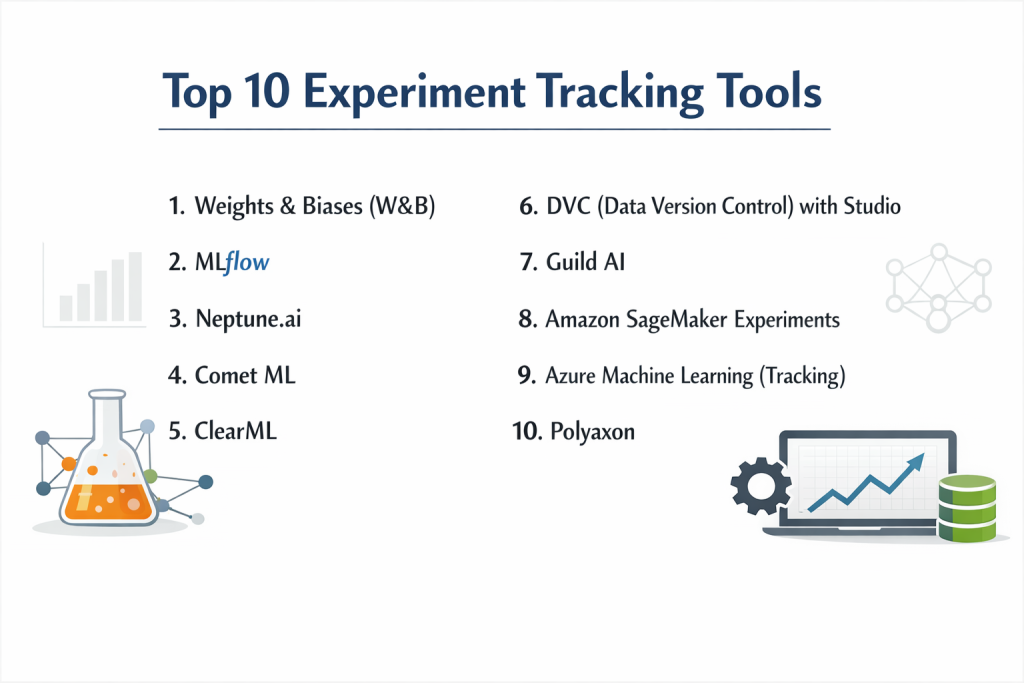
Top 10 Experiment Tracking Tools
1 — Weights & Biases (W&B)
Weights & Biases is a developer-first platform that has become the industry favorite for its beautiful UI and seamless integration with popular deep learning frameworks.
- Key Features:
- Interactive Dashboards: Highly customizable charts that update in real-time during training.
- W&B Sweeps: Powerful automated hyperparameter tuning with visual coordination.
- Artifacts: Full versioning for datasets and model weights to ensure end-to-end lineage.
- Reports: Collaborative “blog-style” reports to share insights with the broader team.
- System Metrics: Automatically tracks GPU/CPU usage, memory, and network throughput.
- Grouping & Filtering: Easily organize thousands of runs by tags, config, or performance.
- Pros:
- The most intuitive and visually appealing interface in the market today.
- Extremely “lightweight” integration—often requiring just two lines of Python code.
- Cons:
- The pricing model can be steep for large teams with high-volume data logging.
- Cloud-hosted by default, which may require extra setup for strictly air-gapped environments.
- Security & Compliance: SOC 2 Type II, GDPR, HIPAA compliant, SSO, and encryption at rest/transit.
- Support & Community: Vibrant Slack community, extensive documentation, and excellent technical support for enterprise customers.
2 — MLflow
Originally developed by Databricks, MLflow is the most widely adopted open-source platform for managing the entire machine learning lifecycle, including experimentation.
- Key Features:
- MLflow Tracking: An API and UI for logging parameters, code versions, metrics, and artifacts.
- MLflow Projects: A standard format for packaging reusable data science code.
- MLflow Models: A convention for packaging models for use in diverse downstream tools.
- Model Registry: A centralized hub to manage model versions and stage transitions.
- Extensibility: Supports a wide range of plugins for various storage and compute backends.
- Pros:
- Completely open-source and platform-agnostic; no vendor lock-in.
- Massive industry adoption means it integrates with almost every data tool imaginable.
- Cons:
- The UI feels dated and less “interactive” compared to modern SaaS competitors.
- Setting up and maintaining the tracking server is the user’s responsibility (unless using managed Databricks).
- Security & Compliance: Varies (Open-source version depends on host; Managed version offers SOC 2 and HIPAA).
- Support & Community: Massive GitHub community, hundreds of tutorials, and extensive documentation.
3 — Neptune.ai
Neptune.ai focuses on being the “lightweight” metadata store for MLOps, emphasizing stability and the ability to handle millions of logged data points without slowing down.
- Key Features:
- Flexible Metadata Logging: Log anything from metrics and parameters to images, videos, and interactive HTML.
- Comparison View: Side-by-side comparison of runs with diffing for hyperparameters and metrics.
- Organized Workspace: Hierarchical structure for projects and folders to keep enterprise data clean.
- Offline Mode: Capability to log data locally and sync with the server later.
- Integrations: Native support for PyTorch, TensorFlow, Keras, LightGBM, and more.
- Pros:
- Known for having an extremely stable and fast UI, even with very high-dimensional data.
- Very flexible API that doesn’t force a specific workflow on the user.
- Cons:
- Lacks some of the “all-in-one” MLOps features found in platforms like SageMaker.
- Reporting features are functional but less “polished” than W&B’s report suite.
- Security & Compliance: SOC 2 Type II, GDPR, SSO, and private cloud deployment options.
- Support & Community: Fast, direct technical support and a very high-quality blog on MLOps best practices.
4 — Comet ML
Comet provides a robust platform for tracking, comparing, and explaining ML experiments, with a strong focus on enterprise visibility and model production monitoring.
- Key Features:
- Code Tracking: Automatically captures the git hash and uncommitted changes for every run.
- Visualizations: Custom panels allow users to build their own visualization logic in JavaScript.
- Model Production Monitoring: Bridges the gap between research and production performance.
- Confusion Matrix & Error Analysis: Built-in interactive tools for deep-diving into model mistakes.
- Workspaces: Secure, collaborative areas for different departments within a company.
- Pros:
- Strongest “Project Management” feel, making it great for managers to oversee research.
- Excellent tools for “Explainability” and error analysis.
- Cons:
- The interface can feel a bit “cluttered” due to the high density of information.
- Initial onboarding might take slightly longer than simpler tools.
- Security & Compliance: SOC 2 Type II, HIPAA, GDPR, and ISO 27001.
- Support & Community: Proactive customer success, dedicated Slack channel, and thorough documentation.
5 — ClearML
ClearML (formerly Allegro AI) is an end-to-end open-source suite that offers experiment tracking as part of a broader MLOps platform including orchestration and data versioning.
- Key Features:
- Auto-Magical Tracking: Hooks into scripts to log parameters and metrics without manual API calls.
- Integrated Orchestration: Ability to turn any experiment into a job that can be sent to a remote cluster.
- Data Management: Version-controlled data storage integrated directly with the tracking UI.
- Hyperparameter Optimization: Built-in engine for running parallel search jobs.
- Web UI: A clean dashboard for managing tasks, models, and data.
- Pros:
- Incredible value—offers “Enterprise-level” features in its free open-source version.
- The integration between tracking and remote execution is seamless.
- Cons:
- The breadth of features can be overwhelming if you only want experiment tracking.
- Documentation for advanced self-hosting scenarios can be technical and dense.
- Security & Compliance: SOC 2, GDPR, and SSO (available in Pro/Enterprise tiers).
- Support & Community: Rapidly growing community, very active GitHub, and YouTube tutorials.
6 — DVC (Data Version Control) with Studio
DVC is a unique, git-based approach to experiment tracking that appeals to engineers who prefer working in the terminal and maintaining a “code-centric” workflow.
- Key Features:
- Git-Backed Tracking: Experiments are stored as git commits or hidden refs, ensuring code and data are always synced.
- DVC Studio: A web-based UI that visualizes the experiments stored in your git repository.
- Data Versioning: The industry standard for versioning large datasets alongside code.
- Pipelines: Define reproducible data pipelines in YAML files.
- No Server Required: Can work entirely locally or with simple cloud storage (S3/GCS).
- Pros:
- Zero vendor lock-in; your experiment data lives in your own git repo and cloud storage.
- Perfect for teams that prioritize “Infrastructure as Code” principles.
- Cons:
- Steeper learning curve for those not comfortable with advanced Git and CLI operations.
- Not ideal for real-time metric visualization during a 10-hour training run.
- Security & Compliance: Depends on your Git provider (GitHub/GitLab) and cloud storage settings.
- Support & Community: Top-tier documentation, very helpful Discord community, and frequent online meetups.
7 — Guild AI
Guild AI is an open-source, lightweight tool that runs experiments without requiring any changes to your source code.
- Key Features:
- External Tracking: Tracks scripts by observing their inputs and outputs rather than through a library.
- Hyperparameter Search: Built-in support for Bayesian, random, and grid search.
- Comparison UI: A simple, fast local web dashboard and powerful command-line tools.
- No Database Required: Results are stored as simple files on disk.
- Remote Execution: Easily run experiments on remote servers via SSH.
- Pros:
- The most “non-invasive” tool; you don’t have to import a single library into your code.
- Extremely fast and efficient for individual researchers.
- Cons:
- Lacks the collaborative “Enterprise” features of W&B or Comet.
- The web UI is basic compared to SaaS competitors.
- Security & Compliance: N/A (Local-first tool; security depends on your file system and SSH).
- Support & Community: Focused GitHub community and high-quality documentation.
8 — Amazon SageMaker Experiments
For teams fully invested in the AWS ecosystem, SageMaker Experiments provides a native way to track and manage ML iterations within the SageMaker Studio environment.
- Key Features:
- SageMaker Studio Integration: View and compare experiments directly within your ML IDE.
- Lineage Tracking: Automatically links data in S3 to the specific training job and model artifact.
- Managed Infrastructure: No servers to set up; completely serverless tracking.
- Search & Filter: Use AWS APIs to programmatically find the best-performing models.
- Security: Benefits from AWS IAM roles and VPC security.
- Pros:
- Unrivaled integration for users already using SageMaker for training and deployment.
- High security and compliance standards suitable for government and finance.
- Cons:
- Hard vendor lock-in to AWS.
- The UI can be cumbersome and slower to navigate than specialized SaaS tools.
- Security & Compliance: FedRAMP High, HIPAA, SOC 1/2/3, ISO, and GDPR.
- Support & Community: Extensive AWS support network and documentation.
9 — Azure Machine Learning (Tracking)
Microsoft’s offering for experiment tracking is a robust, enterprise-grade service integrated into the Azure Machine Learning workspace.
- Key Features:
- MLflow Compatible: Supports the MLflow API, allowing users to use familiar code on Azure infrastructure.
- Azure DevOps Integration: Link experiments directly to CI/CD pipelines.
- Studio UI: A comprehensive web portal for managing experiments, data, and compute.
- Responsible AI Tools: Built-in dashboards for fairness and explainability linked to experiments.
- AutoML: Integrated automated tracking for Azure’s AutoML runs.
- Pros:
- The best choice for “Microsoft shops” that rely on Azure and Active Directory.
- Very strong focus on “Enterprise Governance” and responsible AI.
- Cons:
- The interface can be fragmented and has a steeper learning curve for non-Azure users.
- Can be overkill for small teams or solo researchers.
- Security & Compliance: ISO 27001, SOC 1/2/3, HIPAA, GDPR, and FedRAMP High.
- Support & Community: Microsoft Learn, Azure forums, and high-touch enterprise support.
10 — Polyaxon
Polyaxon is a platform-agnostic, cloud-native MLOps tool that specializes in orchestrating and tracking experiments on Kubernetes.
- Key Features:
- Kubernetes Native: Designed to run seamlessly on EKS, GKE, or AKS.
- Experiment Groups: Run large batches of experiments (hyperparameter searches) with one command.
- Visualization: Built-in dashboards for metrics, logs, and resource utilization.
- Artifact Management: Integrated storage for all model outputs and logs.
- Extensible YAML: Define complex experiment workflows using simple configuration files.
- Pros:
- Ideal for teams that want a “private cloud” experience on their own Kubernetes clusters.
- Very cost-effective for high-scale training compared to per-user SaaS models.
- Cons:
- Requires significant Kubernetes expertise to install and manage.
- The UI is functional but lacks the “polish” of Weights & Biases.
- Security & Compliance: SOC 2 (Enterprise version), GDPR, and depends on your K8s setup.
- Support & Community: Strong Discord community and professional support for enterprise users.
Comparison Table
| Tool Name | Best For | Platform(s) Supported | Standout Feature | Rating (Gartner) |
| Weights & Biases | Deep Learning / UX | Cloud, Private Cloud | Interactive Visualization | 4.8 / 5 |
| MLflow | Open-Source / Standard | Any (Cloud/Local) | Industry Standardization | 4.5 / 5 |
| Neptune.ai | High-Scale Metadata | Cloud, Private Cloud | Stability & Performance | 4.8 / 5 |
| Comet ML | Enterprise Management | Cloud, On-Prem | Model Production Monitoring | 4.6 / 5 |
| ClearML | All-in-One MLOps | Any (K8s/Cloud) | Auto-Magical Integration | 4.7 / 5 |
| DVC Studio | Git-Centric Teams | Cloud (Git-based) | Code/Data Sync (Git) | N/A |
| Guild AI | Simple / Non-invasive | Any (Local-first) | No-code-change Tracking | N/A |
| SageMaker Exp. | AWS Power Users | Cloud (AWS) | Native AWS Ecosystem | 4.4 / 5 |
| Azure ML | Microsoft Ecosystem | Cloud (Azure) | Responsible AI Integration | 4.5 / 5 |
| Polyaxon | Kubernetes Scaling | Kubernetes | Kubernetes-Native Ops | 4.4 / 5 |
Evaluation & Scoring of Experiment Tracking Tools
The following rubric represents the weighted criteria used by industry experts to rank these platforms in 2026.
| Category | Weight | Evaluation Rationale |
| Core Features | 25% | Capacity for metric logging, artifact versioning, and hyperparameter tuning. |
| Ease of Use | 15% | Time to integrate (SDK quality) and intuitiveness of the dashboard. |
| Integrations | 15% | Breadth of support for frameworks (PyTorch, etc.) and MLOps tools. |
| Security & Compliance | 10% | Support for enterprise standards like SOC 2, HIPAA, and SSO. |
| Performance | 10% | Latency in rendering charts and handling large metadata volumes. |
| Support & Community | 10% | Responsiveness of support and the size of the peer community. |
| Price / Value | 15% | Transparency and the “Free vs. Paid” feature balance. |
Which Experiment Tracking Tool Is Right for You?
Solo Users vs SMB vs Mid-Market vs Enterprise
- Solo Users/Academics: MLflow or Guild AI are excellent starting points. They are free, run locally, and don’t require complex cloud setups.
- SMB (Small to Mid-Market): Weights & Biases or Neptune.ai are ideal. They offer “instant-on” SaaS convenience that lets your small team focus on research rather than maintaining tracking servers.
- Enterprise: Comet ML, Azure ML, or SageMaker are designed for the scale, security, and hierarchical organization that massive corporations require.
Budget-Conscious vs Premium Solutions
If budget is the primary concern, ClearML offers an incredible suite of features for free. For those who prioritize “saving developer time” over license fees, Weights & Biases provides a premium experience that typically pays for itself through increased research velocity.
Feature Depth vs Ease of Use
- Ease of Use: Guild AI and W&B are the winners. One requires no code changes, and the other requires minimal effort for a massive visual payoff.
- Feature Depth: ClearML and Polyaxon provide deep features like orchestration and data management that go far beyond simple tracking.
Integration and Scalability Needs
If your entire infrastructure is on Kubernetes, Polyaxon or Kubeflow (though not on this list as a standalone tracker) are the best technical fits. If you are a “Git-only” shop, DVC is your natural ally.
Frequently Asked Questions (FAQs)
Q1: Why can’t I just use Excel or Google Sheets for experiment tracking?
Answer: While possible for 5 experiments, it fails at 500. Sheets cannot store model weights (artifacts), track code versions automatically, or handle real-time training curves.
Q2: Does experiment tracking slow down my training code?
Answer: Professional tools like Neptune and W&B log data asynchronously, meaning your training loop doesn’t wait for the data to be sent to the server. The impact is usually negligible.
Q3: Is my data safe on SaaS tracking platforms?
Answer: Top-tier tools like Comet and W&B are SOC 2 compliant and encrypt data. However, if your data is extremely sensitive (e.g., defense), an on-premise solution like MLflow or ClearML is safer.
Q4: Can I use these tools for LLM (Large Language Model) fine-tuning?
Answer: Yes. Most tools now have specialized “Prompt Engineering” or “LLM” dashboards to track prompts, completions, and token usage alongside traditional metrics.
Q5: What is “Hyperparameter Sweeps”?
Answer: It is a feature that automatically runs your experiment multiple times with different settings (like learning rate) to find the best-performing combination.
Q6: Do I need a GPU to use these tools?
Answer: No. These tools track the results of the computation, not the computation itself. They run on standard CPUs/web browsers.
Q7: Can I export my data if I want to switch tools?
Answer: Most platforms allow you to export logged data via an API in CSV or JSON format, but “migrating” a full history between platforms can be a manual, technical process.
Q8: What is “Reproducibility” in ML?
Answer: It’s the ability for another scientist to take your code, your data version, and your hyperparameters and get the exact same results you did. Tracking tools make this possible.
Q9: How long is experiment data stored?
Answer: On SaaS platforms, it’s usually stored as long as your account is active. On self-hosted platforms (like MLflow), it’s stored as long as you maintain your database.
Q10: What is the most common mistake in experiment tracking?
Answer: Not logging enough. It’s better to log a parameter you don’t need than to realize three months later you forgot to log the version of the library that made your model work.
Conclusion
The “Best” experiment tracking tool isn’t a universal winner—it’s the one that fits into your existing workflow without friction. If you want the most beautiful charts and a social research experience, Weights & Biases is the gold standard. If you need an open-source tool that will never lock you in, MLflow is the industry bedrock.
As machine learning continues to move from the lab into core business products, the discipline of experiment tracking is no longer optional. It is the foundation of trustworthy, scalable, and successful AI. Choose a tool that your team will actually enjoy using, and you’ll find that the quality of your research improves alongside your organization.

- Top 10 Email Deliverability Tools: Features, Pros, Cons & Comparison - September 6, 2026
- Top 10 Pharmacovigilance Software: Features, Pros, Cons & Comparison - September 6, 2026
- Top 10 Manufacturing Execution Systems (MES) - July 30, 2026