Introduction
In the heart of the artificial intelligence revolution lies Natural Language Processing (NLP) Toolkits. These are specialized collections of software libraries, pre-trained models, and computational frameworks designed to bridge the gap between human communication and machine understanding. An NLP toolkit provides the essential building blocks—such as tokenization, part-of-speech tagging, and semantic analysis—that allow software to “read,” “hear,” and “interpret” text or speech. Without these toolkits, every developer would have to rebuild complex linguistic algorithms from scratch, stalling innovation in a world increasingly reliant on automated language interaction.
The importance of NLP toolkits is reflected in our daily digital interactions. They power intelligent virtual assistants, facilitate real-time global translation, and enable automated sentiment analysis for brand monitoring. In highly technical fields, they are used for biomedical text mining and legal document summarization. When choosing an NLP toolkit, users must evaluate computational efficiency, multilingual support, ease of integration with deep learning frameworks like PyTorch or TensorFlow, and the maturity of the community support.
Best for: Software engineers, computational linguists, and data scientists across industries ranging from FinTech to Healthcare. These toolkits are essential for teams building custom AI applications, chatbots, or automated content moderation systems.
Not ideal for: Business users or marketing teams looking for ready-to-use software “out of the box.” These toolkits require programming knowledge and are not a replacement for end-user SaaS products like Grammarly or simple translation apps.
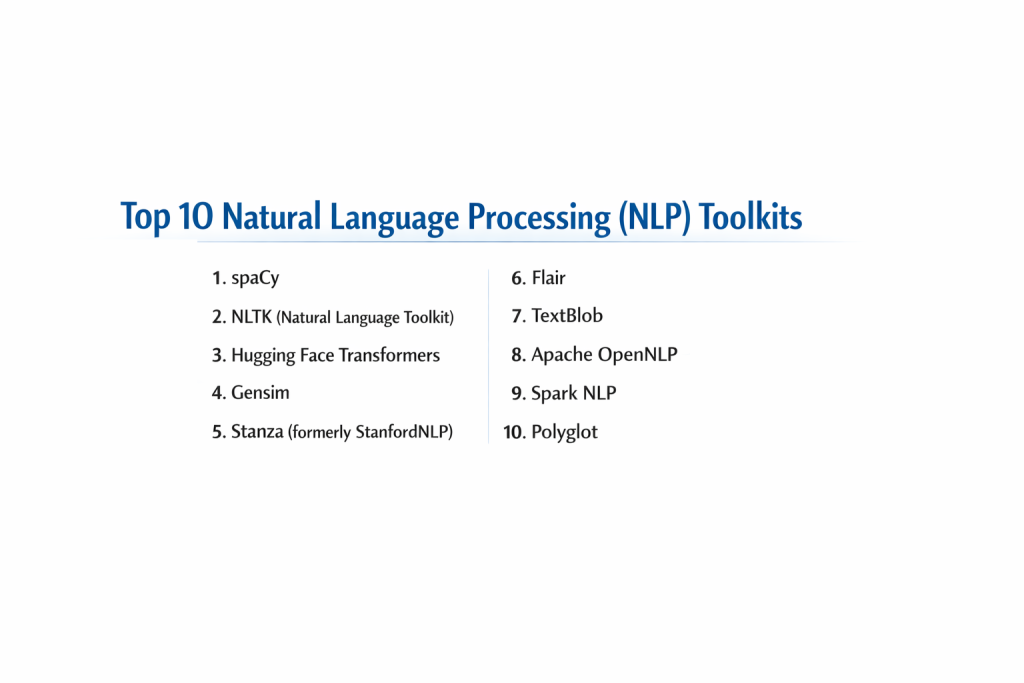
Top 10 Natural Language Processing (NLP) Toolkits
1 — spaCy
spaCy is widely regarded as the industry standard for production-grade NLP. It is designed specifically for “getting things done” in a real-world software environment rather than just for academic experimentation.
- Key Features:
- Non-destructive Tokenization: Keeps track of the original text while breaking it into components.
- Pre-trained Transformers: Native support for BERT, RoBERTa, and other state-of-the-art architectures.
- Named Entity Recognition (NER): High-speed identification of organizations, people, and locations.
- Custom Pipeline Components: Allows developers to easily add their own logic to the processing flow.
- Visualizers: Built-in tools like displaCy for visualizing dependency parses and entity recognition.
- Multi-language Support: Robust models for over 70+ languages.
- Pros:
- Incredible speed and efficiency; optimized for massive datasets.
- “Opinionated” design, meaning it provides the single best algorithm for a task rather than a confusing array of choices.
- Cons:
- Less flexible for research purposes compared to toolkits like NLTK.
- Some pre-trained models can be quite large, requiring significant memory.
- Security & Compliance: Varies (Open-source; security depends on the hosting environment).
- Support & Community: Exceptional documentation, active GitHub Discussion board, and professional support available via Explosion AI.
2 — NLTK (Natural Language Toolkit)
The “grandfather” of NLP toolkits, NLTK is the most comprehensive library for teaching and researching computational linguistics in Python.
- Key Features:
- Diverse Corpus Collection: Includes over 50 corpora and lexical resources like WordNet.
- Extensive Algorithm Library: Covers everything from basic stemming to complex semantic reasoning.
- Text Classification: Built-in wrappers for various machine learning classifiers.
- Tokenization & Tagging: Highly granular control over how text is segmented.
- Grammar Parsing: Support for various parsing strategies, including recursive and chart parsing.
- Pros:
- Unmatched educational resource with a massive variety of algorithms.
- Completely free and highly extensible for academic research.
- Cons:
- Generally too slow for production-scale applications.
- The API can feel dated and fragmented compared to modern libraries.
- Security & Compliance: N/A (Academic open-source).
- Support & Community: Massive community of educators and students; endless tutorials and textbooks available.
3 — Hugging Face Transformers
Hugging Face has become the “GitHub of AI,” and its Transformers library is the gateway to the world’s most advanced Large Language Models (LLMs).
- Key Features:
- Model Hub: Instant access to thousands of pre-trained models like GPT, T5, and Llama.
- Framework Interoperability: Works seamlessly with both PyTorch, TensorFlow, and JAX.
- Tokenizers Library: Highly optimized, fast tokenizers written in Rust.
- AutoClasses: Automatically fetches the correct model architecture based on a name or path.
- Pipeline API: Simple, high-level functions for tasks like summarization and translation.
- Pros:
- Provides access to the literal cutting edge of NLP research.
- Massive ecosystem that allows for “fine-tuning” models on custom data with minimal code.
- Cons:
- Significant computational requirements (GPUs are almost always necessary).
- The library moves so fast that documentation can occasionally lag behind new features.
- Security & Compliance: Varies (Managed Hub offers SSO and private model hosting; SOC 2 compliant).
- Support & Community: The most active AI community in the world; robust Discord and forum support.
4 — Gensim
Gensim is a specialized Python library focused on “topic modeling” and document similarity analysis using high-performance vector space modeling.
- Key Features:
- Scalability: Designed to handle large web-scale datasets that don’t fit into RAM.
- Word2Vec & Doc2Vec: Efficient implementations of famous word embedding algorithms.
- Latent Dirichlet Allocation (LDA): Powerful tools for discovering hidden topics in large document sets.
- Similarity Queries: Quickly find documents similar to a given query across millions of entries.
- Streaming Data: Processes data incrementally to avoid memory bottlenecks.
- Pros:
- Extremely memory-efficient; the best choice for large-scale unsupervised learning.
- Very stable and battle-tested for recommendation systems.
- Cons:
- Narrower focus; it doesn’t do “general” NLP tasks like part-of-speech tagging well.
- Smaller range of pre-trained models compared to Hugging Face.
- Security & Compliance: N/A (Standard open-source).
- Support & Community: Well-documented with a dedicated mailing list and extensive Stack Overflow history.
5 — Stanza (formerly StanfordNLP)
Developed by the Stanford NLP Group, Stanza provides a suite of accurate, neural-network-based NLP tools for dozens of human languages.
- Key Features:
- Neural Pipeline: Fully neural architecture for high-accuracy linguistic analysis.
- Universal Dependencies: Models are trained on the Universal Dependencies framework for consistency across languages.
- Native Python: Unlike the original Java-based Stanford CoreNLP, Stanza is built for the Python ecosystem.
- Biomedical Models: Includes specialized models for clinical and scientific text.
- Sentiment Analysis: Multi-channel sentiment detection with high academic precision.
- Pros:
- Highly accurate, often outperforming spaCy on complex linguistic parsing.
- Excellent support for a wide variety of non-English languages.
- Cons:
- Slower than spaCy because it uses heavy neural models for every step.
- Requires a GPU for reasonable performance on large datasets.
- Security & Compliance: N/A (Academic open-source).
- Support & Community: Backed by Stanford University; excellent academic documentation and GitHub support.
6 — Flair
Flair is a simple yet powerful NLP library built on PyTorch, known for its state-of-the-art “character-level” embeddings.
- Key Features:
- Flair Embeddings: Unique “contextual” character embeddings that capture nuances better than word-level models.
- Stacked Embeddings: Allows users to combine different embeddings (e.g., BERT + Flair) for better results.
- Simple Interface: Very few lines of code are needed to train a world-class NER or sentiment model.
- Multilingual Support: One of the best libraries for “zero-shot” learning across languages.
- Pros:
- Produces highly accurate results for Named Entity Recognition and Part-of-Speech tagging.
- Very easy to understand for developers already familiar with PyTorch.
- Cons:
- Can be very slow during training and inference compared to spaCy.
- Smaller community and fewer third-party plugins than the “Big Three.”
- Security & Compliance: N/A (Standard open-source).
- Support & Community: Active GitHub community and helpful tutorials for custom training.
7 — TextBlob
TextBlob is a “minimalist” library that provides a simple API for common NLP tasks, making it the perfect choice for rapid prototyping and beginners.
- Key Features:
- Noun Phrase Extraction: Easily pulls important phrases from sentences.
- Sentiment Analysis: Simple polarity/subjectivity scoring out of the box.
- Translation & Detection: Integrates with Google Translate for quick language tasks.
- Spelling Correction: Built-in basic spell-check capabilities.
- Word Inflexion: Easy pluralization and singularization of words.
- Pros:
- The lowest learning curve of any library on this list.
- Perfect for simple scripts and hackathons where “speed of coding” is key.
- Cons:
- Not powerful enough for complex or large-scale production AI.
- Relies on NLTK and Pattern, inherits some of their performance limitations.
- Security & Compliance: N/A (Standard open-source).
- Support & Community: Good documentation for beginners and a steady presence in the Python community.
8 — Apache OpenNLP
For enterprise environments that run on the Java/JVM ecosystem, Apache OpenNLP is a mature, reliable, and highly scalable toolkit.
- Key Features:
- Maximum Entropy Support: Uses advanced statistical modeling for linguistic tasks.
- Sentence Segmentation: Highly robust tools for finding sentence boundaries.
- Document Categorization: Built for large-scale enterprise content management.
- Chunking: Groups words into meaningful phrases like “noun groups.”
- CLI Support: Provides a command-line interface for quick testing and batch processing.
- Pros:
- The primary choice for Java-based enterprise software (e.g., Lucene, Solr).
- Extremely stable and follows Apache’s rigorous software standards.
- Cons:
- Much less “modern” than Python libraries; lacks native support for the latest Transformer models.
- The development cycle is slower than the fast-paced Python AI world.
- Security & Compliance: Apache License 2.0; widely used in secure enterprise environments.
- Support & Community: Part of the Apache Software Foundation; professional mailing lists and formal documentation.
9 — Spark NLP
Spark NLP is built by John Snow Labs and is the only toolkit designed to run natively on Apache Spark, making it the king of “Big Data” NLP.
- Key Features:
- Distributed Processing: Scale NLP tasks across thousands of nodes in a Spark cluster.
- Medical NLP: Offers the most advanced specialized models for healthcare and clinical data.
- Zero Data Copy: Efficiently processes data without moving it between different memory spaces.
- Pre-trained Pipelines: Hundreds of ready-to-use pipelines for financial and legal text.
- OCR Integration: Combines text extraction with NLP for scanned document processing.
- Pros:
- The only viable choice for processing petabytes of text data in a cluster.
- Unmatched specialized support for the Healthcare industry.
- Cons:
- Requires an Apache Spark environment, which is complex to set up and manage.
- The most powerful models are part of a paid “Enterprise” tier.
- Security & Compliance: SOC 2, HIPAA, and GDPR compliant (Enterprise version).
- Support & Community: High-touch professional support and a very active Slack community.
10 — Polyglot
Polyglot is a specialized library designed for massive multilingual applications, supporting an impressive range of languages for basic NLP tasks.
- Key Features:
- Language Detection: Identifies over 160 different languages with high accuracy.
- Named Entity Recognition: Supports NER for 40 languages.
- Sentiment Analysis: Provides sentiment scores for 136 languages.
- Morphological Analysis: Useful for understanding word structures in complex languages.
- Transliteration: Helps in converting text between different scripts.
- Pros:
- The best library for “quick and dirty” analysis of a globally diverse dataset.
- Very lightweight compared to the massive neural models of Stanza or Hugging Face.
- Cons:
- Maintenance has been spotty in recent years.
- Installation can be tricky due to complex C-library dependencies.
- Security & Compliance: N/A (Standard open-source).
- Support & Community: Smaller community; primarily used by researchers in global linguistics.
Comparison Table
| Tool Name | Best For | Platform(s) Supported | Standout Feature | Rating (Gartner/Peer) |
| spaCy | Production Systems | Python | Efficient Pipelines | 4.8 / 5 |
| NLTK | Education / Research | Python | Massive Corpus Library | 4.5 / 5 |
| Hugging Face | Modern LLMs | PyTorch / TF | Model Hub | 4.9 / 5 |
| Gensim | Topic Modeling | Python | Memory-Efficient LDA | 4.4 / 5 |
| Stanza | Academic Precision | Python | Universal Dependencies | N/A |
| Flair | NER Accuracy | PyTorch | Character Embeddings | 4.3 / 5 |
| TextBlob | Beginners | Python | Simplest API | 4.2 / 5 |
| Apache OpenNLP | Java Enterprise | Java / JVM | JVM Native Stability | 4.0 / 5 |
| Spark NLP | Big Data / Healthcare | Apache Spark | Distributed Processing | 4.7 / 5 |
| Polyglot | Multilingual Variety | Python | 160+ Language Support | N/A |
Evaluation & Scoring of NLP Toolkits
To help you decide which toolkit fits your organization’s maturity and goals, we have evaluated these tools using the following weighted rubric.
| Category | Weight | Evaluation Rationale |
| Core Features | 25% | Availability of NER, POS tagging, and transformer support. |
| Ease of Use | 15% | API cleanliness, installation complexity, and learning curve. |
| Integrations | 15% | How well it plays with Spark, PyTorch, or Cloud providers. |
| Security & Compliance | 10% | Support for private hosting, PII masking, and certifications. |
| Performance | 10% | Throughput (words per second) and memory footprint. |
| Support & Community | 10% | Quality of docs, Stack Overflow presence, and vendor support. |
| Price / Value | 15% | License costs vs. the developer time saved. |
Which NLP Toolkit Is Right for You?
Solo Users vs SMB vs Mid-Market vs Enterprise
- Solo Users / Students: Start with TextBlob or NLTK. They provide the easiest entry point to understanding how language processing works without getting bogged down in infrastructure.
- SMBs and Startups: spaCy and Hugging Face are the gold standard. They allow a small team to build world-class AI products with minimal overhead.
- Enterprise: Spark NLP and Apache OpenNLP are designed for the rigors of corporate data centers and massive datasets.
Budget-Conscious vs Premium Solutions
If you have zero budget, the entire open-source ecosystem (spaCy, NLTK, Flair) is available. If you are in a high-stakes industry like Healthcare, the paid support and specialized models of Spark NLP (John Snow Labs) are a worthwhile investment to ensure accuracy and compliance.
Feature Depth vs Ease of Use
- High Ease of Use: TextBlob and the Hugging Face Pipeline API.
- High Feature Depth: Stanza for linguistic precision and Gensim for deep document clustering.
Integration and Scalability Needs
If your data lives in a Spark cluster, there is no alternative to Spark NLP. If you are building a modern web app in Python, spaCy provides the best balance of speed and integration.
Frequently Asked Questions (FAQs)
Q1: What is the difference between NLTK and spaCy?
Answer: NLTK is like a giant laboratory full of different tools for experiments—great for learning but often slow. spaCy is like a factory floor—streamlined, extremely fast, and built for production.
Q2: Do I need a GPU to use these toolkits?
Answer: For basic tasks like tokenization or “old-school” models, a CPU is fine. However, for modern “Transformer” models (BERT, GPT) provided by Hugging Face or Stanza, a GPU is strongly recommended.
Q3: Can these tools understand “Sarcasm”?
Answer: NLP still struggles with sarcasm. While some advanced models in the Hugging Face hub are better at detecting it, no toolkit is 100% accurate because sarcasm relies heavily on external context and tone.
Q4: Which toolkit is best for a non-English project?
Answer: Stanza and Polyglot are traditionally very strong in diverse languages. However, spaCy and Hugging Face have recently expanded their multilingual models significantly.
Q5: Is it hard to switch between toolkits?
Answer: It can be. Each toolkit has its own way of representing a “Document” or a “Token.” Tools like Hugging Face try to standardize this, but moving from a Java toolkit to a Python one requires a complete rewrite.
Q6: What is “Fine-tuning”?
Answer: Fine-tuning is taking a model that already “knows” language (like BERT) and giving it a small amount of your specific data (like medical records) so it becomes an expert in your specific field.
Q7: Can these toolkits process voice data?
Answer: Not directly. You must first use a Speech-to-Text tool to convert the audio into text. Once it is text, any of these toolkits can analyze it.
Q8: Are these toolkits compliant with GDPR?
Answer: Toolkits themselves are just code. Compliance depends on how you use them. For example, you must ensure you aren’t sending sensitive customer text to a public cloud API without proper redaction.
Q9: What is “Stemming” vs “Lemmatization”?
Answer: Stemming is a crude “chopping” of words (e.g., “running” becomes “runn”). Lemmatization is smarter and finds the actual dictionary root (e.g., “was” becomes “be”). spaCy and Stanza excel at lemmatization.
Q10: Which toolkit should I learn first?
Answer: For a career in modern AI, learn spaCy for its practical utility and Hugging Face for its access to the latest LLM research.
Conclusion
The world of Natural Language Processing is no longer a niche academic field; it is the engine driving the next generation of human-computer interaction. Whether you are building a simple sentiment tracker with TextBlob, a robust production pipeline with spaCy, or a massive medical research tool with Spark NLP, the right toolkit acts as your force multiplier.
As you make your choice, remember that the “best” tool isn’t necessarily the one with the most features, but the one that aligns with your team’s skills and your data’s scale. Start small, experiment often, and don’t be afraid to stack different toolkits to get the perfect result.

- Top 10 Email Deliverability Tools: Features, Pros, Cons & Comparison - September 6, 2026
- Top 10 Pharmacovigilance Software: Features, Pros, Cons & Comparison - September 6, 2026
- Top 10 Manufacturing Execution Systems (MES) - July 30, 2026
This is a well‑structured and informative comparison of the top natural language processing (NLP) toolkits, and it does a great job of outlining the key features alongside balanced pros and cons. Highlighting aspects such as language support, ease of integration, performance on core tasks (like tokenization, parsing, and named entity recognition), and community ecosystem gives readers a solid framework for evaluating which toolkit best fits their development needs. The breakdown helps both beginners and experienced practitioners understand important trade‑offs like flexibility versus simplicity and resource efficiency versus feature richness. Overall, this guide is a valuable resource for anyone exploring NLP solutions and looking to choose the right toolkit for real‑world language applications.