Introduction
AI Video Generation Tools represent a breakthrough in creative technology, utilizing advanced neural networks—specifically video diffusion models and generative transformers—to convert text, images, or raw data into high-fidelity video content. Unlike traditional video editing, which requires manual assembly of clips, AI video generation “imagines” and renders pixels in real-time, creating everything from cinematic short films and training modules to hyper-realistic talking-head avatars.
The importance of these tools lies in their ability to democratize high-end production. They reduce costs by up to 70% and slash timelines from weeks to seconds. In a landscape where video is the primary language of social media, e-commerce, and corporate communication, these tools provide the scalability needed to stay competitive. Key real-world use cases include automated social media reels, multilingual corporate training, rapid storyboarding for filmmakers, and personalized marketing campaigns. When choosing a tool, users should evaluate cinematic realism, temporal consistency (fluid motion without flickering), audio integration, and commercial licensing rights.
Best for: Digital marketers, social media influencers, HR and L&D professionals, e-commerce brand owners, and independent filmmakers who need high-quality visual content at a fraction of the traditional cost.
Not ideal for: Documentary filmmakers requiring 100% authentic historical footage, or high-stakes live television where the unpredictable nature of generative AI could pose a brand risk.
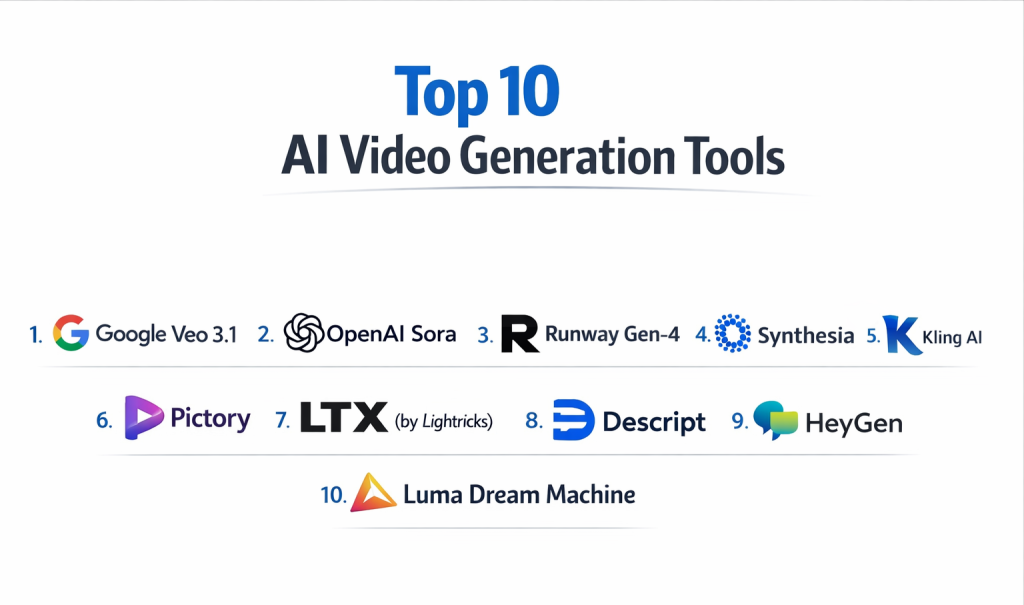
Top 10 AI Video Generation Tools
1 — Google Veo 3.1
Google’s latest iteration, Veo 3.1, represents the pinnacle of cinematic realism. Integrated within the broader ecosystem, it is designed for professional storytellers who demand high-fidelity physics and emotional nuance.
- Key Features:
- Cinematic Physics: Exceptional handling of fabric movement, fluid dynamics, and realistic lighting.
- Multi-Scene Continuity: Maintains character and environment consistency across long-form narratives.
- Integrated Audio & Lip-Sync: Generates high-quality sound effects and perfectly synced dialogue in one pass.
- Flow Suite Integration: Seamlessly connects with creative editing suites for professional post-production.
- Advanced Narrative Controls: Allows for specific “director” commands to influence camera angles and pacing.
- Pros:
- Industry-leading realism that often passes for human-shot footage.
- Natural “acting” capabilities in AI characters, showing subtle emotional shifts.
- Cons:
- Tiered credit system can become expensive for high-volume users.
- Restricted in certain geographic regions due to local AI regulations.
- Security & Compliance: SOC 2, GDPR, HIPAA, and ISO 27001 compliant; enterprise-grade data encryption.
- Support & Community: 24/7 Cloud support, extensive developer documentation, and a massive global community.
2 — OpenAI Sora 2
Sora 2 remains a dominant force in the “text-to-video” space, known for its ability to follow complex, multi-layered instructions and create vivid, imaginative worlds.
- Key Features:
- Extended Context Window: Capable of generating continuous clips with sustained logical consistency.
- 3D Space Consistency: Maintains a logical sense of three-dimensional space as the camera moves.
- Remix Feature: Allows users to take an existing video and change the style or setting via text.
- High-Resolution Rendering: Supports output up to 4K UHD.
- Social Collaboration: Built-in tools for teams to edit prompts and vote on the best generations.
- Pros:
- Unmatched at interpreting abstract creative prompts and metaphors.
- Strong “community remix” culture that inspires rapid ideation.
- Cons:
- Generation times can be slower than more optimized “turbo” models.
- High subscription costs for the professional tiers required to remove watermarks.
- Security & Compliance: SOC 2 Type II, GDPR compliant; incorporates C2PA metadata for transparency.
- Support & Community: Active Discord community and professional enterprise success managers.
3 — Runway Gen-4
Runway continues to be the “Pro Creative’s Choice,” offering a suite of granular tools that give users manual control over AI motion and composition.
- Key Features:
- Motion Brush: Allows users to “paint” specific areas of an image to define exactly where movement occurs.
- Camera Control: Precise sliders for zooming, panning, and tilting the virtual camera.
- Gen-to-Gen Workflows: Convert low-res video into high-fidelity AI-enhanced masterpieces.
- Director Mode: A sophisticated interface for shot-by-shot planning.
- Shared Workspaces: Real-time collaboration for creative agencies.
- Pros:
- The most “controllable” tool; perfect for professional editors who hate randomness.
- Extremely fast rendering for quick social media turnovers.
- Cons:
- Steeper learning curve compared to simple text-to-video tools.
- The interface can feel overwhelming for complete beginners.
- Security & Compliance: SOC 2 compliant; enterprise plans offer custom data retention policies.
- Support & Community: High-quality video academy and direct email support for pro tiers.
4 — Synthesia
Synthesia is the leader in the “Talking Head” and “AI Avatar” category, focusing on corporate communication and educational content.
- Key Features:
- 230+ Realistic Avatars: Digital twins of real actors that deliver scripts naturally.
- 140+ Languages: Instant localization with accent-specific voice cloning.
- AI Video Assistant: Converts a PDF or link into a full video presentation automatically.
- Live Interaction: Avatars can be integrated into interactive quizzes and training modules.
- Brand Kits: Pre-set colors, logos, and fonts to ensure corporate consistency.
- Pros:
- Dramatically reduces the cost of hiring actors and renting studios.
- The gold standard for professional lip-sync and facial micro-expressions.
- Cons:
- Avatars are limited to a “presenter” style; not suitable for cinematic storytelling.
- Backgrounds can sometimes look static compared to the realistic avatars.
- Security & Compliance: SOC 2, GDPR, and ISO compliant; rigorous deepfake ethics policy.
- Support & Community: Dedicated customer success managers for enterprise clients.
5 — Kling AI
Kling AI has surged in popularity due to its incredible balance of price, performance, and “Hollywood-style” physics.
- Key Features:
- Complex Human Motion: One of the few tools that realistically renders humans eating or performing complex actions.
- 1080p Standard: High-definition output even on lower-tier plans.
- Prompt Sensitivity: Responds accurately to very long, detailed descriptive prompts.
- Image-to-Video Excellence: Best-in-class at animating still photos without distortion.
- Video Extension: Features a built-in “Extend” tool to grow clips into longer scenes.
- Pros:
- Highly affordable compared to Western-based counterparts.
- Produces very “stable” video with minimal AI artifacts.
- Cons:
- Limited post-generation editing tools (no motion brushes yet).
- Free plan has a long queue during peak hours.
- Security & Compliance: Standard data encryption; GDPR compliance varies by region.
- Support & Community: Large Discord community and frequent developer updates.
6 — Pictory
Pictory is the ultimate productivity tool for content marketers, specializing in repurposing long-form content into viral short-form videos.
- Key Features:
- URL-to-Video: Paste a blog post link and get a captioned video with stock footage.
- Script-to-Video: Turns text scripts into narrated videos using a massive stock library.
- AI Summarization: Automatically identifies the “golden moments” in long webinars.
- Automatic Captions: 99% accuracy in over 50 languages.
- Cloud-based Collaboration: Easy sharing for remote marketing teams.
- Pros:
- Massive time-saver for businesses with high-volume content needs.
- No video editing skills required whatsoever.
- Cons:
- Relies heavily on stock footage, which can sometimes feel generic.
- Limited “generative” capabilities compared to tools like Veo or Sora.
- Security & Compliance: Standard web encryption; GDPR compliant.
- Support & Community: Extensive knowledge base and live chat support.
7 — LTX Studio (by Lightricks)
LTX Studio is a holistic AI filmmaking platform that handles the entire pre-production to post-production pipeline.
- Key Features:
- Frame-by-Frame Control: Edit the contents of individual shots within a scene.
- Character Consistency: Lock in a character’s face, hair, and clothing across a film.
- Scene Breakdowns: Automatically creates a storyboard from your initial concept.
- Visual Grounding: Uses uploaded reference images to maintain environmental accuracy.
- Pros:
- The most complete tool for actual “filmmaking” and long-form storytelling.
- Excellent for agencies pitching visual concepts to clients.
- Cons:
- Resource-intensive; requires a stable, high-speed internet connection.
- Still in active development, so some features can be buggy.
- Security & Compliance: Varies / N/A (Standard encryption protocols).
- Support & Community: Private beta community and direct developer feedback loops.
8 — Descript
Descript revolutionized video by making editing as easy as editing a Word document. It is the go-to tool for podcasters and interviewers.
- Key Features:
- Overdub: Correct a spoken mistake in a video by simply typing the new word.
- Underlord: An AI assistant that removes filler words and background noise instantly.
- Studio Sound: Turns low-quality mic recordings into professional studio quality.
- Eye Contact Fix: AI adjusts the speaker’s eyes to look directly at the camera.
- Pros:
- The most intuitive “text-based” video editor on the market.
- Essential for anyone producing spoken-word content (podcasts, tutorials).
- Cons:
- Not a “generative” tool in the sense of creating new visual scenes from scratch.
- Transcription can struggle with heavy accents or technical jargon.
- Security & Compliance: SOC 2 Type II compliant; robust privacy controls.
- Support & Community: Massive user forum and “Descript 101” tutorials.
9 — HeyGen
HeyGen is a direct competitor to Synthesia, offering hyper-realistic avatar cloning and incredible translation capabilities.
- Key Features:
- Instant Avatar: Create a digital version of yourself using just minutes of smartphone footage.
- Video Translator: Automatically translates a video and changes lip-sync to match.
- Streaming Avatar: Real-time AI avatars for live customer service or calls.
- Zapier Integration: Automate video production based on CRM triggers.
- Pros:
- The “Video Translation” feature is world-class and perfect for global brands.
- Avatars feel slightly more expressive and less robotic than older models.
- Cons:
- Higher pricing tiers are required for the most realistic “Instant Avatar” features.
- Strict moderation can occasionally flag legitimate creative content.
- Security & Compliance: SOC 2 Type II compliant; focuses heavily on secure identity verification.
- Support & Community: Fast email support and a helpful “HeyGen Academy.”
10 — Luma Dream Machine
Luma’s Dream Machine is an artistic powerhouse, known for its ability to create dreamlike, high-motion visuals that defy traditional physics.
- Key Features:
- High-Motion Synthesis: Excels at fast camera movements and high-energy action.
- Abstract Interpretation: Better than most at creating “surreal” or “painterly” visuals.
- Free Daily Generations: One of the most generous free tiers for hobbyists.
- API Access: Fast, reliable API for developers building custom video apps.
- Pros:
- Excellent for music videos and “mood reels” where realism isn’t the primary goal.
- Very fast generation for a tool of this quality.
- Cons:
- Can struggle with logic (e.g., characters with extra limbs during fast movement).
- Less focus on business-specific features like avatars or branding.
- Security & Compliance: Standard web security; GDPR compliant.
- Support & Community: Active community on X (Twitter) and Discord.
Comparison Table
| Tool Name | Best For | Platform(s) Supported | Standout Feature | Rating (Gartner/TrueReview) |
| Google Veo 3.1 | Cinematic Realism | Web, Cloud | Hyper-realistic Physics | 4.9 / 5 |
| OpenAI Sora 2 | Creative Storytelling | Web | Sustained Narrative Flow | 4.8 / 5 |
| Runway Gen-4 | Professional Editors | Web, Mobile | Motion Brush & Director Mode | 4.7 / 5 |
| Synthesia | Corporate Training | Web | 230+ Multi-ethnic Avatars | 4.4 / 5 |
| Kling AI | High-Motion Physics | Web, Mobile | Realistic Human Actions | 4.6 / 5 |
| Pictory | Content Repurposing | Web | Blog-to-Video Automation | 4.5 / 5 |
| LTX Studio | Full Film Production | Web | Character & Scene Locking | N/A |
| Descript | Podcasts & Interviews | Desktop (Win/Mac) | Text-based Video Editing | 4.8 / 5 |
| HeyGen | Global Translation | Web | AI Video Language Dubbing | 4.3 / 5 |
| Luma Dream Machine | Artistic/Surreal Action | Web | High-Energy Motion Synthesis | 4.4 / 5 |
Evaluation & Scoring of AI Video Generation Tools
The following evaluation uses a weighted rubric to determine which tools provide the highest professional value.
| Category | Weight | Evaluation Criteria |
| Core Features | 25% | Resolution, clip length, motion consistency, and audio integration. |
| Ease of Use | 15% | UI/UX design, prompt engineering requirements, and onboarding speed. |
| Integrations | 15% | API availability, CRM connections, and creative ecosystem support. |
| Security & Compliance | 10% | SOC 2 status, GDPR compliance, and deepfake prevention protocols. |
| Performance | 10% | Rendering speed and “hallucination” frequency (errors). |
| Support & Community | 10% | Documentation quality, support response time, and user forums. |
| Price / Value | 15% | Credit flexibility and cost-per-minute vs. quality of output. |
Which AI Video Generation Tool Is Right for You?
Solo Users vs SMB vs Mid-Market vs Enterprise
- Solo Users: Look for Luma Dream Machine or Kling AI. They offer the best free-to-paid ratios and allow for creative experimentation without huge overhead.
- SMBs: Pictory and Descript are your best options. They focus on ROI by turning existing assets into marketing material.
- Enterprise: Google Veo 3.1, Synthesia, or HeyGen are highly recommended. You need the SOC 2 security, team collaboration features, and the legally-vetted commercial rights they provide.
Budget-Conscious vs Premium Solutions
If budget is your primary concern, Kling AI offers professional results for a fraction of the cost of larger competitors. However, if you are producing a brand film for a global audience, the Premium cost of Veo 3.1 or Sora 2 is justified by the lack of “AI artifacts” and superior sound design.
Feature Depth vs Ease of Use
For those who want to “paint” their videos and control every camera angle, Runway Gen-4 is the deep-dive choice. For those who want to click “Generate” and get a finished product in 30 seconds, Pictory is the ease-of-use champion.
Integration and Scalability Needs
If your workflow is built on collaborative cloud suites, Veo 3.1 is the logical choice. If you need to produce 1,000 personalized sales videos per day, HeyGen‘s Zapier and API integrations make it the most scalable option for high-volume tasks.
Security and Compliance Requirements
Never overlook this in a professional setting. If you are in the legal, medical, or financial sectors, prioritize Synthesia or Descript. They have established track records in data privacy and offer robust consent controls for custom avatars.
Frequently Asked Questions (FAQs)
Q1: Is it legal to use AI-generated videos for commercial ads?
Answer: Yes, provided you use a tool that grants commercial usage rights. Major platforms like Synthesia, Runway, and Google Veo include these rights in their paid plans. Always verify the licensing terms for your specific tier.
Q2: Will AI videos ever replace real actors?
Answer: In corporate training and basic explainers, it already has. However, for high-level emotional performance in cinema, humans still offer a depth of nuance that AI currently approximates rather than truly originates.
Q3: How do I fix “weird hands” or flickering in AI video?
Answer: Use tools with “Temporal Consistency” controls like Runway. Additionally, using a “Negative Prompt” (e.g., “extra fingers, flickering, distorted”) can significantly improve the output quality.
Q4: Can I clone my own voice in these tools?
Answer: Yes. HeyGen, Descript, and Synthesia all offer high-fidelity voice cloning. You usually need to provide a 2–5 minute recording of yourself to train the model securely.
Q5: What is the average cost per minute for AI video?
Answer: It varies. High-end cinematic tools can cost $5–$20 per minute, while automation tools like Pictory can bring it down to less than $1 per minute on an annual subscription.
Q6: Can AI videos rank on YouTube and Google?
Answer: Absolutely. Search engines prioritize viewer retention and value. If your AI video is helpful, high-quality, and engaging, it will rank just as well as a manually edited video.
Q7: Do these tools require a high-end PC?
Answer: No. Most tools on this list are cloud-based, meaning the heavy processing happens on the provider’s servers. You only need a stable internet connection and a modern browser.
Q8: What is “physics-accurate motion”?
Answer: This refers to the AI’s ability to understand how objects should move in the real world (e.g., a ball bouncing, hair blowing). Google Veo 3.1 is currently a leader in this specific area.
Q9: How do I avoid “AI Slop” (low-quality content)?
Answer: Focus on detailed prompting. Instead of using a simple 5-word prompt, provide the AI with a description of the lighting, camera lens, and atmosphere you want.
Q10: Are there free AI video generators without watermarks?
Answer: Most “No Watermark” features are reserved for paid tiers. However, some tools like Kling and Luma offer limited free credits that allow for clean exports during introductory periods.
Conclusion
The “best” AI video generation tool isn’t a single winner—it’s the one that aligns with your specific production hurdle. If you are struggling with cinematic quality, look toward Google Veo 3.1 or OpenAI Sora 2. If your bottleneck is editing speed, Descript or Pictory will fundamentally change your workflow.
As the industry matures, the line between “AI-generated” and “Human-shot” will continue to blur. The most successful creators will be those who view these tools not as replacements for creativity, but as powerful extensions of it.

- Top 10 Email Deliverability Tools: Features, Pros, Cons & Comparison - September 6, 2026
- Top 10 Pharmacovigilance Software: Features, Pros, Cons & Comparison - September 6, 2026
- Top 10 Manufacturing Execution Systems (MES) - July 30, 2026
This is a well‑structured and timely comparison of the top AI video generation tools, and it does a great job of outlining the key features alongside practical pros and cons. Highlighting aspects such as quality of generated video, customization options, ease of use, rendering speed, and style flexibility gives readers a strong framework for evaluating which tool best fits their creative or professional needs. The balanced breakdown helps both beginners and experienced creators understand trade‑offs like control versus automation, and it provides valuable insight into how these platforms can streamline video production workflows. Overall, this guide is a valuable resource for anyone exploring AI‑powered video creation technologies.