Introduction
Industrial Automation SCADA (Supervisory Control and Data Acquisition) Systems are the high-level software architectures used to control and monitor industrial processes in real-time. These systems act as the “brain” of a production facility, gathering data from local sensors and programmable logic controllers (PLCs) and presenting it to human operators through a graphical interface. By providing a centralized view of operations, SCADA allows for remote commands, automated responses to alarm conditions, and long-term data logging for regulatory compliance and process improvement.
The importance of SCADA systems has grown with the rise of Industry 4.0. They are critical for ensuring safety, maintaining quality control, and maximizing uptime in complex environments. Key real-world use cases include water treatment management, power grid monitoring, automotive assembly lines, and pharmaceutical manufacturing. When choosing a SCADA tool, users should evaluate driver compatibility (how well it talks to different hardware), scalability, cybersecurity robustness, and the ability to integrate with high-level business systems like ERP or MES.
Best for:
SCADA systems benefit Control Engineers, Plant Managers, and System Integrators at mid-to-large-scale industrial enterprises. They are essential in critical infrastructure sectors like energy, oil and gas, and public utilities where real-time oversight is non-negotiable.
Not ideal for:
Small businesses with isolated machines or manual processes likely do not need the complexity of a SCADA system. Additionally, if you are looking purely for data visualization without the need for supervisory control (sending commands back to machines), a lightweight IIoT (Industrial Internet of Things) dashboard might be a more cost-effective alternative.
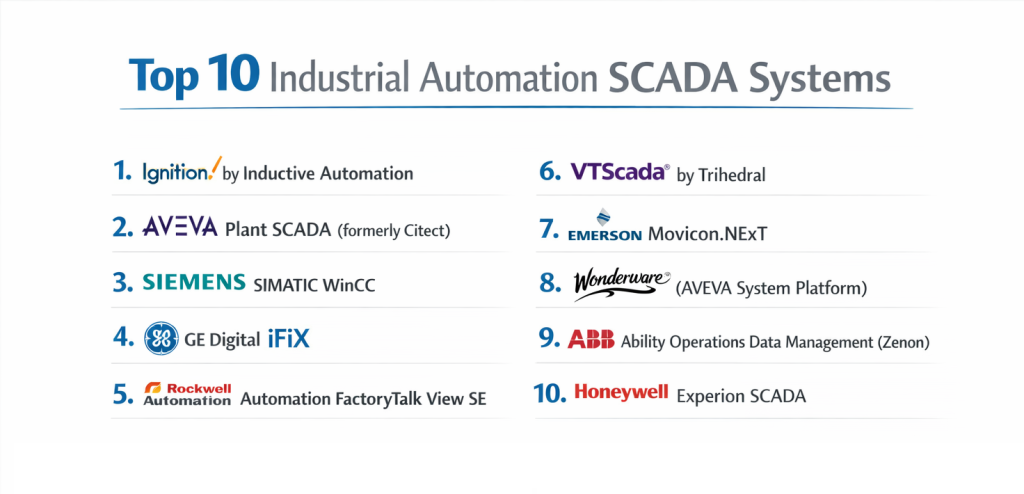
Top 10 Industrial Automation SCADA Systems
1 — Ignition by Inductive Automation
Ignition is a modern, web-based SCADA platform that has disrupted the industry with its unlimited licensing model and modular architecture. It is designed to be a “bridge” between the plant floor and IT.
- Key features
- Unlimited Licensing: Unlimited tags, screens, and clients on a single server license.
- Web-Based Deployment: Uses HTML5 for visualization (Perspective Module) accessible via any browser.
- Cross-Platform: Runs on Windows, Linux, and macOS.
- SQL Database Integration: Built-in tools for seamless connection to relational databases.
- Modular Architecture: Only buy the modules you need (Reporting, Alarming, Mesh).
- Pros
- Highly scalable without the “per-tag” cost penalty common in older systems.
- Modern, flexible design that appeals to both IT and OT departments.
- Cons
- Requires a solid understanding of Python for advanced customization.
- The learning curve can be steep due to the sheer amount of configuration options.
- Security & compliance: Supports SSL/TLS encryption, SSO (OpenID Connect/SAML), and 2FA. ISO 27001 and SOC 2 ready.
- Support & community: Exceptional online training (Inductive University), active community forum, and 24/7 enterprise phone support.
2 — AVEVA Plant SCADA (formerly Citect)
AVEVA Plant SCADA is a high-performance system known for its reliability and its ability to handle massive tag counts in complex infrastructure projects.
- Key features
- Context-Aware Workspace: A rich, template-based environment for faster engineering.
- Redundancy: Robust built-in server and network redundancy for 24/7 uptime.
- Equipment-Centric Design: Organizes data based on physical assets rather than just flat tags.
- Advanced Alarming: Comprehensive alarm management following ISA 18.2 standards.
- Extensive Driver Library: Supports hundreds of legacy and modern industrial protocols.
- Pros
- One of the most stable platforms for mission-critical infrastructure like water treatment.
- Excellent library of pre-built symbols and templates that save design time.
- Cons
- Traditional licensing model can become expensive for large-scale deployments.
- Some users find the interface less “modern” than web-native competitors.
- Security & compliance: ISO 27001 compliant; includes deep audit trails and role-based access control.
- Support & community: Strong global distributor network and a professional support portal with extensive documentation.
3 — Siemens SIMATIC WinCC
As a core part of the Siemens TIA Portal, WinCC is the premier choice for facilities that utilize Siemens PLCs and industrial hardware.
- Key features
- TIA Portal Integration: Shared database between the PLC and SCADA for faster engineering.
- WinCC Unified: Modern web-based visualization for panels and PC systems.
- Scalability: Options ranging from small single-user systems to distributed multi-user plants.
- Data Archiving: High-performance historian functionality for long-term data storage.
- Energy Management: Integrated tools for tracking and optimizing power consumption.
- Pros
- Unrivaled integration with Siemens hardware, reducing tag-creation errors.
- Highly optimized for the European market and international standards.
- Cons
- Can feel proprietary; integrations with non-Siemens hardware are less “seamless.”
- The software suite is resource-heavy and requires high-end workstations.
- Security & compliance: IEC 62443 certified; supports encrypted communication and user management.
- Support & community: Global 24/7 support, massive user community, and extensive certification programs.
4 — GE Digital iFIX
GE iFIX is an established industry leader that excels in highly regulated environments like pharmaceuticals and food and beverage.
- Key features
- High-Performance HMI: Designed to reduce operator reaction time through clean visuals.
- Object-Oriented Graphics: Quickly build reusable components for consistent design.
- CFR 21 Part 11 Compliance: Built-in tools for electronic signatures and records.
- Hybrid Cloud Capability: Connects with GE’s Proficy Historian and operations hub.
- Productivity Tools: Wizards for automatic database and HMI generation.
- Pros
- Industry-standard for industries requiring strict regulatory compliance and audit trails.
- Highly flexible for scripting and custom logic using VBA.
- Cons
- Reliance on older technologies (like VBA) can pose security challenges if not managed.
- Implementation can be complex, often requiring specialized consultants.
- Security & compliance: HIPAA, GDPR, and FDA 21 CFR Part 11 compliant.
- Support & community: Professional global support and a long-standing user base with deep expertise.
5 — Rockwell Automation FactoryTalk View Site Edition
FactoryTalk View SE is the cornerstone of the Rockwell (Allen-Bradley) ecosystem, offering deep integration with Logix-based control systems.
- Key features
- Premier Integration: Directly browses tags from Allen-Bradley PLCs without manual mapping.
- Distributed Architecture: Supports multiple servers and many clients across a network.
- FactoryTalk ViewPoint: Mobile-ready web browser access to HMI screens.
- Global Objects: Update one symbol and have it reflect across every screen in the plant.
- Health Monitoring: Built-in diagnostics for the SCADA network and hardware.
- Pros
- The “must-have” for North American plants standardized on Allen-Bradley hardware.
- Excellent alarm handling and historical data integration.
- Cons
- Very high cost for entry and maintenance.
- Frequent version updates can make long-term system maintenance challenging.
- Security & compliance: SOC 2 compliant; integrates with FactoryTalk AssetCentre for version control and security.
- Support & community: TechConnect support plans are robust, and the user community is one of the world’s largest.
6 — VTScada by Trihedral
VTScada is often cited as the most “user-friendly” SCADA system, packaging everything needed into a single installer without requiring third-party databases.
- Key features
- All-In-One Architecture: Includes historian, drivers, and reports in a single package.
- Instant Replication: Built-in tool for synchronizing data across redundant servers.
- Intuitive HMI Builder: Simple drag-and-drop interface for non-programmers.
- Smartphone/Tablet Support: Responsive mobile views without extra configuration.
- Idea Studio: A sophisticated graphics engine that supports vector images.
- Pros
- Fastest implementation time for small-to-midsize projects.
- Extremely stable and easy to maintain over long periods (decades).
- Cons
- Lacks the massive “ecosystem” of third-party modules found in Ignition.
- Less flexible for highly custom IT-centric integrations.
- Security & compliance: ISO 27001; features multi-level security and detailed activity logs.
- Support & community: Renowned for “human” technical support and a tight-knit developer community.
7 — Emerson Movicon.NExT
Movicon.NExT is a modern, modular SCADA platform based on .NET technology, offering advanced 3D visualization and IIoT connectivity.
- Key features
- WPF Graphics: Supports advanced 2D/3D graphics and animations.
- OPC UA Native: Built from the ground up on OPC UA for secure communication.
- Augmented Reality: Support for wearable devices to assist maintenance teams.
- Cloud-Ready: Native drivers for MQTT and Pub/Sub cloud protocols.
- Scalable Engine: One engine for HMI, SCADA, and Energy Management.
- Pros
- The best visuals in the industry; great for complex process modeling.
- Very forward-looking technology stack (IIoT and Cloud focus).
- Cons
- Requires modern hardware to handle the heavy graphics engine.
- Smaller market share means fewer third-party integrators available.
- Security & compliance: GDPR and IEC 62443 compliant; features strong encryption.
- Support & community: Professional support from Emerson’s global network and detailed technical guides.
8 — Wonderware (AVEVA System Platform)
While now part of AVEVA, Wonderware remains a household name in SCADA, known for its “Object-Oriented” approach to industrial modeling.
- Key features
- Operations Management Interface (OMI): Responsive visualization that adapts to screen size.
- Object-Oriented Templates: Define an “Asset” once and reuse it across multiple plants.
- Massive Connectivity: Thousands of drivers for almost every device ever made.
- Situational Awareness: Pre-built libraries designed to prevent operator fatigue.
- Centralized Management: Deploy updates to hundreds of nodes from a single station.
- Pros
- The premier choice for global enterprises managing dozens of sites.
- Highly efficient for teams that want to standardize on a “corporate” library.
- Cons
- Extremely complex and expensive to license and set up.
- Requires a dedicated team of experts to maintain at scale.
- Security & compliance: SOC 2, ISO 27001, and HIPAA compliant.
- Support & community: World-class support network and decades of community knowledge.
9 — ABB Ability Operations Data Management (Zenon)
Based on the Zenon engine, ABB Ability provides a highly secure and flexible SCADA solution particularly strong in the energy and pharmaceutical sectors.
- Key features
- Multi-Project Administration: Run different project versions on the same network.
- Hot Reloading: Change the configuration without stopping the engine.
- Direct Driver Support: Optimized for ABB power and control hardware.
- Smart Checklist: Digital workflows for operators to ensure procedural compliance.
- Energy Data Management: Extensive reporting on utility usage and efficiency.
- Pros
- Incredible stability for power generation and grid management.
- Built-in tools for meeting strict FDA and EU regulations.
- Cons
- Pricing is opaque and tends toward the high end.
- Primarily focused on specific industries rather than being a “generalist” tool.
- Security & compliance: IEC 62443-4-1 certified; features granular user rights management.
- Support & community: Access to ABB’s specialized industrial service teams and global training.
10 — Honeywell Experion SCADA
Experion is more than just SCADA; it is a platform that integrates with Honeywell’s DCS (Distributed Control System) for massive industrial complexes.
- Key features
- DSA (Distributed System Architecture): Seamlessly link multiple SCADA servers globally.
- Equipment Views: High-level dashboards for rotating equipment and fixed assets.
- Cybersecurity Dashboard: Monitors the health of the SCADA system’s own security layer.
- Honeywell Forge Integration: Connects plant data to enterprise-level analytics.
- Universal IO: Simplifies hardware connections through software-defined IO.
- Pros
- Unmatched scale for oil refineries and large chemical plants.
- Deep focus on cybersecurity and long-term asset lifecycle management.
- Cons
- Overkill for anything smaller than a large industrial plant.
- Complex proprietary hardware and software ecosystem.
- Security & compliance: Meets global military and industrial security standards.
- Support & community: Dedicated 24/7 mission-critical support and a high-end consulting arm.
Comparison Table
| Tool Name | Best For | Platform(s) Supported | Standout Feature | Rating (Gartner) |
| Ignition | Modern Web/IT-OT | Windows, Linux, Mac | Unlimited Tag Licensing | 4.7 / 5 |
| AVEVA Plant | Infrastructure/Utilities | Windows | Industrial Redundancy | 4.4 / 5 |
| Siemens WinCC | Siemens Hardware Users | Windows | TIA Portal Integration | 4.3 / 5 |
| GE iFIX | Regulated Industries | Windows | FDA Compliance Tools | 4.2 / 5 |
| Rockwell FT View | Allen-Bradley Users | Windows | Premier Logix Integration | 4.1 / 5 |
| VTScada | Ease of Maintenance | Windows | All-in-One Installer | 4.8 / 5 |
| Movicon.NExT | 3D Visualization | Windows, Linux, Android | .NET/WPF Graphics | N/A |
| Wonderware | Global Enterprise | Windows | Object-Oriented Modeling | 4.5 / 5 |
| ABB Zenon | Energy & Pharma | Windows | Hot Reloading | 4.4 / 5 |
| Honeywell Experion | Oil, Gas & Chemical | Windows | Global DSA Architecture | 4.2 / 5 |
Evaluation & Scoring of Industrial Automation SCADA Systems
The following table provides an objective scoring of the SCADA category based on current market demands for 2026.
| Category | Weight | Evaluation Criteria |
| Core Features | 25% | Driver depth, alarm management, and historian performance. |
| Ease of Use | 15% | Designer UI, learning curve, and template availability. |
| Integrations | 15% | API availability (MQTT, SQL, OPC UA) and hardware neutrality. |
| Security & Compliance | 10% | Encryption, SSO, and industrial certifications (IEC 62443). |
| Performance | 10% | Redundancy, high-tag count stability, and refresh rates. |
| Support & Community | 10% | Documentation, local integrators, and forum activity. |
| Price / Value | 15% | Licensing transparency and total cost of ownership (TCO). |
Which Industrial Automation SCADA Systems Tool Is Right for You?
Solo Users vs SMB vs Mid-Market vs Enterprise
- Solo Developers/Consultants: VTScada offers a free “Light” version and is easy to learn, making it perfect for small, one-off projects.
- SMBs: Ignition is the strongest choice here because you can start small and grow without being penalized by “tag-count” costs as you add more sensors.
- Mid-Market: AVEVA Plant SCADA or Rockwell FactoryTalk provide the stability and local integrator support that mid-sized companies need to run 24/7.
- Enterprise: Wonderware (AVEVA System Platform) or Honeywell Experion are designed for the complexities of managing multiple global sites and massive data flows.
Budget-Conscious vs Premium Solutions
If budget is the primary concern, Ignition usually wins on a cost-per-tag basis for large systems. However, for a small system with under 50 tags, VTScada or Movicon may offer a lower initial entry price. Rockwell and Siemens are premium solutions where you pay for the hardware-software synergy.
Integration and Scalability Needs
If your future involves IIoT, Cloud data lakes, and SQL reporting, Ignition and Movicon.NExT are the most technologically aligned. If your primary need is “high-availability” for a city’s water supply, the redundancy of AVEVA Plant SCADA or ABB is more critical than web-readiness.
Frequently Asked Questions (FAQs)
1. What is the difference between HMI and SCADA?
An HMI (Human Machine Interface) is typically a local screen attached to a single machine. SCADA is a system-wide software platform that supervises multiple HMIs and PLCs across an entire plant or multiple sites.
2. Can SCADA systems run on Linux?
While most legacy systems (GE, Rockwell, Siemens) are strictly Windows-based, modern platforms like Ignition and Movicon.NExT offer full Linux support, which is increasingly popular for security and licensing reasons.
3. What is “Unlimited Tags” in SCADA licensing?
Traditionally, SCADA vendors charge based on the number of data points (tags) you monitor. “Unlimited” means you pay for the server license and can add 100 or 1,000,000 sensors without paying more to the software vendor.
4. How do I protect a SCADA system from cyberattacks?
Modern SCADA systems should be kept on a separate “OT Network,” utilize firewalls, support SSO/MFA, and use encrypted protocols like OPC UA or MQTT Sparkplug rather than plain-text legacy drivers.
5. What is OPC UA?
OPC Unified Architecture is the “universal translator” for industrial automation. It allows different brands of PLCs (Siemens, Allen-Bradley) to talk to different brands of SCADA software securely.
6. Do I need to know how to code to use SCADA?
Basic setup is usually “drag and drop,” but for complex logic, reporting, or database integration, knowledge of Python (for Ignition) or VBA/C# (for others) is highly beneficial.
7. Can I view my SCADA system on my phone?
Most modern systems offer HTML5 “Mobile Portals” or native apps. However, for security reasons, these should always be accessed through a secure VPN or an encrypted gateway.
8. What is a “Historian” in SCADA?
A historian is a high-performance database optimized for storing time-series data. It allows you to look back at years of sensor data to find trends or investigate equipment failures.
9. How long does a SCADA system last?
A well-maintained SCADA system can last 10 to 20 years. However, the underlying hardware and OS (Windows) usually require updates every 3 to 5 years for security compliance.
10. What is a “Cloud SCADA”?
Cloud SCADA hosts the supervisory engine in the cloud rather than on a local server. This is great for remote assets (like oil wells or weather stations) but is rarely used for high-speed factory control due to latency and internet reliability concerns.
Conclusion
The “best” Industrial Automation SCADA System is the one that aligns with your existing hardware and your future digital strategy. If you are deeply invested in a specific hardware brand like Siemens or Rockwell, their native SCADA tools often provide the lowest engineering friction.
However, for teams looking to break free from vendor lock-in and embrace modern web technologies, Ignition and VTScada offer more flexibility and transparent pricing. In 2026, the focus is shifting away from simple data acquisition and toward contextualized intelligence—choosing a system that can not only talk to your machines but also feed meaningful data into your business systems is the key to a successful automation journey.

- Top 10 Email Deliverability Tools: Features, Pros, Cons & Comparison - September 6, 2026
- Top 10 Pharmacovigilance Software: Features, Pros, Cons & Comparison - September 6, 2026
- Top 10 Manufacturing Execution Systems (MES) - July 30, 2026
This is an excellent and practical comparison of industrial SCADA systems! SCADA (Supervisory Control and Data Acquisition) solutions are fundamental to modern automation because they gather real‑time data from sensors and controllers and enable operators to monitor and control industrial processes remotely, all from a centralized interface—boosting visibility, responsiveness, and operational efficiency. These systems help reduce downtime, improve safety, and support data‑driven decision‑making by storing and analyzing historical process data, while also integrating with broader automation ecosystems. By outlining key features alongside pros and cons for each platform, this article gives readers valuable insights into how different SCADA tools support real‑time monitoring, scalability, ease of use, and industry‑specific needs, making it easier to choose the right solution for their automation objectives.
This is a well-structured and informative comparison of top industrial automation SCADA systems that helps both beginners and professionals understand key differences. Highlighting features such as real-time monitoring, alarm management, scalability, and integration capabilities provides excellent clarity on what to consider when choosing a solution. It’s particularly helpful that the pros and cons section addresses practical aspects like ease of use, licensing costs, and vendor support, which are often decisive factors in real-world deployments. Overall, this guide gives readers a solid foundation to evaluate SCADA platforms based on technical requirements and operational priorities in industrial environments.