Introduction
Production Scheduling Tools are specialized software applications designed to allocate resources, assign tasks, and sequence work orders within a manufacturing or industrial environment. Unlike basic planners, these tools utilize advanced algorithms to manage the complex interplay between personnel, machinery, raw materials, and delivery deadlines. By creating a digital “master schedule,” they ensure that production floors operate at peak efficiency, minimizing idle time and preventing bottlenecks before they occur.
The importance of these tools lies in their ability to handle Finite Capacity Scheduling. In the real world, a machine can only run so fast, and a worker can only be in one place at a time. Production scheduling software accounts for these hard limits, allowing businesses to provide accurate delivery dates to customers. Key use cases include optimizing changeovers in food processing, managing complex assembly sequences in electronics, and balancing workloads in custom machine shops. When evaluating these tools, users should look for real-time visibility, “what-if” scenario modeling, ease of integration with ERP systems, and intuitive Gantt chart interfaces.
Best for:
These tools are indispensable for Production Planners, Operations Managers, and Plant Directors in mid-sized to large manufacturing enterprises. They are particularly valuable in high-mix, low-volume industries like aerospace, medical devices, and fabricated metals where schedules change daily.
Not ideal for:
Small businesses with a single production line or very simple, repetitive processes may find these tools over-engineered. If your production logic can be managed in a basic spreadsheet without causing delays, the cost and implementation time of a dedicated scheduling tool might not be justified.
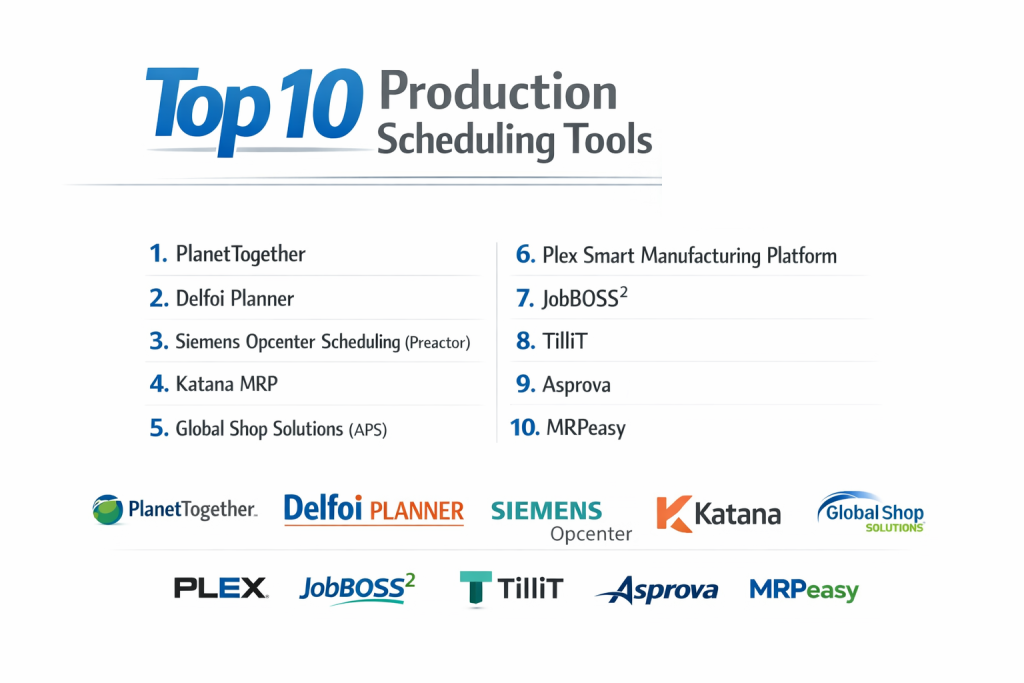
Top 10 Production Scheduling Tools
1 — PlanetTogether
PlanetTogether is a high-end Advanced Planning and Scheduling (APS) solution designed to integrate deeply with existing ERP systems to solve complex multi-plant scheduling challenges.
- Key features
- Multi-Plant Optimization: Synchronize production across various geographical locations.
- What-If Analysis: Simulate the impact of a new rush order or machine breakdown.
- Dynamic Gantt Charts: Drag-and-drop interface that instantly recalculates the entire schedule.
- Inventory Optimization: Links scheduling directly to material availability to prevent stockouts.
- KPI Dashboards: Real-time tracking of on-time delivery and equipment utilization.
- Pros
- Exceptionally powerful “what-if” capabilities that help managers stay proactive.
- Robust integration capabilities with major ERPs like SAP and Microsoft Dynamics.
- Cons
- The interface has a steep learning curve for non-technical staff.
- Implementation can be time-consuming due to the depth of configuration required.
- Security & compliance: SOC 2 Type II compliant, data encryption at rest, and SSO integration.
- Support & community: High-quality professional services, detailed online documentation, and an active user conference circuit.
2 — Delfoi Planner
Delfoi Planner is a cloud-native scheduling tool known for its visual simplicity and its focus on lean manufacturing principles.
- Key features
- Visual Scheduling: Highly intuitive Gantt charts designed for ease of use.
- Lean Manufacturing Support: Built-in tools for JIT (Just-In-Time) and Kanban workflows.
- Real-Time Shop Floor Feedback: Allows operators to update progress via mobile devices.
- Automated Scheduling: Algorithms that suggest the best sequence based on minimizing changeovers.
- Resource Management: Track both machine capacity and human skill sets.
- Pros
- One of the most user-friendly interfaces in the industrial market.
- Quick deployment times compared to traditional on-premise APS systems.
- Cons
- May lack some of the “deep” algorithmic complexity required for massive chemical processes.
- Reporting features are slightly less customizable than enterprise rivals.
- Security & compliance: GDPR compliant, ISO 27001 certified data centers, and secure encryption.
- Support & community: Strong European presence, responsive email support, and a comprehensive knowledge base.
3 — Siemens Opcenter Scheduling (Preactor)
Formerly known as Preactor, Siemens Opcenter is perhaps the most famous name in the scheduling world, offering unparalleled depth for discrete manufacturing.
- Key features
- Finite Capacity Scheduling: Models real-world constraints with extreme precision.
- Sequence Optimization: Automatically reduces setup times between different product runs.
- Material Pegging: Connects specific material batches to specific work orders.
- Customizable Rules: Users can write custom logic to prioritize certain customers or products.
- Seamless Siemens Ecosystem: Direct integration with Siemens MES and PLM tools.
- Pros
- Unrivaled flexibility; it can be customized to fit almost any manufacturing logic.
- Vast global network of certified integrators and consultants.
- Cons
- Very expensive, particularly when adding custom logic modules.
- Requires a dedicated administrator to maintain the system at peak performance.
- Security & compliance: ISO 27001, IEC 62443, and GDPR compliant; robust audit logs.
- Support & community: Global 24/7 support, massive user forums, and extensive certification programs.
4 — Katana MRP
Katana offers an all-in-one manufacturing platform that includes a visual production scheduling module tailored for modern SMBs and D2C brands.
- Key features
- Real-Time Master Planning: Automatically prioritizes production based on material availability.
- Visual Shop Floor Control: Simplified task lists for operators.
- Contract Manufacturing Support: Manage schedules for external partners.
- Sales & Inventory Sync: Direct integration with Shopify, Amazon, and WooCommerce.
- Automated Material Booking: Reserves raw materials the moment a sales order is placed.
- Pros
- Extremely fast setup; go live in days rather than months.
- Modern, clean UI that appeals to the “new generation” of manufacturers.
- Cons
- Lacks the complex “what-if” scenario modeling of enterprise APS tools.
- Not designed for high-volume, multi-stage industrial engineering projects.
- Security & compliance: GDPR compliant, SSO for enterprise, and secure AWS hosting.
- Support & community: Excellent live chat support, Katana Academy for training, and a strong D2C community.
5 — Global Shop Solutions (APS)
Global Shop Solutions is a comprehensive ERP system that features a native APS module, ideal for shops that want everything under one roof.
- Key features
- Integrated ERP/APS: No data syncing issues because scheduling is part of the core database.
- Advanced Dispatch Lists: Tells every worker exactly what to do next based on the master schedule.
- Overload Alerts: Notifies managers when a specific machine center is over-booked.
- Projected Finish Dates: Real-time updates based on actual shop floor progress.
- Tooling Integration: Schedules not just machines, but the necessary jigs and fixtures.
- Pros
- Eliminates the “integration headache” between different software vendors.
- Very strong for “Make-to-Order” shops with complex part requirements.
- Cons
- The software can feel “dated” and complex to navigate.
- If you only need scheduling, you still have to buy into the larger ERP ecosystem.
- Security & compliance: SOC 2 compliant, robust user permission levels, and data encryption.
- Support & community: Dedicated project managers for onboarding and an extensive “fast-track” training program.
6 — Plex Smart Manufacturing Platform
Plex offers a cloud-native scheduling solution that is part of their broader “Smart Factory” vision, focusing on high-volume industries like automotive.
- Key features
- Production Control Board: A digital hub for real-time schedule management.
- PLC Integration: Can trigger schedule updates based on actual machine counts.
- Finite and Infinite Options: Switch between planning modes depending on the business cycle.
- Supplier Collaboration: Share production schedules with vendors in real-time.
- Mobile Accessibility: View and adjust the schedule from any device on the shop floor.
- Pros
- Best-in-class for traceability and compliance-heavy manufacturing.
- Cloud-first architecture means no on-site server maintenance.
- Cons
- Requires a significant cultural shift in the organization to implement fully.
- The pricing model is geared toward larger enterprises.
- Security & compliance: ISO 27001, SOC 1/2, ITAR, and GDPR compliant.
- Support & community: Professional global support and a very active customer advocacy group.
7 — JobBOSS²
JobBOSS² (formerly Shoptech) is a favorite among smaller job shops and custom manufacturers who need flexible, easy-to-use scheduling.
- Key features
- Drag-and-Drop Whiteboard: A digital version of the traditional shop floor whiteboard.
- Real-Time Data Collection: Operators clock into jobs to update the schedule instantly.
- Flexible Sequencing: Easily move jobs around to accommodate urgent customer requests.
- Material Planning: View material shortages directly on the schedule.
- Labor Tracking: Monitor employee efficiency against the scheduled time.
- Pros
- Perfectly tailored to the needs of the small custom machine shop.
- Affordable entry point with a clear path for scaling.
- Cons
- Lacks advanced algorithmic optimization found in tools like Siemens.
- The reporting engine can be difficult to customize without help.
- Security & compliance: Varies by deployment; standard encryption and secure cloud options are available.
- Support & community: Strong North American support team and frequent regional training workshops.
8 — TilliT
TilliT is a modern, “digital factory” platform that combines scheduling with execution (MES) for a truly integrated shop floor experience.
- Key features
- Unified Scheduler/MES: The schedule isn’t just a plan; it’s the interface for the worker.
- No-Code Configuration: Allows managers to set up scheduling rules without IT help.
- Asset Management: Integrates maintenance schedules with production schedules.
- Digital Work Instructions: Attaches the “how-to” directly to the scheduled task.
- OEE Tracking: Real-time performance metrics linked to the daily plan.
- Pros
- Bridges the gap between “planning” and “doing” better than almost any other tool.
- Very modern, tablet-friendly interface.
- Cons
- Still a younger player in the market with a smaller integrator network.
- Primarily focused on discrete manufacturing; less fit for continuous flow.
- Security & compliance: SOC 2 Type II, GDPR compliant, and secure cloud-native architecture.
- Support & community: High-touch onboarding and direct access to the engineering team.
9 — Asprova
Asprova is a high-speed production scheduling system that is widely used in lean manufacturing environments, particularly in Japan and Europe.
- Key features
- High-Speed Calculation: Can reschedule thousands of operations in seconds.
- Ultra-Finite Modeling: Accounts for even the smallest constraints like cooling times.
- Inventory Graphing: Visualizes projected stock levels for every minute of the day.
- KPI Simulation: Compares multiple schedule versions to see which is most profitable.
- Multi-User Editing: Allows several planners to work on the schedule simultaneously.
- Pros
- Unmatched speed for massive, complex facilities with millions of operations.
- Excellent for minimizing inventory while maintaining high service levels.
- Cons
- The interface is highly technical and can be intimidating for new users.
- Training and setup require a significant time investment.
- Security & compliance: Standard enterprise security; GDPR compliant.
- Support & community: Specialized consulting network and a very deep technical manual.
10 — MRPeasy
MRPeasy is a cloud-based ERP/MRP system designed for small manufacturers that includes an surprisingly robust production scheduling module.
- Key features
- Gantt Chart Scheduling: Visual representation of machine and human resources.
- Auto-Scheduling: Assigns the earliest possible start time based on material arrival.
- Sub-Assembly Planning: Coordinates multiple levels of production into one schedule.
- Color-Coded Status: Instantly see which jobs are on time, delayed, or missing parts.
- Shop Floor App: Tablet-based interface for workers to update the schedule.
- Pros
- Probably the best value-for-money tool for a small manufacturer.
- No consultants needed—most users can self-implement using the provided guides.
- Cons
- Limited “what-if” modeling compared to high-end APS systems.
- Not suitable for massive enterprises with complex multi-site dependencies.
- Security & compliance: GDPR compliant, secure AWS hosting, and regular backups.
- Support & community: Strong online documentation, video tutorials, and responsive email support.
Comparison Table
| Tool Name | Best For | Platform(s) Supported | Standout Feature | Rating (TrueReview) |
| PlanetTogether | Multi-Plant Enterprise | Cloud, On-Prem | Multi-Plant Opt. | 4.8 / 5 |
| Delfoi Planner | Lean Manufacturing | Cloud (SaaS) | Visual Simplicity | 4.6 / 5 |
| Siemens Opcenter | Complex Discrete | Cloud, On-Prem | Algorithmic Depth | 4.5 / 5 |
| Katana MRP | D2C & Modern SMBs | Cloud (SaaS) | E-commerce Sync | 4.7 / 5 |
| Global Shop | All-in-one ERP Users | Cloud, On-Prem | Native ERP Sync | 4.2 / 5 |
| Plex | Automotive / High Vol | Cloud (SaaS) | PLC-Driven Scheduling | 4.4 / 5 |
| JobBOSS² | Small Job Shops | Cloud, On-Prem | Shop Floor Flexibility | 4.3 / 5 |
| TilliT | Digital Shop Floor | Cloud (SaaS) | Unified Scheduler/MES | 4.8 / 5 |
| Asprova | High-Complexity Lean | Windows (On-Prem) | Calculation Speed | 4.5 / 5 |
| MRPeasy | Budget-Conscious SMB | Cloud (SaaS) | Ease of Implementation | 4.7 / 5 |
Evaluation & Scoring of Production Scheduling Tools
To help you evaluate these tools, we have utilized a weighted scoring rubric based on the most critical needs of modern manufacturing.
| Category | Weight | Evaluation Criteria |
| Core Features | 25% | Finite capacity logic, “what-if” analysis, and setup-time optimization. |
| Ease of Use | 15% | Intuitive Gantt charts, drag-and-drop capability, and mobile friendliness. |
| Integrations | 15% | Two-way sync with ERPs, MES, and e-commerce platforms. |
| Security & Compliance | 10% | SOC 2/ISO certifications, encryption, and audit trails. |
| Performance | 10% | Speed of rescheduling and system uptime. |
| Support & Community | 10% | Availability of local integrators and documentation quality. |
| Price / Value | 15% | Transparent pricing and long-term ROI for the business size. |
Which Production Scheduling Tools Tool Is Right for You?
Solo Users vs SMB vs Mid-market vs Enterprise
- Small Manufacturers (1–25 employees): Tools like MRPeasy or Katana are the winners. They provide enough scheduling power to improve efficiency without requiring a dedicated IT department or a six-figure budget.
- Mid-Market (50–500 employees): Delfoi Planner or JobBOSS² are the “sweet spot” for mid-market shops that need more control over labor and machine sequencing but still want a system that is easy to update.
- Enterprise (500+ employees): For massive operations, PlanetTogether, Siemens Opcenter, or Asprova are the only choices. These systems can handle the millions of data variables required to coordinate global production.
Budget-conscious vs Premium Solutions
If you are strictly budget-conscious, MRPeasy offers a complete production suite for a low monthly subscription. On the other end of the spectrum, Siemens Opcenter is a premium investment that pays for itself through massive reductions in setup times and inventory costs over several years.
Feature Depth vs Ease of Use
If you need Feature Depth (e.g., modeling the specific cooling time of a plastic mold or the skill level of a specific welder), you must choose an APS system like Asprova or PlanetTogether. If you prioritize Ease of Use so that your shop floor leads can manage their own day, Delfoi or TilliT are superior.
Frequently Asked Questions (FAQs)
1. What is the difference between MRP and Production Scheduling?
MRP (Material Requirements Planning) tells you what materials you need and when to buy them. Production Scheduling tells you exactly in what order to run the jobs on the machines based on current capacity.
2. Can I use these tools with my existing ERP?
Yes, most professional tools like PlanetTogether or Siemens are “ERP-agnostic” and can pull data from SAP, Oracle, Microsoft Dynamics, and others via APIs or specialized connectors.
3. Does production scheduling software work without internet?
On-premise solutions (like Siemens or Asprova) can run entirely on a local network. Cloud-native solutions (like Katana or Plex) require a stable internet connection but offer easier remote access.
4. How long does it take to implement a scheduling tool?
A simple cloud tool can be running in 2–4 weeks. A complex enterprise APS system usually takes 6–12 months to configure the logic and integrate it with your ERP.
5. What is “Finite Capacity”?
It is a scheduling method that recognizes machines and people have limits. It won’t schedule 100 hours of work for an 8-hour shift, whereas “infinite” scheduling (common in basic ERPs) assumes you can do everything at once.
6. Can these tools help reduce changeover times?
Yes, tools like Siemens Opcenter have algorithms that group similar jobs together (e.g., running all “Red” plastic before “White” plastic) to minimize cleaning and setup time.
7. Is my data safe in a cloud scheduling tool?
Generally, yes. Modern SaaS providers use enterprise-grade security (SOC 2, ISO 27001) that is often more robust than what a small manufacturer could maintain on their own local server.
8. Can I manage labor and machines at the same time?
Most high-end tools allow for “Secondary Constraints,” meaning a job won’t start unless both the machine is free and an operator with the right certification is available.
9. Why do scheduling projects fail?
The biggest reason is “dirty data.” If your machine speeds or material lead times in the system don’t match reality, the schedule produced by the software will be useless.
10. Do I need to be a mathematician to use these tools?
No. While the algorithms are complex, the user interface is designed for planners. If you can use a Gantt chart or an Excel sheet, you can learn to use these tools.
Conclusion
Selecting the right Production Scheduling Tool is about finding the balance between algorithmic power and shop-floor usability. In 2026, the competitive edge goes to manufacturers who can respond to customer changes instantly without throwing their factory into chaos.
If you are a high-growth brand, the simplicity of Katana or MRPeasy will help you scale. If you are a complex industrial giant, the deep logic of Siemens or PlanetTogether is your best defense against inefficiency. Ultimately, the “best” tool is the one that provides your team with a clear, realistic plan that everyone—from the CEO to the machine operator—can trust.

- Top 10 Email Deliverability Tools: Features, Pros, Cons & Comparison - September 6, 2026
- Top 10 Pharmacovigilance Software: Features, Pros, Cons & Comparison - September 6, 2026
- Top 10 Manufacturing Execution Systems (MES) - July 30, 2026
This is a well‑structured and insightful guide to production scheduling tools! Production scheduling software plays a critical role in modern manufacturing by helping teams plan, allocate, and optimize resources like labor, machines, and materials to meet production targets efficiently while reducing idle time and bottlenecks. These tools often integrate real‑time data, automation, and ERP/MRP systems to improve visibility across the shop floor and enable faster, data‑driven decision‑making. By outlining the core features, advantages, and drawbacks of the top options, this article gives readers practical insights into how different solutions can boost throughput, shorten lead times, and enhance on‑time delivery performance—making it easier to choose the right tool for specific production environments and business sizes.