Introduction
A Warehouse Management System (WMS) is a software application designed to optimize and control every aspect of warehouse operations, from the moment goods enter a facility until they move out. While basic inventory software tracks “what” you have, a WMS focuses on the “how” and “where” of daily movement. It provides a digital map of the warehouse, guiding staff through the most efficient paths for picking, packing, and shipping, while ensuring that every item is accounted for in real-time. In an era of “next-day delivery” expectations, a WMS is the engine that allows businesses to achieve the speed and accuracy required to stay competitive.
The importance of a WMS lies in its ability to maximize space utilization and labor productivity. By automating bin locations and picking routes, a WMS can reduce walking time for staff by up to 50% and virtually eliminate picking errors. Key real-world use cases include managing high-volume e-commerce fulfillment, tracking perishable goods with expiration dates (FEFO), and handling complex cross-docking operations where goods are moved directly from receiving to shipping with minimal storage. When choosing a tool, users should evaluate mobile scanning capabilities, real-time data synchronization, labor management features, and integration with shipping carriers and ERPs.
Best for:
WMS tools are essential for Warehouse Managers, Supply Chain Directors, and 3PL (Third-Party Logistics) Providers. They benefit mid-sized to enterprise-level companies in retail, manufacturing, and distribution that operate physical fulfillment centers and manage thousands of SKUs across multiple bin locations.
Not ideal for:
Small businesses that operate out of a single room or use a “garage-style” setup likely do not need the complexity of a WMS. If your inventory is small enough to be managed by sight or a simple spreadsheet, the overhead of setting up bin locations and scanning protocols may outweigh the benefits.
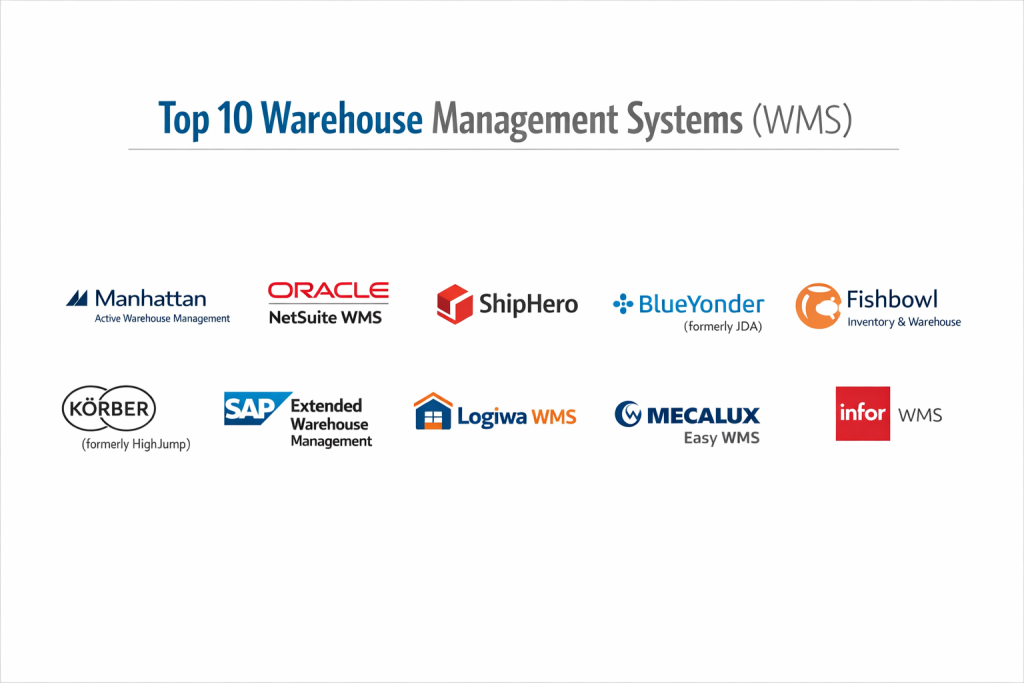
Top 10 Warehouse Management Systems (WMS) Tools
1 — Manhattan Active Warehouse Management
Manhattan Associates is often cited as the industry leader for enterprise-grade WMS, offering a cloud-native platform that combines traditional WMS with advanced labor and automation management.
- Key features
- Versionless Cloud: Automatic updates ensure you are always on the latest version without downtime.
- Unified Distribution: Combines WMS, labor management, and slotting in one interface.
- Task Interleaving: Uses AI to assign tasks to workers based on their current location to minimize “deadheading.”
- Robotics Integration: Seamlessly connects with AMRs (Autonomous Mobile Robots) and automated sorters.
- Cross-Docking: Sophisticated logic for moving goods directly from receiving to shipping.
- Pros
- Unrivaled scalability for global companies with massive, automated facilities.
- Deep analytical insights into employee performance and warehouse bottlenecks.
- Cons
- Extremely high cost and long implementation timelines.
- Requires a high level of technical expertise to configure and manage.
- Security & compliance: SOC 2 Type II, ISO 27001, and GDPR compliant; robust audit logs for every transaction.
- Support & community: High-end enterprise support, a vast network of global partners, and a dedicated customer community portal.
2 — Oracle NetSuite WMS
For companies already within the NetSuite ERP ecosystem, the NetSuite WMS module offers a seamless, built-in solution that eliminates the need for third-party integrations.
- Key features
- Mobile RF Scanning: Real-time data entry via handheld devices for receiving and picking.
- Directed Picking/Putaway: Logic-based suggestions for where to store and find items.
- Cycle Counting: Automated prompts for stock audits to maintain 99%+ accuracy.
- Multi-Location Management: Visibility across warehouses, retail stores, and 3PLs.
- Cartonization: Automatically determines the best box size for an order based on item dimensions.
- Pros
- Exceptional data integrity since the WMS shares the same database as the ERP and CRM.
- Modern, web-based UI that is more intuitive than many legacy industrial systems.
- Cons
- Not a “standalone” product; you must be a NetSuite ERP customer to use it effectively.
- Some advanced warehouse automation features (like complex robotics) require third-party middleware.
- Security & compliance: SOC 1/2, PCI DSS, GDPR, and ISO 27001 compliant.
- Support & community: Extensive “SuiteAnswers” knowledge base and a massive worldwide user community.
3 — ShipHero
ShipHero is a modern, e-commerce-focused WMS that prioritizes speed and simplicity for brands that fulfill their own orders and 3PLs that serve multiple clients.
- Key features
- One-Click Integration: Native connectors for Shopify, BigCommerce, and Amazon.
- Batch & Wave Picking: Advanced picking strategies to maximize efficiency in high-volume settings.
- Multi-Warehouse Routing: Automatically sends orders to the facility closest to the customer.
- Post-Purchase Experience: Integrated branded tracking and returns management.
- Mobile App Excellence: The iPad/iPhone app is specifically designed for warehouse workers.
- Pros
- Extremely fast implementation compared to traditional enterprise WMS.
- Specifically built for the “D2C” (Direct-to-Consumer) workflow, making it very agile.
- Cons
- Lacks some of the deep “Manufacturing” features found in industrial-first tools.
- High price point that is based on order volume, which can scale quickly.
- Security & compliance: SOC 2 Type II compliant; secure SSO and encrypted data storage.
- Support & community: Excellent customer success reputation and a very active online help center.
4 — Blue Yonder (formerly JDA)
Blue Yonder is an AI-driven supply chain leader, offering a WMS that focuses on “Self-Healing” warehouse operations through predictive analytics.
- Key features
- Luminate Logistics: AI-powered insights that predict labor shortages or equipment failure.
- Yard Management: Extends the WMS to manage the movement of trucks and trailers outside the warehouse.
- Resource Orchestration: Synchronizes human labor with automated systems in real-time.
- Dynamic Slotting: Constantly reorganizes the warehouse based on changing demand patterns.
- Sustainability Tracking: Optimizes routes to reduce energy consumption and carbon footprint.
- Pros
- The best choice for companies prioritizing “Digital Twin” and predictive technology.
- Highly adaptable to complex, multi-national supply chain networks.
- Cons
- The user interface is data-dense and can be intimidating for floor staff.
- Significant investment required for both software and implementation services.
- Security & compliance: ISO 27001, SOC 2, and high-level enterprise encryption.
- Support & community: Global 24/7 support and a prestigious circle of supply chain experts.
5 — Fishbowl Inventory & Warehouse
Fishbowl is the go-to WMS for small-to-mid-sized businesses that want powerful warehouse features but prefer to keep their accounting in QuickBooks.
- Key features
- QuickBooks Integration: The most robust “bridge” for syncing warehouse movements with financial ledgers.
- Work Order Management: Handles simple manufacturing and assembly within the warehouse.
- Asset Tracking: Track internal company assets as well as sellable inventory.
- Barcode Generation: Create and print custom labels directly from the system.
- Part Tracking: Support for serial numbers, lot numbers, and expiration dates.
- Pros
- Much more affordable for SMBs than the enterprise giants.
- Very strong for “Engineered-to-Order” or light manufacturing businesses.
- Cons
- Traditionally a desktop-based software (on-premise), though cloud hosting is available.
- Limited scalability for massive, high-automation distribution centers.
- Security & compliance: Audit logs and user-level permissions; SOC 2 (Cloud version).
- Support & community: Extensive video training, “Fishbowl Academy,” and a large domestic support team.
6 — Körber (formerly HighJump)
Körber provides a highly flexible WMS that is famous for its “Total Customizability,” allowing businesses to build unique workflows without changing the core code.
- Key features
- Process Advantage: A low-code tool that allows admins to build custom warehouse screens.
- 3PL Support: Specialized billing and reporting modules for logistics providers.
- Voice Picking: Native support for voice-directed work to keep staff “hands-free.”
- Global Visibility: Real-time stock tracking across an unlimited number of nodes.
- Load Planning: Optimizes how pallets are packed into trucks to maximize space.
- Pros
- If you have a highly unusual warehouse layout or process, Körber can be molded to fit it.
- Strong reputation for performance in cold storage and food/beverage industries.
- Cons
- The extreme flexibility means it can be “over-configured,” leading to complexity.
- Smaller third-party marketplace for pre-built integrations compared to NetSuite or SAP.
- Security & compliance: SOC 2, GDPR, and ISO 27001 compliant.
- Support & community: Strong professional services focus and a dedicated user group network.
7 — SAP Extended Warehouse Management (EWM)
SAP EWM is a top-tier solution for industrial giants, providing deep integration with SAP S/4HANA for a complete end-to-end supply chain.
- Key features
- MFS (Material Flow System): Direct control of conveyor belts and automated storage/retrieval systems (ASRS).
- Value-Added Services (VAS): Tracking of custom kitting, labeling, or repair work.
- Labor Management: Detailed performance standards and productivity tracking.
- Advanced Shipping & Receiving: Streamlined dock management and gate security.
- Quality Management: Integrated inspections during the receiving process.
- Pros
- Unmatched integration with SAP’s global manufacturing and finance modules.
- Built to handle the absolute highest volume of transactions per second.
- Cons
- Known for a very steep learning curve and high training costs.
- Licensing is complex and typically requires a significant enterprise commitment.
- Security & compliance: Top-tier global security standards; SOC 1/2, ISO, and GDPR.
- Support & community: Infinite support resources through the global SAP ecosystem.
8 — Logiwa WMS
Logiwa is a cloud-native WMS designed specifically for high-volume B2C e-commerce fulfillment and 3PLs that need to scale quickly.
- Key features
- E-commerce Focus: Over 100+ integrations with marketplaces like Amazon, Walmart, and Etsy.
- Smart Algorithms: AI-based algorithms for picking and packing optimization.
- 3PL Billing: Automated billing for storage, picking, and shipping per client.
- Digital Picking: Supports paperless warehouse operations via mobile apps.
- Rapid Onboarding: Built to get new warehouses up and running in weeks, not months.
- Pros
- Excellent for “omnichannel” retailers who sell on many platforms at once.
- The user interface is very modern and easy for floor workers to learn.
- Cons
- Not as strong for heavy “Industrial Manufacturing” as SAP or Oracle.
- Reporting can be less customizable than the legacy enterprise systems.
- Security & compliance: SOC 2 Type II compliant; secure cloud infrastructure.
- Support & community: High-touch implementation support and a responsive technical team.
9 — Mecalux Easy WMS
Mecalux is unique because they are both a software provider and a warehouse racking manufacturer, giving them a physical-first perspective on WMS.
- Key features
- Warehouse Control System (WCS): Direct integration with Mecalux’s own automated racking and shuttles.
- Multi-Warehouse Management: Centralized control for multiple facilities from one dashboard.
- Labor Management System (LMS): Real-time monitoring of worker efficiency and idle time.
- Manufacturing Integration: Specialized modules for production line supply.
- Store Integration: Managing stock in retail stores to enable ship-from-store.
- Pros
- Best-in-class for warehouses that use a lot of automated hardware and shuttles.
- Very strong presence in Europe and Latin America with local support.
- Cons
- The software is at its best when paired with Mecalux hardware, which may be limiting.
- Less native “E-commerce marketplace” connectivity than tools like ShipHero.
- Security & compliance: ISO 27001 and GDPR compliant.
- Support & community: Strong technical support for both software and warehouse hardware.
10 — Infor WMS
Infor WMS (part of the CloudSuite) is a modern, high-tier solution that focuses on visual warehouse management and 3D visualization.
- Key features
- 3D Visual Warehouse: A digital twin that allows managers to see stock heatmaps in 3D.
- Unified UX: Consistent interface across desktop, tablet, and handheld scanners.
- Built-in Labor Management: Track productivity without needing a separate module.
- Multi-Attribute Tracking: Manage inventory by color, size, lot, and style simultaneously.
- Embedded Analytics: Real-time dashboards that don’t require external BI tools.
- Pros
- Highly visual approach makes it easy to spot bottlenecks on the warehouse floor.
- Excellent for fashion, apparel, and food/beverage industries.
- Cons
- Smaller ecosystem of third-party developers than SAP or Oracle.
- Can be a complex implementation for mid-sized companies.
- Security & compliance: SOC 2, ISO 27001, and HIPAA compliant.
- Support & community: Global 24/7 support and a robust Infor Concierge portal for users.
Comparison Table
| Tool Name | Best For | Platform(s) Supported | Standout Feature | Rating (Gartner) |
| Manhattan Active | Global Enterprise | Cloud (SaaS) | Versionless AI-Engine | 4.7 / 5 |
| NetSuite WMS | NetSuite ERP Users | Cloud (SaaS) | Full ERP Unification | 4.5 / 5 |
| ShipHero | E-commerce / D2C | Cloud, Mobile | Mobile App / UX | 4.8 / 5 |
| Blue Yonder | AI-Forward Supply Chain | Cloud (SaaS) | Predictive Analytics | 4.4 / 5 |
| Fishbowl | SMB / QuickBooks | Desktop, Cloud | QuickBooks Sync | 4.3 / 5 |
| Körber | Custom Workflows | Cloud, On-Prem | Process Customization | 4.6 / 5 |
| SAP EWM | Industrial Giants | Cloud, On-Prem | Industrial Automation | 4.3 / 5 |
| Logiwa WMS | 3PL / Marketplace | Cloud (SaaS) | 3PL Billing Engine | 4.7 / 5 |
| Mecalux Easy | Automated Hardware | Cloud, On-Prem | Hardware Synergy | 4.2 / 5 |
| Infor WMS | Visual Mgmt / Fashion | Cloud (SaaS) | 3D Visual Warehouse | 4.5 / 5 |
Evaluation & Scoring of Warehouse Management Systems (WMS)
| Category | Weight | Evaluation Criteria |
| Core Features | 25% | Directed picking, cycle counting, slotting, and labor management. |
| Ease of Use | 15% | Mobile app UI, training requirements, and administrative dashboard. |
| Integrations | 15% | Native ERP/Shipping/Marketplace connectors and API robustness. |
| Security & Compliance | 10% | SOC 2/ISO certifications, SSO, and audit trail granularity. |
| Performance | 10% | Handling of high transaction volumes and system uptime. |
| Support & Community | 10% | Documentation quality, global 24/7 support, and user forums. |
| Price / Value | 15% | Transparent licensing and ROI via labor/space savings. |
Which Warehouse Management Systems (WMS) Tool Is Right for You?
Solo Users vs SMB vs Mid-market vs Enterprise
- Small Businesses (SMB): Fishbowl is the winner here. It allows you to move away from spreadsheets and into professional barcoding without the massive “enterprise” price tag.
- Mid-Market: ShipHero or Logiwa are perfect. They provide the speed and e-commerce connectivity that growth brands need without requiring a year-long implementation.
- Enterprise: Manhattan Active, SAP EWM, or Blue Yonder are the only solutions capable of managing global networks of automated distribution centers.
Budget-conscious vs Premium Solutions
If you are budget-conscious but need to ship 1,000+ orders a day, ShipHero offers a high ROI through labor savings. For those with a “sky’s the limit” budget who need absolute perfection in global logistics, Manhattan Active is the undisputed premium choice.
Feature Depth vs Ease of Use
If you need Feature Depth (e.g., you have automated robots, conveyors, and complex manufacturing), SAP EWM or Mecalux are built for that. If you need Ease of Use (e.g., your warehouse has high seasonal staff turnover and people need to learn the tool in 10 minutes), ShipHero and Logiwa have the best interfaces.
Frequently Asked Questions (FAQs)
1. What is the main difference between WMS and Inventory Management?
Inventory management tells you “what” you have in the building. A WMS tells you “exactly which bin” it is in, “how long” it has been there, and “the fastest way” to go pick it.
2. Can I use a WMS on my phone?
Most modern SaaS WMS tools (like ShipHero or Logiwa) have dedicated apps for iOS and Android. However, enterprise systems often require “Ruggedized” industrial scanners for better durability and laser scanning.
3. How long does WMS implementation take?
An e-commerce WMS can be set up in 4–8 weeks. A major enterprise WMS like Manhattan or SAP usually takes 6–18 months depending on the level of automation.
4. Does WMS help with shipping costs?
Indirectly, yes. Most WMS tools integrate with shipping carriers to “rate shop” and select the cheapest option, while features like “cartonization” reduce dimensional weight charges.
5. What is “Slotting” in a WMS?
Slotting is the process of deciding where items should live. High-velocity items are “slotted” at eye-level near the shipping station, while slow-moving items are moved to the back or higher shelves.
6. Is my data secure in a cloud WMS?
Yes. Major providers use enterprise-level security (SOC 2, ISO 27001) that is usually much more secure than a local server in a warehouse office.
7. Can WMS handle “Cross-Docking”?
Yes. High-end WMS tools can identify incoming items that are already needed for outbound orders and instruct workers to move them directly to the shipping dock.
8. Do I need a WMS if I use a 3PL?
If you outsource everything, your 3PL uses their own WMS. However, you might use a “light” version to see your stock levels in their building.
9. What is “Wave Picking”?
Wave picking is when the system groups orders together by carrier, priority, or location so a worker can pick 20 orders at once instead of walking the warehouse 20 times.
10. Why is WMS so expensive?
The cost is an investment in efficiency. By reducing picking errors and walking time, a WMS typically pays for itself through reduced labor costs and fewer customer returns.
Conclusion
Selecting the right Warehouse Management System (WMS) is one of the most significant operational decisions a business can make. In 2026, the gap between “good” and “great” logistics is determined by the intelligence of your software.
If you are a fast-moving e-commerce brand, ShipHero or Logiwa will provide the agility you need. If you are a manufacturing giant, SAP or Oracle will provide the necessary industrial backbone. Ultimately, the “best” WMS is the one that turns your warehouse from a storage room into a high-speed fulfillment engine.

- Top 10 Email Deliverability Tools: Features, Pros, Cons & Comparison - September 6, 2026
- Top 10 Pharmacovigilance Software: Features, Pros, Cons & Comparison - September 6, 2026
- Top 10 Manufacturing Execution Systems (MES) - July 30, 2026
Great and comprehensive overview of the top Warehouse Management Systems! A WMS is crucial for modern supply chains because it not only automates core processes like inventory tracking, order picking, and shipping, but also improves accuracy and operational efficiency across the warehouse. By highlighting features such as real-time inventory visibility, integration with ERP systems, and advanced reporting, this comparison helps businesses understand how different solutions can reduce errors, lower costs, and accelerate fulfillment. I especially appreciate the balanced discussion of pros and cons, which is essential for selecting a system that aligns with specific operational needs and future scalability.