Introduction
Sales Tax Automation Tools are specialized software platforms designed to eliminate the manual burden of calculating, collecting, reporting, and remitting sales and use tax. In an era defined by complex “economic nexus” laws following the South Dakota v. Wayfair Supreme Court decision, these tools have shifted from a convenience to a critical business necessity. They act as a real-time compliance layer, integrating directly with e-commerce stores, point-of-sale (POS) systems, and ERPs to apply the correct tax rate for every transaction, anywhere.
The importance of these tools cannot be overstated. Manual sales tax management is a high-risk, low-reward task prone to errors that can lead to audits, hefty penalties, and interest charges. Automation provides accuracy at scale, dramatically reduces administrative overhead, and offers peace of mind that your business is adapting to the thousands of annual tax rate and rule changes across over 11,000 U.S. jurisdictions. Real-world use cases include an online retailer automatically charging the correct combined state, county, and city tax for a customer in St. Louis, Missouri; a SaaS company determining the taxability of its software subscriptions across different states; and a multichannel seller consolidating tax liability data from Amazon, Shopify, and their brick-and-mortar store into a single filing.
When evaluating sales tax automation tools, key criteria include: Accuracy and Coverage (depth of jurisdiction database and product taxability rules), Integration Ecosystem (pre-built connectors for your tech stack), Filing and Remittance Services (automating the full lifecycle), Reporting and Audit Defense capabilities, and overall Scalability as your business grows.
Best for: These tools deliver maximum value to any business selling goods or taxable services across state lines. This is especially true for e-commerce brands, SaaS companies, retailers, and wholesalers who have triggered economic nexus thresholds. Key beneficiaries are CFOs, Controllers, E-commerce Managers, and Accountants in companies ranging from high-growth SMBs to large enterprises.
Not ideal for: A truly local brick-and-mortar business with a single location, selling exclusively to customers within one city or county, may not need a dedicated automation tool. In this case, the tax table in their local POS system might suffice. However, the moment they sell online or ship out of state, automation becomes essential.
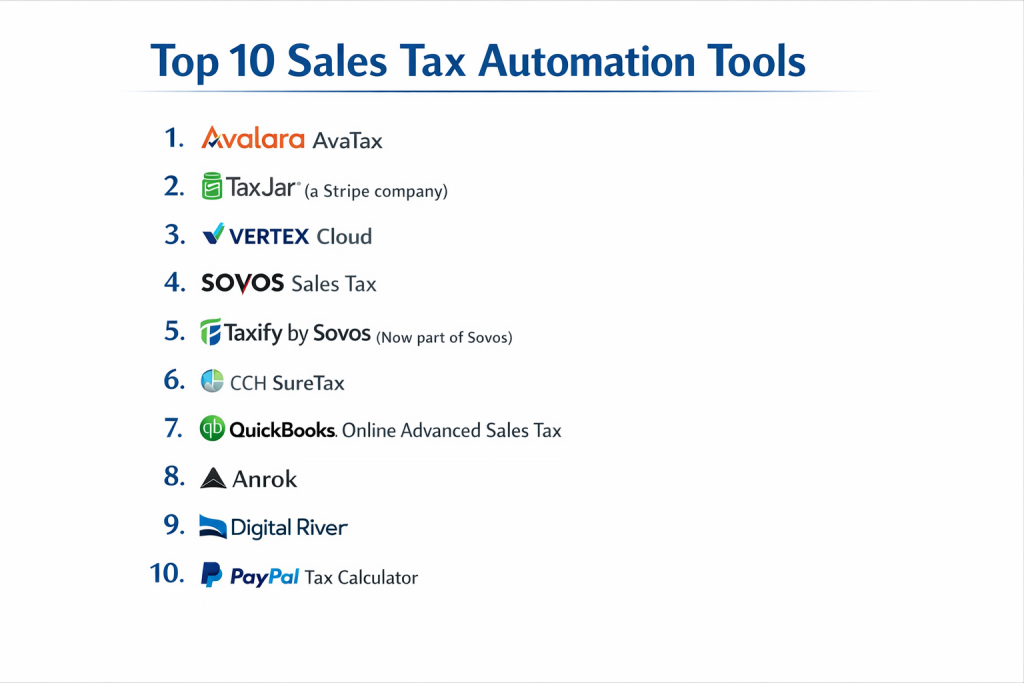
Top 10 Sales Tax Automation Tools
1 — Avalara AvaTax
Avalara AvaTax is the industry-leading, cloud-based sales tax automation platform. It’s a comprehensive solution designed to handle real-time tax calculation, certificate management, and filing for businesses of all sizes, from growing SMBs to global enterprises.
- Key Features
- Real-Time, Accurate Calculations: Relies on a constantly updated database of over 11,000 tax jurisdictions and advanced product taxability rules.
- Broad Ecosystem Integrations: Offers hundreds of “Avalara Certified” connectors for major e-commerce platforms (Shopify, BigCommerce), ERPs (NetSuite, SAP), and POS systems.
- Automated Returns & Filing (Avalara Returns): Prepares, files, and remits sales tax returns directly to tax authorities.
- Exemption Certificate Management (Avalara CertCapture): Centralized, digital hub for storing, validating, and managing resale and exemption certificates.
- Consumer Use Tax Management: Automatically identifies transactions where use tax is due and helps calculate the liability.
- Landed Cost & Cross-Border: Calculates duties and taxes for international shipments.
- Pros
- Unmatched breadth of features and depth of jurisdictional coverage, making it a “safe choice” for complex compliance needs.
- Vast library of pre-built integrations significantly reduces implementation time and technical debt.
- Cons
- Pricing can be complex and scale with transaction volume, potentially becoming costly for very high-volume sellers.
- The platform’s extensive functionality can be overwhelming for a small business with straightforward needs.
- Security & Compliance: SOC 1 & 2 Type II, ISO 27001 certified. GDPR and CCPA compliant. Features include SSO, data encryption, and detailed audit logs.
- Support & Community: Multi-tiered support plans (standard and premium). Extensive knowledge base, active user community forums, and annual user conferences.
2 — TaxJar (a Stripe company)
TaxJar is a user-friendly, cloud-based sales tax platform built with e-commerce and SaaS businesses in mind. It excels at aggregating data from multiple sales channels and simplifying the compliance process with a clear, intuitive interface.
- Key Features
- Multi-Channel Sales Tax Reporting: Automatically aggregates transaction data from Shopify, Amazon, eBay, WooCommerce, etc., into unified reports.
- Automatic Filing Service: Files sales tax returns on your behalf in any U.S. state where you’re registered (subscription add-on).
- SmartCalcs API: A robust and developer-friendly API for building custom tax calculation into applications or checkouts.
- Economic Nexus Insights: Tools and dashboards that help you track your sales volume and transaction count against state nexus thresholds.
- Simple State Registration: Guidance and tools to help you register for sales tax permits in new states.
- Pros
- Exceptionally easy to set up and use, with a dashboard that makes nexus and liability clear at a glance.
- Transparent, predictable subscription pricing (plus filing fees) without per-transaction calculation costs.
- Cons
- Primarily focused on U.S. sales tax; international VAT/GST capabilities are limited compared to global players.
- May lack some of the advanced, granular configuration options required by large, complex multinationals.
- Security & Compliance: SOC 2 Type II certified. GDPR compliant. All data is encrypted in transit and at rest.
- Support & Community: Support via email and live chat. Extensive help documentation, webinars, and a blog renowned for clear e-commerce tax advice.
3 — Vertex Cloud
Vertex Cloud is the cloud iteration of Vertex’s long-standing, enterprise-focused tax technology. It’s known for its exceptional accuracy, deep ERP integrations, and powerful rule configuration for complex product taxability scenarios.
- Key Features
- O-Series Tax Determination Engine: A highly accurate and reliable calculation engine trusted by large enterprises for complex transactions.
- Deep ERP Integrations: Certified, “out-of-the-box” integrations with SAP, Oracle, Microsoft Dynamics, and NetSuite, often at a deep transactional level.
- Advanced Tax Rule Configuration: Allows for detailed, conditional tax logic for specific products, customer types, and scenarios.
- Compliance & Reporting (Vertex Returns): Manages the filing and remittance process with robust reporting for audit trails.
- Industry-Specific Solutions: Pre-configured templates and rules for manufacturing, retail, distribution, and other verticals.
- Pros
- Renowned for the precision and reliability of its tax content database and calculation logic.
- A trusted, stable partner for large businesses, especially those running SAP or Oracle, seeking a cloud migration path.
- Cons
- Pricing and sales process are geared toward mid-market and enterprise clients, not small startups.
- Can be less agile and have a longer implementation cycle compared to newer, native-cloud competitors.
- Security & Compliance: Enterprise-grade security with SOC 2 compliance. Data centers with robust encryption and access controls.
- Support & Community: Enterprise-level support with dedicated customer success managers. Access to a large, established user community and professional services.
4 — Sovos Sales Tax
Sovos Sales Tax is part of Sovos’s broader compliance platform, offering robust sales and use tax automation with particular strength in integrating tax determination with complex billing systems and handling unique industry challenges.
- Key Features
- Accurate Real-Time Calculation: Covers all U.S. states, counties, cities and special districts with up-to-date rates and rules.
- Billing System Integration: Designed to handle complex tax scenarios from sophisticated billing and subscription management platforms.
- Exemption & Certificate Management: Tools to manage exemption certificates and validate them against customer details.
- Compliance Reporting & Filing: Prepares returns and supports the filing process, with options for managed services.
- Global Capability Integration: Can be part of a unified platform that also manages global VAT, GST, and e-invoicing compliance.
- Pros
- Strong focus on complex, high-volume B2B and B2C transactions, and industries with unique taxability rules.
- Part of a larger global compliance suite, ideal for companies with both U.S. and international tax obligations.
- Cons
- Brand recognition is lower in the pure-play e-commerce space compared to Avalara or TaxJar.
- May offer more functionality than a simple, direct-to-consumer e-commerce brand requires.
- Security & Compliance: Maintains high security standards with data encryption and compliance with relevant regulations. Specific certifications vary by product module.
- Support & Community: Provides customer support with options for premium service. Backed by Sovos’s global compliance expertise.
5 — Taxify by Sovos (Now part of Sovos)
Previously an independent competitor, Taxify was acquired by Sovos and integrated into its portfolio. It was known for a simple interface and straightforward pricing, appealing to SMBs and entrepreneurs.
- Key Features
- Unified Sales Tax Dashboard: Consolidated view of liabilities, filings, and nexus across all states.
- Automated Return Filing: Full-service filing with a team of in-house tax experts reviewing each return.
- Simple, All-Inclusive Pricing: Transparent monthly subscription that included calculations and a set number of filed returns.
- Basic Integrations: Connected with major e-commerce platforms like Shopify and BigCommerce.
- Nexus Registration Guidance: Assisted with the process of registering for sales tax permits in new states.
- Pros
- Gained a loyal following for its transparent, all-in-one pricing and user-friendly design.
- The full-service filing model took significant work off the plates of small business owners.
- Cons
- As a product now integrated into Sovos, its long-term development roadmap as a distinct SMB tool is less clear.
- Feature set and integration catalog were less extensive than the largest market leaders.
- Security & Compliance: Inherits Sovos’s security and compliance infrastructure. Data protection and encryption standards were maintained.
- Support & Community: Provided direct support, with an emphasis on customer service for its SMB user base.
6 — CCH SureTax
CCH SureTax is part of Wolters Kluwer’s suite of tax and accounting solutions, offering sales tax calculation and compliance automation with a strong foundation in serving accounting professionals and midsize to large businesses.
- Key Features
- Accurate Tax Calculation: Real-time sales and use tax calculation for U.S. and Canadian jurisdictions.
- Address Validation: Cleanses and validates customer addresses to ensure the most precise rate is applied.
- Exemption Certificate Management: Digital storage and management for exemption certificates.
- Integration Options: Offers API-based integration and pre-built connectors for various business systems.
- Part of CCH Ecosystem: Can integrate with other CCH accounting and compliance products for a unified workflow.
- Pros
- Backed by the reputable Wolters Kluwer/CCH brand, a trusted name in tax information and compliance.
- Strong fit for businesses already using other CCH products or those who value a vendor with deep tax research roots.
- Cons
- Market presence and mindshare are often overshadowed by larger, more sales-focused competitors like Avalara.
- May not have the same pace of innovation or breadth of e-commerce native integrations as some rivals.
- Security & Compliance: Maintains Wolters Kluwer’s enterprise-level security protocols and compliance standards.
- Support & Community: Support channels aligned with Wolters Kluwer’s professional customer base, including access to tax research resources.
7 — QuickBooks Online Advanced Sales Tax
Built directly into QuickBooks Online Advanced, this tool provides native sales tax automation for businesses that run their entire financial operations within the Intuit ecosystem.
- Key Features
- Native QBO Integration: Sales tax tracking, reporting, and filing workflows are built directly into the familiar QuickBooks interface.
- Automated Rate Updates: Sales tax rates are updated automatically by Intuit.
- Simplified Filing Prep: Aggregates tax-collected data and populates summary reports to streamline filing (manual or via Intuit’s full-service option).
- Nexus Guidance: Provides tools and insights within QBO to help businesses understand where they may have tax obligations.
- Single-Partner Experience: Manages books, payments, payroll, and sales tax compliance in one platform.
- Pros
- Seamless, no-integration-required experience for businesses fully committed to QuickBooks Online Advanced.
- Reduces the need to manage a separate software vendor, simplifying billing and support.
- Cons
- Only available to subscribers of the highest-tier (and most expensive) QuickBooks Online plan.
- Functionality is basic compared to best-of-breed platforms; lacks advanced features like complex product taxability rules or robust certificate management.
- Security & Compliance: Leverages Intuit’s bank-grade security infrastructure, including encryption and SOC compliance.
- Support & Community: Access to QuickBooks Online Advanced support and the vast QuickBooks ecosystem of pros and resources.
8 — Anrok
Anrok is a modern sales tax platform built specifically for SaaS, software, and digital service companies. It focuses on the unique challenges of determining taxability for intangible products and B2B sales across different states.
- Key Features
- SaaS-Specific Tax Logic: Pre-configured rules and workflows for common SaaS tax scenarios (e.g., digital goods, taxable services).
- Automated Taxability Determination: Evaluates customer location, product type, and usage data to automatically determine if a sale is taxable.
- B2B Exemption Handling: Streamlines the process of capturing and validating tax exemption certificates for business customers.
- Stripe-Native Integration: Deep, seamless integration with Stripe Billing and Payments, making setup very fast for Stripe users.
- API-First Design: Clean, modern API for custom integrations with other billing and finance systems.
- Pros
- Solves the specific, often confusing pain points of SaaS tax compliance better than generic platforms.
- Modern, developer-friendly approach with fast implementation, especially for tech companies.
- Cons
- A newer player with a smaller client base and less proven long-term track record than incumbents.
- Focus on SaaS can be a limitation for businesses selling a mix of physical and digital goods.
- Security & Compliance: SOC 2 Type II certified. Employs modern security practices with data encryption. Compliant with data privacy regulations.
- Support & Community: Responsive, technical support team. Growing community among venture-backed SaaS companies.
9 — Digital River
Digital River provides a full-stack global commerce and tax compliance solution, acting as a merchant of record. This model means they assume the tax liability and handle all calculations, filings, and remittances on your behalf.
- Key Features
- Merchant of Record (MoR) Model: Digital River becomes the seller of record, taking on legal and financial responsibility for tax calculation, collection, and remittance.
- Global Tax Compliance: Manages not just U.S. sales tax, but also VAT, GST, and other international indirect taxes in over 200 markets.
- Global Payments & Fraud Management: Bundles tax compliance with international payment processing and fraud prevention services.
- Local Entity Establishment: Uses its own local entities to sell into regulated markets, simplifying market entry.
- Pros
- Transfers the maximum amount of compliance risk and administrative burden away from the selling company.
- A turnkey solution for rapidly scaling global e-commerce without building internal tax expertise.
- Cons
- The most expensive model; fees are a percentage of revenue, not a flat subscription.
- Less control and transparency over the tax process compared to using a software tool directly.
- Security & Compliance: As a licensed merchant and payment facilitator, it maintains the highest levels of PCI DSS compliance and financial regulatory licensing globally.
- Support & Community: Dedicated account management and support as part of a full-service commerce partnership.
10 — PayPal Tax Calculator
PayPal offers a basic, built-in sales tax calculation feature for merchants using its payment buttons or hosted checkout pages. It’s a minimal, no-cost option for micro-businesses just starting out.
- Key Features
- Simple Rate Configuration: Allows sellers to set flat sales tax rates per state within their PayPal account.
- Automatic Application: Applies the configured rate to transactions for customers in those states.
- Integrated with PayPal Payments: Works seamlessly for transactions processed through PayPal’s native tools.
- No Additional Cost: Included as part of using PayPal’s standard payment processing services.
- Pros
- Extremely easy to enable for existing PayPal users with zero additional software cost.
- Provides a basic level of automation for the simplest of tax scenarios.
- Cons
- Extremely Limited: Only handles flat state-level rates, ignoring county, city, and special district taxes, which guarantees inaccuracy.
- No Compliance Features: Offers no reporting for filing, no nexus guidance, no certificate management, and no audit trails.
- Not a Compliance Solution: It is a basic calculator, not a tool that manages liability or helps with filing.
- Security & Compliance: Leverages PayPal’s payment security infrastructure. Does not provide tools to ensure compliance.
- Support & Community: General PayPal merchant support. Not specialized for tax compliance questions.
Comparison Table
| Tool Name | Best For | Platform(s) Supported | Standout Feature | Rating |
|---|---|---|---|---|
| Avalara AvaTax | Businesses of all sizes needing comprehensive, integrated automation | Cloud, API | Vast library of pre-built “Certified” connectors | N/A |
| TaxJar | E-commerce & SaaS businesses prioritizing simplicity & clear pricing | Cloud, API | Multi-channel data aggregation & automatic filing service | N/A |
| Vertex Cloud | Large enterprises, especially SAP/Oracle users, needing precision | Cloud | Deep ERP integrations & highly configurable tax rules | N/A |
| Sovos Sales Tax | Companies with complex billing systems or global compliance needs | Cloud, API | Integration with sophisticated billing & global tax suite | N/A |
| Taxify by Sovos | SMBs and entrepreneurs wanting straightforward, full-service filing | Cloud | Simple all-in-one pricing with done-for-you filing | N/A |
| CCH SureTax | Midsize businesses and accounting firms within the CCH ecosystem | Cloud, API | Integration with CCH’s tax research and accounting suite | N/A |
| QuickBooks Online Advanced Tax | Businesses all-in on QBO Advanced wanting native integration | Cloud (QBO only) | Native workflow within QuickBooks Online | N/A |
| Anrok | SaaS and software companies with complex digital product taxability | Cloud, API | Pre-built logic for SaaS tax scenarios & Stripe-native integration | N/A |
| Digital River | Brands wanting to outsource all global tax risk & compliance (MoR) | Full-Service Platform | Merchant of Record model assumes full liability | N/A |
| PayPal Tax Calculator | Micro-businesses needing the absolute simplest, free starting point | PayPal Only | Built-in, no-cost for PayPal users | N/A |
Evaluation & Scoring of Sales Tax Automation Tools
Use this rubric to objectively score potential vendors. Adjust the weights based on what’s most critical for your business.
| Evaluation Criteria | Weight | What to Look For | Scoring Guide (1-5) |
|---|---|---|---|
| Core Features | 25% | Calculation accuracy, jurisdiction coverage, filing services, exemption management, reporting. | 5: Exceeds all needs; 3: Meets core needs; 1: Lacks critical features. |
| Ease of Use | 15% | Dashboard clarity, setup complexity, intuitiveness for non-experts, quality of UX. | 5: Intuitive for all users; 3: Requires some training; 1: Cumbersome and complex. |
| Integrations & Ecosystem | 15% | Pre-built connectors for your e-commerce, ERP, POS, and billing systems. API flexibility. | 5: Seamless, native connectors; 3: Requires API work; 1: Poor integration. |
| Security & Compliance | 10% | SOC 2 certification, data encryption, audit trails, vendor’s own compliance posture. | 5: Enterprise-grade security; 3: Meets baseline; 1: Gaps present. |
| Performance & Reliability | 10% | System uptime, calculation speed, data sync accuracy, reliability during peak sales. | 5: 99.9%+ uptime, fast & reliable; 3: Occasional issues; 1: Frequent problems. |
| Support & Community | 10% | Responsiveness of support, quality of knowledge base, user community, expert access. | 5: Proactive, expert support; 3: Adequate support; 1: Poor, slow support. |
| Price / Value | 15% | Total cost (subscription, transaction, filing fees) relative to risk mitigated and time saved. | 5: Exceptional value; 3: Price aligns with market; 1: Poor value. |
How to Use: Shortlist 2-3 vendors. For each criterion, score them 1-5. Multiply the score by the weight (as a decimal) for a weighted score. Sum the weighted scores. The vendor with the highest total best matches your weighted priorities.
Which Sales Tax Automation Tool Is Right for You?
The best choice depends on your business model, growth stage, and tolerance for manual work versus cost.
- Solo Users vs. SMB vs. Mid-Market vs. Enterprise: Solopreneurs can start with PayPal’s tool but must upgrade quickly. SMBs should choose TaxJar for simplicity or Avalara’s starter plans. Mid-Market companies need robust features from Avalara, Vertex, or Sovos. Large Enterprises require the power and integration of Avalara, Vertex Cloud, or a full MoR like Digital River.
- E-commerce vs. SaaS vs. Brick-and-Mortar: E-commerce brands need multichannel reporting (TaxJar, Avalara). SaaS companies require digital product logic (Anrok, specialized Avalara rules). Complex Retail/Manufacturing needs deep ERP links (Vertex, Avalara for SAP/Oracle).
- Budget-Conscious vs. Premium Solutions: For transparent value, TaxJar is excellent. Avalara offers tiered plans. Vertex and Digital River are premium investments for complex needs or risk transfer. Avoid false economy—non-compliance is far more expensive.
- Feature Depth vs. Ease of Use: Need granular rules for thousands of products? Prioritize depth (Vertex, Avalara). Want to be compliant in an afternoon? Prioritize ease (TaxJar, Anrok for SaaS).
- Integration and Scalability Needs: If you use Stripe and sell SaaS, Anrok integrates beautifully. On Shopify Plus? Avalara has a deep app. Running SAP? Vertex is a natural fit. Ensure the tool can scale with your transaction volume and geographic expansion.
- Security and Compliance Requirements: All serious cloud vendors are SOC 2 compliant. The key is ensuring their tax content (rates, rules) is updated and sourced reliably. For global expansion, verify their international tax database quality.
Frequently Asked Questions (FAQs)
What is economic nexus, and how do these tools help?
Economic nexus means you have a tax obligation in a state based on sales volume or transaction count, even without a physical presence. These tools track your sales into each state, alert you when you trigger nexus, and automatically begin calculating and collecting the correct tax.
Do I still need a CPA or tax advisor if I use automation software?
Yes, absolutely. Software handles calculation and filing, but a CPA provides strategic advice, helps with audit defense, advises on entity structure, and ensures your software is configured correctly. They are a strategic partner; the software is a tactical tool.
How much do these tools typically cost?
Costs vary: TaxJar uses simple subscriptions + filing fees. Avalara often uses a base fee + transaction volume. Vertex has enterprise licensing. Digital River takes a revenue percentage. Implementation fees may also apply.
What’s the biggest mistake businesses make when choosing?
Choosing based on price alone. The cheapest tool that doesn’t handle your specific product taxability or scale with you will cost more in penalties and re-implementation later. Conversely, over-buying for simple needs wastes resources.
Can these tools handle exempt sales and resale certificates?
Yes, a core feature of robust platforms (Avalara CertCapture, Vertex Exemption Management) is digitally storing, validating, and applying exemption certificates to customer accounts, ensuring tax isn’t charged on exempt transactions.
How do they stay updated with tax rate changes?
Vendors employ teams of tax experts and use automated data feeds to monitor changes across thousands of jurisdictions. Updates are pushed to their cloud databases, often daily, so your calculations are always current.
What’s the difference between “calculation” and “filing” services?
Calculation is determining the correct tax to charge at checkout. Filing is the process of preparing returns, remitting funds, and submitting them to tax authorities. Some tools do both; some only calculate. Know which you’re buying.
What if I sell on Amazon, which already collects sales tax?
You are still legally responsible for filing and remitting. Tools like TaxJar and Avalara can import Amazon’s collected tax data, reconcile it, and prepare the correct filings for you, ensuring what Amazon collected matches what you pay.
How long does implementation take?
For a simple e-commerce connector (TaxJar to Shopify), it can be under an hour. For a full Avalara or Vertex ERP integration, plan for 4-12 weeks. Complexity drives timeline.
What should I ask during a demo?
“Show me how you handle [my specific complex product or scenario].” “Walk me through the integration with our [primary sales platform].” “What is your process for updating tax rules, and what is your accuracy guarantee?” “Provide a detailed total cost estimate based on our data.“
Conclusion
Selecting a sales tax automation tool is a critical business decision that directly impacts your compliance risk, operational efficiency, and bottom line. The market offers a spectrum of solutions, from the accessible simplicity of TaxJar for growing e-commerce brands to the enterprise-grade precision of Vertex Cloud, and from the SaaS-specific focus of Anrok to the full-risk-transfer model of Digital River.
The “best” tool is not a universal winner but the one that most precisely fits your business model, tech stack, and growth trajectory. A successful choice starts with an honest assessment of your current and near-future needs. Use the evaluation framework to move beyond feature lists and score vendors on what truly matters to your organization. Investing in the right sales tax automation is not just about avoiding penalties—it’s about building a scalable, compliant foundation that lets you focus on growing your business, not managing its tax complexity.

- Top 10 Email Deliverability Tools: Features, Pros, Cons & Comparison - September 6, 2026
- Top 10 Pharmacovigilance Software: Features, Pros, Cons & Comparison - September 6, 2026
- Top 10 Manufacturing Execution Systems (MES) - July 30, 2026
Thanks for this detailed guide on sales tax automation tools! As tax regulations become more complex and businesses sell across multiple jurisdictions, automating sales tax calculations, filings, and compliance tasks is no longer a luxury but a necessity. The right sales tax automation platform can save finance teams hours of manual work, reduce calculation errors, and ensure you’re always using up‑to‑date tax rates across local, state, and international boundaries. This comparison of features, strengths, and limitations is very helpful for decision‑makers trying to choose between tools based on their business size, integration needs, and compliance requirements — especially given the varied capabilities from automated rate lookup and nexus monitoring to return filing and audit reporting.