Introduction
Business Plan Software is a specialized digital tool designed to guide entrepreneurs, startups, and established businesses through the process of creating, managing, and presenting a formal business plan. Unlike generic document editors, this software provides structured templates, financial forecasting models, industry-specific guidance, and collaboration features tailored specifically for business planning. It transforms the daunting task of writing a plan from a blank-page challenge into a systematic, data-driven process.
The importance of using dedicated business plan software cannot be overstated. A well-crafted plan is more than a document for securing loans or investment; it’s a strategic roadmap that forces clarity, identifies risks, and aligns teams. This software ensures completeness, enforces financial logic (so your projections actually add up), and presents your vision in a professional, investor-ready format. Real-world use cases include a tech startup crafting a seed-round pitch deck for venture capitalists, a small restaurant owner applying for an SBA loan, a franchisee developing a five-year growth model, or a corporate team planning a new product line launch.
When choosing business plan software, users should evaluate several key criteria: guided structure and completeness to ensure no critical section is missed, robust financial modeling capabilities for accurate projections, quality of templates and examples, ease of use and learning curve, collaboration and sharing features for teams and advisors, output formats and presentation quality, and the overall cost versus value for your specific planning stage.
Best for: Entrepreneurs, startup founders, small business owners, business students, consultants, and intrapreneurs within larger corporations. It is especially valuable for first-time business planners, those seeking funding (bank loans, grants, angel/VC investment), and businesses in dynamic stages like launching, pivoting, or scaling.
Not ideal for: Individuals creating very simple, informal plans for personal use—a basic word processor and spreadsheet may suffice. Large corporations with established strategic planning departments may use more complex enterprise performance management (EPM) or financial modeling suites. Those needing only a one-page business model canvas might prefer a simpler, single-purpose tool.
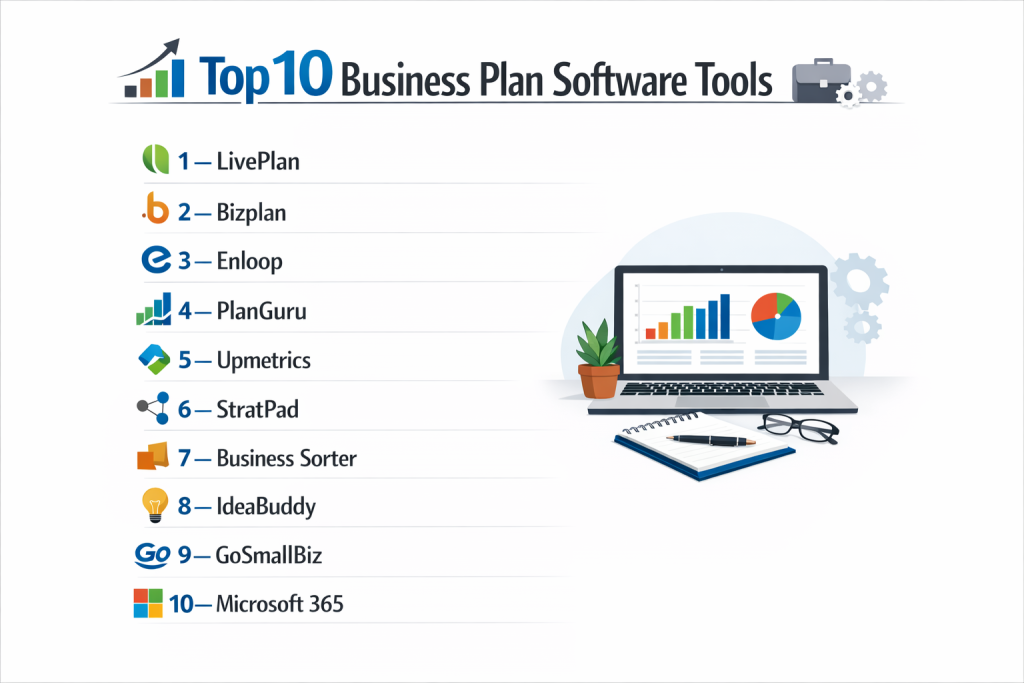
Top 10 Business Plan Software Tools
1 — LivePlan
LivePlan is a highly popular, all-in-one business planning and performance tracking platform known for its user-friendly interface, guided process, and integrated financial forecasting.
Key features:
- Step-by-Step Guidance: Interactive wizard that breaks the plan into manageable sections with expert advice and examples.
- Automated Financial Forecasting: Built-in financials that link your assumptions directly to income statements, balance sheets, and cash flow statements.
- Performance Dashboard: Allows you to compare actual financial results (via integrated accounting data) against your plan’s projections.
- Extensive Template Library: Hundreds of industry-specific and sample plans to use as a starting point.
- Professional Pitch Creator: Tool to extract key data and visuals from your plan to create investor pitch presentations.
- Collaboration Tools: Multiple user access, commenting, and sharing for teams and advisors.
- Bank-Ready Export: Creates polished PDF, Word, and Excel documents formatted for lenders and investors.
Pros:
- Exceptionally intuitive, making complex financial planning accessible to non-experts.
- Strong integration between narrative planning and financial modeling.
- The performance dashboard feature adds ongoing value beyond the initial plan creation.
Cons:
- Advanced financial modeling capabilities are limited compared to dedicated forecasting tools.
- The structured approach can feel restrictive for experienced planners who want total flexibility.
- Subscription model means you lose access if you stop paying.
Security & compliance: Standard cloud security with data encryption in transit and at rest. GDPR compliant. Not typically designed for highly regulated data (HIPAA, etc.).
Support & community: Extensive knowledge base, video tutorials, email support, and an active user community forum. No phone support on standard plans.
2 — Bizplan
Bizplan, by Startups.com, is designed specifically for startups seeking funding, with a strong focus on creating compelling, investor-grade plans and a modular, story-driven approach.
Key features:
- Drag-and-Drop Builder: Modular “builder” interface where you create sections (modules) and arrange them visually.
- Fundability Score™: An algorithm that analyzes your plan and provides a score and feedback to improve its appeal to investors.
- Financial Dashboard: Simplified financial modeling with connected statements and visually engaging charts.
- Progress Tracking: Tracks completion of each plan section to keep you on pace.
- Investor-Ready Design: Automatically formats plans with professional layouts, fonts, and graphics.
- Startup Directory & Resources: Access to a large library of startup-focused educational content and tools.
- Collaboration & Sharing: Easy link sharing for feedback from mentors and potential investors.
Pros:
- Focuses intensely on what investors want to see, increasing the plan’s effectiveness for fundraising.
- Flexible, non-linear building process is great for iterating on different parts of your story.
- Clean, modern design produces visually stunning final documents.
Cons:
- Less emphasis on traditional, detailed operational planning compared to LivePlan.
- Financial modeling, while sufficient for early-stage startups, is not as deep as in some competitors.
- Part of a larger suite, which can be overwhelming if you only need the planner.
Security & compliance: Implements standard data protection practices. GDPR compliant. Specific enterprise security certifications are not a primary focus.
Support & community: Support via email and chat, vast library of startup guides and videos, and access to a global community of entrepreneurs.
3 — Enloop
Enloop distinguishes itself with powerful, automated financial forecasting and a unique performance scoring system that compares your plan’s viability against its database.
Key features:
- Automated Financials & Text Generation: Enter basic data, and Enloop generates detailed financial projections and even writes descriptive text for sections.
- Performance Score: Provides a numeric score (based on key ratios and metrics) that updates as you refine your plan, offering an objective viability check.
- Detailed Financial Reports: Produces comprehensive, GAAP-compliant financial statements with supporting schedules.
- Multi-Currency & Multi-Language Support: Built for international users.
- Scenario Comparison: Lets you create and compare “what-if” scenarios (Optimistic, Pessimistic, Likely) side-by-side.
- Collaboration: Allows team members to work on the same plan simultaneously.
- Bank Format PDF Export: Creates printer-friendly documents suitable for financial institutions.
Pros:
- Saves immense time on financial modeling and initial draft creation.
- The performance score provides valuable, data-driven feedback to strengthen your plan.
- Strong for creating detailed, accountant-friendly financial projections.
Cons:
- Automated text can be generic and may require significant rewriting for a compelling narrative.
- User interface is functional but less modern and visually guided than LivePlan or Bizplan.
- The automation can feel like a “black box” for users wanting to understand every calculation.
Security & compliance: Uses SSL encryption and standard security protocols. Claims GDPR compliance. Financial data security is a priority.
Support & community: Detailed help center, video tutorials, and email support. No noted user community forum.
4 — PlanGuru
PlanGuru is a powerhouse desktop-based application (with a cloud option) focused primarily on advanced budgeting, forecasting, and financial analysis for accountants, CFOs, and serious financial planners.
Key features:
- Advanced Forecasting Methods: Supports percentage of sales, driver-based, and repeatable monthly/annually methods for high accuracy.
- Flexible Financial Statements: Builds detailed, fully customizable income statements, balance sheets, and cash flow statements.
- Break-Even & What-If Analysis: Robust analytical tools for sensitivity testing and determining break-even points.
- Integration with Accounting Software: Direct import from QuickBooks, Xero, and Excel to jumpstart forecasts from historical data.
- Dashboard & Reporting: Creates custom management dashboards and a wide variety of financial reports.
- Add-Ons for Business Valuation & Budgeting: Specialized tools that extend its core planning function.
- Client Collaboration Portal: (Cloud version) Allows advisors to share plans and reports with clients.
Pros:
- Unmatched depth and flexibility for complex financial modeling and analysis.
- Trusted by financial professionals for its accuracy and control.
- One-time purchase option for the desktop version appeals to some users.
Cons:
- Significant learning curve; not designed for first-time entrepreneurs.
- Lacks the guided, narrative business plan creation features of other tools.
- Interface is dated and can be intimidating for non-financial users.
Security & compliance: The cloud version uses standard encryption. The desktop version’s security depends on user practices. Not typically marketed with SOC 2 etc., as it often handles sensitive financial data locally.
Support & community: Offers phone, email, and chat support, along with webinars, training courses, and a detailed knowledge base. User community is professional/finance focused.
5 — Upmetrics
Upmetrics offers a modern, collaborative, and visually-oriented business planning platform that balances structure with creative freedom, appealing to startups and small businesses.
Key features:
- Visual Canvas & Structured Editor: Combines a free-form drag-and-drop canvas for brainstorming with a structured editor for writing.
- Simple Financial Modeling: User-friendly spreadsheet-like interface for creating projections without complex formulas.
- Real-Time Collaboration: Multiple users can edit and comment simultaneously, with change tracking.
- Rich Media Integration: Easily embed images, videos, and links to make plans more engaging.
- Template Gallery: Collection of templates curated by experts and successful founders.
- Goal & Milestone Tracking: Set and track key business milestones within the plan.
- Multiple Export Options: Export to PDF, DOCX, or a shareable web link.
Pros:
- Excellent balance of guidance and creative flexibility.
- Collaboration features are top-notch, ideal for founding teams.
- Clean, intuitive interface that is a pleasure to use.
Cons:
- Financial modeling capabilities are not as advanced as Enloop or PlanGuru.
- May be too unstructured for users who prefer a strict, step-by-step process.
- Brand recognition is lower than some established players.
Security & compliance: Employs industry-standard security measures including encryption. GDPR compliant. Specific high-level certifications are not prominently advertised.
Support & community: Provides email support, a comprehensive help center, and a blog with planning advice. Community aspect is less formalized.
6 — StratPad
StratPad, now part of the LivePlan family, is a mobile-friendly tool focused on strategic planning and creating a simple, one-page “Strategic Plan” in addition to a full business plan.
Key features:
- Strategic Planning Focus: Guides you through defining vision, mission, values, objectives, and actions.
- One-Page Strategic Plan: Condenses your core strategy onto a single, impactful page.
- Integrated Business Plan: Expands the one-page plan into a full traditional business plan.
- Financial Projections: Basic but adequate financial forecasting tied to your strategic goals.
- Progress Monitoring: Tools to track progress against your strategic objectives over time.
- Cloud & Mobile Access: Fully functional on tablets and smartphones.
- Teaching Tool: Used by many business schools and advisors for its clear methodology.
Pros:
- Excellent for aligning high-level strategy with detailed planning.
- The one-page output is powerful for internal communication and focus.
- Very accessible and easy to start using.
Cons:
- Financial features are less sophisticated than dedicated business plan software.
- Can feel too simplistic for complex businesses or detailed fundraising efforts.
- Partially overlaps with LivePlan, causing some brand confusion.
Security & compliance: As part of Palo Alto Software (LivePlan), it follows similar standard cloud security and privacy practices.
Support & community: Access to LivePlan’s support resources and knowledge base. A streamlined tool with less independent community.
7 — Business Sorter
Business Sorter takes a unique, card-sorting approach to business planning, designed to help entrepreneurs quickly organize ideas, identify gaps, and build a coherent plan through a visual process.
Key features:
- Card-Based Methodology: Uses physical or digital “cards” representing key business concepts (Customers, Value, Processes, Resources) to structure thinking.
- Idea Organization: Helps chaotic ideas into the standard business model and plan framework.
- Gap Identification: Visually highlights missing elements or weak connections in your business logic.
- Digital & Physical Kits: Offers both a web app and purchasable physical card decks for workshops.
- Template Export: Converts your sorted cards into a traditional business plan document outline.
- Collaborative Workshops: Ideal for team brainstorming and strategy sessions.
- Speed: Promises a first-draft plan structure in a matter of hours, not weeks.
Pros:
- Revolutionary for visual thinkers and those overwhelmed by a blank document.
- Excellent for early-stage ideation and validating business model coherence.
- Great tool for facilitated group planning sessions.
Cons:
- Not a full-featured writing or financial modeling environment; it’s a structuring tool.
- You will need other software (word processor, spreadsheet) to complete the final plan.
- Niche approach that won’t appeal to everyone.
Security & compliance: Basic web application security. Not designed for handling sensitive financial data.
Support & community: Website resources explain the methodology. Support is limited, as it’s a simpler tool.
8 — IdeaBuddy
IdeaBuddy is an all-in-one business planning and development tool for early-stage entrepreneurs, focusing on taking an idea from concept through to a funded plan.
Key features:
- End-to-End Journey: Guides from idea validation and business model development to a full business plan and pitch deck.
- Idea Validation Tools: Built-in frameworks (like Lean Canvas) and checklists to pressure-test your initial concept.
- Cost & Revenue Builders: Interactive tools to build up financial projections from the ground floor.
- Integrated Pitch Deck Creator: Creates a basic investor presentation from your plan data.
- SWOT & Risk Analysis: Built-in templates for strategic analysis.
- Task Management: Allows you to assign action items and next steps from within the plan.
- Resource Library: Includes guides, examples, and links to useful external resources.
Pros:
- Comprehensive for the very earliest stages of venture creation.
- Strong focus on validating the idea before investing time in a full plan.
- Integrates planning with actionable next steps.
Cons:
- Can feel broad rather than deep in its execution of each stage.
- Financial and design outputs are less polished than best-in-class specialists.
- Interface and user experience are not as refined as top competitors.
Security & compliance: Standard web app security measures. Details on specific compliance standards are not prominently featured.
Support & community: Email support and an online help center. Community features are minimal.
9 — Tarkenton GoSmallBiz
Founded by NFL Hall of Famer Fran Tarkenton, GoSmallBiz is a suite of tools for small businesses, with its business plan software being a central component alongside website builders, legal docs, and CRM.
Key features:
- Guided Business Plan Generator: Step-by-step questionnaire that populates a plan document.
- Integrated Small Business Suite: Includes tools for logo design, website building, document templates, and customer management.
- Advisor Access: Option to get feedback on your plan from SCORE mentors or other advisors.
- Financial Projection Templates: Pre-formatted Excel templates for financials.
- Simple Export: Download your plan as a Word document.
- Resource Library: Articles and advice tailored for small business owners.
Pros:
- Good value as part of a broader toolkit for new small businesses.
- Very simple, straightforward process for creating a basic plan.
- Access to mentoring is a unique and valuable benefit.
Cons:
- Business plan tool is basic and lacks advanced financial modeling or beautiful design.
- The “jack-of-all-trades” suite means it’s a master of none.
- Platform feels dated compared to modern, standalone planning apps.
Security & compliance: Standard security for customer data. Part of a larger network focused on small business services.
Support & community: Phone and email support, access to a network of business advisors (SCORE).
10 — Microsoft 365 (Word & Excel)
The classic combination of Microsoft Word and Excel remains a viable, albeit manual, option for business planning. It offers maximum flexibility and control for those who have the expertise and time.
Key features:
- Total Flexibility: Complete control over structure, design, content, and financial model logic.
- Powerful Financial Modeling: Excel is an industry-standard tool for building complex, customizable financial forecasts.
- Professional Formatting: Word allows for highly polished, brand-aligned document design.
- Universal Compatibility: .DOCX and .XLSX files are the global standard, easily shared and opened.
- Integration & Collaboration: Real-time co-authoring in Word and Excel via cloud storage (OneDrive/SharePoint).
- Massive Template Availability: Thousands of free and paid business plan templates exist online.
- No New Software to Learn: Leverages tools most users already own and understand.
Pros:
- Unbeatable for creating completely custom, highly sophisticated plans.
- No ongoing subscription cost if you already own the software.
- Skills learned are universally transferable.
Cons:
- No guidance, coaching, or structure—you must know what to do.
- Easy to create financial models with errors or inconsistencies.
- Extremely time-consuming compared to purpose-built software.
- Collaboration is less seamless than in native cloud platforms.
Security & compliance: Security depends entirely on user practices (file encryption, sharing settings). Microsoft 365 commercial versions offer advanced compliance and security management tools.
Support & community: General Microsoft support. Vast global community of Excel and Word users for troubleshooting. No specific business planning support.
Comparison Table
| Tool Name | Best For | Platform(s) Supported | Standout Feature | Rating (Gartner Peer Insights / TrueReviewnow.com) |
|---|---|---|---|---|
| LivePlan | First-time planners, SMBs, loan seekers | Web, Mobile App | Performance Dashboard (Plan vs. Actual) | 4.5 / 4.7 |
| Bizplan | Startups seeking investor funding | Web | Fundability Score & Investor-Focused Design | 4.6 / 4.5 |
| Enloop | Users wanting automated financials & scoring | Web | Automated Text/Financials & Performance Score | 4.2 / 4.0 |
| PlanGuru | Financial professionals, complex modeling | Desktop (Windows/Mac), Cloud | Advanced Forecasting & Financial Analysis | 4.0 / 4.3 |
| Upmetrics | Collaborative teams, visual thinkers | Web | Visual Canvas & Real-Time Collaboration | 4.4 / 4.6 |
| StratPad | Strategic planning, one-page summaries | Web, Mobile | One-Page Strategic Plan & Mobile Experience | 4.0 / 4.1 |
| Business Sorter | Early ideation, visual brainstormers | Web, Physical Cards | Card-Sorting Methodology for Structure | N/A / 4.2 |
| IdeaBuddy | Validating a very early-stage idea | Web | End-to-End Journey from Idea to Plan | 4.3 / 4.2 |
| GoSmallBiz | New small businesses wanting an all-in-one suite | Web | Integrated Small Business Toolkit & Advisor Access | 3.8 / 4.0 |
| Microsoft 365 | Experts wanting total control, low cost | Windows, Mac, Web | Unlimited Flexibility & Power (with expertise) | N/A / N/A |
Evaluation & Scoring of Business Plan Software
Use this rubric to compare tools objectively. Score each (1-5, 5=excellent) and multiply by the weight for a total out of 100.
| Criteria | Weight | Explanation | Score (1-5) | Weighted Score |
|---|---|---|---|---|
| Core Features | 25% | Quality of guidance, financial modeling depth, template variety, and output professionalism. | ||
| Ease of Use | 15% | Intuitiveness of interface, learning curve, and accessibility for non-experts. | ||
| Integrations & Ecosystem | 15% | Connection to accounting software (QuickBooks/Xero), collaboration tools, and export options. | ||
| Security & Compliance | 10% | Data protection, privacy standards (GDPR), and suitability for sensitive financial data. | ||
| Performance & Reliability | 10% | Software speed, uptime, and ability to handle complex plans without lag. | ||
| Support & Community | 10% | Quality of tutorials, customer support, and access to user communities or experts. | ||
| Price / Value | 15% | Cost relative to features provided, pricing model (subscription vs. one-time), and ROI. | ||
| TOTAL SCORE | 100% | /100 |
Which Business Plan Software Tool Is Right for You?
Your choice depends on your expertise, the plan’s purpose, and your working style.
- Solo Entrepreneurs / First-Timers: Prioritize guidance and simplicity. LivePlan is the top recommendation. StratPad is excellent for strategy-first thinking.
- Startups Seeking Investment: Your plan must impress investors. Bizplan is built for this. Upmetrics is also strong for creating a compelling, collaborative story.
- Small Businesses (SMBs) / Loan Applicants: Need a thorough, professional, bank-ready plan. LivePlan again excels. Enloop provides strong financials and a viability check.
- Financial Professionals / Complex Models: You need advanced control. PlanGuru is the specialist choice. A well-built Excel model is the ultimate flexible alternative.
- Teams & Collaborators: Prioritize tools built for multiple users. Upmetrics has best-in-class real-time collaboration. LivePlan and Bizplan also offer good sharing features.
- Budget-Conscious Users: Microsoft 365 (if already owned) has $0 incremental cost. LivePlan and others offer good value via subscription. Avoid overpaying for unneeded features.
- Feature Depth vs. Ease of Use: PlanGuru/Excel offer maximum depth but are complex. LivePlan/Bizplan offer the best balanced experience. Business Sorter is ultra-simple for structuring.
- Integration Needs: If you use QuickBooks or Xero, check tools like LivePlan (dashboard) and PlanGuru (direct import) for seamless data flow.
- Security: For most, standard cloud security suffices. If handling extremely sensitive projections, consider offline tools like Excel/PlanGuru Desktop with local file encryption.
Frequently Asked Questions (FAQs)
1. Do I really need business plan software, or can I just use Word?
You can use Word, but software provides structure, financial accuracy, and time savings. It ensures you don’t miss critical elements and creates professional, internally consistent documents, which is especially valuable for funding applications.
2. How much does business plan software typically cost?
Prices range from $10-$50 per month for subscription-based tools (LivePlan, Bizplan) to one-time fees of $200-$1,000+ for professional desktop software (PlanGuru). Many offer free trials.
3. Can I use this software to get a bank loan or SBA loan?
Yes, absolutely. Tools like LivePlan and Enloop are specifically designed to produce the comprehensive, financially detailed plans that banks and SBA lenders require.
4. What’s the difference between a business plan and a pitch deck?
A business plan is a detailed, written document (often 20-40 pages). A pitch deck is a concise, visual presentation (10-15 slides) to grab an investor’s attention quickly. Many software tools (Bizplan, LivePlan) help create both from the same data.
5. How long does it take to write a plan using software?
With guided software, a solid first draft can take 20-40 hours spread over a few weeks. It’s significantly faster than starting from scratch in Word/Excel, which can take 60-100+ hours.
6. Can I collaborate with my co-founder or advisor on the plan?
Yes, most modern cloud-based platforms like Upmetrics, LivePlan, and Bizplan include real-time collaboration, commenting, and sharing features for teams.
7. What happens to my data if I cancel my subscription?
Typically, you can download and export your plan (as PDF, Word, Excel) before canceling. You will lose access to edit the plan within the software, but you keep the final document.
8. Is my financial and business data safe in these cloud tools?
Reputable providers use bank-level encryption and standard cloud security practices. For highly sensitive M&A or proprietary financial models, an offline solution may be preferred.
9. Which tool is best for creating a one-page business plan?
StratPad specializes in the one-page strategic plan. Bizplan and LivePlan also have features to extract key summaries into a concise format.
10. I’m not good with numbers. Can I still create financial projections?
Yes. Tools like LivePlan and Enloop use simple, guided inputs (e.g., “expected monthly customers”) and automatically build the full financial statements for you, making it accessible.
Conclusion
Choosing the right business plan software is a strategic first step in transforming your vision into a viable, actionable roadmap. The landscape offers tailored solutions for every need: from the guided simplicity of LivePlan for newcomers, to the investor-centric design of Bizplan for fundraisers, the financial rigor of PlanGuru for analysts, and the collaborative creativity of Upmetrics for teams.
Remember, the “best” software is the one that matches your specific goals, skill level, and working style. Prioritize a tool that you will actually use—a completed good plan is infinitely more valuable than a perfect, unfinished one. By leveraging these purpose-built platforms, you’re not just writing a document; you’re building a stronger, more resilient foundation for your business’s future success. Invest time in selecting the right tool, and it will pay dividends in clarity, confidence, and credibility.

- Top 10 Email Deliverability Tools: Features, Pros, Cons & Comparison - September 6, 2026
- Top 10 Pharmacovigilance Software: Features, Pros, Cons & Comparison - September 6, 2026
- Top 10 Manufacturing Execution Systems (MES) - July 30, 2026