Introduction
Retail Category Management Tools are specialized software platforms designed to help retailers and suppliers strategically plan, analyze, and execute the merchandising of product categories. These tools move beyond simple inventory tracking to provide a data-driven approach for optimizing a category’s performance, profitability, and customer appeal. The core goal is to treat a category—like “Beverages,” “Personal Care,” or “Electronics Accessories”—as a strategic business unit.
In today’s competitive retail landscape, where consumer preferences shift rapidly and margins are tight, effective category management is non-negotiable. These tools are critical for analyzing sales data, market trends, and competitor pricing to make informed decisions about assortment, pricing, promotion, and shelf space allocation. Key real-world use cases include: a grocery chain determining the optimal mix of organic vs. conventional products; a hardware store planning seasonal promotions for gardening supplies; or a global CPG supplier working with a major retailer to design the most effective planogram for a new product launch.
When choosing a tool, retailers should evaluate several key criteria: the depth of analytics and reporting capabilities, ease of integration with existing Point-of-Sale (POS) and Enterprise Resource Planning (ERP) systems, the quality of space planning and planogram features, support for collaborative workflows with suppliers, and the overall scalability and cost of the solution.
Best for: These tools are most beneficial for Category Managers, Retail Merchandisers, Retail Buyers, and CPG (Consumer Packaged Goods) suppliers/analysts. They are essential for mid-sized to large retailers (grocery, convenience, specialty, DIY, electronics) and the suppliers that sell through them. Industries with complex, fast-moving inventories see the highest return on investment.
Not ideal for: Very small retailers or single-store owners with a limited, static assortment may find these systems overly complex and costly. Sole proprietors or micro-businesses might be better served by a robust POS system with built-in inventory analytics. Companies seeking only basic inventory counting or reordering without strategic analysis of category performance will not need this level of specialized functionality.
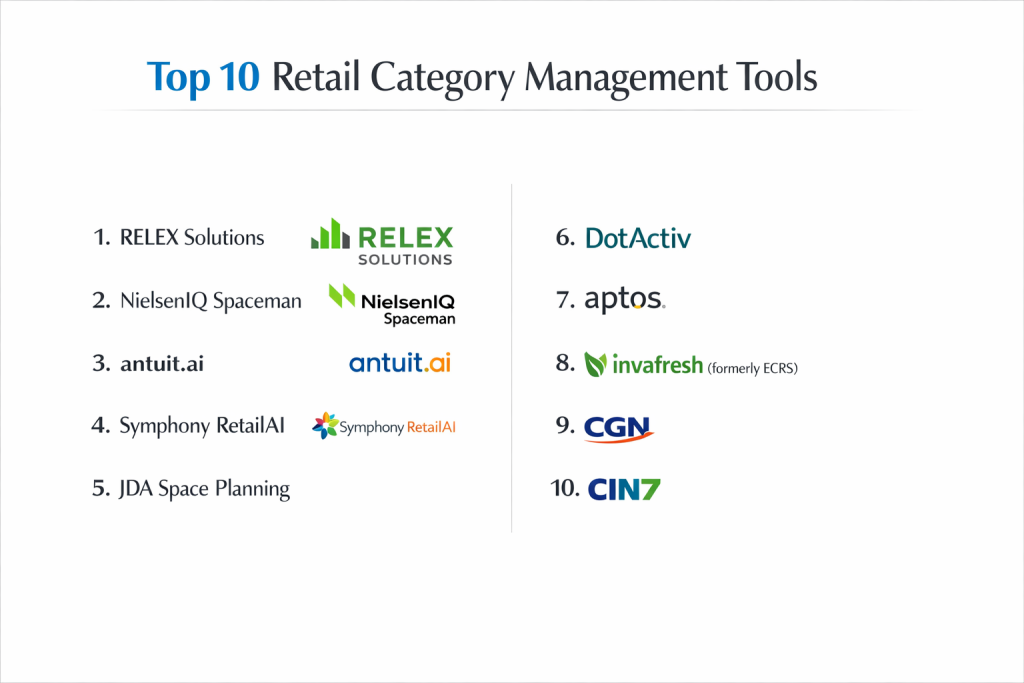
Top 10 Retail Category Management Tools
1 — RELEX Solutions
A cloud-based platform powered by automated machine learning and forecasting to optimize retail supply chains, with a strong focus on space and assortment planning. It’s designed for retailers and CPG companies seeking deep automation and data-driven insights.
- Key Features
- AI-driven demand forecasting and automated replenishment.
- Integrated space planning and automated planogram generation.
- Advanced assortment optimization and lifecycle management.
- Promotion planning and optimization with lift analysis.
- Real-time, unified data platform for end-to-end visibility.
- Scenario simulation and “what-if” analysis tools.
- Comprehensive retail reporting and KPI dashboards.
- Pros
- Powerful automation reduces manual planning time and improves forecast accuracy.
- Unified platform breaks down silos between supply chain, space, and assortment planning.
- Cons
- Implementation can be complex and requires significant internal resource commitment.
- May be feature-rich beyond the needs of smaller or simpler retail operations.
- Security & Compliance: Typically includes SSO, data encryption, audit logs, and compliance with SOC 2, ISO 27001, and GDPR. Specifics vary by deployment.
- Support & Community: Offers professional implementation services, dedicated customer success management, 24/7 support, and comprehensive documentation. An active user community exists for knowledge sharing.
2 — NielsenIQ (formerly Nielsen) Spaceman
A legacy leader in planogram software and shelf optimization, now part of the NielsenIQ ecosystem. It’s tailored for CPG suppliers and retailers who need to create, analyze, and share detailed, compliant planograms.
- Key Features
- Industry-standard planogram creation with detailed 3D visualization.
- Integration with syndicated sales data (e.g., NielsenIQ, IRI) for insight-driven planning.
- Advanced shelf and space productivity analysis.
- Tools for simulating new product introductions and range reviews.
- Collaboration portal for sharing plans with retail partners.
- Support for store-specific clustering and modular planning.
- Pros
- Considered the gold standard for planogram detail and accuracy, widely accepted by major retailers.
- Powerful integration with market data provides a strong external benchmark for performance.
- Cons
- Can have a steeper learning curve and feel less intuitive than newer cloud-native tools.
- Pricing and licensing models may be prohibitive for smaller businesses.
- Security & Compliance: Enterprise-grade security. Specific compliance details (SOC 2, GDPR) should be confirmed with the vendor.
- Support & Community: Provides formal training, certification programs, and dedicated enterprise support. Has a large, established global user base.
3 — antuit.ai (part of Zebra Technologies)
An AI-powered SaaS platform focused on demand forecasting and merchandising intelligence. It helps retailers and brands transform their end-to-end planning with artificial intelligence.
- Key Features
- AI-driven demand forecasting at granular SKU-location levels.
- Merchandise financial planning and assortment optimization.
- Promotion and markdown optimization.
- Allocation and replenishment recommendations.
- Integrated “sense and respond” capabilities for real-time demand shifts.
- Cloud-native, scalable architecture.
- Pros
- Strong focus on leveraging AI to improve prediction accuracy and automate complex planning tasks.
- Agile, cloud-based platform allows for faster deployment and updates compared to legacy systems.
- Cons
- As a specialist in AI, its space planning capabilities may be less comprehensive than dedicated space management tools.
- Success is highly dependent on data quality and availability.
- Security & Compliance: Likely includes enterprise security features like encryption and access controls, with compliance for SOC 2 and GDPR. Specifics should be verified.
- Support & Community: Offers customer success programs, implementation services, and technical support. Part of the larger Zebra Technologies ecosystem.
4 — Symphony RetailAI
A comprehensive, AI-enabled integrated planning platform built specifically for grocery, convenience, and discount retailers and their suppliers. It covers the full scope from forecasting to shelf.
- Key Features
- AI-driven forecasting, replenishment, and retail lifecycle management.
- Category management, space planning, and price optimization modules.
- Vendor collaboration portal for shared planning and data exchange.
- Advanced customer analytics and loyalty insights.
- Unified data model across all retail functions.
- Extensive library of industry-specific KPIs and reports.
- Pros
- Offers a truly integrated, end-to-end suite built for the complex needs of food retail.
- Strong supplier collaboration tools facilitate CPG-retailer partnerships.
- Cons
- The breadth and depth of the suite can lead to a complex implementation journey.
- Primarily targeted at larger enterprises, which is reflected in its pricing scale.
- Security & Compliance: Enterprise-level security with features like SSO and data encryption. Compliant with major standards like GDPR; specifics available upon request.
- Support & Community: Provides global support, managed services, and a customer community. Offers extensive training and professional services.
5 — JDA Space Planning (part of Blue Yonder)
A robust space and category management solution within the broader Blue Yonder supply chain ecosystem. It is designed for retailers needing scientific, data-driven space and assortment decisions.
- Key Features
- Strategic category planning and performance analysis.
- Advanced macro and micro space planning and optimization.
- Planogram generation, visualization, and compliance tracking.
- Integration with Blue Yonder’s demand, allocation, and pricing suites.
- Clustering and store-specific planogram tailoring.
- Assortment planning and lifecycle management.
- Pros
- Deep integration with a top-tier supply chain platform creates a powerful connected planning environment.
- Strong scientific and analytical engine for optimizing space-to-sales relationships.
- Cons
- As part of a large, complex suite, it can be costly and require significant IT involvement.
- User interface has historically been noted as less modern than some newer cloud competitors.
- Security & Compliance: Blue Yonder provides robust enterprise security, compliance certifications (e.g., ISO 27001, SOC 2), and data governance tools.
- Support & Community: Access to Blue Yonder’s global support network, customer forums, university training, and a large partner ecosystem.
6 — DotActiv
A South African-developed category management and space planning software that has gained global traction. It is known for being a cost-effective yet powerful alternative to the legacy giants.
- Key Features
- Complete category management workflow support (analysis, strategy, planning, implementation).
- Planogram creation with 2D and 3D visualization.
- Integration with data sources like NielsenIQ and IRI.
- Assortment and range review analysis.
- Shelf and space productivity reporting.
- Store clustering and territory planning tools.
- Pros
- Offers a compelling balance of advanced features at a more accessible price point than some competitors.
- Praised for its user-friendly interface and shorter learning curve.
- Cons
- Brand recognition and established retail relationships may not be as strong as NielsenIQ in some mature markets.
- While scalable, it is often initially adopted by mid-market companies.
- Security & Compliance: Information varies. The company states a commitment to data security; specifics on certifications like SOC 2 should be requested.
- Support & Community: Provides online training, video tutorials, email/phone support, and has an active user community.
7 — Aptos
Delivers a unified commerce platform with a dedicated category management and space planning module. It’s suited for retailers looking for a deep connection between merchandising strategy and store operations.
- Key Features
- Merchandise and assortment planning with financial goals integration.
- Space planning and automated, data-driven planogram generation.
- Promotion and markdown planning tools.
- Tight integration with Aptos’ store operations (POS, task management) and CRM suites.
- Vendor collaboration capabilities.
- Advanced analytics and role-based dashboards.
- Pros
- Strong operational focus links category plans directly to in-store execution and task management.
- As part of a unified suite, it ensures data consistency across merchandising and store systems.
- Cons
- Best experienced as part of the broader Aptos ecosystem; standalone category management capabilities may be less differentiated.
- May not have the same depth of dedicated space science as some pure-play tools.
- Security & Compliance: Aptos employs enterprise-grade security measures. Compliance with standards like PCI-DSS, GDPR is part of their offering.
- Support & Community: Offers 24/7 global support, a customer portal, user conferences, and a network of implementation partners.
8 — Invafresh (formerly ECRS)
A fresh food management platform with category management at its core. It is purpose-built for grocery retailers focused on maximizing profitability and reducing waste in the perishables departments.
- Key Features
- Perishable-specific forecasting and ordering.
- Production planning for in-store prepared foods (deli, bakery, kitchen).
- Category management and space planning tailored for fresh categories.
- Recipe and costing management.
- Integrated food traceability and compliance reporting.
- Real-time freshness tracking and waste analytics.
- Pros
- Unmatched specialization in the complex fresh, deli, bakery, and meat categories.
- Directly addresses the critical need to balance freshness, availability, and waste.
- Cons
- Its specialization means it is less relevant for general merchandise or non-perishable categories.
- Niche focus may limit broader retail-wide process integration.
- Security & Compliance: Critical for food safety, so traceability and compliance features are robust. Specific security certifications should be confirmed.
- Support & Community: Provides industry-specific consulting, implementation services, and 24/7 support tailored to grocery operations.
9 — CGN
A category management business intelligence platform that aggregates and analyzes data from multiple sources. It helps both retailers and suppliers gain insights and build collaborative category stories.
- Key Features
- Connects and harmonizes data from POS, syndicated sources (IRI/NielsenIQ), supply chain, and shopper loyalty programs.
- Automated reporting and KPI dashboards.
- Opportunity identification and “what-if” scenario modeling.
- Tools for building and presenting collaborative category reviews.
- Market and consumer trend analysis.
- Assortment and space performance analytics.
- Pros
- Excellent at synthesizing disparate data sources into a single source of truth for category analysis.
- Facilitates data-driven conversations and joint business planning between retailers and suppliers.
- Cons
- Primarily an analytics and insight engine; its native space planning capabilities are less emphasized than its analysis.
- Value is maximized when used collaboratively; a retailer-only deployment may underutilize its features.
- Security & Compliance: Varies / N/A. Security practices are enterprise-grade, but specific compliance certifications should be discussed with the vendor.
- Support & Community: Offers training, customer success management, and professional services focused on insight generation.
10 — CIN7
A unified commerce and inventory management platform with built-in category and product management features. It is ideal for growing omnichannel brands and retailers who need a central system to manage inventory across all sales channels.
- Key Features
- Centralized inventory management across warehouses, stores, and online channels.
- Product information management (PIM) and variant handling.
- Basic category management and reporting on sales performance by category.
- Integration with hundreds of sales channels (ecommerce, marketplaces) and accounting/3PL systems.
- Order management and automated routing.
- Purchase order management and supplier management.
- Pros
- Provides a single, real-time view of inventory and category performance across a complex omnichannel business.
- Vast ecosystem of pre-built integrations accelerates connectivity.
- Cons
- Category management features are more foundational and lack the advanced space planning or scientific optimization of specialized tools.
- Can become expensive as the number of transactions and integrations grows.
- Security & Compliance: Includes standard security features. Complies with data protection regulations like GDPR. Specific audit certifications should be verified.
- Support & Community: Offers 24/7 support, an online knowledge base, webinars, and a partner network for implementation.
Comparison Table
| Tool Name | Best For (Target User/Scenario) | Platform(s) Supported | Standout Feature | Rating |
|---|---|---|---|---|
| RELEX Solutions | Retailers/CPG seeking end-to-end automation via AI. | Cloud, Web | AI-driven unified planning (space, assortment, supply chain). | N/A |
| NielsenIQ Spaceman | CPG suppliers & retailers requiring detailed, compliant planograms. | Windows, Web | Industry-standard planogramming with deep market data integration. | N/A |
| antuit.ai | Companies prioritizing AI-first demand forecasting & merchandising. | Cloud, Web | Specialized AI/ML engines for granular demand prediction. | N/A |
| Symphony RetailAI | Grocery & food retailers needing an integrated AI suite. | Cloud, Web | End-to-end, industry-specific platform from forecast to shelf. | N/A |
| JDA Space Planning | Large retailers already invested in the Blue Yonder ecosystem. | Cloud, On-Premise | Deep scientific optimization integrated with supply chain. | N/A |
| DotActiv | Mid-market retailers seeking powerful features at value pricing. | Windows, Cloud | User-friendly, comprehensive workflow at an accessible cost. | N/A |
| Aptos | Retailers wanting tight integration between category plans & store ops. | Cloud, Web | Unified commerce approach linking strategy to in-store execution. | N/A |
| Invafresh | Grocers specializing in fresh, deli, bakery, and prepared foods. | Cloud, Web | Perishable-specific forecasting, production planning & waste management. | N/A |
| CGN | Retailers & suppliers collaborating on data-driven category stories. | Cloud, Web | Multi-source data aggregation & collaborative business intelligence. | N/A |
| CIN7 | Growing omnichannel brands needing central inventory & basic category control. | Cloud, Web | Real-time, unified inventory & product data across all channels. | N/A |
Evaluation & Scoring of Retail Category Management Tools
The table below provides a weighted scoring rubric to help you objectively evaluate different tools based on your business priorities.
| Criteria | Weight | What to Look For (Evaluation Guidelines) |
|---|---|---|
| Core Features | 25% | Depth of space planning, planogramming, assortment optimization, forecasting, and analytics. Does it cover your entire workflow? |
| Ease of Use | 15% | Intuitive interface, learning curve, quality of visualization tools (2D/3D), and overall user experience for planners. |
| Integrations & Ecosystem | 15% | Pre-built connectors for your POS, ERP, data sources (NielsenIQ/IRI), and other critical systems (e.g., Blue Yonder, SAP). |
| Security & Compliance | 10% | Enterprise security features (SSO, encryption), audit logs, and relevant certifications (SOC 2, ISO 27001, GDPR). |
| Performance & Reliability | 10% | System uptime, speed of processing large datasets and generating planograms, cloud infrastructure quality. |
| Support & Community | 10% | Quality of onboarding/training, responsiveness of customer support, availability of an active user community or knowledge base. |
| Price / Value | 15% | Total cost of ownership (licensing, implementation, support) relative to the features, scalability, and ROI provided. |
Which Retail Category Management Tool Is Right for You?
Choosing the right tool depends on aligning the software’s strengths with your specific business context:
- Solo Users vs SMB vs Mid-Market vs Enterprise: Solo consultants or very small businesses might leverage DotActiv for its balance of power and value. Growing SMBs should look at cloud-native options like CIN7 (if omnichannel is key) or DotActiv. Mid-market retailers ready for more sophistication can evaluate RELEX, antuit.ai, or Aptos. Large enterprises with complex needs will likely consider Symphony RetailAI, Blue Yonder (JDA), or RELEX.
- Budget-Conscious vs Premium Solutions: For a cost-effective entry point, DotActiv stands out. Mid-range investments include many cloud SaaS platforms. Premium solutions like NielsenIQ, Symphony RetailAI, and Blue Yonder command higher prices but offer unparalleled depth and retail relationships.
- Feature Depth vs Ease of Use: If you need maximum scientific power and integration and have the team to support it, prioritize RELEX, Symphony RetailAI, or Blue Yonder. If user adoption and a shorter learning curve are critical, explore DotActiv, Aptos, or CIN7.
- Integration and Scalability Needs: If you run SAP or Blue Yonder, solutions from those ecosystems make sense. For a best-of-breed, cloud-first approach that scales easily, consider RELEX or antuit.ai. CIN7 excels at scaling omnichannel connectivity.
- Security and Compliance Requirements: Highly regulated industries or global enterprises must prioritize vendors with clear SOC 2, ISO 27001, and GDPR certifications. Always request a vendor’s security whitepaper or audit reports.
- Industry Specialization: Grocery and fresh food retailers cannot overlook Invafresh. General merchandise, apparel, or specialty retailers have more flexibility with the broader platforms.
Frequently Asked Questions (FAQs)
1. What is the primary benefit of using dedicated category management software over spreadsheets?
Dedicated software provides a single source of truth, automates data analysis, enables accurate visual planograms, and supports collaborative workflows—reducing errors, saving time, and allowing for strategic “what-if” scenarios that spreadsheets cannot handle efficiently.
2. How long does a typical implementation take?
This varies widely. A cloud-based point solution for a single department might take 2-4 months. A full enterprise suite rollout across multiple categories and regions can take 12-18 months, depending on data readiness, process redesign, and integration complexity.
3. What is the typical pricing model for these tools?
Most modern tools use an annual SaaS subscription fee based on factors like number of users, stores, revenue, or volume of SKUs managed. Legacy on-premise software may involve large upfront licensing fees and annual maintenance. Implementation and training are usually separate costs.
4. Can these tools integrate with our existing POS and ERP systems?
Yes, integration is a core requirement. Leading tools offer pre-built connectors for major systems (SAP, Oracle, Microsoft) and use APIs for custom connections. Always verify specific connector availability during the selection process.
5. Are these tools suitable for e-commerce-only retailers?
While their core strength is in physical space optimization, the principles of assortment, pricing, and promotion management apply online. Some platforms are expanding digital shelf analytics. For pure-play e-commerce, a robust PIM and merchandising platform might be a primary focus.
6. How do these tools help with supplier collaboration?
Many include secure supplier portals where CPG partners can access relevant data, submit new product proposals, collaborate on planograms, and participate in joint business planning—streamlining communication and aligning goals.
7. What are the key security features I should ask about?
Essential features include Single Sign-On (SSO), role-based access controls, data encryption (at rest and in transit), detailed audit logs, and compliance with standards like SOC 2 Type II and GDPR.
8. What is a common mistake companies make when selecting a tool?
The biggest mistake is choosing a tool based on features alone without considering internal change management, data readiness, and process alignment. The most powerful tool will fail if users reject it or if the data feeding it is poor.
9. Do I need to purchase external market data (like NielsenIQ or IRI) to use these tools?
Not necessarily, but it is highly recommended. Your internal sales data tells you what happened. Syndicated market data tells you why by revealing overall market trends, competitor performance, and shopper demographics, dramatically improving your strategic decisions.
10. Can we start with a pilot or one category?
Absolutely. A phased rollout, starting with a pilot category or region, is a best practice. It allows you to prove value, refine processes, and build internal advocacy before scaling the tool across the entire organization.
Conclusion
The landscape of retail category management tools offers powerful solutions for every business size and need, from AI-driven unified platforms like RELEX Solutions and Symphony RetailAI to industry specialists like Invafresh for fresh food and value leaders like DotActiv. The “best” tool is not a universal winner but the one that best aligns with your specific industry challenges, internal capabilities, budget, and strategic goals.
When making your decision, look beyond feature checklists. Consider the total cost of ownership, the quality of vendor support, and the tool’s ability to scale with your growth. Most importantly, assess your own organization’s readiness for change. A successful implementation hinges on clean data, well-defined processes, and user adoption. By carefully matching a tool’s strengths to your unique context, you can transform category management from an operational task into a significant driver of profitability and competitive advantage.

- Top 10 Email Deliverability Tools: Features, Pros, Cons & Comparison - September 6, 2026
- Top 10 Pharmacovigilance Software: Features, Pros, Cons & Comparison - September 6, 2026
- Top 10 Manufacturing Execution Systems (MES) - July 30, 2026
This is a clear and practical comparison of category management tools that highlights what modern retail teams should prioritize when evaluating solutions. Effective category management goes far beyond basic assortment planning — it leverages data‑driven insights to optimize product mix, pricing strategies, promotions, and inventory turns to maximize category profitability and customer satisfaction. Features like advanced analytics, demand forecasting, seamless POS/ERP integrations, and collaborative workflows are essential for aligning merchandising decisions with consumer behavior trends. Breaking down the pros and cons of each platform in this way gives retailers a valuable perspective on how tools differ in scalability, ease of use, and actionable intelligence — helping them choose the right fit for their specific business goals.