Introduction
In today’s fast-paced operational world, moving beyond paper checklists and endless email chains is crucial for efficiency. Work Order Management Software is the digital backbone that organizes, tracks, and optimizes the lifecycle of maintenance tasks and service requests. At its core, it transforms chaotic, reactive workflows into streamlined, proactive processes.
This software is vital for any business that relies on physical assets, infrastructure, or field service teams. It drastically reduces downtime, improves resource allocation, and provides critical data for informed decision-making. Real-world use cases are everywhere: a facilities manager dispatching a technician to repair an office HVAC unit, a manufacturing plant scheduling preventative maintenance on machinery, or a property management company handling hundreds of tenant repair requests efficiently.
When choosing a tool, you must look beyond basic features. Key evaluation criteria include the ability to handle your specific workflow complexity, the ease of use for both dispatchers and technicians in the field, robust mobile functionality, strength of reporting and analytics, and how well it integrates with your existing business systems like accounting or CRM software.
Best for: This software is essential for maintenance managers, facility directors, field service operators, and operations leads across industries like manufacturing, property management, healthcare, construction, and utilities. It benefits companies of all sizes, from small businesses with a handful of technicians to large enterprises with multi-site operations.
Not ideal for: Very small teams or solo operators with a minimal, infrequent number of simple tasks might find a dedicated work order system overkill. For them, a well-organized shared spreadsheet or a simple task management app could suffice until complexity grows.
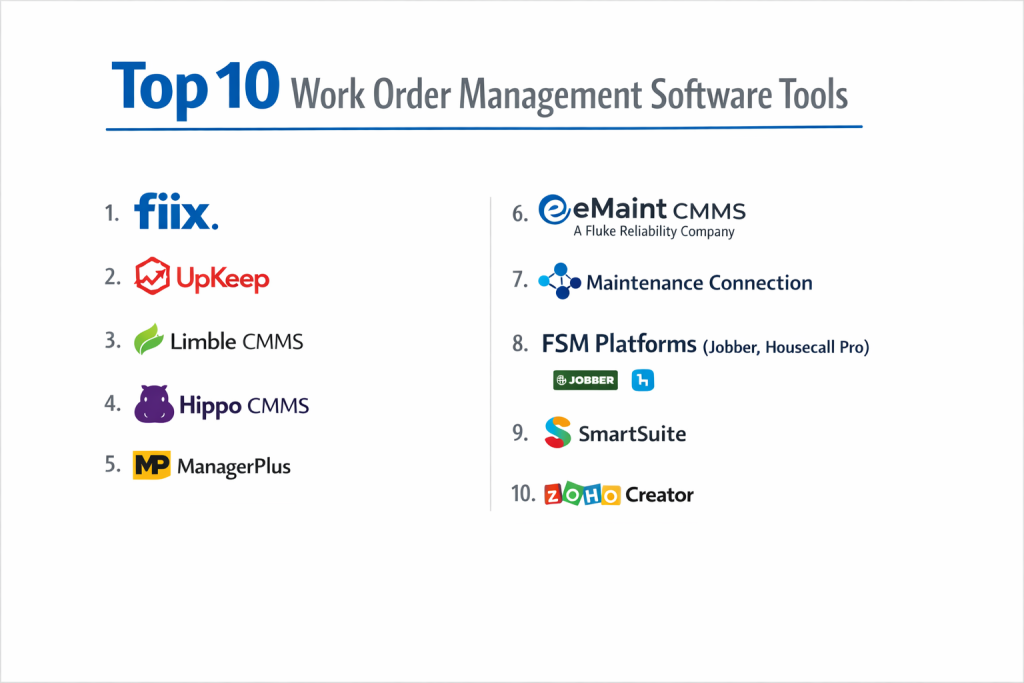
Top 10 Work Order Management Software Tools
Navigating the market of work order management solutions can be challenging. To help you make an informed decision, here is a detailed analysis of ten leading platforms, breaking down their core offerings, strengths, and limitations.
1 — Fiix
An AI-powered, cloud-based CMMS designed to streamline maintenance operations from work order creation to completion and analysis.
Key features:
- AI-driven insights for predicting maintenance needs and optimizing schedules.
- Intuitive drag-and-drop scheduler for visualizing and assigning technician workloads.
- Robust mobile app with offline capability for technicians to view, update, and close orders from anywhere.
- Customizable checklists and forms to ensure consistent, compliant task execution.
- Integrated parts inventory management to track stock levels and associate parts with completed work.
- Advanced reporting suite with dashboards for tracking KPIs like Mean Time to Repair (MTTR) and overall equipment effectiveness (OEE).
Pros:
- Strong focus on predictive and preventative maintenance, helping to avoid costly breakdowns.
- User interface is notably clean and intuitive, reducing training time and adoption friction.
Cons:
- Can become expensive as you add more advanced features and users.
- Some users note that the initial setup and customization process requires a significant time investment.
Security & compliance: SOC 2 Type II certified, GDPR compliant, with robust data encryption and role-based access controls.
Support & community: Offers comprehensive online knowledge base, video tutorials, email, and phone support. Active user community forums for peer-to-peer advice.
2 — UpKeep
A mobile-first maintenance solution built for technicians and frontline workers, emphasizing ease of use and real-time collaboration.
Key features:
- Exceptional mobile application designed for technicians with barcode scanning, photo/video uploads, and digital signatures.
- Simple, one-touch work order creation for urgent requests.
- Tools for creating and managing preventative maintenance (PM) schedules with calendar views.
- Basic inventory tracking for parts and supplies.
- Team messaging and announcement features built directly into the platform.
Pros:
- The mobile experience is arguably best-in-class, leading to high adoption rates among field teams.
- Very quick to deploy and get started with, ideal for teams needing an immediate solution.
Cons:
- Reporting and analytics capabilities are more basic compared to enterprise-grade platforms.
- Primarily suited for smaller to mid-sized operations; may lack depth for very complex enterprise needs.
Security & compliance: Varies based on subscription tier. Core platform includes standard encryption and security practices.
Support & community: Relies heavily on a rich help center and community. Premium support options are available for higher-tier plans.
3 — Limble CMMS
A modern, user-friendly CMMS that balances powerful features with an approachable design, suitable for organizations of various sizes.
Key features:
- Highly configurable dashboard that users can tailor to show their most relevant metrics.
- Flexible PM scheduling with multiple trigger types (time-based, meter-based, condition-based).
- Sophisticated parent-child asset hierarchy for detailed tracking.
- Vendor management portal to assign and track outsourced work.
- Built-in purchasing and procurement module to manage POs and supplier lists.
Pros:
- Consistently praised for its customer support quality and responsiveness.
- Offers a great balance of functionality and ease of use without overwhelming new users.
Cons:
- The mobile app, while functional, is not as polished or feature-rich as some dedicated mobile-first competitors.
- Custom report building can have a learning curve.
Security & compliance: SOC 2 Type II certified, HIPAA compliant options available, with SSO and detailed audit logs.
Support & community: Known for outstanding customer support via multiple channels. Offers detailed onboarding and regular webinars.
4 — Hippo CMMS
A comprehensive, web-based CMMS with deep functionality for managing complex assets and large-scale operations.
Key features:
- Very strong asset management with detailed lifecycle tracking and associated documentation.
- Advanced scheduling board for optimizing routes and technician assignments.
- Integration with GIS mapping for spatial visualization of assets and work.
- Robust failure code tracking and root cause analysis tools.
- Extensive API for deep integrations with ERP, accounting, and other enterprise systems.
Pros:
- Extremely powerful and configurable for complex, asset-intensive environments like large manufacturing plants or utilities.
- Excellent reporting engine capable of delivering deep operational insights.
Cons:
- The interface can feel dated and less intuitive compared to newer, cloud-native platforms.
- Higher price point and steeper learning curve, making it less ideal for small, simple operations.
Security & compliance: SOC 2 compliant, with strong data security protocols. Specific compliance certifications may vary.
Support & community: Provides traditional enterprise-level support, including dedicated account management for larger clients.
5 — ManagerPlus
A long-standing solution with a strong focus on equipment maintenance and management, particularly for industries with vehicle and heavy equipment fleets.
Key features:
- Specialized tools for fleet management, including odometer/hour meter tracking and regulatory compliance (DOT, OSHA).
- Detailed repair history tracking for each piece of equipment.
- Warranty and service contract management.
- Parts and labor cost tracking for precise job costing.
- Mobile inspection forms with customizable templates.
Pros:
- Industry-specific strength in fleet and equipment maintenance is a major differentiator.
- Very granular cost-tracking capabilities provide clear visibility into maintenance spend.
Cons:
- The user interface is not its strongest asset and can feel clunky.
- General facility maintenance features may not be as developed as its equipment-focused tools.
Security & compliance: Standard security practices are in place. Specific compliance focuses on fleet-related regulations.
Support & community: Offers standard support packages. Has a established user base in its core industries.
6 — eMaint CMMS (A Fluke Reliability Company)
A mature, feature-rich CMMS now under the Fluke umbrella, offering scalability from small teams to global enterprises.
Key features:
- Highly scalable architecture that can grow with an organization.
- Strong predictive maintenance capabilities, especially when integrated with Fluke’s condition monitoring tools.
- Flexible work order and request management workflows.
- Advanced reporting with benchmarking and trend analysis.
- Global capabilities, supporting multiple languages, currencies, and sites.
Pros:
- Proven track record and stability as a long-time player in the CMMS space.
- Powerful when used as part of the broader Fluke Reliability ecosystem for a full reliability program.
Cons:
- Can be perceived as “heavy” and complex for organizations seeking a simple, quick solution.
- Pricing is often at the higher end of the market.
Security & compliance: ISO 27001 certified, with robust enterprise-grade security, data redundancy, and compliance features.
Support & community: Provides multi-tiered global support, from basic to premium “Concierge” services. Large, established customer network.
7 — Maintenance Connection
A comprehensive enterprise CMMS often found in large organizations with complex, multi-departmental maintenance needs.
Key features:
- Extremely powerful and customizable workflow engine.
- Advanced project management capabilities for managing shutdowns, outages, and large projects.
- Deep integration capabilities with major ERP systems like SAP and Oracle.
- Sophisticated budget and financial tracking tools.
- Extensive security model with fine-grained permissions.
Pros:
- Unmatched depth for managing highly complex maintenance environments and large teams.
- Exceptionally strong integration story for enterprises with existing tech stacks.
Cons:
- Significant implementation time and resources are typically required.
- High total cost of ownership, including implementation, training, and licensing.
Security & compliance: Enterprise-level security standards, often tailored to meet specific client regulatory needs (e.g., nuclear, pharmaceutical).
Support & community: Geared towards large enterprises, with professional services and dedicated support teams.
8 — Field Service Management (FSM) Platforms (e.g., Jobber, Housecall Pro)
A category of software designed for service businesses that go beyond maintenance to include quoting, invoicing, and customer management.
Key features:
- End-to-end job management from customer request to invoice payment.
- Online booking and customer self-service portals.
- Integrated CRM for tracking customer history and communication.
- Quote/estimate creation and digital approvals.
- Scheduling, dispatch, and GPS tracking for field technicians.
Pros:
- Perfect for service businesses (plumbers, electricians, cleaners) as it handles the entire business workflow, not just maintenance.
- Greatly improves the customer experience with professional communication and billing tools.
Cons:
- The core maintenance and asset management features are often less robust than a dedicated CMMS.
- Can be overkill for an internal maintenance team that doesn’t need customer-facing tools.
Security & compliance: Varies by platform. Most include standard payment card industry (PCI) compliance for processing payments.
Support & community: Support varies but is generally strong, with many offering industry-specific advice for service business owners.
9 — SmartSuite
A flexible work management platform that uses a spreadsheet-like interface to allow teams to build custom applications, including for work order management.
Key features:
- A no-code builder to create custom forms, workflows, and dashboards tailored to your exact process.
- Relational databases to link work orders, assets, people, and inventory.
- Multiple views (list, calendar, Kanban board, timeline) for the same data.
- Automation rules to trigger actions like notifications or status changes.
- Real-time collaboration and commenting.
Pros:
- Ultimate flexibility to model your unique process without being constrained by pre-built software logic.
- Can manage more than just maintenance, serving as a central hub for various team workflows.
Cons:
- Requires time and effort to build and maintain your own system; it’s not an out-of-the-box CMMS.
- Lacks the deep, industry-specific maintenance logic and best practices built into dedicated tools.
Security & compliance: Enterprise-grade security with SSO, audit trails, and role-based permissions. Specific compliance may vary.
Support & community: Offers templates and guides to get started. Support is available, but success heavily relies on internal configuration.
10 — Zoho Creator
Another powerful low-code application development platform that enables businesses to build a tailored work order management system.
Key features:
- Visual drag-and-drop builder to create apps with custom forms and fields.
- Robust workflow automation with “blueprint” designer.
- Seamless integration with the broader Zoho ecosystem (CRM, Books, Mail) and third-party apps.
- AI-powered analytics and chatbot capabilities (Zia).
- Offline mobile access for field data collection.
Pros:
- Extremely cost-effective for building multiple custom business applications.
- Deep integration benefits if you are already a user of other Zoho products.
Cons:
- Similar to SmartSuite, it requires development resources and is not a ready-to-use CMMS.
- The learning curve for building complex, relational applications can be steep.
Security & compliance: SOC 2 Type II, ISO 27001, GDPR compliant. Data centers located globally.
Support & community: Extensive documentation, forums, and an expert network. Support levels depend on the plan.
Comparison Table
| Tool Name | Best For (Target User or Scenario) | Platform(s) Supported | Standout Feature | Rating (if available) |
|---|---|---|---|---|
| Fiix | Mid-market to large companies focused on predictive maintenance. | Web, iOS, Android | AI-powered maintenance insights & scheduling. | N/A |
| UpKeep | Mobile-first field technicians & small-to-midsize operations. | Web, iOS, Android | Superior, intuitive mobile app for frontline workers. | N/A |
| Limble CMMS | Organizations seeking a balance of power and user-friendliness. | Web, iOS, Android | Exceptional customer support and configurability. | N/A |
| Hippo CMMS | Large, asset-intensive industries (manufacturing, utilities). | Web | Deep asset management & complex workflow handling. | N/A |
| ManagerPlus | Companies with significant vehicle or heavy equipment fleets. | Web, iOS, Android | Specialized fleet maintenance and compliance tools. | N/A |
| eMaint CMMS | Organizations scaling from medium to large, especially in manufacturing. | Web, iOS, Android | Scalability and integration with Fluke’s reliability tools. | N/A |
| Maintenance Connection | Large global enterprises with complex, multi-site operations. | Web, Mobile | Enterprise-grade workflow customization and ERP integration. | N/A |
| FSM Platforms (e.g., Jobber) | External customer-facing service businesses. | Web, iOS, Android | End-to-end job management from quote to invoice. | N/A |
| SmartSuite | Teams needing a custom app builder for unique processes. | Web | No-code flexibility to build a tailored work order system. | N/A |
| Zoho Creator | Businesses embedded in the Zoho ecosystem needing custom apps. | Web, iOS, Android | Low-code development with deep Zoho app integration. | N/A |
Evaluation & Scoring of Work Order Management Software
To objectively compare tools, consider weighting the following categories based on your organization’s priorities. Here is a sample scoring rubric:
| Evaluation Category | Weight | What to Look For |
|---|---|---|
| Core Features | 25% | Does it handle your specific workflows (PMs, corrective, on-demand)? Strength of asset management, scheduling, inventory, and reporting. |
| Ease of Use | 15% | Intuitive interface for all user types (managers, dispatchers, technicians). Quality of mobile app. Reduced training time. |
| Integrations & Ecosystem | 15% | Native integrations with your critical systems (ERP, accounting, calendar). API availability and robustness. |
| Security & Compliance | 10% | Data encryption, access controls, audit logs. Industry-specific certifications (SOC 2, ISO, HIPAA). |
| Performance & Reliability | 10% | System uptime, speed, mobile offline capability. Vendor’s track record for stability. |
| Support & Community | 10% | Quality of onboarding, support channels (phone, chat), knowledge base. Active user community. |
| Price / Value | 15% | Total cost (subscription, implementation, training) relative to features provided and business ROI. |
Which Work Order Management Software Tool Is Right for You?
Choosing the right tool is about aligning the software’s strengths with your specific context. Here’s a guide to help you navigate the decision:
- Solo Users vs. SMB vs. Mid-Market vs. Enterprise: A solo operator or tiny team might start with a simple FSM tool like Jobber or even a capable custom app built in SmartSuite. Small to medium businesses (SMBs) should look at UpKeep or Limble for their blend of power and approachability. Mid-market companies with growing complexity will find a strong fit in Fiix or Limble. Large enterprises with global, complex needs require the robustness of Maintenance Connection, eMaint, or Hippo.
- Budget-Conscious vs. Premium Solutions: UpKeep and Limble offer strong value in the mid-range. Building a system in Zoho Creator can be very cost-effective if you have the internal skill. Premium solutions like eMaint and Maintenance Connection come with higher costs but offer deep functionality and enterprise support.
- Feature Depth vs. Ease of Use: Hippo CMMS and Maintenance Connection offer immense depth for complex operations, but with a steeper learning curve. UpKeep and Fiix prioritize a modern, intuitive user experience that gets teams productive quickly.
- Integration and Scalability Needs: If deep integration with SAP or Oracle is non-negotiable, Maintenance Connection is a top contender. For growing companies, Fiix and eMaint are built to scale. If you use Zoho apps already, Zoho Creator’s native integrations are a major advantage.
- Security and Compliance Requirements: For standard needs, most cloud platforms offer sufficient security. For highly regulated industries (healthcare, finance, critical infrastructure), prioritize vendors with strong, verifiable certifications like SOC 2 Type II (common in Fiix, Limble, eMaint) or ISO 27001. Always ask for their compliance documentation.
Frequently Asked Questions (FAQs)
1. What’s the difference between a CMMS and a work order management system?
A Work Order Management system focuses primarily on creating, assigning, and tracking individual work orders. A CMMS (Computerized Maintenance Management System) is broader, encompassing work orders but also deeply managing assets, inventory, preventative maintenance schedules, and advanced reporting.
2. How much does work order software typically cost?
Pricing models vary: per-user per month (common for UpKeep, Limble), tiered feature-based plans, or enterprise quotes (Maintenance Connection). Expect a range from ~$35/user/month for basic plans to several hundred for enterprise tiers. Many offer a free trial.
3. How long does implementation take?
This varies wildly. Mobile-first tools like UpKeep can be live in days. A customized implementation of an enterprise system like Maintenance Connection can take several months. Most mid-range platforms (Fiix, Limble) aim for a few weeks to a couple of months.
4. Is mobile access really that important?
Absolutely. For any team with technicians in the field, a robust mobile app (with offline access) is critical. It eliminates paper, provides real-time status updates, and allows for instant documentation with photos and notes, directly improving efficiency and data accuracy.
5. Can this software help with preventative maintenance (PM)?
Yes, this is a core function. All serious CMMS tools allow you to create recurring PM schedules based on time (every 6 months) or usage (every 10,000 machine hours), which automatically generates work orders, preventing equipment failures.
6. What are the biggest mistakes when choosing a system?
The top mistakes are: not involving the end-users (technicians) in the demo process, overbuying features you’ll never use, underestimating the importance of data migration and training, and choosing based on price alone without considering long-term scalability.
7. How do we ensure our team actually adopts the new software?
Choose an intuitive system, involve key users in selection, provide comprehensive and role-specific training, start with a pilot group, and have management actively use and champion the system’s reports and data.
8. Can it integrate with our accounting software?
Most platforms offer integrations with popular accounting tools like QuickBooks, Xero, or Sage. Enterprise systems offer deeper integrations with ERPs like SAP or Oracle. Always check the vendor’s integration list or ask about API capabilities.
9. What happens to our data if we cancel?
Reputable vendors will provide a way to export your data (work orders, asset lists, etc.) in a standard format (like CSV) upon contract termination. Be sure to understand their data export policy before signing.
10. Is cloud-based or on-premise software better?
Cloud-based (SaaS) is now the standard for its lower upfront cost, automatic updates, accessibility from anywhere, and built-in disaster recovery. On-premise solutions are rare today and typically only chosen by organizations with extreme data sovereignty or legacy integration requirements.
Conclusion
Selecting the right work order management software is a strategic investment in the efficiency and reliability of your operations. The landscape offers solutions for every need, from the exceptional mobile experience of UpKeep for frontline teams to the enterprise-grade power of Maintenance Connection for global organizations.
The key is to focus on your unique requirements. Define your core workflows, involve your end-users in the evaluation, prioritize ease of adoption alongside feature depth, and think about where your business will be in three to five years. Remember, the “best” software is not the one with the most features, but the one that your team will use effectively to reduce downtime, control costs, and extend the life of your critical assets. Start with a clear needs assessment, take advantage of free trials, and you’ll be well on your way to transforming your maintenance operations.

- Top 10 Email Deliverability Tools: Features, Pros, Cons & Comparison - September 6, 2026
- Top 10 Pharmacovigilance Software: Features, Pros, Cons & Comparison - September 6, 2026
- Top 10 Manufacturing Execution Systems (MES) - July 30, 2026