Introduction
A Smart Home Platform is the central brain of a connected home—the operating system that allows lights, locks, thermostats, cameras, and countless other devices to communicate and work together. Think of it not as a single gadget, but as the unifying layer of intelligence that turns individual smart products into a coordinated, automated ecosystem. It is the foundation that enables routines like “Good Morning” to raise the blinds, start the coffee, and adjust the thermostat with a single command.
Choosing the right platform is critically important because it dictates your home’s potential. The right platform provides reliable automation, seamless device compatibility, and robust security, enhancing daily convenience, improving energy efficiency, and even contributing to home safety. It transforms a collection of tech toys into a truly intelligent and responsive living space. Real-world use cases range from simple voice-controlled lighting and scheduled thermostat adjustments to complex, location-based scenes that arm security systems, turn off all appliances, and set lighting to “away” mode when you leave.
When evaluating platforms, key criteria include ecosystem size and compatibility (what devices work with it), communication protocols supported (like Zigbee, Z-Wave, Thread, Wi-Fi), the quality and flexibility of its automation engine, privacy and security standards, and the overall user experience across mobile and voice control.
Best for: Tech-enthusiastic homeowners and renters seeking convenience and efficiency, families looking to enhance security and manage energy use, individuals with mobility or accessibility needs, and property developers or landlords installing future-proof amenities. It benefits anyone wanting a more responsive, customized, and efficient living environment.
Not ideal for: Individuals deeply uncomfortable with technology, those with extremely limited budgets for upfront device costs, or people in living situations with poor, unreliable Wi-Fi. For someone who only wants a single smart speaker to play music, a standalone product without a full platform commitment is a better alternative.
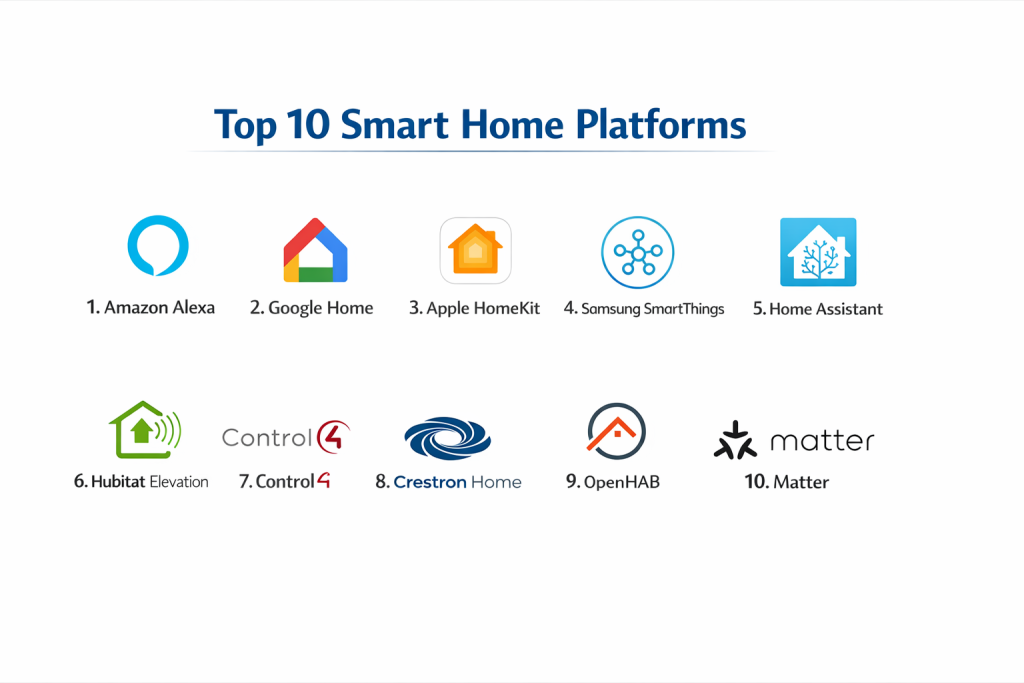
Top 10 Smart Home Platforms
Navigating the landscape of smart home platforms can be complex. Here is a detailed analysis of ten leading systems, examining their core capabilities, strengths, and weaknesses to help you find the perfect fit for your connected home.
1 — Amazon Alexa
The ubiquitous voice-centric ecosystem built around Alexa, designed for broad accessibility and a massive catalog of compatible devices and “Skills.”
Key features:
- Voice control via a vast range of Echo smart speakers and displays.
- Massive library of third-party “Skills” to add voice-controlled functionalities.
- Supports Zigbee and Matter protocols directly in certain Echo hubs.
- Simple routine creation for basic device automation.
- Seamless integration with Amazon services (Shopping, Music, Prime Video).
- Voice calling, messaging, and Alexa Guard security features.
Pros:
- Unmatched breadth of compatible smart home devices and brands.
- Extremely user-friendly for voice-first interactions and beginners.
Cons:
- Automation logic (“Routines”) can be less powerful and flexible than dedicated platforms.
- Privacy concerns are frequently cited due to Amazon’s data-driven business model.
Security & compliance: Data is encrypted in transit and at rest. Offers voice purchasing PINs and voice recognition profiles. Privacy settings are user-configurable.
Support & community: Extensive official help guides and 24/7 customer support. Huge third-party community for Skills and troubleshooting.
2 — Google Home (Google Nest)
An AI-driven platform focused on intuitive assistance and deep integration with Google’s services, powered by the Google Assistant.
Key features:
- Natural language processing with Google Assistant for conversational commands.
- Strong focus on audio/video with Chromecast and Nest Hub screen integration.
- Superior voice recognition for multiple users and contextual follow-up questions.
- “Family Bell” routines and personalized daily summaries.
- Excellent integration with Google Calendar, Photos, and YouTube.
- Native support for Thread and Matter for future-proof connectivity.
Pros:
- The most intelligent and conversational voice assistant for general knowledge queries.
- Best-in-class multi-user recognition and personalized responses.
Cons:
- Historically less robust for complex smart home automation compared to Apple or Samsung.
- The product lineup and strategy have seen significant shifts, causing some user uncertainty.
Security & compliance: Enterprise-grade security infrastructure. Offers detailed Activity Controls for privacy management. Data practices align with Google’s overarching policies.
Support & community: Good official support channels. Community forums are active, though smaller than Amazon’s.
3 — Apple HomeKit
A privacy-focused, user-friendly ecosystem that tightly integrates with Apple devices, offering a streamlined and secure experience.
Key features:
- Deep integration with iPhone, iPad, Apple Watch, Mac, and Apple TV (which acts as a home hub).
- The Home app provides a clean, unified interface for all compatible accessories.
- Strong emphasis on on-device processing and end-to-end encryption for privacy.
- Supports Secure Video from cameras with iCloud storage.
- Robust automation with geographical, time-based, and sensor triggers.
- Native support for the new Matter smart home standard.
Pros:
- Industry-leading commitment to user privacy and data security.
- Exceptionally polished, reliable, and consistent user experience for Apple users.
Cons:
- The ecosystem of compatible devices, while growing, has traditionally been smaller and more expensive.
- Functionality is heavily dependent on owning Apple hardware.
Security & compliance: End-to-end encryption for HomeKit data. Requires accessory manufacturers to meet specific security standards. No data mining for advertising.
Support & community: Apple’s premium customer support is available. Community is strong but centered on Apple product users.
4 — Samsung SmartThings
A powerful, versatile platform known for its strong automation engine and support for a wide array of protocols, from Z-Wave to Matter.
Key features:
- Excellent support for multiple wireless protocols (Zigbee, Z-Wave, Wi-Fi, Matter, Thread).
- Powerful “SmartThings Labs” for creating advanced, customized automations (WebCoRE).
- Works as a unified hub for many disparate device brands.
- Integrates deeply with Samsung appliances, TVs, and mobile devices.
- Robust third-party device handler community for unsupported gear.
- Reliable presence sensing and complex routine creation.
Pros:
- Arguably the most powerful and flexible automation engine for DIY enthusiasts.
- Best platform for mixing and matching devices from different brands and protocols.
Cons:
- Can have a steeper learning curve for non-technical users.
- Reliability has varied historically during platform migrations (e.g., from Classic to new app).
Security & compliance: Knox security platform for data protection. Regular security updates and a bug bounty program.
Support & community: Mixed reviews on official support. Has a legendary, highly technical user community for advanced setups.
5 — Home Assistant
An open-source, local-first automation platform designed for ultimate power, privacy, and customization, hosted on your own hardware.
Key features:
- Complete local control; no internet or cloud required for operation.
- Unparalleled support for over 1,000 integrations, including obscure or DIY devices.
- Highly customizable user interface via dashboards (Lovelace UI).
- Powerful, code-based automation editor (YAML) for limitless logic.
- Active development with frequent updates and new integrations.
- Free to use, with optional cloud service for remote access.
Pros:
- Maximum privacy, reliability, and independence from corporate clouds.
- The most comprehensive and flexible platform for technical tinkerers.
Cons:
- Requires technical knowledge to set up and maintain (e.g., on a Raspberry Pi).
- The user experience is not as polished or beginner-friendly as commercial offerings.
Security & compliance: Security depends on user implementation and network setup. No external cloud data by default. Full user control.
Support & community: No official “customer support.” Relies entirely on its massive, passionate, and highly knowledgeable community forum and documentation.
6 — Hubitat Elevation
A commercial, locally processed hub that brings powerful automation and broad protocol support with a focus on speed and privacy.
Key features:
- 100% local processing for instant automations and enhanced privacy.
- Strong native support for Zigbee and Z-Wave devices.
- Intuitive “Rule Machine” for building complex automations without coding.
- Built-in dashboard for creating control panels on tablets or phones.
- Active community app and driver development.
- No mandatory monthly fees.
Pros:
- Offers much of Home Assistant’s local-control power in a more user-friendly, plug-and-play package.
- Automations execute nearly instantaneously due to local processing.
Cons:
- Mobile app experience is functional but less polished than Big Tech offerings.
- Smaller overall community and integrations than SmartThings or Home Assistant.
Security & compliance: Local focus minimizes data exposure. Company has a strong commitment to privacy. Regular security updates.
Support & community: Active company-led community forum with direct developer interaction. Good documentation.
7 — Control4
A premium, professional-grade system sold and installed by certified integrators for whole-home automation with a focus on luxury and reliability.
Key features:
- Professional design, installation, and programming required.
- Unifies control of high-end AV, lighting, climate, security, and more into one seamless interface.
- Extremely reliable and robust hardware and software.
- Beautiful, customizable touchscreen and remote control interfaces.
- Scalable from single-room to multi-property estates.
- Ongoing professional support and system updates from your dealer.
Pros:
- Turn-key, polished, and rock-solid reliable experience for the non-technical buyer.
- Best-in-class integration with high-end audio/video and hidden subsystems.
Cons:
- Very high upfront cost and requires a professional for any changes or additions.
- Not a DIY system; you are locked into your installer for support.
Security & compliance: Enterprise-level security protocols. Systems are typically on isolated networks. Compliant with various custom installation standards.
Support & community: Support is exclusively provided through your authorized dealer. User community exists but is less relevant for end-users.
8 — Crestron Home
A top-tier, professionally installed platform for luxury residential and commercial spaces, offering deeply customized and scalable solutions.
Key features:
- Ultimate customization and programming depth for unique client needs.
- Integrates lighting, shading, AV, climate, security, and even IT networks.
- Commercial-grade reliability and support.
- Wide range of sophisticated hardware interfaces (keypads, touch panels).
- Scalable from a single room to global deployments for businesses.
- Managed and serviced exclusively by certified Crestron programmers.
Pros:
- The most powerful and customizable platform for complex, large-scale projects.
- Unrivaled build quality, reliability, and long-term support lifecycle.
Cons:
- Extremely high cost, placing it out of reach for most consumers.
- Absolutely zero DIY aspect; entirely dependent on the programming integrator.
Security & compliance: Used in government and corporate installations, with high-security standards. Network security is a core component of system design.
Support & community: Strictly professional channel support. No end-user community in the traditional sense.
9 — OpenHAB
A mature, vendor-neutral open-source platform similar to Home Assistant, emphasizing integration and flexibility across a wide technical spectrum.
Key features:
- Runs locally on your own hardware (like a Raspberry Pi or server).
- “Vendor-neutral” design aiming to work with any smart home technology.
- Supports hundreds of integrations through add-ons.
- Offers multiple user interfaces, including a powerful dashboard builder.
- Can be controlled via rules (with a graphical or code editor).
- Strong focus on stability and long-term compatibility.
Pros:
- Great balance of flexibility and a more structured approach than some open-source alternatives.
- Very stable and excellent for running complex, set-and-forget automations.
Cons:
- Initial setup and configuration can be complex for beginners.
- Smaller and less frenetically active community than Home Assistant.
Security & compliance: Security is user-managed. Local operation enhances privacy. Regular community-driven security updates.
Support & community: Strong documentation and active community forums. No official commercial support.
10 — Matter (with a supporting platform like Google, Apple, Amazon, etc.)
A new, royalty-free connectivity standard, not a platform itself, but designed to unify ecosystems. It requires a Matter controller (built into many platforms).
Key features:
- IP-Based Protocol: Uses Thread (wireless) and Wi-Fi/Ethernet for reliable communication.
- Multi-Admin: A single device can be shared across multiple ecosystems (e.g., Apple Home and Google Home).
- Local-First: Designed for direct, local communication between devices for speed and reliability.
- Simplified Setup: Unified commissioning via QR code or PIN.
- Backward Compatibility: Works with existing supported devices via bridges/updates.
Pros:
- Promises to solve the biggest smart home headache: device compatibility across brands.
- Enhances reliability and speed through local execution.
Cons:
- Still in early rollout; full vision and device support will take years to materialize.
- Requires new hardware (Matter-compatible devices and controllers) for full benefit.
Security & compliance: Built on robust cryptographic principles. Requires device certification. A core design tenet is security and privacy.
Support & community: Supported by the Connectivity Standards Alliance (CSA). Implementation depends on the platform (Apple, Google, etc.) you use it with.
Comparison Table
| Tool Name | Best For (Target User or Scenario) | Platform(s) Supported | Standout Feature | Rating |
|---|---|---|---|---|
| Amazon Alexa | Beginners, voice-centric users, broad device shoppers. | iOS, Android, Web | Largest device & skill ecosystem. | N/A |
| Google Home | Android users, those who value a smart assistant above all. | iOS, Android, Web | Best conversational AI & multi-user recognition. | N/A |
| Apple HomeKit | Apple device owners prioritizing privacy and simplicity. | iOS, iPadOS, macOS | Privacy-first, polished Apple ecosystem integration. | N/A |
| Samsung SmartThings | DIY enthusiasts wanting powerful automation with mixed devices. | iOS, Android | Powerful automation engine & multi-protocol support. | N/A |
| Home Assistant | Technical tinkerers seeking maximum control, privacy, customization. | Any via browser | Complete local control & unparalleled integration breadth. | N/A |
| Hubitat Elevation | Privacy-focused users wanting local power without the DIY hassle. | iOS, Android, Web | User-friendly local processing & strong automation. | N/A |
| Control4 | Affluent homeowners seeking a professional, turn-key luxury system. | Proprietary OS | Professional-grade reliability & whole-home luxury integration. | N/A |
| Crestron Home | Complex, large-scale projects (luxury residential/commercial). | Proprietary OS | Ultimate customization & scalability for high-end projects. | N/A |
| OpenHAB | Tech-savvy users wanting a stable, flexible open-source platform. | Any via browser | Vendor-neutral, stable, and highly flexible open-source core. | N/A |
| Matter | Anyone planning future purchases; works alongside a primary platform. | Dependent on controller | New standard for cross-platform device compatibility. | N/A |
Evaluation & Scoring of Smart Home Platforms
To make an objective choice, consider how each platform scores in the following key areas, weighted according to your personal priorities.
| Evaluation Category | Weight | What to Look For |
|---|---|---|
| Core Features | 25% | Strength and flexibility of the automation engine, quality of mobile/voice interfaces, supported device types (lighting, security, AV). |
| Ease of Use | 15% | Intuitiveness of setup, daily control, and automation creation. Quality of mobile app and voice interaction. |
| Integrations & Ecosystem | 15% | Breadth of natively supported devices and brands. Support for key protocols (Zigbee, Z-Wave, Matter). |
| Security & Compliance | 10% | Data encryption, privacy policies, local processing options, update frequency, and company reputation. |
| Performance & Reliability | 10% | Speed of automation execution, system uptime, cloud dependency, and overall stability. |
| Support & Community | 10% | Quality of official documentation and customer support. Size and helpfulness of the user community. |
| Price / Value | 15% | Upfront hub/device costs, any subscription fees, and the long-term value relative to features and reliability. |
Which Smart Home Platform Is Right for You?
Your ideal platform depends entirely on your technical comfort, priorities, and budget. Use this guide to narrow down your choice.
- DIY Enthusiast vs. Turn-Key Buyer vs. Professional Install: If you love to tinker, Home Assistant or SmartThings offers maximum control. If you want a reliable setup you barely have to think about, Apple HomeKit or Google Home are great. For a seamless, premium, no-DIY-ever experience, a professional system like Control4 is the answer, albeit at a high cost.
- Budget-Conscious vs. Premium Solutions: Amazon Alexa and Google Home offer very low entry costs (just a speaker). Home Assistant is free but requires your time and hardware. Hubitat and SmartThings hubs offer great mid-range value. Control4 and Crestron are premium investments.
- Feature Depth vs. Ease of Use: Home Assistant and Hubitat offer incredible depth for automation but require more learning. Alexa and Google Home prioritize simplicity and voice. Apple HomeKit strikes an elegant balance between power and polish.
- Integration and Scalability Needs: For a house full of diverse gadget brands, SmartThings and Home Assistant are kings. For a simple, curated setup, HomeKit is excellent. For scaling to a massive, multi-room estate with high-end AV, only Control4 or Crestron are designed for that scale.
- Security and Privacy Requirements: If privacy is your #1 concern, Apple HomeKit (with on-device processing) and local-only platforms like Home Assistant and Hubitat are top choices. Review the data policies of cloud-dependent platforms like Alexa and Google carefully.
Frequently Asked Questions (FAQs)
1. Do I need a smart home hub?
It depends on your platform and devices. Many devices connect via Wi-Fi directly to your router and an app. However, a dedicated hub (like a SmartThings Hub, Apple TV, or Echo with Zigbee) is often required for devices using Zigbee or Z-Wave protocols, enables faster local automations, and improves overall network stability by taking device traffic off your main Wi-Fi.
2. What is the difference between Zigbee, Z-Wave, Wi-Fi, and Thread?
Wi-Fi is common but power-hungry. Zigbee and Z-Wave are low-power, mesh-network protocols that extend range; Z-Wave has better interoperability, Zigbee is often cheaper. Thread is a new, IP-based, low-power mesh protocol (like Zigbee) that is a cornerstone of the Matter standard, promising better reliability and direct device-to-device communication.
3. Can I mix devices from different brands?
Yes, absolutely—this is a primary goal of a smart home platform. The key is ensuring all your devices are compatible with your chosen platform (e.g., “Works with Apple HomeKit” or “Works with Google Home”). Platforms like SmartThings and Home Assistant are specifically designed to be agnostic and mix brands freely.
4. What happens if the internet goes down?
This is a critical question. Most cloud-dependent platforms (basic Alexa/Google routines) will stall. Platforms with a local hub (SmartThings, Hubitat, Home Assistant, HomeKit with a home hub) can often continue executing automations between devices that are connected locally (e.g., a motion sensor turning on a Zigbee light). Voice control via the cloud will not work.
5. Is my smart home data private?
It varies drastically by platform. Apple HomeKit and local platforms (Home Assistant, Hubitat) are designed with strong privacy, keeping data on your network. For cloud platforms like Amazon Alexa and Google Home, you are trading some data for convenience. Always review the privacy policy and use available controls (like voice history deletion).
6. How do I start building a smart home?
Start with a clear goal (e.g., “I want voice-controlled lighting”) and choose your platform first. Then, buy a starter kit or a single device (like a smart bulb and a speaker) that fits that platform. Expand slowly, ensuring new devices are compatible with your central platform to avoid ending up with isolated apps.
7. Are smart homes a security risk?
Any connected device is a potential entry point. You mitigate risk by: buying from reputable brands, keeping firmware updated, using strong, unique passwords, placing devices on a separate Wi-Fi network (like a guest network), and choosing platforms with strong security standards.
8. What is Matter, and should I wait for it?
Matter is a new unifying standard designed to ensure devices work across any supporting platform (Apple, Google, Amazon, etc.). For new purchases, prioritize Matter-enabled devices for future-proofing. You don’t need to wait, as Matter is backward-compatible and will work alongside your existing setup over time.
9. Can I use multiple platforms at once?
Yes, but it can get complex. You might use Alexa for voice in the kitchen and Google Home in the living room. Some devices can be connected to multiple platforms simultaneously, especially with Matter. However, managing automations across two separate “brains” can be confusing.
10. What’s the most common beginner mistake?
Buying devices based on price or features without checking platform compatibility first. This leads to a fragmented experience with multiple apps that don’t talk to each other. Platform-first planning is the single most important step.
Conclusion
Choosing a smart home platform is the foundational decision that shapes your connected living experience. From the vast, voice-first world of Amazon Alexa to the private, polished realm of Apple HomeKit, and from the DIY power of Home Assistant to the professional luxury of Control4, there is a perfect system for every need and technical aptitude.
The key is to honestly assess your own priorities. Are you seeking hands-off convenience or hands-on control? Is your budget modest or unlimited? Does privacy trump all else? There is no single “best” platform—only the best platform for you.
Remember, the goal is to make your life easier, more efficient, and more comfortable. Start with a clear use case, choose a platform that aligns with your long-term vision, and build out slowly. By focusing on compatibility and starting with a solid foundation, you can build a smart home that is not just a collection of gadgets, but a truly integrated and intelligent system that enhances your daily life for years to come.

- Top 10 Email Deliverability Tools: Features, Pros, Cons & Comparison - September 6, 2026
- Top 10 Pharmacovigilance Software: Features, Pros, Cons & Comparison - September 6, 2026
- Top 10 Manufacturing Execution Systems (MES) - July 30, 2026