Introduction
A Home Automation Hub is the central brain of a smart home. It’s a hardware device, often paired with software, that connects disparate smart products—from lights and locks to thermostats and sensors—allowing them to communicate with each other and be controlled from a single app. Instead of managing ten different applications for ten different brands, a hub creates a unified, interoperable ecosystem.
Its importance lies in moving beyond simple remote control to true automation and integration. A hub enables powerful “if this, then that” rules, like automatically turning on lights when you arrive home, locking doors when the security system arms, or sending an alert if a water leak sensor is triggered while you’re away. Key real-world use cases include enhanced home security (automated lighting, door/window sensors), energy management (smart thermostats, plug load control), convenience and comfort (voice-controlled scenes, morning routines), and accessibility (automating tasks for elderly or disabled individuals).
When choosing a hub, key evaluation criteria include: supported communication protocols (Zigbee, Z-Wave, Thread, Wi-Fi, etc.), breadth of third-party integrations, reliability and local processing (does it need the internet to work?), user interface and ease of setup, and advanced automation capabilities.
Best for: Tech-savvy homeowners, smart home enthusiasts, and property managers looking to build a cohesive, multi-device ecosystem. They are ideal for those who value deep automation, seek to use devices from many different brands, and prioritize reliability through local control. They are also increasingly relevant for new construction and renovation projects where smart technology is being built-in.
Not ideal for: Individuals who only need one or two smart devices (like a single smart speaker or a Wi-Fi camera) and don’t plan to expand. Users who want absolute plug-and-play simplicity with zero technical tinkering may find some hubs complex. In these cases, sticking to a single brand’s ecosystem (like Google or Amazon) controlled via their smart speaker may be sufficient.
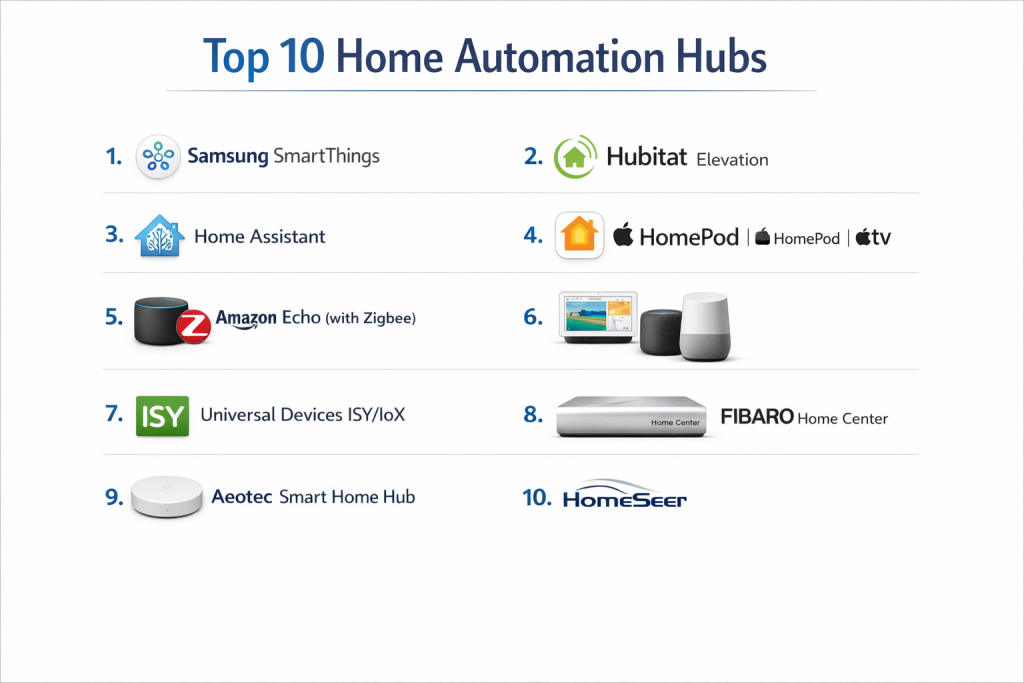
Top 10 Home Automation Hubs
1 — Samsung SmartThings
A versatile, user-friendly hub that bridges the gap between consumer-friendly and enthusiast-grade automation, with a massive compatible device ecosystem.
- Short description: A cloud-dependent but incredibly broad platform. Ideal for users who want wide compatibility with minimal DIY effort, leveraging Samsung’s strong brand and ongoing development.
- Key features:
- Supports Zigbee, Z-Wave, Wi-Fi, Bluetooth, and Matter.
- Massive library of officially supported “Device Handlers.”
- Intuitive SmartThings mobile app with scene and routine creation.
- Deep integration with Samsung appliances and TVs.
- Works as a Matter Controller for future-proofing.
- Option for local processing of some automations for speed.
- Pros:
- Arguably the largest and most diverse compatibility list of any consumer hub.
- App is one of the most polished and beginner-accessible in the category.
- Cons:
- Core functionality and history require a persistent internet connection.
- Transitioning from the classic to new app has caused some user frustration.
- Security & compliance: Industry-standard encryption for data in transit. Regular security updates. Privacy practices align with Samsung’s corporate policies.
- Support & community: Official support channels. One of the largest and most active user communities online, offering massive crowd-sourced knowledge and custom solutions.
2 — Hubitat Elevation
A powerful, local-processing-focused hub designed for privacy, reliability, and advanced automation without relying on the cloud.
- Short description: A hub for enthusiasts and pros who prioritize speed, privacy, and complex logic. All processing is done locally on the device, ensuring automations work even during an internet outage.
- Key features:
- 100% local processing for automations and logging.
- Supports Zigbee and Z-Wave directly; integrates with others via community apps.
- Extremely powerful Rule Machine for creating complex, multi-condition automations.
- Built-in web interface for detailed management.
- Strong focus on privacy—your data stays in your home.
- Pros:
- Blazing-fast automation execution and ultimate reliability.
- Unmatched privacy and data ownership.
- Cons:
- Steeper learning curve; less “polished” than consumer apps.
- Mobile app experience is functional but not its primary strength.
- Security & compliance: As a local system, it minimizes cloud-based attack vectors. Security relies heavily on local network configuration. Regular firmware updates address vulnerabilities.
- Support & community: Excellent, knowledgeable official support. Highly technical and helpful community forum that is essential for mastering the platform.
3 — Home Assistant (Yellow or Blue)
The ultimate open-source, DIY home automation platform, offering near-unlimited customization and integration capabilities.
- Short description: A platform for tinkerers, privacy advocates, and those who want complete control. It can run on various hardware, but official hubs like the Yellow provide an easy start. It integrates with almost everything.
- Key features:
- Unmatched number of integrations (over 2,000) via its open-source community.
- Can unify and control devices from any other ecosystem (Google, Apple, SmartThings, etc.).
- Fully local control by design, with optional cloud services.
- Highly customizable dashboards for monitoring and control.
- Powerful YAML-based configuration for advanced users.
- Active development with frequent updates.
- Pros:
- The most powerful and flexible platform available.
- Truly vendor-agnostic; you are never locked in.
- Cons:
- The highest barrier to entry; requires technical comfort and time investment.
- Can be overwhelming for users seeking simple set-up.
- Security & compliance: Security is robust but self-managed. Users are responsible for maintaining updates and secure configurations. A major draw for privacy-focused individuals.
- Support & community: The project is driven by its massive, global community. Support is primarily community-based through forums, Discord, and extensive documentation.
4 — Apple HomeKit / HomePod / Apple TV
A privacy-focused, user-experience-centric ecosystem that works seamlessly within the Apple device family.
- Short description: The ideal hub for users deeply invested in the Apple ecosystem (iPhone, iPad, Mac). It prioritizes security, simplicity, and a cohesive interface across Apple devices.
- Key features:
- Tight integration with iOS, iPadOS, and macOS via the Home app and Siri.
- Strong privacy framework; end-to-end encryption for home data.
- Requires HomeKit Secure Video cameras and HomeKit-enabled accessories.
- An Apple TV, HomePod, or HomePod mini acts as the hub for remote access and automation.
- Supports Matter, expanding future compatibility.
- Pros:
- Unbeatable ease of use and polish for Apple users.
- Industry-leading privacy and security standards for consumers.
- Cons:
- Historically more limited selection of compatible devices (improving with Matter).
- Lacks the deep, complex automation engines of other hubs.
- Security & compliance: Apple’s hallmark: strong encryption, secure device authentication (HomeKit), and privacy-centric data policies. Accessories must meet Apple’s MFi security requirements.
- Support & community: Official Apple support. Less of a DIY community than others, as the system is designed to “just work” without needing one.
5 — Amazon Echo (with Zigbee)
A voice-first, ultra-convenient hub that brings basic automation to the masses through the ubiquitous Echo speaker line.
- Short description: A gateway into smart home automation for users who already own or prefer Alexa. It makes setting up routines and voice control incredibly simple.
- Key features:
- Built-in Zigbee hub in models like the Echo (4th Gen) and Echo Studio.
- Primarily controlled via voice or the Alexa app.
- Vast “Skills” library for integrating with cloud-based services.
- Easy-to-create Routines based on time, voice, device status, or sensors.
- Functions as a Matter Controller.
- Pros:
- Extremely affordable and accessible entry point.
- Best-in-class voice control and integration with Amazon services.
- Cons:
- Automations are cloud-dependent, leading to potential latency.
- Less capable for complex, multi-condition logical automations.
- Security & compliance: Amazon’s cloud security infrastructure. Privacy concerns related to voice data collection are common among users.
- Support & community: Standard Amazon customer support. Large user base, but more focused on casual use than advanced tinkering.
6 — Google Nest Hub / Google Home
A hub focused on Google Assistant voice control, helpful displays, and tight integration with Google’s ecosystem and Nest products.
- Short description: Centered around the Google Assistant experience and Nest devices. Ideal for users who want visual feedback via smart displays and use Google services daily.
- Key features:
- Google Nest speakers and displays act as hubs/controllers.
- Excellent voice recognition and integration with Google Calendar, Photos, etc.
- Smart Displays (Nest Hub) provide visual control and video doorbell feeds.
- Strong native integration with Nest thermostats, cameras, and doorbells.
- Supports Matter and Thread.
- Pros:
- Superior smart display functionality and user interface.
- Seamless experience for users of Nest cameras and thermostats.
- Cons:
- Automation capabilities are basic compared to dedicated hubs.
- Historically less third-party device support than Alexa (improving).
- Security & compliance: Google’s enterprise-level security for data. Privacy policies are similar to Amazon’s regarding voice data.
- Support & community: Google support channels. Community exists but is less central to the platform’s operation.
7 — Universal Devices ISY/IoX
A professional-grade, ultra-reliable hub built for complex installations, commercial use, and integrators who demand stability.
- Short description: A workhorse hub favored by professional installers and serious hobbyists for its rock-solid reliability and deep support for Insteon and Z-Wave protocols.
- Key features:
- Unmatched reliability and stability for Z-Wave and Insteon networks.
- Powerful Polyglot integration system for adding other protocols (like Wi-Fi devices).
- Advanced programming engine for intricate automation logic.
- Fully local processing; optional cloud services for remote access.
- Designed for 24/7/365 operation in critical environments.
- Pros:
- The gold standard for reliability and Z-Wave mesh network management.
- Extremely powerful for complex, conditional automation.
- Cons:
- User interface feels dated and is not beginner-friendly.
- Higher upfront cost than consumer hubs.
- Security & compliance: Local-first architecture enhances security. Relies on user network security. Regular firmware updates.
- Support & community: Excellent direct support from the company. Knowledgeable, professional-focused community.
8 — Fibaro Home Center
A premium, design-conscious hub from a leading Z-Wave device manufacturer, offering a polished experience for whole-home automation.
- Short description: An all-in-one solution known for its beautiful hardware, intuitive yet powerful software, and seamless integration with high-end Z-Wave devices, particularly from Fibaro.
- Key features:
- Stunning hardware designed to be visible (e.g., Home Center Lite, Home Center 3).
- Intuitive, visual “Scene” creation tool for building automations.
- Deep, optimized integration with Fibaro’s own sensor and module lineup.
- Supports Z-Wave, Z-Wave+, and has built-in Wi-Fi/Bluetooth for integrations.
- Includes basic intrusion and environmental alarm panels.
- Pros:
- Best-in-class user interface and aesthetic design.
- Excellent out-of-the-box experience for Z-Wave and Fibaro ecosystems.
- Cons:
- Very expensive compared to other options.
- Primarily a Z-Wave ecosystem; other protocols require workarounds.
- Security & compliance: Strong security features, including encryption and regular updates. Used in professional smart home installations.
- Support & community: Professional dealer network in many regions. Good official documentation and support.
9 — Aeotec Smart Home Hub
The official hardware successor to the original Samsung SmartThings Hub v3, providing a dedicated hardware option for the SmartThings platform.
- Short description: Essentially the “current” SmartThings hub hardware, manufactured by Aeotec. It provides all the SmartThings functionality in a standalone device for users who don’t want a hub built into a speaker or display.
- Key features:
- Runs the latest SmartThings Hub software.
- Supports Zigbee, Z-Wave, and Bluetooth.
- Acts as a Matter Controller and Border Router.
- Ethernet port for a more reliable wired connection.
- Powered by the same SmartThings cloud and app ecosystem.
- Pros:
- Direct line to ongoing SmartThings development and updates.
- More stable connection via Ethernet compared to Wi-Fi-only hubs.
- Cons:
- Shares all the cloud-dependency and internet-requirement cons of SmartThings.
- Is just one hardware option for the SmartThings platform, not a unique system.
- Security & compliance: Identical to the Samsung SmartThings platform.
- Support & community: Supported through SmartThings channels, with additional hardware support from Aeotec.
10 — Homeseer
A veteran, software-based hub platform known for its extreme power and flexibility, running on your own Windows or Linux hardware or on their dedicated controllers.
- Short description: A highly capable, plugin-based platform for true automation enthusiasts who don’t mind a desktop-centric approach. It can scale from a simple home to a large property.
- Key features:
- Massive support for protocols via plugins (Z-Wave, Zigbee, Insteon, KNX, etc.).
- Extremely powerful event engine for creating complex automations.
- Can run on your own PC or on Homeseer’s dedicated hardware (e.g., HomeTroller).
- Fully local processing with optional cloud features.
- Long track record and stable platform.
- Pros:
- Incredibly powerful and scalable for large or complex setups.
- Vast plugin ecosystem for connecting to nearly anything.
- Cons:
- User interface is very dated and not mobile-first.
- Can be expensive, especially when adding multiple plugins.
- Security & compliance: Local processing model. Security depends on host system and network setup. Regular software updates.
- Support & community: Good official support. Dedicated, long-standing user community.
Comparison Table
| Tool Name | Best For (Target User or Scenario) | Platform(s) Supported | Standout Feature | Rating |
|---|---|---|---|---|
| Samsung SmartThings | Users wanting broad compatibility with an easy app | Zigbee, Z-Wave, Wi-Fi, Bluetooth, Matter | Massive Official Device Ecosystem | N/A |
| Hubitat Elevation | Privacy-focused enthusiasts needing reliable local automations | Zigbee, Z-Wave | 100% Local Processing & Rule Engine | N/A |
| Home Assistant | Tinkerers and experts wanting ultimate control and integration | Virtually all via software | Unlimited Open-Source Integrations | N/A |
| Apple HomeKit | Apple users prioritizing privacy and a seamless experience | HomeKit, Matter (via hub) | Deep iOS/macOS Integration & Privacy | N/A |
| Amazon Echo (Zigbee) | Casual users entering smart home via Alexa voice control | Zigbee, Wi-Fi (via Skills) | Affordable, Voice-First Gateway | N/A |
| Google Nest Hub | Google/Nest users who value smart displays | Thread, Wi-Fi, Matter (via hub) | Superior Smart Display Functionality | N/A |
| Universal Devices ISY | Pros & serious hobbyists needing rock-solid Z-Wave/Insteon | Z-Wave, Insteon (others via Polyglot) | Unmatched Reliability & Stability | N/A |
| Fibaro Home Center | Users seeking a premium, design-focused Z-Wave experience | Z-Wave, Z-Wave+ | Beautiful Hardware & Intuitive UI | N/A |
| Aeotec Smart Home Hub | SmartThings users wanting dedicated, Ethernet-connected hardware | Zigbee, Z-Wave, Bluetooth, Matter | Dedicated SmartThings Hub Hardware | N/A |
| Homeseer | Enthusiasts with complex needs who prefer a PC-based platform | Many via Plugins (Z-Wave, Zigbee, etc.) | Extreme Power & Plugin Scalability | N/A |
Evaluation & Scoring of Home Automation Hubs
| Criteria | Weight | What to Look For (Excellent Performance) |
|---|---|---|
| Core Features | 25% | Supported wireless protocols (Zigbee, Z-Wave, Thread), strength of automation engine, speed of execution, support for scenes/routines, built-in radio quality. |
| Ease of Use | 15% | Intuitive mobile/desktop app, clear onboarding and device pairing, straightforward automation creation, quality of documentation for beginners. |
| Integrations & Ecosystem | 15% | Number and quality of natively supported devices, compatibility with major platforms (Alexa, Google, Apple), support for Matter, open API for advanced users. |
| Security & Compliance | 10% | Local data processing, end-to-end encryption, regular security updates, transparent privacy policy, adherence to standards like Matter’s security specs. |
| Performance & Reliability | 10% | System uptime, automation execution speed (especially local vs. cloud), strength of mesh network management, hardware build quality. |
| Support & Community | 10% | Quality of official customer support, responsiveness, existence of an active user forum or community, availability of tutorials and user-created content. |
| Price / Value | 15% | Upfront hub cost, subscription fees (if any), total cost to build a system, long-term viability and update support, return on investment in convenience. |
Which Home Automation Hub Tool Is Right for You?
- Solo Users / Beginners vs. Enthusiasts vs. Professionals: Beginners should start with SmartThings or an Echo with Zigbee for simplicity. Enthusiasts wanting more power should choose Hubitat or Home Assistant. Professionals or those with mission-critical setups should consider Universal Devices ISY or Homeseer.
- Budget-Conscious vs. Premium Solutions: The Amazon Echo provides the cheapest hub entry. SmartThings and Hubitat offer great mid-range value. Fibaro Home Center and robust Homeseer setups represent the premium, high-design or high-power end.
- Feature Depth vs. Ease of Use: This is the core trade-off. Apple HomeKit and Google Nest excel in ease of use. Hubitat, Home Assistant, and Homeseer offer immense feature depth at the cost of a steeper learning curve. SmartThings tries to balance both.
- Integration and Scalability Needs: If you have devices from dozens of brands, Home Assistant is the king of integration. For scaling a large, reliable Z-Wave network, Hubitat or Universal Devices ISY are top choices. Consider future-proofing with hubs that are Matter Controllers.
- Security and Compliance Requirements: If privacy is your top concern, local-processing hubs (Hubitat, Home Assistant, Homeseer) are best. Apple HomeKit offers the strongest consumer-grade cloud security framework. Always ensure your chosen hub receives regular security updates.
Frequently Asked Questions (FAQs)
What’s the difference between Zigbee, Z-Wave, and Wi-Fi for smart home devices?
Zigbee and Z-Wave are low-power, mesh networking protocols designed for reliability and long battery life. They require a hub. Wi-Fi devices connect directly to your router, are easier to set up, but can congest your network and drain batteries faster.
Do I need a hub if I already have an Amazon Echo or Google Home?
Not necessarily for basic voice control. However, a dedicated hub is needed to connect Zigbee or Z-Wave devices (unless your Echo has the built-in Zigbee hub), and to create advanced automations that work locally without internet delay.
What is Matter, and why does it matter for my hub?
Matter is a new, universal smart home standard backed by Apple, Google, Amazon, and others. A hub that is a Matter Controller will allow you to easily add and control Matter-certified devices from any brand, improving interoperability. It’s a key future-proofing feature.
Can I use multiple hubs together?
Yes, but often with limitations. You might use Home Assistant as a “supervisor” hub to integrate devices from other hubs (like SmartThings or Hue) into one interface. This is advanced but maximizes compatibility.
Are home automation hubs secure from hackers?
Hubs that process data locally (like Hubitat, Home Assistant) have a smaller “attack surface” than cloud-dependent ones. Security ultimately depends on the manufacturer’s practices, regular updates, and your home network security (strong Wi-Fi password, router updates).
How difficult is it to set up and maintain a hub like Home Assistant?
Home Assistant has a reputation for a high initial setup complexity, especially if using generic hardware. However, official hardware like the Home Assistant Yellow and improved setup wizards have made it more accessible. Maintenance requires comfort with checking for and applying updates.
What happens to my smart home if the internet goes down?
With a cloud-dependent hub (SmartThings, Alexa/Google Routines), your automations and remote access will stop. With a local-processing hub (Hubitat, Home Assistant, ISY), all your automations will continue to run seamlessly within your home.
Is there a monthly fee for using these hubs?
Most consumer hubs (SmartThings, Apple, Google, Amazon) do not have a mandatory fee for core functionality. Some, like Homeseer, charge for certain mobile app features or cloud services. Home Assistant is completely free software. Always check for subscription plans for advanced features like video history.
What’s the most common mistake new users make?
Buying Wi-Fi devices from random brands without considering hub compatibility, leading to a fragmented, unreliable system controlled by multiple apps. It’s better to plan around a hub and choose devices that work natively with its protocols.
Can I take my hub and devices with me when I move?
Yes, absolutely. You can unplug your hub, pack your devices, and set everything up in your new home. This is much easier than trying to transfer a professionally installed, hardwired system.
Conclusion
Choosing the right home automation hub is the most critical decision in building a smart home that is cohesive, reliable, and truly automated. The landscape offers solutions for every priority: the broad compatibility of SmartThings, the privacy and speed of Hubitat, the limitless customization of Home Assistant, and the seamless ecosystem experiences from Apple, Google, and Amazon.
The “best” hub does not exist in a vacuum. It is the one that best aligns with your technical comfort, your desired device ecosystem, your need for privacy, and your appetite for complexity. Use the evaluation framework to weigh what matters most to you: Is it plug-and-play simplicity, or the power to create intricate automations? Is it lowest cost, or strongest security?
Investing time in selecting the right central brain will pay dividends for years, transforming your home from a collection of connected gadgets into an intelligent, responsive, and truly helpful environment. Start with your needs, not the flashiest gadget, and you’ll build a system that delights rather than frustrates.

- Top 10 Email Deliverability Tools: Features, Pros, Cons & Comparison - September 6, 2026
- Top 10 Pharmacovigilance Software: Features, Pros, Cons & Comparison - September 6, 2026
- Top 10 Manufacturing Execution Systems (MES) - July 30, 2026