Introduction
Reservation Management Software (RMS) is the digital nerve center for any business that takes bookings. It is a centralized platform that automates the entire booking lifecycle—from the moment a customer searches for availability online to the final check-out and post-visit follow-up. This software replaces outdated paper diaries, disjointed spreadsheets, and chaotic phone/email systems with a streamlined, real-time, and professional system.
An effective RMS is critical for maximizing revenue, ensuring operational efficiency, and delivering an exceptional customer experience. It prevents overbookings and double bookings, provides insights into demand patterns for dynamic pricing, reduces no-shows with automated reminders, and frees staff from manual scheduling to focus on guest service. In practice, a fine-dining restaurant uses it to manage table turnover, a boutique hotel to orchestrate room allocations and housekeeping, a tour operator to sell limited seats on expeditions, and a wellness clinic to schedule practitioners and treatment rooms.
When evaluating a RMS, key criteria include: intuitive calendar and scheduling interface, robust online booking capabilities (website widget, mobile-friendliness), customer communication tools (SMS/email confirmations, reminders), payment processing integration, reporting and analytics for business insights, and scalability to handle peak booking volumes.
Best for: This software is indispensable for restaurant managers, hoteliers, tour operators, salon/spa owners, clinic administrators, event venue coordinators, and fitness studio owners. It benefits businesses of all sizes in hospitality, travel, health/wellness, and leisure—anywhere where appointments, tables, or resources are limited and need to be efficiently allocated.
Not ideal for: Solo freelancers or micro-businesses with very simple, infrequent, or entirely flexible scheduling (e.g., a consultant who only needs to share general availability) may find a full-featured RMS excessive. In such cases, a simple calendar syncing tool or a basic scheduling link service might be a more suitable and cost-effective alternative.
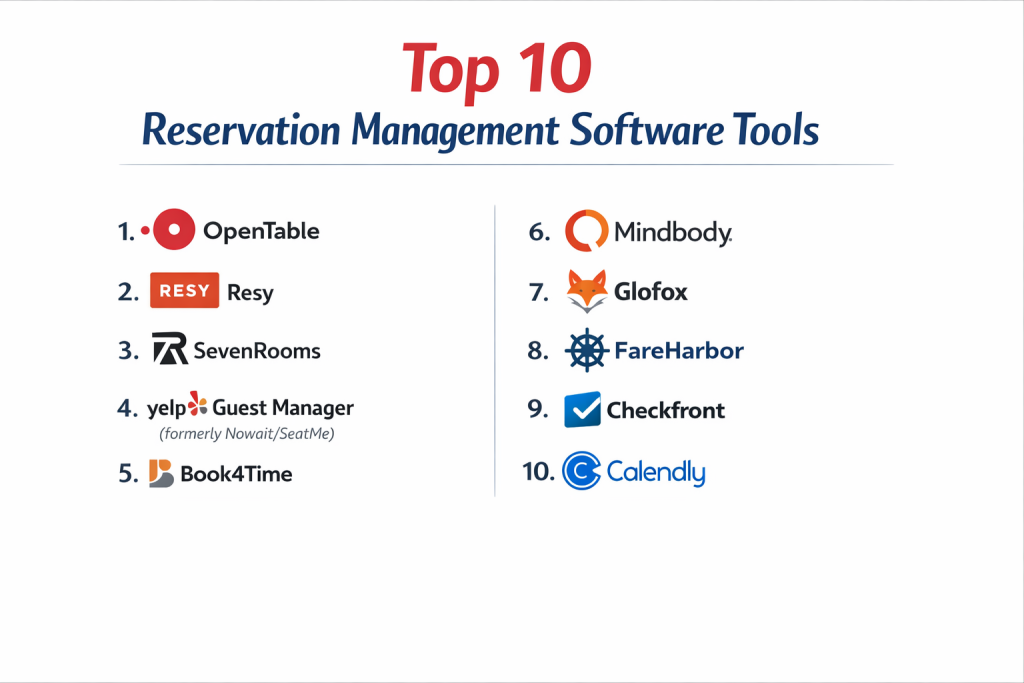
Top 10 Reservation Management Software Tools
Choosing the right system can transform your booking operations from a source of stress to a competitive advantage. Here is a detailed analysis of ten leading platforms across key industries.
1 — OpenTable
The global leader in restaurant reservations, combining a powerful management platform with a massive diner network and marketing reach.
Key features:
- Guest network: Access to millions of diners actively searching on the OpenTable platform and app.
- Integrated table management with a visual floor plan editor.
- Automated waitlist management and seating notifications.
- Detailed guest profiles and dining history to personalize service.
- OpenTable Connect integrates with major Point of Sale (POS) systems for real-time synchronization.
- Marketing tools like targeted emails and special occasion alerts.
Pros:
- Unrivaled marketing exposure and a proven driver of new guest reservations.
- Deeply specialized for the nuanced operations of full-service restaurants.
Cons:
- Cost structure includes pay-per-cover fees, which can be significant for high-volume venues.
- Primarily focused on dining; less adaptable for other reservation-based businesses.
Security & compliance: PCI DSS compliant for payment processing. Data security standards align with industry norms for hospitality.
Support & community: 24/7 phone and email support. Large community of users and extensive online resources.
2 — Resy (by American Express)
A premium restaurant reservation and table management platform known for its sleek design, sophisticated guest tools, and strong operator features.
Key features:
- High-conversion, branded booking widget for restaurant websites.
- Sophisticated prepaid reservations and deposit capture tools.
- Advanced table rotation and turn-time analytics to maximize revenue per seat.
- Integrated guest messaging and note-taking for front-of-house staff.
- Resy Network provides exposure to its curated diner base.
- Robust reporting on covers, source tracking, and guest behavior.
Pros:
- Excellent for high-demand restaurants needing to manage deposits and combat no-shows effectively.
- Provides a premium, seamless booking experience that aligns with upscale brands.
Cons:
- Generally positioned as a premium service with pricing to match.
- Like OpenTable, its ecosystem is restaurant-specific.
Security & compliance: PCI compliant. Part of American Express, adhering to stringent financial service security standards.
Support & community: Dedicated support for partners. Used by many top-tier culinary establishments.
3 — SevenRooms
A comprehensive guest experience and reservation platform designed for multi-venue restaurant groups, hotels, and nightlife venues.
Key features:
- 360-degree guest profiles aggregating data from reservations, orders, and preferences.
- Automated marketing campaigns triggered by guest behavior (e.g., post-visit emails, birthday offers).
- Contactless ordering and payment at the table via QR code.
- Revenue management tools, including floor plan optimization and demand-based pricing.
- Operations management for hotels, including pool cabana, spa, and restaurant bookings.
- Deep integrations with POS (Toast, Micros), CRM, and email systems.
Pros:
- Goes far beyond reservations to become a complete CRM and marketing automation tool for hospitality.
- Powerful for enterprise-level groups that need to manage and understand guests across properties.
Cons:
- Can be complex and expensive for a single, independent restaurant.
- Full value is realized when leveraging its entire suite of marketing and data tools.
Security & compliance: SOC 2 Type II certified. GDPR and CCPA compliant. Enterprise-grade data security.
Support & community: Offers white-glove onboarding and dedicated account management for enterprise clients.
4 — Yelp Guest Manager (formerly Nowait/SeatMe)
A reservation, waitlist, and table management solution integrated directly into the Yelp ecosystem, popular with casual and quick-service restaurants.
Key features:
- Yelp integration: Appears on your Yelp business page, capturing users already searching for places to eat.
- Simple, intuitive table management and floor plan tools.
- Digital waitlist with real-time SMS updates for guests.
- Basic reporting on covers and wait times.
- Affordable, flat-rate monthly pricing (no per-cover fees).
- Easy-to-use iPad app for host stands.
Pros:
- Excellent value and simplicity for casual dining restaurants, cafes, and bars.
- Leverages the massive Yelp user base for discovery and booking.
Cons:
- Lacks the advanced marketing and guest profiling sophistication of premium platforms.
- Features are more streamlined, which may not suit complex, high-volume fine dining.
Security & compliance: Standard data security practices. As part of Yelp, complies with major privacy regulations.
Support & community: Support via email and help center. Broad adoption among SMB restaurants.
5 — Book4Time
The leading cloud-based spa, wellness, and activity management software for luxury hotels, resorts, and standalone wellness centers.
Key features:
- Resource-centric scheduling for treatment rooms, therapists, and equipment.
- Package and series management for memberships and treatment plans.
- Integrated POS for retail, services, and gratuities.
- Yield management tools for dynamic pricing and optimizing therapist utilization.
- Guest profiles with treatment history, preferences, and medical notes (HIPAA compliant).
- Mobile check-in/out and digital consent forms.
Pros:
- Industry-specific depth for the complex needs of spas (resources, packages, therapist commision).
- Trusted by high-end resorts and hotels for its robustness and security.
Cons:
- Pricing is geared towards the enterprise spa and hotel market, not small independent salons.
- Can be feature-rich to the point of complexity for very simple operations.
Security & compliance: HIPAA compliant for patient data. PCI DSS Level 1 certified. SOC 2 Type II certified.
Support & community: 24/7 global support. Dedicated account managers for enterprise clients.
6 — Mindbody
The dominant all-in-one business management software for the fitness, wellness, and beauty industries, centered on class and appointment booking.
Key features:
- Consumer-facing marketplace (Mindbody app) driving client acquisition.
- Robust class scheduling with waitlists, series, and memberships.
- Integrated payments and automated billing for recurring revenue.
- Client management with notes, visit history, and retention tracking.
- Staff management with schedules, payroll, and commission tracking.
- Retail POS and inventory management.
Pros:
- A complete operating system for studios and salons, covering booking, payments, marketing, and staff management.
- Massive consumer brand recognition helps attract new clients.
Cons:
- Can feel overwhelming due to its vast array of features; a steep learning curve for some.
- Transaction fees on top of monthly subscriptions can add up.
Security & compliance: PCI DSS Level 1 certified. Data security measures in place for sensitive client information.
Support & community: Extensive knowledge base, community forums, and 24/7 phone support for premium plans.
7 — Glofox
A studio management platform built specifically for gyms and fitness studios, with a strong focus on member acquisition, retention, and automation.
Key features:
- Branded mobile apps for members to book classes, track progress, and make payments.
- Automated membership management and recurring billing.
- Lead capture and conversion funnel tools.
- Workout programming and on-demand content delivery.
- Performance dashboards with key metrics like attendance and churn rate.
- Integrated access control for door entry.
Pros:
- Exceptional tools for growing a fitness brand and building a connected member community.
- Focus on reducing administrative tasks through automation (billing, communications, etc.).
Cons:
- Specialized for fitness; less suited for pure appointment-based services like spas or clinics.
- Branded app development is a premium feature.
Security & compliance: GDPR compliant. Secure, encrypted data handling. Details often tailored to client size.
Support & community: Dedicated “Coach” for onboarding and ongoing support. Active user community.
8 — FareHarbor
A leading reservation and booking system for tours, activities, and attractions, known for its robust channel management and distribution network.
Key features:
- Centralized dashboard to manage bookings from website, phone, OTAs (like Viator), and walk-ins.
- Channel manager to update availability in real-time across all sales points.
- Voucher and ticket management for check-in.
- Dynamic pricing and package creation (e.g., family passes, add-ons).
- Detailed reporting on guest demographics, guide performance, and revenue sources.
- Point-of-sale (POS) hardware for on-site ticketing.
Pros:
- Masterful at managing inventory and preventing overbookings across complex distribution networks.
- Tailored to the operational needs of boat tours, guided experiences, and attractions.
Cons:
- May be overly complex for a very small operator with a single booking source.
- Interface can feel less modern than some newer, consumer-focused platforms.
Security & compliance: PCI compliant. Adheres to data protection regulations for client businesses.
Support & community: Highly praised 24/7/365 customer support via phone, chat, and email.
9 — Checkfront
A versatile online booking system for tours, equipment rental, accommodations, and classes, emphasizing flexibility and a wide range of integrations.
Key features:
- Highly customizable booking engine with drag-and-drop builder for complex products (multi-day tours, rentals with options).
- Extensive API and 300+ integrations with tools like Mailchimp, QuickBooks, and Google Analytics.
- Resource and asset tracking (e.g., guide schedules, equipment availability).
- Automated emails, SMS, and invoices.
- Multi-channel distribution to list on marketplaces and OTAs.
- Multi-currency and multi-language support.
Pros:
- Unmatched flexibility to model almost any type of bookable inventory or service.
- Ideal for businesses that need to connect their booking data to a wide array of other software.
Cons:
- The high degree of customizability can require more initial setup time.
- May have more features than a very simple operation needs.
Security & compliance: PCI DSS Level 1 certified. GDPR/CCPA compliant tools. SOC 2 audited.
Support & community: Knowledgeable support team and comprehensive online help docs.
10 — Calendly
A streamlined, user-centric scheduling tool designed to eliminate the back-and-forth emails for meetings, interviews, and consultations.
Key features:
- Simple meeting type setup (e.g., 30-min consultation, 60-min interview).
- Personalized booking link to share via email or embed on a website.
- Automated time zone detection.
- Calendar synchronization with Google, Outlook, Office 365, and iCloud.
- Buffer times, meeting limits, and custom reminders.
- Team scheduling for coordinating group availability.
Pros:
- Extremely low friction for the invitee, leading to higher booking conversion.
- Perfect for B2B, professional services, sales, and recruiting where simplicity is key.
Cons:
- Not designed for managing physical assets (tables, rooms, equipment) or complex pricing.
- Lacks deep industry-specific features of vertical RMS platforms.
Security & compliance: GDPR compliant. SOC 2 Type II certified. Data encrypted in transit and at rest.
Support & community: Email and chat support. Large user base with extensive online guides.
Comparison Table
| Tool Name | Best For (Target User or Scenario) | Platform(s) Supported | Standout Feature | Rating |
|---|---|---|---|---|
| OpenTable | Full-service restaurants wanting exposure and new diners. | Web, iPad, Mobile Apps | Massive diner network & integrated POS connectivity. | N/A |
| Resy | High-demand, premium restaurants managing deposits and guest experience. | Web, iPad, Mobile Apps | Prepaid reservations & sophisticated turn analytics. | N/A |
| SevenRooms | Restaurant groups & hotels focused on guest CRM and lifetime value. | Web, iPad, Mobile | Comprehensive guest profiling & automated marketing. | N/A |
| Yelp Guest Manager | Casual restaurants & bars leveraging Yelp for discovery. | Web, iPad | Yelp integration & simple, flat-rate pricing. | N/A |
| Book4Time | Luxury hotel spas, resorts, and wellness centers. | Web, iPad, Mobile | HIPAA-compliant resource scheduling & yield management. | N/A |
| Mindbody | Fitness studios, salons, and wellness businesses needing an all-in-one OS. | Web, iOS, Android | Consumer marketplace app & complete business management suite. | N/A |
| Glofox | Gym and fitness studios focused on member apps and retention. | Web, iOS, Android | Branded member apps & growth-focused automations. | N/A |
| FareHarbor | Tour operators and attractions with complex distribution channels. | Web, iPad, POS Hardware | Robust channel manager preventing overbookings. | N/A |
| Checkfront | Tour and rental businesses needing maximum customization & integrations. | Web, Mobile | Flexible booking engine for complex products & wide API. | N/A |
| Calendly | Professionals & teams scheduling B2B meetings and appointments. | Web, Mobile | Ultimate simplicity for invitee-led scheduling. | N/A |
Evaluation & Scoring of Reservation Management Software
To objectively compare these diverse platforms, assess them against the following criteria, weighted for your business priorities.
| Evaluation Category | Weight | What to Look For |
|---|---|---|
| Core Features | 25% | Intuitive calendar, online booking widget, waitlist management, resource scheduling, customer communication tools, payment processing. |
| Ease of Use | 15% | Simplicity for staff to manage daily bookings and for customers to book online without friction. |
| Integrations & Ecosystem | 15% | Native connections to your POS, payment gateway, email/SMS tools, accounting software, and relevant channel managers (OTAs). |
| Security & Compliance | 10% | PCI DSS compliance for payments, data encryption, and industry-specific compliance (e.g., HIPAA for wellness). |
| Performance & Reliability | 10% | System uptime (especially during peak hours), speed of the booking engine, and stability. |
| Support & Community | 10% | Quality and availability of customer support, onboarding assistance, and an active user community. |
| Price / Value | 15% | Subscription fees, transaction/cover costs, setup fees, and the tangible ROI from features like reduced no-shows or increased bookings. |
Which Reservation Management Software Tool Is Right for You?
The best choice is dictated by your industry, scale, and specific operational challenges. Use this guide to narrow your search.
- Industry First: Your vertical is the primary filter. Restaurants choose OpenTable, Resy, SevenRooms, or Yelp. Spas/Wellness look to Book4Time or Mindbody. Fitness Studios evaluate Mindbody vs. Glofox. Tours/Activities consider FareHarbor or Checkfront. B2B/Professional Services start with Calendly.
- Solo/SMB vs. Mid-Market vs. Enterprise: Small businesses should prioritize ease and value (Yelp, basic Mindbody, Calendly). Growing mid-market companies need scalability and integrations (Checkfront, Glofox). Large enterprises and groups require robustness, security, and advanced CRM (SevenRooms, Book4Time, enterprise Mindbody).
- Budget-Conscious vs. Premium Solutions: Be mindful of total cost. Yelp and Calendly offer transparent, flat-rate pricing. OpenTable and Mindbody use subscription + transaction fees. SevenRooms, Resy, and Book4Time are premium investments with pricing to match their advanced feature sets.
- Feature Depth vs. Ease of Use: Checkfront and Mindbody offer immense depth but require commitment to learn. Calendly and Yelp Guest Manager champion simplicity. OpenTable and FareHarbor balance powerful industry-specific tools with relative usability.
- Integration and Security Needs: If you have a specific POS (Toast, Micros), ensure seamless integration. For hotels, integration with your Property Management System (PMS) is key. For medical spas, HIPAA compliance (Book4Time) is non-negotiable. Always confirm PCI DSS compliance for any system handling payments.
Frequently Asked Questions (FAQs)
1. What’s the difference between a scheduling app and a full RMS?
A scheduling app (like Calendly) focuses on finding mutual availability for people’s time. A full Reservation Management System handles the booking of specific, limited resources like tables, rooms, equipment, or seats, often with complex pricing, inventory controls, and integrations with operations (POS, housekeeping).
2. Do these systems help reduce no-shows?
Absolutely. A core feature of any RMS is automated email and SMS reminders sent 24-48 hours before the appointment. Many also facilitate deposit or prepayment requirements (especially Resy, FareHarbor), which dramatically decrease last-minute cancellations.
3. Can customers book directly through my website?
Yes, this is a standard and critical feature. Providers offer an embeddable booking widget or a dedicated booking page that you can link to from your website and social media. This keeps customers on your site and avoids third-party booking fees.
4. How does a “channel manager” work (for tours/hotels)?
A channel manager (like in FareHarbor) is the central hub that updates your real-time availability across all sales channels: your own website, online travel agencies (OTAs like Viator), and even your front desk. When a booking is made on any channel, it instantly deducts from your inventory everywhere else, preventing overbookings.
5. What is dynamic pricing/yield management?
This is the practice of adjusting prices based on demand, similar to airlines or hotels. Advanced RMS (like Book4Time, SevenRooms) allow you to automatically charge more for prime-time slots (Friday night dinner, peak season tours) and less during off-peak times to maximize revenue.
6. How important is mobile accessibility?
Crucial in two ways: 1) Your staff needs mobile access to manage bookings on the floor (iPad). 2) Your customers increasingly book on mobile phones, so your online booking experience must be flawless on any device.
7. Can I manage a waitlist digitally?
Yes. Modern systems allow you to add walk-ins or phone inquiries to a digital waitlist. The system can then automatically send SMS alerts when a table or slot opens up, and even allow the customer to confirm via text, turning potential lost revenue into a seated guest.
8. What kind of reporting should I expect?
Look for reports on daily/weekly/monthly bookings, revenue, guest sources, peak times, no-show rates, and staff/ resource utilization. This data is vital for making informed business decisions about staffing, marketing, and menu/pricing.
9. Is it difficult to switch from my old paper or spreadsheet system?
The initial data entry (entering resources, staff, services) requires an upfront time investment. However, most providers offer onboarding support and data import templates. The long-term time savings and error reduction almost always justify the transition effort.
10. What’s the biggest mistake businesses make when choosing an RMS?
Choosing based on price alone or a flashy feature they’ll never use. The biggest mistake is not clearly defining your core daily workflow and ensuring the software simplifies it. Always take advantage of free trials to test the system with real-world scenarios before committing.
Conclusion
Investing in the right Reservation Management Software is a decisive step toward operational excellence and sustainable growth. The landscape offers specialized solutions for every niche, from the restaurant-focused power of OpenTable and Resy to the wellness precision of Book4Time, the tour operator reliability of FareHarbor, and the professional simplicity of Calendly.
Remember, the most expensive or most popular system is not automatically the best for your business. The optimal choice is the one that seamlessly mirrors your unique operational workflow, integrates into your existing tech stack, and scales to support your ambitions.
By replacing manual, error-prone processes with an automated, intelligent system, you do more than just manage bookings—you enhance the customer experience, empower your staff with better tools, unlock valuable business insights, and ultimately, secure your bottom line. Start by defining your non-negotiable needs, test drive your top contenders, and choose the platform that feels less like software and more like a competent partner for your business.

- Top 10 Email Deliverability Tools: Features, Pros, Cons & Comparison - September 6, 2026
- Top 10 Pharmacovigilance Software: Features, Pros, Cons & Comparison - September 6, 2026
- Top 10 Manufacturing Execution Systems (MES) - July 30, 2026