Introduction
Domain Registration Platforms act as the essential link between a user and the global DNS (Domain Name System). When you “buy” a domain, you are actually leasing it for a set period. These platforms provide the interface to search for available names, handle the financial transaction, and manage the DNS records that point your domain to a website host or email server.
In the real world, these platforms are used for everything from launching a global e-commerce site to securing defensive “brand” domains (like registering the .net and .org versions of your .com name). When evaluating a platform, users should look beyond the initial promotional price. Key evaluation criteria include renewal transparency, DNS speed and reliability, WHOIS privacy protections, and security features like Two-Factor Authentication (2FA) and Registry Lock.
Best for: Solopreneurs, digital marketers, IT managers, and enterprise legal teams. These tools are vital for anyone building an online presence or managing a large portfolio of intellectual property across different industries like tech, retail, and media.
Not ideal for: Users who only want a temporary social media presence or those using closed platforms (like specific “all-in-one” site builders) where the domain is bundled and cannot be managed independently. Large enterprises with thousands of domains may also prefer specialized “Corporate Domain Management” firms over standard consumer registrars.
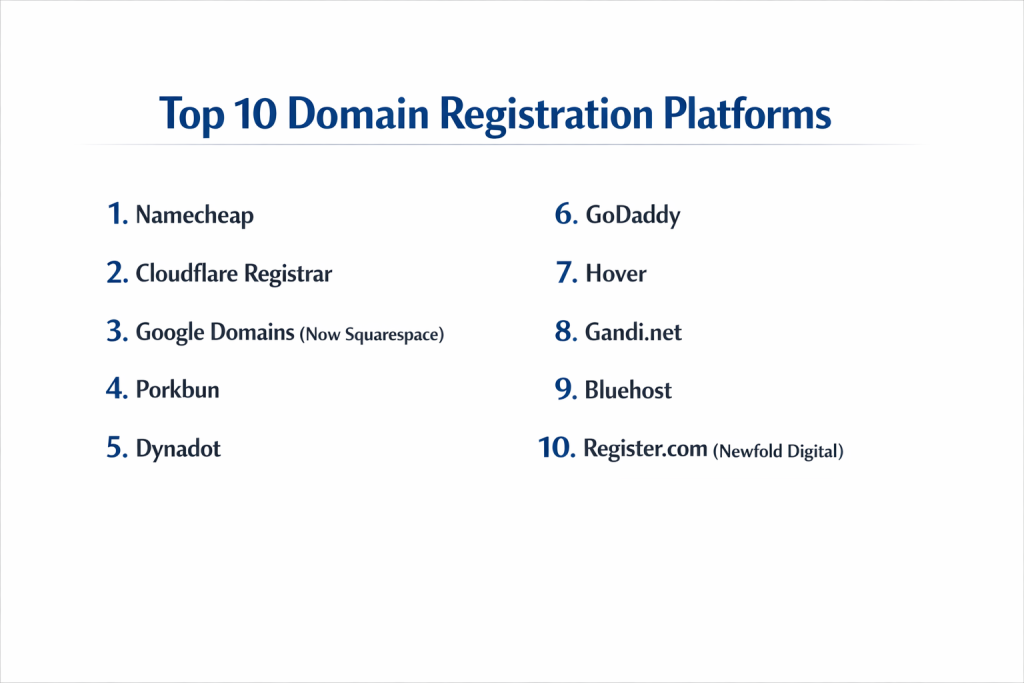
Top 10 Domain Registration Platforms
1 — Namecheap
Namecheap is one of the most popular independent registrars globally, known for its user-friendly interface and commitment to digital rights. It is designed for small business owners and individuals who want a balance of low cost and robust management tools.
Key Features:
- Domain Privacy (Free Forever): Includes WhoisGuard for free to hide personal contact information.
- EasyWP Integration: One-click managed WordPress hosting for registered domains.
- PremiumDNS: A high-availability DNS service with 100% uptime guarantee and Anycast technology.
- Security Suite: Offers SSL certificates, VPN services, and 2FA.
- Marketplace: A platform to buy and sell “used” or premium domain names.
- Bulk Management: Tools to update DNS or contact info for multiple domains at once.
Pros:
- Excellent user interface that makes complex DNS settings easy for beginners.
- Transparent pricing with no hidden “add-on” fees for basic privacy.
Cons:
- Support is primarily through live chat; phone support is not available.
- Some users find the checkout process slightly cluttered with upsell offers.
Security & Compliance: Supports 2FA (TOTP and U2F), provides free domain privacy, and is GDPR compliant regarding data redaction in WHOIS.
Support & Community: Extensive knowledge base, 24/7 live chat, and a large community of web developers who frequently contribute to their blog and forums.
2 — Cloudflare Registrar
Cloudflare changed the industry by offering domain registrations “at cost,” meaning they don’t add a markup to the price charged by the central registry. It is designed for tech-savvy users and enterprises who value security and performance.
Key Features:
- Wholesale Pricing: Users pay exactly what Cloudflare pays the registry (plus ICANN fees).
- Enterprise-Grade DNS: Built on the world’s fastest Anycast DNS network.
- Automatic DNSSEC: One-click activation of Domain Name System Security Extensions.
- HSTS Preload: Helps ensure browsers only connect to your site over HTTPS.
- Role-Based Access: Allows teams to manage domains without sharing credentials.
- Custom Nameservers: Available for higher-tier accounts to maintain brand consistency.
Pros:
- Zero markup pricing makes it the most cost-effective option for long-term renewals.
- Industry-leading security features included at no extra cost.
Cons:
- Does not support every niche TLD (Top-Level Domain) yet.
- Interface is geared toward developers; beginners might find the DNS settings intimidating.
Security & Compliance: SOC 2 Type II, HIPAA (with BAA), PCI DSS, and GDPR compliant. Includes 2FA and advanced audit logs.
Support & Community: Comprehensive technical documentation, active community forums, and ticket-based support (priority for Enterprise customers).
3 — Google Domains (Now Squarespace)
Note: In 2023-2024, Google Domains was acquired by Squarespace. While many accounts are still transitioning, the core infrastructure remains highly integrated with modern web tools.
Key Features:
- Google Workspace Integration: Seamlessly connect domains to professional Gmail and Drive.
- Intuitive Search: Fast search tool that suggests relevant alternatives and TLDs.
- Google DNS Infrastructure: High speed and reliability using Google’s global servers.
- Shared Management: Easily give other users “manager” access to a domain.
- Free Privacy Protection: Hides your information from the WHOIS database at no cost.
Pros:
- Minimalist interface that is arguably the easiest to use on this list.
- Integration with other Google services is a massive time-saver for businesses.
Cons:
- Ongoing transition to Squarespace ownership has caused some uncertainty regarding future pricing.
- Limited phone support; mostly relies on chat and email.
Security & Compliance: 2FA via Google Account, GDPR compliance, and standard SSL/TLS support.
Support & Community: Robust help center and support via the Squarespace/Google ecosystem.
4 — Porkbun
Porkbun is a cult favorite among developers and small businesses for its quirky branding and incredibly transparent, low-cost pricing. It is designed for users who want a “no-nonsense” registration experience.
Key Features:
- Clear Pricing: Displays both registration and renewal prices upfront.
- Trial Bundles: Includes free trials for email hosting and website builders.
- Advanced DNS Management: Simple interface for setting up A, CNAME, and MX records.
- Link-Out: Allows you to quickly point your domain to platforms like Etsy, Shopify, or Squarespace.
- Free SSL: Provides Let’s Encrypt certificates for all domains.
Pros:
- Often has the lowest renewal rates for popular TLDs like .com and .net.
- The interface is clean, fast, and lacks the aggressive “upselling” found elsewhere.
Cons:
- Quirky “pig” branding might feel less “corporate” for some enterprise clients.
- Does not offer as many specialized enterprise security features as Cloudflare.
Security & Compliance: 2FA (including Yubikey support) and free WHOIS privacy. GDPR compliant.
Support & Community: Highly responsive email and phone support during business hours.
5 — Dynadot
Dynadot is a powerful, high-performance registrar that appeals to “domainers” (investors who buy and sell domains) and serious business owners. It offers specialized tools for managing high volumes of domains.
Key Features:
- Domain Auctions: A robust platform for bidding on expired or premium names.
- Built-in Website Builder: Allows you to create a landing page immediately after registration.
- Grace Period Deletions: Allows users to “undo” a registration within a short timeframe (on supported TLDs).
- Currency Support: Supports a wide variety of global currencies and payment methods.
- API Access: For developers who want to automate domain registration and management.
Pros:
- Excellent for domain investors thanks to the built-in marketplace and backorder tools.
- Very clean and professional control panel.
Cons:
- The website builder is basic compared to dedicated platforms like Wix.
- Customer support can be slower during peak times.
Security & Compliance: 2FA, SMS authentication, and “Account Lock” for an extra layer of protection.
Support & Community: Active forum, live chat, and comprehensive help files.
6 — GoDaddy
As the world’s largest domain registrar, GoDaddy is built for everyone from the local baker to major corporations. It is a one-stop-shop for web services, including hosting, email, and marketing.
Key Features:
- Domain Broker Service: Will negotiate on your behalf to buy a domain owned by someone else.
- Massive TLD Selection: Almost every available extension is supported.
- Discount Domain Club: A subscription for lower rates on high-volume portfolios.
- App Integration: Easily connects to Microsoft 365 and GoDaddy’s own site builder.
- Domain Appraisal: Provides an estimated value for your domain name.
Pros:
- 24/7 phone support, which is rare in the industry.
- Often offers extremely low “$0.99” first-year registration deals.
Cons:
- Renewal prices are significantly higher than the initial promotional price.
- Many features that others give for free (like privacy) may cost extra depending on the tier.
Security & Compliance: SOC 2 compliance for its data centers, 2FA support, and ISO 27001 certification.
Support & Community: Industry-leading phone support, live chat, and a massive library of video tutorials.
7 — Hover
Hover is designed with a “less is more” philosophy. It doesn’t offer hosting or complicated add-ons; it focuses exclusively on being a world-class domain registrar and email provider.
Key Features:
- No Upselling: The checkout process is focused purely on the domain.
- Hover Email: Professional email hosting that integrates perfectly with your domain.
- Bulk Tools: Streamlined interface for managing large numbers of domains.
- Connect Tool: Pre-configured settings for hundreds of services like Tumblr, Weebly, and Squarespace.
- Team Accounts: Securely share domain management with colleagues.
Pros:
- The cleanest user experience in the industry—no clutter or confusing ads.
- WHOIS privacy is included for free on all supported TLDs.
Cons:
- Slightly higher pricing than “at-cost” providers like Cloudflare or Porkbun.
- No built-in hosting for those who want an all-in-one solution.
Security & Compliance: Supports 2FA and provides robust data privacy protections.
Support & Community: Excellent “Human” support via phone, chat, and email during business hours.
8 — Gandi.net
Gandi’s motto is “No Bullshit,” reflecting their commitment to transparency and user privacy. Based in France, they are a favorite for European businesses and developers who prioritize GDPR-centric management.
Key Features:
- Free SSL Certificate: A standard SSL certificate is included with every new domain.
- Gandi Cloud: Integrated VPS hosting options for more technical users.
- Extensive TLD List: Support for over 750 different domain extensions.
- Multi-User Management: Granular permissions for corporate teams.
- Snapshot Backups: DNS record snapshots to revert changes quickly.
Pros:
- Very strong focus on ethics and data privacy.
- Includes two free personalized email addresses (3GB) with every domain.
Cons:
- The interface can be complex for absolute beginners.
- Pricing is slightly higher than the US-based “discount” registrars.
Security & Compliance: ISO 27001 certified, GDPR compliant, and supports U2F security keys.
Support & Community: High-quality documentation and a globally distributed support team.
9 — Bluehost
While primarily known as a web host, Bluehost is a major domain registrar. It is designed for users who want to build a WordPress site and have their domain and hosting managed under one roof.
Key Features:
- Free Domain for 1 Year: Included with most hosting plans.
- WordPress Auto-Install: Connects your domain to WordPress instantly.
- Staging Environments: Test site changes on a subdomain before going live.
- Resource Protection: Ensures domain performance isn’t impacted by other users on a shared server.
- 24/7 Monitoring: Proactive monitoring of DNS health.
Pros:
- Best choice for users who want to simplify their billing by combining domain and hosting.
- Highly recommended by the WordPress.org community.
Cons:
- Renewal rates for domains are higher than specialized registrars.
- Privacy protection usually costs an additional annual fee.
Security & Compliance: Standard SSL support, 2FA, and SiteLock security options.
Support & Community: 24/7 phone and chat support, plus a massive ecosystem of WordPress experts.
10 — Register.com (Newfold Digital)
Register.com is a veteran in the space, focusing heavily on enterprise-level service and managed domain portfolios. It is best for businesses that want a high level of professional guidance.
Key Features:
- Professional Consultation: Offers experts to help you choose the right brand strategy.
- Online Marketing Tools: Includes SEO and PPC management services.
- Private Registration: Options to hide personal details from public databases.
- Automatic Renewals: Robust systems to ensure critical domains never expire.
- Website Design Services: Professional designers can build the site for you.
Pros:
- Great for non-technical business owners who want a “do-it-for-me” service.
- Reliable infrastructure with a long track record of uptime.
Cons:
- Pricing is significantly higher than DIY platforms.
- The sales-heavy approach can be frustrating for technical users.
Security & Compliance: PCI compliance and standard domain security protocols.
Support & Community: Strong emphasis on personalized phone support and account management.
Comparison Table
| Tool Name | Best For | Platform(s) Supported | Standout Feature | Rating (Gartner/TrueReview) |
| Namecheap | Small Businesses | Web, Mobile App | Free Forever Privacy | 4.7 / 5 |
| Cloudflare | Security & Tech-Savvy | Web | At-Cost Pricing | 4.8 / 5 |
| Google/Squarespace | Ease of Use | Web (Google Workspace) | Minimalist Interface | 4.5 / 5 |
| Porkbun | Value & Transparency | Web | No-Nonsense Pricing | 4.9 / 5 |
| Dynadot | Domain Investors | Web, Mobile App | Auction Marketplace | 4.6 / 5 |
| GoDaddy | All-in-One / Phone Support | Web, Mobile App | 24/7 Phone Support | 4.2 / 5 |
| Hover | Domain-Only Focus | Web | No Upsells | 4.8 / 5 |
| Gandi.net | Privacy & Ethics | Web, API | European Data Laws | 4.4 / 5 |
| Bluehost | WordPress Users | Web | Free 1st Year w/ Hosting | 4.1 / 5 |
| Register.com | Managed Services | Web | Professional Consulting | 3.8 / 5 |
Evaluation & Scoring of Domain Registration Platforms
We evaluated these platforms based on a weighted scoring system to reflect the priorities of a modern digital business.
| Criteria | Weight | Score (Avg/10) | Notes |
| Core Features | 25% | 8.8 | Ability to handle TLDs, DNS, and basic transfers. |
| Ease of Use | 15% | 9.0 | Critical for non-technical business owners. |
| Integrations | 15% | 7.5 | Varies; Cloudflare/Google lead here. |
| Security/Compliance | 10% | 9.2 | 2FA and Privacy are now standard expectations. |
| Performance | 10% | 9.5 | DNS propagation speeds and server uptime. |
| Support/Community | 10% | 8.0 | Phone support is becoming rare but remains valuable. |
| Price / Value | 15% | 7.8 | Focus on renewal rates rather than promo rates. |
Which Domain Registration Platform Is Right for You?
Selecting a platform depends on your technical skill level and your long-term plans for your domain.
- Solo Users & Freelancers:If you just need one domain and want it to be simple, Google Domains (Squarespace) or Hover are the best choices. They keep the interface clean and won’t bombard you with technical jargon or unnecessary upsells.
- Small to Medium Businesses (SMBs):Namecheap and Porkbun offer the best balance of price and features. You get free privacy, easy-to-use email hosting, and reliable DNS without breaking the bank on annual renewals.
- Enterprise & Tech Teams:Cloudflare is the clear winner here. The “at-cost” pricing is unmatched for large portfolios, and the enterprise-grade security (DNSSEC, HSTS) is vital for high-traffic corporate sites. Gandi.net is an excellent alternative for those who require strict adherence to EU data regulations.
- Budget-Conscious Users:Always look at the renewal price. While GoDaddy might offer a domain for $1, it might renew at $20. Cloudflare and Porkbun offer the most consistent long-term pricing with no hidden “privacy” fees.
- Integration Needs:If you are building a WordPress site, Bluehost is the path of least resistance. If your business runs on Google Workspace, using the Google/Squarespace ecosystem keeps everything under one login.
Frequently Asked Questions (FAQs)
1. Can I move my domain to a different platform later?
Yes, this is called a “Domain Transfer.” Most platforms allow you to transfer out after an initial 60-day holding period. You will usually need to “unlock” the domain and provide an Authorization Code to the new registrar.
2. What is WHOIS privacy and do I really need it?
When you register a domain, your name, address, and phone number are added to a public database. WHOIS privacy replaces your info with the registrar’s info. Without it, you will likely receive a massive influx of spam calls and emails.
3. What is the difference between a Domain Registrar and a Web Host?
A registrar is where you “buy” your address (e.g., mysite.com). A host is the service that provides the server where your files live. You can have your domain at one company and your hosting at another.
4. Why are some domains so expensive ($2,000+)?
These are “Premium Domains.” They are usually short, common words, or high-value keywords that have already been registered. You are buying them from a current owner or an auction rather than registering them for the first time.
5. What happens if I forget to renew my domain?
It enters a “Grace Period” where you can still renew it at a normal price. After that, it enters a “Redemption Period” where it costs much more to recover. Eventually, it is released back to the public or sold at auction.
6. Is .com always the best choice?
While .com is the most recognized, many businesses now successfully use .net, .org, or “niche” TLDs like .tech, .app, or .io. However, .com still holds the most resale value and “trust” for general consumers.
7. Can a registrar “steal” my domain?
ICANN-accredited registrars are heavily regulated. As long as you keep your account secure with 2FA and pay your renewal fees, your ownership is legally protected. Always use a reputable, accredited provider.
8. What is DNSSEC?
It stands for Domain Name System Security Extensions. It adds a layer of digital signatures to your DNS records, preventing hackers from “spoofing” your DNS and redirecting your visitors to a fake website.
9. Can I register a domain for a lifetime?
No. The maximum period allowed by ICANN for most TLDs is 10 years at a time. Most people renew annually or every 2-3 years.
10. Do I need an SSL certificate if I have a domain?
Yes. A domain is just an address; an SSL certificate (which gives you the “padlock” icon) encrypts the connection to your site. Many modern registrars (like Namecheap and Gandi) provide a basic SSL for free.
Conclusion
The “best” domain registration platform is the one that fits your specific workflow. If you value security and cost above all else, Cloudflare is the modern industry standard. If you want simplicity and a helpful human on the phone, Hover or GoDaddy are better bets.
Remember that while a $2 savings today feels good, a registrar that provides free privacy, 2FA, and a reliable DNS will save you hundreds of dollars in lost time and potential security headaches down the road. Treat your domain as the valuable asset it is—choose a registrar that you can trust for the next decade, not just the next 12 months.

- Top 10 Email Deliverability Tools: Features, Pros, Cons & Comparison - September 6, 2026
- Top 10 Pharmacovigilance Software: Features, Pros, Cons & Comparison - September 6, 2026
- Top 10 Manufacturing Execution Systems (MES) - July 30, 2026