Introduction
In the modern IT landscape, managing a handful of servers manually is a thing of the past. As infrastructure scales into the hundreds or thousands of instances—across on-premises data centers and multiple clouds—maintaining consistency becomes a monumental challenge. Configuration Management (CM) tools are designed to automate the process of maintaining computer systems, servers, and software in a desired, consistent state. They ensure that every system is configured exactly as it should be, eliminating the “it works on my machine” syndrome and preventing configuration drift.
The importance of CM tools lies in their ability to provide Infrastructure as Code (IaC). By defining configurations in code, teams can version control their infrastructure, audit changes, and roll back updates instantly if something goes wrong. Key real-world use cases include deploying software patches across a global fleet, managing user access rights, ensuring security compliance, and orchestrating complex multi-tier application deployments.
When evaluating these tools, users should look for idempotency (the ability to apply the same operation multiple times without changing the result beyond the initial application), agent vs. agentless architecture, ease of learning (DSL vs. standard languages), and the robustness of the community ecosystem.
Best for: DevOps engineers, System Administrators, and Site Reliability Engineers (SREs) in mid-to-large enterprises or fast-growing tech startups. These tools are indispensable for industries like Fintech, SaaS, and E-commerce where uptime and security compliance are non-negotiable.
Not ideal for: Very small businesses with only one or two static servers, or projects that rely entirely on “No-Code” managed services where the provider handles all underlying configuration. In those cases, the overhead of learning a CM tool may outweigh the automation benefits.
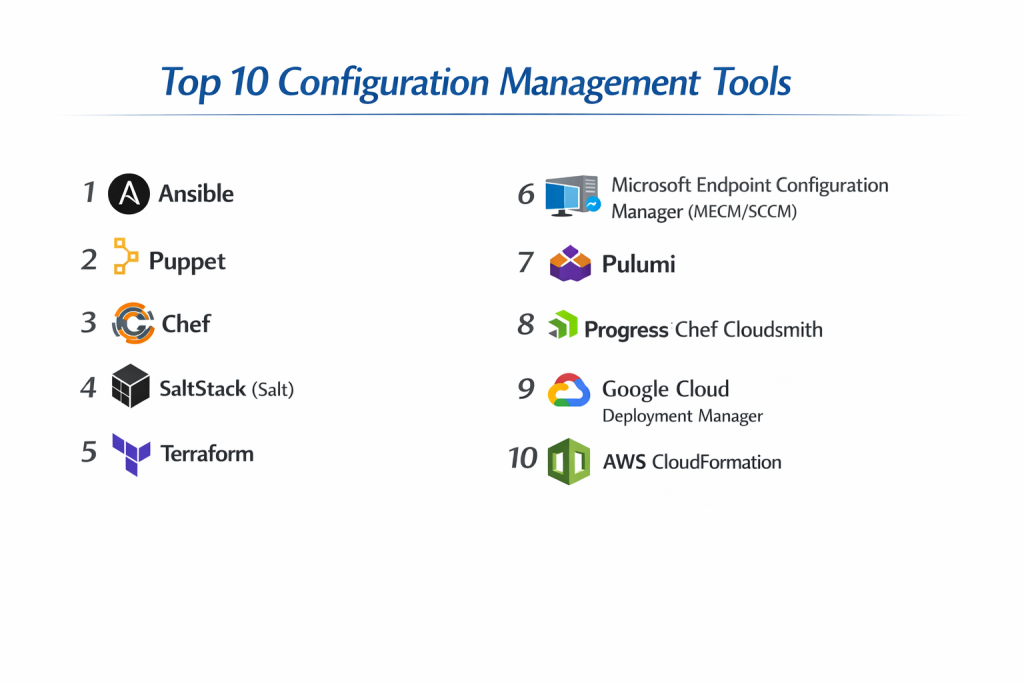
Top 10 Configuration Management Tools
1 — Ansible
Short description: Ansible is an open-source, agentless automation engine that automates software provisioning, configuration management, and application deployment. It is designed for multi-tier deployments and is widely praised for its simplicity.
Key features:
- Agentless Architecture: Connects via SSH or WinRM, requiring no software installation on target nodes.
- YAML-Based Playbooks: Uses human-readable YAML to describe automation jobs.
- Idempotency: Ensures that the system reaches the desired state without causing side effects on repeat runs.
- Ansible Galaxy: A massive hub for sharing and downloading community-developed “Roles.”
- Modules: Over 3,000 built-in modules for managing everything from cloud providers to networking gear.
- Pull/Push Flexibility: Primarily push-based, but supports pull-mode via Ansible-pull for specific scaling needs.
Pros:
- Extremely low entry barrier; anyone who can read YAML can understand an Ansible playbook.
- No agent management reduces security surface area and maintenance overhead.
Cons:
- Performance can lag when managing thousands of nodes simultaneously compared to agent-based tools.
- Lacks a sophisticated built-in state management system compared to Terraform or Puppet.
Security & compliance:
Integrates with Ansible Vault for encrypting secrets. Supports SSO, RBAC via Ansible Automation Platform (Tower), and comprehensive audit logs. Compatible with FIPS 140-2 environments.
Support & community:
One of the largest communities in the world. Backed by Red Hat (IBM), offering premium enterprise support, extensive certification programs, and exhaustive documentation.
2 — Puppet
Short description: Puppet is a veteran in the CM space, utilizing a model-driven approach. It is designed for deep, continuous enforcement of system states across large-scale, heterogeneous infrastructures.
Key features:
- Declarative Language: Uses its own Domain Specific Language (DSL) to define the “Final State” of a system.
- Agent-Based: Uses a master-slave architecture where agents periodically check in to pull configurations.
- Puppet Forge: A repository with thousands of pre-built modules for various software and OS configurations.
- Reporting & Compliance: Robust built-in reporting to track changes and identify configuration drift in real-time.
- Facter: An integrated inventory tool that gathers system facts to guide conditional logic.
- Platform Support: Exceptional support for legacy Windows versions, various Linux distros, and Unix.
Pros:
- Highly mature and stable; ideal for massive, long-lived enterprise environments.
- Continuous enforcement ensures that even if a user manually changes a file, Puppet will revert it within minutes.
Cons:
- Steep learning curve due to the requirement to learn Puppet’s proprietary DSL.
- Higher infrastructure overhead due to the requirement for a “Puppet Primary” server and agents on every node.
Security & compliance:
Supports RBAC, SSL/TLS for all communication, and integrated secret management. Excellent for SOC 2 and HIPAA environments due to detailed historical auditing.
Support & community:
Very strong enterprise presence. Puppet by Perforce provides 24/7 support, professional services, and a well-documented ecosystem.
3 — Chef
Short description: Chef is an automation platform that “turns infrastructure into code.” It is built on Ruby, making it a favorite for developers who want maximum flexibility and programmability in their configurations.
Key features:
- Recipe and Cookbook Model: Uses Ruby-based “Recipes” to define how specific components should be managed.
- Chef Infra: The core engine that handles the configuration and policy enforcement.
- Chef InSpec: A powerful tool for “Compliance as Code,” allowing you to test your infrastructure against security policies.
- Chef Habitat: Automates the application lifecycle, making the app independent of the underlying OS.
- Knife Utility: A command-line tool to interact with the Chef server, nodes, and cookbooks.
- Search Capabilities: Dynamic indexing of node attributes allows for complex, data-driven configurations.
Pros:
- Unparalleled flexibility; if you can code it in Ruby, you can do it in Chef.
- Excellent for complex, non-standard deployments that require logical branching and programming.
Cons:
- Requires Ruby knowledge, which can be a hurdle for traditional SysAdmins.
- Management can become complex as the number of “Cookbooks” grows, requiring strict versioning discipline.
Security & compliance:
Chef InSpec is a standout for automated compliance auditing. Supports SSO, encryption for data at rest/transit, and detailed audit trails.
Support & community:
Acquired by Progress Software. Offers a robust “Chef Success” support program, a dedicated community Slack, and extensive training through Chef Academy.
4 — SaltStack (Salt)
Short description: Salt is a Python-based configuration management and orchestration tool known for its extreme speed and ability to handle massive scale through a high-speed communication bus.
Key features:
- ZeroMQ Bus: Uses a high-performance messaging library for near-instant communication between the “Salt Master” and “Minions.”
- Remote Execution: Allows running ad-hoc commands across thousands of servers in seconds.
- Event-Driven Automation: Can trigger actions based on system events (e.g., a service crashing).
- Beacons and Reactors: Monitoring system that detects changes and automatically initiates a repair.
- Salt Cloud: Integrated tool for provisioning resources across cloud providers.
- Python-Based: Highly extensible for anyone familiar with Python.
Pros:
- The fastest tool on the list; capable of managing tens of thousands of nodes with minimal latency.
- Dual-mode capability: works as an agent-based tool (Minions) or agentless (Salt-SSH).
Cons:
- The configuration can be complex; the “States” and “Pillars” logic has a learning curve.
- UI components (like SaltStack Config) are generally gated behind the enterprise license.
Security & compliance:
Supports AES encryption for communication. SaltStack SecOps provides automated vulnerability remediation and compliance scanning for CIS benchmarks.
Support & community:
Now part of VMware (Broadcom). High-level enterprise support is available, though the community transition post-acquisition has seen some shifts.
5 — Terraform
Short description: While often categorized as Infrastructure Orchestration, Terraform is the industry leader for “Day 0” configuration—provisioning the actual hardware, networking, and cloud resources.
Key features:
- HCL (HashiCorp Configuration Language): A declarative language designed specifically for infrastructure.
- State Files: Maintains a “State” of the infrastructure to track what has been deployed.
- Providers: Thousands of plugins to manage AWS, Azure, GCP, Kubernetes, and SaaS providers.
- Plan and Apply: Allows users to see exactly what changes will occur before they happen.
- Modules: Reusable components for standardizing infrastructure patterns.
Pros:
- The gold standard for cloud-agnostic infrastructure provisioning.
- Massive ecosystem; if a service has an API, there is likely a Terraform provider for it.
Cons:
- Not ideal for “Day 2” configuration (like managing files inside a Linux server) compared to Ansible or Puppet.
- Managing state files in a team environment requires additional tools like Terraform Cloud or an S3 backend.
Security & compliance:
Sentinel (Policy as Code) allows enforcing compliance before resources are even created. Supports SSO and Vault integration.
Support & community:
Massive community. HashiCorp provides Enterprise versions with 24/7 support and private module registries.
6 — Microsoft Endpoint Configuration Manager (MECM/SCCM)
Short description: Formerly known as SCCM, this is the go-to tool for managing massive Windows-centric environments, focusing on desktops, laptops, and servers within an Active Directory ecosystem.
Key features:
- Windows-Centric Management: Deepest integration possible with the Windows OS ecosystem.
- Patch Management: Industry-leading automation for Windows Updates and security patches.
- Software Distribution: Deploying applications across thousands of workstations based on user roles.
- Endpoint Protection: Built-in tools for managing Windows Defender and security policies.
- Hardware Inventory: Comprehensive reporting on every piece of hardware in the fleet.
Pros:
- Unbeatable for organizations that are 90%+ Windows-based.
- Integrates seamlessly with Microsoft Intune for modern, cloud-based mobile device management.
Cons:
- Very high infrastructure requirements (requires SQL Server and Windows Server).
- Virtually no support for Linux/Unix management compared to other tools on this list.
Security & compliance:
Deeply tied to Active Directory security. Supports SOC, HIPAA, and GDPR compliance through extensive reporting and encryption features.
Support & community:
Standard Microsoft Enterprise support. Huge global network of certified professionals and third-party consultants.
7 — Pulumi
Short description: Pulumi is the “modern” rival to Terraform, allowing users to define infrastructure and configuration using standard programming languages like TypeScript, Python, Go, and C#.
Key features:
- Standard Languages: No need to learn a DSL; use the loops, functions, and IDEs you already know.
- Pulumi Service: Manages state, secrets, and concurrency for teams.
- Cross-Language Support: Different teams can use different languages for the same infrastructure.
- Native Providers: Deep integration with cloud providers using their native APIs.
Pros:
- Highly appealing to software engineers who prefer real code over YAML or HCL.
- Superior testing capabilities (unit tests) compared to traditional CM tools.
Cons:
- Smaller community and fewer pre-built modules than Terraform.
- Requires a mindshift for traditional SysAdmins who may not be comfortable with “real” programming.
Security & compliance:
Secrets are encrypted by default in the Pulumi State. Pulumi Business/Enterprise offers SSO, RBAC, and policy packs for compliance.
Support & community:
Active and growing community. Pulumi provides commercial support plans and a very responsive Slack community.
8 — Progress Chef Cloudsmith (formerly CFEngine)
Short description: One of the oldest CM tools, CFEngine is a lightweight, high-performance agent-based tool designed for rapid configuration enforcement and security monitoring.
Key features:
- Low Footprint: Written in C, the agent uses minimal memory and CPU, making it ideal for IoT and edge devices.
- High Frequency: Agents can run every few minutes without taxing the system.
- Promise Theory: A unique philosophical approach where nodes “promise” to maintain a certain state.
- Self-Healing: Highly autonomous agents can fix system drift even when disconnected from the master.
Pros:
- Incredible performance and scalability; can manage up to 50,000 nodes from a single hub.
- Ideal for edge computing where resources are scarce.
Cons:
- Steep learning curve due to its unique “Promise Theory” syntax.
- Smaller community compared to the “Big Three” (Ansible, Puppet, Chef).
Security & compliance:
Strong focus on security auditing and continuous compliance. Supports ISO and SOC reporting requirements.
Support & community:
Enterprise support available through Northern.tech/Progress. Documentation is thorough but geared toward advanced users.
9 — Google Cloud Deployment Manager
Short description: An infrastructure deployment service that allows you to specify all the resources needed for your application in a declarative format for Google Cloud Platform.
Key features:
- GCP Native: Specifically optimized for Google Cloud resources.
- Template-Based: Use Python or Jinja2 templates to parameterize and reuse configurations.
- Parallel Deployment: Deploys resources simultaneously to speed up environment creation.
- Preview Mode: View the impact of a deployment before committing.
Pros:
- No-cost tool for GCP users (pay only for resources used).
- Deepest possible integration with Google’s IAM and Cloud Logging.
Cons:
- Locked into Google Cloud; cannot be used for multi-cloud or on-prem.
- Less flexible for in-guest configuration compared to Ansible.
Security & compliance:
Full integration with GCP’s industry-leading security suite. Supports VPC Service Controls and Cloud Audit Logs.
Support & community:
Standard GCP support. Community support via StackOverflow and Google Cloud forums.
10 — AWS CloudFormation
Short description: The AWS-native service for modeling and setting up your Amazon Web Services resources using JSON or YAML templates.
Key features:
- Stack Management: Groups resources into “Stacks” for easy lifecycle management.
- CloudFormation Registry: Allows managing third-party resources (like Datadog or MongoDB) alongside AWS.
- Drift Detection: Identifies when resources have been changed manually outside of CloudFormation.
- Rollback Triggers: Automatically reverts to a previous state if an update fails.
Pros:
- Guaranteed compatibility with all new AWS features on day one.
- Simple, free to use, and requires no management of state files (AWS handles it).
Cons:
- Limited to the AWS ecosystem.
- Template files can become massive and difficult to read (thousands of lines of YAML).
Security & compliance:
Governed by AWS IAM. Supports CloudTrail auditing and is compliant with virtually every global security standard (FedRAMP, HIPAA, etc.).
Support & community:
Massive community of AWS users. Premium support available through AWS Business/Enterprise Support plans.
Comparison Table
| Tool Name | Best For | Platform(s) Supported | Standout Feature | Rating (Gartner/True) |
| Ansible | Speed & Simplicity | Linux, Windows, Network | Agentless SSH architecture | 4.5 / 5 |
| Puppet | Large Enterprise Compliance | Linux, Windows, Unix | Continuous state enforcement | 4.3 / 5 |
| Chef | Developer-Centric Automation | Linux, Windows, Cloud | Compliance as Code (InSpec) | 4.2 / 5 |
| SaltStack | High-Speed Orchestration | Linux, Windows | Ultra-fast ZeroMQ messaging | 4.4 / 5 |
| Terraform | Multi-Cloud Provisioning | All Clouds, SaaS, On-prem | Massive provider ecosystem | 4.8 / 5 |
| MECM (SCCM) | Windows Fleet Management | Windows (Primarily) | Windows Patching & Intune integration | 4.6 / 5 |
| Pulumi | Software Engineers | All Clouds, Kubernetes | Native Programming Languages | 4.5 / 5 |
| CFEngine | IoT & Edge Computing | Linux, Unix, Embedded | C-based, ultra-low footprint | 4.0 / 5 |
| GCP Deployment Mgr | Pure Google Cloud Users | GCP Only | Native GCP IAM integration | N/A |
| CloudFormation | Pure AWS Users | AWS Only | Native AWS Stack management | 4.4 / 5 |
Evaluation & Scoring of Configuration Management Tools
| Criteria | Weight | Ansible (Modern/Agile) | Puppet/Chef (Legacy/Ent) | Terraform/Pulumi (IaC) | Native Cloud (AWS/GCP) |
| Core Features | 25% | 22 | 24 | 24 | 19 |
| Ease of Use | 15% | 14 | 9 | 12 | 11 |
| Integrations | 15% | 14 | 13 | 15 | 10 |
| Security & Compliance | 10% | 9 | 10 | 9 | 10 |
| Performance | 10% | 8 | 9 | 9 | 9 |
| Support & Community | 10% | 10 | 9 | 10 | 9 |
| Price / Value | 15% | 14 | 11 | 13 | 14 |
| TOTAL SCORE | 100% | 91 | 85 | 92 | 82 |
Which Configuration Management Tool Is Right for You?
1. Solo Users vs. SMB vs. Mid-Market vs. Enterprise
- Solo/SMB: Start with Ansible. The lack of infrastructure requirements (no master server) and easy YAML syntax make it perfect for smaller teams.
- Mid-Market/Enterprise: Consider Puppet or SaltStack if you need rigorous, 24/7 state enforcement across thousands of servers. If you are building modern cloud apps, Terraform is mandatory.
2. Budget-Conscious vs. Premium Solutions
- Budget: Ansible (Open Source) and Terraform (Open Source) provide 90% of what most companies need for free.
- Premium: Ansible Automation Platform or Puppet Enterprise provide the GUI, RBAC, and support that large corporations require for auditing.
3. Feature Depth vs. Ease of Use
- Easy: Ansible and CloudFormation (if you know AWS).
- Deep/Complex: Chef (Ruby-based) and Pulumi (General programming languages) offer the most power but require coding skills.
4. Integration and Scalability Needs
- If your priority is Scale/Speed, choose SaltStack.
- If your priority is Cloud Ecosystem, choose Terraform.
- If your priority is Windows Desktop management, choose MECM.
5. Security and Compliance Requirements
For high-security environments, Chef InSpec and Puppet offer the most robust “Continuous Compliance” features, where the system is checked for security vulnerabilities every few minutes.
Frequently Asked Questions (FAQs)
Q1: What is “Idempotency” in configuration management?
It means that applying a configuration multiple times has the same effect as applying it once. This prevents a tool from accidentally creating duplicate users or re-installing software that is already present.
Q2: Should I use Ansible or Terraform?
Usually, you use both. Terraform is used to build the “house” (servers, network, storage), and Ansible is used to “furnish” it (install apps, configure files, manage users).
Q3: What is the difference between Agent and Agentless?
Agent-based tools (Puppet, Chef) require software installed on every server. Agentless tools (Ansible) connect remotely via SSH. Agentless is easier to start, but agents offer better continuous enforcement.
Q4: Is configuration management still relevant in the age of Kubernetes?
Yes. While Kubernetes manages containers, you still need CM tools to manage the underlying Linux nodes, the networking, and the cloud accounts where Kubernetes lives.
Q5: Can these tools manage networking gear?
Yes. Ansible is particularly famous for managing Cisco, Juniper, and Arista switches using the same YAML playbooks used for servers.
Q6: What is “Configuration Drift”?
This happens when a system’s configuration changes over time due to manual updates or ad-hoc fixes, making it different from the original “source of truth.” CM tools detect and fix this.
Q7: Is Ruby knowledge necessary for Chef?
While you can use pre-built cookbooks, to get the most out of Chef, at least a basic understanding of Ruby is required to write custom logic.
Q8: Are native cloud tools (like CloudFormation) better than Terraform?
Only if you are 100% committed to one cloud. Terraform is better for multi-cloud strategies, but native tools often get new features a few weeks earlier.
Q9: How do I store passwords in these tools?
Every major tool has a “Vault” feature (e.g., Ansible Vault, Puppet Secret Store) that encrypts sensitive data so it can be safely stored in Git.
Q10: What is the biggest mistake in CM implementation?
Treating the tools like shell scripts. The goal is “Declarative” (defining the end state) rather than “Imperative” (listing steps to take).
Conclusion
The “best” Configuration Management tool is rarely a single choice; it is a strategic fit for your team’s culture and your infrastructure’s complexity. If you are looking for rapid adoption and simplicity, Ansible remains the undisputed king. For those building complex, multi-cloud architectures from the ground up, Terraform and Pulumi are the essential foundation.
Large, traditional enterprises with strict compliance needs will still find immense value in the robust, model-driven approaches of Puppet and Chef. Ultimately, your goal should be to move away from manual “snowflake” servers toward a reproducible, automated, and code-driven infrastructure.

- Top 10 Email Deliverability Tools: Features, Pros, Cons & Comparison - September 6, 2026
- Top 10 Pharmacovigilance Software: Features, Pros, Cons & Comparison - September 6, 2026
- Top 10 Manufacturing Execution Systems (MES) - July 30, 2026