Introduction
Service Discovery Tools are essential building blocks for modern software environments where different applications and services need to talk to each other. In simple terms, imagine a busy city where businesses are constantly opening, closing, or moving to new addresses. A service discovery tool acts like a real-time, digital phone book that updates automatically. When one part of a software system (like a login service) needs to find another part (like a database), it asks the discovery tool for the current “address” or location. This process is handled automatically, so developers don’t have to manually update list of addresses every time a server restarts or a new service is added.
These tools are incredibly important because modern software is often broken down into dozens or hundreds of small pieces called “microservices.” These pieces move around constantly between different cloud servers. Without a discovery tool, the entire system would break the moment a single server changed its location. Real-world use cases include managing high-traffic websites, connecting mobile apps to backend databases, and ensuring that “load balancers” know exactly which servers are healthy enough to handle customer requests. When choosing a tool, users should look for reliability (does the directory always stay up?), health checking (can it tell if a service is broken?), and ease of integration with their current setup.
Service discovery is the “glue” that keeps a complex network of apps running smoothly by ensuring every component knows exactly where its partners are at any given second. It prevents the “connection refused” errors that plague unmanaged systems and allows companies to scale their digital services up or down without manual configuration.
Who is this for?
- Best for: Software engineers, DevOps teams, and System Architects working in mid-sized to large organizations. It is vital for companies using “container” technology (like Docker or Kubernetes) or those moving toward a microservices architecture where services are dynamic and frequent updates are the norm.
- Not ideal for: Small businesses or individuals running a single, simple website on one server. If your “addresses” never change and everything is in one place, the complexity of a service discovery tool will likely be more of a headache than a help.
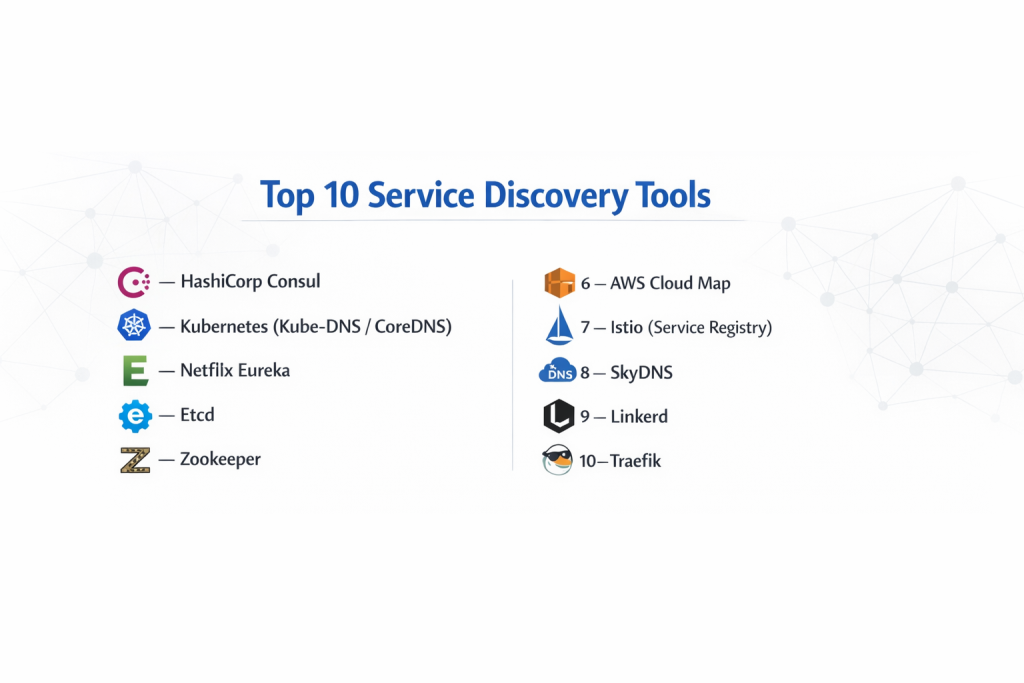
Top 10 Service Discovery Tools
1 — HashiCorp Consul
Consul is often considered the gold standard in the industry. It is a highly flexible tool designed to handle service discovery, configuration, and even secure communication between services across almost any type of cloud or physical server environment.
- Key Features:
- Automated registration where services announce their presence as soon as they start.
- Advanced health checking to stop traffic from going to broken or slow services.
- A built-in “Key-Value store” for saving configuration settings across the network.
- Service Mesh capabilities that encrypt the data sent between different apps.
- Multi-datacenter support, allowing you to connect services in different parts of the world.
- A clean web-based dashboard to see the status of every service at a glance.
- Pros:
- Extremely powerful and works on almost any platform, not just specialized cloud systems.
- Highly reliable “consistency” models that ensure everyone sees the same service list.
- Cons:
- The setup process can be quite technical and intimidating for beginners.
- Managing a large Consul “cluster” requires dedicated time and expertise.
- Security & Compliance: Supports TLS encryption, ACLs (Access Control Lists), and is designed to help companies meet SOC 2 and GDPR requirements through secure networking.
- Support & Community: Excellent documentation, a massive global community, and professional enterprise support available for large companies.
2 — Kubernetes (Kube-DNS / CoreDNS)
If you are already using Kubernetes to manage your software, you likely have service discovery built right in. It uses a system called CoreDNS to give every service its own “name” that other services can easily find.
- Key Features:
- Built-in “Service” objects that act as a permanent address for moving parts.
- Automatic DNS-based naming, so you can just type “database-service” to connect.
- Load balancing is included, distributing work across all healthy copies of a service.
- Deeply integrated into the Kubernetes lifecycle for “zero-touch” management.
- Environment variable support for discovering services without DNS queries.
- Automatic cleanup when a service is deleted or moved.
- Pros:
- If you use Kubernetes, there is no extra software to install or manage.
- It is incredibly simple for developers; it “just works” out of the box.
- Cons:
- It only works for services living inside the Kubernetes system.
- It can be difficult to connect “outside” services (like a physical database) into this system.
- Security & Compliance: Relies on Kubernetes RBAC (Role-Based Access Control) and supports Network Policies for security.
- Support & Community: One of the largest tech communities in existence with endless tutorials and expert help available online.
3 — Netflix Eureka
Originally built by the team at Netflix to handle their massive streaming library, Eureka is a “client-side” discovery tool that focuses on high availability, even if some parts of the network are failing.
- Key Features:
- Resilient design that allows it to work even during a network “partition” or outage.
- Client-side caching, meaning services remember addresses even if the directory goes down briefly.
- A simple, easy-to-read web interface for monitoring service health.
- Designed specifically for Java-based applications using the Spring Framework.
- Self-preservation mode that prevents it from accidentally deleting services during a glitch.
- Peer-to-peer communication between discovery servers for better reliability.
- Pros:
- Proven at the absolute largest scale (Netflix-level traffic).
- Prioritizes “uptime” over everything else, making it very robust.
- Cons:
- It is primarily built for Java, making it awkward for teams using other languages like Python or Go.
- It does not include built-in configuration management or health-check-based routing like Consul does.
- Security & Compliance: Basic authentication supported; advanced security usually requires additional tools.
- Support & Community: Strong community support among Java developers and extensive documentation within the Spring ecosystem.
4 — Etcd
While Etcd is technically a “distributed store,” it is the engine that powers many other discovery tools (including Kubernetes). it is designed for speed and total accuracy for small amounts of critical data.
- Key Features:
- Strict “consistency,” ensuring that every part of the system sees the exact same data.
- Watchable keys, which alert services the very microsecond an address changes.
- Extremely high performance for read and write operations.
- Simple “API” that allows almost any software to talk to it easily.
- Lease management, which automatically removes services if they stop checking in.
- A focus on being “lightweight” and doing one thing very well.
- Pros:
- The most reliable way to store critical “source of truth” data.
- Very fast and uses fewer computer resources than larger suites.
- Cons:
- It is a “building block,” not a finished product; you often have to write your own logic to use it for discovery.
- Managing the “cluster” can be difficult if servers lose connection to each other.
- Security & Compliance: Supports SSL/TLS certificates for secure communication and basic authentication.
- Support & Community: Backed by the Cloud Native Computing Foundation (CNCF) with a very strong developer following.
5 — Zookeeper
Coming from the world of “Big Data” and Apache, Zookeeper is a veteran tool. It is often used in massive data processing systems to coordinate which server is doing what task.
- Key Features:
- Hierarchical namespace (like a file system) for organizing service data.
- Strict ordering of operations, ensuring that updates happen in the right sequence.
- “Ephemeral nodes” that disappear automatically if a service crashes.
- High level of maturity; it has been used in production for many years.
- Notification system for letting other apps know when something has changed.
- Support for “Leader Election” to help services decide who is in charge.
- Pros:
- Rock-solid reliability for complex coordination tasks.
- Excellent for very large data systems like Hadoop or Kafka.
- Cons:
- Very complex to set up and requires a lot of memory and power.
- Written in Java, which can be a hurdle for teams using lighter-weight systems.
- Security & Compliance: Supports Kerberos and ACLs for controlling access to data.
- Support & Community: Large, mature community with a wealth of academic and professional resources.
6 — AWS Cloud Map
For teams that live entirely inside the Amazon Web Services (AWS) cloud, Cloud Map provides a managed service that discovers everything from server instances to specific database tables.
- Key Features:
- Automatic discovery of AWS resources like EC2, ECS, and Lambda.
- Custom attributes that allow you to find services based on versions (e.g., “find the ‘Beta’ version of the API”).
- API-based or DNS-based discovery options.
- Health checking that integrates directly with AWS Route 53.
- No servers for you to manage; AWS handles the entire backend.
- Pay-as-you-go pricing model.
- Pros:
- Zero maintenance—you don’t have to install, update, or fix the discovery server itself.
- Seamless integration for teams already using the AWS ecosystem.
- Cons:
- “Vendor lock-in”—it is very hard to move your system to another cloud provider later.
- Can be more expensive than running your own free software at very high scales.
- Security & Compliance: Fully integrated with AWS IAM (Identity and Access Management) for fine-grained security; HIPAA and SOC compliant.
- Support & Community: Supported by Amazon’s professional tech teams with massive amounts of online documentation.
7 — Istio (Service Registry)
Istio is more than just discovery; it is a “Service Mesh.” It sits on top of your services to manage how they talk, how they are secured, and how they are found.
- Key Features:
- Automatic “sidecar” deployment that handles discovery for you.
- Advanced traffic management (e.g., “send 10% of users to the new version”).
- Strong security with automatic encryption between all services.
- Detailed “observability” to see a map of how all your services are talking.
- Works across multiple different types of cloud environments.
- Retries and timeouts are handled automatically to prevent system crashes.
- Pros:
- Offers the most complete “control” over your network.
- Automates security so developers don’t have to worry about it.
- Cons:
- Extremely high complexity; it is often called “too much” for smaller teams.
- Can add a small amount of “latency” (slowness) because of the extra management layers.
- Security & Compliance: Top-tier security with mTLS, sophisticated audit logs, and strong identity management.
- Support & Community: Massive community and backed by tech giants like Google and IBM.
8 — SkyDNS
SkyDNS is a simple, lightweight tool that turns information stored in Etcd into a DNS service. It is perfect for teams that want a “no-frills” way to find services using standard web addresses.
- Key Features:
- Uses standard DNS queries, meaning any application can use it without special code.
- Built specifically to work on top of Etcd.
- Prioritizes services based on “records” like priority and weight.
- Very small and fast with almost no overhead.
- Simple configuration via a few lines of code.
- Allows for “SRV” records which provide both the address and the port number.
- Pros:
- Very easy for developers to understand since it works like the regular internet.
- Low resource usage makes it great for smaller server environments.
- Cons:
- Lacks the advanced features (like a dashboard or complex health checks) of Consul or Istio.
- Requires Etcd to be running as a prerequisite.
- Security & Compliance: Security depends largely on the Etcd setup and network firewalling.
- Support & Community: Smaller community than the “giants,” but well-regarded by power users.
9 — Linkerd
Linkerd is a competitor to Istio but prides itself on being much simpler and “lighter.” It provides discovery and security without the massive manual that Istio requires.
- Key Features:
- Zero-config service discovery for Kubernetes environments.
- Incredible performance with very low memory usage.
- Automatic “golden signals” (success rates, latencies) for all services.
- Transparent mTLS (encryption) between all parts of the system.
- A simple, intuitive dashboard that shows you if your services are healthy.
- Designed to be installed and running in under 60 seconds.
- Pros:
- Much easier to use and manage than other “service mesh” tools.
- Provides high-end security and discovery without slowing down your apps.
- Cons:
- Mainly focused on Kubernetes; not a great fit for traditional “old-school” servers.
- Fewer “knobs and dials” for teams that want to customize every tiny detail.
- Security & Compliance: Strong focus on security with automatic certificate rotation and SOC 2 compatibility.
- Support & Community: Very helpful, welcoming community with great Slack-based support.
10 — Traefik
While often known as an “Edge Router” or load balancer, Traefik has an incredible built-in discovery system that watches your infrastructure and updates its routes automatically.
- Key Features:
- Auto-discovery for Docker, Swarm, Kubernetes, and more.
- Real-time configuration changes without needing to restart.
- Built-in Let’s Encrypt support for automatic SSL certificates.
- A beautiful visual dashboard to see how traffic is flowing.
- Support for multiple protocols (HTTP, TCP, UDP).
- Middleware support for adding things like “login” screens to any service.
- Pros:
- Perfect for teams using Docker containers who want discovery to be automatic.
- Handles discovery and traffic routing in a single, simple tool.
- Cons:
- Not a dedicated “service registry”—it discovers things so it can route traffic to them.
- Can become complex if you have very advanced networking needs.
- Security & Compliance: Supports modern TLS, basic auth, and forward-auth for secure systems.
- Support & Community: Large community with excellent official “v2” documentation and active forums.
Comparison Table
| Tool Name | Best For | Platform(s) Supported | Standout Feature | Rating (Gartner/True) |
| Consul | Mixed Environments | Linux, Windows, Cloud | Multi-Datacenter Support | 4.6/5 |
| Kubernetes | K8s-Only Teams | Kubernetes | Built-in (No Install) | 4.8/5 |
| Eureka | Java/Spring Teams | Java Ecosystem | High Availability Focus | N/A |
| Etcd | “Building Blocks” | Cross-platform | Strict Consistency | N/A |
| Zookeeper | Big Data/Hadoop | Java, Linux | Mature Coordination | 4.3/5 |
| AWS Cloud Map | AWS Power Users | AWS Only | Fully Managed (SaaS) | N/A |
| Istio | High Security Needs | K8s, Cloud | Total Network Control | 4.4/5 |
| SkyDNS | Simple DNS Needs | Linux/Etcd | Standard DNS Protocol | N/A |
| Linkerd | Easy Service Mesh | Kubernetes | Lightweight/Fast | 4.7/5 |
| Traefik | Docker/Container Teams | Docker, K8s, Swarm | Auto-Routing | 4.5/5 |
Evaluation & Scoring of Service Discovery Tools
The following rubric reflects what matters most in a production environment. Reliability and ease of use are weighted highest because a discovery tool that is “hard to use” often leads to mistakes that can crash the entire network.
| Category | Weight | Importance |
| Core Features | 25% | Auto-registration, health checks, and service lookup. |
| Ease of Use | 15% | Time to get started and simplicity of the dashboard. |
| Integrations | 15% | Does it work with Docker, K8s, and major cloud providers? |
| Security & Compliance | 10% | Encryption (TLS) and access control (RBAC/ACLs). |
| Performance | 10% | Speed of updates and memory usage on the server. |
| Support & Community | 10% | Quality of documentation and availability of experts. |
| Price / Value | 15% | Cost of license vs. the “man-hours” saved. |
Which Service Discovery Tool Is Right for You?
Choosing a tool depends on where your software lives and how much time you have to manage it.
- Solo Users & SMBs: If you are just starting out and use Docker, stick with Traefik. It handles the discovery automatically so you can focus on building your app. If you are already on AWS, AWS Cloud Map is a great way to avoid managing servers entirely.
- Enterprise & High-Scale: Large companies with a mix of old servers and new cloud systems should look at HashiCorp Consul. It is the only tool that effectively bridges the gap between different eras of technology.
- The Kubernetes Crowd: If you live entirely inside Kubernetes, don’t overcomplicate things. Use the built-in DNS. If you need more security and visibility, add Linkerd for a lightweight boost or Istio if you have a dedicated team to manage it.
- Budget-Conscious: Open-source tools like Etcd and SkyDNS are free and very light on resources, making them great for teams that want to keep their monthly cloud bill as low as possible.
- Security First: If your industry (like finance or healthcare) requires every single piece of data to be encrypted between services, a “Service Mesh” like Linkerd or Istio is the best choice, as they automate the security that usually takes weeks to code by hand.
Frequently Asked Questions (FAQs)
1. What is the difference between Service Discovery and a Load Balancer?
Service Discovery is the “directory” that knows where servers are. A Load Balancer is the “traffic cop” that actually sends users to those servers. Often, a load balancer will ask the discovery tool for a list of healthy addresses before sending traffic.
2. Can I use Service Discovery without containers like Docker?
Yes. Tools like Consul and Zookeeper work perfectly fine on traditional physical servers or virtual machines. You simply install a small “agent” program on each server so it can report its location to the directory.
3. Why can’t I just use a static list of IP addresses?
In modern cloud environments, servers are “ephemeral,” meaning they are created and destroyed constantly. If you use a static list, your app will try to connect to a server that might not exist anymore, causing your system to crash.
4. Does Service Discovery make my app slower?
Generally, no. Most tools use “caching,” which means the app remembers the address for a few minutes rather than asking the directory every single time. The actual “lookup” usually takes only a few milliseconds.
5. What is a “Health Check” in this context?
A health check is a simple test the discovery tool performs (like pinging the service) to make sure it is actually working. If a service stops responding, the tool removes it from the directory so no users are sent to a broken page.
6. What happens if the Service Discovery tool itself crashes?
This is a common concern. Most tools are designed to run in a “cluster” (3 or 5 servers). If one goes down, the others take over. Additionally, many clients “cache” the last known addresses so the system keeps running while the tool restarts.
7. Is Service Discovery only for microservices?
While it is most popular for microservices, it is also useful for “monolith” apps that need to find external databases, third-party APIs, or specialized worker servers without having to hard-code addresses.
8. Is “Server-Side” or “Client-Side” discovery better?
“Server-side” (like Kubernetes) is easier for developers because the system handles everything. “Client-side” (like Eureka) is often more resilient because the app itself knows where to go, even if the central server has a brief hiccup.
9. Are these tools difficult to maintain?
Managed services like AWS Cloud Map require zero maintenance. Self-hosted tools like Consul or Zookeeper require regular updates and monitoring of the server’s health, which can be a significant task for a small team.
10. How do I start migrating to a Service Discovery tool?
Start by picking one service (like your database) and registering it in the tool. Change your app to ask the tool for the database address instead of using a hard-coded one. Once that works, move the rest of your services one by one.
Conclusion
Finding the right service discovery tool is about choosing the right “phone book” for your digital city. The key takeaway is that you should not pick a tool based on its “hype,” but based on your current infrastructure. If you are a Kubernetes-only shop, use the built-in tools. If you are a large enterprise with a messy mix of servers, a powerful tool like Consul is worth the effort.
The most important thing to remember is that service discovery is meant to make your life easier, not harder. A good tool should automate the boring parts of networking so your developers can focus on building features. Whether you prioritize total consistency with Etcd, ease of use with Linkerd, or a fully managed experience with AWS, having a centralized way to find and monitor your services is the only way to build a modern, reliable system that can grow with your business.

- Top 10 Email Deliverability Tools: Features, Pros, Cons & Comparison - September 6, 2026
- Top 10 Pharmacovigilance Software: Features, Pros, Cons & Comparison - September 6, 2026
- Top 10 Manufacturing Execution Systems (MES) - July 30, 2026