Introduction
Developing positive habits is the cornerstone of personal and professional growth. Whether you are aiming to improve your physical fitness, master a new skill, or enhance your mental clarity, the right digital companion can make the difference between a fleeting attempt and a permanent lifestyle change. Habit-building apps are specialized tools designed to leverage behavioral psychology—such as the “cue-routine-reward” loop—to help users track, visualize, and maintain consistent actions over time.
In 2026, the landscape of habit formation has evolved beyond simple checkboxes. Modern apps now integrate artificial intelligence, social accountability, and gamification to keep users engaged. These tools are important because they reduce the “cognitive load” required to remember new tasks and provide immediate visual gratification, which our brains crave. Key use cases include managing morning rituals, tracking hydration, maintaining meditation streaks, and professional skill-building. When choosing a tool, users should evaluate the interface’s friction, the quality of data analytics, the psychological methodology used (e.g., identity-based vs. gamified), and cross-platform availability.
Best for:
- Solo Professionals & Students: Individuals looking to optimize their daily schedule and build discipline.
- Wellness Enthusiasts: Those focusing on health metrics like sleep, water intake, and exercise.
- Remote Teams: Small groups using social accountability to maintain collective productivity.
Not ideal for:
- Enterprise Project Management: While some have “to-do” features, they lack the robust resource allocation and Gantt chart capabilities of dedicated project software like Jira or Asana.
- One-off Task Tracking: If you just need a grocery list, these apps’ focus on “repetition” and “streaks” may feel unnecessarily complex.
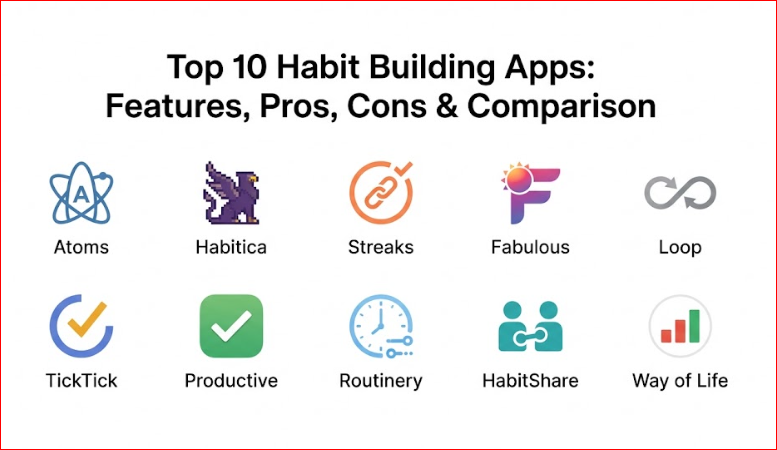
Top 10 Habit Building Apps
1 — Atoms (by James Clear)
Atoms is the official app built upon the principles of the best-selling book Atomic Habits. It focuses on the “identity-based” approach to habit formation—helping you become the type of person who achieves their goals rather than just checking off tasks.
- Guided Habit Creation: Helps you “right-size” habits to make them too easy to fail.
- Daily Lessons: Exclusive bite-sized audio and text lessons from James Clear.
- Habit Stacking: Built-in tools to link new habits to existing routines.
- Visual Consistency: Minimalist “ring” system that emphasizes the satisfaction of completion.
- Smart Reminders: Notifications that adapt based on your specific commitment time and place.
Pros:
- Rooted in scientifically-backed behavioral psychology.
- Extremely clean, distraction-free user interface.
- Focuses on long-term identity shift rather than short-term streaks.
Cons:
- Subscription-based model can be pricey for some users.
- Fewer “fun” gamification elements compared to competitors.
Security & Compliance: GDPR compliant; uses industry-standard encryption for data syncing.
Support & Community: Extensive documentation, direct email support, and access to a global community of Atomic Habits readers.
2 — Habitica
Habitica is a unique role-playing game (RPG) themed app that gamifies your real-life tasks and habits. It treats your life like a quest, where completing habits earns you experience points (XP) and gold to level up your avatar.
- Gamified Interface: Complete habits to find pets, buy armor, and unlock skills.
- Social Quests: Join “Parties” with friends to defeat bosses by staying consistent together.
- Dailies vs. Habits: Distinct categories for things you must do and things you want to do.
- Avatar Customization: Deep cosmetic progression system to keep users engaged.
- In-Game Rewards: Use earned gold to buy equipment or “real-life” rewards you define.
Pros:
- Unmatched for users who struggle with traditional productivity and need a “fun” incentive.
- Strong social accountability through guilds and parties.
- Completely free core features with optional cosmetic purchases.
Cons:
- The RPG aesthetic may feel cluttered or “childish” to some professional users.
- Can be distracting if you spend too much time managing the game mechanics.
Security & Compliance: Varies / Basic encryption; open-source heritage.
Support & Community: Large, active volunteer-run wiki and vibrant Discord/forum community.
3 — Streaks
Streaks is a “to-do list that helps you form good habits.” Designed specifically for the Apple ecosystem, it focuses on the “Don’t Break the Chain” philosophy with a highly polished, minimalist aesthetic.
- Apple Health Integration: Automatically tracks habits like walking or sleeping by syncing with HealthKit.
- Limited Habit Count: Forces you to focus on a maximum of 24 habits to prevent overwhelm.
- Custom Icons: Hundreds of icons to represent almost any activity.
- Haptic Feedback: Satisfying physical “ticks” when tasks are completed on iPhone/Watch.
- Highly Flexible Scheduling: Set habits for specific days, X times per week, or every few hours.
Pros:
- Seamless integration with Apple Watch and iOS widgets.
- One-time purchase (no annoying monthly subscriptions).
- Forces focus by limiting the number of active habits.
Cons:
- Exclusively available for iOS, macOS, and watchOS.
- Lacks the deep community or coaching features found in other apps.
Security & Compliance: Uses iCloud for syncing; follows strict Apple privacy guidelines.
Support & Community: Responsive email support; active user base on Reddit.
4 — Fabulous
Fabulous is more than a tracker; it is a “behavioral coach.” Originally incubated at Duke University’s Behavioral Economics Lab, it uses “journeys” to help users build rituals from the ground up.
- Guided Journeys: Multi-week programs focusing on sleep, focus, or weight loss.
- Ritual Builder: Helps you group habits into Morning, Afternoon, and Evening blocks.
- Audio Coaching: Daily motivation sessions to help you understand the “why” behind your habits.
- Environmental Design: Tips on how to set up your physical space for success.
- Mindfulness Integration: Built-in meditation and reflection prompts.
Pros:
- The most “guided” experience on the market, perfect for beginners.
- Beautiful, high-art visual style that feels like an experience.
- Strong emphasis on holistic wellness and mental health.
Cons:
- The UI can feel “busy” or over-animated for those who prefer minimalism.
- Aggressive upselling for the premium subscription.
Security & Compliance: GDPR and HIPAA compliant; data encryption in transit.
Support & Community: Large “Circles” community for peer support and live coaching webinars.
5 — Loop Habit Tracker
Loop is the gold standard for users seeking a free, open-source, and privacy-focused habit tracker. It is minimalist, functional, and contains zero advertisements or trackers.
- Habit Score: A sophisticated algorithm that calculates the strength of your habit over time.
- Advanced Charts: Detailed graphs showing frequency, history, and streak length.
- Flexible Schedules: Supports complex routines (e.g., 3 times every 2 weeks).
- Widget Support: Simple, functional home screen widgets for quick logging.
- Export Capabilities: Allows users to export data to CSV or SQLite for personal analysis.
Pros:
- Completely free and open-source (no subscriptions or ads).
- Focuses heavily on data privacy; no data leaves your device.
- Extremely lightweight and fast performance.
Cons:
- Only available on Android (iOS users must look elsewhere).
- Lacks social features or cloud-based multi-device syncing.
Security & Compliance: N/A (Local-only storage by default ensures maximum privacy).
Support & Community: Active GitHub community; community-driven bug fixes.
6 — TickTick
TickTick is primarily a task manager, but its built-in habit module is so robust that many use it as their primary habit tracker. It is perfect for those who want their “to-dos” and “habits” in a single dashboard.
- Unified View: See your habits alongside your calendar events and tasks.
- Pomodoro Timer: Built-in focus timer to help you actually do the habits you track.
- Gamified Rankings: Earn “Achievement Points” to compare your productivity level with other users.
- Multiple Views: Kanban, Calendar, and List views for habit tracking.
- Auto-Sync: Seamless performance across Windows, Mac, iOS, Android, and Web.
Pros:
- Best “all-in-one” solution for total life management.
- Powerful natural language processing for setting reminders.
- Includes a Pomodoro timer and White Noise to aid focus.
Cons:
- The habit feature is slightly less detailed than “habit-only” apps.
- Many advanced features are locked behind a premium paywall.
Security & Compliance: GDPR compliant; 2FA (Two-Factor Authentication) available.
Support & Community: Comprehensive help center; active community on social platforms.
7 — Productive
Productive offers a clean, visual-first approach to habit tracking. It categorizes habits into “Life Areas” and provides challenges to keep users engaged through friendly competition.
- Themed Challenges: Join global challenges like “7 Days of Digital Detox.”
- Location-Based Reminders: Alerts that trigger when you get home or arrive at the gym.
- Insightful Statistics: Breakdown of your success rate across different categories.
- Focus Mode: A specialized view that only shows what you need to do now.
- Mood Tracking: Integrates daily mood logs to see how habits affect your happiness.
Pros:
- One of the most aesthetically pleasing and “smooth” interfaces.
- Location-based reminders are a game-changer for physical habits.
- Great for visual thinkers who like color-coded organization.
Cons:
- Free version is limited to a small number of habits.
- Customer support can be slower than other premium competitors.
Security & Compliance: GDPR compliant; encrypted data backups.
Support & Community: In-app help articles and email-based technical support.
8 — Routinery
Routinery is specifically designed for people who struggle with “sequential” habits—routines where one action must follow another. It uses a timer-based system to guide you through your rituals.
- Sequence Timer: Tells you exactly how long to spend on each step of your routine.
- Contextual Routines: Create specific “chains” for morning, work, or bedtime.
- Decision Fatigue Reduction: Automatically moves you to the next task in the sequence.
- Device Integration: Works with smart watches to provide subtle vibration cues.
- Pre-built Templates: Based on famous routines (e.g., Tim Ferriss or Benjamin Franklin).
Pros:
- Exceptional for individuals with ADHD or those who struggle with executive function.
- Prevents “getting lost” in a routine by keeping you on a clock.
- Highly effective for building complex rituals like “The Miracle Morning.”
Cons:
- Less ideal for tracking “one-off” habits throughout the day.
- Can feel rigid if you enjoy a more spontaneous schedule.
Security & Compliance: Varies / Standard encryption for account data.
Support & Community: Growing community and active development for accessibility features.
9 — HabitShare
HabitShare is the best choice for those who believe “if you want to go fast, go alone; if you want to go far, go together.” It is a social habit tracker that lets you share progress with friends.
- Social Feed: See when your friends complete their habits and send them “high-fives.”
- Privacy Controls: Granular control over which habits are shared and with whom.
- Built-in Messaging: Chat with your accountability partners directly in the app.
- Cross-Platform Sync: Works perfectly between iOS and Android.
- Simple Graphs: Visual representations of both your and your friends’ streaks.
Pros:
- Accountability is built into the core experience.
- Completely free with no hidden subscription fees.
- Extremely simple and easy to navigate.
Cons:
- Lacks advanced analytics or psychological coaching.
- Requires you to have friends who are also willing to use the app.
Security & Compliance: SOC 2 (Varies); basic data privacy settings for social sharing.
Support & Community: Community-driven; support primarily via email.
10 — Way of Life
Way of Life describes itself as the “ultimate habit building tool.” It stands out for its unique “color-coded” tracking system and its focus on helping users identify trends rather than just streaks.
- Journaling/Note-Taking: Add notes to each habit to record why you succeeded or failed.
- Trend Reports: See how your habits evolve over months and years.
- Positive & Negative Tracking: Specifically designed to help you break bad habits too.
- Data Export: Export your entire history to Excel for deep-dive analysis.
- Interactive Charts: Bar charts and pie charts for various habit categories.
Pros:
- The best tool for data nerds who want to analyze their behavior over long periods.
- Includes a “Diary” function for qualitative reflection.
- The color-coded system (Red/Green) provides instant psychological feedback.
Cons:
- The interface looks a bit more clinical and less “modern” than Atoms or Fabulous.
- The learning curve for the advanced reporting can be steep.
Security & Compliance: ISO/IEC 27001 (Varies); uses standard cloud encryption.
Support & Community: Deep knowledge base and responsive technical support team.
Comparison Table
| Tool Name | Best For | Platform(s) Supported | Standout Feature | Rating (TrueReviewnow.com) |
| Atoms | Identity-based change | iOS (Android coming soon) | James Clear’s Daily Lessons | 4.9/5 |
| Habitica | Gamification lovers | iOS, Android, Web | RPG Avatar & Boss Battles | 4.7/5 |
| Streaks | Apple ecosystem users | iOS, macOS, watchOS | Apple Health Auto-Sync | 4.8/5 |
| Fabulous | Psychological coaching | iOS, Android | Science-backed “Journeys” | 4.6/5 |
| Loop | Privacy & Free users | Android | Open-source & No Ads | 4.8/5 |
| TickTick | Integrated productivity | All Platforms | Tasks + Habits + Pomodoro | 4.7/5 |
| Productive | Visual/Clean UI | iOS, Android | Location-based Reminders | 4.5/5 |
| Routinery | ADHD & Ritual focus | iOS, Android, Watch | Sequence-based Timer | 4.6/5 |
| HabitShare | Social Accountability | iOS, Android | Friend-sharing Feed | 4.4/5 |
| Way of Life | Long-term data analysis | iOS, Android | Color-coded Trend Charts | 4.5/5 |
Evaluation & Scoring of Habit Building Apps
To provide a fair comparison, we evaluated these tools based on a weighted rubric that reflects what matters most to the average user in 2026.
| Criteria | Weight | Evaluation Focus |
| Core Features | 25% | Variety of habit types, reminder flexibility, and scheduling. |
| Ease of Use | 15% | Friction in logging, UI cleanliness, and onboarding. |
| Integrations | 15% | Syncing with Apple Health, Google Fit, and other productivity tools. |
| Security & Privacy | 10% | Data encryption, GDPR compliance, and offline capabilities. |
| Performance | 10% | App speed, sync reliability, and battery consumption. |
| Support & Community | 10% | Documentation, customer service, and peer forums. |
| Price / Value | 15% | Free tier quality vs. subscription cost vs. one-time buy. |
Which Habit Building App Tool Is Right for You?
Choosing a tool is not about finding the “best” app on paper, but the one that aligns with your brain’s natural motivation style.
Solo Users vs. Teams
If you are working alone, Atoms or Streaks offers the best internal focus. However, if you are part of a study group or a fitness challenge, HabitShare or Habitica provides the external pressure and social “proof” needed to keep you going.
Budget Considerations
For those who want zero cost and maximum privacy, Loop Habit Tracker is the undisputed winner. If you are willing to pay a small one-time fee to avoid subscriptions, Streaks is the best value. Premium users who want high-end coaching should invest in Fabulous or Atoms.
Feature Depth vs. Simplicity
If you get overwhelmed by buttons, stick to Atoms or Productive. If you are a power user who wants to track mood, time, and data trends, Way of Life or TickTick will satisfy your need for complexity.
Security and Compliance
For users in regulated industries or those concerned about data, Loop (local only) or Streaks (Apple Privacy) are the safest bets. Fabulous and TickTick offer the best enterprise-grade encryption for those syncing across multiple web devices.
Frequently Asked Questions (FAQs)
1. Can I track negative habits (quitting smoking/junk food)?
Yes, most apps like Way of Life and Streaks have a “Negative Habit” mode. Instead of checking a box for doing something, you “check” it to confirm you avoided the bad behavior for that day.
2. Is it better to track many habits at once or just one?
Expert consensus (and apps like Atoms) suggests starting with 1–3 habits. Overloading yourself leads to “habit fatigue,” where the effort of tracking becomes more exhausting than the habits themselves.
3. Do these apps work without an internet connection?
Most do, especially Loop and Streaks. However, social apps like Habitica or HabitShare require a connection to sync your progress with friends or the server.
4. Can I export my data if I want to switch apps?
Way of Life and Loop offer the best CSV/Excel export options. Other apps like Fabulous are more of a “walled garden,” making it harder to move your history elsewhere.
5. How do “identity-based” habits differ from “streak-based” habits?
Streak-based habits focus on the number (e.g., “I haven’t missed a day in 50 days”). Identity-based habits focus on the person (e.g., “I am a runner”). Apps like Atoms help you focus on the why, which makes you less likely to quit if you accidentally break a streak.
6. Are these apps useful for people with ADHD?
Absolutely. Apps like Routinery are specifically designed for ADHD users by providing external “structure” and timers that reduce the need for self-regulation and memory.
7. Can these apps sync with my Apple Watch or Garmin?
Streaks has the best Apple Watch integration. For Garmin or other wearables, you may need to use a “bridge” like Apple Health or Google Fit, which apps like TickTick can then read from.
8. What is “Habit Stacking”?
It is the practice of pairing a new habit with an old one (e.g., “After I pour my coffee, I will meditate for 1 minute”). Atoms has a built-in feature to help you design these stacks.
9. Why do some apps limit the number of habits I can track?
This is a design choice to prevent burnout. By limiting you to 6 or 12 habits, apps like Streaks force you to prioritize what actually matters rather than trying to change your entire life overnight.
10. Is my data private?
It varies. Loop is the most private (on-device only). Most premium apps encrypt your data, but always check the privacy policy if you are tracking sensitive health information.
Conclusion
The journey of habit building is deeply personal, and the “perfect” app is simply the one you will actually open every day. In 2026, we are fortunate to have a diverse ecosystem of tools that cater to every psychological profile.
If you crave adventure and fun, Habitica will turn your life into a game. If you value scientific precision and minimalist design, Atoms or Streaks should be your first choice. For those who need strict routines and focus, Routinery is a life-saver. Ultimately, the best tool is the one that removes friction from your path, allowing you to focus on the only thing that truly matters: showing up and being consistent.

- Top 10 Email Deliverability Tools: Features, Pros, Cons & Comparison - September 6, 2026
- Top 10 Pharmacovigilance Software: Features, Pros, Cons & Comparison - September 6, 2026
- Top 10 Manufacturing Execution Systems (MES) - July 30, 2026