Introduction
In the demanding world of energy production, Oil & Gas Field Service Tools are the specialized software platforms used to manage every moving part of a field operation. In the “oil patch,” work doesn’t happen in a tidy office; it happens on remote rigs, across vast pipelines, and in harsh environments where safety is the highest priority. These digital tools act as a central nervous system, connecting dispatchers in the city to technicians in the field. They handle everything from scheduling complex crews and tracking multi-million dollar assets to ensuring every safety check is documented to prevent accidents.
These tools are vital because they replace the old, unreliable “paper and clipboard” method. In an industry where a single hour of downtime can cost thousands of dollars, knowing exactly where your equipment is and when it needs maintenance is essential. Key use cases include tracking rental equipment, managing emergency repairs on a pipeline, and keeping digital logs of safety inspections that meet strict government rules. When choosing a tool, you should look for “offline mode” (since many rigs have no internet), ease of use for workers wearing heavy gloves, and strong reporting features that show you exactly where your money is going.
Best for: These tools are built for field managers, dispatchers, and safety officers at oilfield service companies, equipment rental firms, and pipeline maintenance crews. They are ideal for businesses that manage a mobile workforce and high-value assets in remote locations.
Not ideal for: Very small, local plumbing or HVAC businesses that don’t deal with the complex safety rules or the “rental fleet” needs of the energy sector. They are also not a replacement for deep accounting software, though they should be able to talk to it.
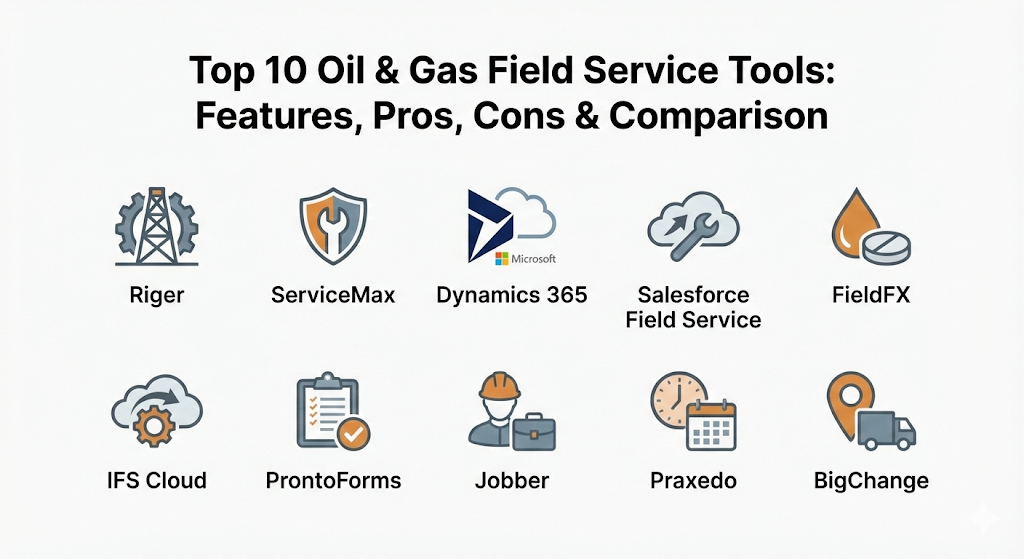
Top 10 Oil & Gas Field Service Tools
1 — Riger
Riger is a specialized platform built specifically for the oil and gas industry, with a heavy focus on equipment rentals and service management. It is designed to handle the unique “quote-to-cash” workflow of an energy service company, making it a top choice for firms that rent out pumps, tanks, or lighting to rig sites.
- Key features:
- Comprehensive rental fleet tracking with serialized asset management.
- Digital “Oilfield Tickets” that allow for instant billing from the field.
- Advanced scheduling for crews and specialized heavy equipment.
- Mobile app with full offline capabilities for remote rig locations.
- Automated maintenance triggers based on how long a tool has been on-site.
- Integrated e-signature for quick approvals at the wellhead.
- Detailed white-label reporting for client-facing documents.
- Pros:
- It speaks the language of the oilfield, using terms like “well sites” and “rig numbers” instead of generic business jargon.
- The rental management module is much deeper than generic field service tools.
- Cons:
- The interface can be visually dense and may take time for new users to navigate.
- It is a highly specialized tool, so it may feel too focused if you also do work outside of oil and gas.
- Security & compliance: SSO, 256-bit encryption, SOC 2 compliant, and detailed audit logs for safety compliance.
- Support & community: High-quality documentation, personalized onboarding, 24/7 technical support for field emergencies, and an active user group.
2 — ServiceMax
ServiceMax is an enterprise-level platform that focuses on “asset-centric” field service. It is designed for large companies that maintain complex, expensive machinery—like turbines or drilling assemblies—where the cost of failure is extremely high.
- Key features:
- Advanced proactive maintenance scheduling to prevent machine failure.
- Complete “cradle-to-grave” tracking of every part in a complex machine.
- “Zinc” collaboration tool that lets field workers chat and share photos instantly.
- Deep inventory management that tracks parts across multiple mobile vans.
- AI-powered scheduling that finds the best technician for a specific high-tech job.
- Detailed service history for every asset, accessible from the field.
- Pros:
- Unmatched for managing very complex technical equipment that requires expert care.
- The mobile app is exceptionally strong, even when there is zero cell service.
- Cons:
- It is a premium, enterprise solution and can be very expensive for smaller companies.
- Implementation is a major project that often requires a dedicated team of consultants.
- Security & compliance: ISO 27001, SOC 2, HIPAA (if needed), GDPR, and FedRAMP authorized.
- Support & community: Extensive training through “ServiceMax University,” global enterprise support, and a large professional community.
3 — MS Dynamics 365 Field Service
This is Microsoft’s heavy-duty answer to field management. It is an ideal choice for large organizations that already use the Microsoft ecosystem (like Outlook and Excel) and want a field service tool that plugs directly into their business data.
- Key features:
- Seamless integration with Microsoft Teams and Outlook for scheduling.
- Remote Assist features that use mixed reality to help field workers.
- Automated work order generation from IoT (Internet of Things) sensors on equipment.
- Highly customizable dashboards that show real-time field performance.
- Resource scheduling optimization to reduce travel time and fuel costs.
- Customer portals that allow clients to see where their technician is on a map.
- Pros:
- If you already use Microsoft tools, the data flow between apps is incredibly smooth.
- It is one of the most flexible tools available, allowing you to build almost any workflow.
- Cons:
- It can be “too much” for smaller teams who just need a simple way to track tickets.
- Customizing the platform often requires a specialist developer, which adds to the cost.
- Security & compliance: Backed by Microsoft Azure’s world-class security; ISO, SOC 1/2/3, and GDPR compliant.
- Support & community: Massive global network of partners, endless online tutorials, and 24/7 enterprise-grade support.
4 — Salesforce Field Service
Built on the world’s most famous CRM (Customer Relationship Management) platform, Salesforce Field Service is designed to give you a “360-degree view” of your customers and your field operations in one place.
- Key features:
- Smart scheduling that automatically balances travel time and technician skill levels.
- “Visual Remote Assistant” that allows experts to see what the field worker sees.
- Automated parts management and replenishment for field trucks.
- Deep integration with customer service and sales data.
- Detailed “Service Reports” that are automatically generated when a job is finished.
- Offline mobile app that syncs data the moment a worker finds a signal.
- Pros:
- Best-in-class for keeping the office staff and the field staff on exactly the same page.
- The reporting engine is one of the most powerful in the software world.
- Cons:
- Salesforce is known for being complex to set up correctly.
- The total cost of ownership can be high once you add up all the necessary licenses.
- Security & compliance: SOC 2, ISO 27001, HIPAA, and GDPR compliant with highly granular permission sets.
- Support & community: “Trailhead” learning platform, massive global user community, and premium “Premier Success” support tiers.
5 — FieldFX (by LiquidFrameworks)
FieldFX is another tool built with a “patch-first” mindset. It focuses on the specific needs of oilfield service companies, especially in the areas of mobile ticketing and managing complex price books for different clients.
- Key features:
- Advanced “E-Ticketing” that works without an internet connection.
- Complex price book management to handle different rates for different well sites.
- Automated “Quote-to-Invoice” workflow to speed up getting paid.
- Integrated safety (HSE) checklists that must be finished before a job starts.
- Asset tracking that monitors both location and usage hours.
- Crew management for multi-day jobs in remote areas.
- Pros:
- It specifically solves the problem of “lost tickets” and slow billing in the oilfield.
- Designed for very fast data entry, which field workers appreciate.
- Cons:
- The user interface looks a bit older than some of the newer cloud startups.
- It has fewer “generic” business integrations than a tool like Salesforce.
- Security & compliance: SOC 2 compliant, uses secure data encryption, and provides full audit trails.
- Support & community: Direct onboarding from oilfield experts, solid documentation, and responsive customer help.
6 — IFS Cloud
IFS is a global leader in industrial software. Their field service module is built for “moments of service” in heavy industries like oil, gas, and mining. It is an “all-in-one” tool that handles everything from the field to the back office.
- Key features:
- Integrated ERP (Enterprise Resource Planning) and field service in one tool.
- Advanced “Dynamic Scheduling” that updates every few seconds as jobs change.
- Lifecycle management for massive assets like offshore platforms.
- Mobile app that supports complex technical manuals and diagrams.
- IoT connectivity to monitor machine health from thousands of miles away.
- Sustainability tracking to monitor fuel use and carbon impact.
- Pros:
- Great for very large companies that want one single system for their whole business.
- Very strong at managing long-term, multi-year maintenance projects.
- Cons:
- A very large system that requires significant training to use effectively.
- Not suitable for small companies that just want to manage a few trucks.
- Security & compliance: SOC 1/2, ISO 27001, GDPR, and rigorous internal safety audits.
- Support & community: Global professional services, a deep academy for training, and an active enterprise community.
7 — ProntoForms (TrueContext)
ProntoForms is a specialized tool that focuses on the “form” part of field service. In the oil and gas industry, where safety forms and compliance logs are a way of life, this tool helps digitize all that data and send it where it needs to go.
- Key features:
- World-class mobile form builder with “if-this-then-that” logic.
- Automatic photo and GPS capture on every safety inspection.
- Offline data entry that is rock-solid in remote areas.
- Ability to generate professional PDF reports the moment a form is sent.
- Connects to other tools like SharePoint, Box, or Salesforce.
- Rapid deployment—you can have a digital safety form ready in minutes.
- Pros:
- The best tool for making sure your safety (HSE) data is 100% accurate.
- Extremely easy for field workers to use—if they can use a smartphone, they can use this.
- Cons:
- It is not a “full” field service tool (it doesn’t handle scheduling or dispatching on its own).
- Best used as a “sidekick” to another system rather than a standalone solution.
- Security & compliance: SOC 2 Type II, HIPAA, GDPR compliant, and uses end-to-end encryption.
- Support & community: Excellent onboarding, active user forums, and very helpful customer success teams.
8 — Jobber
Jobber is a popular field service tool that is known for being extremely easy to use. While it is used in many industries, it is a great choice for smaller oilfield service contractors who need to manage their schedule and get paid quickly without a complex setup.
- Key features:
- Simple, drag-and-drop calendar for dispatching crews.
- Automated text messages to tell clients when a technician is on the way.
- Online booking and professional quotes that can be signed on a phone.
- Integrated credit card processing to get paid the same day a job finishes.
- Basic expense tracking and reporting.
- Mobile app that keeps the whole team connected.
- Pros:
- The most user-friendly tool on this list; you can start using it in an afternoon.
- Very affordable for small businesses and growing teams.
- Cons:
- Lacks the deep “oilfield-specific” features like rig tracking or complex price books.
- Not built for massive enterprise teams managing offshore platforms.
- Security & compliance: Uses secure encryption for all data and payments; GDPR compliant.
- Support & community: Top-rated customer support, a wealth of online videos, and an active community of small business owners.
9 — Praxedo
Praxedo is a cloud-based field service tool that puts a heavy emphasis on “intelligent scheduling.” It is used by many energy service firms in Europe and North America to optimize their mobile workforces.
- Key features:
- Advanced “Smart Scheduler” that helps dispatchers handle hundreds of jobs.
- Highly configurable mobile app for different types of field jobs.
- Real-time tracking of technician locations and job progress.
- Customer portals so clients can track their service history.
- Simple API that makes it easy to connect to accounting software.
- Automated email/SMS alerts for technicians and customers.
- Pros:
- The interface is very clean and helps dispatchers stay organized during busy days.
- Very fast to implement compared to enterprise tools like IFS or Salesforce.
- Cons:
- Inventory management is not as deep as asset-heavy tools like ServiceMax.
- Some of the more advanced reporting features can take time to set up.
- Security & compliance: ISO 27001 certified, GDPR compliant, and uses secure SSL encryption.
- Support & community: Good documentation, responsive email/phone support, and dedicated onboarding.
10 — BigChange
BigChange is an “all-in-one” logistics and field service platform. It is designed to manage everything from the vehicle your workers drive to the invoice they send, making it a “business-in-a-box” for field service.
- Key features:
- Integrated vehicle tracking and driver behavior monitoring.
- Full CRM and job scheduling in one system.
- Mobile “Workforce” app that eliminates the need for any paper.
- Financial tools for quoting, invoicing, and tracking payments.
- Inventory management for parts and equipment.
- Real-time dashboards showing the health of the entire business.
- Pros:
- Great for companies that want to track their trucks as closely as their technicians.
- Reduces the number of different software subscriptions you need.
- Cons:
- The vehicle tracking features might be more than some small teams need.
- The mobile app can be a bit complex because it does so many different things.
- Security & compliance: SOC 2 compliant, GDPR compliant, and uses secure cloud data centers.
- Support & community: “BigChange University” for training, 24/7 support, and a dedicated customer success representative.
Comparison Table
| Tool Name | Best For | Platform(s) Supported | Standout Feature | Rating |
| Riger | Oilfield Rentals | Web, iOS, Android | Oilfield-specific tickets | 4.8 / 5 |
| ServiceMax | Complex Asset Repair | Web, iOS, Android | Asset-centric maintenance | 4.7 / 5 |
| Dynamics 365 | Microsoft Users | Web, iOS, Android | Microsoft Ecosystem Sync | 4.5 / 5 |
| Salesforce FS | CRM Integration | Web, iOS, Android | 360-degree customer view | 4.6 / 5 |
| FieldFX | Patch-first E-Ticketing | Web, iOS, Android | Offline Ticket Sync | 4.7 / 5 |
| IFS Cloud | Large Industrial Firms | Web, iOS, Android | Dynamic Job Scheduling | 4.5 / 5 |
| ProntoForms | Safety Compliance | iOS, Android | Advanced Logic Forms | 4.8 / 5 |
| Jobber | Small Contractors | Web, iOS, Android | Simple, Fast Setup | 4.4 / 5 |
| Praxedo | Smart Scheduling | Web, iOS, Android | Clean Dispatch Board | 4.5 / 5 |
| BigChange | Logistics & Tracking | Web, iOS, Android | Integrated Vehicle GPS | 4.6 / 5 |
Evaluation & Scoring of Oil & Gas Field Service Tools
Choosing the right tool for the “oil patch” requires a specific set of criteria. We evaluate these tools based on a weighted rubric that prioritizes the things that matter most in the field, like offline reliability and safety compliance.
| Criterion | Weight | Scoring Logic |
| Core Features | 25% | Includes offline mode, e-ticketing, asset tracking, and crew scheduling. |
| Ease of Use | 15% | How easy the mobile app is for workers in the field and the office staff. |
| Integrations | 15% | Ability to “talk” to accounting software, CRM, and IoT sensors. |
| Security & Compliance | 10% | Encryption standards and ability to handle HSE (Safety) reporting rules. |
| Reliability | 10% | Uptime of the cloud service and the stability of the offline mobile sync. |
| Support | 10% | Quality of onboarding and availability of 24/7 help for field emergencies. |
| Price / Value | 15% | Does the cost make sense for the features provided to a specific business size? |
Which Oil & Gas Field Service Tool Is Right for You?
The “best” tool really depends on the size of your company and exactly what you do in the oilfield.
Solo Users vs SMB vs Mid-Market vs Enterprise
If you are a solo contractor or a very small team, Jobber is likely your best starting point. It is simple, affordable, and handles the basics perfectly. For small-to-medium businesses (SMBs) that focus on rentals or specialized services, Riger or FieldFX are better because they are built specifically for the oilfield. Mid-market companies that need a balance of power and ease of use should look at Praxedo or BigChange. For massive enterprises managing offshore platforms and thousands of workers, ServiceMax, Salesforce, or IFS Cloud are the only tools with enough “muscle” to handle the complexity.
Budget-Conscious vs Premium Solutions
If you are watching every dollar, Jobber or ProntoForms (used alongside your existing system) offer the most value. However, keep in mind that in the oil and gas world, “cheap” software can be expensive if it fails in a remote area. Premium solutions like ServiceMax or Dynamics 365 cost more to set up, but they can save millions in “lost” equipment and prevented downtime over the long run.
Feature Depth vs Ease of Use
If you need deep features—like knowing the exact maintenance history of every bolt on a drilling rig—you need a specialized tool like Riger or ServiceMax. If you value ease of use above all else because your field workers hate using technology, ProntoForms or Jobber are much more likely to be accepted by your team.
Integration and Scalability Needs
If your business is growing fast, you need a tool that can grow with you. Salesforce and Dynamics 365 are the kings of scalability—you will never “outgrow” them. Also, think about your other tools. If you use Microsoft Office for everything, Dynamics 365 is the logical choice. If your whole sales team uses Salesforce, then Salesforce Field Service is the winner.
Security and Compliance Requirements
In a highly regulated industry like energy, compliance is non-negotiable. If you have to prove to the government that every safety check was done correctly, a tool with a strong “audit log” like ProntoForms or FieldFX is essential. Always look for SOC 2 or ISO certifications to make sure your sensitive client and well-site data is safe from hackers.
Frequently Asked Questions (FAQs)
1. Why do I need an oil-specific tool instead of a generic one?
Oilfield work involves unique things like “well sites,” “rig numbers,” and “complex rental cycles” that generic tools for plumbers don’t understand. A specialized tool like Riger or FieldFX saves you from having to “hack” the software to make it fit your business.
2. Does the mobile app work if there is no cell service on a rig?
Most of the top tools (like ServiceMax and FieldFX) have a “true offline mode.” This means workers can finish their tickets and safety forms without internet, and the data will automatically sync the moment they get back to a signal.
3. Can these tools help me get paid faster?
Yes. By using “E-Ticketing,” field workers can get a digital signature the moment a job is done. This ticket goes instantly to the office, allowing you to send an invoice in minutes rather than waiting days for paper tickets to be mailed back.
4. Can I track my equipment rental fleet?
Yes. Tools like Riger are designed specifically for this. They tell you exactly which rig has which pump, how long it has been there, and when it needs to be picked up or serviced.
5. How hard is it to switch from paper to a digital tool?
It takes effort. The biggest hurdle is usually training the field staff. It is best to start with a simple tool or a pilot program with a small team before moving the whole company over.
6. Do these tools track vehicle locations?
Some do (like BigChange), while others focus on the “job” and can connect to a separate GPS tracking system. If you need to watch your trucks in real-time, make sure the tool has integrated telematics.
7. Are these tools secure?
Yes. Professional field service software uses high-level encryption (the same kind banks use) to protect your data. Look for SOC 2 or ISO 27001 badges to be sure.
8. Can I manage safety (HSE) compliance?
Absolutely. This is a core part of tools like ProntoForms and FieldFX. You can set it up so that a worker must finish a safety checklist before they are allowed to start a job ticket.
9. How much do these tools cost?
Pricing varies widely. Simple tools can cost $30-$50 per user per month, while enterprise systems can cost hundreds per user plus a large setup fee. It is best to get a quote based on your specific needs.
10. Can I connect this to my accounting software?
Most professional tools have “integrations” for popular accounting software like QuickBooks, Sage, or SAP. This ensures that your field tickets turn into invoices without any double-entry.
Conclusion
Choosing the right Oil & Gas Field Service Tool is one of the most important decisions you can make for your business. In an industry defined by remote locations, high-value assets, and strict safety rules, having the right digital partner can be the difference between a smooth operation and a dangerous, expensive mess.
There is no single “winner” for everyone. If you are a small crew, Jobber might be your best friend. If you manage a global rental fleet, Riger is a powerhouse. If you are an enterprise managing complex machinery, ServiceMax is the standard. Focus on finding the tool that fits your current size but has the “muscle” to grow with you as you take on more rigs and bigger contracts. The goal is to spend less time on paperwork and more time on safe, efficient field execution.

- Top 10 Email Deliverability Tools: Features, Pros, Cons & Comparison - September 6, 2026
- Top 10 Pharmacovigilance Software: Features, Pros, Cons & Comparison - September 6, 2026
- Top 10 Manufacturing Execution Systems (MES) - July 30, 2026