Introduction
Asset Discovery Tools are software programs that act like a digital map for a company. They automatically search through a computer network to find every single piece of technology connected to it. This includes physical hardware like laptops, servers, and printers, as well as invisible assets like software, cloud storage, and virtual machines. Instead of someone having to write down every serial number by hand, these tools do the work automatically, keeping a constantly updated list of what the company owns and where it is located.
These tools are important because you cannot protect or manage what you do not know exists. In a modern workplace, people are constantly connecting new devices or signing up for new cloud services. Without an automated tool, a business might lose track of old computers that have security holes or keep paying for software subscriptions that nobody is using. By using asset discovery, a team can save money, stay organized, and keep their network safe from unauthorized devices.
Key Real-World Use Cases:
- Security Audits: Quickly identifying every device on the network to ensure they all have the latest security updates.
- Cost Management: Finding “ghost” software that the company is paying for but no one has logged into for months.
- Troubleshooting: Helping IT staff see exactly what kind of hardware a person is using when they call for help with a technical problem.
- Mergers and Acquisitions: When two companies join together, these tools help the new IT team understand exactly what technology they have inherited.
What to Look For When Choosing:
When you are looking for a tool in this category, you should check how it finds devices. Some require you to install a small piece of software on every computer (called an agent), while others can scan the network without it (agentless). You should also look for a tool that creates a clean, easy-to-read dashboard and connects easily with the other software your team already uses.
Best for: These tools are most helpful for IT managers, cybersecurity professionals, and system administrators. They are highly valuable for companies with more than fifty employees, schools, hospitals, and any business that handles sensitive data.
Not ideal for: A person working alone or a very tiny business with only two or three computers probably does not need a dedicated discovery tool. In those cases, a simple spreadsheet might be enough to keep track of their technology.
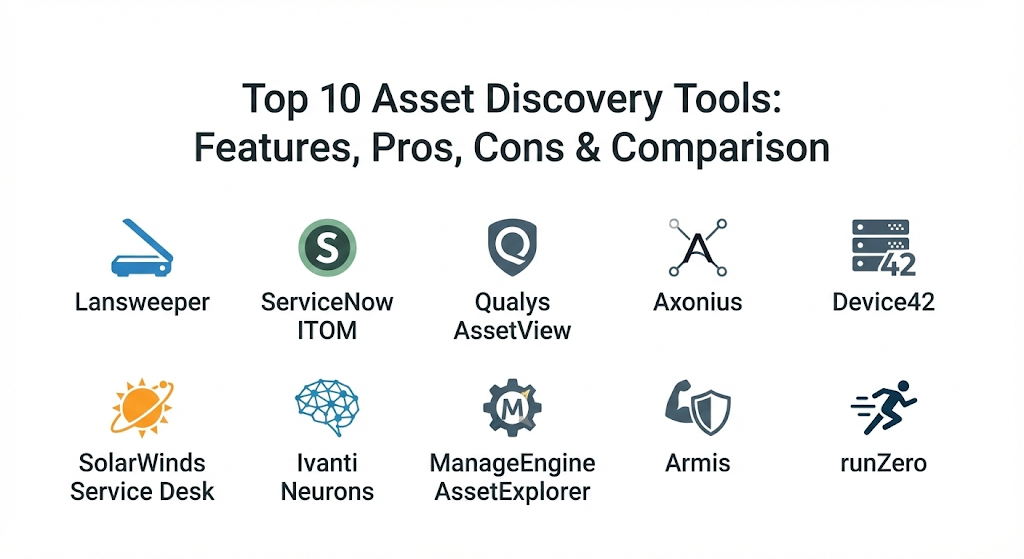
Top 10 Asset Discovery Tools
1 — Lansweeper
Lansweeper is a very popular tool known for being able to find almost anything with an IP address. It works without needing to install software on every individual device, making it much faster to set up for large networks.
- Key Features:
- Agentless discovery that finds computers, printers, and switches automatically.
- Detailed hardware specifications, including RAM, CPU, and disk space.
- Inventory tracking for software and operating system versions.
- Automatic mapping of how devices are connected to each other.
- Customizable reports that can be sent to your email automatically.
- Integration with popular help desk and service management platforms.
- Pros:
- It is incredibly thorough and finds devices that other tools often miss.
- You don’t have to spend weeks installing software on every laptop in the building.
- Cons:
- The user interface can feel a bit crowded because it shows so much data.
- Some of the advanced reporting features take a bit of time to learn.
- Security & Compliance: Offers SSO, encrypted database connections, and detailed audit logs. It helps with GDPR and SOC 2 compliance.
- Support & Community: Excellent documentation, an active user forum, and responsive email support for paid users.
2 — ServiceNow ITOM
ServiceNow is a giant in the business world. Its Asset Discovery tool is part of a larger system called IT Operations Management (ITOM). It is built for very large companies that need to manage thousands of items across the globe.
- Key Features:
- Deep integration with the ServiceNow “single platform” ecosystem.
- Cloud discovery for platforms like Amazon Web Services and Microsoft Azure.
- Service mapping that shows how hardware affects specific business apps.
- Certificate management to track when website security is about to expire.
- Machine learning that helps group similar assets together automatically.
- High-level governance tools for checking if technology meets company rules.
- Pros:
- It is the most powerful tool for seeing how technology helps run the business.
- Everything is kept in one place, from discovery to the help desk.
- Cons:
- It is one of the most expensive options on the market.
- You will likely need a specialist or a consultant to set it up properly.
- Security & Compliance: Top-tier security including ISO 27001, HIPAA, and FedRAMP compliance.
- Support & Community: Massive global community, extensive training courses, and dedicated enterprise support.
3 — Qualys AssetView
Qualys is primarily a security company, so their asset discovery tool focuses heavily on finding devices so they can be checked for weaknesses. It is cloud-based and very fast at scanning global networks.
- Key Features:
- Continuous monitoring that alerts you the moment a new device appears.
- Categorization of assets based on their security risk levels.
- Ability to search through millions of assets in just a few seconds.
- Lightweight “Cloud Agents” for devices that are not always on the office network.
- Detailed tracking of software vulnerabilities on every found device.
- Clean, visual dashboards that show the “health” of your entire network.
- Pros:
- Perfect for teams that care most about security and preventing hacks.
- Very easy to scale up as your company grows larger.
- Cons:
- It focuses more on security than on general IT tasks like hardware maintenance.
- The pricing can get complicated based on how many devices you scan.
- Security & Compliance: SOC 1 and SOC 2 compliant, uses strong encryption, and supports GDPR.
- Support & Community: Detailed technical documentation and a strong library of video tutorials.
4 — Axonius
Axonius takes a different approach. Instead of scanning the network itself, it connects to all the other tools you already have (like your antivirus or your email system) and pulls their data together into one master list.
- Key Features:
- Connections to hundreds of different security and management tools.
- Automatically finds “unmanaged” devices that don’t have antivirus installed.
- Query system that lets you ask questions like “Which laptops are missing updates?”
- Automated actions, such as sending an alert when a new server is found.
- Asset correlation that combines multiple records for the same device.
- Simple dashboard that shows your “coverage gaps” in security.
- Pros:
- It finds things that network scanners miss by looking at your data from different angles.
- It takes very little time to see results because it uses your existing data.
- Cons:
- It relies on your other tools being set up correctly to get the best info.
- It is a premium product that might be too much for smaller budgets.
- Security & Compliance: Offers SSO and is SOC 2 Type 2 compliant.
- Support & Community: Known for very personalized customer success managers and fast help.
5 — Device42
Device42 is a favorite for people who manage data centers. It provides a very detailed view of everything from the cables in the wall to the virtual servers running in the cloud.
- Key Features:
- Automatic discovery of physical, virtual, and cloud infrastructure.
- IP Address Management (IPAM) to track every web address on your network.
- Visual maps of data center racks and how they are wired.
- Dependency mapping that shows which servers depend on each other.
- Software license management to help you stay compliant with vendors.
- Open API that lets you connect it to almost any other software.
- Pros:
- It is the best tool for seeing the physical layout of your server room.
- The dependency maps are incredibly helpful for preventing outages during updates.
- Cons:
- It can be a bit too complex for a company that doesn’t have its own servers.
- The interface has a steeper learning curve than some more modern apps.
- Security & Compliance: Provides audit trails, SSO, and various encryption options.
- Support & Community: Good technical support and a helpful blog with “how-to” guides.
6 — SolarWinds Service Desk
SolarWinds offers a service desk that has asset discovery built right into it. This makes it a great choice for teams that want their help desk and their asset list to talk to each other perfectly.
- Key Features:
- Automated discovery of both hardware and software.
- Integration with help desk tickets so you see a user’s computer info immediately.
- Risk detection that flags computers with old or unauthorized software.
- Mobile app that lets you scan barcodes of equipment in the office.
- Reporting on the “lifecycle” of a computer, from purchase to retirement.
- Contract management to keep track of warranties and service agreements.
- Pros:
- It makes the life of a help desk agent much easier by giving them instant info.
- It is very easy to use and does not require a lot of training.
- Cons:
- The discovery features are not as deep as specialized tools like Lansweeper.
- Large companies might find the reporting a bit basic for their needs.
- Security & Compliance: SOC 2 compliant and offers multi-factor authentication for users.
- Support & Community: Large “Thwack” community where users share tips and custom scripts.
7 — Ivanti Neurons
Ivanti Neurons is focused on automation. It uses “bots” to discover devices and even fix some problems automatically before a human has to get involved.
- Key Features:
- Real-time discovery that finds devices as soon as they join the network.
- “Self-healing” bots that can restart services or clear disk space.
- Advanced hardware and software inventory with usage tracking.
- Security gap analysis to find devices without a firewall or encryption.
- Support for “Edge” devices like tablets and smartphones used by remote workers.
- Dashboards that predict which computers are likely to fail soon.
- Pros:
- It helps small IT teams do the work of a much larger department through automation.
- It is excellent at managing devices for people who work from home.
- Cons:
- The automation rules can be complicated to set up at first.
- It is a powerful system that requires a significant investment.
- Security & Compliance: ISO 27001 certified and GDPR compliant.
- Support & Community: Offers professional onboarding and extensive online training.
8 — ManageEngine AssetExplorer
ManageEngine is known for creating tools that are affordable and cover all the basics very well. AssetExplorer is a great choice for medium-sized businesses that need to manage their technology budget.
- Key Features:
- Multi-platform scanning for Windows, Mac, and Linux.
- Purchase order management to track how much you spend on tech.
- Software asset management with “prohibited software” alerts.
- Ability to scan remote offices through a single central console.
- Inventory of non-IT assets like office chairs or desks if needed.
- Detailed reports on which computers are under-used or over-used.
- Pros:
- It is very cost-effective compared to most enterprise tools.
- It gives you a clear picture of your “Total Cost of Ownership” for your gear.
- Cons:
- The look and feel of the software can be a bit old-fashioned.
- The discovery speed can be slower than cloud-native tools.
- Security & Compliance: Varies / N/A (Standard encryption and password protection).
- Support & Community: Extensive video library and 24/5 phone support.
9 — Armis
Armis is a specialized tool built for the “Internet of Things” (IoT). While other tools look for laptops and servers, Armis is great at finding smart cameras, medical devices, and factory robots.
- Key Features:
- Entirely agentless—nothing ever needs to be installed on any device.
- Behavior monitoring that spots if a device starts acting strangely.
- Huge database of millions of device “profiles” to identify gear correctly.
- Risk scoring for every device based on its behavior and vulnerabilities.
- Integration with network switches to block dangerous devices automatically.
- Specialized support for industrial and healthcare equipment.
- Pros:
- It is the best choice for hospitals, factories, or “smart” offices.
- It works passively, meaning it won’t slow down your network while scanning.
- Cons:
- It might be more specialized than what a standard office needs.
- Because it is a high-end security tool, it carries a premium price.
- Security & Compliance: SOC 2 Type 2, HIPAA, and GDPR compliant.
- Support & Community: High-quality enterprise support and dedicated security researchers.
10 — runZero
Formerly known as Rumble, runZero is a modern tool that focuses on speed and discovering “unmanaged” assets without needing any special access or credentials.
- Key Features:
- Fast network scanning that doesn’t crash old or sensitive equipment.
- Fingerprinting that identifies the make and model of devices accurately.
- Discovery of devices on the public internet as well as the internal network.
- Simple interface that allows you to see your network map in minutes.
- Support for finding devices hiding behind firewalls or in separate offices.
- Integration with cloud providers to show your “external” footprint.
- Pros:
- It is remarkably easy to set up and starts showing results almost instantly.
- It is very safe to use on delicate networks like those in hospitals or plants.
- Cons:
- It focuses strictly on discovery and doesn’t do deep software management.
- It is a relatively newer tool, so it has fewer integrations than ServiceNow.
- Security & Compliance: Offers SSO, audit logs, and is SOC 2 compliant.
- Support & Community: Active Slack community and very helpful documentation.
Comparison Table
| Tool Name | Best For | Platform(s) Supported | Standout Feature | Rating |
| Lansweeper | General IT Inventory | Windows, Linux, Mac | Agentless Scanning | 4.6/5 |
| ServiceNow | Large Enterprises | Web, Cloud | Service Mapping | 4.4/5 |
| Qualys | Security-First Teams | Cloud, Web | Vulnerability Sync | 4.5/5 |
| Axonius | Aggregating Tool Data | Web, SaaS | 300+ Integrations | 4.8/5 |
| Device42 | Data Center Managers | Web, On-premise | Dependency Mapping | 4.3/5 |
| SolarWinds | Help Desk Integration | Web, Mobile | ITIL Alignment | 4.2/5 |
| Ivanti Neurons | Automation & Bots | Web, Windows, Mac | Self-Healing Bots | 4.5/5 |
| ManageEngine | Budget-Conscious SMBs | Windows, Web | Purchase Tracking | 4.1/5 |
| Armis | IoT & Healthcare | Cloud | Passive Monitoring | 4.7/5 |
| runZero | Fast Network Mapping | Web, Cloud | No-Credential Scans | 4.8/5 |
Evaluation & Scoring of Asset Discovery Tools
To help you compare these tools more scientifically, we have used the following scoring rubric based on industry standards.
| Criteria | Weight | Explanation |
| Core Features | 25% | How well the tool finds and identifies different types of hardware and software. |
| Ease of Use | 15% | How simple it is to install, navigate, and get useful information from the tool. |
| Integrations | 15% | Does it connect with your help desk, security tools, and cloud platforms? |
| Security | 10% | The tool’s own security features and how it helps you stay compliant with laws. |
| Performance | 10% | How fast the scans are and whether they slow down your office network. |
| Support | 10% | The quality of help available from the company and the user community. |
| Price / Value | 15% | Whether the features you get are worth the money you are paying. |
Which Asset Discovery Tool Is Right for You?
Choosing a tool is all about matching its strengths to your specific company’s needs.
Solo Users vs. SMB vs. Mid-market vs. Enterprise
For very small teams (SMBs), ManageEngine or Lansweeper are often the best starting points because they are easy to install and don’t require a whole department to run them. Mid-market companies often prefer runZero or SolarWinds because they provide a nice balance of speed and help desk features. Large enterprises with thousands of employees usually need the heavy-duty power of ServiceNow or Axonius to manage the complexity of their global networks.
Budget-conscious vs. Premium Solutions
If you are on a tight budget, ManageEngine provides the most “bang for your buck” and even has a limited free version. If your budget is higher and your main goal is security, investing in Qualys or Armis is often worth it because the cost of a single security breach is much higher than the price of the software.
Feature Depth vs. Ease of Use
If you want something that just works “out of the box” with almost zero setup, runZero is the winner. If you are willing to spend more time setting things up to get very deep, technical data about every server and wire in your building, Device42 is the better choice.
Integration and Scalability Needs
If you already use a lot of other software and want one tool to rule them all, Axonius is perfect because it talks to everything else. If you plan on growing very quickly, cloud-based tools like Qualys are the easiest to scale up because you don’t have to buy more of your own servers to run the discovery software.
Frequently Asked Questions (FAQs)
1. Does asset discovery slow down my company network?
Most modern tools are designed to be “network friendly.” Passive tools like Armis or efficient scanners like runZero use very little bandwidth and are safe to use even during the busiest work hours.
2. What is the difference between an “agent” and “agentless” tool?
An “agent” is a small program you must install on every computer. “Agentless” tools scan the network from the outside. Agentless is easier to set up, but agents can sometimes provide more detailed data for remote workers.
3. Can these tools find cloud assets like Amazon AWS?
Yes, most top-tier tools like ServiceNow and Axonius have built-in connectors that search through your cloud accounts just as easily as they search your physical office.
4. How often should I run a discovery scan?
For most businesses, running a full scan once a day is enough. However, high-security companies often use “continuous discovery” which alerts them the second a new device is plugged in.
5. Are these tools hard to set up?
It varies. A tool like runZero can be up and running in ten minutes. An enterprise platform like ServiceNow might take several months of planning and configuration.
6. Do I need asset discovery if I already have an antivirus?
Yes. Antivirus only tells you about the computers it is installed on. Asset discovery finds the things you forgot to put antivirus on, like a guest printer or a forgotten server.
7. Can these tools help with software licensing?
Many of them can. Tools like Lansweeper and ManageEngine track what software is installed and can tell you if you have more installations than you have paid for, helping you avoid fines.
8. What is “Shadow IT”?
Shadow IT refers to devices or software that employees use without the IT department knowing about it. Asset discovery is the main way to find and manage these “hidden” risks.
9. Can I use these tools for remote workers?
Yes. Most modern tools use either a cloud agent or a special “tunnel” to find and update information for laptops being used at home or in coffee shops.
10. What happens if the tool finds a device it doesn’t recognize?
The tool will usually list it as an “Unknown Device” and provide its IP address. An IT manager can then look at the details to decide if it is a safe device or a security threat.
Conclusion
The right Asset Discovery Tool is the one that fits your specific team and your specific network. If you have a lot of smart devices and cameras, a tool like Armis is essential. If you are a large corporation looking to organize your entire business, ServiceNow is the standard. For everyone else, a versatile and fast tool like Lansweeper or runZero usually provides the best results.
What matters most is that you choose a tool that your team will actually use. A tool with a thousand features is useless if it is too hard to understand. Pick a platform that makes your life easier, gives you clear answers, and helps you sleep better knowing that every device on your network is accounted for.

- Top 10 Email Deliverability Tools: Features, Pros, Cons & Comparison - September 6, 2026
- Top 10 Pharmacovigilance Software: Features, Pros, Cons & Comparison - September 6, 2026
- Top 10 Manufacturing Execution Systems (MES) - July 30, 2026