Introduction
A blockchain wallet is more than just a digital storage space; it is your gateway to the decentralized web. In simple terms, it is a software or hardware tool that allows you to interact with blockchain networks to send, receive, and manage digital assets like Bitcoin, Ethereum, and NFTs. Unlike a traditional leather wallet that holds physical cash, a blockchain wallet stores the private keys—secret digital codes—that prove you own specific assets on the ledger.
As we move deeper into 2026, the importance of these tools has skyrocketed. They are no longer just for “HODLing” assets; they are essential for voting in DAOs, accessing decentralized finance (DeFi) loans, and even verifying your digital identity in virtual worlds. Without a secure and functional wallet, you are effectively locked out of the modern digital economy.
Key Real-World Use Cases:
- DeFi Participation: Swapping tokens, lending assets for interest, or providing liquidity to earn rewards.
- NFT Management: Safely storing, viewing, and trading digital collectibles and art.
- Cross-Border Payments: Sending funds globally in minutes with significantly lower fees than traditional banks.
- Web3 Identity: Using your wallet address as a single sign-on (SSO) for decentralized social media and gaming.
What to Look For When Choosing:
When evaluating a wallet, you should focus on Security (how keys are stored), Compatibility (which blockchains it supports), and User Experience (how easy it is to navigate). You also need to decide between a “Hot Wallet” (connected to the internet for convenience) and a “Cold Wallet” (offline for maximum security).
Best for: Individual investors, crypto traders, DeFi power users, and NFT collectors. It is also essential for corporate treasuries and decentralized organizations (DAOs) that need to manage shared funds securely.
Not ideal for: People who are not comfortable managing their own security. If the idea of losing a “seed phrase” and losing all your money sounds too risky, you might prefer a reputable centralized exchange where the company manages the keys for you.
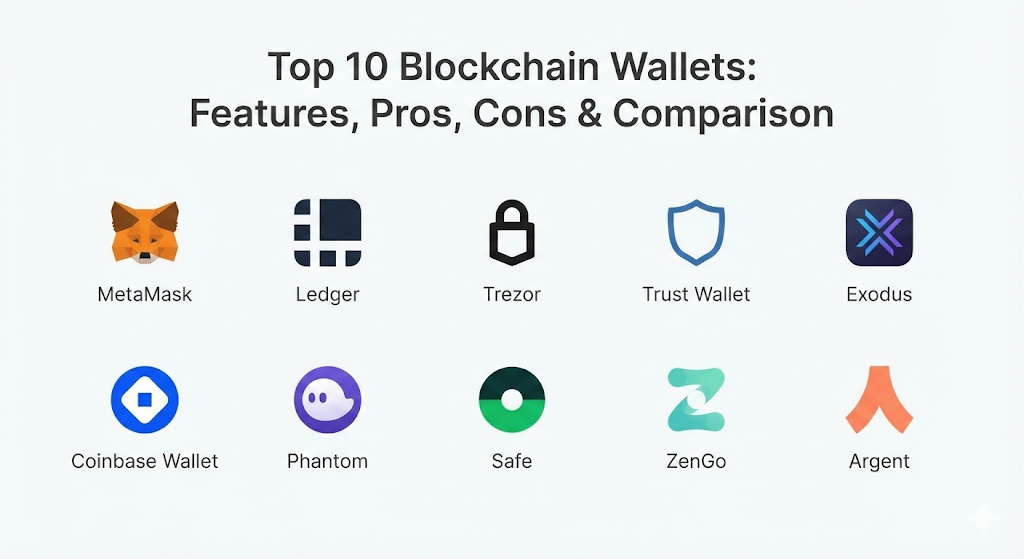
Top 10 Blockchain Wallets
1 — MetaMask
MetaMask is the undisputed leader in the Web3 space. Originally an Ethereum-only browser extension, it has evolved into a multichain powerhouse used by millions to access the world of decentralized applications (dApps).
- Key Features:
- MetaMask Snaps: Modular extensions that add features like security alerts and multichain support.
- Integrated Token Swaps: Aggregates liquidity from multiple DEXs to find the best rates.
- Fiat On-Ramps: Direct integration to buy crypto with credit cards or bank transfers.
- Portfolio Dashboard: A clean web view to track all assets and NFTs across various chains.
- Hardware Wallet Support: Easily connects to Ledger or Trezor for added security.
- Staking Interface: Native support for staking Ethereum directly through the wallet.
- Pros:
- The industry standard; if a dApp exists, it almost certainly supports MetaMask.
- Extremely flexible thanks to the new Snaps system.
- Cons:
- Higher swap fees compared to using a DEX directly.
- No native two-factor authentication (2FA).
- Security & Compliance: Non-custodial with local key encryption. Supports biometrics on mobile. Complies with GDPR for user data privacy.
- Support & Community: Massive community, extensive documentation, and a highly active developer ecosystem.
2 — Ledger Nano X / Stax
Ledger is the gold standard for “Cold Storage.” Their devices are physical hardware wallets that keep your private keys completely offline, protecting them from hackers and malware.
- Key Features:
- Secure Element Chip: Certified CC EAL6+ chip, the same technology used in passports.
- Bluetooth Connectivity: Pair with the Ledger Live mobile app for on-the-go management.
- Ledger Live Ecosystem: A comprehensive app for buying, swapping, and staking assets.
- Stax E-Ink Display: The newer Stax model features a large, curved touchscreen for easier use.
- Multichain Support: Manages over 5,500 different coins and tokens.
- NFT Compatibility: View and manage your NFT collections directly in the software.
- Pros:
- Industry-leading security; your keys never touch the internet.
- The Ledger Live app is very beginner-friendly.
- Cons:
- The hardware has a physical cost (ranging from $149 to $399).
- The software is not fully open-source.
- Security & Compliance: Hardware-based encryption. EAL5+/6+ certified. Varies / N/A for traditional corporate compliance.
- Support & Community: 24/7 customer support and a vast library of educational content (Ledger Academy).
3 — Trezor Model T / Safe 3
Trezor was the world’s first hardware wallet and remains a top choice for those who value open-source transparency. The Model T is their premium version featuring a full-color touchscreen.
- Key Features:
- Fully Open-Source: Every line of code is available for public audit.
- Shamir Backup: A security feature that lets you split your recovery phrase into multiple parts.
- Touchscreen Interface: Enter PINs and passwords directly on the device for safety.
- Passphrase Support: Allows for “hidden” wallets to protect against physical coercion.
- Trezor Suite: Desktop and web software for managing assets and privacy features.
- Coinjoin Integration: Built-in privacy tools for Bitcoin transactions.
- Pros:
- Unmatched transparency and a strong reputation for privacy.
- The touchscreen makes setup and recovery much easier.
- Cons:
- The Model T is bulky compared to modern sleek hardware.
- Mobile support is limited mainly to Android (via USB).
- Security & Compliance: Hardware-based encryption. Open-source audits. ISO 27001 standards followed.
- Support & Community: Dedicated support team and a very loyal, long-standing user community.
4 — Trust Wallet
Owned by Binance but operating independently, Trust Wallet is a mobile-first, multichain wallet designed for the average retail investor who wants simplicity.
- Key Features:
- Broad Asset Support: Supports over 100 different blockchains and millions of tokens.
- Native Staking: One-tap staking for popular coins like SOL, ETH, and BNB.
- Integrated dApp Browser: Explore decentralized websites directly within the app.
- NFT Storage: A dedicated tab to view your art and collectibles across different chains.
- Cloud Backup: Optional encrypted backups to Google Drive or iCloud.
- Direct Buying: Partnerships with Ramp and MoonPay for easy fiat entry.
- Pros:
- The interface is incredibly clean and fast.
- Support for nearly every niche blockchain you can think of.
- Cons:
- Being a “Hot Wallet,” it is inherently more vulnerable than hardware.
- The browser extension is not as mature as the mobile app.
- Security & Compliance: Non-custodial. Biometric lock support. Compliant with international data privacy rules.
- Support & Community: Large social media presence and extensive multi-language support guides.
5 — Exodus
Exodus is famous for its beautiful, artistic user interface. It is a “Software Wallet” available on desktop and mobile that makes managing a diverse portfolio feel like using a high-end banking app.
- Key Features:
- Visual Portfolio Charts: High-quality graphics to track your net worth and gains.
- Built-in Exchange: Swap hundreds of tokens without needing to use an external site.
- Trezor Integration: Pair your Trezor hardware with the Exodus UI for “Cold” security.
- One-Click Staking: Simple rewards for assets like Cardano, Solana, and Cosmos.
- 24/7 Human Support: One of the few wallets with a live help desk for users.
- NFT Gallery: Beautifully displays NFTs across Ethereum and Solana.
- Pros:
- Possibly the best user interface in the entire crypto industry.
- Excellent for beginners who want a “all-in-one” feel.
- Cons:
- No custom gas fee settings for many altcoins.
- Not fully open-source, which some purists dislike.
- Security & Compliance: Local encryption. Password protection. Varies / N/A.
- Support & Community: Industry-leading 24/7 customer support via email and chat.
6 — Coinbase Wallet
Coinbase Wallet is a self-custody wallet that is separate from the Coinbase exchange. It is designed to bridge the gap between the regulated world of centralized finance and the wild west of Web3.
- Key Features:
- Exchange Link: Easily transfer funds between your Coinbase account and your wallet.
- Simple Username System: Use “cb.id” or ENS names to send money instead of long addresses.
- Decentralized Web Browser: Access Uniswap, OpenSea, and thousands of other dApps.
- Malicious Site Protection: Alerts you if you are about to sign a transaction with a known scam.
- USDC Fee-Free Transfers: Send USDC on Layer 2 networks with zero gas fees.
- Cloud Seed Backup: Encrypted backup to your personal cloud account for easy recovery.
- Pros:
- Backed by a public US company with a strong security track record.
- Very easy to fund if you already use the Coinbase exchange.
- Cons:
- As a hot wallet, it is not ideal for large, long-term savings.
- Limited hardware support on the mobile version.
- Security & Compliance: SOC 2 audited. Biometric security. Complies with US and international financial regulations.
- Support & Community: Extensive help center and phone support (though often automated).
7 — Phantom
Originally built for Solana, Phantom has expanded to become a premier multichain wallet for Ethereum and Polygon. It is the gold standard for speed and NFT interaction.
- Key Features:
- Scam Filtering: Automatically hides spam NFTs and malicious tokens from your view.
- Instant Sell: A feature to sell NFTs directly at the best floor price in one click.
- Cross-Chain Swapper: Seamlessly bridge assets between Solana and Ethereum.
- High-Performance Staking: Direct delegation to Solana validators with high APYs.
- Clean NFT Display: One of the most visually pleasing ways to browse your collectibles.
- Hardware Integration: Strong support for Ledger via browser and mobile.
- Pros:
- Blazing fast performance, especially on the Solana network.
- Excellent security features that filter out common phishing attempts.
- Cons:
- Supports fewer blockchains compared to Trust Wallet or MetaMask.
- No native desktop app; it is extension or mobile-only.
- Security & Compliance: Audited by top firms like Kudelski. Non-custodial with local encryption.
- Support & Community: Very active Discord community and rapid developer updates.
8 — Safe (formerly Gnosis Safe)
Safe is the leading “Multisig” (multi-signature) wallet. It is a smart contract wallet that requires multiple people to approve a transaction before it can happen.
- Key Features:
- Multi-Signature Logic: Set rules like “2-out-of-3 signatures required” for a transfer.
- Programmable Security: Add spending limits or “Guardians” to your account.
- Transaction Simulation: See exactly what a transaction will do before you sign it.
- Institutional-Grade Security: Used by DAOs and large crypto companies to store billions.
- Safe Apps: Access DeFi protocols directly through the Safe interface.
- Account Abstraction: Allows for advanced features like gas-less transactions.
- Pros:
- The most secure way to store large amounts of crypto without a single point of failure.
- Perfect for teams, families, or business partnerships.
- Cons:
- Higher gas fees because every transaction is a smart contract execution.
- Currently only supports Ethereum and EVM-compatible chains.
- Security & Compliance: Open-source and heavily audited. No single private key can lose the funds.
- Support & Community: Strong developer documentation and a dedicated ecosystem for DAO tools.
9 — ZenGo
ZenGo is a unique “Seedless” wallet. It uses Multi-Party Computation (MPC) technology to eliminate the need for a 12-word seed phrase, which is often the biggest hurdle for new users.
- Key Features:
- No Seed Phrase: Your security is split between your phone and ZenGo’s servers.
- Biometric Recovery: Recover your wallet simply by scanning your face.
- MPC Technology: No single point of failure; a hack of their servers doesn’t lose your funds.
- Chill Storage: A guarantee that you can always access your funds even if the company closes.
- Clear Interface: Built specifically for people who are new to the world of crypto.
- Firewall Protection: Built-in protection against malicious Web3 transactions.
- Pros:
- No risk of losing your seed phrase in a house fire or by forgetting where you hid it.
- The recovery process is as simple as any modern banking app.
- Cons:
- Requires KYC (Know Your Customer) for some fiat-out features.
- Not all crypto assets are supported due to the specialized MPC tech.
- Security & Compliance: Audited by firms like PeckShield. Complies with GDPR and SOC 2 standards.
- Support & Community: Very responsive 24/7 human customer support.
10 — Argent
Argent is a “Smart Wallet” designed for Ethereum Layer 2 networks like Starknet and zkSync. It focuses on making DeFi cheap, fast, and incredibly secure without a seed phrase.
- Key Features:
- Social Recovery: Choose “Guardians” (friends or other devices) to help you recover your wallet.
- L2 Native: Optimized for low-cost transactions on Starknet and zkSync.
- Investment Tab: One-tap access to yield-generating protocols like Aave and Yearn.
- Simple Usernames: No need to remember long “0x…” addresses; use a simple handle.
- No Seed Phrase: Uses smart contract logic for security instead of a recovery phrase.
- Fraud Monitoring: Alerts and blocks suspicious activity automatically.
- Pros:
- Gas fees are up to 99% cheaper than the Ethereum mainnet.
- Excellent for users who live on mobile and want a banking-like experience.
- Cons:
- Primarily focused on the Ethereum ecosystem; no Bitcoin support.
- Setup can take a few minutes as it deploys a smart contract for you.
- Security & Compliance: Open-source smart contracts. Guardian-based recovery. SOC 2 compliant.
- Support & Community: Dedicated Starknet community and active developer help.
Comparison Table
| Tool Name | Best For | Platform(s) Supported | Standout Feature | Rating |
| MetaMask | DeFi & dApp Power Users | Browser, Mobile | Snaps Modular Extensions | 4.8/5 |
| Ledger Nano X | Maximum Security | Hardware, Mobile | Secure Element Chip | 4.9/5 |
| Trezor Model T | Privacy & Open-Source | Hardware, Desktop | Shamir Backup System | 4.7/5 |
| Trust Wallet | Multichain Retail Users | Mobile, Browser | Massive Asset Library | 4.6/5 |
| Exodus | UI & Portfolio Tracking | Desktop, Mobile | Stunning Design & Staking | 4.5/5 |
| Coinbase Wallet | New Web3 Explorers | Mobile, Browser | Link to Exchange/cb.id | 4.4/5 |
| Phantom | Solana & NFT Traders | Browser, Mobile | Scam & Spam Filtering | 4.7/5 |
| Safe | DAOs & High-Net Worth | Web, Mobile | Multisig (No Single Key) | 4.8/5 |
| ZenGo | Seedless Convenience | Mobile | Biometric Face Recovery | 4.5/5 |
| Argent | Low-Cost L2 DeFi | Mobile | Social Guardians | 4.6/5 |
Evaluation & Scoring of Blockchain Wallets
We evaluated these tools using a weighted scoring rubric to help you identify the best fit for your specific needs.
| Criteria | Weight | Explanation |
| Core Features | 25% | Capacity for swaps, staking, NFT management, and multichain support. |
| Ease of Use | 15% | Intuitiveness of the interface and the simplicity of the onboarding process. |
| Integrations | 15% | How well it connects to dApps, exchanges, and other hardware. |
| Security | 10% | The strength of key storage and protection against hacks or social engineering. |
| Performance | 10% | Speed of transactions and reliability of the software/firmware. |
| Support | 10% | Quality of documentation and availability of customer assistance. |
| Price / Value | 15% | Balance between the features provided and the cost (hardware or fees). |
Which Blockchain Wallet Is Right for You?
Choosing a wallet is a personal decision that depends on how much you have and how often you trade.
Solo Users vs. SMB vs. Mid-market vs. Enterprise
For individual solo users, MetaMask or Phantom are the daily drivers for dApps. For small and medium-sized businesses (SMBs) that need to pay employees in crypto, Safe is essential to ensure no one person can run away with the funds. Large enterprises often use a combination of Ledger Enterprise and Safe to manage institutional-grade security and compliance requirements.
Budget-conscious vs. Premium Solutions
If you are starting with a small amount of money, stay with a free “Hot Wallet” like Trust Wallet or Exodus. As soon as your portfolio exceeds $1,000, it is highly recommended to invest in a premium “Cold” solution like a Ledger or Trezor. The one-time cost of the hardware is much cheaper than losing your entire life savings to a phishing hack.
Feature Depth vs. Ease of Use
If you want every feature imaginable—custom networks, manual gas settings, and experimental tools—MetaMask is the choice. If you just want a “buy and hold” experience that looks like a modern fintech app, ZenGo or Exodus will make your life much easier.
Integration and Scalability Needs
For those who want to explore every corner of the crypto world (L1s, L2s, and niche chains), Trust Wallet offers the best multichain scalability. If you are exclusively an Ethereum and DeFi fan, Argent or Safe provide the best integration with the modern smart contract ecosystem.
Frequently Asked Questions (FAQs)
1. What happens if I lose my 12-word seed phrase?
In a traditional non-custodial wallet (like MetaMask or Ledger), if you lose your seed phrase, your funds are gone forever. There is no “forgot password” button. This is why tools like ZenGo (biometric) and Argent (guardians) have become so popular.
2. Is it safe to leave my crypto on an exchange like Binance?
While convenient, it is not recommended for large amounts. As the saying goes: “Not your keys, not your coins.” If the exchange gets hacked or freezes accounts, you lose access. A private wallet gives you total control.
3. What is the difference between a “Hot” and “Cold” wallet?
A Hot Wallet is connected to the internet (apps, browser extensions), making it convenient but vulnerable to malware. A Cold Wallet (hardware) is offline, making it virtually impossible for a hacker to steal your keys remotely.
4. Can one wallet hold every type of cryptocurrency?
No single wallet supports every single blockchain, but “Multichain” wallets like Trust Wallet and Exodus come very close, supporting over 50-100 of the most popular networks.
5. Do I have to pay a fee to use these wallets?
Most software wallets are free to download. However, you will pay “Gas Fees” to the blockchain network for every transaction. Some wallets also charge a small service fee (usually 0.5% – 1%) for in-app swaps.
6. Can I use the same wallet on my phone and computer?
Yes. You can “import” your 12-word seed phrase into multiple wallet apps. For example, you can use MetaMask on your desktop and Trust Wallet on your phone to access the same funds.
7. Are hardware wallets waterproof?
Most are not. Devices like Ledger and Trezor are sensitive electronics. You should store them in a cool, dry place and keep your paper backup phrase in a fireproof/waterproof safe.
8. What is “Account Abstraction”?
This is a new technology (used by Argent and Safe) that turns your wallet into a smart contract. It allows for features like spending limits, social recovery, and paying gas fees in stablecoins instead of ETH.
9. Why does my wallet show tokens I didn’t buy?
These are often “Spam airdrops.” Scammers send tokens to millions of addresses to trick you into visiting their site. High-end wallets like Phantom and Coinbase Wallet automatically hide these for you.
10. Do I need a wallet for NFTs?
Yes. While some marketplaces let you buy with a credit card, you still need a wallet (like MetaMask or Phantom) to truly “own” the NFT and be able to sell it or use it as a profile picture.
Conclusion
The “best” blockchain wallet isn’t necessarily the one with the most bells and whistles—it’s the one that you feel comfortable and secure using every day. If you are a high-volume DeFi trader, MetaMask is likely your home. If you are a long-term “HODLer” with a significant net worth, a Ledger or Trezor hardware wallet is non-negotiable.
For those who find the technical side of crypto intimidating, modern “Seedless” options like ZenGo and Argent are proving that security doesn’t have to be complicated. No matter which you choose, the golden rule remains the same: never share your recovery phrase with anyone, and always double-check your addresses. By choosing a wallet that aligns with your specific needs, you are securing your place in the future of finance.

- Top 10 Email Deliverability Tools: Features, Pros, Cons & Comparison - September 6, 2026
- Top 10 Pharmacovigilance Software: Features, Pros, Cons & Comparison - September 6, 2026
- Top 10 Manufacturing Execution Systems (MES) - July 30, 2026