Introduction
In 2026, ensuring children’s online safety has become more critical than ever. With the rise of digital education, social media, and gaming platforms, kids spend more time online—often unsupervised. Child Safety Software helps parents monitor, manage, and protect their children from online threats such as cyberbullying, inappropriate content, online predators, and excessive screen time. These tools provide real-time alerts, GPS tracking, activity reports, and AI-based threat detection to ensure a safe digital environment.
Choosing the right Child Safety Software depends on your child’s age, device type, and level of parental control you need. The best tools in 2026 offer cross-platform support, robust privacy settings, customizable filters, and advanced monitoring without being overly intrusive. In this guide, we’ll explore the Top 10 Child Safety Software Tools in 2026, along with their features, pros, cons, and a comprehensive comparison to help you find the best one for your family.
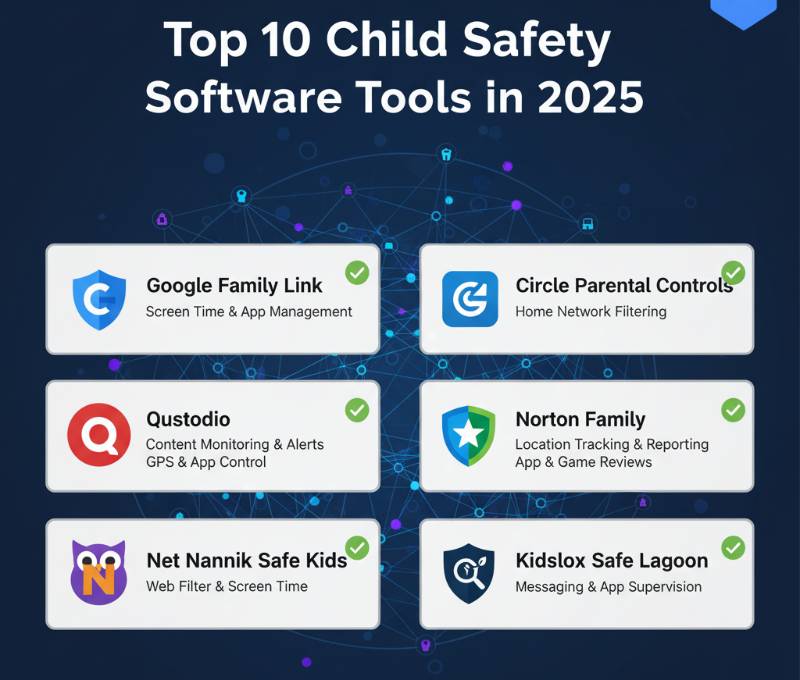
Top 10 Child Safety Software Tools in 2026
1. Qustodio
Short Description: Qustodio is one of the most popular parental control and child safety software tools that helps parents monitor and manage children’s digital activity across devices.
Key Features:
- Screen time management
- Web filtering and content blocking
- Real-time location tracking
- Social media monitoring
- App usage reports
- Panic button (for Android)
Pros:
- Intuitive and easy-to-use dashboard
- Excellent multi-platform support
- Detailed activity reports
Cons:
- Premium plans can be costly
- Limited social media monitoring on iOS
2. Norton Family
Short Description: Norton Family, from the trusted Norton brand, provides comprehensive parental control features focused on web safety, location tracking, and time management.
Key Features:
- Real-time location tracking
- Web filtering and time limits
- School time mode for online learning
- Detailed browsing reports
- Video supervision on YouTube and Hulu
Pros:
- Reliable and secure from a trusted brand
- Strong reporting tools
- Excellent for families with multiple children
Cons:
- No support for Mac devices
- Complex setup for new users
3. Bark
Short Description: Bark is an AI-driven child monitoring tool designed to detect potential risks like cyberbullying, online predators, and self-harm behaviors.
Key Features:
- AI-based content monitoring
- Social media and text message scanning
- Screen time and web filter controls
- Alerts for concerning activities
- Family location sharing
Pros:
- Excellent AI-based detection
- Supports over 30 social media platforms
- Great alert system for parents
Cons:
- Can generate too many notifications
- Interface can be overwhelming at first
4. Net Nanny
Short Description: Net Nanny offers intelligent web filtering and real-time alerts to help parents monitor online activities and prevent exposure to harmful content.
Key Features:
- Dynamic content filtering
- Internet and app time management
- Pornography and inappropriate content blocking
- Location tracking
- Alerts and reports for suspicious activity
Pros:
- Excellent web filtering technology
- Supports multiple platforms
- Real-time alerts
Cons:
- Limited social media coverage
- Premium pricing
5. FamilyTime
Short Description: FamilyTime offers advanced location tracking and geofencing features for parents concerned about children’s physical safety and online activity.
Key Features:
- Real-time GPS tracking
- Geofencing alerts
- App blocking and screen time control
- SOS and panic alerts
- Web filters and safe browsing
Pros:
- Excellent for location safety
- Real-time panic alerts
- User-friendly app interface
Cons:
- No desktop app
- Some features limited on iOS
6. Kaspersky Safe Kids
Short Description: Kaspersky Safe Kids combines parental controls with cybersecurity features to keep children safe online and in the real world.
Key Features:
- GPS location tracking
- Screen time and app usage control
- Web filtering and safe search
- Social media monitoring (Facebook, YouTube)
- Battery status tracking
Pros:
- Affordable pricing
- Effective filtering and location features
- Supports unlimited child profiles
Cons:
- Interface could be more modern
- Social media monitoring limited to specific platforms
7. NetSafety360
Short Description: NetSafety360 is an emerging AI-driven parental control tool providing real-time monitoring and digital wellbeing analytics.
Key Features:
- AI-based content detection
- Screen time analysis
- Chat and text monitoring
- Location tracking
- Web and app usage analytics
Pros:
- Great for modern digital parenting
- Smart AI detection
- Comprehensive analytics
Cons:
- Newer tool with limited reviews
- No desktop client yet
8. Mobicip
Short Description: Mobicip is a well-rounded parental control app offering device monitoring, screen time scheduling, and safe web browsing for children.
Key Features:
- Cross-platform support
- Website and app blocking
- Screen time scheduling
- Location tracking
- Family activity dashboard
Pros:
- Great for large families
- Cloud-based management console
- Reliable performance
Cons:
- Some features behind paywall
- Interface can lag on older phones
9. FamiSafe (by Wondershare)
Short Description: FamiSafe offers smart AI-driven parental controls with real-time alerts, location tracking, and content management for kids.
Key Features:
- Location tracking and geofencing
- Screen time control
- AI content detection
- YouTube and social media monitoring
- App blocker and web filter
Pros:
- Great cross-platform support
- Reliable content monitoring
- Intuitive design
Cons:
- Free version limited
- Premium version slightly expensive
10. MMGuardian
Short Description: MMGuardian is designed for parents of teens, offering powerful text message monitoring and advanced filtering tools.
Key Features:
- Text and chat monitoring
- Web and app filters
- Time limits and lock features
- AI-based danger detection
- Location tracking
Pros:
- Great for teens
- Excellent text message insights
- Robust safety alerts
Cons:
- Limited iOS functionality
- Dated interface
Comparison Table: Top 10 Child Safety Software in 2026
| Tool Name | Best For | Platforms | Standout Feature | Pricing | Avg. Rating |
|---|---|---|---|---|---|
| Qustodio | Multi-device families | iOS, Android, Windows, Mac | Advanced activity reports | Free / Starts $54.95/yr | 4.6/5 |
| Norton Family | Multi-child households | Windows, Android, iOS | School Time mode | Starts $49.99/yr | 4.5/5 |
| Bark | Social media users | iOS, Android | AI-based risk detection | Starts $14/month | 4.7/5 |
| Net Nanny | Web safety enthusiasts | iOS, Android, Windows, Mac | Dynamic web filtering | Starts $39.99/yr | 4.6/5 |
| FamilyTime | Location tracking | Android, iOS | Geofencing + SOS alerts | Starts $27/yr | 4.4/5 |
| Kaspersky Safe Kids | Affordable control | iOS, Android, Windows, Mac | Unlimited child profiles | Starts $19.99/yr | 4.5/5 |
| NetSafety360 | AI-driven monitoring | Android, iOS, Web | AI-based detection | Starts $29.99/yr | 4.3/5 |
| Mobicip | Family management | Android, iOS, Windows, Mac | Cloud family dashboard | Starts $49.99/yr | 4.4/5 |
| FamiSafe | AI-driven protection | Android, iOS, Windows, Mac | Smart AI content alerts | Starts $10.99/month | 4.6/5 |
| MMGuardian | Teens and pre-teens | Android, iOS | Text message monitoring | Starts $4.99/month | 4.5/5 |
Which Child Safety Software Tool is Right for You?
- For All-Round Protection: Qustodio and Norton Family provide a balanced mix of web safety, monitoring, and parental controls.
- For Social Media Monitoring: Bark and FamiSafe offer superior AI-based content detection.
- For Younger Kids: Kaspersky Safe Kids and Net Nanny provide simple, effective controls with affordability.
- For Teens: MMGuardian is perfect for text and chat supervision.
- For Location-Focused Parents: FamilyTime offers real-time tracking and geofencing.
- For Tech-Savvy Parents: NetSafety360’s AI-powered insights are ideal for proactive monitoring.
Conclusion
In 2026, child safety extends beyond web filtering—it’s about proactive protection powered by AI, machine learning, and real-time insights. Whether you’re a parent looking to monitor screen time, track location, or ensure online well-being, the right Child Safety Software will give you peace of mind. From Qustodio’s robust all-round solution to Bark’s AI-driven alerts, every tool brings unique strengths to digital parenting. Try free trials to find what fits your family’s needs and ensure your child’s online safety in this fast-evolving digital era.
FAQs
Q1. What is the best free child safety software in 2026?
Kaspersky Safe Kids and Qustodio offer free versions with solid features.
Q2. Which software provides the best social media monitoring?
Bark and FamiSafe lead in AI-based social media content detection.
Q3. Do these apps work on both Android and iOS?
Yes, most tools offer cross-platform compatibility, though features may vary by OS.
Q4. Is child safety software safe for privacy?
Yes, leading apps comply with global privacy laws like GDPR and COPPA.
Q5. Which is best for tracking kids’ locations?
FamilyTime and Kaspersky Safe Kids offer reliable GPS and geofencing features.

- Top 10 AI Model Serving Frameworks Tools in 2026: Features, Pros, Cons & Comparison - August 30, 2026
- Top 10 Construction Management Software Tools in 2026: Features, Pros, Cons & Comparison - August 11, 2026
- Top 10 AI Academic Writing Tools in 2026: Features, Pros, Cons & Comparison - August 11, 2026