Introduction
In 2026, computer vision tools are transforming industries—from healthcare and autonomous vehicles to retail, manufacturing, and security. These tools allow computers to analyze, interpret, and understand visual data, bridging the gap between human perception and machine intelligence. With advancements in deep learning, edge computing, and AI hardware acceleration, computer vision has become more powerful, accurate, and accessible than ever before.
Choosing the right computer vision software depends on various factors such as scalability, supported frameworks, integration options, and deployment flexibility (cloud vs. edge). In this article, we’ll explore the Top 10 Computer Vision Tools in 2026, analyzing their features, pros, cons, and ideal use cases to help developers, researchers, and businesses make informed decisions.
Top 10 Computer Vision Tools in 2026
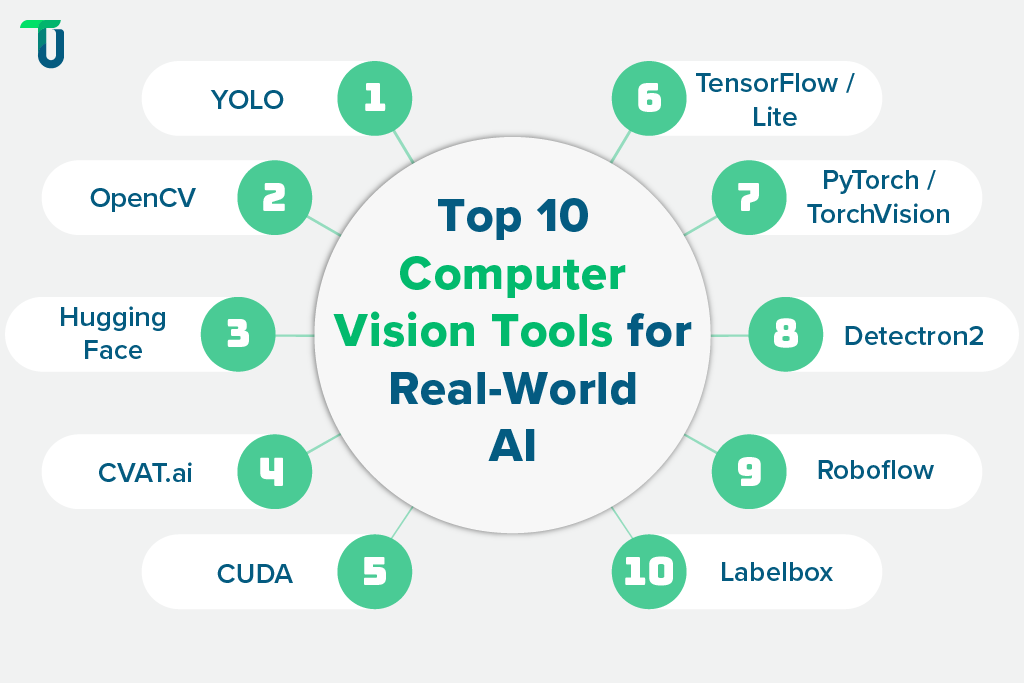
1. OpenCV (Open Source Computer Vision Library)
Short Description: OpenCV is the world’s most popular open-source computer vision library, used for image processing, motion detection, facial recognition, and more.
Key Features:
- 2500+ optimized algorithms for image and video analysis
- Cross-platform support (Windows, macOS, Linux, Android, iOS)
- Supports C++, Python, Java, and MATLAB
- Real-time computer vision and machine learning support
- Deep learning module (DNN)
- Integration with TensorFlow, PyTorch, and ONNX
Pros:
- Free and open-source
- Extensive community support
- Highly customizable
Cons:
- Requires programming knowledge
- Limited GUI or visual workflow
2. TensorFlow (TensorFlow Vision APIs)
Short Description: TensorFlow, developed by Google, is a comprehensive machine learning platform with strong support for computer vision through TensorFlow Vision APIs and TensorFlow Lite.
Key Features:
- Pre-trained models for image classification, detection, and segmentation
- TensorFlow Hub for transfer learning
- TensorFlow Lite for edge and mobile vision
- TensorFlow.js for browser-based vision tasks
- Integration with Keras for simplicity
Pros:
- Highly scalable and versatile
- Extensive documentation and tutorials
- Ideal for deep learning-based computer vision
Cons:
- Complex for beginners
- Requires GPU for large models
3. Amazon Rekognition
Short Description: A fully managed cloud-based computer vision service by AWS for image and video analysis.
Key Features:
- Object and activity detection
- Facial analysis and recognition
- Text and scene detection
- Celebrity recognition
- Content moderation (explicit/violent content detection)
- API integration with AWS ecosystem
Pros:
- No setup or model training required
- Scalable cloud infrastructure
- Pay-as-you-go pricing
Cons:
- Limited customization
- Dependent on AWS services
4. Microsoft Azure Computer Vision
Short Description: A part of Azure Cognitive Services, it offers AI-powered APIs for extracting insights from images and videos.
Key Features:
- Optical character recognition (OCR)
- Face and emotion detection
- Object and scene tagging
- Image caption generation
- Integration with Azure ML and Cognitive Services
- RESTful API support
Pros:
- Highly reliable and enterprise-grade
- Great integration with Microsoft ecosystem
- Supports 60+ languages for OCR
Cons:
- Pricing can increase with API usage
- Some models are black-box (not customizable)
5. Google Cloud Vision AI
Short Description: Google’s cloud-based vision service designed for automated image analysis, recognition, and classification.
Key Features:
- Label detection for objects and scenes
- Face and landmark recognition
- OCR and handwriting detection
- Explicit content detection
- AutoML Vision for custom model training
- Integration with Google Cloud ecosystem
Pros:
- Easy to use with pre-trained models
- Excellent accuracy
- Scalable and secure
Cons:
- Costly for large-scale deployments
- Requires Google Cloud expertise
6. PyTorch (TorchVision)
Short Description: PyTorch is a flexible deep learning framework that powers many advanced vision research projects. TorchVision provides vision utilities and model architectures.
Key Features:
- Pre-trained vision models (ResNet, Faster R-CNN, etc.)
- Dataset utilities (COCO, ImageNet)
- GPU acceleration with CUDA
- Integration with ONNX and Caffe2
- TorchScript for model deployment
Pros:
- Excellent for researchers and developers
- Fast experimentation
- Active open-source community
Cons:
- Requires technical expertise
- Lacks a no-code interface
7. Clarifai
Short Description: Clarifai offers a powerful AI platform for computer vision, NLP, and speech recognition, focusing on enterprise-scale visual intelligence.
Key Features:
- Pre-built and custom AI models
- No-code model training
- Visual search and recognition
- Video analytics
- Integration via REST API
- On-premise, hybrid, or cloud deployment
Pros:
- No-code interface available
- Highly customizable for enterprises
- Supports on-premise AI
Cons:
- Expensive for small businesses
- Advanced features require paid plans
8. IBM Watson Visual Recognition
Short Description: IBM Watson offers visual recognition capabilities as part of its AI services, ideal for enterprises needing high security and scalability.
Key Features:
- Image classification
- Face and object detection
- Custom model training
- Integration with IBM Cloud AI
- Strong data governance
Pros:
- Enterprise-grade with strong compliance
- Custom training options
- Easy API integration
Cons:
- Less popular in developer community
- Slower model updates
9. Roboflow
Short Description: Roboflow is an end-to-end platform for managing, labeling, training, and deploying computer vision models.
Key Features:
- No-code dataset labeling
- Model training pipeline automation
- Integration with YOLO, TensorFlow, and PyTorch
- API deployment
- Cloud and edge deployment options
- Collaboration tools for teams
Pros:
- Beginner-friendly with no-code interface
- Supports multiple frameworks
- Strong community and documentation
Cons:
- Paid plans needed for enterprise features
- Cloud dependency
10. Viso Suite
Short Description: Viso Suite is an enterprise-grade computer vision platform offering end-to-end AI model development, deployment, and monitoring.
Key Features:
- No-code visual AI development
- Centralized model management
- Edge AI support
- Scalable cloud deployment
- Data privacy compliance (GDPR-ready)
- Built-in monitoring dashboards
Pros:
- Ideal for enterprises
- Supports both cloud and edge
- Visual interface with automation
Cons:
- Premium pricing
- Not ideal for hobbyists or small developers
Comparison Table: Top 10 Computer Vision Tools in 2026
| Tool Name | Best For | Platform(s) Supported | Standout Feature | Pricing | Avg. Rating |
|---|---|---|---|---|---|
| OpenCV | Developers & researchers | Cross-platform | Open-source flexibility | Free | 4.8/5 |
| TensorFlow | AI developers | Cross-platform | Deep learning integration | Free | 4.7/5 |
| Amazon Rekognition | Cloud-based analysis | AWS Cloud | Managed vision service | Pay-as-you-go | 4.6/5 |
| Azure Computer Vision | Enterprise users | Cloud (Azure) | OCR and tagging APIs | Starts at $1/1000 ops | 4.5/5 |
| Google Cloud Vision AI | Businesses & developers | Cloud (Google) | AutoML Vision | Pay-as-you-go | 4.7/5 |
| PyTorch (TorchVision) | Researchers & developers | Cross-platform | Model experimentation | Free | 4.8/5 |
| Clarifai | Enterprises | Cloud, On-premise | Customizable AI platform | Custom pricing | 4.6/5 |
| IBM Watson Vision | Large organizations | Cloud (IBM) | Data security & compliance | Custom pricing | 4.4/5 |
| Roboflow | Startups & researchers | Cloud, Edge | No-code dataset management | Free / Paid plans | 4.7/5 |
| Viso Suite | Enterprises | Cloud, Edge | No-code visual AI workflows | Custom pricing | 4.6/5 |
Which Computer Vision Tool is Right for You?
- For Researchers and Developers: Use OpenCV, TensorFlow, or PyTorch for full flexibility and control.
- For Businesses Seeking Ready APIs: Choose Google Vision AI, Amazon Rekognition, or Azure Computer Vision for fast cloud deployment.
- For Enterprises Needing Custom AI: Go with Clarifai, IBM Watson, or Viso Suite for robust security and scalability.
- For No-Code Users or Startups: Roboflow offers a simplified yet powerful approach for training and deploying models.
Conclusion
Computer vision technology in 2026 continues to shape innovation across industries—from smart cities and autonomous vehicles to healthcare imaging and retail analytics. These top 10 tools represent the best of what’s available, catering to a wide range of needs—from developers seeking flexibility to enterprises needing scalable, secure solutions.
When selecting a computer vision tool, consider your goals, deployment needs, and budget. Experiment with free tiers or demos to find the platform that best aligns with your workflow and future vision.
FAQs
Q1. What is the most popular computer vision tool in 2026?
OpenCV remains the most widely used open-source library, followed by TensorFlow and PyTorch.
Q2. Which tool is best for enterprise-level applications?
Clarifai, IBM Watson, and Viso Suite are top choices for enterprise-scale solutions.
Q3. Can I use these tools for edge AI applications?
Yes, platforms like TensorFlow Lite, Roboflow, and Viso Suite support edge AI deployment.
Q4. What is the best no-code computer vision platform?
Roboflow and Viso Suite are excellent for users with minimal coding experience.
Q5. Are these tools suitable for real-time video analysis?
Yes, OpenCV, TensorFlow, and Amazon Rekognition excel in real-time video analytics.

- Top 10 AI Model Serving Frameworks Tools in 2026: Features, Pros, Cons & Comparison - August 30, 2026
- Top 10 Construction Management Software Tools in 2026: Features, Pros, Cons & Comparison - August 11, 2026
- Top 10 AI Academic Writing Tools in 2026: Features, Pros, Cons & Comparison - August 11, 2026