Introduction
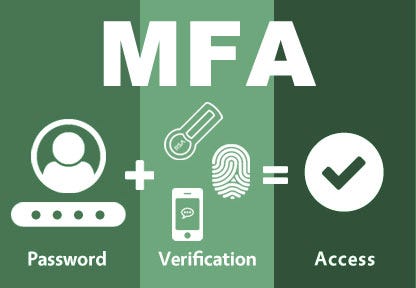
In an era of increasing cyber threats, securing digital identities has become a top priority. MFA (Multi-Factor Authentication) tools add an extra layer of protection by requiring multiple verification methods before granting access. By 2026, MFA solutions have evolved to include adaptive authentication, biometric verification, and AI-driven threat detection to enhance both security and user experience.
Choosing the right MFA tool depends on your organization’s size, security needs, integration environment, and compliance requirements. In this guide, we highlight the Top 10 MFA Tools in 2026, including their key features, advantages, disadvantages, and a comparison table to help you choose the most suitable one.
Top 10 MFA (Multi-Factor Authentication) Tools in 2026
1. Okta Adaptive MFA
Short Description: Okta Adaptive MFA offers intelligent, context-based authentication for enterprises, enhancing security with adaptive risk analysis.
Key Features:
- Context-aware authentication
- Biometric and push notification support
- Integration with 7000+ apps
- Adaptive risk detection and reporting
- Cloud-native architecture
- Easy deployment with SSO
Pros:
- Simple user experience
- Strong adaptive capabilities
- Extensive integrations
Cons:
- Premium pricing
- Some advanced policies require higher tiers
2. Microsoft Authenticator (Azure AD MFA)
Short Description: Microsoft’s MFA solution integrates deeply with Azure AD, offering secure authentication through mobile app verification, biometrics, and OTP.
Key Features:
- Push notifications and biometrics
- Conditional access policies
- Seamless integration with Office 365
- Phishing-resistant authentication
- Cloud and hybrid environment support
- Supports FIDO2 keys
Pros:
- Strong integration with Microsoft ecosystem
- Reliable and scalable
- Great for enterprise users
Cons:
- Best suited for Microsoft environments
- Limited third-party integrations
3. Duo Security (Cisco)
Short Description: Duo Security provides strong multi-factor authentication, device health checks, and adaptive access policies for businesses of all sizes.
Key Features:
- Push-based authentication
- Device health monitoring
- Adaptive risk analysis
- Integration with VPNs and SSO tools
- FIDO2, U2F, and hardware token support
- Detailed reporting dashboard
Pros:
- Easy to deploy
- Strong device security focus
- Excellent user interface
Cons:
- Higher cost for advanced plans
- Limited offline support
4. Ping Identity
Short Description: Ping Identity’s MFA solution delivers adaptive, intelligent authentication that integrates seamlessly into enterprise identity systems.
Key Features:
- Risk-based adaptive authentication
- Biometric and passwordless options
- Integration with enterprise IAM tools
- Contextual user verification
- Supports cloud and on-prem environments
- SSO and identity federation support
Pros:
- Scalable for large enterprises
- Strong security automation
- Flexible deployment options
Cons:
- Complex setup for small teams
- Requires IAM expertise
5. Google Authenticator
Short Description: A free, widely-used app that generates time-based OTPs for secure two-factor authentication.
Key Features:
- Time-based OTP generation
- Works offline
- Supports multiple accounts
- Easy mobile setup
- QR code scanning for setup
- Works with most services
Pros:
- Free and simple to use
- Works across platforms
- Reliable and lightweight
Cons:
- Lacks backup/recovery options
- No centralized admin management
6. Authy (Twilio)
Short Description: Authy is a powerful MFA tool offering secure two-factor authentication with cloud backup and multi-device synchronization.
Key Features:
- Multi-device synchronization
- Secure cloud backup
- Time-based OTP generation
- Supports multiple platforms
- Offline functionality
- Strong encryption
Pros:
- User-friendly interface
- Supports device recovery
- Ideal for developers and users
Cons:
- Dependent on Twilio infrastructure
- Limited enterprise integrations
7. LastPass MFA
Short Description: LastPass MFA provides advanced biometric authentication and contextual policies for secure enterprise identity management.
Key Features:
- Fingerprint and face ID authentication
- Adaptive authentication
- Geolocation and IP tracking
- Works with VPN and cloud apps
- Centralized admin console
- Real-time analytics
Pros:
- Excellent biometric options
- Easy to manage for admins
- Strong security controls
Cons:
- Can be pricey for SMBs
- Limited offline use
8. RSA SecureID
Short Description: RSA SecureID is a legacy yet robust MFA solution offering token-based authentication for critical infrastructure and large organizations.
Key Features:
- Hardware and software tokens
- Risk-based authentication
- Centralized user management
- Integration with enterprise apps
- On-prem and cloud deployment
- High availability architecture
Pros:
- Extremely secure and proven
- Great for regulated industries
- Customizable policies
Cons:
- Outdated interface
- Complex deployment
9. JumpCloud MFA
Short Description: JumpCloud provides cloud-native MFA for organizations managing identities across multiple platforms and devices.
Key Features:
- Cloud-based identity management
- Push, TOTP, and FIDO2 support
- Conditional access controls
- Unified directory management
- Role-based policies
- Cross-platform compatibility
Pros:
- Great for hybrid environments
- Centralized access control
- Easy to deploy
Cons:
- Advanced features cost extra
- Limited offline capability
10. 1Password Advanced MFA
Short Description: 1Password adds enhanced multi-factor authentication to its secure password management system for teams and individuals.
Key Features:
- TOTP and biometric authentication
- Integration with SSO and enterprise apps
- Role-based access management
- Admin insights and audit trails
- Secure recovery options
- Seamless browser extensions
Pros:
- Ideal for password security and MFA
- Easy user experience
- Strong integration ecosystem
Cons:
- Best for existing 1Password users
- Lacks adaptive authentication
Comparison Table
| Tool Name | Best For | Platforms | Standout Feature | Pricing (2026) | Avg. Rating |
|---|---|---|---|---|---|
| Okta Adaptive MFA | Enterprises | Cloud | Context-based Adaptive MFA | Custom | 4.8/5 |
| Microsoft Authenticator | Microsoft Users | Mobile, Cloud | Conditional Access Policies | Free / Custom | 4.7/5 |
| Duo Security | All Business Sizes | Cloud, On-Prem | Device Health Checks | Starts $3/user | 4.8/5 |
| Ping Identity | Large Enterprises | Cloud, Hybrid | Adaptive Identity Intelligence | Custom | 4.6/5 |
| Google Authenticator | Individuals, SMBs | Mobile | Free OTP Authenticator | Free | 4.5/5 |
| Authy | Developers & SMBs | Mobile, Desktop | Cloud Backup & Multi-Device Sync | Free / Custom | 4.6/5 |
| LastPass MFA | Enterprises | Cloud | Biometric & Adaptive MFA | Starts $4/user | 4.6/5 |
| RSA SecureID | Critical Infrastructure | On-Prem, Cloud | Hardware Token Support | Custom | 4.5/5 |
| JumpCloud MFA | Hybrid Organizations | Cloud, Cross-Platform | Unified Directory Access | Starts $2/user | 4.7/5 |
| 1Password Advanced MFA | Teams & Individuals | Cloud, Browser | MFA + Password Vault | Starts $2.99/user | 4.6/5 |
Which MFA Tool is Right for You?
- For Large Enterprises: Okta, Ping Identity, and RSA SecureID offer robust adaptive and enterprise-level security.
- For Small to Mid-size Businesses: Duo Security, JumpCloud, and LastPass MFA provide a balance of cost and capability.
- For Individual Users: Google Authenticator and Authy are reliable free solutions.
- For Microsoft-Centric Environments: Microsoft Authenticator is the best integrated choice.
- For Hybrid Cloud Teams: JumpCloud and Okta provide seamless flexibility.
Conclusion
In 2026, the MFA (Multi-Factor Authentication) tools market continues to evolve with AI, biometrics, and adaptive intelligence leading the charge. Whether you’re a global enterprise or a small business, MFA remains the cornerstone of modern cybersecurity.
Selecting the right MFA tool means balancing usability, cost, and integration needs. From free apps like Google Authenticator to enterprise solutions like Okta and Duo, these tools strengthen access security while maintaining productivity.
FAQs
Q1. What is Multi-Factor Authentication (MFA)?
MFA is a security process that requires two or more authentication methods before granting access to an account or system.
Q2. Which is the best MFA tool for small businesses?
Duo Security and JumpCloud offer excellent scalability and affordability for SMBs.
Q3. What’s the most secure MFA method in 2026?
Biometric and adaptive MFA with risk-based detection are the most secure.
Q4. Is MFA mandatory for compliance?
Yes, many standards (e.g., GDPR, HIPAA, PCI-DSS) now require MFA for compliance.
Q5. Can MFA be used for cloud apps?
Yes, all major MFA tools integrate with cloud and SaaS platforms.

- Top 10 AI Model Serving Frameworks Tools in 2026: Features, Pros, Cons & Comparison - August 30, 2026
- Top 10 Construction Management Software Tools in 2026: Features, Pros, Cons & Comparison - August 11, 2026
- Top 10 AI Academic Writing Tools in 2026: Features, Pros, Cons & Comparison - August 11, 2026